Title: What is the best Ram upgrade?
Post by: Rooster on April 24, 2006, 07:16:21 PM
Post by: Rooster on April 24, 2006, 07:16:21 PM
What kind of RAM should I be looking for to expand to 32meg?
Parity, Non-Parity?
60NS?
Sorry for thre newbie questions but I'd like to load this Dimension card to its peak upgrade.
Parity, Non-Parity?
60NS?
Sorry for thre newbie questions but I'd like to load this Dimension card to its peak upgrade.
Title: What is the best Ram upgrade?
Post by: gtnicol on April 24, 2006, 11:15:58 PM
Post by: gtnicol on April 24, 2006, 11:15:58 PM
4mb 72 pin FPM memory, 80ns or less.
FWIW. I've tried 8mb as well.
FWIW. I've tried 8mb as well.
Title: What is the best Ram upgrade?
Post by: Andreas on April 25, 2006, 03:24:33 PM
Post by: Andreas on April 25, 2006, 03:24:33 PM
Quote from: "gtnicol"
FWIW. I've tried 8mb as well.
and with this you can expand to 64MB.
Title: What is the best Ram upgrade?
Post by: brams on April 26, 2006, 09:08:43 AM
Post by: brams on April 26, 2006, 09:08:43 AM
Quote from: "Andreas"and with this you can expand to 64MB.
I've though about this as mine as 32mb, but does it actually make any difference to anything?
Title: What is the best Ram upgrade?
Post by: gtnicol on April 26, 2006, 03:09:40 PM
Post by: gtnicol on April 26, 2006, 03:09:40 PM
My experience has been that it makes some things faster... video display for example.
Title: What is the best Ram upgrade?
Post by: Rooster on May 06, 2006, 01:01:24 PM
Post by: Rooster on May 06, 2006, 01:01:24 PM
Quote from: "gtnicol"4mb 72 pin FPM memory, 80ns or less.
FWIW. I've tried 8mb as well.
Do you have fill all the slots?
or is it possible to say add 4 X 8 meg chips?
Title: What is the best Ram upgrade?
Post by: andreas_g on June 01, 2018, 09:36:40 AM
Post by: andreas_g on June 01, 2018, 09:36:40 AM
I have a question that possibly fits here. It concerns emulation and therefore i also posted it here (http://www.nextcomputers.org/forums/viewtopic.php?t=2642&start=1200).
As i read from this thread it is definitely possible to run a NeXTdimension board with 64 MB of RAM. The emulator (Previous) also supports up to 64 MB. But there seems to be a timing problem using that much memory. The power-on memory test of the NeXTdimension takes too long so that the 68k CPU board does not see a ready NeXTdimension board on start-up.
It is not a big problem, but this causes the ROM Monitor and boot animation to not show up on the NeXTdimension screen, even if configured to do so.
So now my question is: Did someone experience this problem also on a real NeXTdimension board with memory sizes beyond 32 MB?
As i read from this thread it is definitely possible to run a NeXTdimension board with 64 MB of RAM. The emulator (Previous) also supports up to 64 MB. But there seems to be a timing problem using that much memory. The power-on memory test of the NeXTdimension takes too long so that the 68k CPU board does not see a ready NeXTdimension board on start-up.
It is not a big problem, but this causes the ROM Monitor and boot animation to not show up on the NeXTdimension screen, even if configured to do so.
So now my question is: Did someone experience this problem also on a real NeXTdimension board with memory sizes beyond 32 MB?
Title: What is the best Ram upgrade?
Post by: chrisrot on June 01, 2018, 03:29:37 PM
Post by: chrisrot on June 01, 2018, 03:29:37 PM
My dimension has 48 MB and works without obvious problems.
Title: What is the best Ram upgrade?
Post by: andreas_g on June 01, 2018, 05:48:42 PM
Post by: andreas_g on June 01, 2018, 05:48:42 PM
Quote from: "chrisrot"My dimension has 48 MB and works without obvious problems.
Just to be sure: You see the boot screen (animated icon or message log) on the NeXTdimension color screen?
Title: What is the best Ram upgrade?
Post by: chrisrot on June 02, 2018, 06:51:38 AM
Post by: chrisrot on June 02, 2018, 06:51:38 AM
ok, sorry, I think I misunderstood you.
I see the boot console on the B&w screen. I only get a picture on the dimension after its server is started.
I see the boot console on the B&w screen. I only get a picture on the dimension after its server is started.
Title: What is the best Ram upgrade?
Post by: andreas_g on June 02, 2018, 07:03:34 AM
Post by: andreas_g on June 02, 2018, 07:03:34 AM
Thank you for checking! This is interesting. Do you know how your screens are configured in the multiple screen preferences? Is the login screen icon on the Dimension or on B&W?
Title: What is the best Ram upgrade?
Post by: chrisrot on June 02, 2018, 08:02:07 AM
Post by: chrisrot on June 02, 2018, 08:02:07 AM
The login promt is on the dimension screen, on the b&w the boot log remains.
I think i configured it to use only the dimension screen, but i have to check.
btw it's NS3.3
I think i configured it to use only the dimension screen, but i have to check.
btw it's NS3.3
Title: What is the best Ram upgrade?
Post by: andreas_g on June 03, 2018, 03:22:51 AM
Post by: andreas_g on June 03, 2018, 03:22:51 AM
Very interesting! This matches the behavior on the emulator when using 48 MB of memory (Clarification: In case you set the Dimension to be your main display in the preferences). If I reduce memory on the Dimension to 32 MB or less the boot log is shown on the Dimension screen.
Title: What is the best Ram upgrade?
Post by: chrisrot on June 10, 2018, 03:56:34 AM
Post by: chrisrot on June 10, 2018, 03:56:34 AM
In preference the dimension is set On, the megapixel is set to off.
When I turn both on the boot screen is still on the b&w display but disapears when the login promt is displayed.
When I turn both on the boot screen is still on the b&w display but disapears when the login promt is displayed.
Title: What is the best Ram upgrade?
Post by: andreas_g on June 10, 2018, 04:06:06 AM
Post by: andreas_g on June 10, 2018, 04:06:06 AM
Thank you for checking! I think this ultimately confirms that there is a timing bug in the ROM causing that Dimension boards with more than 32 MB RAM are not detected by the ROM.
Title: Re: What is the best RAM upgrade?
Post by: gtnicol on May 04, 2019, 11:50:48 AM
Post by: gtnicol on May 04, 2019, 11:50:48 AM
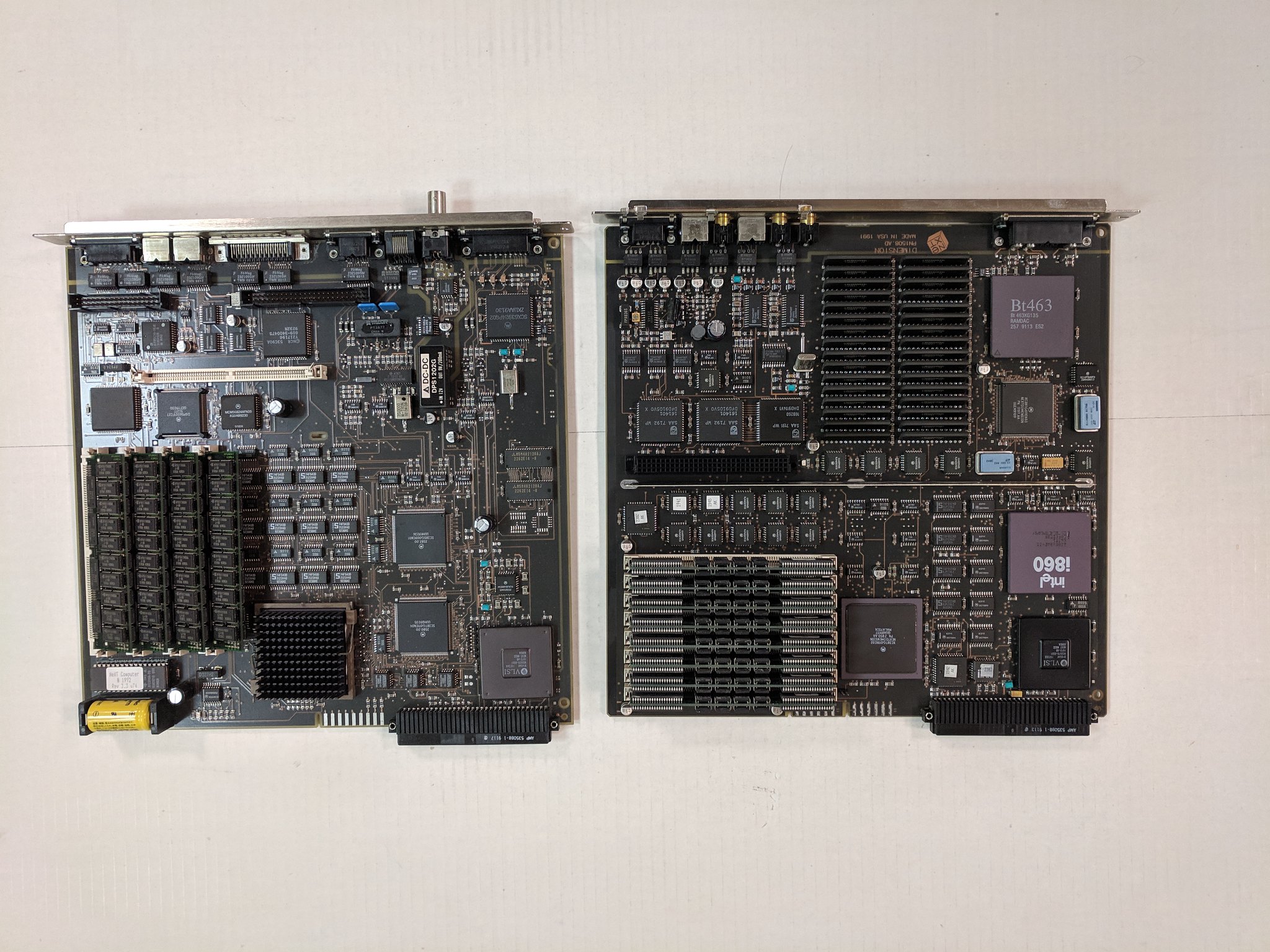
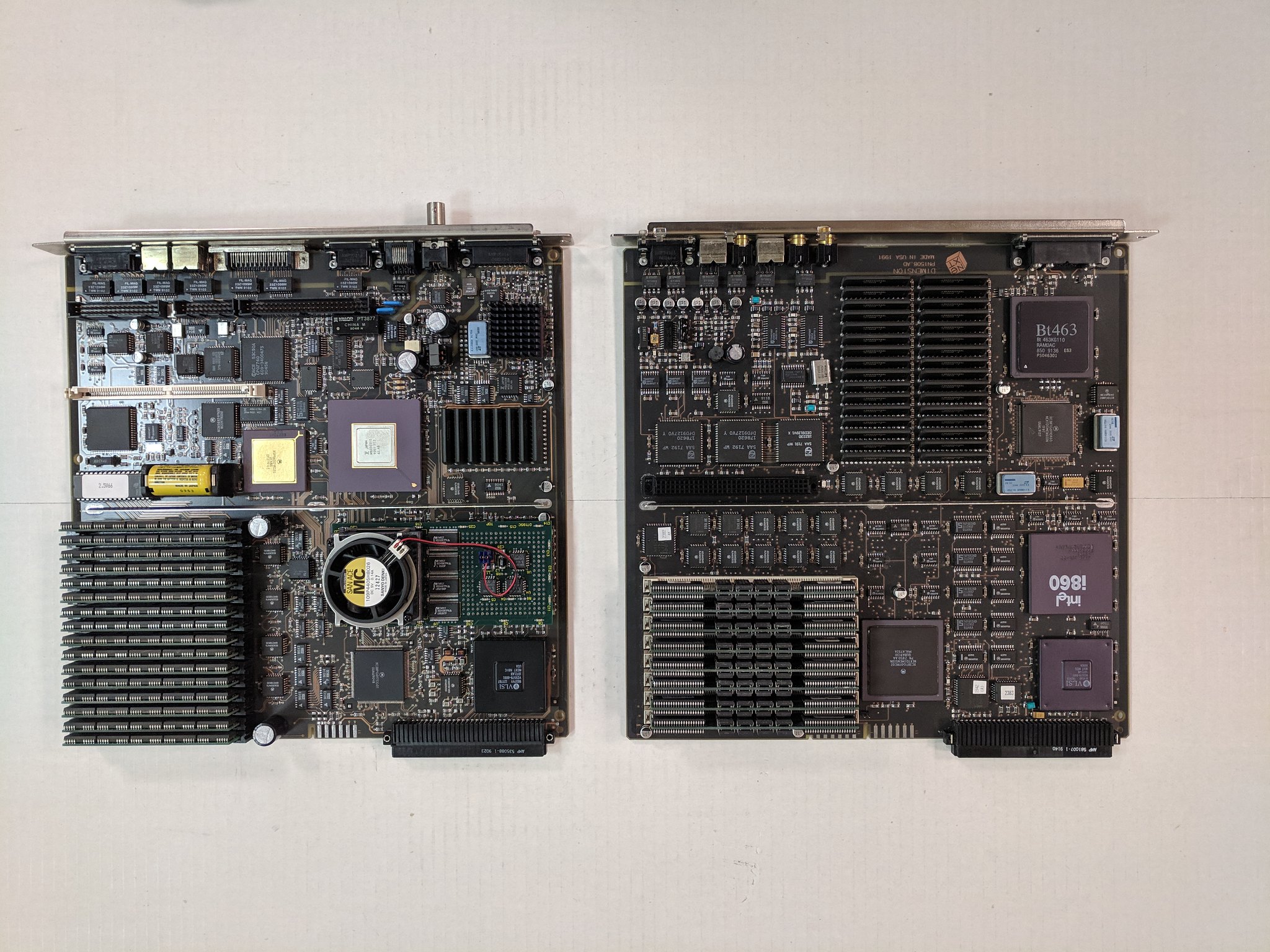
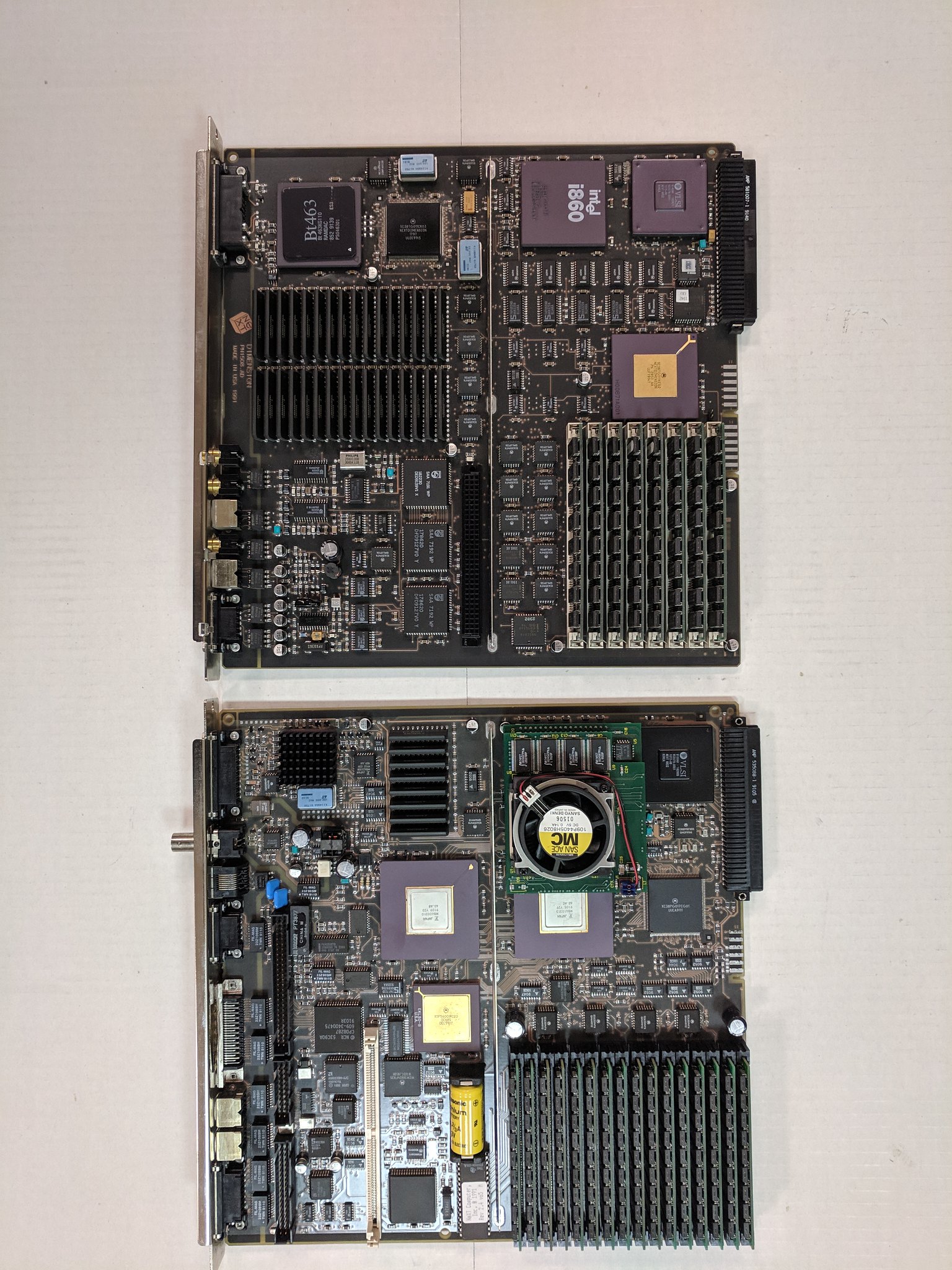
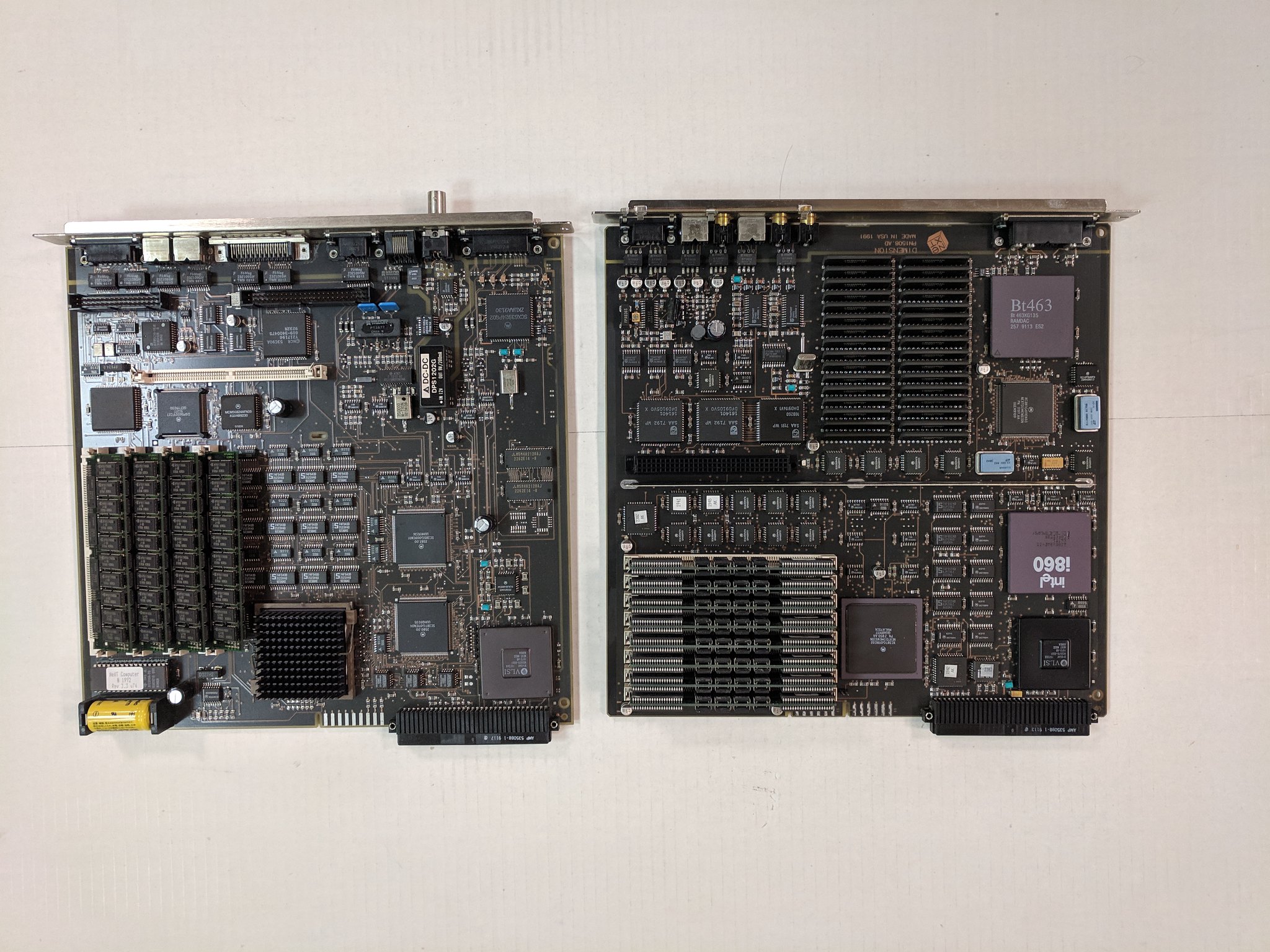
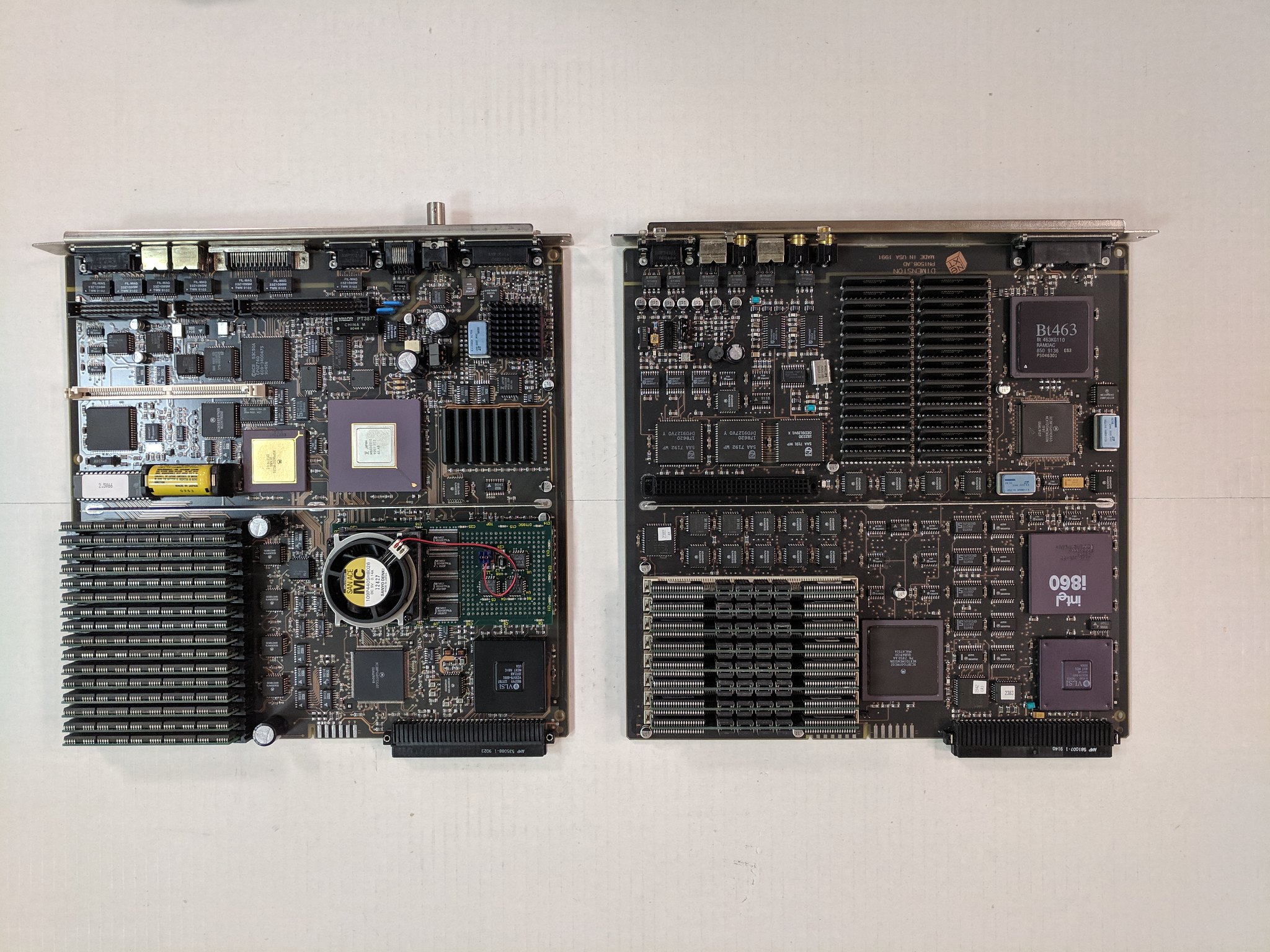
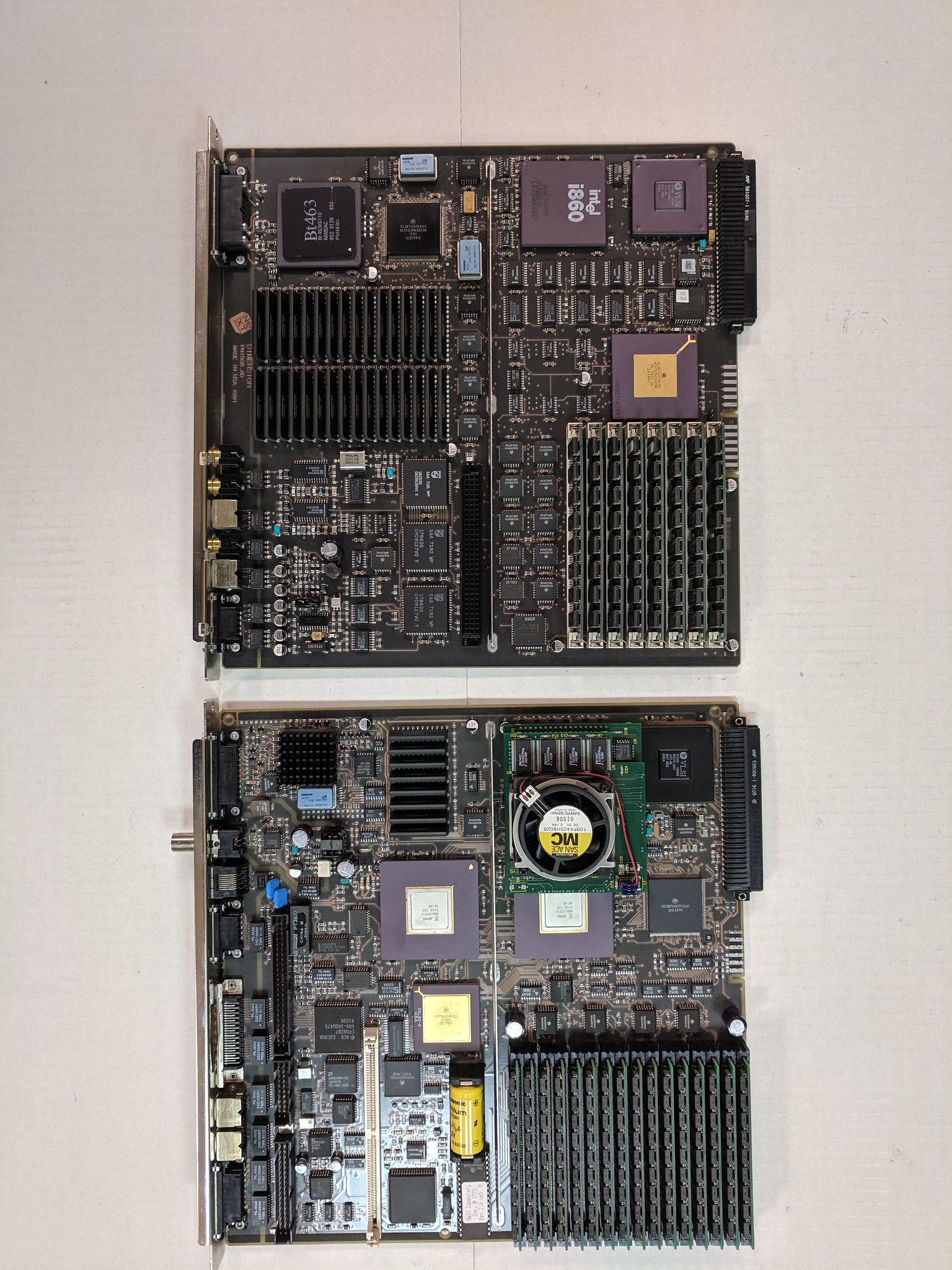
I was going through my herd. Here are a few machines with 64MB Dimensions. The Pyros have the normal error code on startup, but otherwise, the Dimension and the motherboards seem to work fine.
Title: Re: What is the best Ram upgrade?
Post by: trixster on July 08, 2024, 04:38:45 AM
Post by: trixster on July 08, 2024, 04:38:45 AM
Do 8MB simms have to be single sided or can double sided modules fit?
I'm guessing double sided won't fit.
I'm guessing double sided won't fit.
Title: Re: What is the best Ram upgrade?
Post by: chrisrot on July 24, 2024, 11:52:56 PM
Post by: chrisrot on July 24, 2024, 11:52:56 PM
Quote from: trixster on July 08, 2024, 04:38:45 AMI'm guessing double sided won't fit.I have double sided simms on my Dimension with 48MB Ram