Hi
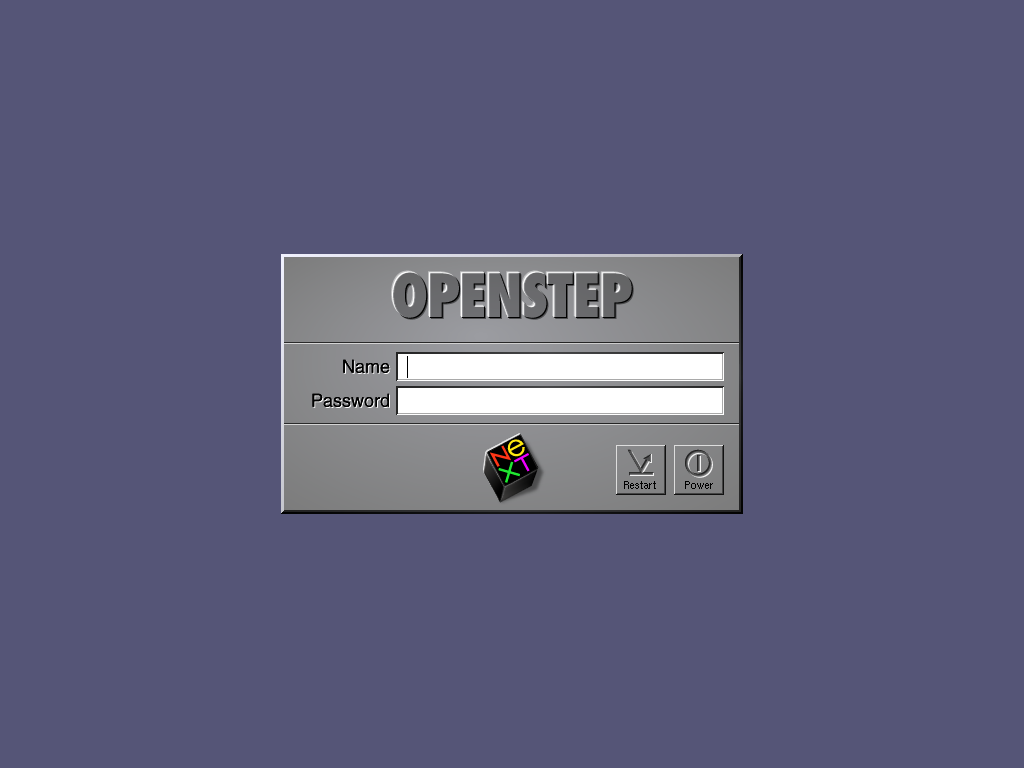
I saw the other day gctwnl's pot about his fantastic NeXT collection, and i notice that his login window with a great modification.
this was done in OPENSTEP, but I would like to know if this can also be done in NS 3.3, I have already load and image but i don't know how to resize the login (name) and password fields
any ideas how to do it?
Thanks
http://www.guidebookgallery.org/pics/gui/startupshutdown/login/openstep42.pnghttp://www.flickr.com/photos/gctwnl/4230172677/in/set-72157622981805101/
It can be done in NeXTStep as easy as in OpenStep. The image used can be specified by an entry in the default database of the root account (owner loginwindow, default ImageFile).
The position and size of name and password field can't be changed, but their position is fixed in relation to the lower border of the image used (migt be to the lower left edge but I never had images wider than the normal panel so I can't tell for sure). Thus using a higher image will shift the fields out of the center and down a bit.
The image has to be in tiff format and won't get used until you either restart loginwindow by entering "exit" as name or restarting the computer.
well, I was just thinking, and I found in the /lib/usr/NeXTStep/loginwindow.app a file called login.nib.
I had tryto open it with the IB (Interface Builder) and guess what the login window seems editable by IB
I haven't try it yet, as I want to do it in other HD with NS 3.3, in case it fail I will have a backup, also I will backup the original .app just in case
If it works I will let everyona know how it went, my idea is to add a scan photo of my wife/kids on the login window or a Mafalda cartoon
Thanks
almost a success
I had modified the .nib file under IB, also the image for the input fileds, but once I test it the image is centered in the window,
any ideas how to modify it
Thanks