Title: NeXTSTEP 3.3 on SPARC via Qemu
Post by: neozeed on April 10, 2010, 02:39:51 AM
Post by: neozeed on April 10, 2010, 02:39:51 AM
It's not usable... Qemu doesn't emulate the 'correct' graphics... so it's console.. And not terribly usable, nor friendly.
*HOWEVER* I would imagine if you had access to a SPARC, you could install NS, then image the drive, and pass it onto Qemu....
So perhaps there is some hope.....
qemu-system-sparc.exe -nographic -monitor n
ull -serial mon:telnet:127.0.0.1:23,server -bios ..\ss5-170.bin -M SS-5 -m 256 -startdate "2009-12-13" -cdrom \temp\ns.iso
*HOWEVER* I would imagine if you had access to a SPARC, you could install NS, then image the drive, and pass it onto Qemu....
So perhaps there is some hope.....
qemu-system-sparc.exe -nographic -monitor n
ull -serial mon:telnet:127.0.0.1:23,server -bios ..\ss5-170.bin -M SS-5 -m 256 -startdate "2009-12-13" -cdrom \temp\ns.iso
Quote
Power-ON Reset
MB86907 POST 2.2.3 03SEP96
Probing system memory: 32 32 32 32 32 32 32 32
Config = 8800AAAA
0Kb ecache detected
initializing TLB
initializing cache
Allocating SRMMU Context Table
Setting SRMMU Context Register
Setting SRMMU Context Table Pointer Register
Allocating SRMMU Level 1 Table
Mapping RAM
Mapping ROM
ttya initialized
Probing Memory Bank #0 32 Megabytes
Probing Memory Bank #1 32 Megabytes
Probing Memory Bank #2 32 Megabytes
Probing Memory Bank #3 32 Megabytes
Probing Memory Bank #4 32 Megabytes
Probing Memory Bank #5 32 Megabytes
Probing Memory Bank #6 32 Megabytes
Probing Memory Bank #7 32 Megabytes
Incorrect configuration checksum;
Setting NVRAM parameters to default values.
Setting diag-switch? NVRAM parameter to true
Probing CPU FMI,MB86907
Probing /iommu@0,10000000/sbus@0,10001000 at 5,0 espdma esp sd st SUNW,bpp ledma le
Probing /iommu@0,10000000/sbus@0,10001000 at 4,0 SUNW,CS4231 power-management
Probing /iommu@0,10000000/sbus@0,10001000 at 1,0 Nothing there
Probing /iommu@0,10000000/sbus@0,10001000 at 2,0 Nothing there
Probing /iommu@0,10000000/sbus@0,10001000 at 3,0 Nothing there
Probing /iommu@0,10000000/sbus@0,10001000 at 0,0 Nothing there
screen not found.
Can't open input device.
Keyboard not present. Using tty for input and output.
Probing Memory Bank #0 32 Megabytes
Probing Memory Bank #1 32 Megabytes
Probing Memory Bank #2 32 Megabytes
Probing Memory Bank #3 32 Megabytes
Probing Memory Bank #4 32 Megabytes
Probing Memory Bank #5 32 Megabytes
Probing Memory Bank #6 32 Megabytes
Probing Memory Bank #7 32 Megabytes
Incorrect configuration checksum;
Setting NVRAM parameters to default values.
Setting diag-switch? NVRAM parameter to true
Probing CPU FMI,MB86907
Probing /iommu@0,10000000/sbus@0,10001000 at 5,0 espdma esp sd st SUNW,bpp ledma le
Probing /iommu@0,10000000/sbus@0,10001000 at 4,0 SUNW,CS4231 power-management
Probing /iommu@0,10000000/sbus@0,10001000 at 1,0 Nothing there
Probing /iommu@0,10000000/sbus@0,10001000 at 2,0 Nothing there
Probing /iommu@0,10000000/sbus@0,10001000 at 3,0 Nothing there
Probing /iommu@0,10000000/sbus@0,10001000 at 0,0 Nothing there
SPARCstation 5, No Keyboard
ROM Rev. 2.29, 256 MB memory installed, Serial #0.
Ethernet address 52:54:0:12:34:56, Host ID: 80000000.
Boot device: /iommu/sbus/ledma@5,8400010/le@5,8c00000 File and args:
Internal loopback test -- Wrong packet length; expected 36, observed 64
Can't open boot device
Type help for more information
ok boot cdrom
Boot device: /iommu/sbus/espdma@5,8400000/esp@5,8800000/sd@6,0:d File and args:
NEXTSTEP boot v3.3.4.17
261548 memory
NEXTSTEP will start up in 10 seconds, or you can:
Type -v and press Return to start up NEXTSTEP with diagnostic messages
Type ? and press Return to learn about advanced startup options
Type any other character to stop NEXTSTEP from starting up automatically
boot:
Type 1 to use the English language and USA keyboard while installing NEXTSTEP.
Tapez 2 pour installer NEXTSTEP avec un clavier et des messages francais.
Eingabe 3 fuer NEXTSTEP-Installation mit deutscher Sprache und Tastatur.
Premi 4 per installare NEXTSTEP usando lingua italiana e tastiera italiana.
Pulse 5 para usar el idioma y el teclado espanol en la instalacion de NEXTSTEP.
Skriv 6 for att installera NEXTSTEP pa svenska med svenskt tangentbord.
---> 1
This program is for installing NEXTSTEP on a hard disk.
THIS IS NOT AN UPGRADE: ANY EXISTING NEXTSTEP FILES WILL BE DELETED.
If you have files on your hard disk that you want to keep,
quit this program and copy what you want to keep onto another disk.
Type 1 to prepare to install NEXTSTEP.
Type 2 to quit this installation program.
---> 1
Loading NEXTSTEP
Reading NEXTSTEP configuration
Starting NEXTSTEP
Title: Re: NeXTSTEP 3.3 on SPARC via Qemu
Post by: cuby on April 10, 2010, 11:20:43 AM
Post by: cuby on April 10, 2010, 11:20:43 AM
Quote from: "neozeed"It's not usable... Qemu doesn't emulate the 'correct' graphics... so it's console.. And not terribly usable, nor friendly.
Cool nevertheless - where did you get the Open Firmware image from?
-- Michael
Title: ofw
Post by: neozeed on April 10, 2010, 03:30:42 PM
Post by: neozeed on April 10, 2010, 03:30:42 PM
Title: NeXTSTEP 3.3 on SPARC via Qemu
Post by: itomato on August 22, 2010, 09:28:55 PM
Post by: itomato on August 22, 2010, 09:28:55 PM
Has anyone applied the cg14 patches (http://tyom.blogspot.com/2010/05/sx-framebuffer-emulation.html) and tried another build?
I can't get the git sources to build after applying either/both of Bob Breuer's patches..
I've got a Linux and OS X box to build on, if anyone can share the secrets of their success.. :?:
I can't get the git sources to build after applying either/both of Bob Breuer's patches..
I've got a Linux and OS X box to build on, if anyone can share the secrets of their success.. :?:
Title: NeXTSTEP 3.3 on SPARC via Qemu
Post by: neozeed on August 22, 2010, 11:03:00 PM
Post by: neozeed on August 22, 2010, 11:03:00 PM
Quote from: "itomato"Has anyone applied the cg14 patches (http://tyom.blogspot.com/2010/05/sx-framebuffer-emulation.html) and tried another build?
I can't get the git sources to build after applying either/both of Bob Breuer's patches..
I've got a Linux and OS X box to build on, if anyone can share the secrets of their success.. :?:
The patches worked for the SUN 20, so it'd come up for the PROM but it had all kinds of weird issues, I couldn't get it to boot up Solaris, nor would nextstep do anything more then the ss5.
Title: NeXTSTEP 3.3 on SPARC via Qemu
Post by: atar on September 01, 2010, 05:56:24 AM
Post by: atar on September 01, 2010, 05:56:24 AM
Quote from: "neozeed"
The patches worked for the SUN 20, so it'd come up for the PROM but it had all kinds of weird issues, I couldn't get it to boot up Solaris, nor would nextstep do anything more then the ss5.
I can boot Solaris with SS-20 emulation (haven't looked if the current version is good enough to start XWindow though), but the current problem with NS is not the graphics. It randomly hangs in a single user mode too, and I don't know yet how to track the problem down.
Title: NeXTSTEP 3.3 on SPARC via Qemu
Post by: itomato on September 02, 2010, 07:28:58 AM
Post by: itomato on September 02, 2010, 07:28:58 AM
I am able to build with the cg14 patch, but when I boot using any of the OBP ROMs, I get a black screen, but '-nographic' is semi-functional.
Regardless, the results mirror neozeed's..
Freezing at "Starting NEXTSTEP"..
I can't get anything out of Qemu to indicate what's going on. Perhaps I'm just ignorant, but a '-s' and gdb connection don't yield anything useful, nor does the monitor log..
I have tried loading the ISO as a CDROM as well as a hard disk with the same results with SS20 and SS5 and 10.
Regardless, the results mirror neozeed's..
Freezing at "Starting NEXTSTEP"..
Code Select
boot: config=Default -v

Loading NEXTSTEP
Loading mach_kernel

Reading NEXTSTEP configuration
Loading /usr/standalone/sparc/sarld
Loading binary for SunLe device driver.
Loading binary for SCSAController device driver.
Starting NEXTSTEP
I can't get anything out of Qemu to indicate what's going on. Perhaps I'm just ignorant, but a '-s' and gdb connection don't yield anything useful, nor does the monitor log..
I have tried loading the ISO as a CDROM as well as a hard disk with the same results with SS20 and SS5 and 10.
Title: NeXTSTEP 3.3 on SPARC via Qemu
Post by: atar on September 02, 2010, 08:54:34 AM
Post by: atar on September 02, 2010, 08:54:34 AM
Yes, I haven't commited the fix upstream yet. NeXTSTEP/OpenSTEP seem to use some undocumented timer features, which qemu doesn't implement.
Which doesn't make the upstream acceptance process any easier: if with my fix NS/OS were stable, it would have been an argument. But now I have to find the source of instability, or at least prove somehow that the timer emulation is not guilty.
As for cg14 patch, tested it, it's still not good enough to start OpenWindows, so probably it won't be good for OS/NS either.
Which doesn't make the upstream acceptance process any easier: if with my fix NS/OS were stable, it would have been an argument. But now I have to find the source of instability, or at least prove somehow that the timer emulation is not guilty.
As for cg14 patch, tested it, it's still not good enough to start OpenWindows, so probably it won't be good for OS/NS either.
Title: NeXTSTEP 3.3 on SPARC via Qemu
Post by: itomato on September 06, 2010, 04:19:15 PM
Post by: itomato on September 06, 2010, 04:19:15 PM
OK - I've got an SS-20 with color graphics on Linux!

If anyone's curious, here's what I'm doing..
----------------
- clone the current git sources:
- manually retrieve and apply Bob Breuer's CG14 patch from here:
http://permalink.gmane.org/gmane.comp.emulators.qemu/76402
I was using wget and some sed to unmangle '>', '<', '&', etc., but it works fine with copy/paste.
-----------------
-boot: I've got a script with various permutations of machine configs, VNC displays, etc., with essentially this:
- connect to the VNC display and wait a bit for the self-tests to complete, and then for the memory checks to complete.
---------------
Notes:
- --enable-debug slows things down considerably
- 'Activate (cg14) by selecting SS-20 machine and setting width > 1024, i.e. "-M SS-20 -g 1152x900"' - missed this at first
- 256MB seems to be necessary
- Specifying a keymap for qemu was necessary; '-k en-us'
- Nothing in the new sources enables progress beyond the 'Starting NEXTSTEP' phase..

thanks atar, neozeed & bob breuer!
If anyone's curious, here's what I'm doing..
----------------
- clone the current git sources:
Code Select
if [ -d qemu ]
then
        echo "** QEMU dir detected.  Appending $$.."
        mv qemu qemu.$$
        mkdir qemu
fi

git clone git://git.savannah.nongnu.org/qemu.git
- manually retrieve and apply Bob Breuer's CG14 patch from here:
http://permalink.gmane.org/gmane.comp.emulators.qemu/76402
I was using wget and some sed to unmangle '>', '<', '&', etc., but it works fine with copy/paste.
Code Select
cd qemu
patch -p1 <patch
./configure --target-list=sparc-softmmu --enable-debug
make -j3
-----------------
-boot: I've got a script with various permutations of machine configs, VNC displays, etc., with essentially this:
Code Select
sparc-softmmu/qemu-system-sparc -d exec,int -boot c -bios /home/itomato/SPARC/ss20.rom -m 256 -M SS-20 -hda /home/itomato/NS33SPARC.iso -hdb /home/itomato/NS33SPARC-HD.img -g 1280x1024 -vnc 127.0.0.1:0 -cpu "TI SuperSparc 50"
- connect to the VNC display and wait a bit for the self-tests to complete, and then for the memory checks to complete.
---------------
Notes:
- --enable-debug slows things down considerably
- 'Activate (cg14) by selecting SS-20 machine and setting width > 1024, i.e. "-M SS-20 -g 1152x900"' - missed this at first
- 256MB seems to be necessary
- Specifying a keymap for qemu was necessary; '-k en-us'
- Nothing in the new sources enables progress beyond the 'Starting NEXTSTEP' phase..
thanks atar, neozeed & bob breuer!
Title: NeXTSTEP 3.3 on SPARC via Qemu
Post by: atar on September 18, 2010, 07:37:59 AM
Post by: atar on September 18, 2010, 07:37:59 AM
Quote from: "itomato"
- 256MB seems to be necessary
[snip]
- Specifying a keymap for qemu was necessary; '-k en-us'
What are these for? I usually use just 64MiB, and no keymap.
Title: NeXTSTEP 3.3 on SPARC via Qemu
Post by: itomato on September 19, 2010, 01:04:58 AM
Post by: itomato on September 19, 2010, 01:04:58 AM
One SS20 build wouldn't boot unless all slots were full - though I may have mixed details from attempts with an SS10!
I have thought about the keyboard option, and that may actually be for VNC..
This stuff usually happens as a storm of activity, and my editor is on leave!
I have thought about the keyboard option, and that may actually be for VNC..
This stuff usually happens as a storm of activity, and my editor is on leave!
Title: NeXTSTEP 3.3 on SPARC via Qemu
Post by: neozeed on April 12, 2015, 06:52:59 AM
Post by: neozeed on April 12, 2015, 06:52:59 AM
I just got word on my blog that this now works!!! more details to come!
Title: NeXTSTEP 3.3 on SPARC via Qemu
Post by: ardi on July 13, 2015, 10:49:44 AM
Post by: ardi on July 13, 2015, 10:49:44 AM
Quote from: "neozeed"I just got word on my blog that this now works!!! more details to come!Any news, neozeed? Would be very nice to be able to emulate NS on SPARC too, now that Previous lets us emulate 68K hardware so well.
Btw, did you try to boot Tiger/PPC in mac99 on the latest qemu release? Are there any advances since last Summer? Can you get sound to work? The PPC team in qemu seems very focused on non-Mac PPC machines, my feeling is that PPC Mac emulation advances slowly because of this.
Title: NeXTSTEP 3.3 on SPARC via Qemu
Post by: neozeed on July 13, 2015, 09:27:36 PM
Post by: neozeed on July 13, 2015, 09:27:36 PM
apparently it only ran on one snap on linux... so it didn't make prime time. I know kind of a bummer.
most of the gpl folks dont like apple hardware I guess going back to the look & feel or how it can let you run old apple software so it'll get the lawyers attention... which isn't a good thing. Which is why Basilisk has fallen by the wayside, but Sheepshaver is in far more direstraights as it relies on doing a 1:1 memory map that new OS's won't let you overwrite and own 0x00000000 anymore causing trouble.
most of the gpl folks dont like apple hardware I guess going back to the look & feel or how it can let you run old apple software so it'll get the lawyers attention... which isn't a good thing. Which is why Basilisk has fallen by the wayside, but Sheepshaver is in far more direstraights as it relies on doing a 1:1 memory map that new OS's won't let you overwrite and own 0x00000000 anymore causing trouble.
Title: NeXTSTEP 3.3 on SPARC via Qemu
Post by: ardi on July 14, 2015, 06:22:58 AM
Post by: ardi on July 14, 2015, 06:22:58 AM
Quote from: "neozeed"apparently it only ran on one snap on linux... so it didn't make prime time. I know kind of a bummer.Sorry to hear that, neozeed, both the bad news on the SPARC emulation, and also regarding the slow qemu/ppc-mac progress. I've interest on being able to use PPC OS X versions inside an emulator because my G5 iMac died a couple of years ago and I wish to relive it in emulation someday. But anyway, I don't want to change the thread topic, which was about NS on SPARC, just went to your blog and saw your qemu/Tiger post from last year and wondered if there were any news.
most of the gpl folks dont like apple hardware I guess going back to the look & feel or how it can let you run old apple software so it'll get the lawyers attention... which isn't a good thing. Which is why Basilisk has fallen by the wayside, but Sheepshaver is in far more direstraights as it relies on doing a 1:1 memory map that new OS's won't let you overwrite and own 0x00000000 anymore causing trouble.
Title: NeXTSTEP 3.3 on SPARC via Qemu
Post by: neozeed on April 27, 2017, 11:43:55 AM
Post by: neozeed on April 27, 2017, 11:43:55 AM
it gets much closer now... qemu 2.9.0
it loads the boot loader, loads a kernel, and inits... then hangs at mounting the cd-rom...
preposterious date & time.... but that's all.
Code Select
qemu-system-sparc.exe -M SS-5 -hda spark.disk -m 32 -boot d -bios ss5.bin -drive file=risc.iso,if=scsi,bus=0,unit=6,media=cdromit loads the boot loader, loads a kernel, and inits... then hangs at mounting the cd-rom...
preposterious date & time.... but that's all.
Title: Re: NeXTSTEP 3.3 on SPARC via Qemu
Post by: pomosapien on November 04, 2021, 06:22:11 PM
Post by: pomosapien on November 04, 2021, 06:22:11 PM
It's been a while, now QEMU says it is 6.1.0.
A user disc fails to boot, but doesn't hang:
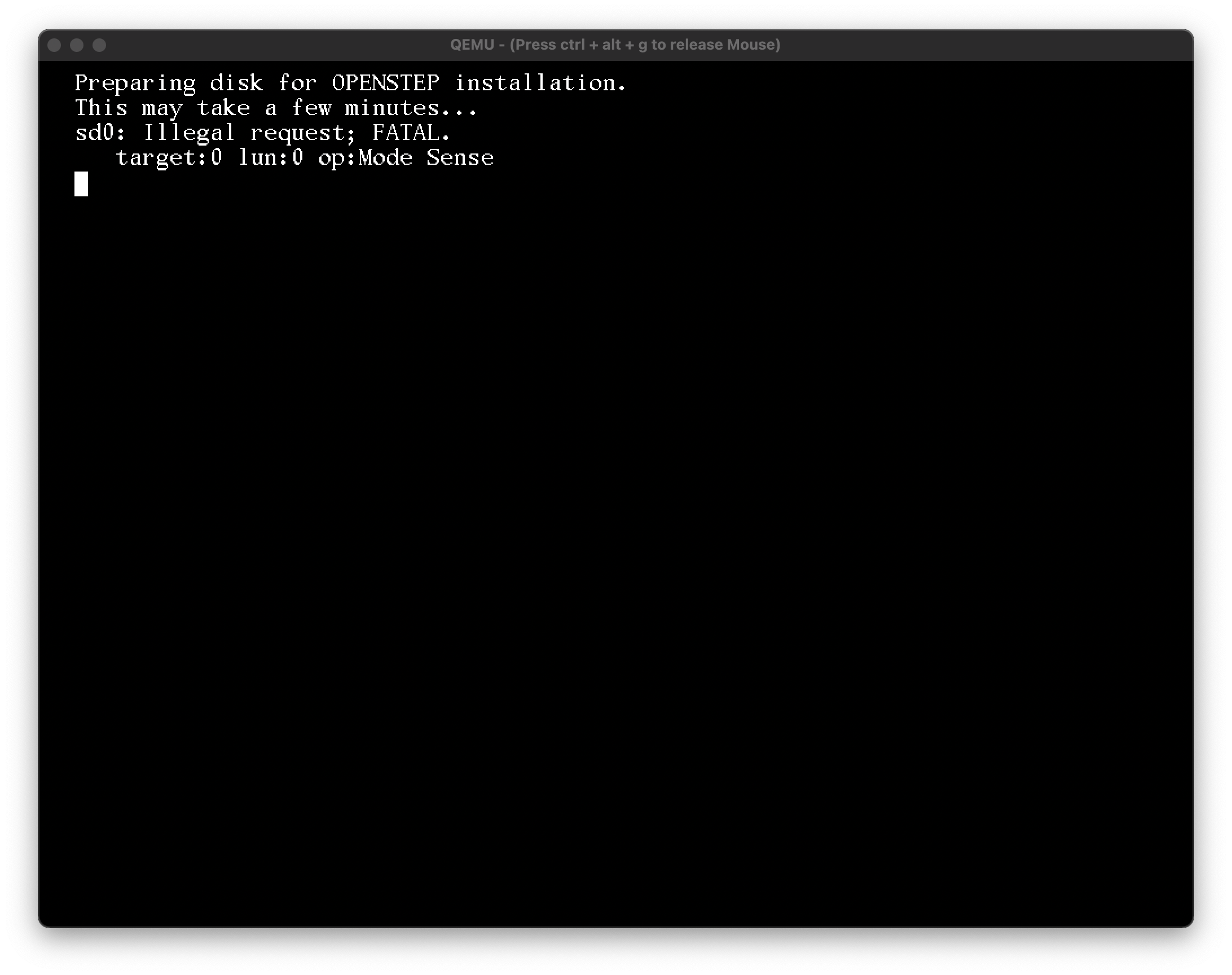
OPENSTEP 4.2 gets further.
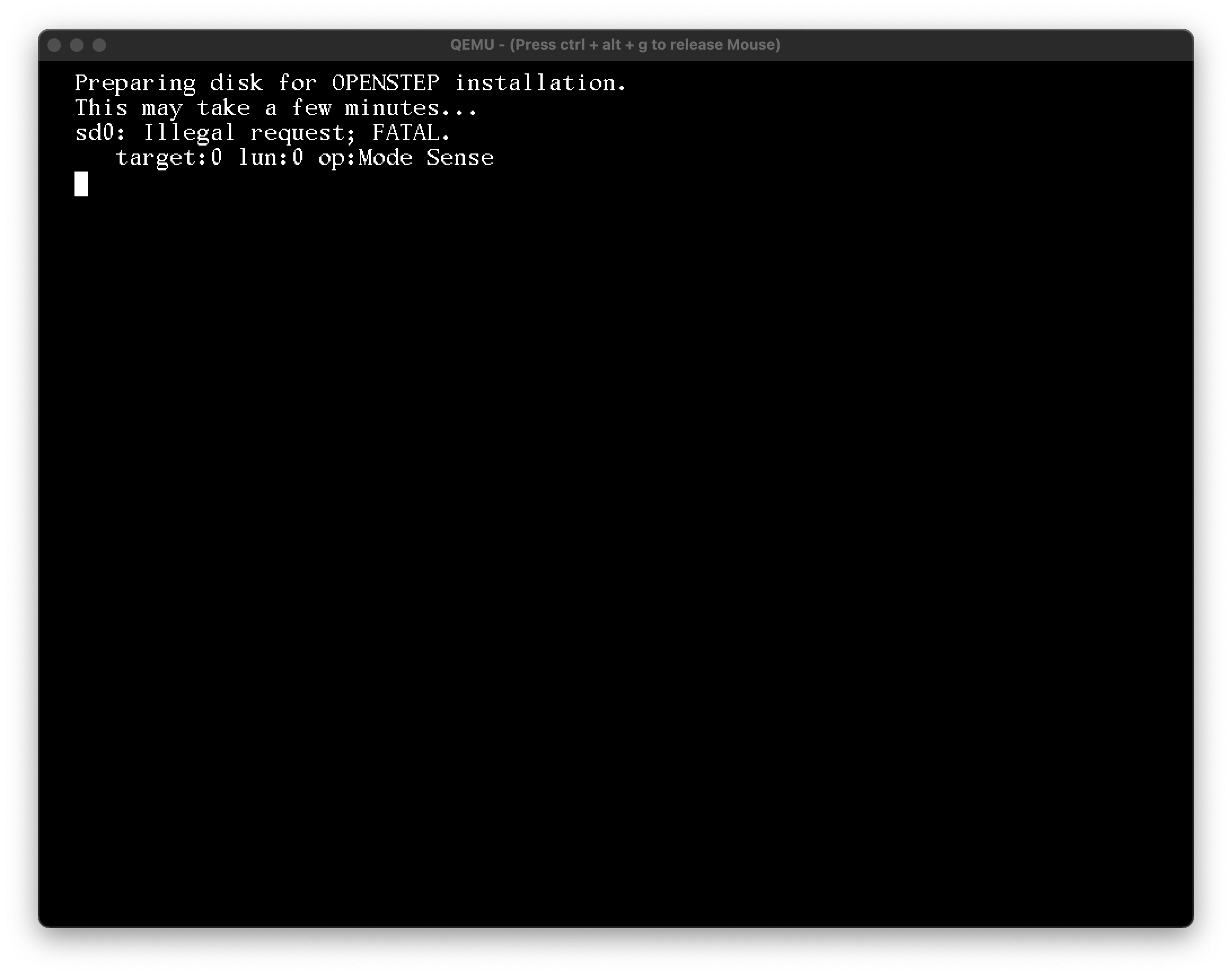
maybe PEBCAK.
Code Select
qemu-system-sparc -bios ss5-170.bin -M SS-5 -m 128 \
 -drive file=sparc.qcow2,bus=0,unit=0,media=disk \
 -drive file=User.iso,bus=0,unit=6,media=cdrom,readonly=on
A user disc fails to boot, but doesn't hang:
Code Select
Bad magic number in disk label | Can't open disk label package OPENSTEP 4.2 gets further.
Code Select
sd0: Illegal request; FATAL.
   target:0 lun:0 op:Mode Sense
maybe PEBCAK.
Title: Re: NeXTSTEP 3.3 on SPARC via Qemu
Post by: pomosapien on November 04, 2021, 06:46:09 PM
Post by: pomosapien on November 04, 2021, 06:46:09 PM
er, sorry, I was using the wrong 3.3 installation media. using a 3.3 disc image with 'risc' in the filename, I get as far as I did with 4.2.
Title: Re: NeXTSTEP 3.3 on SPARC via Qemu
Post by: bitten on November 17, 2021, 03:07:50 PM
Post by: bitten on November 17, 2021, 03:07:50 PM
Quote from: pomosapien on November 04, 2021, 06:46:09 PMer, sorry, I was using the wrong 3.3 installation media. using a 3.3 disc image with 'risc' in the filename, I get as far as I did with 4.2.Hi,
You have to create a working HDD for a qemu sun machine to work.
It is not sufficient to simply create one on the host/supply the options on startup.
You can read how to do that here (you will need Solaris Install media and a ROM)
https://learn.adafruit.com/build-your-own-sparc-with-qemu-and-solaris?view=all
Title: Re: NeXTSTEP 3.3 on SPARC via Qemu
Post by: Andrew-R on November 13, 2024, 05:58:35 AM
Post by: Andrew-R on November 13, 2024, 05:58:35 AM
current attempt with qemu 9.0.3
it seems to install with 'taskset -c 1' added before qemu command, but still I do not know how to boot resulting hd from openfirmware (SUNs firmware crash emulator right now)
https://gitlab.com/qemu-project/qemu/-/issues/2620
it seems to install with 'taskset -c 1' added before qemu command, but still I do not know how to boot resulting hd from openfirmware (SUNs firmware crash emulator right now)
https://gitlab.com/qemu-project/qemu/-/issues/2620
Title: Re: NeXTSTEP 3.3 on SPARC via Qemu
Post by: Andrew-R on November 13, 2024, 07:28:01 AM
Post by: Andrew-R on November 13, 2024, 07:28:01 AM
it boots!
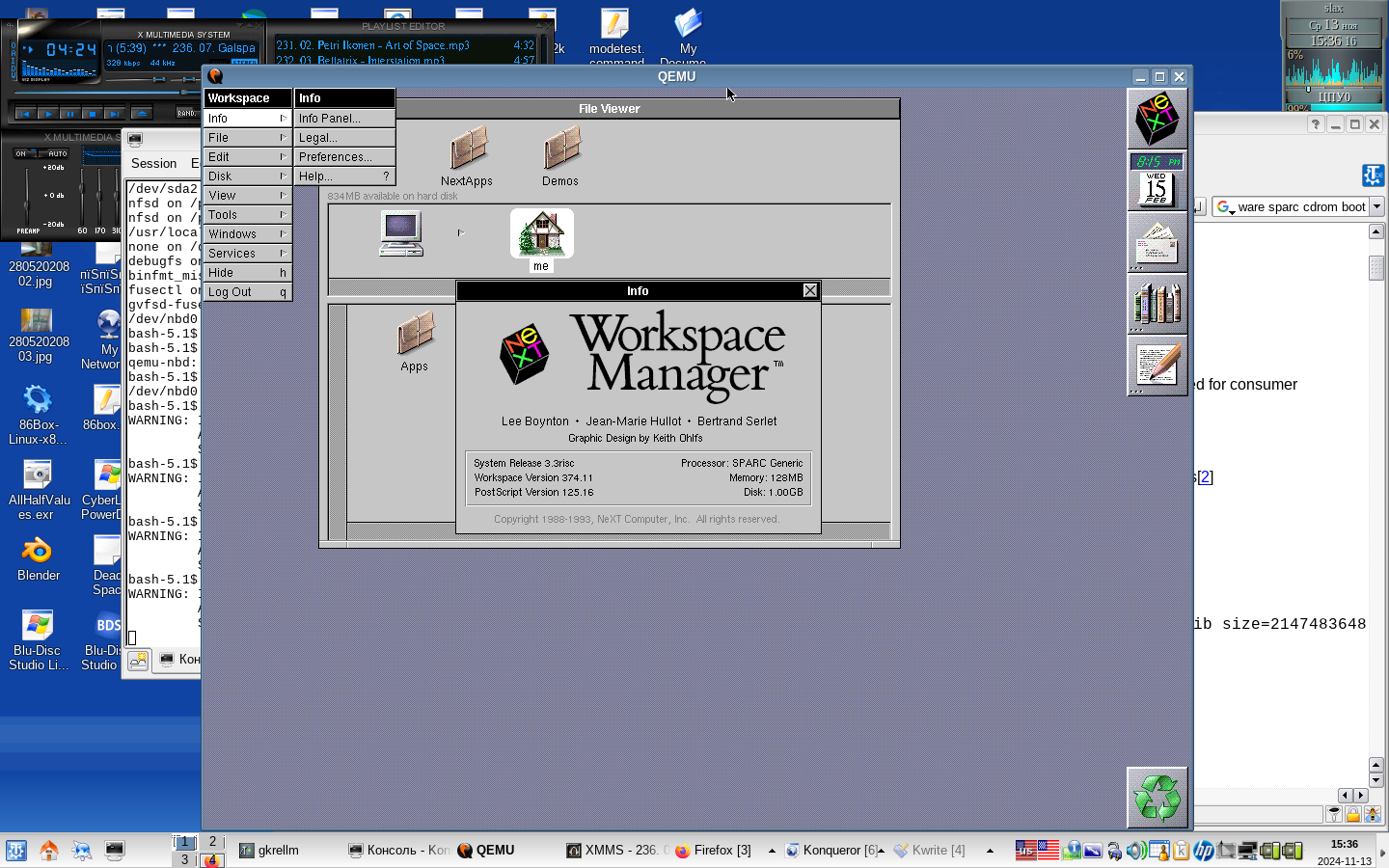
also ~2016 fork of qemu with cg14 framebuffer, may be a bit better at graphics? (tcx seems to glitch on window movement)
https://github.com/itomato/NeXTSPARC
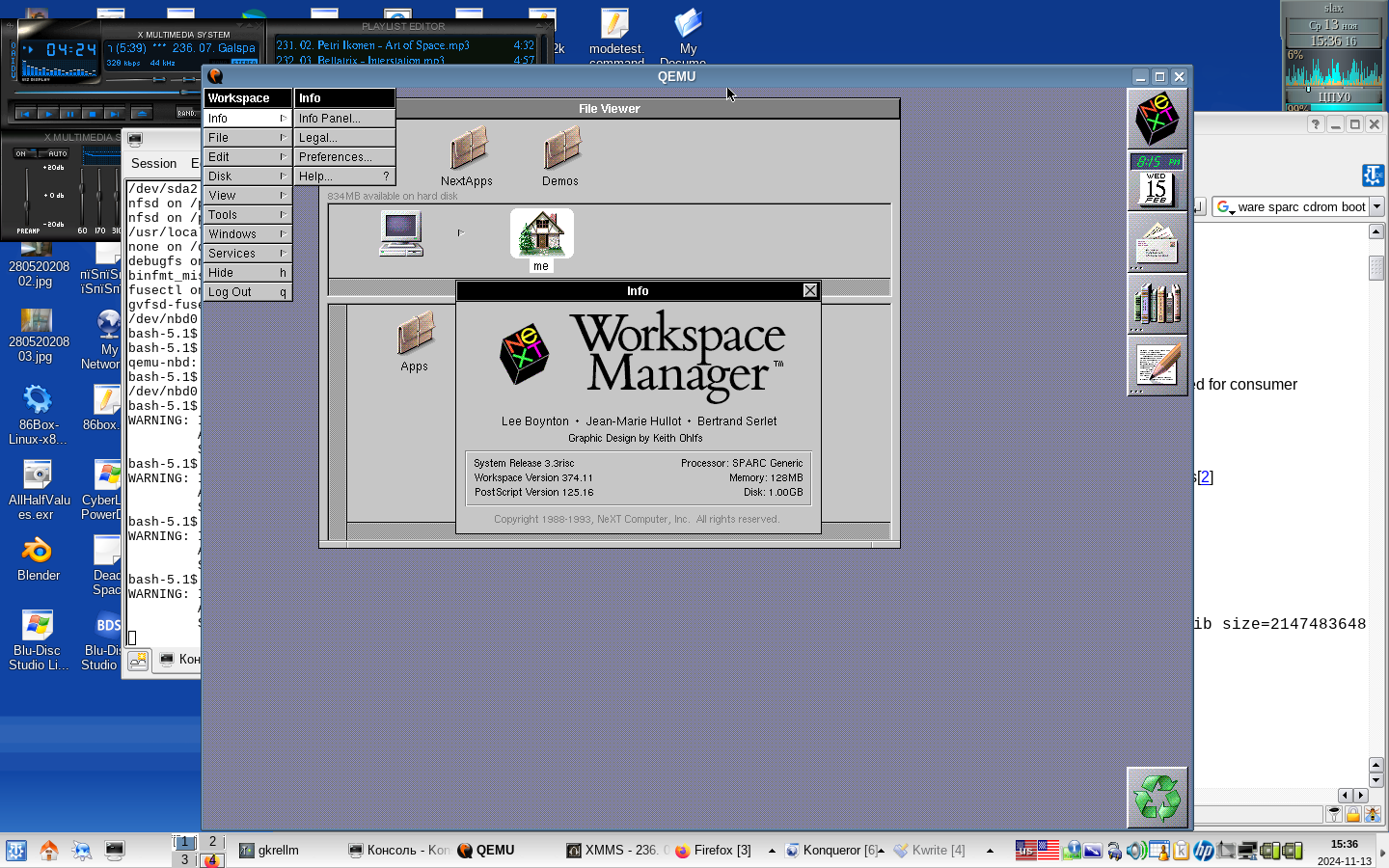
also ~2016 fork of qemu with cg14 framebuffer, may be a bit better at graphics? (tcx seems to glitch on window movement)
https://github.com/itomato/NeXTSPARC