Title: NeXT Hardware and SCSI Yamaha 4006 CDR 6 way card reader!
Post by: Rob Blessin Black Hole on October 03, 2013, 05:38:56 AM
Post by: Rob Blessin Black Hole on October 03, 2013, 05:38:56 AM
Hello NeXT Community:
As hard drives are dieing looking for convenient ways for everyone to back all of our stuff up.
I've used Exabyte Tape drives
I saw a couple of drivers on the Peanuts archive cd's that look like they support early scsi Yamaha CDr's my model 4006 CDr is even listed . The have caddies and I just tried one mounting it in a cube, it aligns but the splines on the interior of the face bezel impede on the cartridge being able to fully eject.
http://www.nextcomputers.org/NeXTfiles/Software/NEXTSTEP/Apps/CDRom/
So I may slightly mod the bezel by sanding down the splines to give tolerance for the cartridge to fully eject that is if I can get the writer to work. My thought here It will be nice to have a way to write or back up all of the apps to CDR.
I also have a 6 way scsi card reader FLASH , SSD, PCMCIA etc working which is convenient for backing up and moving files between machines that are not networked! I dropped it into an old doa exabyte tape enclosure and it works, were going to paint it black.
I also have successfully installed and run NeXTSTEP on scsi Solid State Flash Drives.
I'll try to add pictures as things go along.
Let me know if you have any tips or recommendations!
Also I heard from the guys that made the Mix Ilink, , they are still around
it would be cool if thaey updated the old Mix boxes or software!
Best Regards Rob Blessin
8)
As hard drives are dieing looking for convenient ways for everyone to back all of our stuff up.
I've used Exabyte Tape drives
I saw a couple of drivers on the Peanuts archive cd's that look like they support early scsi Yamaha CDr's my model 4006 CDr is even listed . The have caddies and I just tried one mounting it in a cube, it aligns but the splines on the interior of the face bezel impede on the cartridge being able to fully eject.
http://www.nextcomputers.org/NeXTfiles/Software/NEXTSTEP/Apps/CDRom/
So I may slightly mod the bezel by sanding down the splines to give tolerance for the cartridge to fully eject that is if I can get the writer to work. My thought here It will be nice to have a way to write or back up all of the apps to CDR.
I also have a 6 way scsi card reader FLASH , SSD, PCMCIA etc working which is convenient for backing up and moving files between machines that are not networked! I dropped it into an old doa exabyte tape enclosure and it works, were going to paint it black.
I also have successfully installed and run NeXTSTEP on scsi Solid State Flash Drives.
I'll try to add pictures as things go along.
Let me know if you have any tips or recommendations!
Also I heard from the guys that made the Mix Ilink, , they are still around
it would be cool if thaey updated the old Mix boxes or software!
Best Regards Rob Blessin
8)
Title: NeXT Hardware and SCSI Yamaha 4006 CDR 6 way card reader!
Post by: mikeboss on October 03, 2013, 05:51:59 AM
Post by: mikeboss on October 03, 2013, 05:51:59 AM
none of my NeXT machines run with spinning disks anymore (except the one with an ODD). here's what I use:
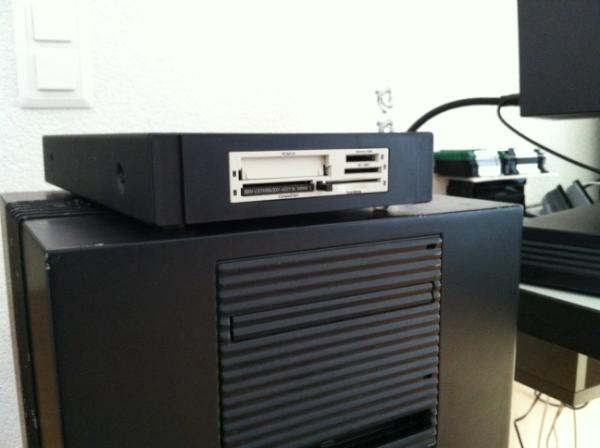
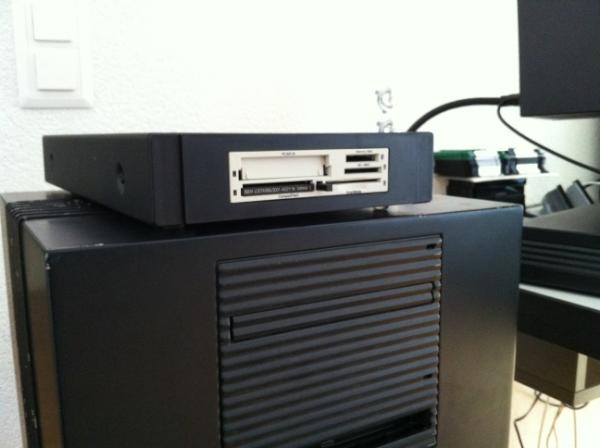
SCM PCD-50B SCSI flash-card reader from http://a4000t.com in NeXT CD-ROM case
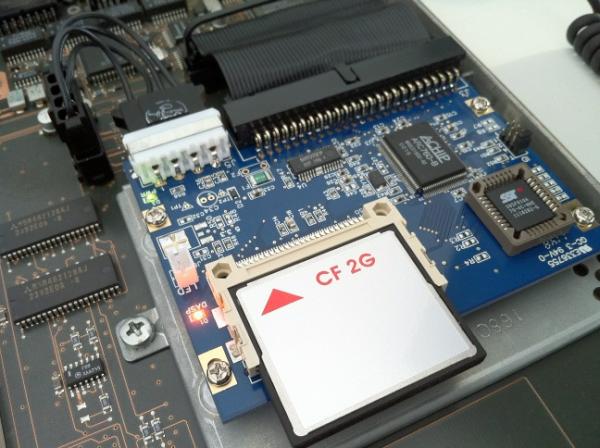
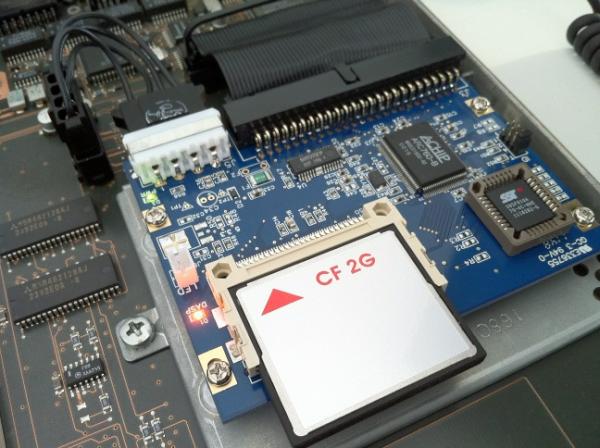
CF AztecMonster from artmix.com
SCM PCD-50B SCSI flash-card reader from http://a4000t.com in NeXT CD-ROM case
CF AztecMonster from artmix.com
Title: NeXT Compatible 6 way SCSI Card Reader
Post by: Rob Blessin Black Hole on October 17, 2013, 05:24:01 AM
Post by: Rob Blessin Black Hole on October 17, 2013, 05:24:01 AM
Hello NeXT Community: For this project I took a DOA External Exabyte drive enclosure and painted it NeXT black. Then modified it to work with a 6way SCSI card reader , it looks pretty cool!
This is for a Turbo Cube Dimension system we are working on for a customer.
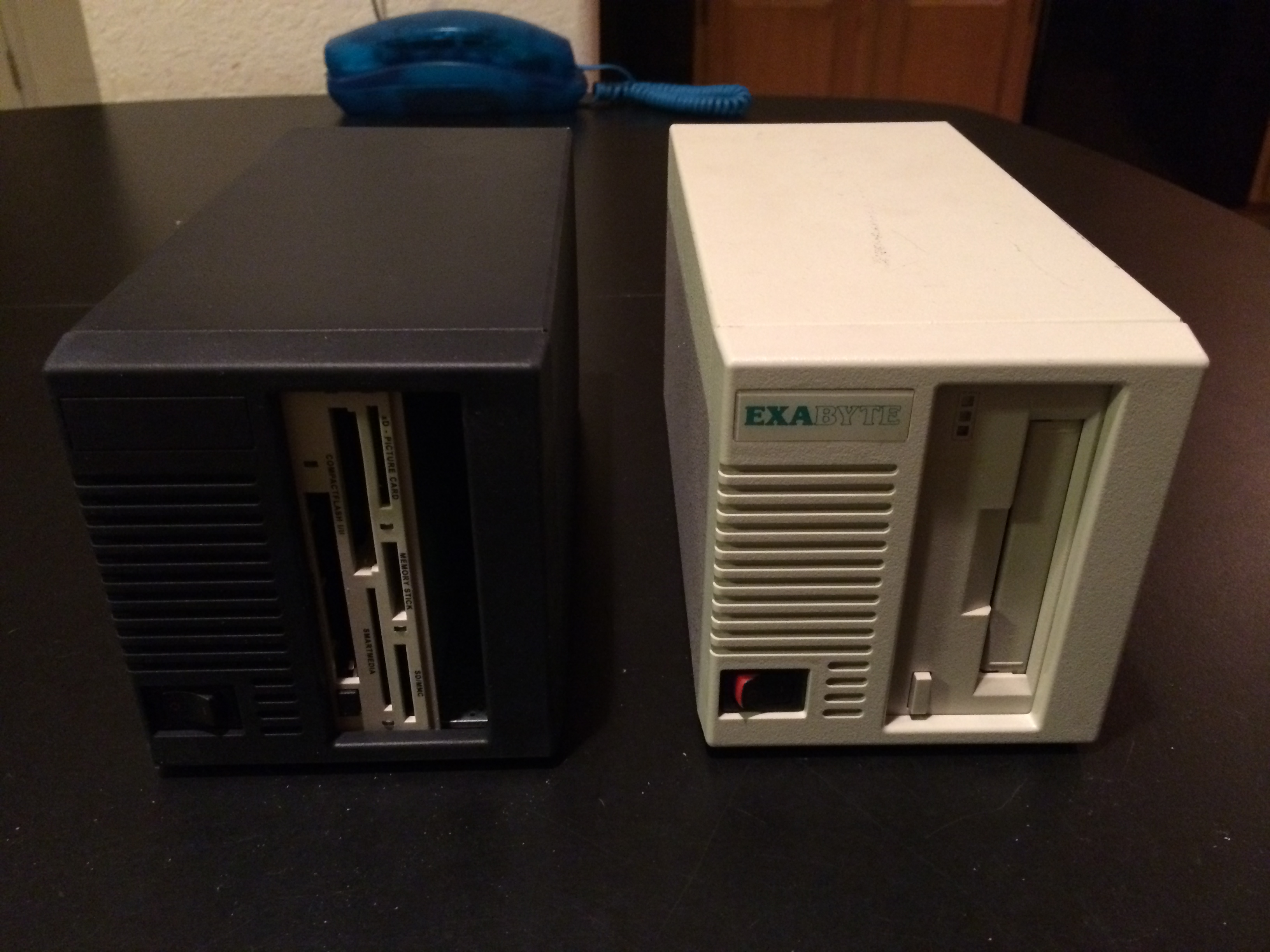
best regards Rob Blessin
This is for a Turbo Cube Dimension system we are working on for a customer.
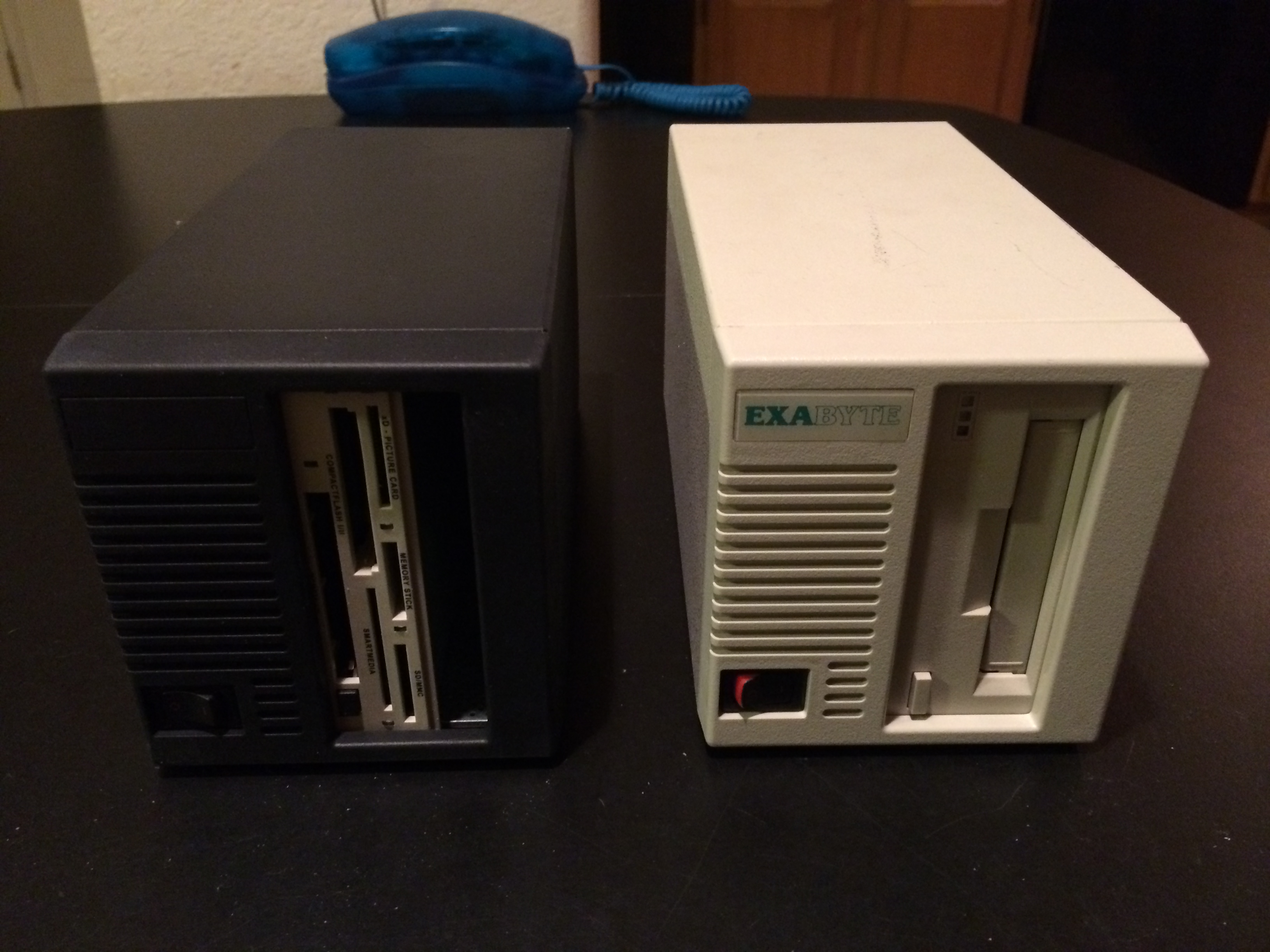
best regards Rob Blessin
Title: Drives
Post by: Jsmirand on October 17, 2013, 09:18:00 PM
Post by: Jsmirand on October 17, 2013, 09:18:00 PM
I know this sounds crazy, but part of the nostalgia I enjoy in powering up a cube is to listen to that big old fashioned drive spool up like a jet engine. To me, the louder, the better! If I want silence, I'll use an iPad. :)
I bought a couple cheap drives on ebay for back up, and using a procedure described in this forum created clone images on each extra drive, so they sit in a drawer waiting, in case the installed unit should fail. My bigger worry is I am going to run into other problems, like blown capacitors on the motherboard, before I run out of imaged back up drives.
I bought a couple cheap drives on ebay for back up, and using a procedure described in this forum created clone images on each extra drive, so they sit in a drawer waiting, in case the installed unit should fail. My bigger worry is I am going to run into other problems, like blown capacitors on the motherboard, before I run out of imaged back up drives.