Title: New NeXT inspired WM for linux
Post by: barcher174 on February 12, 2020, 05:03:42 PM
Post by: barcher174 on February 12, 2020, 05:03:42 PM
Title: Re: New NeXT inspired WM for linux
Post by: user341 on February 12, 2020, 11:02:31 PM
Post by: user341 on February 12, 2020, 11:02:31 PM
Wow that looks nice. I wonder what its purpose is. How is this different from GNUSTEP?
Title: Re: New NeXT inspired WM for linux
Post by: NeXTnewbe on February 13, 2020, 05:18:39 AM
Post by: NeXTnewbe on February 13, 2020, 05:18:39 AM
Quote from: zombie on February 12, 2020, 11:02:31 PMWow that looks nice. I wonder what its purpose is. How is this different from GNUSTEP?
it seesm a fork of GNUStep, but improving upon GNUStep code, I hope it can get further
Title: Re: New NeXT inspired WM for linux
Post by: user341 on February 14, 2020, 08:16:19 AM
Post by: user341 on February 14, 2020, 08:16:19 AM
Quote from: NeXTnewbe on February 13, 2020, 05:18:39 AMit seesm a fork of GNUStep, but improving upon GNUStep code, I hope it can get further
Having a true next step Linux distribution that is easy to install would be wonderful!
Title: Re: New NeXT inspired WM for linux
Post by: shogo2040 on July 12, 2020, 08:11:29 PM
Post by: shogo2040 on July 12, 2020, 08:11:29 PM
For me, the level of complexity to install was medium high. I started off with Virtualbox then migrated over to VMWare Fusion. Here's a screenshot:
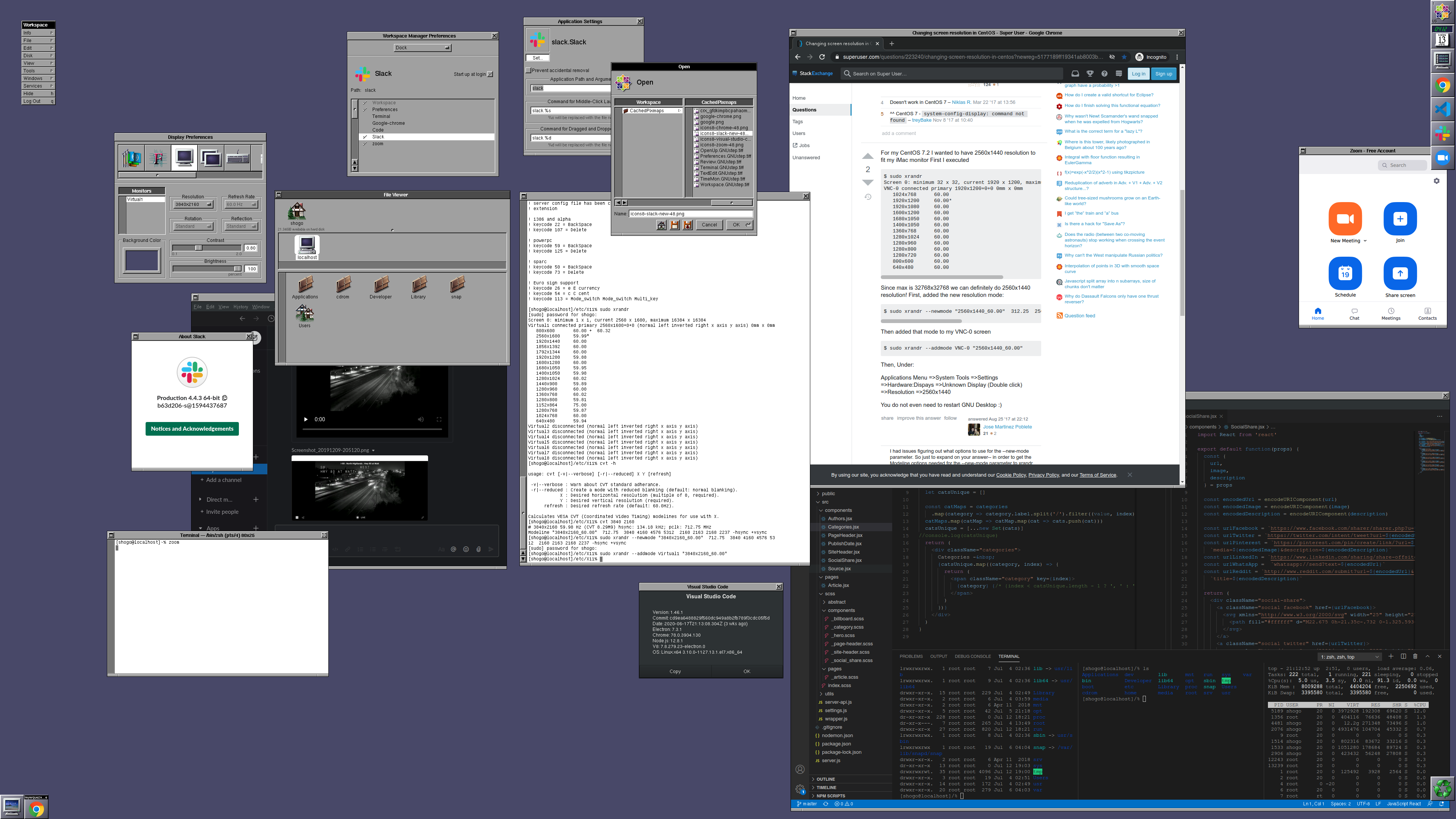
I usually use macOS but I was interested in nextspace as an alternative to use as a linux desktop. nextspace has a very authentic NeXT 1990s experience compared to other GNUStep desktop implementations. But since its running on modern linux, you get access to latest stable apps of today: Chrome, Slack, Zoom, Visual Studio Code, and there are more I'm sure works, but I couldn't get some to work such as Skype, ICQ New. I also couldn't get Blender to work since I was in a virtual environment.
If you are using CentOS 7 minimal install for the first time, you can google quickly each time you get stuck. First, networking wasn't working by default, then yum was pulling from a dead mirror. As you hit each blocker these things are easy to fix as they are common blockers for those new to CentOS 7 minimal install that are well documented on the net. So you need patience.
However it was worth it.
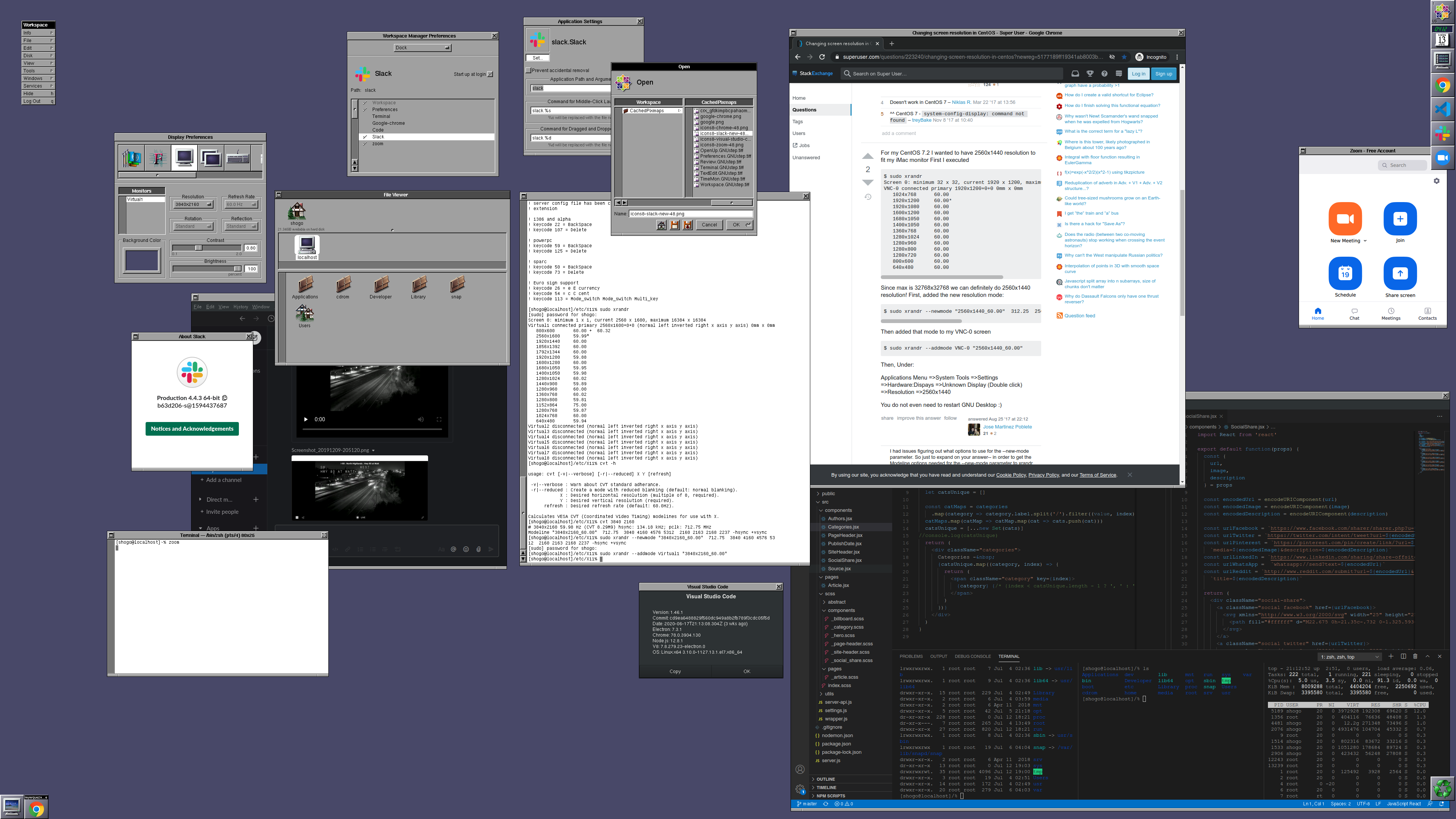
I usually use macOS but I was interested in nextspace as an alternative to use as a linux desktop. nextspace has a very authentic NeXT 1990s experience compared to other GNUStep desktop implementations. But since its running on modern linux, you get access to latest stable apps of today: Chrome, Slack, Zoom, Visual Studio Code, and there are more I'm sure works, but I couldn't get some to work such as Skype, ICQ New. I also couldn't get Blender to work since I was in a virtual environment.
- I was only successful to get this working on CentOS 7. I failed with CentOS 8 and latest Fedora.
- None of these apps are gnustep apps, so you get a blank icon in the dock. I put in the screenshot the click path to set an icon. (maybe thats just the nature of windowmaker, not sure)
- Also, to get 4k resolution, I also left my terminal with the commands I typed to get it working. I'm on a 43" 4k LG TV and nextspace looked awesome on it.
If you are using CentOS 7 minimal install for the first time, you can google quickly each time you get stuck. First, networking wasn't working by default, then yum was pulling from a dead mirror. As you hit each blocker these things are easy to fix as they are common blockers for those new to CentOS 7 minimal install that are well documented on the net. So you need patience.
However it was worth it.