Title: Apple M1 Chip will Previous be portible and compatible?
Post by: Rob Blessin Black Hole on November 11, 2020, 12:33:16 AM
Post by: Rob Blessin Black Hole on November 11, 2020, 12:33:16 AM
Hello NeXT Community: I'm impressed with the new Apple M1 Processor released today will Previous be compatible or portable to Big Sur and the new hardware. Parallels projects end of 2021. Best Regards Rob Blessin
https://9to5mac.com/2020/11/10/apple-unveils-m1-its-first-system-on-a-chip-for-portable-mac-computers/
It would be cool to make an expansion port for the cube too fit the Mac Mini motherboard , this NeXT is really fast lol or if we would only be able to drop it in on top of a NeXT motherboard like a hemi burning rubber lol Brian looking at you
may be it will just work .....
With Big Sur and M1, Mac users can run a greater range of apps than ever before. All of Apple's Mac software is now Universal and runs natively on M1 systems. Existing Mac apps that have not been updated to Universal will run seamlessly with Apple's Rosetta 2 technology. And iPhone and iPad apps can now run directly on the Mac.
https://9to5mac.com/2020/11/10/apple-unveils-m1-its-first-system-on-a-chip-for-portable-mac-computers/
It would be cool to make an expansion port for the cube too fit the Mac Mini motherboard , this NeXT is really fast lol or if we would only be able to drop it in on top of a NeXT motherboard like a hemi burning rubber lol Brian looking at you
may be it will just work .....
With Big Sur and M1, Mac users can run a greater range of apps than ever before. All of Apple's Mac software is now Universal and runs natively on M1 systems. Existing Mac apps that have not been updated to Universal will run seamlessly with Apple's Rosetta 2 technology. And iPhone and iPad apps can now run directly on the Mac.
Title: Re: Apple M1 Chip will Previous be portible and compatible?
Post by: mikeboss on November 11, 2020, 06:35:08 AM
Post by: mikeboss on November 11, 2020, 06:35:08 AM
Previous seems to run just fine (using Rosetta 2, of course):
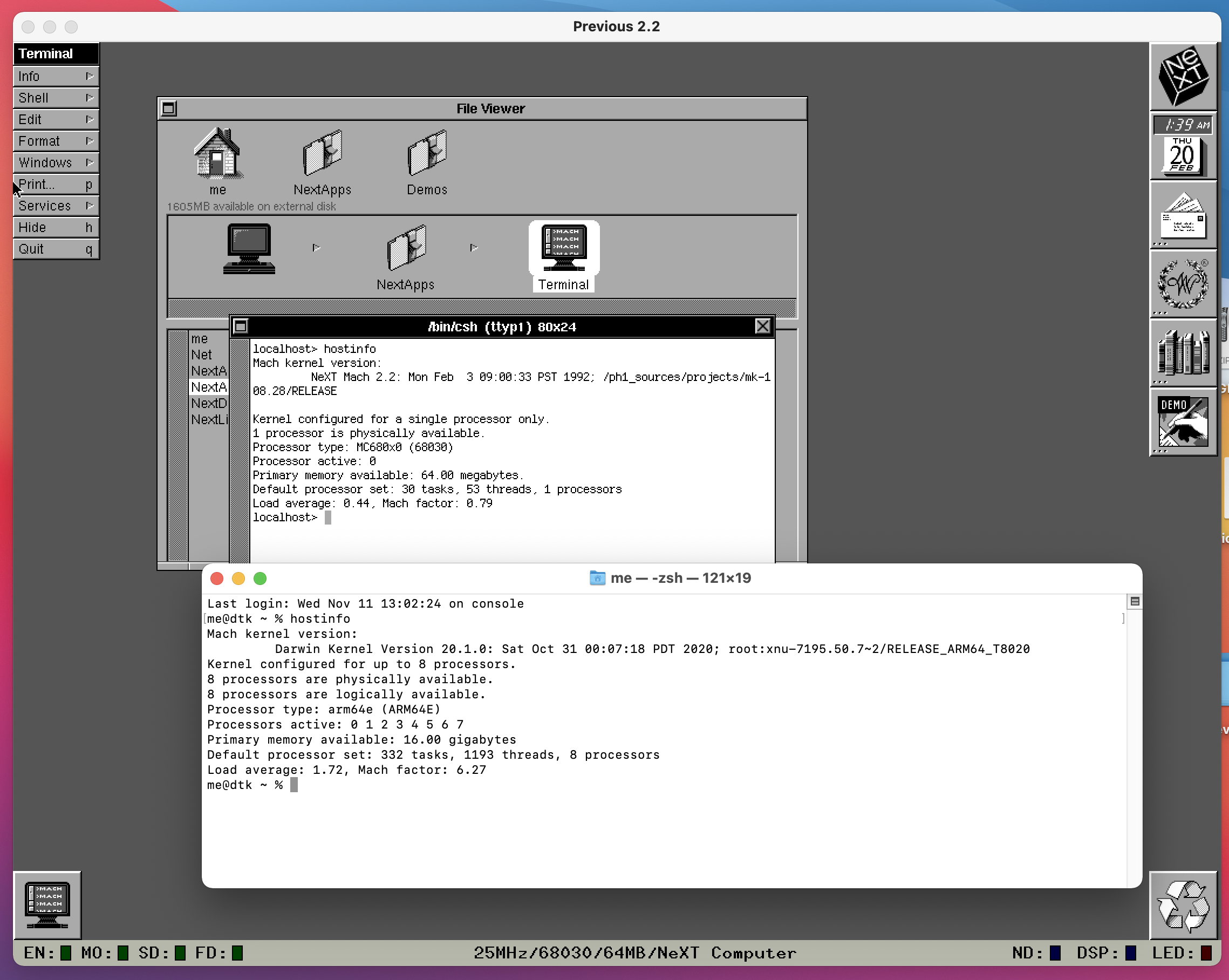
Title: Re: Apple M1 Chip will Previous be portible and compatible?
Post by: eagle on November 20, 2020, 09:44:27 AM
Post by: eagle on November 20, 2020, 09:44:27 AM
Awesome. I'm not looking forward to losing my x86/x64 VMs, but at least I will have Previous! :D
Title: Re: Apple M1 Chip will Previous be portible and compatible?
Post by: larbob on December 04, 2020, 09:47:48 PM
Post by: larbob on December 04, 2020, 09:47:48 PM
I should be getting an M1 machine sometime this month. I'll try compiling a native build when it arrives.
Title: Re: Apple M1 Chip will Previous be portible and compatible?
Post by: larbob on December 05, 2020, 11:35:05 PM
Post by: larbob on December 05, 2020, 11:35:05 PM
Previous seems to have no problems building on non-x86 machines. Here I've compiled it on Debian 10 in an aarch64 VM and am running it just fine:
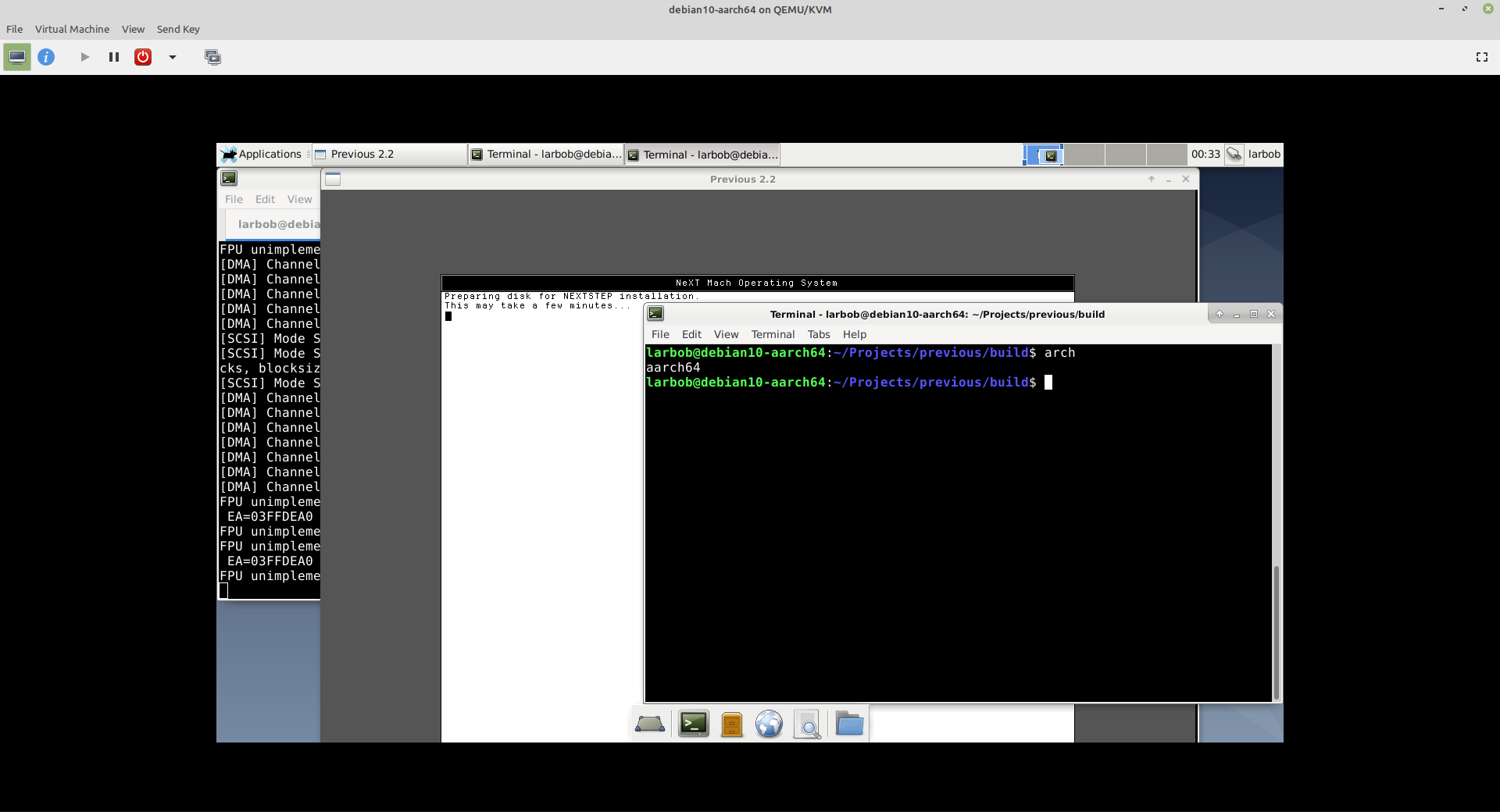
Title: Re: Apple M1 Chip will Previous be portible and compatible?
Post by: larbob on December 24, 2020, 07:48:16 PM
Post by: larbob on December 24, 2020, 07:48:16 PM
Okay, so I've been working on this for a little bit tonight and have run into some issues.
With MacPorts' SDL2, I've gotten Previous to compile and run but the window is just a black screen with nothing drawn into it.
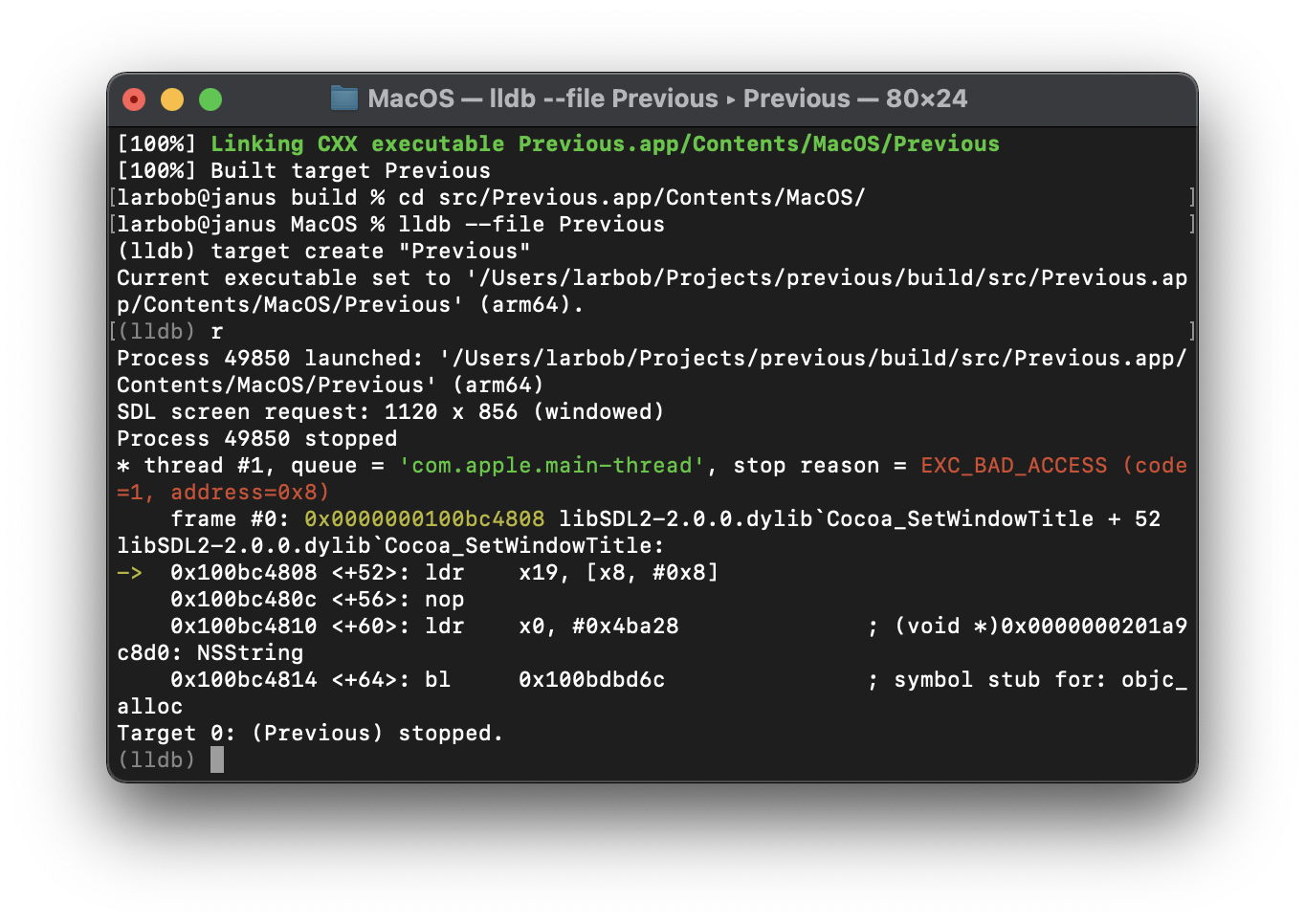
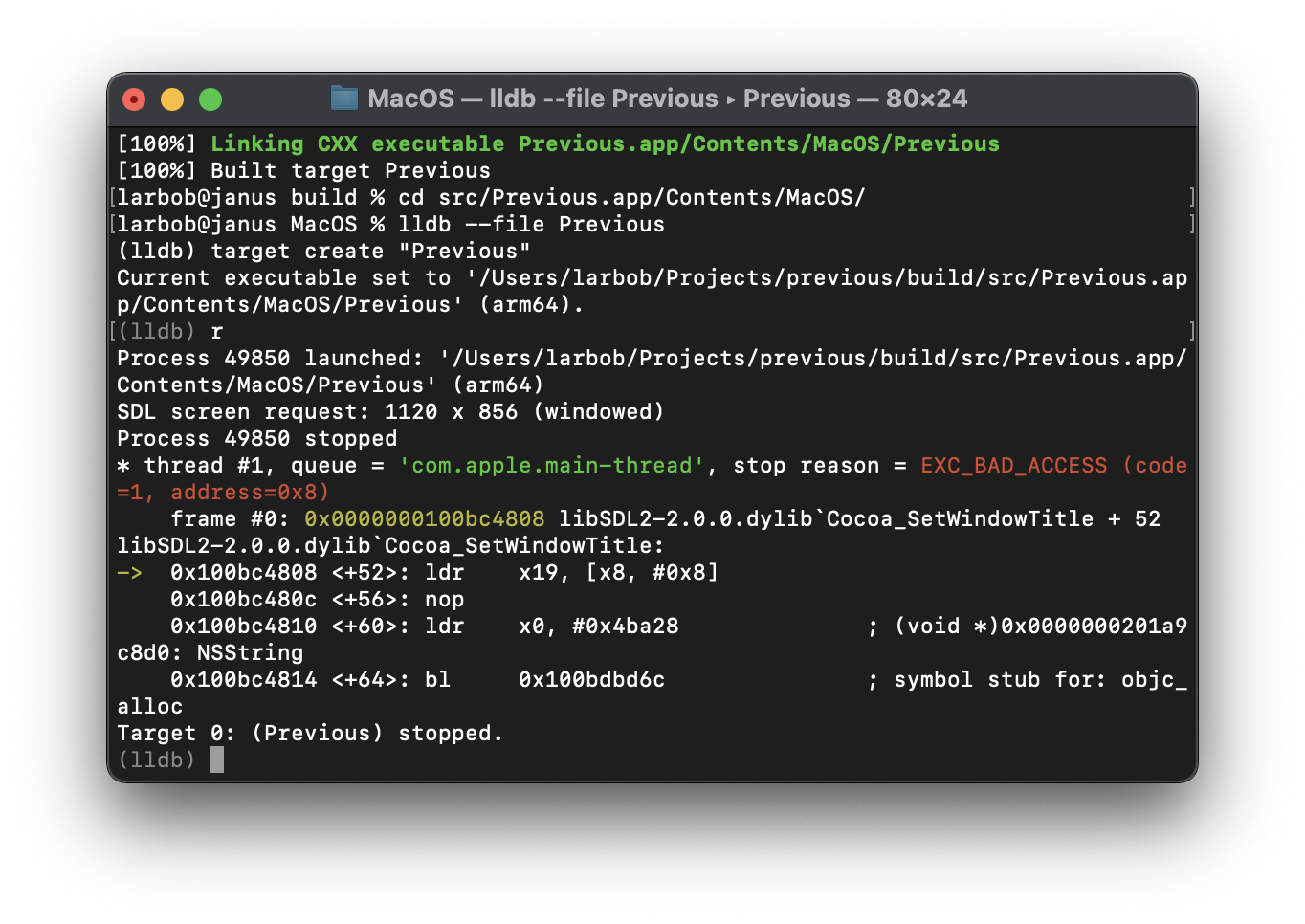
With the latest official SDL2 release, or with a build I compiled myself, we get an ugly crash as can be seen with LLDB:
With MacPorts' SDL2, I've gotten Previous to compile and run but the window is just a black screen with nothing drawn into it.
With the latest official SDL2 release, or with a build I compiled myself, we get an ugly crash as can be seen with LLDB:
Code Select
% lldb --file Previous
(lldb) target create "Previous"
Current executable set to '/Users/larbob/Projects/previous/build/src/Previous.app/Contents/MacOS/Previous' (arm64).
(lldb) r
Process 58064 launched: '/Users/larbob/Projects/previous/build/src/Previous.app/Contents/MacOS/Previous' (arm64)
SDL screen request: 1120 x 856 (windowed)
libSDL2-2.0.0.dylib was compiled with optimization - stepping may behave oddly; variables may not be available.
Process 58064 stopped
* thread #1, queue = 'com.apple.main-thread', stop reason = EXC_BAD_ACCESS (code=1, address=0x8)
    frame #0: 0x0000000100bd92e0 libSDL2-2.0.0.dylib`Cocoa_SetWindowTitle(_this=<unavailable>, window=0x0000000100f275d0) at SDL_cocoawindow.m:1614:67 [opt]
  1611 { @autoreleasepool
  1612 {
  1613     const char *title = window->title ? window->title : "";
-> 1614     NSWindow *nswindow = ((SDL_WindowData *) window->driverdata)->nswindow;
  1615     NSString *string = [[NSString alloc] initWithUTF8String:title];
  1616     [nswindow setTitle:string];
  1617     [string release];
Target 0: (Previous) stopped.
Title: Re: Apple M1 Chip will Previous be portible and compatible?
Post by: msch on December 25, 2020, 05:09:14 AM
Post by: msch on December 25, 2020, 05:09:14 AM
All my programs are running fine (Macbook Air M1, 8 Core, 16 GB RAM).
Rosetta2 did a great job and I am impressed about the performance of the new Apple Silicon SoC.
Edit: https://towardsdatascience.com/apples-new-m1-chip-is-a-machine-learning-beast-70ca8bfa6203
Rosetta2 did a great job and I am impressed about the performance of the new Apple Silicon SoC.
Edit: https://towardsdatascience.com/apples-new-m1-chip-is-a-machine-learning-beast-70ca8bfa6203
Title: Re: Apple M1 Chip will Previous be portible and compatible?
Post by: larbob on December 25, 2020, 07:51:29 PM
Post by: larbob on December 25, 2020, 07:51:29 PM
It's worth noting that the latest Hatari (the emulator that Previous is based on) builds and runs just fine compiled against MacPorts' SDL2 on Apple Silicon.
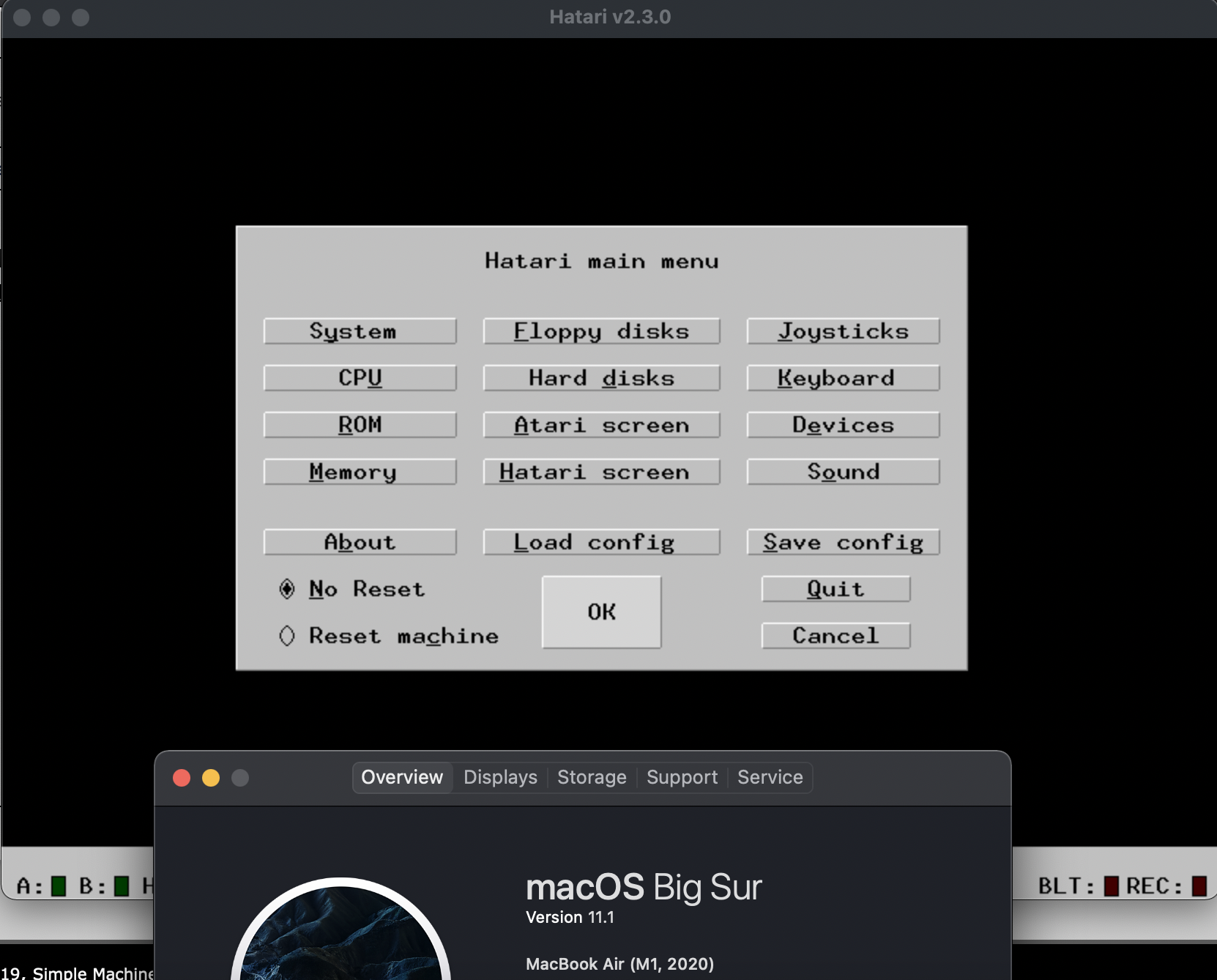
And as a bonus, here's Previous (sort of) running:
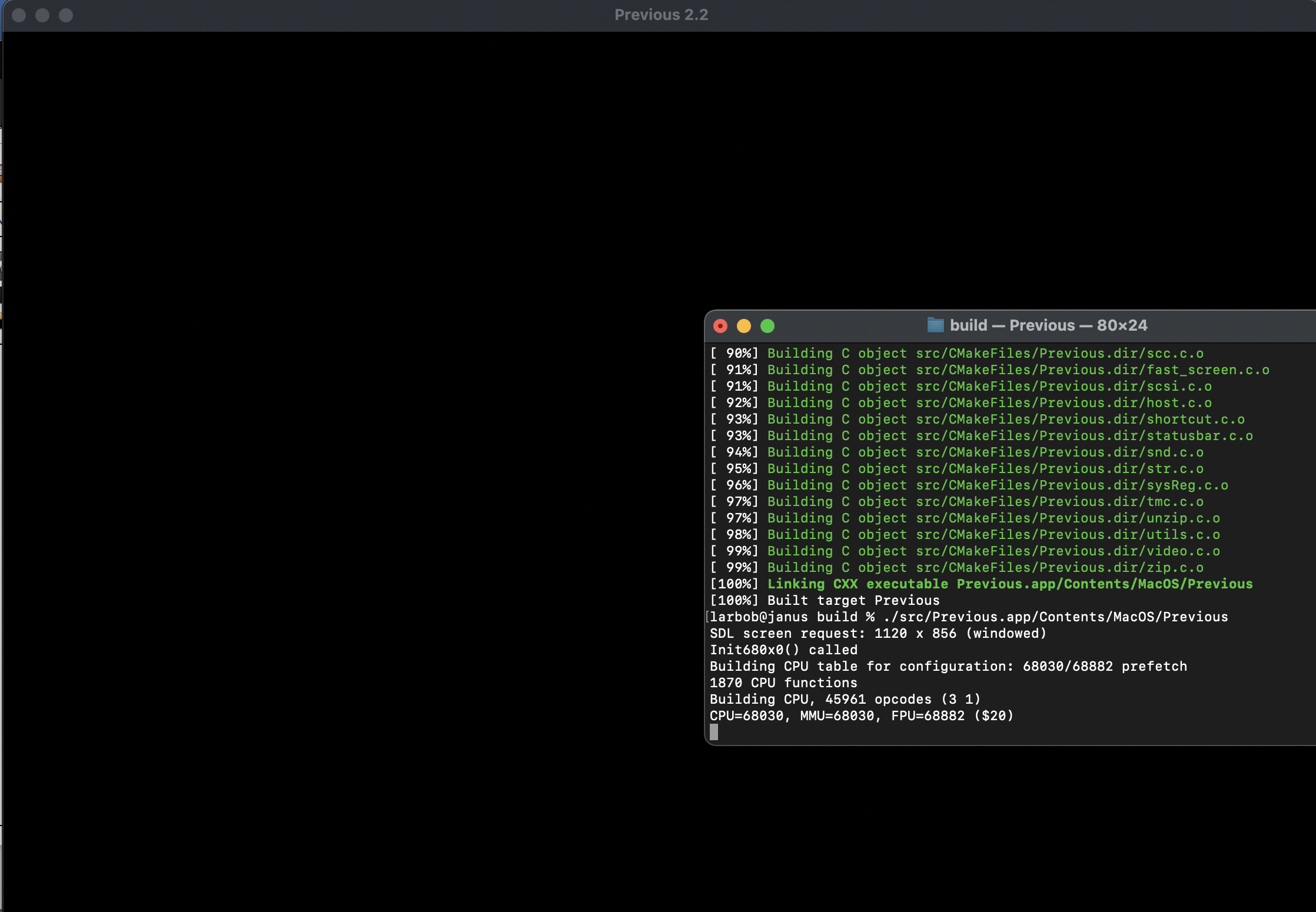
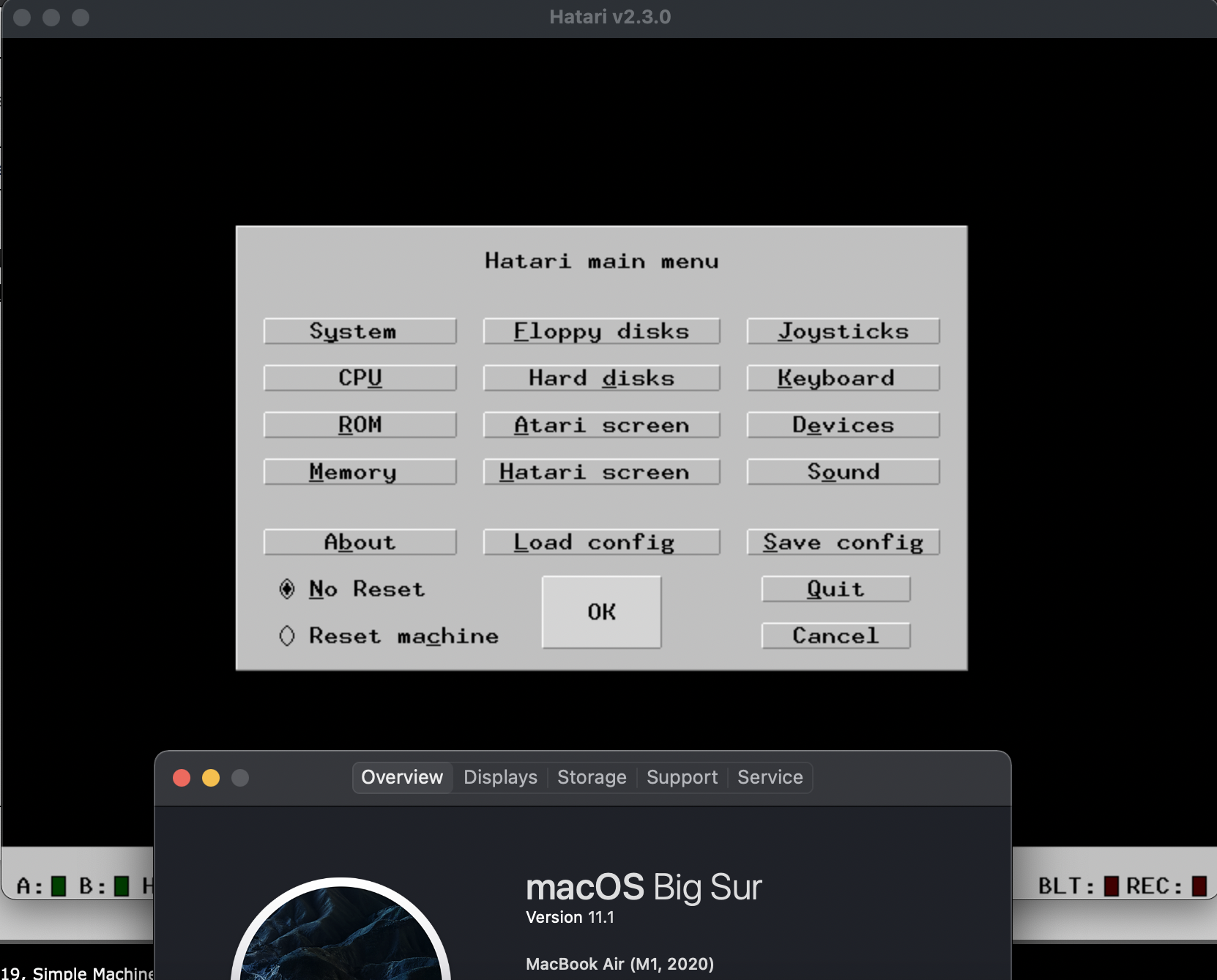
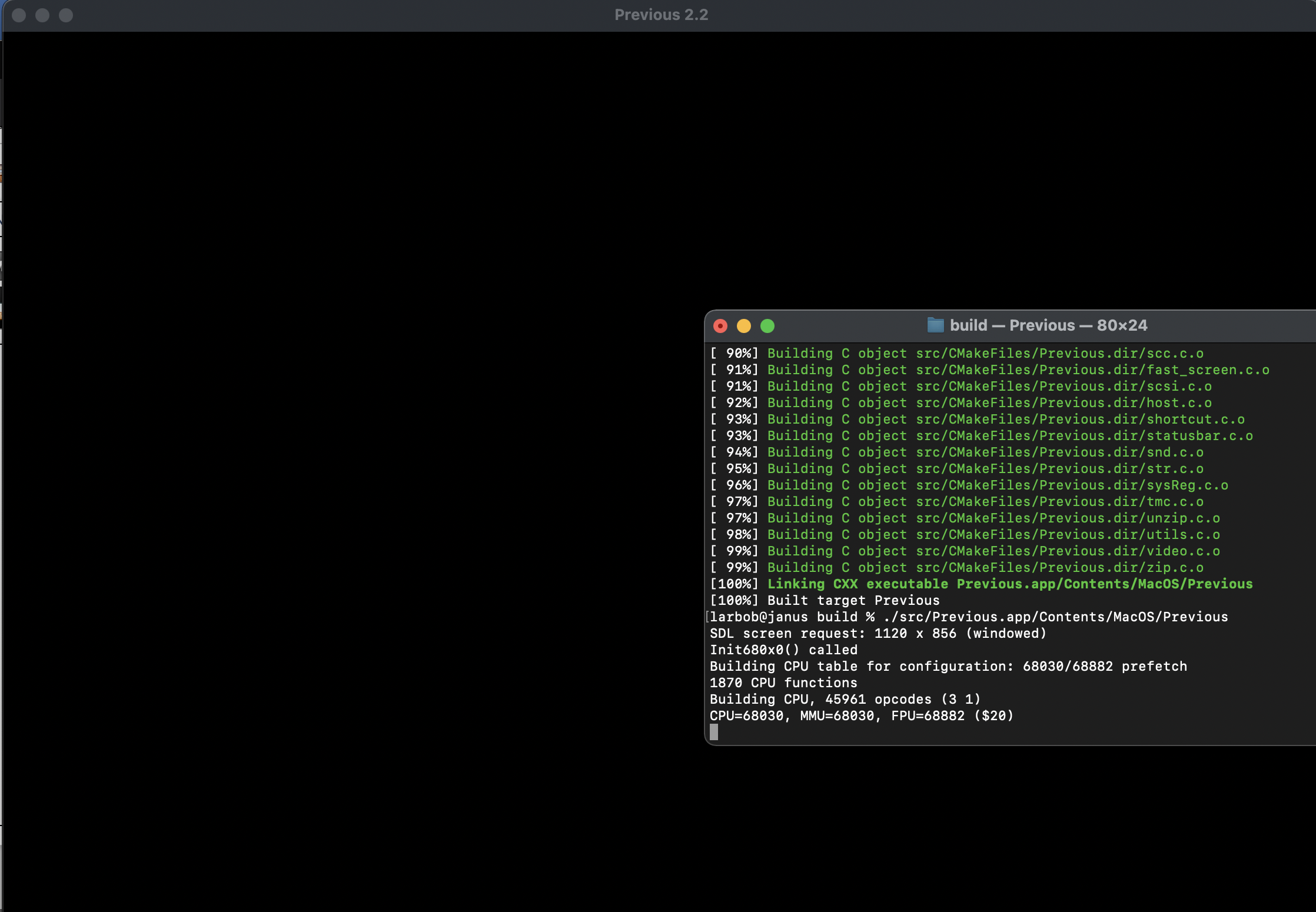
And as a bonus, here's Previous (sort of) running:
Title: Re: Apple M1 Chip will Previous be portible and compatible?
Post by: larbob on December 30, 2020, 03:09:03 AM
Post by: larbob on December 30, 2020, 03:09:03 AM
MacPorts has updated to SDL2 2.0.14 and now Previous is broken in the same way as it is with other SDL2 builds past .12 on Apple Silicon:
Title: Re: Apple M1 Chip will Previous be portible and compatible?
Post by: pomosapien on October 14, 2021, 10:13:34 AM
Post by: pomosapien on October 14, 2021, 10:13:34 AM
I'm getting usable builds on M1 with the SDL2 currently provided by Homebrew.
Title: Re: Apple M1 Chip will Previous be portible and compatible?
Post by: pomosapien on October 14, 2021, 10:31:10 AM
Post by: pomosapien on October 14, 2021, 10:31:10 AM
Dumb question: how do you identify a built binary as native? I have this:
Signed,
No I Don't Always Want To Google, Just Making Conversation
Code Select
ray@copper ~ % file Previous
Previous: Mach-O 64-bit executable arm64
Signed,
No I Don't Always Want To Google, Just Making Conversation
Title: Re: Apple M1 Chip will Previous be portible and compatible?
Post by: andreas_g on October 15, 2021, 03:34:23 AM
Post by: andreas_g on October 15, 2021, 03:34:23 AM
Quote from: pomosapien on October 14, 2021, 10:31:10 AMDumb question: how do you identify a built binary as native? I have this:Code Selectray@copper ~ % file Previous
Previous: Mach-O 64-bit executable arm64
I'm doing it the same way.
Title: Re: Apple M1 Chip will Previous be portible and compatible?
Post by: Rob Blessin Black Hole on October 17, 2021, 02:24:37 PM
Post by: Rob Blessin Black Hole on October 17, 2021, 02:24:37 PM
Hello NeXT Community : I just picked up an M1ipad pro with magic keyboard , is it possible to run previous on it ? Native or third party ? Which version of previous would I use ? It would be cool . Does previous have touch screen support iPad or a possible driver project ? What about NeXTstep Intel emulation virtual box , VMware , parallels on an iPad m1 any chance ..... will previous run in a web browser ? Appreciate your time , I have previous installed on my I5 Mac mini , can I access the mini remotely through my iPad Pro . Some thing like this may be https://support.apple.com/guide/mac-help/allow-a-remote-computer-to-access-your-mac-mchlp1066/mac
Title: Re: Apple M1 Chip will Previous be portible and compatible?
Post by: andreas_g on October 18, 2021, 01:04:39 AM
Post by: andreas_g on October 18, 2021, 01:04:39 AM
Hallo Rob,
I think it should be possible to compile Previous for iOS devices. But it will for sure require some adjustments, for example for detecting touch events. Anyway it won't be fun to use Previous from a touch screen, because there is no way to pass absolute mouse cursor positions to NeXTstep. Some pointing device will be required for usability. Also I'm not sure how to deal with disk images on iOS.
Some time ago there was a website where you could use Previous in a browser window. So that seems to be possible, but quite inconvenient because you can't access to your own disk images and it is laggy. I could imagine some browser solution using a future netboot feature (select local directory and pass the data to Previous running on a server). Personally I'd prefer to run it locally.
I think it should be possible to compile Previous for iOS devices. But it will for sure require some adjustments, for example for detecting touch events. Anyway it won't be fun to use Previous from a touch screen, because there is no way to pass absolute mouse cursor positions to NeXTstep. Some pointing device will be required for usability. Also I'm not sure how to deal with disk images on iOS.
Some time ago there was a website where you could use Previous in a browser window. So that seems to be possible, but quite inconvenient because you can't access to your own disk images and it is laggy. I could imagine some browser solution using a future netboot feature (select local directory and pass the data to Previous running on a server). Personally I'd prefer to run it locally.
Title: Re: Apple M1 Chip will Previous be portible and compatible?
Post by: user341 on October 18, 2021, 08:42:18 PM
Post by: user341 on October 18, 2021, 08:42:18 PM
If you use an iPad Pro with apple's keyboard, it has an integrated track pad. Also, new iPad OS supports mice. So at least that part should make it easier.