Title: Single user mode hangs
Post by: woodengamer on August 25, 2021, 02:34:52 PM
Post by: woodengamer on August 25, 2021, 02:34:52 PM
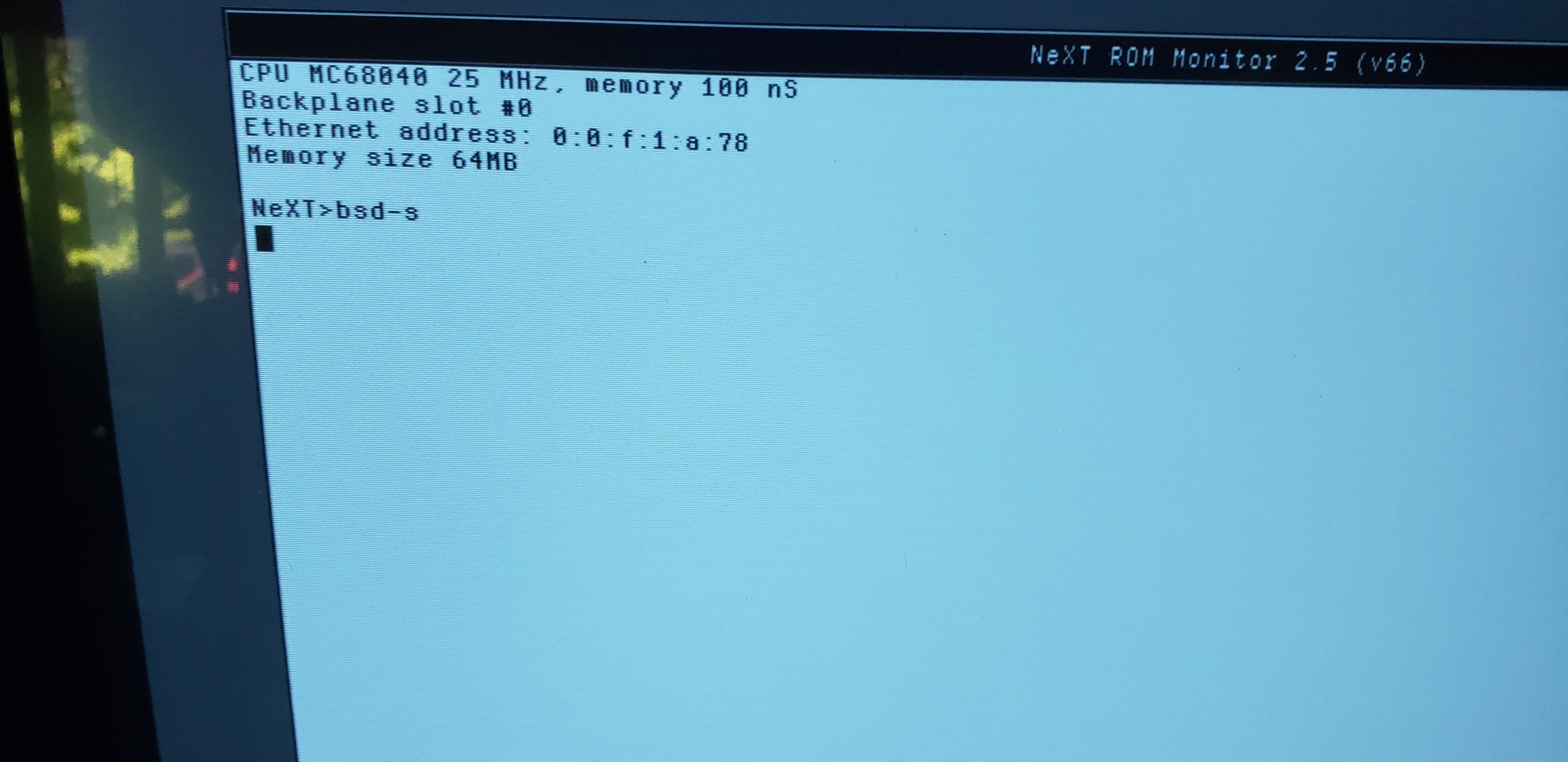
Working on a cube that i have not powered on in a few years. Boots to the login screen no problem, but i have no clue what the login info is for this machine. So I decided I would go in and follow the steps to reset the password. I can boot into ROM monitor just fine, but when I try to use bsd -s the system just hangs with a solid block. I have left it to run for over 30 minutes and not getting the expected #prompt to continue. (note, screenshot does have a typo of no space in the bsd -s command, but I did try it with it properly typed as well)
Any ideas? Not seeing this in any instructions I have found for resetting the password.
Any ideas? Not seeing this in any instructions I have found for resetting the password.
Title: Re: Single user mode hangs
Post by: woodengamer on August 25, 2021, 02:40:48 PM
Post by: woodengamer on August 25, 2021, 02:40:48 PM
This is the process I am trying to follow.
Reboot the system.
Immdeiately after the "Testing System" message is replaced with "Loading from disk", hold down the right command key and press the tilde (~) on the numeric keypad. You are now at the ROM monitor.
NeXT> bsd -s
Once the system has started and dumps you at a root prompt, you need to make sure NetInfo and other services get started. Do this by typing:
sh /etc/rc &
Set the root password using:
passwd root
Now, reboot the system and you can use the new password.
Reboot the system.
Immdeiately after the "Testing System" message is replaced with "Loading from disk", hold down the right command key and press the tilde (~) on the numeric keypad. You are now at the ROM monitor.
NeXT> bsd -s
Once the system has started and dumps you at a root prompt, you need to make sure NetInfo and other services get started. Do this by typing:
sh /etc/rc &
Set the root password using:
passwd root
Now, reboot the system and you can use the new password.
Title: Re: Single user mode hangs
Post by: nuss on August 25, 2021, 03:36:47 PM
Post by: nuss on August 25, 2021, 03:36:47 PM
Hi woodengamer,
your screenshot shows "bsd-s" with no space before the parameter. Am sure that you tried it correctly, too, but wanted to mention. May be its an easy solution ;)
Cheers, nuss
your screenshot shows "bsd-s" with no space before the parameter. Am sure that you tried it correctly, too, but wanted to mention. May be its an easy solution ;)
Cheers, nuss