Title: Locate screen of ND : screen not activated
Post by: daniel.dlds on January 26, 2022, 07:49:47 AM
Post by: daniel.dlds on January 26, 2022, 07:49:47 AM
Hello,
I am now the proud owner of a NeXT Dimension board. I installed it into the Cube.
When I boot up the system, I get the usual primary grey scale display, and a solid grey background on the monitor attached to the ND. I then go to preferences and in the multiple monitors section I try to locate that screen and it says : 'This screen is not activated'.
How do I activate it ?
Thanks,
Regards
I am now the proud owner of a NeXT Dimension board. I installed it into the Cube.
When I boot up the system, I get the usual primary grey scale display, and a solid grey background on the monitor attached to the ND. I then go to preferences and in the multiple monitors section I try to locate that screen and it says : 'This screen is not activated'.
How do I activate it ?
Thanks,
Regards
Title: Re: Locate screen of ND : screen not activated
Post by: NeXTnewbe on January 26, 2022, 11:22:07 AM
Post by: NeXTnewbe on January 26, 2022, 11:22:07 AM
try to boot using the monitor mode, there you will be able to see if the ND is detected, post any results
EDIT
-----
When you first turn on your NeXT computer, hold down the right Command key and press the ~ key (without pressing Shift) on the numeric keypad immediately after the "Testing system" message is replaced by the "Loading from disk" message. (If you have a NeXT computer with an ADB keyboard, press the Command bar and the ~ key.) The ROM monitor window opens and displays the NeXT> prompt.
EDIT
-----
When you first turn on your NeXT computer, hold down the right Command key and press the ~ key (without pressing Shift) on the numeric keypad immediately after the "Testing system" message is replaced by the "Loading from disk" message. (If you have a NeXT computer with an ADB keyboard, press the Command bar and the ~ key.) The ROM monitor window opens and displays the NeXT> prompt.
Title: Re: Locate screen of ND : screen not activated
Post by: daniel.dlds on January 26, 2022, 01:07:54 PM
Post by: daniel.dlds on January 26, 2022, 01:07:54 PM
Hi,
I booted into the ROM monitor and I did not find any command that allows me to see if the board is prperly detected, but I think it is because it shows up in preferences. I just says 'not activated' when I push the 'Locate' button.
See the attached screenshot.
Thanks,
Regards
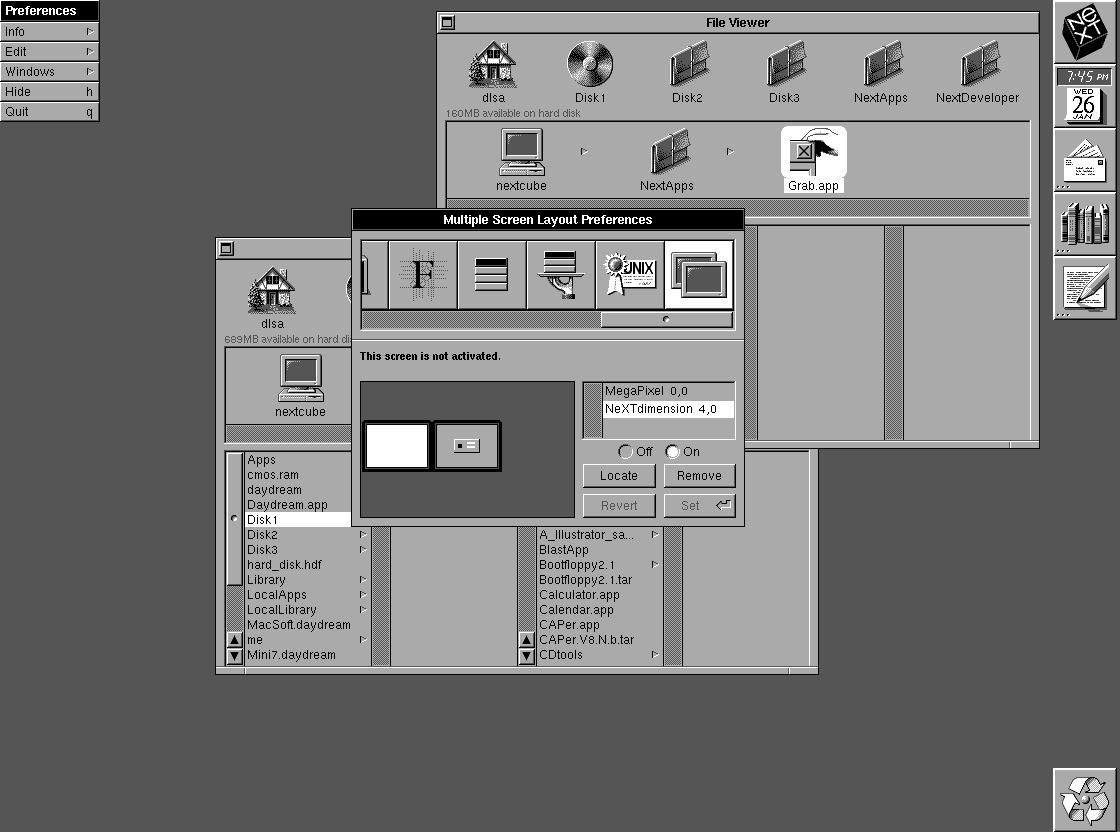
I booted into the ROM monitor and I did not find any command that allows me to see if the board is prperly detected, but I think it is because it shows up in preferences. I just says 'not activated' when I push the 'Locate' button.
See the attached screenshot.
Thanks,
Regards
Title: Re: Locate screen of ND : screen not activated
Post by: barcher174 on January 27, 2022, 10:33:14 PM
Post by: barcher174 on January 27, 2022, 10:33:14 PM
Set verbose=yes in the rom monitor. You should then see the card being initialized during boot. That may give you some clues.
Title: Re: Locate screen of ND : screen not activated
Post by: daniel.dlds on January 28, 2022, 04:43:07 AM
Post by: daniel.dlds on January 28, 2022, 04:43:07 AM
With the help of Rob Blessin, I figure it out.
My monitor is not Sync-On-Green. There is a line in /usr/adm/messages that says "monitor not detected"
Thanks,
Regards
My monitor is not Sync-On-Green. There is a line in /usr/adm/messages that says "monitor not detected"
Thanks,
Regards
Title: Re: Locate screen of ND : screen not activated
Post by: NeXTnewbe on January 28, 2022, 07:32:08 AM
Post by: NeXTnewbe on January 28, 2022, 07:32:08 AM
ROM monitor does not have any command for this, what I meant, was that during booting check for the messages if your ND has been detected, it will display the version and memory of the ND
you should look at this first
you should look at this first