Title: NeXT MegaPixel 21" Color Display (N4005) only shows distorted image
Post by: don_apple on February 20, 2023, 01:39:38 PM
Post by: don_apple on February 20, 2023, 01:39:38 PM
Hello,
I have a NeXT MegaPixel 21" Color Display that used to be attached to the NeXTDimension card in My NeXTCube.
I didn't use it for a couple of years, since I've replaced it with a NEC MultiSync LCD (which I also use for other machines in my collection).
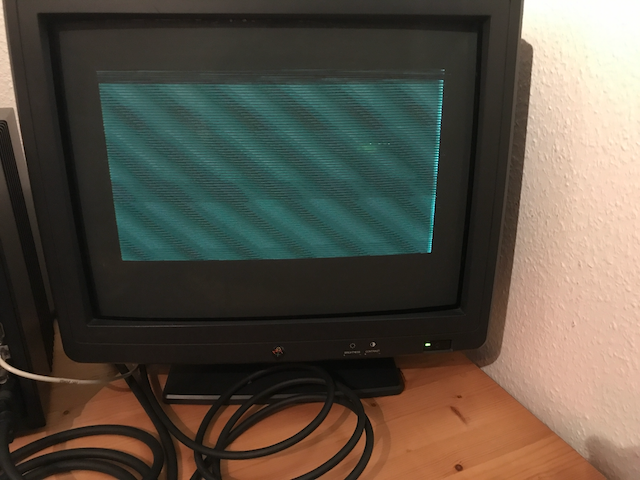
I've now decided to get the MegaPixel Display out of storage to see if it still works, but unfortunately it only shows a very distorted image (see the attached screenshot).
Checked the cable on another monitor, and there it works fine, and I also know that the NextDimension is working correctly.
So there must be an issue with the monitor. Has anybody seen this issue before, and is there an easy fix for it?
I have a NeXT MegaPixel 21" Color Display that used to be attached to the NeXTDimension card in My NeXTCube.
I didn't use it for a couple of years, since I've replaced it with a NEC MultiSync LCD (which I also use for other machines in my collection).
I've now decided to get the MegaPixel Display out of storage to see if it still works, but unfortunately it only shows a very distorted image (see the attached screenshot).
Checked the cable on another monitor, and there it works fine, and I also know that the NextDimension is working correctly.
So there must be an issue with the monitor. Has anybody seen this issue before, and is there an easy fix for it?
Title: Re: NeXT MegaPixel 21" Color Display (N4005) only shows distorted image
Post by: don_apple on February 25, 2023, 02:09:58 AM
Post by: don_apple on February 25, 2023, 02:09:58 AM
So nobody has any idea if this monitor is fixable?
Title: Re: NeXT MegaPixel 21" Color Display (N4005) only shows distorted image
Post by: gtnicol on March 03, 2023, 07:41:08 PM
Post by: gtnicol on March 03, 2023, 07:41:08 PM
If the tube itself isn't burned out then it's probably fixable. Like everything capacitors would be a likely culprit.
Title: Re: NeXT MegaPixel 21" Color Display (N4005) only shows distorted image
Post by: idylukewild on March 19, 2024, 12:22:49 PM
Post by: idylukewild on March 19, 2024, 12:22:49 PM
I've posted methods I've used to restore NeXT monitors to working condition by finding which capacitors have failed and replacing them. The method is described in the post "NeXT 17" Color" in NeXT Computers ► NeXT Computer, Inc. ► NeXT Black Hardware ► NeXT 17" Color
Started by jvernet, March 10, 2006, 03:06:09 PM
Unfortunately the photos of the process that showed the faulty display, etc. have gone missing. I'll try to see if I can find the original photos from 2006 and see about posting them.
Started by jvernet, March 10, 2006, 03:06:09 PM
Unfortunately the photos of the process that showed the faulty display, etc. have gone missing. I'll try to see if I can find the original photos from 2006 and see about posting them.
Title: Re: NeXT MegaPixel 21" Color Display (N4005) only shows distorted image
Post by: idylukewild on March 19, 2024, 07:21:52 PM
Post by: idylukewild on March 19, 2024, 07:21:52 PM
I've updated the url for the "complete and simple instructions" to where the instructions can now be found and I've search my photo collection and retrieved the illustrative jpegs.
URL of original 2008 post:
https://www.nextcomputers.org/forums/index.php?topic=145.msg703#msg703
I've just repaired another NeXT monitor using the complete and simple instructions
"Notes on the Troubleshooting and Repair of Computer and Video Monitors" by Samuel M. Goldwasser, that is available from https://www.repairfaq.org/sam/monfaq.htm [successfully accessed at that url Mar 19 2024]. Note there are 9 mentions of "cold spray" in the document such as "A can of cold spray or a heat gun will be useful to track down the bad component...".
I thought it might help others to post how I went about another successful repair of a NeXT monitor. Keep in mind I don't own any schematics or manuals for any of my three monitors (a 17" FIMI color, a 21" Hitachi color and an N400A mono). I'm sure the technique I used to repair the two color monitors could be used on mono monitors as well.
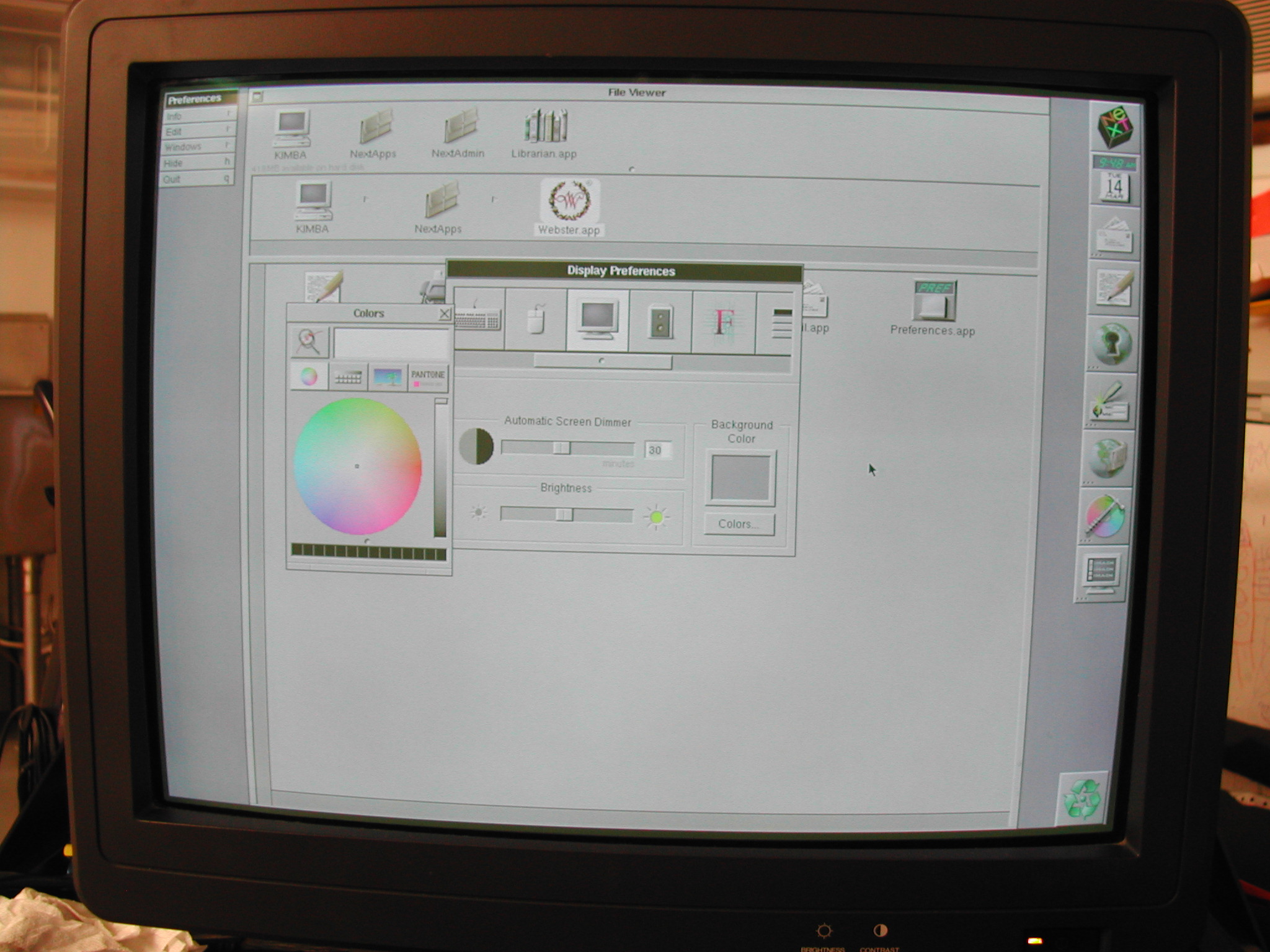
The monitor I just repaired is a 21" N4005 made in 1991. After I got the monitor in the mail a week or so ago, I powered it up and saw the following:
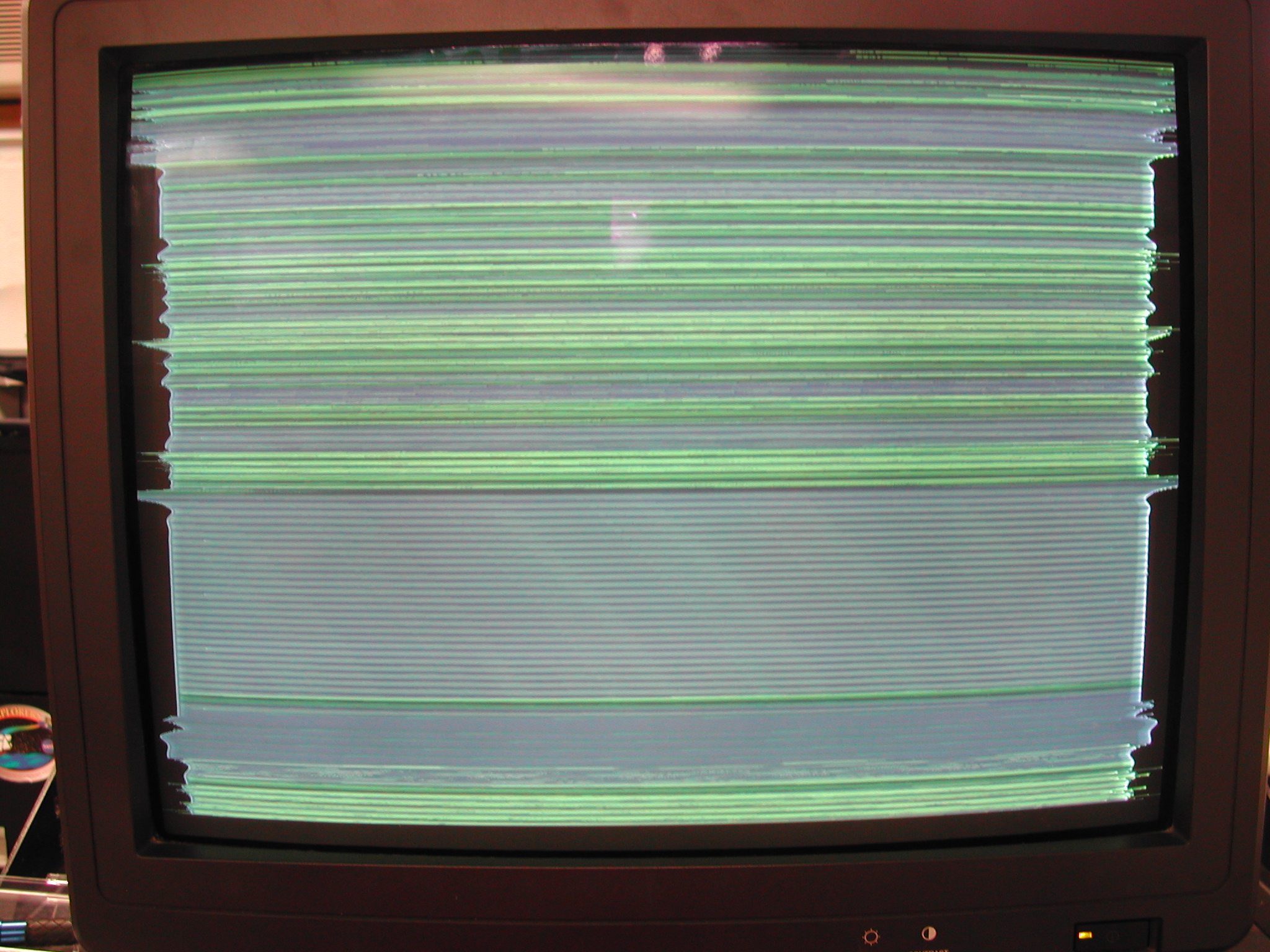
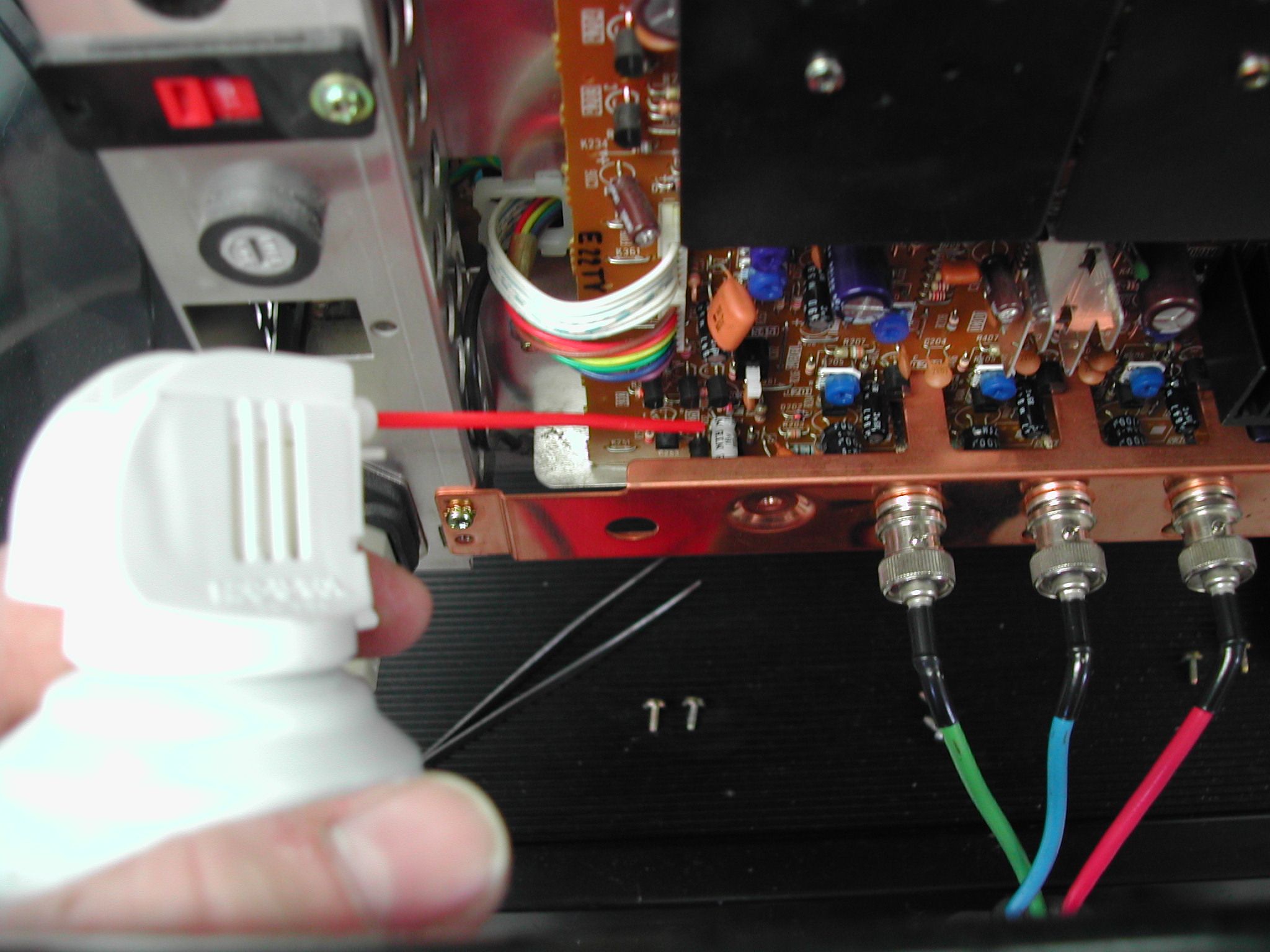
Obviously, there was something wrong. Having had success repairing the 17" monitor I decided to look to instructions on the website given above and figured out that what I was seeing was a "Symptoms of Some Common Deflection Problems" -type problem. It looked most like "horizontal sync lost" (actually, it looked like a rather extreme case of horizontal sync lost). I then used the same technique I used on the 17" monitor to find a failing electrolytic capacitor. I "cold-sprayed" individual capacitors in the horizontal sync section of the monitor electronics while looking at the image of the log-on screen until the image changed when a capacitor was cooled.
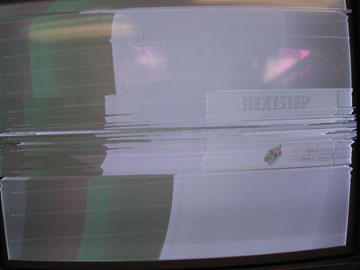
By using the cold-spray I was able to get a log-on image like the following:
So it was looking better. I actually ended up replacing two bad capacitors to get the monitor back into perfect shape, as shown below:
When I went to the electronics store for the replacement capacitors, I used caps with a little bit higher voltage and/or temperature rating. I don't know if it is needed, but it couldn't hurt and didn't cost any more. The replacement capacitors cost $0.59 each.
I had never tried to repair a monitor or tv or any other crt device before I attempted the repairs of the 17" and 21" monitors. I was happy it turned out so well. If it were not for the website noted above, I would not have had the slightest idea what to do. Evidently, electrolytic capacitor failure is common in old monitors. It is also fairly simple to diagnose and repair. I've downloaded the html version of the website noted above so I don't even have to go online to us it. I can see the advantages to adapting modern LCD monitors for use on NeXT machines, so I'm thinking of doing that eventually because no CRT will last forever. But in the meantime, it's kind of cool to use the original black hardware.
Disclaimer: Keep in mind you can kill or maim yourself by opening up a monitor and fooling with it. If you do so, you do it at your own risk :!: :!: :!:
URL of original 2008 post:
https://www.nextcomputers.org/forums/index.php?topic=145.msg703#msg703
I've just repaired another NeXT monitor using the complete and simple instructions
"Notes on the Troubleshooting and Repair of Computer and Video Monitors" by Samuel M. Goldwasser, that is available from https://www.repairfaq.org/sam/monfaq.htm [successfully accessed at that url Mar 19 2024]. Note there are 9 mentions of "cold spray" in the document such as "A can of cold spray or a heat gun will be useful to track down the bad component...".
I thought it might help others to post how I went about another successful repair of a NeXT monitor. Keep in mind I don't own any schematics or manuals for any of my three monitors (a 17" FIMI color, a 21" Hitachi color and an N400A mono). I'm sure the technique I used to repair the two color monitors could be used on mono monitors as well.
The monitor I just repaired is a 21" N4005 made in 1991. After I got the monitor in the mail a week or so ago, I powered it up and saw the following:
Obviously, there was something wrong. Having had success repairing the 17" monitor I decided to look to instructions on the website given above and figured out that what I was seeing was a "Symptoms of Some Common Deflection Problems" -type problem. It looked most like "horizontal sync lost" (actually, it looked like a rather extreme case of horizontal sync lost). I then used the same technique I used on the 17" monitor to find a failing electrolytic capacitor. I "cold-sprayed" individual capacitors in the horizontal sync section of the monitor electronics while looking at the image of the log-on screen until the image changed when a capacitor was cooled.
By using the cold-spray I was able to get a log-on image like the following:
So it was looking better. I actually ended up replacing two bad capacitors to get the monitor back into perfect shape, as shown below:
When I went to the electronics store for the replacement capacitors, I used caps with a little bit higher voltage and/or temperature rating. I don't know if it is needed, but it couldn't hurt and didn't cost any more. The replacement capacitors cost $0.59 each.
I had never tried to repair a monitor or tv or any other crt device before I attempted the repairs of the 17" and 21" monitors. I was happy it turned out so well. If it were not for the website noted above, I would not have had the slightest idea what to do. Evidently, electrolytic capacitor failure is common in old monitors. It is also fairly simple to diagnose and repair. I've downloaded the html version of the website noted above so I don't even have to go online to us it. I can see the advantages to adapting modern LCD monitors for use on NeXT machines, so I'm thinking of doing that eventually because no CRT will last forever. But in the meantime, it's kind of cool to use the original black hardware.
Disclaimer: Keep in mind you can kill or maim yourself by opening up a monitor and fooling with it. If you do so, you do it at your own risk :!: :!: :!:
Title: Re: NeXT MegaPixel 21" Color Display (N4005) only shows distorted image
Post by: Rob Blessin Black Hole on April 25, 2024, 03:51:57 PM
Post by: Rob Blessin Black Hole on April 25, 2024, 03:51:57 PM
Hello Wild: Excellent thread on this ,
I have a customer that is having their monitor recapped (not by me) .
I'll point them here but do you happen to have a list of caps needed to recap the board
I there a way to simply insert a photo here with out a url attached ?
I have a customer that is having their monitor recapped (not by me) .
I'll point them here but do you happen to have a list of caps needed to recap the board
I there a way to simply insert a photo here with out a url attached ?
Title: Re: NeXT MegaPixel 21" Color Display (N4005) only shows distorted image
Post by: cooltr6 on May 07, 2024, 01:30:33 AM
Post by: cooltr6 on May 07, 2024, 01:30:33 AM
Always glad to see another piece of Black hardware saved from the scrap pile. I'll just throw a small bit into this -- while recapping will never always fix the problems being experienced, one thing to take from this...and it's wise words from a good pal, JDW..."Electrolytic capacitors do not have eternal life.".
One thing to be said [although this isn't about Black hardware]...I just recently recapped an AppleColor RGB monitor (the one made for the Apple IIgs and IIc+)....it was something of a daunting task getting inside of a 1986 display, rats nest of wires and two boards to recap. The cap set cost a total of $10...the time however was a couple of hours spread across a few days. In the end, the cost of caps and the time to take apart [and learn about the insides of what makes our displays tick]...TOTALLY worth it!
Helping to keep the dream of a NeXT [and its associated hardware] still booting in 2088. =)
One thing to be said [although this isn't about Black hardware]...I just recently recapped an AppleColor RGB monitor (the one made for the Apple IIgs and IIc+)....it was something of a daunting task getting inside of a 1986 display, rats nest of wires and two boards to recap. The cap set cost a total of $10...the time however was a couple of hours spread across a few days. In the end, the cost of caps and the time to take apart [and learn about the insides of what makes our displays tick]...TOTALLY worth it!
Helping to keep the dream of a NeXT [and its associated hardware] still booting in 2088. =)