Title: NeXTSTEP reinstallation from scratch
Post by: hc105 on March 14, 2023, 07:53:17 AM
Post by: hc105 on March 14, 2023, 07:53:17 AM
Started with an original 68030 NeXTCUBE with an optical drive and an internal disk with NeXTSTEP 1.0 installed.
What I want to achieve is : replace the 68030 with a 68040, replace the od with a CDROM drive and the disk (just wanted to keep the original one).
Hardware stuff: I managed to replace the motherboard, install a CD-ROM and replace the drive with a(n old) HP disk (ref: 97560-60262 C2474S 1.3GB).
Now, for the OS (re)installation, I installed a RaspberryPI with NetBSD as boot server.
So far, I managed to have my NeXTcube with a 68040 MB, a CDROM drive with its "new" HD booting over the network.
However, I could not finalize the installation and... I can't see why.
First of all, I'm not 100% sure that the new disk is recognized, but I don't know how to check that.
Secondly, I was wondering if I could avoid the usage of the CDROM and proceed with a complete OS installation from my RPI/NetBSD but I could not find a complete information for doing this.
So, any help, comments, suggestions, tips or whatever will be more than welcome.
What I want to achieve is : replace the 68030 with a 68040, replace the od with a CDROM drive and the disk (just wanted to keep the original one).
Hardware stuff: I managed to replace the motherboard, install a CD-ROM and replace the drive with a(n old) HP disk (ref: 97560-60262 C2474S 1.3GB).
Now, for the OS (re)installation, I installed a RaspberryPI with NetBSD as boot server.
So far, I managed to have my NeXTcube with a 68040 MB, a CDROM drive with its "new" HD booting over the network.
However, I could not finalize the installation and... I can't see why.
First of all, I'm not 100% sure that the new disk is recognized, but I don't know how to check that.
Secondly, I was wondering if I could avoid the usage of the CDROM and proceed with a complete OS installation from my RPI/NetBSD but I could not find a complete information for doing this.
So, any help, comments, suggestions, tips or whatever will be more than welcome.
Title: Re: NeXTSTEP reinstallation from scratch
Post by: cuby on March 14, 2023, 11:45:35 AM
Post by: cuby on March 14, 2023, 11:45:35 AM
Which version of NeXTstep are you trying to install? Version 1.0 only supports the 68030-based NeXT, so you need a more recent version (at least 2.0).
Does the netbooted kernel hang at boot or can you start the installation? A screenshot or two would probably help to diagnose your problem.
Does the netbooted kernel hang at boot or can you start the installation? A screenshot or two would probably help to diagnose your problem.
Title: Re: NeXTSTEP reinstallation from scratch
Post by: hc105 on March 14, 2023, 12:22:11 PM
Post by: hc105 on March 14, 2023, 12:22:11 PM
I wanted to install a 3.0 (as I have the original CD).
I join three screen shots about my installation process.
Hope that helps!
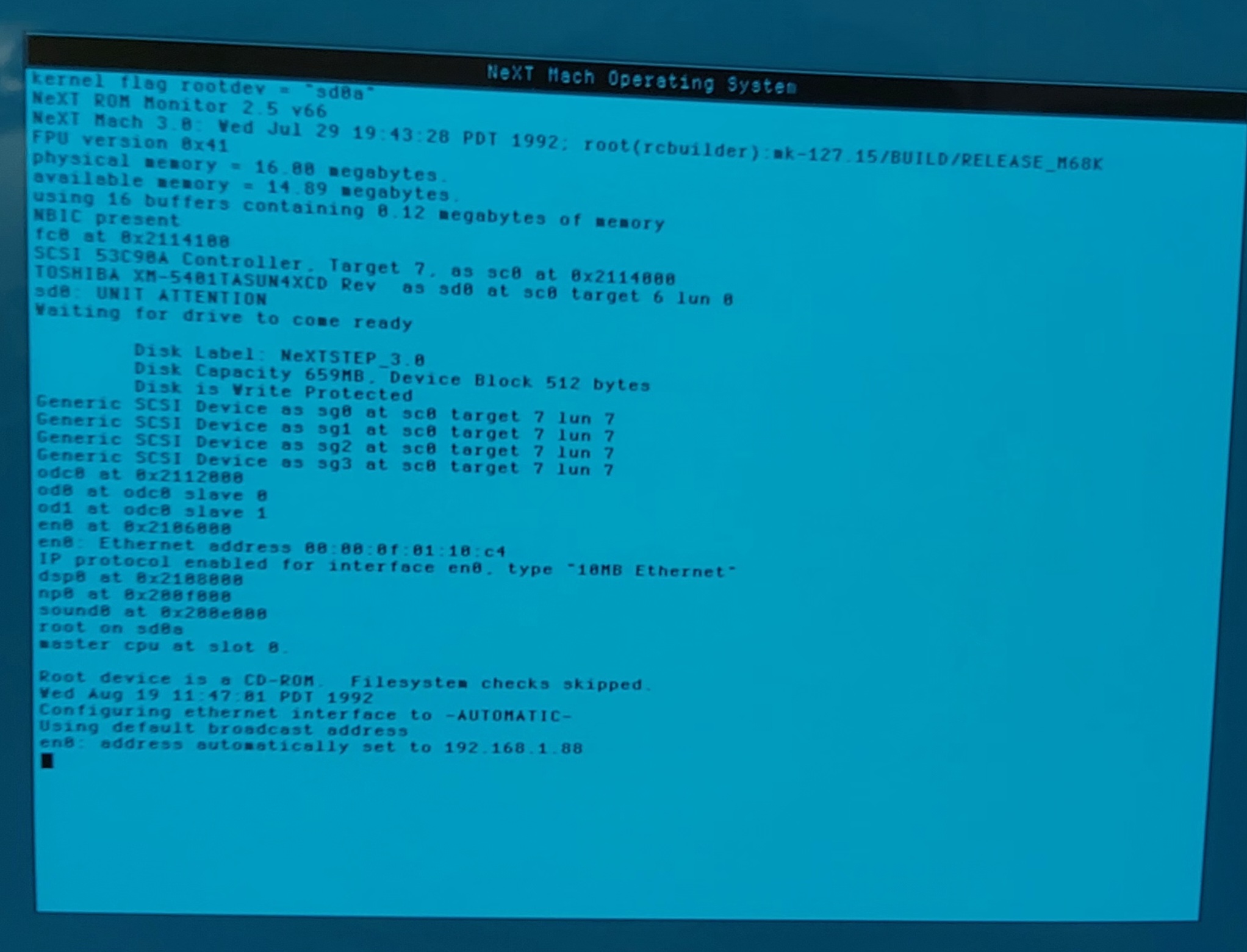
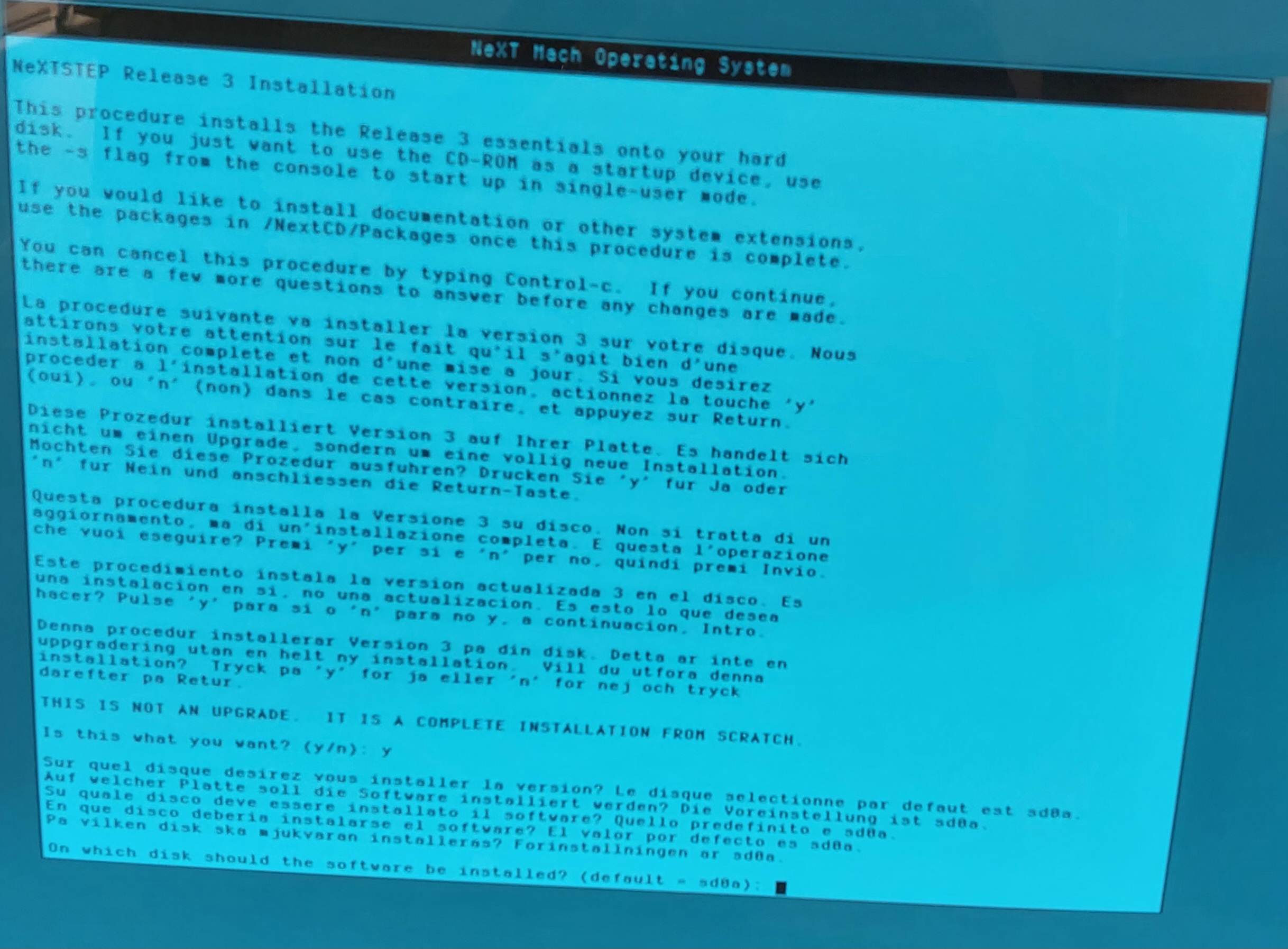
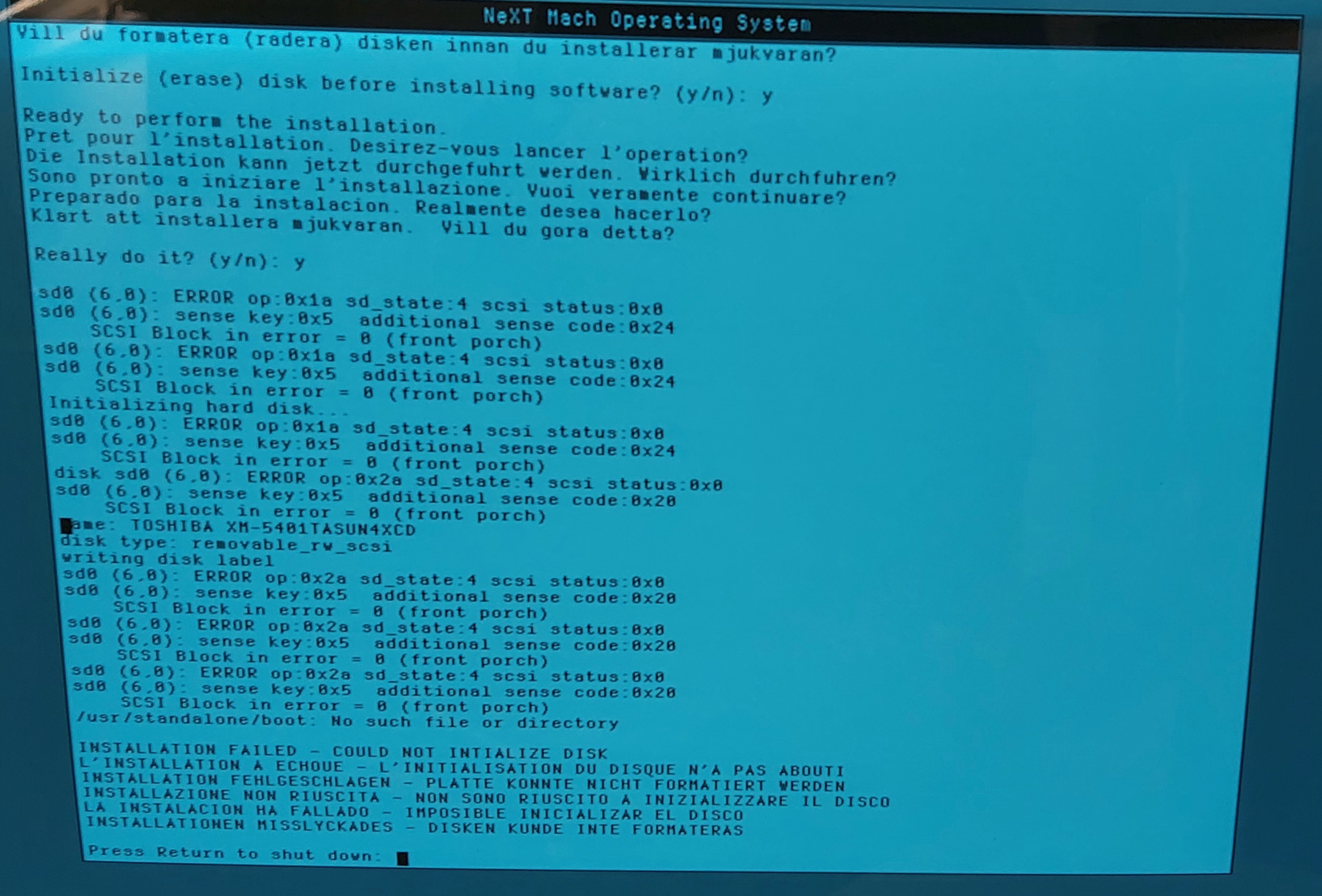
I join three screen shots about my installation process.
Hope that helps!
Title: Re: NeXTSTEP reinstallation from scratch
Post by: nuss on March 14, 2023, 01:27:29 PM
Post by: nuss on March 14, 2023, 01:27:29 PM
Hallo @hc105 , the errors are from your CD-ROM drive.
Do you have terminated the SCSI chain correctly?
Does the CD-ROM (EDIT: the "installation media") look fine, or might it be damaged / defective from age?
Greetings, Nuss
Do you have terminated the SCSI chain correctly?
Does the CD-ROM (EDIT: the "installation media") look fine, or might it be damaged / defective from age?
Greetings, Nuss
Title: Re: NeXTSTEP reinstallation from scratch
Post by: hc105 on March 14, 2023, 02:03:10 PM
Post by: hc105 on March 14, 2023, 02:03:10 PM
I've put the SCSI termination on the disk itself. I put an external one as well. CDROM (ID6) is the first on the chain and the disk behind.
Not 100% confident with the CD drive, this is why I was askkng if there was a way for a complete network installation (i.e. without CD).
In //, I've ordered another SCSI CD drive...
Not 100% confident with the CD drive, this is why I was askkng if there was a way for a complete network installation (i.e. without CD).
In //, I've ordered another SCSI CD drive...
Title: Re: NeXTSTEP reinstallation from scratch
Post by: hc105 on March 15, 2023, 12:27:55 PM
Post by: hc105 on March 15, 2023, 12:27:55 PM
Tried with another CD-ROM drive: similar error messages.
Again, I fear the HD is simply not recognized and installation tries to access the CD instead. Don't know.
I'm lost...
Again, I fear the HD is simply not recognized and installation tries to access the CD instead. Don't know.
I'm lost...
Title: Re: NeXTSTEP reinstallation from scratch
Post by: cuby on March 15, 2023, 03:27:44 PM
Post by: cuby on March 15, 2023, 03:27:44 PM
Quote from: hc105 on March 15, 2023, 12:27:55 PMTried with another CD-ROM drive: similar error messages.Your first screen shot shows the CD drive only, that's strange. Did you perhaps inadvertedly also configure the SCSI disk to ID 6 (the same as the CD-ROM)?
Again, I fear the HD is simply not recognized and installation tries to access the CD instead. Don't know.
Title: Re: NeXTSTEP reinstallation from scratch
Post by: hc105 on March 16, 2023, 09:42:02 AM
Post by: hc105 on March 16, 2023, 09:42:02 AM
Just tried changing the SCSI of the CDROM to '4' but: same story.
Problem is I can't find any documentation on the disk I attached (HP C2474S) so can't check if any jumper(s) should be placed/removed.
Problem is I can't find any documentation on the disk I attached (HP C2474S) so can't check if any jumper(s) should be placed/removed.
Title: Re: NeXTSTEP reinstallation from scratch
Post by: cuby on March 16, 2023, 11:50:43 AM
Post by: cuby on March 16, 2023, 11:50:43 AM
Quote from: hc105 on March 16, 2023, 09:42:02 AMJust tried changing the SCSI of the CDROM to '4' but: same story.The 2474S should be identical to the HP 97560-60262.
Problem is I can't find any documentation on the disk I attached (HP C2474S) so can't check if any jumper(s) should be placed/removed.
Perhaps this documentation helps with the jumpers (https://web.archive.org/web/20101203230750/http://www.4drives.com/DRIVESPECS/HP/1246.txt). There's also a product manual on bitsavers (http://bitsavers.org/pdf/hp/disc/scsi/97556_97558_97560_Product_Description_Dec90.pdf) containing jumper settings and much more.
Some ideas:
- The manual on bitsavers states "The drive is shipped from the factory with shorting jumpers across all three pin-sets which sets up a SCSI Address of 7." So in the unlikely case this was a NOS (new old stock) disk, its address would collide with the NeXT's SCSI controller address.
- It seems that there was a differential SCSI version of the C2474S disk. This unfortunately has the same 50-pin connector, but incompatible electrical signalling.
Maybe this helps...
Title: Re: NeXTSTEP reinstallation from scratch
Post by: hc105 on March 17, 2023, 04:54:38 AM
Post by: hc105 on March 17, 2023, 04:54:38 AM
Thank you so much for those useful information!
Unfortunately, that doesn't work, as the SCSI ID is set to 0 (jumpers opened).
Worth to note, when powering up, the disk LED is flashing constantly as if there was lots of I/Os (~10 flashes per second), and the documentation says: "A flashing LED (approximately 1 Hz) indicates that the controller has failed all or a portion of the internal diagnostic tests."
Just in case, I attach a picture of my jumpers configuration, but I fear my disk is simply dead :-(
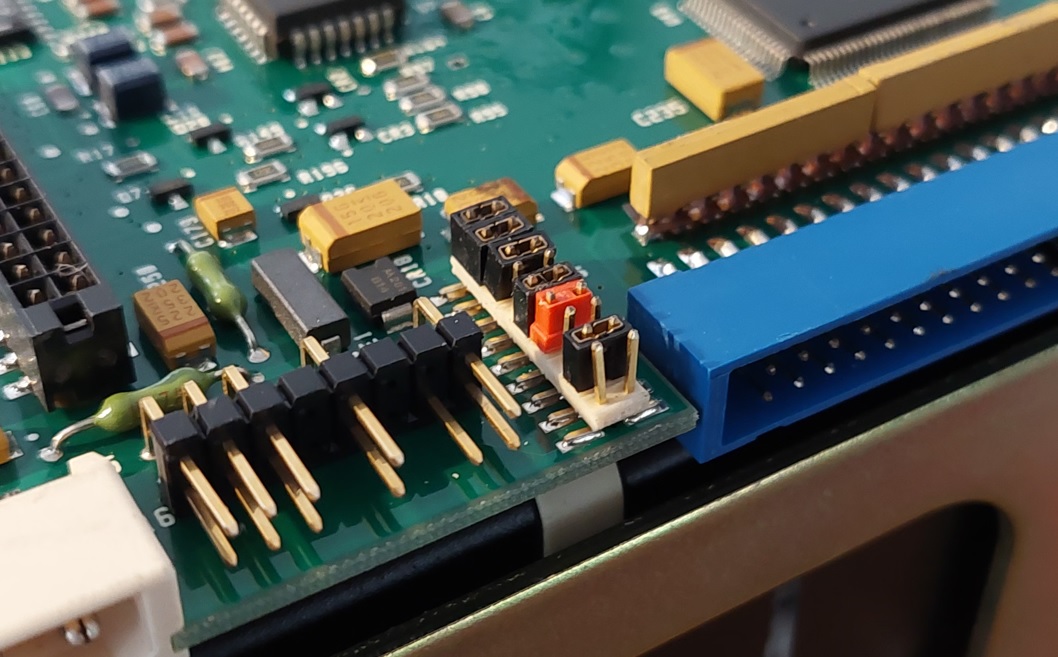
Unfortunately, that doesn't work, as the SCSI ID is set to 0 (jumpers opened).
Worth to note, when powering up, the disk LED is flashing constantly as if there was lots of I/Os (~10 flashes per second), and the documentation says: "A flashing LED (approximately 1 Hz) indicates that the controller has failed all or a portion of the internal diagnostic tests."
Just in case, I attach a picture of my jumpers configuration, but I fear my disk is simply dead :-(
Title: Re: NeXTSTEP reinstallation from scratch
Post by: hc105 on March 17, 2023, 06:28:12 AM
Post by: hc105 on March 17, 2023, 06:28:12 AM
Just a quick (and stupid?) one: could a BlueSCSI (https://scsi.blue/ (https://scsi.blue/)) be a solution ?
Title: Re: NeXTSTEP reinstallation from scratch
Post by: mikeboss on March 17, 2023, 07:25:15 AM
Post by: mikeboss on March 17, 2023, 07:25:15 AM
Quote from: hc105 on March 17, 2023, 06:28:12 AMJust a quick (and stupid?) one: could a BlueSCSI (https://scsi.blue/ (https://scsi.blue/)) be a solution ?
definitely yes! -> http://www.nextcomputers.org/forums/index.php?topic=4651.0
Title: Re: NeXTSTEP reinstallation from scratch
Post by: hc105 on March 17, 2023, 12:41:05 PM
Post by: hc105 on March 17, 2023, 12:41:05 PM
Just ordered a BlueSCSI card then!
In the meantime, I'm also waiting for another(!) 760MB 5"1/4 Maxtor drive.
Let see which one comes first, and which one(s) will accept to work.
In the meantime, I'm also waiting for another(!) 760MB 5"1/4 Maxtor drive.
Let see which one comes first, and which one(s) will accept to work.
Title: Re: NeXTSTEP reinstallation from scratch
Post by: hc105 on March 24, 2023, 05:57:01 PM
Post by: hc105 on March 24, 2023, 05:57:01 PM
This is it!
I received my BlueSCSI card and... YES! My NeXTcube is up and running with a NeXTSTEP 3.3 on it.
Could not avoid comparing my 1g 32GB MicroSD with my original 5kg 760MB 5"1/4 full height drive ;-)
So happy!!
Thanks guys for your help.
I received my BlueSCSI card and... YES! My NeXTcube is up and running with a NeXTSTEP 3.3 on it.
Could not avoid comparing my 1g 32GB MicroSD with my original 5kg 760MB 5"1/4 full height drive ;-)
So happy!!
Thanks guys for your help.