Title: P4 Mini-ITX OPENSTEP box
Post by: Nitro on March 19, 2023, 09:57:41 AM
Post by: Nitro on March 19, 2023, 09:57:41 AM
Here's another on-the-cheap newish OPENSTEP Intel build. The motherboard is an Intel socket 478 design with 845G Northbridge onboard graphics. It's been sitting on a shelf for more than a decade now winking at me to repurpose it. According to the user manual it's actually a Flex Mini-ITX, so it has the same mounting hole pattern as a mini-ITX, but it's around 1.5 inches longer front to back. The plan is to dual-boot OPENSTEP 4.2 and 32 bit Debian Linux using the same SSD. The original oddball power supply will be replaced with a standard internal SFX one, and a slim SATA DVD burner and floppy drive will be shoehorned into a single 5.25 inch bay. To give you an idea of the small size of this computer, the entire case fits sideways inside an empty NeXTcube.
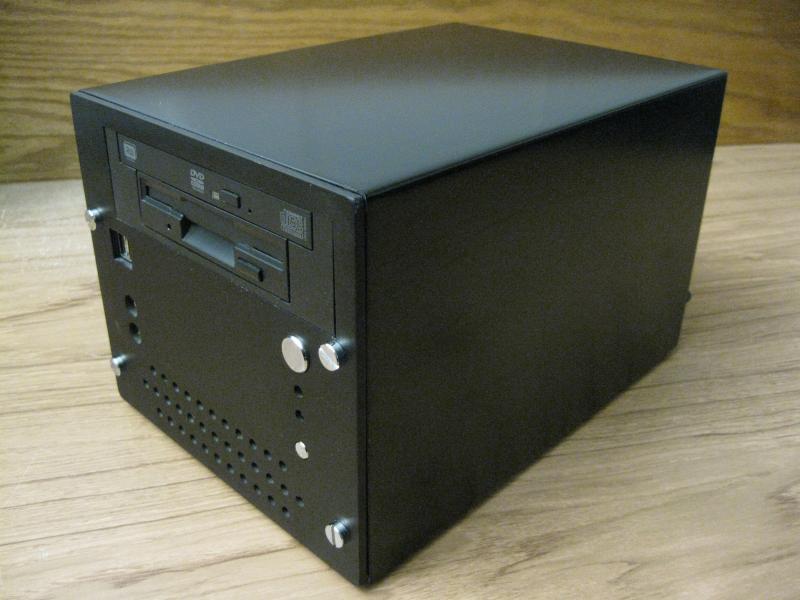
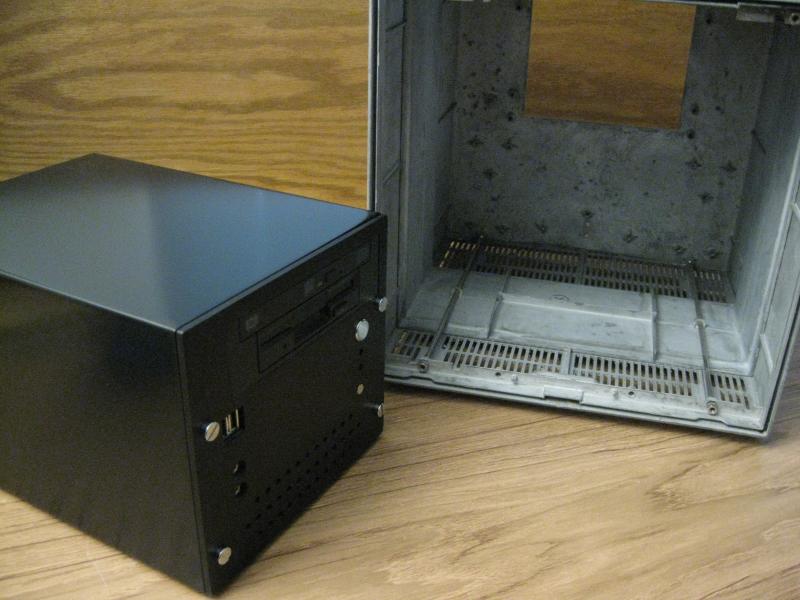
The motherboard had a capacitor that was leaking, so I ordered a package of six and did a partial recap of the board.
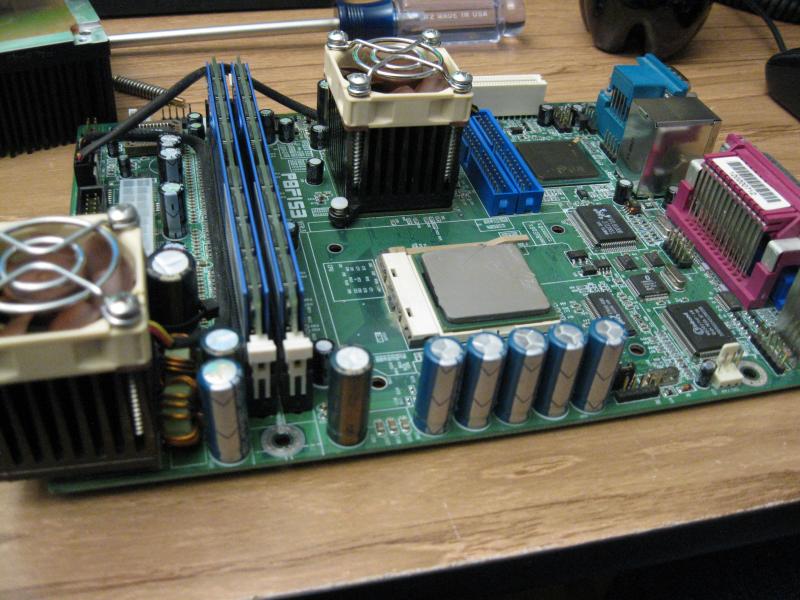
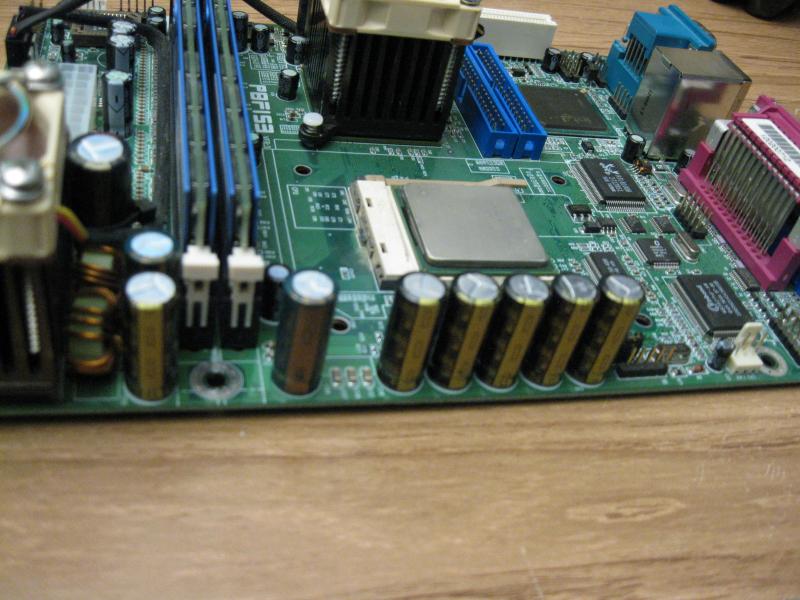
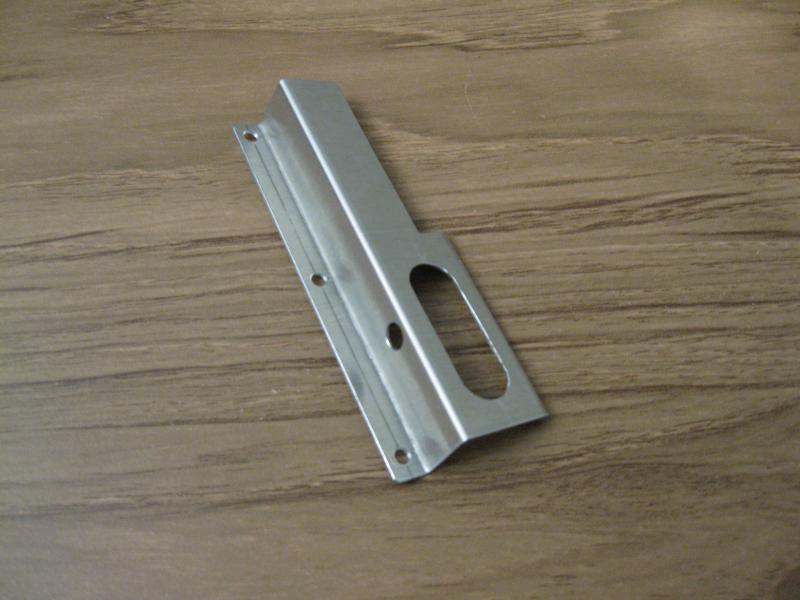
After that a standard SFX to ATX power supply adapter bracket was modified to mount the new power supply. Everything inside the case is an extremely tight fit. This required remotely mounting a SATA to IDE adapter for the SSD.
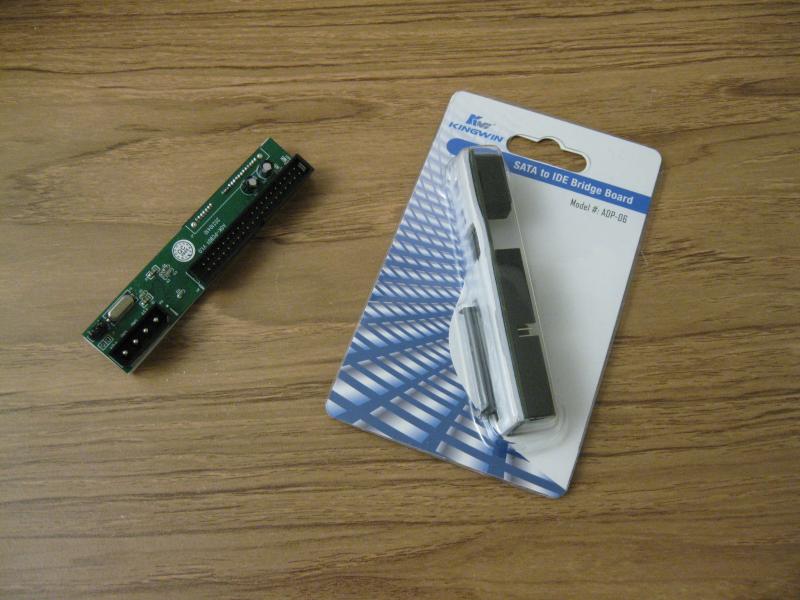
This Kingwin ADP-06 SATA to IDE adapter is the only one that I've tried so far that works with both OPENSTEP and SSDs.
https://www.amazon.com/dp/B002SZDOM6
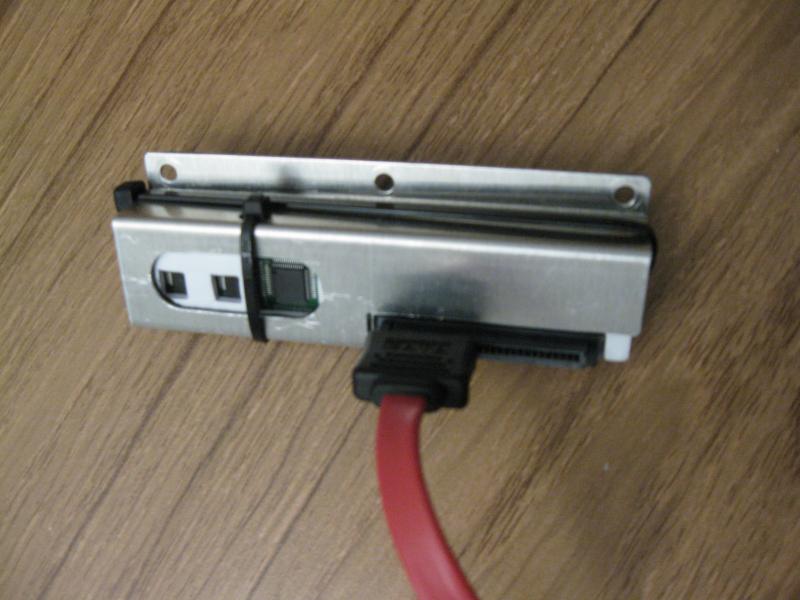
Here's the adapter sitting in the mounting bracket. There's an extra layer of black foam under the adapter to prevent shorts, and a modified SATA extension cable plugs into the data port.
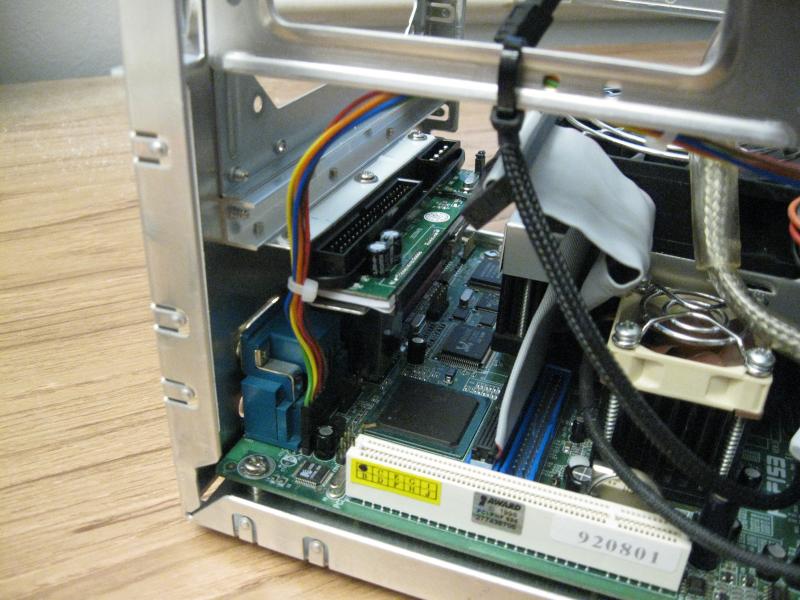
A second SATA to IDE adapter was used for the SATA DVD burner. The slim DVD drives use a different power connector than standard SATA drives, so that required a Molex to slim DVD power cable adapter.
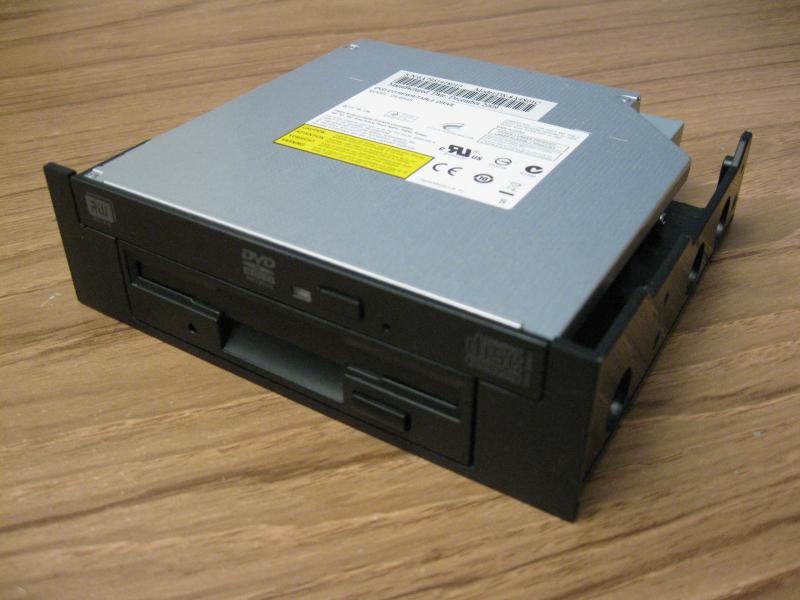
The last hardware task was to piggyback the slim DVD drive to a standard floppy drive. This required more sheet metal brackets and a 3.5" to 5.25" bay floppy adapter. It was a chance to use my small sheet metal bending brake as well as some origami skills.
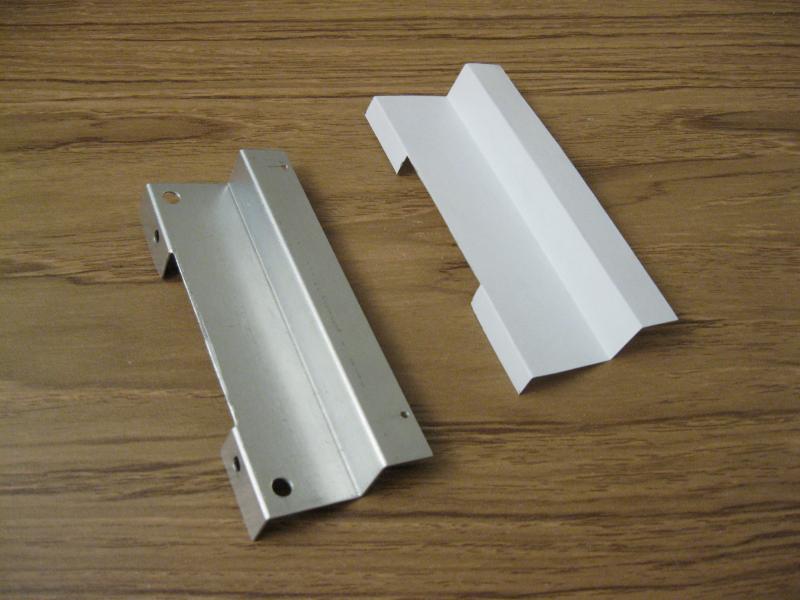
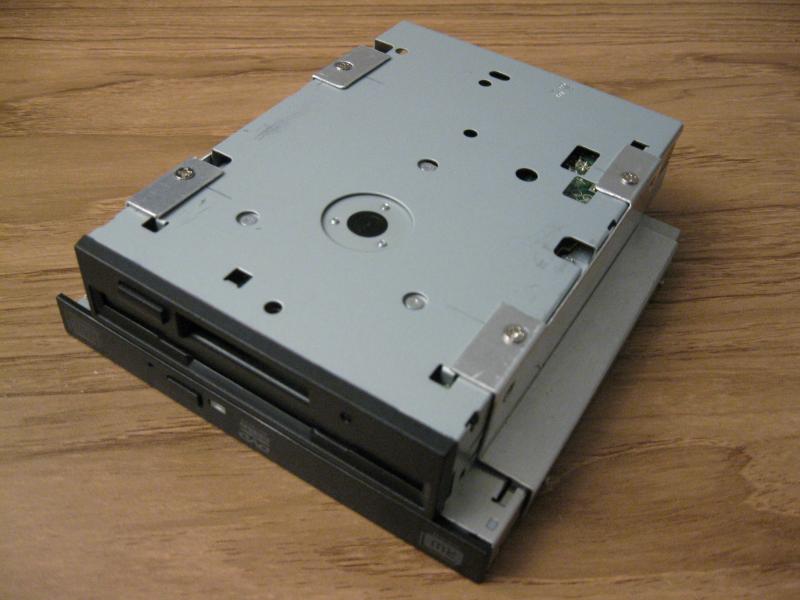
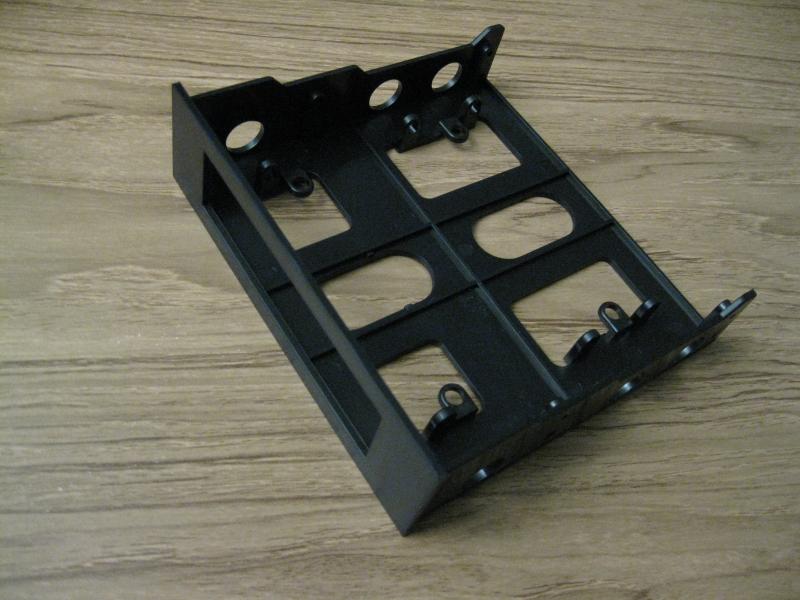
After a ridiculous amount of cutting, grinding and filing the adapter was ready for use.
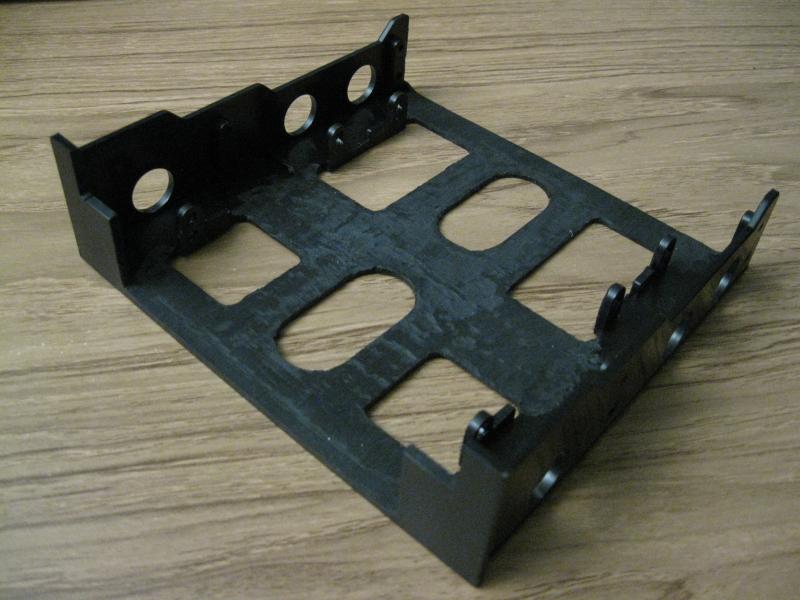
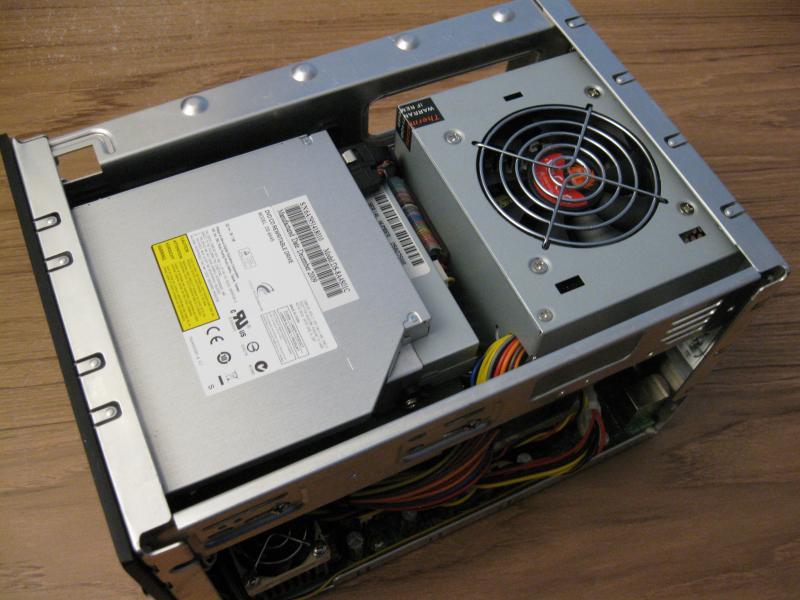
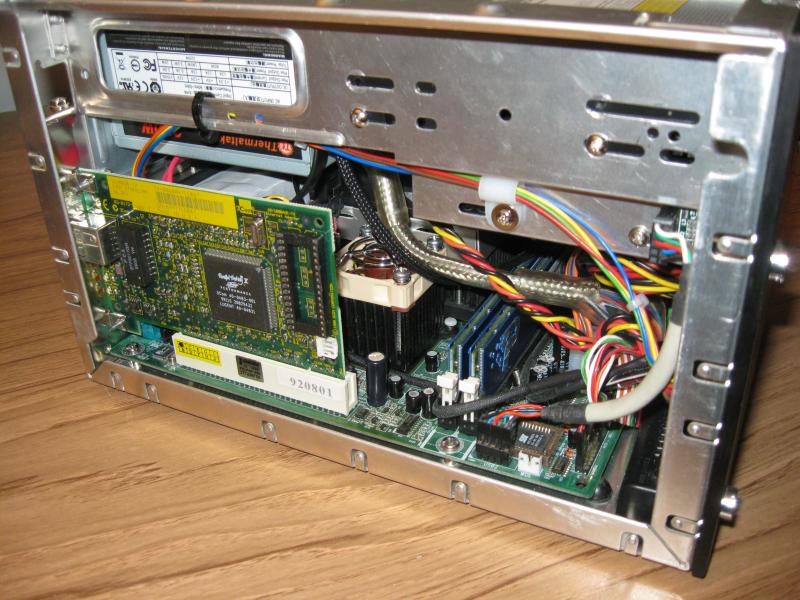
Once in place, there isn't much room to spare. I ended up replacing the 3GHz CPU with a 2.53GHz unit that was a cool 20 watts less TDP to lower the internal temperature. With only one PCI slot, I had to choose between sound and network. Hopefully someone with mad skillz will port a Realtek sound driver and network driver someday.
The last step was to partition the SSD and install the two operating systems. This was surprisingly the most difficult step. The following notes are mostly for my future self, but if you're interested you may want to hit pause and grab some coffee.
I tested four different SATA to IDE adapters as well as SSDs from five different manufactures. Most adapters don't work with SSDs, and some don't work with ATAPI CD/DVD drives. There were also incompatibilities between the NeXT EIDE driver and many SSDs, resulting in two different issues/errors. To add to the follies, I've always used a second drive to dual-boot OPENSTEP, which meant I could use pure BSD slices. Using one drive meant that I had to install OPENSTEP to a DOS partition, which I've never done before. If it wasn't for Morgon's disktabs (https://www.nextcomputers.org/forums/index.php?topic=4494.msg26234#msg26234), I'd still be working on this. :) I also had to research how to partition and align SSD's. Oh, and the Linux GRUB2 boot loader does a face plant on legacy BIOS boot installations if the /boot directory is located at a large offset from the beginning of the disk. >:( It took a lot of Google-Fu to find that tidbit of information. The workaround I chose was to shrink the OPENSTEP DOS partition to 4 GiB. Another workaround is to create a 1 GiB partition at the beginning of the disk for Linux to mount /boot.
I'll document the issues here about using a SATA SSD with the NeXT EIDE driver. The first issue that the Dual/EIDE driver (v4.03) has is that it has trouble resetting some SSDs during boot, which results in a ten minute timeout, then the driver attempts the reset again and it works ¯\_(ツ)_/¯. I had this issue with a 64GB Adata SSD (SX900) and a 120MB Kingston SSD (SH103S3/120G). Some of the SATA to IDE adapters that don't work with OPENSTEP also have this same issue, although the timeout appears to be infinite.
Here's a list of SSDs that don't appear to have this issue and they allow OPENSTEP to boot normally:
Intel 256GB (SSDSC2KW256GB)
Intel 40GB (SSDSA2CT040G3)
SanDisk 120GB (SDSSDA-120G)
SanDisk 250GB (SDSSDH3-250G)
Samsung 870 EVO 500GB (MZ-77E500)
The two SSDs that worked the best were the two Intel drives. If you want to partition your SSD with NeXT BSD slices only then Intel SSDs seem to be the best way to go.
The second issue that the Dual/EIDE driver has with some SSDs is that it's unable to get the disk geometry directly from the disk, so it defaults to getting the geometry from the BIOS, which is often wrong. This appears to be a problem when partitioning SSDs with NeXT BSD slices only. In this case the disk utility will start the partition process with the statement "Using BIOS-accessible sectors only" and will usually report a much smaller disk size than the actual size. There may be a way around this, but I didn't spend much time on it because it isn't an issue when using DOS partitions.
The last step was to partition the 40GB Intel SSD. The Linux fdisk program was used by booting off of the gparted live CD. The first task was to create a primary 4 GiB DOS style partition for OPENSTEP. The starting sector for the partition is 2048 to align the partition with the block boundary for SSD alignment. The last sector is 8390655 and the partition hex ID is set to a7 for NeXTSTEP. Write the partition information to the disk and exit. Then the disk is connected to a patched OPENSTEP 4.2 Intel box to initialize the DOS partition with the disk utility. Unmount the SSD if it's mounted, and then initialize the disk.
disk –i /dev/rhd1a
The disk utility will create two 2 GB partitions and set up the filesystems inside the 4 GiB DOS partition. The new disk can be mounted with:
/usr/etc/mount /dev/hd1a /disk
The patched version of OPENSTEP can then be cloned to the SSD (as root).
dump 0f - / | ( cd /disk; restore xf - )
The disk is now ready to install Linux in the free space on the disk. The following can be added to /etc/grub.d/040_custom in the Linux partition to add a grub boot menu entry for OPENSTEP.
menuentry "OPENSTEP 4.2" {
set root=(hd0,1)
chainloader +1
}
If you wish to have OPENSTEP boot as the default OS then edit /etc/default/grub and change the line GRUB_DEFAULT=0 to the OPENSTEP menu entry, which in this case is 2. Then save the file and update grub.
sudo update-grub
That's it; I hope this helps someone out.
References: NeXTanswers 1487, 1849, 1951
The motherboard had a capacitor that was leaking, so I ordered a package of six and did a partial recap of the board.
After that a standard SFX to ATX power supply adapter bracket was modified to mount the new power supply. Everything inside the case is an extremely tight fit. This required remotely mounting a SATA to IDE adapter for the SSD.
This Kingwin ADP-06 SATA to IDE adapter is the only one that I've tried so far that works with both OPENSTEP and SSDs.
https://www.amazon.com/dp/B002SZDOM6
Here's the adapter sitting in the mounting bracket. There's an extra layer of black foam under the adapter to prevent shorts, and a modified SATA extension cable plugs into the data port.
A second SATA to IDE adapter was used for the SATA DVD burner. The slim DVD drives use a different power connector than standard SATA drives, so that required a Molex to slim DVD power cable adapter.
The last hardware task was to piggyback the slim DVD drive to a standard floppy drive. This required more sheet metal brackets and a 3.5" to 5.25" bay floppy adapter. It was a chance to use my small sheet metal bending brake as well as some origami skills.
After a ridiculous amount of cutting, grinding and filing the adapter was ready for use.
Once in place, there isn't much room to spare. I ended up replacing the 3GHz CPU with a 2.53GHz unit that was a cool 20 watts less TDP to lower the internal temperature. With only one PCI slot, I had to choose between sound and network. Hopefully someone with mad skillz will port a Realtek sound driver and network driver someday.
The last step was to partition the SSD and install the two operating systems. This was surprisingly the most difficult step. The following notes are mostly for my future self, but if you're interested you may want to hit pause and grab some coffee.
I tested four different SATA to IDE adapters as well as SSDs from five different manufactures. Most adapters don't work with SSDs, and some don't work with ATAPI CD/DVD drives. There were also incompatibilities between the NeXT EIDE driver and many SSDs, resulting in two different issues/errors. To add to the follies, I've always used a second drive to dual-boot OPENSTEP, which meant I could use pure BSD slices. Using one drive meant that I had to install OPENSTEP to a DOS partition, which I've never done before. If it wasn't for Morgon's disktabs (https://www.nextcomputers.org/forums/index.php?topic=4494.msg26234#msg26234), I'd still be working on this. :) I also had to research how to partition and align SSD's. Oh, and the Linux GRUB2 boot loader does a face plant on legacy BIOS boot installations if the /boot directory is located at a large offset from the beginning of the disk. >:( It took a lot of Google-Fu to find that tidbit of information. The workaround I chose was to shrink the OPENSTEP DOS partition to 4 GiB. Another workaround is to create a 1 GiB partition at the beginning of the disk for Linux to mount /boot.
I'll document the issues here about using a SATA SSD with the NeXT EIDE driver. The first issue that the Dual/EIDE driver (v4.03) has is that it has trouble resetting some SSDs during boot, which results in a ten minute timeout, then the driver attempts the reset again and it works ¯\_(ツ)_/¯. I had this issue with a 64GB Adata SSD (SX900) and a 120MB Kingston SSD (SH103S3/120G). Some of the SATA to IDE adapters that don't work with OPENSTEP also have this same issue, although the timeout appears to be infinite.
Here's a list of SSDs that don't appear to have this issue and they allow OPENSTEP to boot normally:
Intel 256GB (SSDSC2KW256GB)
Intel 40GB (SSDSA2CT040G3)
SanDisk 120GB (SDSSDA-120G)
SanDisk 250GB (SDSSDH3-250G)
Samsung 870 EVO 500GB (MZ-77E500)
The two SSDs that worked the best were the two Intel drives. If you want to partition your SSD with NeXT BSD slices only then Intel SSDs seem to be the best way to go.
The second issue that the Dual/EIDE driver has with some SSDs is that it's unable to get the disk geometry directly from the disk, so it defaults to getting the geometry from the BIOS, which is often wrong. This appears to be a problem when partitioning SSDs with NeXT BSD slices only. In this case the disk utility will start the partition process with the statement "Using BIOS-accessible sectors only" and will usually report a much smaller disk size than the actual size. There may be a way around this, but I didn't spend much time on it because it isn't an issue when using DOS partitions.
The last step was to partition the 40GB Intel SSD. The Linux fdisk program was used by booting off of the gparted live CD. The first task was to create a primary 4 GiB DOS style partition for OPENSTEP. The starting sector for the partition is 2048 to align the partition with the block boundary for SSD alignment. The last sector is 8390655 and the partition hex ID is set to a7 for NeXTSTEP. Write the partition information to the disk and exit. Then the disk is connected to a patched OPENSTEP 4.2 Intel box to initialize the DOS partition with the disk utility. Unmount the SSD if it's mounted, and then initialize the disk.
disk –i /dev/rhd1a
The disk utility will create two 2 GB partitions and set up the filesystems inside the 4 GiB DOS partition. The new disk can be mounted with:
/usr/etc/mount /dev/hd1a /disk
The patched version of OPENSTEP can then be cloned to the SSD (as root).
dump 0f - / | ( cd /disk; restore xf - )
The disk is now ready to install Linux in the free space on the disk. The following can be added to /etc/grub.d/040_custom in the Linux partition to add a grub boot menu entry for OPENSTEP.
menuentry "OPENSTEP 4.2" {
set root=(hd0,1)
chainloader +1
}
If you wish to have OPENSTEP boot as the default OS then edit /etc/default/grub and change the line GRUB_DEFAULT=0 to the OPENSTEP menu entry, which in this case is 2. Then save the file and update grub.
sudo update-grub
That's it; I hope this helps someone out.
References: NeXTanswers 1487, 1849, 1951