Title: .TIFF Files , looking for some help
Post by: wizard on June 08, 2023, 12:44:51 PM
Post by: wizard on June 08, 2023, 12:44:51 PM
I am having a hard time opening many .tiff files found on NeXT on a more modern program like Gimp (I am using Linux). I am making a database of NeXT programs and would like to use their icons. Is there a program on NeXT computers that can read one of these old .tiff files and perhaps output jpg or something more readable by modern editors? Is there a modern editor or utility that I could use on Linux to convert these files?
Thanks for any suggestions.
Thanks for any suggestions.
Title: Re: .TIFF Files , looking for some help
Post by: Morgon on June 08, 2023, 02:43:10 PM
Post by: Morgon on June 08, 2023, 02:43:10 PM
Try to convert them under NeXT to a more modern format that supports alpha channel e.g. PNG.
You can use the ToyViewer app for this but I think ToyViewer will always display and save the variant with the highest color space (e.g. 12 or 24 bit color) and ignore the other ones (e.g. 2 bit gray) if available.
Morgon
You can use the ToyViewer app for this but I think ToyViewer will always display and save the variant with the highest color space (e.g. 12 or 24 bit color) and ignore the other ones (e.g. 2 bit gray) if available.
Morgon
Title: Re: .TIFF Files , looking for some help
Post by: nuss on June 08, 2023, 02:51:48 PM
Post by: nuss on June 08, 2023, 02:51:48 PM
Hallo @wizard ,
many good applications exists on NeXTstep and OpenStep for converting graphic formats.
Here is a list of my favorites. For day-to-day viewing and conversion work I used ToyViewer in two different versions (simple rename one of the ToyViewer.app to ToyViewer2.app and do the same for the exectuable inside).
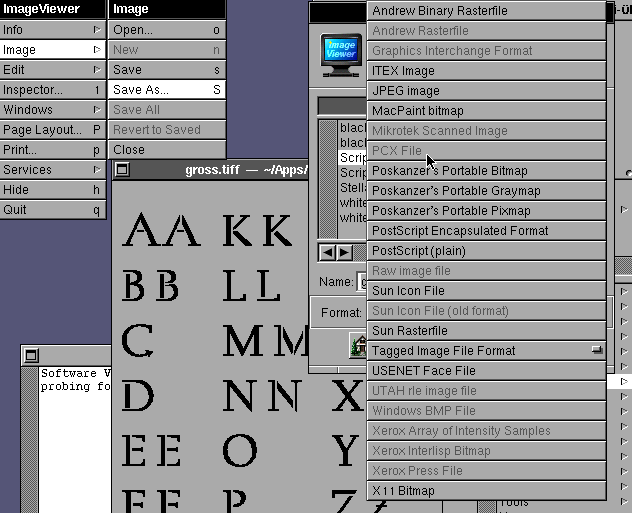
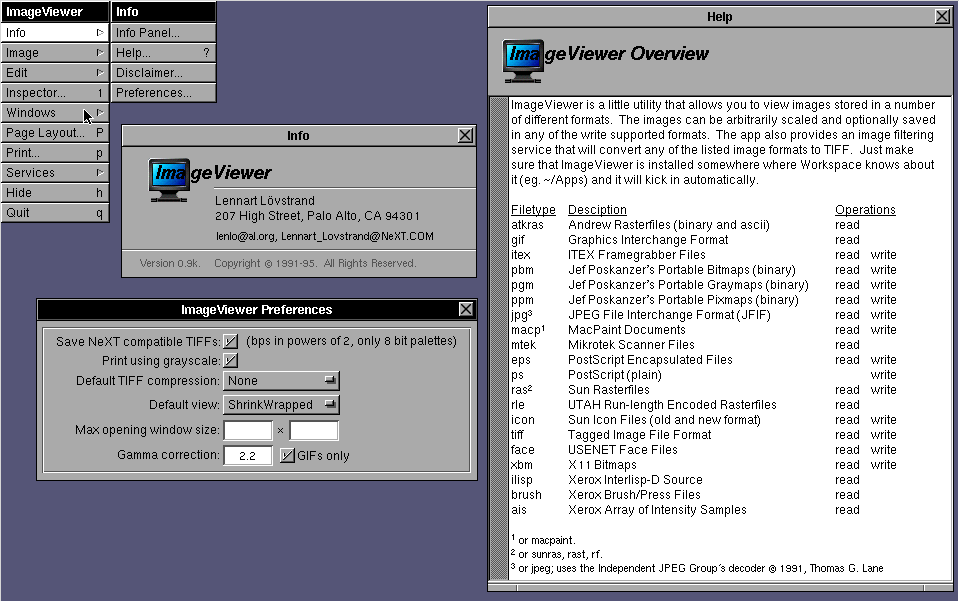
ImageViewer - the veteran of the image display and convert tools.
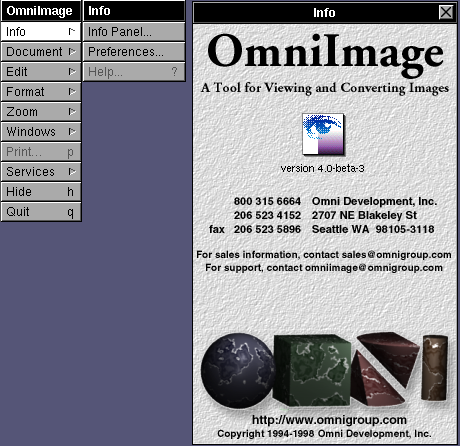
OmniImage (from OmniGroup) was quite good, but it did not work on my test box today.
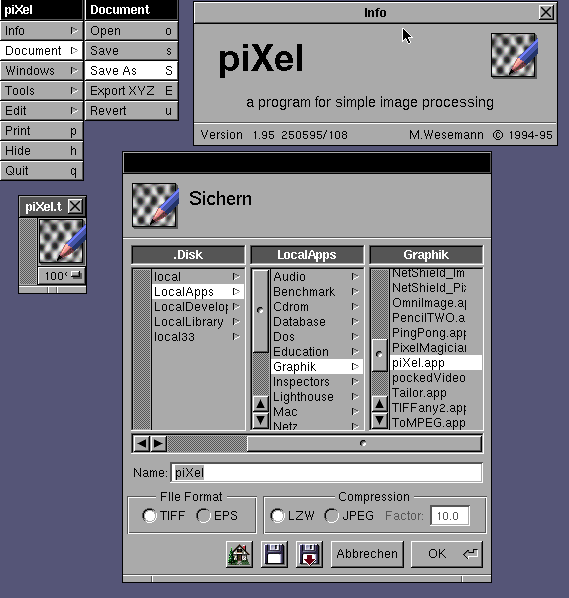
piXel is a simple conversion tool.
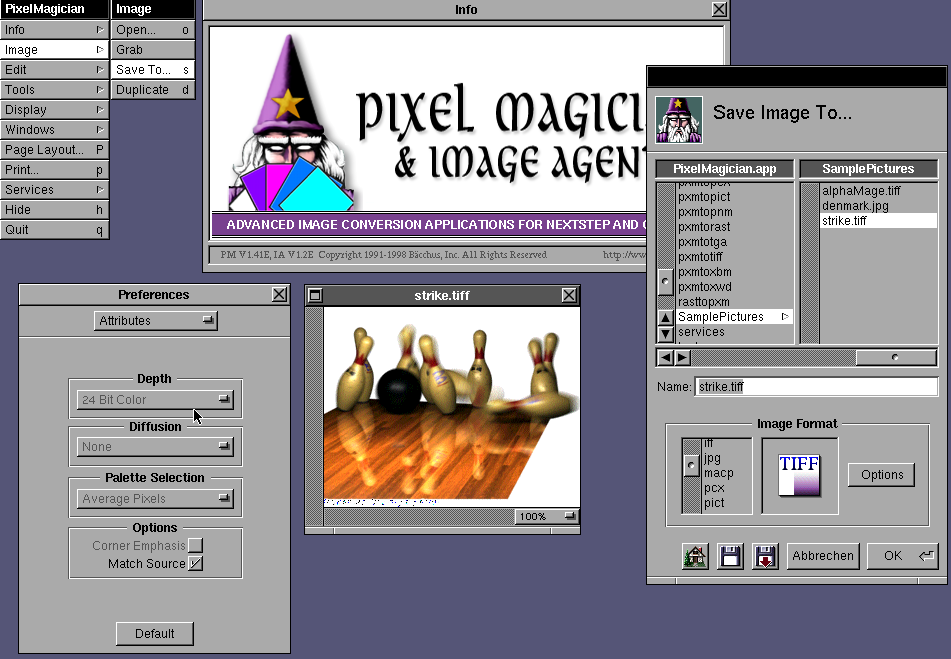
PixelMagician is a full featured image converter (should have free license by author).
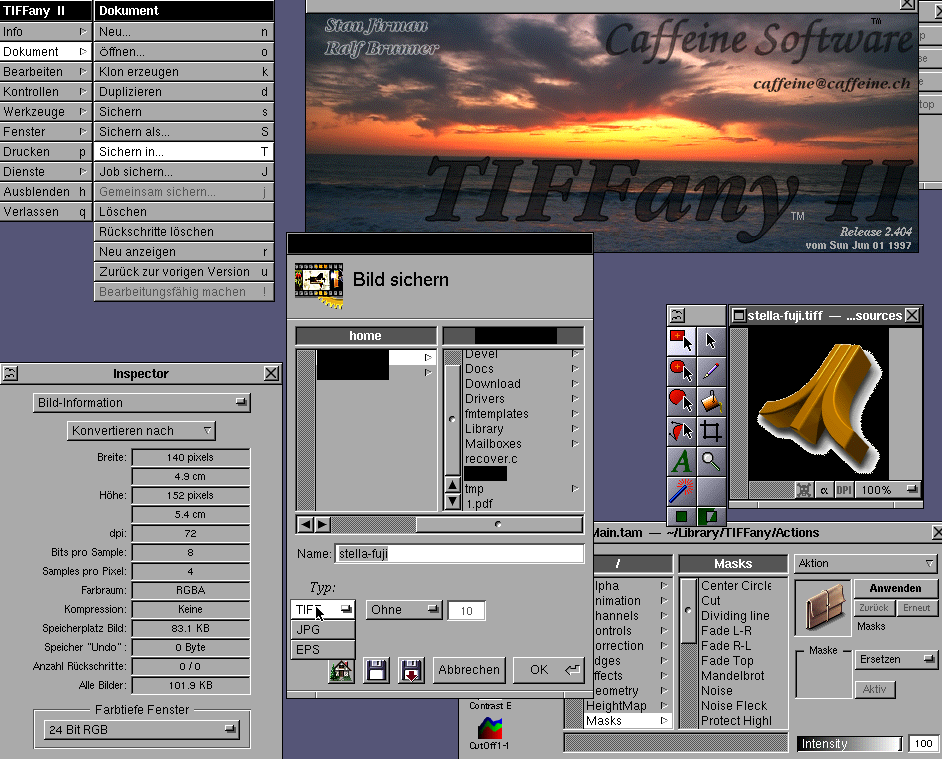
Tiffany2 is more like GIMP, but can also convert images (should have free license by author).
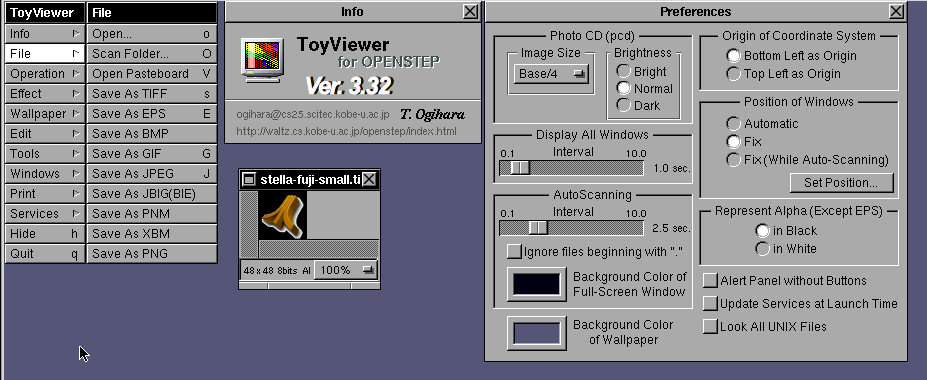
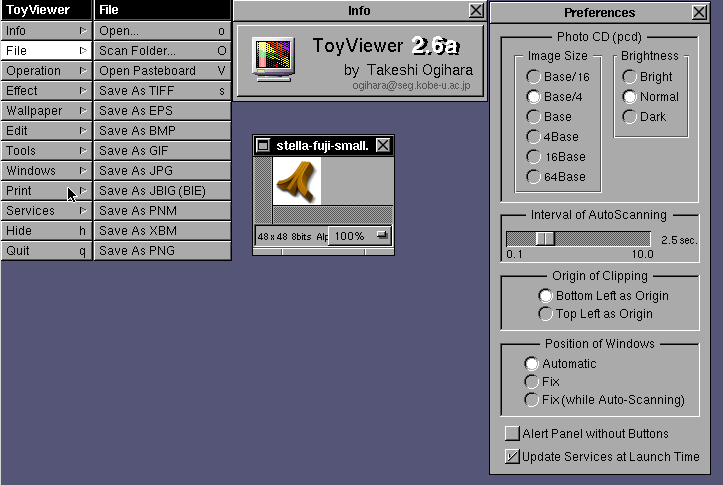
ToyViewer is (imho) the best image converter for newer formats. It has different features in v2 and v3, so I kept both side by side on my box.
many good applications exists on NeXTstep and OpenStep for converting graphic formats.
Here is a list of my favorites. For day-to-day viewing and conversion work I used ToyViewer in two different versions (simple rename one of the ToyViewer.app to ToyViewer2.app and do the same for the exectuable inside).
ImageViewer - the veteran of the image display and convert tools.
OmniImage (from OmniGroup) was quite good, but it did not work on my test box today.
piXel is a simple conversion tool.
PixelMagician is a full featured image converter (should have free license by author).
Tiffany2 is more like GIMP, but can also convert images (should have free license by author).
ToyViewer is (imho) the best image converter for newer formats. It has different features in v2 and v3, so I kept both side by side on my box.
Title: Re: .TIFF Files , looking for some help
Post by: nuss on June 08, 2023, 02:54:21 PM
Post by: nuss on June 08, 2023, 02:54:21 PM
Hi @wizard ,
on Linux I use ImageMagick (e.g. "convert") for my conversion needs. Not sure if your "problem" TIFF will work, but for me it perfectly can transfer ancient image formats into the new world.
Cheers, Nuss
on Linux I use ImageMagick (e.g. "convert") for my conversion needs. Not sure if your "problem" TIFF will work, but for me it perfectly can transfer ancient image formats into the new world.
Cheers, Nuss
Title: Re: .TIFF Files , looking for some help
Post by: eukara on June 09, 2023, 01:18:15 AM
Post by: eukara on June 09, 2023, 01:18:15 AM
I have quite a bit of experience (http://icculus.org/~marco/img/desktop.png) with ripping TIFF images from NeXT.
I had the most success with mogrify on Linux.
`mogrify -format png *.tiff`
For some odd reason, the `convert` command in ImageMagick doesn't like the multi-layer TIFF images. Mogrify will at least split them in two, with the higher quality one usually dumping fine.
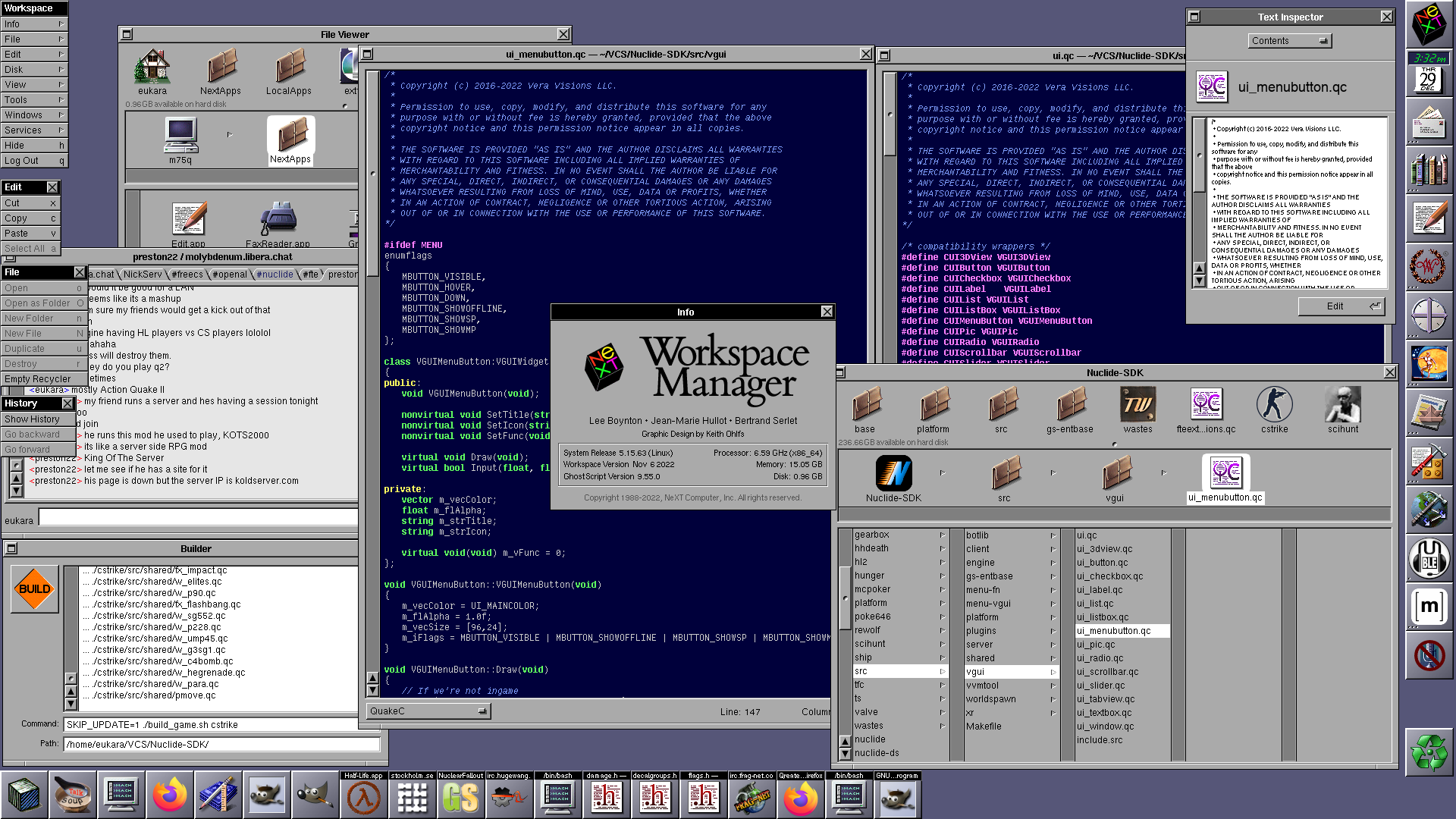
I had the most success with mogrify on Linux.
`mogrify -format png *.tiff`
For some odd reason, the `convert` command in ImageMagick doesn't like the multi-layer TIFF images. Mogrify will at least split them in two, with the higher quality one usually dumping fine.
Title: Re: .TIFF Files , looking for some help
Post by: pTeK on June 09, 2023, 03:43:40 PM
Post by: pTeK on June 09, 2023, 03:43:40 PM
@nuss Thanks for those screenshots, now I know what apps to leech and install next. Hopefully some of them allow converting to .IFF/ILBM so I can use some NeXT icons on my Amiga.
@eukara Can you explain your desktop a bit more? Linux with GNUStep and Gormf??
@eukara Can you explain your desktop a bit more? Linux with GNUStep and Gormf??
Title: Re: .TIFF Files , looking for some help
Post by: eukara on June 09, 2023, 06:17:58 PM
Post by: eukara on June 09, 2023, 06:17:58 PM
Quote from: pTeK on June 09, 2023, 03:43:40 PM@eukara Can you explain your desktop a bit more? Linux with GNUStep and Gormf??
Of course! I run Slackware Linux (long time favorite) with my own desktop environment I've temporarily dubbed TrueStep. It's practically vanilla GNUstep but with my own forks of popular apps such as GWorkspace (http://icculus.org/~marco/img/workspace.jpg), GNUMail (http://icculus.org/~marco/tmp/mail.jpg), custom theme and many original applications. I have my own version of the Librarian (although it needs a lot more work) plus my own fork of the calendar program SimpleAgenda that I've dubbed Chronology (inspired by Chronographer) that has some exclusive features like journals. The list of applications is quite large. I've replicated most of /NextApps and most apps look and feel identical to the NEXTSTEP 3.0 userspace. That includes a clone of OmniWeb that uses NetSurf under the hood, to a NEXTIME clone that uses mpv in the backend.
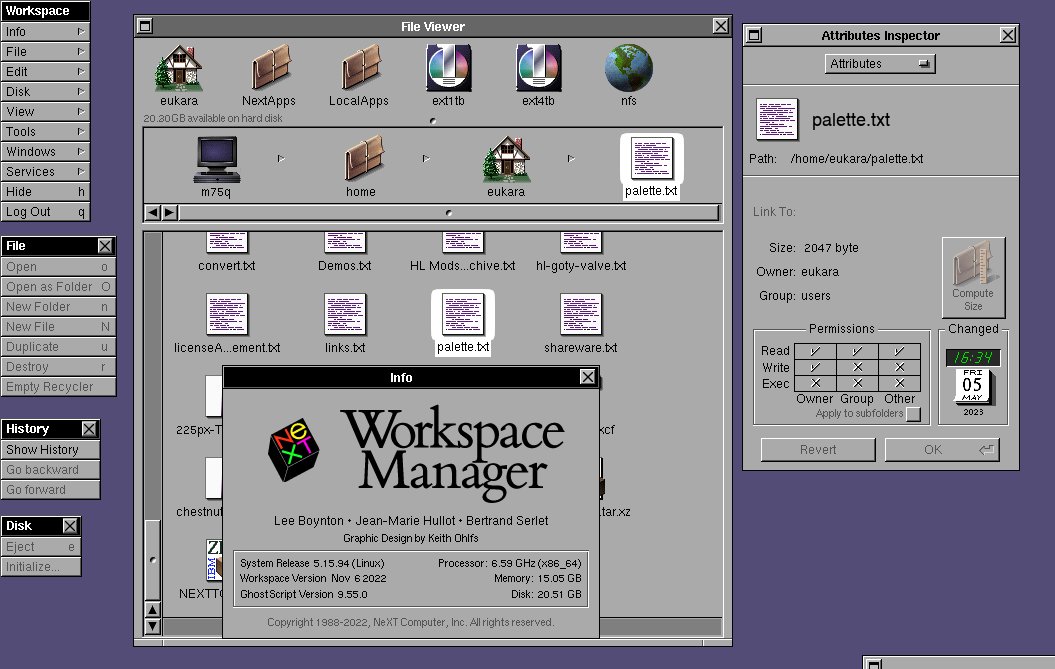

I also run OpenBSD systems, so I make sure the same desktop environment deploys on that. So I keep dependencies to an absolute minimum. That's one of the things I disliked about NEXTSPACE for example - it forced so many things onto users that if you weren't running CentOS or Fedora you kinda were out of luck. I did learn a lot from the work that went on in that project though. Overall this endeavor has taught me Objective-C and harnessing my copycatting skills. Really proud to have a mostyls pixel perfect copies of most apps.
Due to obvious copyright reasons, I keep most of this to myself - it's not ready for mainstream consumption anyway because I'd be swamped with bug reports or feature requests I could probably never fulfill. Not against sharing anything though, we'll just have to replace assets and stuff before this goes public! I am no Keith Ohlfs though.
On my YouTube channel (https://www.youtube.com/channel/UCuL04owBQfkDWB1D_MEnv1g) where I do my tinkering and gamedev stuff you can see me using my desktop environment in action. People seem generally very interested in it and I've pointed them to GNUstep and the NeXT community for leads and inspiration.
I did not have a background with NeXT computers at all - while I got exposed to them somewhat through id software's games I really just wanted to use a good user interface. That's how I got into WindowMaker - then learned more and more about NEXT and with the help of Previous I was able to run the real thing myself and I fell in love. So many things in it just made perfect sense to me. Things like Services, the way the GUI is separated from the UNIX underpinnings, the sane APIs and overall fast speed of deployment of custom applications was just wonderful.
That's how I feel in love with this system and I've been trying to replicate it ever since. I am pretty close, but there's still room for improvement.
I tried to collaborate with other people in the GNUstep community, but it's been hard to find someone who wants the exact same thing I do
Title: Re: .TIFF Files , looking for some help
Post by: pTeK on June 09, 2023, 07:40:12 PM
Post by: pTeK on June 09, 2023, 07:40:12 PM
@eukara I run Lubuntu and NetBSD. I normally use Lubuntu because I'm cheap and buy cheap hardware and Linux supports a lot more drivers compared to NetBSD, I can use wireless, and full screen 100% with Linux compared to NetBSD.
I've tried GNUStep it was ok, I need to try it more, Can you provide the scripts to rip the *Step .tiff icon sets? Or do you just copy over the *.nib files?
Currently I've just been running *Step in VirtualBox, need to see if it boots on my Pentium 4, so I can have a white box. Can you give some pointers on ripping the grey scale .tiff icons? I want to use them on my Amiga :) (I just use 4 colours on my A1200 for speed and simplicity, I do have FAST RAM, but Steve Jobs has proven that you can make a professional machine with 2 colours (MAC OS) and 4 colours (NeXTSTEP).
I've tried GNUStep it was ok, I need to try it more, Can you provide the scripts to rip the *Step .tiff icon sets? Or do you just copy over the *.nib files?
Currently I've just been running *Step in VirtualBox, need to see if it boots on my Pentium 4, so I can have a white box. Can you give some pointers on ripping the grey scale .tiff icons? I want to use them on my Amiga :) (I just use 4 colours on my A1200 for speed and simplicity, I do have FAST RAM, but Steve Jobs has proven that you can make a professional machine with 2 colours (MAC OS) and 4 colours (NeXTSTEP).
Title: Re: .TIFF Files , looking for some help
Post by: eukara on June 09, 2023, 08:58:39 PM
Post by: eukara on June 09, 2023, 08:58:39 PM
For some reason I cannot paste this reply, as it must be triggering some spam protection or something?
Here's what I would post, but the forums won't let me (http://icculus.org/~marco/tmp/nextforums-reply1.txt)
I have not tried ripping the icons from the monochrome versions of NX yet. But when running this script it will rip most of the ones included in NX3!
Here's what I would post, but the forums won't let me (http://icculus.org/~marco/tmp/nextforums-reply1.txt)
I have not tried ripping the icons from the monochrome versions of NX yet. But when running this script it will rip most of the ones included in NX3!
Title: Re: .TIFF Files , looking for some help
Post by: pTeK on June 12, 2023, 02:40:04 PM
Post by: pTeK on June 12, 2023, 02:40:04 PM
Thanks for the script @eukara
Title: Re: .TIFF Files , looking for some help
Post by: pl212 on March 04, 2025, 06:40:32 PM
Post by: pl212 on March 04, 2025, 06:40:32 PM
Not sure what happened to eukara's script; in the meantime, I think one of the issues with NeXT TIFFs is that they were often created with a special run-length encoding compression system (http://justsolve.archiveteam.org/wiki/NeXT_2-bit_RLE).
Look for "7FFE" in this table (https://en.wikipedia.org/wiki/TIFF#TIFF_Compression_Tag).
At least one open-source C package (https://github.com/yigolden/TiffLibrary/commit/5414a20b970c58c5c36b6e8ed7480a5f52a75b64) has implemented decoding (and encoding!) support for this.
Regardless, I agree that NeXT software that can write to PNG, JPEG or some other format is a great way to solve this. Back in the day, some Mac programs supported conversion from NeXT TIFF as well -- I seem to remember DeBabelizer and GraphicConverter at the very least.
Look for "7FFE" in this table (https://en.wikipedia.org/wiki/TIFF#TIFF_Compression_Tag).
At least one open-source C package (https://github.com/yigolden/TiffLibrary/commit/5414a20b970c58c5c36b6e8ed7480a5f52a75b64) has implemented decoding (and encoding!) support for this.
Regardless, I agree that NeXT software that can write to PNG, JPEG or some other format is a great way to solve this. Back in the day, some Mac programs supported conversion from NeXT TIFF as well -- I seem to remember DeBabelizer and GraphicConverter at the very least.
Title: Re: .TIFF Files , looking for some help
Post by: user217 on March 05, 2025, 02:00:07 PM
Post by: user217 on March 05, 2025, 02:00:07 PM
I'm sure this is too late to be of relevance to wizard or Morgon, but perhaps I can help with replacing eukara's method for splitting images.
As eukara noted, the main problem is that the TIFFs made by NeXT contain multiple 'pages': one icon version in 2-bit grayscale with alpha, and one in 4-bit RGB with alpha. Both of these formats are utterly extinct in the eyes of modern software, but the paging mechanism is apparently even more obscure.
In my experience, Adobe Photoshop can open both formats correctly. This is not entirely surprising since Photoshop was around back in the early 90s, and Adobe was extremely intertwined with NeXT. However, it can't read both pages at once; it only opens the first image. XnViewMP will display both pages, but it can't conceive of either format having an alpha channel.
Fortunately, NeXT provided us with everything we need. The program tiffutil can be used to extract the images:
This splits source.tiff into dest-0.tiff and dest-1.tiff
I used the following (terribly unclean) shell scripts to run my mass extraction operation:
All of them were saved to my home directory, so I could just cd into a directory and then run ~/tiffdump.sh to split every .tiff file and put them onto my host machine via Previous's NFS emulation.
I ultimately used Photoshop to automate converting the 16-bit TIFFs as 32-bit PNGs, then Greenfish Icon Editor to make the final Windows ICOs.
As eukara noted, the main problem is that the TIFFs made by NeXT contain multiple 'pages': one icon version in 2-bit grayscale with alpha, and one in 4-bit RGB with alpha. Both of these formats are utterly extinct in the eyes of modern software, but the paging mechanism is apparently even more obscure.
In my experience, Adobe Photoshop can open both formats correctly. This is not entirely surprising since Photoshop was around back in the early 90s, and Adobe was extremely intertwined with NeXT. However, it can't read both pages at once; it only opens the first image. XnViewMP will display both pages, but it can't conceive of either format having an alpha channel.
Fortunately, NeXT provided us with everything we need. The program tiffutil can be used to extract the images:
Code Select
tiffutil -extract 0 source.tiff -out dest-0.tiff
tiffutil -extract 1 source.tiff -out dest-1.tiff
This splits source.tiff into dest-0.tiff and dest-1.tiff
I used the following (terribly unclean) shell scripts to run my mass extraction operation:
All of them were saved to my home directory, so I could just cd into a directory and then run ~/tiffdump.sh to split every .tiff file and put them onto my host machine via Previous's NFS emulation.
I ultimately used Photoshop to automate converting the 16-bit TIFFs as 32-bit PNGs, then Greenfish Icon Editor to make the final Windows ICOs.