Title: NeXTcube Slot Load SCSI CD-ROM
Post by: Nitro on November 06, 2006, 01:40:02 PM
Post by: Nitro on November 06, 2006, 01:40:02 PM
This is a short work log to add a slot load SCSI CD-ROM to a NeXTcube. After seeing a picture of the slot load CD-ROM that Andreas put together I decided to install one myself. First on the list was to find a suitable SCSI drive. A quick search on ebay netted a Pioneer DR-706S 36x 50pin drive for $4.50. I tested the drive and it read a NEXTSTEP install CD just fine. There was one problem with it though. It was an ugly PC beige color.
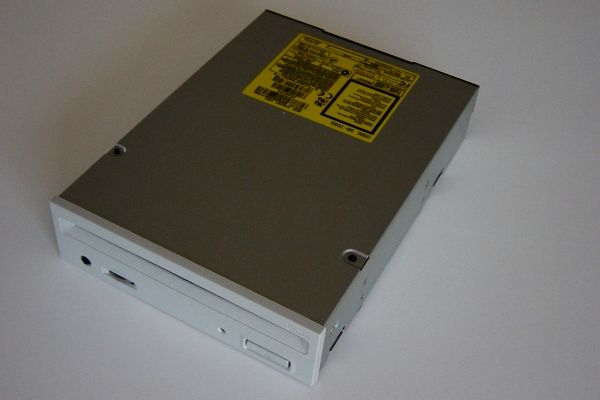
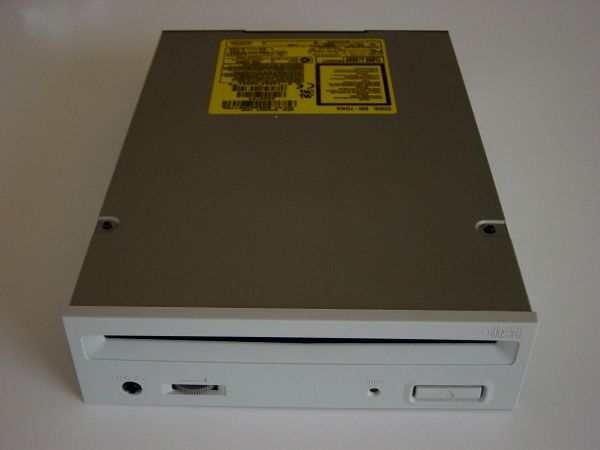
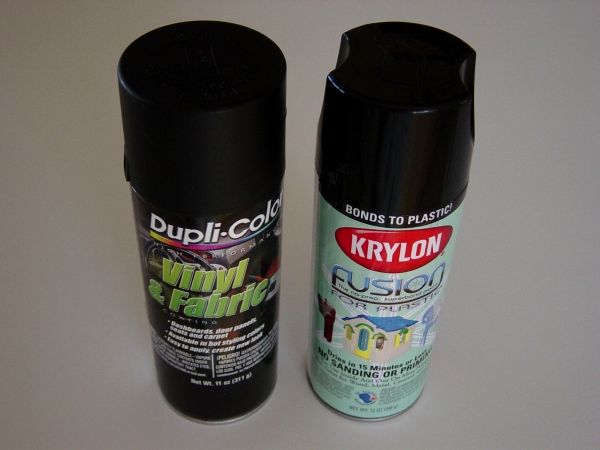
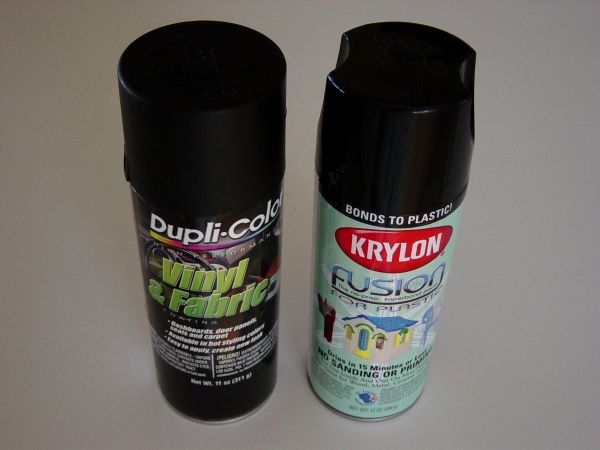
So I took a trip down to the local AutoZone store and located some spray paint that was safe to use on plastic. They had two types of black paint in stock, so I picked up a can of each. The first can was manufactured by Dupli-Color and was flat black paint for use on vinyl. The second can was manufactured by Krylon and was gloss black paint for plastic.
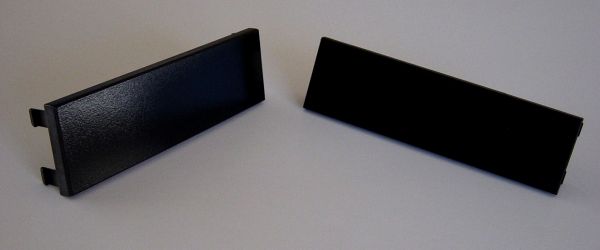
I needed something to test the paint on so a little digging in the basement produced a few old drive bay covers.
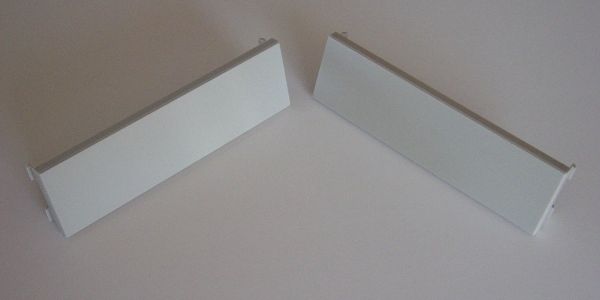
After applying the paint it was apparent that the Krylon paint on the left was too glossy. The Dupli-Color paint on the right actually looked pretty good.
Next it was time to disassemble the drive. The faceplate was easy to remove and take apart.
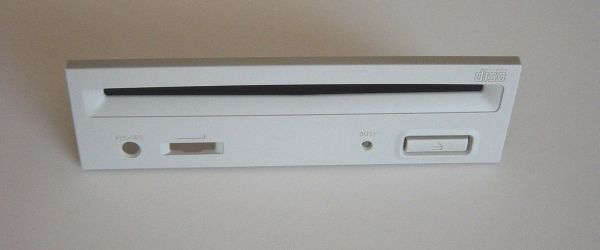
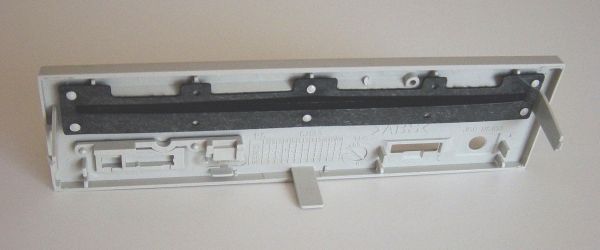
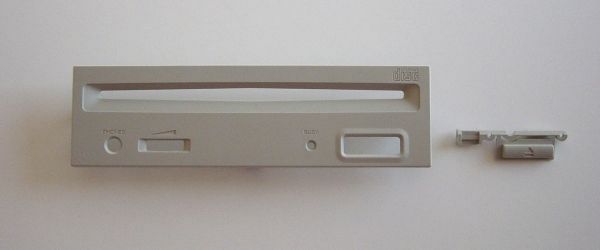
The first coat of paint was a bit too glossy, so I backed off the spray can to about 18" away and dusted the part to lessen the sheen. The faceplate ended up with a low gloss similar to the original NeXT finish.
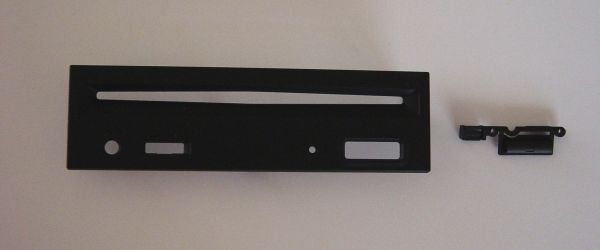
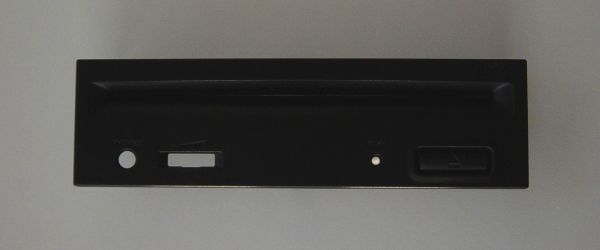
After reassembly the drive was ready to install.
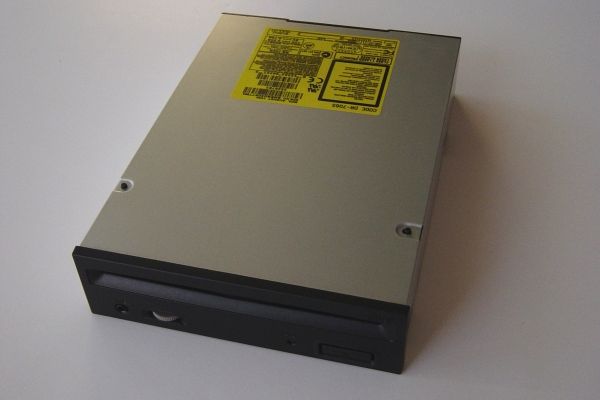
The CD-ROM mounted in place in the original 040 drive cage and lined up with the factory OD slot.
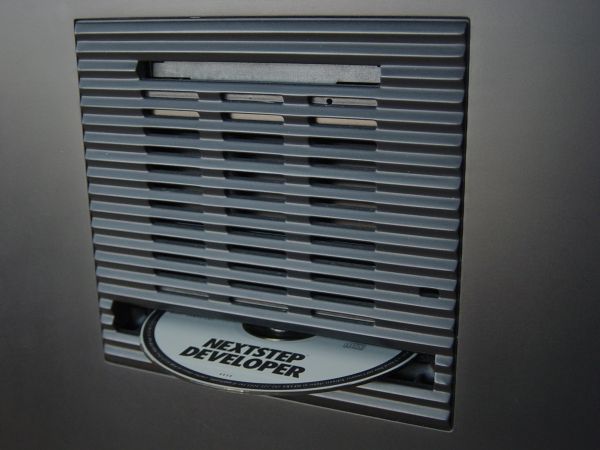
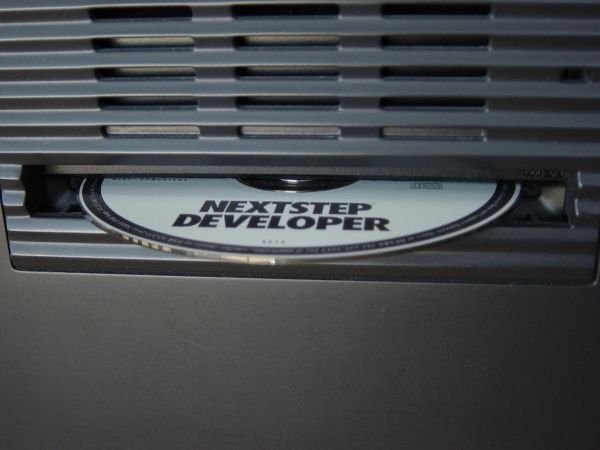
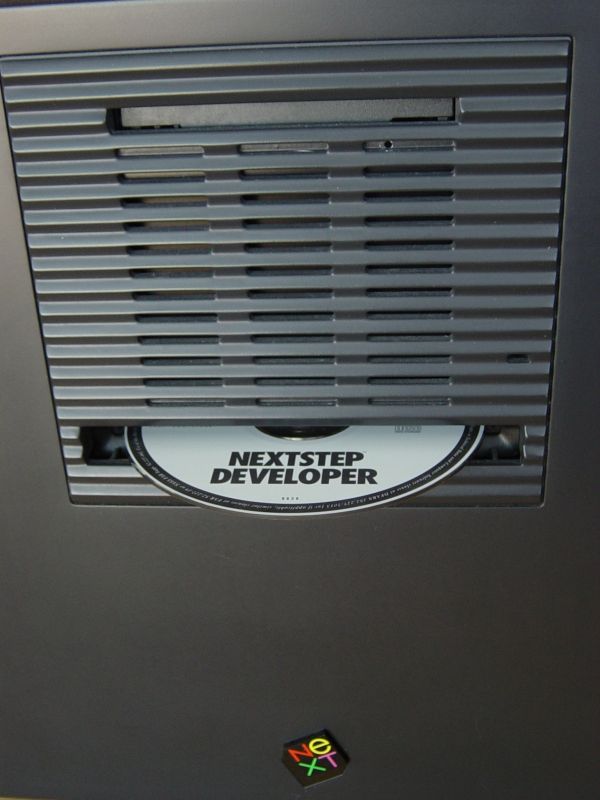
That's it for now. No modifications to the Cube were necessary since it was a bolt-in operation.
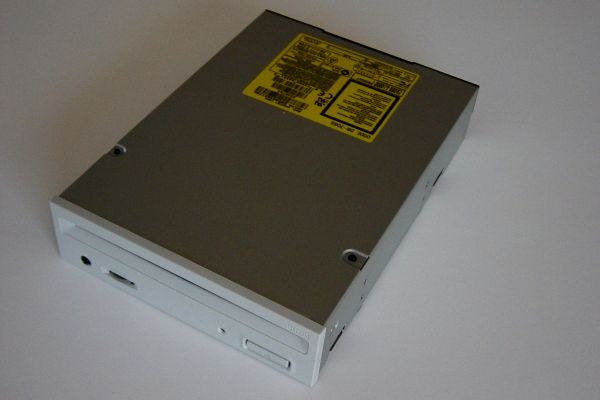
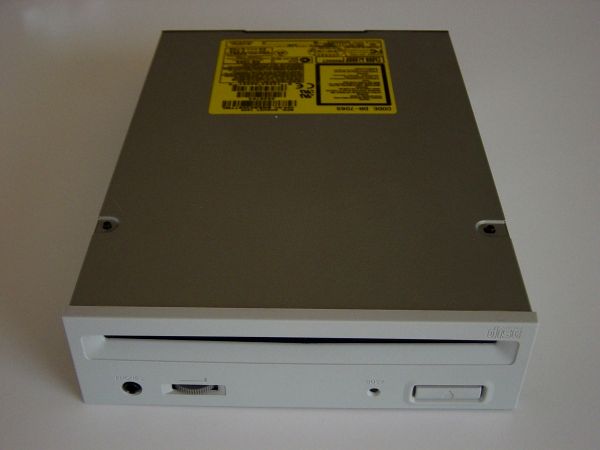
So I took a trip down to the local AutoZone store and located some spray paint that was safe to use on plastic. They had two types of black paint in stock, so I picked up a can of each. The first can was manufactured by Dupli-Color and was flat black paint for use on vinyl. The second can was manufactured by Krylon and was gloss black paint for plastic.
I needed something to test the paint on so a little digging in the basement produced a few old drive bay covers.
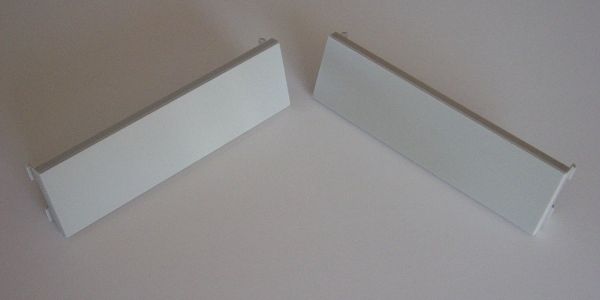
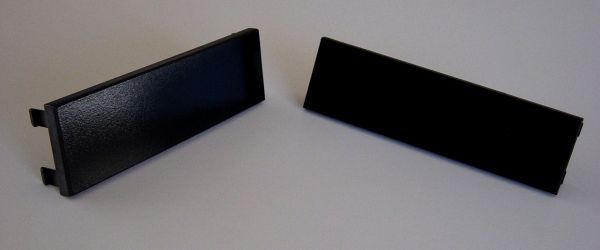
After applying the paint it was apparent that the Krylon paint on the left was too glossy. The Dupli-Color paint on the right actually looked pretty good.
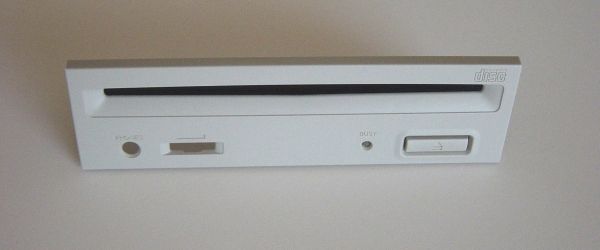
Next it was time to disassemble the drive. The faceplate was easy to remove and take apart.
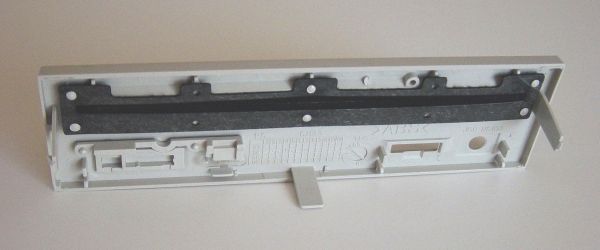
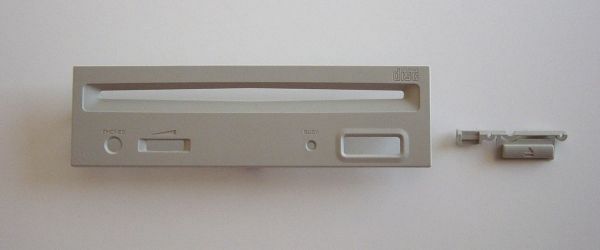
The first coat of paint was a bit too glossy, so I backed off the spray can to about 18" away and dusted the part to lessen the sheen. The faceplate ended up with a low gloss similar to the original NeXT finish.
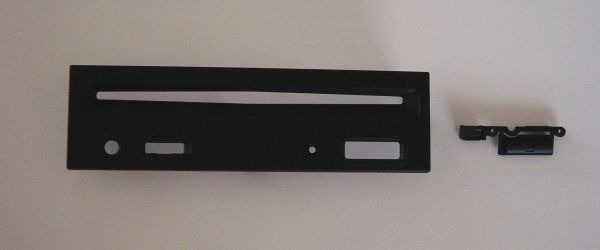
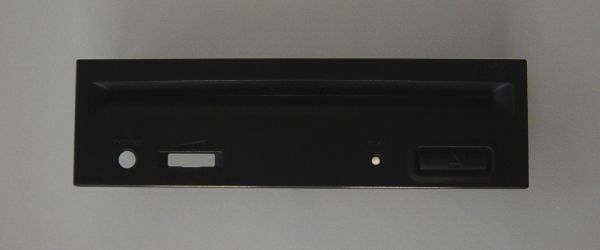
After reassembly the drive was ready to install.
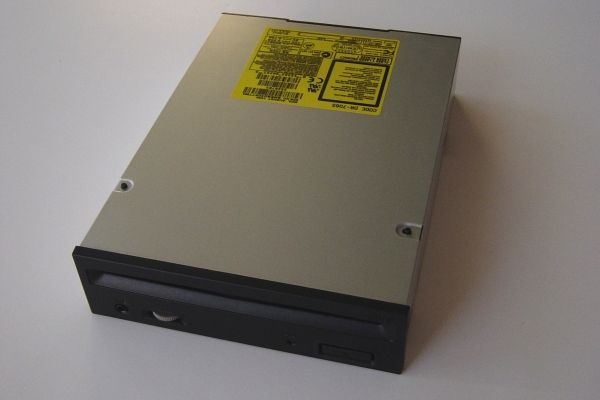
The CD-ROM mounted in place in the original 040 drive cage and lined up with the factory OD slot.
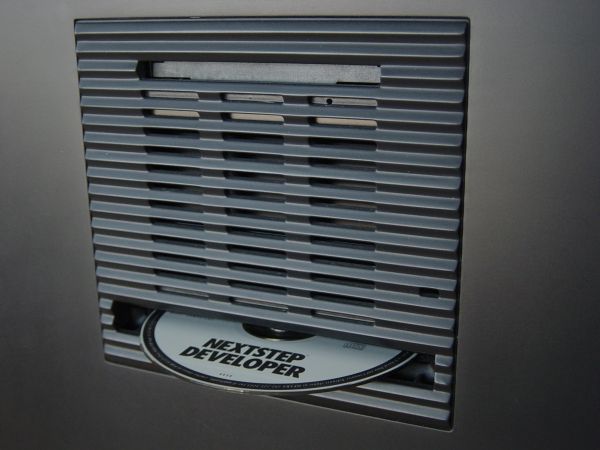
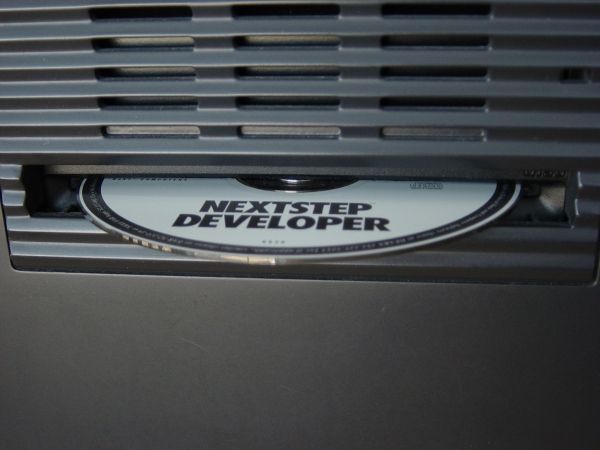
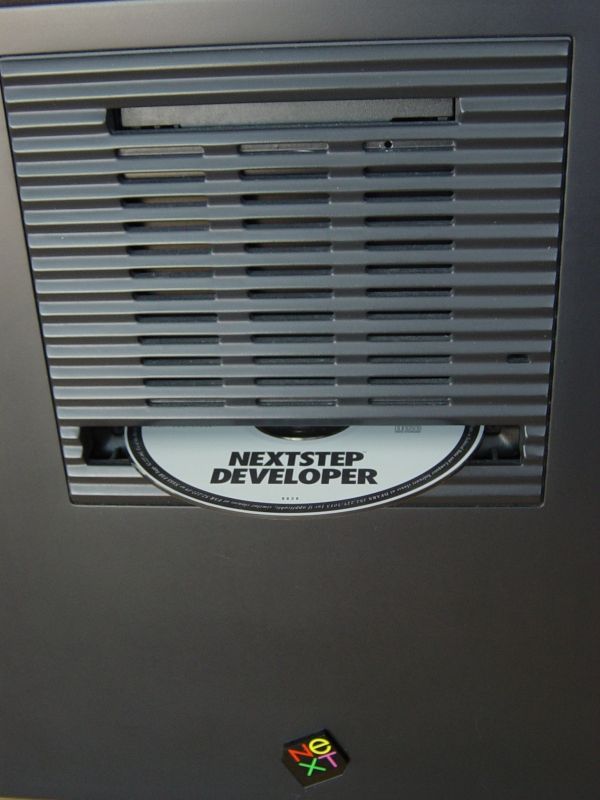
That's it for now. No modifications to the Cube were necessary since it was a bolt-in operation.
Title: NeXTcube Slot Load SCSI CD-ROM
Post by: nextchef on November 06, 2006, 03:22:41 PM
Post by: nextchef on November 06, 2006, 03:22:41 PM
Now all I need is a cube to perform this modification on. :cry:
Chef
Chef
Title: NeXTcube Slot Load SCSI CD-ROM
Post by: brams on November 07, 2006, 12:39:39 AM
Post by: brams on November 07, 2006, 12:39:39 AM
Quote from: "nextchef"Now all I need is a cube to perform this modification on. :cry:
Chef
Excellent!
I'm gonna do this to mine as well soon :-)
Title: NeXTcube Slot Load SCSI CD-ROM
Post by: Andreas on November 07, 2006, 12:02:48 PM
Post by: Andreas on November 07, 2006, 12:02:48 PM
If someone can dig-out a Pioneer DVD-ROM, they looks similar to that CD-ROM, you can use that also. Its nice to having all the "Peanuts" on one media :-)
Title: NeXTcube Slot Load SCSI CD-ROM
Post by: Nitro on November 07, 2006, 12:14:02 PM
Post by: Nitro on November 07, 2006, 12:14:02 PM
Quote from: "Andreas"If someone can dig-out a Pioneer DVD-ROM, they looks similar to that CD-ROM, you can use that also. Its nice to having all the "Peanuts" on one media :-)
That's nice to know. I'll see if I can find one of those. :)
Title: NeXTcube Slot Load SCSI CD-ROM
Post by: idylukewild on November 07, 2006, 12:44:42 PM
Post by: idylukewild on November 07, 2006, 12:44:42 PM
Thanks for your complete instructions! I'm going to give it a try!
Title: NeXTcube Slot Load SCSI CD-ROM
Post by: Andreas on November 07, 2006, 01:00:55 PM
Post by: Andreas on November 07, 2006, 01:00:55 PM
Quote from: "Nitro"Quote from: "Andreas"If someone can dig-out a Pioneer DVD-ROM, they looks similar to that CD-ROM, you can use that also. Its nice to having all the "Peanuts" on one media :-)
That's nice to know. I'll see if I can find one of those. :)
I have succesfully tested
Pioneer DVD-302 and DVD-304 but i see no reason, why others wouldn't run
Title: NeXTcube Slot Load SCSI CD-ROM
Post by: Andreas on November 07, 2006, 01:09:57 PM
Post by: Andreas on November 07, 2006, 01:09:57 PM
How do you have removed this?

Title: NeXTcube Slot Load SCSI CD-ROM
Post by: Nitro on November 07, 2006, 04:02:26 PM
Post by: Nitro on November 07, 2006, 04:02:26 PM
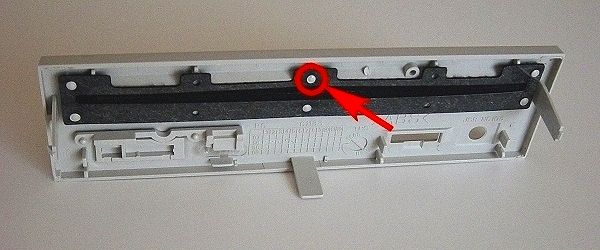
Quote from: "Andreas"How do you have removed this?The felt strip is held to the faceplate by six plastic posts. Each post is melted at the factory to form something similar to a nail head. I used a utility knife to carefully remove the melted plastic. The felt is easy to remove when that's done. After painting the faceplate I replaced the felt strip and used a small drop of glue (super glue) on each post to hold the felt in place. It's difficult to tell from the photo but there's a thin clear plastic backing on the felt so it glues easily to each post.
Title: NeXTcube Slot Load SCSI CD-ROM
Post by: idylukewild on November 07, 2006, 05:11:43 PM
Post by: idylukewild on November 07, 2006, 05:11:43 PM
In case anyone is interested: PIONEER DVD-303SKR 16x SCSI SLOT LOADING DVD-ROM DRIVE on e-bay (item number 8814330656) buyitnow $59.00 or best offer, 20 available. They apear to be "new"!
Title: NeXTcube Slot Load SCSI CD-ROM
Post by: Ashman on November 08, 2006, 09:16:21 AM
Post by: Ashman on November 08, 2006, 09:16:21 AM
One thing to note about pretty much all slot-load drives is that they are much louder than tray-load drives.
The little felt barrier does pretty much nothing for trapping sound.
I have a slot-load DVD drive in my HTPC and I have to run a program that limits the drive to 2x speed because otherwise it sounds like a jet engine and that's just not acceptable for a HTPC.
In this case, you're probably ok, but it is something worth noting...
The little felt barrier does pretty much nothing for trapping sound.
I have a slot-load DVD drive in my HTPC and I have to run a program that limits the drive to 2x speed because otherwise it sounds like a jet engine and that's just not acceptable for a HTPC.
In this case, you're probably ok, but it is something worth noting...
Title: NeXTcube Slot Load SCSI CD-ROM
Post by: Nitro on November 08, 2006, 11:27:08 AM
Post by: Nitro on November 08, 2006, 11:27:08 AM
Quote from: "idylukewild"In case anyone is interested: PIONEER DVD-303SKR 16x SCSI SLOT LOADING DVD-ROM DRIVE on e-bay (item number 8814330656) buyitnow $59.00 or best offer, 20 available. They apear to be "new"!
If you pick up one of those let me know how it works. Looks like a nice drive.
Quote from: "Ashman"One thing to note about pretty much all slot-load drives is that they are much louder than tray-load drives.
The slot load drives are definitely louder than the tray load ones. This drive isn't terribly noisy though. Some of the older slot load drives are slower, so that may help with the noise. At some point I'd like to try a tray load drive, but it looks to be more involved. The vertical alignment with the tray and factory OD slot would have to be more precise.
Title: NeXTcube Slot Load SCSI CD-ROM
Post by: blackcube on November 08, 2006, 02:12:48 PM
Post by: blackcube on November 08, 2006, 02:12:48 PM
I did a similar mod on one of my older Cubes but with a caddy loading Toshiba drive. I painted the plastic faceplate with Plastikote vinyl dye from the auto parts shop. The caddy just cleared the slot for the optical drive when loading.
I think I've sold that Cube but I have a spare 68040 so I could do another. My Turbo Cube has multiple drives installed so there isn't room for an internal CD drive.
I think I've sold that Cube but I have a spare 68040 so I could do another. My Turbo Cube has multiple drives installed so there isn't room for an internal CD drive.
Title: NeXTcube Slot Load SCSI CD-ROM
Post by: Nightengale on November 08, 2006, 06:25:37 PM
Post by: Nightengale on November 08, 2006, 06:25:37 PM
Excellent write-up Ntro!
Title: NeXTcube Slot Load SCSI CD-ROM
Post by: idylukewild on November 10, 2006, 10:44:34 AM
Post by: idylukewild on November 10, 2006, 10:44:34 AM
QuoteIf you pick up one of those let me know how it works. Looks like a nice drive.
Nitro-
I did pick one up and it is clearly new. I was wondering if someone could help me set the jumpers before I disssasemble, install, then reassemble the NeXTcube. I have a NeXTcube with an internal floppy drive and an internal hard drive (the boot drive). Here is a photo of the jumpers and jumper diagram as shipped:
I am clearly new at this so if you can answer the following questions you might help me and other newbies: should termination be on or off? What should the SCSI ID be? Should "RCP SET" be on or off? 2048 or 512? I imagine I shouldn't set the drive for "EJECT DISABLE". Shortly after I get the jumpers set I'll try it out in the NeXTcube before I paint the front with your technique. I'll let you know how it works. Thanks in advance for any advice you can give.
Title: NeXTcube Slot Load SCSI CD-ROM
Post by: brams on November 10, 2006, 11:28:42 AM
Post by: brams on November 10, 2006, 11:28:42 AM
Do you have any idea of the scsi ID of the internal drive, it should tell you when you boot the cube, I'd hazard a guess that you'll be set to zero, I think from the pic the drive is set to ID 6, so I'd leave it like that and just plug it in and see if it works. Set the Eject enable jumper and I have no idea about RPC. I'm assuming the HD is terminated so I'd leave that off also.
Title: NeXTcube Slot Load SCSI CD-ROM
Post by: Nitro on November 10, 2006, 12:12:56 PM
Post by: Nitro on November 10, 2006, 12:12:56 PM
Quote from: "idylukewild"
Nitro-
I did pick one up and it is clearly new. I was wondering if someone could help me set the jumpers before I disssasemble, install, then reassemble the NeXTcube. I have a NeXTcube with an internal floppy drive and an internal hard drive (the boot drive).
I set the SCSI ID on my CD-ROM to 6, which means you would need a jumper on pins 2 and 3. Your hard drive should be set to a lower SCSI ID than your DVD drive. I set the sector size to 512, which means you'll need a jumper on pin 6. The last drive on the SCSI chain needs to be terminated. Since your hard drive is probably already terminated, you can put the DVD drive in the middle of the chain and remove it's termination (no jumper on pin 5). I would leave the RPC (region play control) jumper on pin 8 (default).
You don't need a jumper on pin 7 unless you have an extra jumper on hand (disable eject). It's purpose is to disable the front panel eject button, which will be hidden behind the Cube faceplate.
From looking at your picture I would put a jumper on pins 2, 3, 6, and 8. Then connect the DVD drive to the middle connector on your 50 pin SCSI cable. Check that your hard drive is set to a lower SCSI ID than the DVD, and connected to the end of the SCSI cable. Also check that the hard drive has the termination set to "on". You should be good to go after that.
I wasn't able to find the exact part number of your drive on the Pioneer web site, but I believe this is a link to your user manual:
http://www.pioneerelectronics.com/pio/pe/images/portal/cit_3424/29815184DVD303SOperInst.pdf
I hope I explained that correctly, maybe someone can jump in here if I missed something.
Title: NeXTcube Slot Load SCSI CD-ROM
Post by: idylukewild on November 10, 2006, 02:01:01 PM
Post by: idylukewild on November 10, 2006, 02:01:01 PM
Thanks Nitro! I'll let you know how it runs in the cube. It will be nice to be able to have access to gigabytes of data all on one DVD!
Title: NeXTcube Slot Load SCSI CD-ROM
Post by: idylukewild on November 14, 2006, 08:48:06 PM
Post by: idylukewild on November 14, 2006, 08:48:06 PM
O.k. I used the jumper setting Nitro recommended and installed the DVD drive. It's the best improvement I've ever made to a NeXT computer! I can read a 4 Gb disks that I burned on my e-mac. Being able to just push the disk in to load it (rather than use a disc caddy or something) is great! Reading discs without an external device and cable is great! I also like the way it is a reversible improvement to the cube (I taped the OD cover and screws, wrapped up in an envelope, inside the cube so I don't have to worry about losing them)! Now that I'm certain everything works I'm going to paint the cover for the finishing touch. Thanks Nitro!
Now if I could only get my hands on the Peanuts archive on DVD....
Now if I could only get my hands on the Peanuts archive on DVD....
Title: NeXTcube Slot Load SCSI CD-ROM
Post by: itomato on November 14, 2006, 10:39:39 PM
Post by: itomato on November 14, 2006, 10:39:39 PM
Oh man...
Slot loading DVD in a Cube - fantastic..
Nitro, idylukewild - EXCELLENT!! I tip my hat! 8)
Slot loading DVD in a Cube - fantastic..
Nitro, idylukewild - EXCELLENT!! I tip my hat! 8)
Title: NeXTcube Slot Load SCSI CD-ROM
Post by: brams on November 15, 2006, 12:58:13 AM
Post by: brams on November 15, 2006, 12:58:13 AM
Quote from: "idylukewild"I can read a 4 Gb disks that I burned on my e-mac
So if you where are running NEXSTEP 3.3 are we saying that DVD ROM's are not affected by the 4gb partition limit?, or does that not apply to ISO & HFS disks?
I found a drive that should work here (http://cgi.ebay.co.uk/Pioneer-DVD-U03S-Slot-In-6x-Internal-SCSI-DVD-ROM_W0QQitemZ150057120723QQihZ005QQcategoryZ3754QQssPageNameZWDVWQQrdZ1QQcmdZViewItem) this should work fine I think.
Title: NeXTcube Slot Load SCSI CD-ROM
Post by: Andreas on November 15, 2006, 02:33:46 AM
Post by: Andreas on November 15, 2006, 02:33:46 AM
Quote from: "brams"
So if you where are running NEXSTEP 3.3 are we saying that DVD ROM's are not affected by the 4gb partition limit?, or does that not apply to ISO & HFS disks?
Brams, a good question. I have DVDs with an ftp-content mastered with mkisofs and have seen no limits at now.
Title: NeXTcube Slot Load SCSI CD-ROM
Post by: winfried on November 15, 2006, 03:12:43 AM
Post by: winfried on November 15, 2006, 03:12:43 AM
DVDs (and CDROMs) are using a different file system (not UFS but ISO9660 with rock ridge extensions), so the limit might not apply there (depending on NeXTs implementation of the ISO9660)
Title: NeXTcube Slot Load SCSI CD-ROM
Post by: Nitro on November 15, 2006, 11:44:39 AM
Post by: Nitro on November 15, 2006, 11:44:39 AM
idylukewild
That is way cool. :) I'll have to get one for sure.
That is way cool. :) I'll have to get one for sure.
Title: NeXTcube Slot Load SCSI CD-ROM
Post by: idylukewild on November 15, 2006, 05:12:20 PM
Post by: idylukewild on November 15, 2006, 05:12:20 PM
I've only tried one disk so far. It was burned on my e-mac running Mac OS 10.3.9. The Mac shows the disk as having 4.25 GB of content.
My Cube is running NeXTStep 3.3 updated with the final Apple patch. It has the last version of the ROM. It's a 608040 cube. After I insert the disk in the DVD drive, a disk icon appears in the file viewer (with the name I gave the disk when I burned it) and when I click on it all of the directories appear. All of the subdirectories appear when I click on them. All of the files appear to be there. The directories all appear to open and list the files just as fast as when I click on them when my disk is in the e-mac. When I choose "Disk / Eject" the DVD pops out of the optical drive slot. It's pretty amazing to have access to 4 GB of files by way of the OD slot! I guess installing a DVD drive can reduce some of the pain of finding your cube has a dead optical drive!
My Cube is running NeXTStep 3.3 updated with the final Apple patch. It has the last version of the ROM. It's a 608040 cube. After I insert the disk in the DVD drive, a disk icon appears in the file viewer (with the name I gave the disk when I burned it) and when I click on it all of the directories appear. All of the subdirectories appear when I click on them. All of the files appear to be there. The directories all appear to open and list the files just as fast as when I click on them when my disk is in the e-mac. When I choose "Disk / Eject" the DVD pops out of the optical drive slot. It's pretty amazing to have access to 4 GB of files by way of the OD slot! I guess installing a DVD drive can reduce some of the pain of finding your cube has a dead optical drive!
Title: NeXTcube Slot Load SCSI CD-ROM
Post by: Jenne on November 19, 2006, 09:18:53 AM
Post by: Jenne on November 19, 2006, 09:18:53 AM
Thanks for this advice!
I've managed to get me a Pioneer SCSI drive for about 2 bucks - already painted, mounted and working. Fits nicely into my cube. A question comes to my mind:
is it possible to use an old Plextor SCSI writer within the cube (caddy version) along with a NeXTstep writing software (if this should exist at all)?
Thanks again!
J
I've managed to get me a Pioneer SCSI drive for about 2 bucks - already painted, mounted and working. Fits nicely into my cube. A question comes to my mind:
is it possible to use an old Plextor SCSI writer within the cube (caddy version) along with a NeXTstep writing software (if this should exist at all)?
Thanks again!
J
Title: NeXTcube Slot Load SCSI CD-ROM
Post by: Nitro on November 19, 2006, 10:14:17 AM
Post by: Nitro on November 19, 2006, 10:14:17 AM
Quote from: "Jenne"A question comes to my mind:
is it possible to use an old Plextor SCSI writer within the cube (caddy version) along with a NeXTstep writing software (if this should exist at all)?
Hi Jenne,
You can get your CD burner working with NEXTSTEP by using a program called CDRecord. There's a precompiled binary for NeXT and Intel hardware here:
http://www.nextcomputers.org/NeXTfiles/Software/NEXTSTEP/Apps/CDRom/cdrecord_1.8a22.NI.b.tar.gz
I haven't used the program but user instructions are included. Let us know how it works. :)
Title: NeXTcube Slot Load SCSI CD-ROM
Post by: Jenne on November 20, 2006, 01:11:04 AM
Post by: Jenne on November 20, 2006, 01:11:04 AM
Thank You for the hint, Nitro!
I will post some sort of experience note when I finished this one.
Team Mac OS X? Hello Co-folder ;-)
J
I will post some sort of experience note when I finished this one.
Team Mac OS X? Hello Co-folder ;-)
J
Title: Aere Perennius
Post by: itomato on November 22, 2006, 09:06:22 PM
Post by: itomato on November 22, 2006, 09:06:22 PM
There's a GUI app called Aere Perennius. I can't remember if it's a Fat Binary or not..
A quick search through the Blackcube Peak and Peanuts mirrors didn't turn anything up, but that's probably where it is..
A quick search through the Blackcube Peak and Peanuts mirrors didn't turn anything up, but that's probably where it is..
Title: NeXTcube Slot Load SCSI CD-ROM
Post by: idylukewild on November 23, 2006, 08:18:02 PM
Post by: idylukewild on November 23, 2006, 08:18:02 PM
AerePerennius release 1.5 is available from the FTP archive I access by way of this page: http://www.beng.org/en/about.html
The program is in the hardware/apps directory. Here is the text from the readme file:
This is AerePerennius release 1.5
AerePerennius uses MiscKit. The authors of AerePerennius thankfully acknowledge the work of the contributors to the MiscKit.
This document gives you a short overview over the features of AerePerennius, a small cd-wrinting utility. The english online documentation is not yet complete.
What purpose serves AerePerennius?
Welcome to AerePerennius. If you own a supported cd-recorder (see below), AerePerennius allows you to write your own audio and data cd's under NextStep/OpenStep. We should emphasize at this point that it is your responsibility to clarify that you do not violate any copyright by using AerePerennius.
What is required for AerePerennius?
? a computer running NextStep 3.3 or above (right now only Intel and Next hardware is tested)
? a scsi hostadapter that is supported by NextStep/OpenStep
? a supported cd recorder
? AerePerennius must run with root privileges, so you must ask your system administrator to install AerePerennius properly
? patience and enough empty cdr's (:-)
Which cd-recorder are supported by AerePerennius?
In the current release, we deliver driver for the following cd-recorders:
Philips IMS CDD522
IMS CDD2000
IMS CDD2600
HP C4324
C4325
CD-Writer 6020
Grundig CDR 100IPW
Yamaha CDR100
CDR102
CDR200
CDR400
Sony CDU920
CDU924
CDU926
CDU940
If you own a cd-recorder, that we do not yet support, send us a mail () and ask, whether and when we might write a driver for your hardware.
If your cdr device is compatible to a cd recorder listed above, you may configure the driver four your recorder by hand .
What is AerePerennius not capable of?
For now, AerePerennius is limited by two restrictions:
a) AerePerennius is not yet capable of writing cd's "disk at once". For a data cd (cd-rom) this is no disadvantage as long as you do not intend to use this cd as a master for a mass production. For audio cd's this is a restriction as you get a compulsory gap of 2 seconds between two tracks. This is a caused by the "track at once" procedure.
b) AerePerennius is not yet cabable of creating an iso filesystem. Therfore you can not create a data cd by selecting the directory or files you would like to be written. For now you have to create the iso filesystem by yourself using "mkisofs".
What does ?Aere Perennius™ mean?
This is a part of citation of Horaz. The complete citation is:
Exegi monumentum aere perennius
which means:
I have created a statue that is even more perennial than ore.
The program is in the hardware/apps directory. Here is the text from the readme file:
This is AerePerennius release 1.5
AerePerennius uses MiscKit. The authors of AerePerennius thankfully acknowledge the work of the contributors to the MiscKit.
This document gives you a short overview over the features of AerePerennius, a small cd-wrinting utility. The english online documentation is not yet complete.
What purpose serves AerePerennius?
Welcome to AerePerennius. If you own a supported cd-recorder (see below), AerePerennius allows you to write your own audio and data cd's under NextStep/OpenStep. We should emphasize at this point that it is your responsibility to clarify that you do not violate any copyright by using AerePerennius.
What is required for AerePerennius?
? a computer running NextStep 3.3 or above (right now only Intel and Next hardware is tested)
? a scsi hostadapter that is supported by NextStep/OpenStep
? a supported cd recorder
? AerePerennius must run with root privileges, so you must ask your system administrator to install AerePerennius properly
? patience and enough empty cdr's (:-)
Which cd-recorder are supported by AerePerennius?
In the current release, we deliver driver for the following cd-recorders:
Philips IMS CDD522
IMS CDD2000
IMS CDD2600
HP C4324
C4325
CD-Writer 6020
Grundig CDR 100IPW
Yamaha CDR100
CDR102
CDR200
CDR400
Sony CDU920
CDU924
CDU926
CDU940
If you own a cd-recorder, that we do not yet support, send us a mail () and ask, whether and when we might write a driver for your hardware.
If your cdr device is compatible to a cd recorder listed above, you may configure the driver four your recorder by hand .
What is AerePerennius not capable of?
For now, AerePerennius is limited by two restrictions:
a) AerePerennius is not yet capable of writing cd's "disk at once". For a data cd (cd-rom) this is no disadvantage as long as you do not intend to use this cd as a master for a mass production. For audio cd's this is a restriction as you get a compulsory gap of 2 seconds between two tracks. This is a caused by the "track at once" procedure.
b) AerePerennius is not yet cabable of creating an iso filesystem. Therfore you can not create a data cd by selecting the directory or files you would like to be written. For now you have to create the iso filesystem by yourself using "mkisofs".
What does ?Aere Perennius™ mean?
This is a part of citation of Horaz. The complete citation is:
Exegi monumentum aere perennius
which means:
I have created a statue that is even more perennial than ore.
Title: NeXTcube Slot Load SCSI CD-ROM
Post by: Jenne on November 25, 2006, 02:43:18 AM
Post by: Jenne on November 25, 2006, 02:43:18 AM
Some heart attacks later...
Ok, a little note on my "efforts" in using a writer within a cube. Regarding the case of the cube there are not many writers that would be fitting in an acceptable way. I tried a Plextor caddy drive writer (PX-R412 Ci), my old HP didn't work anymore (in fact this one fetched dust for almost three years in between).
After removing the front plate of the Plextor to get it into the cube I noticed that NeXTstep 3.3 recognized this drive at least as a "read only" device and it was able to read Mac formatted media at the maximum of double speed. Strange enough: it didn't matter if the drive was set to "terminated" or not, both jumper settings worked. I connected this drive with SCSI ID 6 as the last device in the SCSI chain using the original black SCSI cable inside my cube.
Although knowing that Aere Perennius does not support this Plextor I gave it a try and as expected the drive wasn't able to write onto any media. After firing up Aere Perennius no inserted media could be ejected anymore. I had to re-boot to get back these.
I wasn't very lucky with CDRecord, too. Although this one didn't cause so much trouble as Aere Perennius it did not recognize a blank disc (tried about 17 different ones from 640 up to 800 MB capacity). Maybe this is caused by the caddy mechanics, maybe CDRecord does not fetch the recorder's settings properly. Maybe things work out better if I connect this Plextor to an external case.
J
Ok, a little note on my "efforts" in using a writer within a cube. Regarding the case of the cube there are not many writers that would be fitting in an acceptable way. I tried a Plextor caddy drive writer (PX-R412 Ci), my old HP didn't work anymore (in fact this one fetched dust for almost three years in between).
After removing the front plate of the Plextor to get it into the cube I noticed that NeXTstep 3.3 recognized this drive at least as a "read only" device and it was able to read Mac formatted media at the maximum of double speed. Strange enough: it didn't matter if the drive was set to "terminated" or not, both jumper settings worked. I connected this drive with SCSI ID 6 as the last device in the SCSI chain using the original black SCSI cable inside my cube.
Although knowing that Aere Perennius does not support this Plextor I gave it a try and as expected the drive wasn't able to write onto any media. After firing up Aere Perennius no inserted media could be ejected anymore. I had to re-boot to get back these.
I wasn't very lucky with CDRecord, too. Although this one didn't cause so much trouble as Aere Perennius it did not recognize a blank disc (tried about 17 different ones from 640 up to 800 MB capacity). Maybe this is caused by the caddy mechanics, maybe CDRecord does not fetch the recorder's settings properly. Maybe things work out better if I connect this Plextor to an external case.
J
Title: NeXTcube Slot Load SCSI CD-ROM
Post by: Nitro on December 05, 2006, 10:42:26 PM
Post by: Nitro on December 05, 2006, 10:42:26 PM
I purchased a Pioneer DVD-ROM, model DVD-305S and set it up tonight. Not only did I have gigabytes of data available but I was able to boot a Turbo Color Station directly from the DVD drive. Thanks again to Andreas for letting us know this works. :)
Title: NeXTcube Slot Load SCSI CD-ROM
Post by: idylukewild on December 29, 2006, 07:29:13 AM
Post by: idylukewild on December 29, 2006, 07:29:13 AM
I finally got around to painting the cover of the Pioneer DVD-303SKR. Once I got to the part Andreas asked about (removing the felt before painting) I decided I'd try masking the felt rather than removing it. I didn't feel good about fooling with the melted posts. Masking worked fine as an alternative to removing the melted plastic then gluing.
The following shows (top) a strip of paper cut to fit between the felt and the cover, (middle) the painted cover with teh mask still in place, and (bottom) the DVD-303SKR cover after the mask has been removed. The felt has been untouched by paint and the original factory 'melted post attachement' has not been modified.

The following shows how I (top) placed the pieces of paper between felt and the faceplate and (bottom) removed the mask after the faceplate was painted. Two strips of paper were inserted to mask the entire length of felt. I used the spray paint recommended by Nitro with excellent results.

The finished DVD drive looks perfect in the cube and adds a lot of functionality. Thanks Nitro and Andreas!
The following shows (top) a strip of paper cut to fit between the felt and the cover, (middle) the painted cover with teh mask still in place, and (bottom) the DVD-303SKR cover after the mask has been removed. The felt has been untouched by paint and the original factory 'melted post attachement' has not been modified.
The following shows how I (top) placed the pieces of paper between felt and the faceplate and (bottom) removed the mask after the faceplate was painted. Two strips of paper were inserted to mask the entire length of felt. I used the spray paint recommended by Nitro with excellent results.
The finished DVD drive looks perfect in the cube and adds a lot of functionality. Thanks Nitro and Andreas!
Title: NeXTcube Slot Load SCSI CD-ROM
Post by: NeXTnewbe on March 16, 2007, 06:02:15 PM
Post by: NeXTnewbe on March 16, 2007, 06:02:15 PM
Wich SCSI CD writer (slot loading) is recommended to be use on a NeXTCube?
Thanks
Thanks
Title: NeXTcube Slot Load SCSI CD-ROM
Post by: Nitro on October 11, 2007, 09:30:44 AM
Post by: Nitro on October 11, 2007, 09:30:44 AM
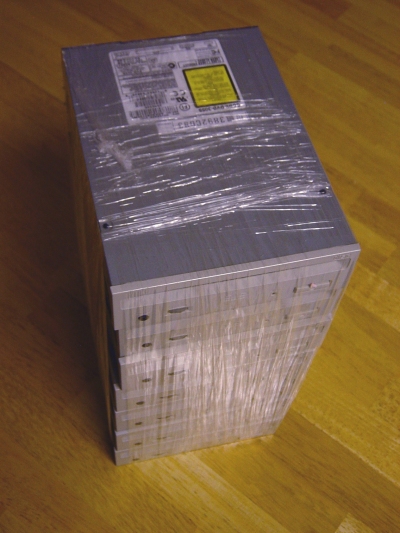
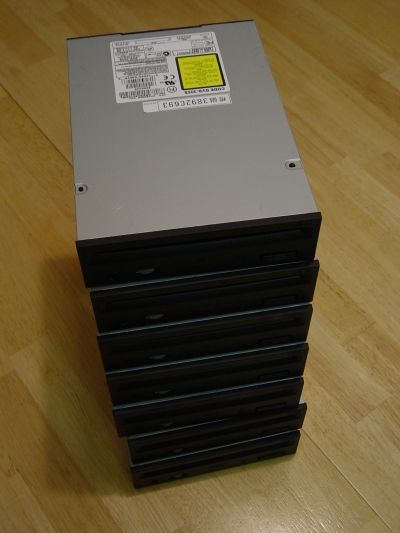
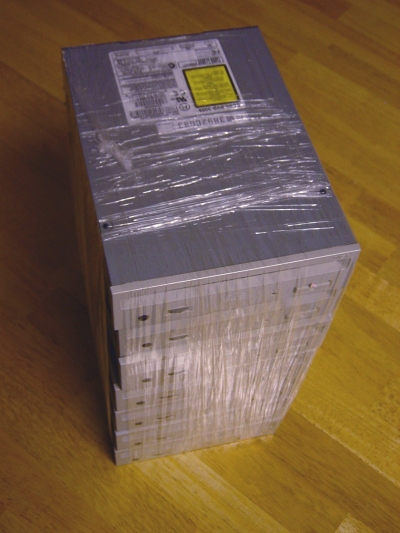
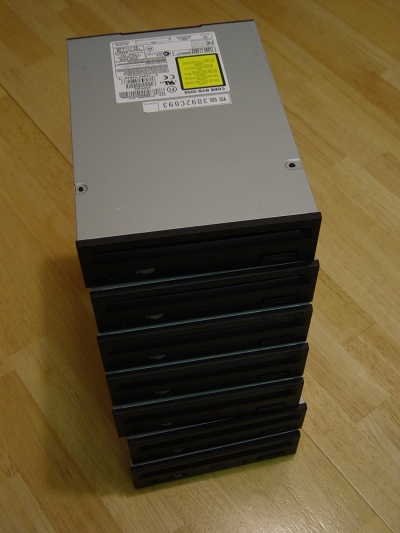
Just a few quick pictures of more drives that I gave the black treatment. This is a stack of Pioneer DVD-305S SCSI drives that I picked up cheap on Ebay. I tried idylukewild's cool paper trick to mask off the felt but my fingers just weren't nimble enough to slip the paper into place. I struggled with some small needle-nose pliers to get the paper in the right place but ended up just removing the felt with a flat-blade screwdriver. The low sheen black color goes well with the original NeXT black paint.
 (http://www.nextcomputers.org/webpics/nitro/DVD/DVD-305S_before_big.jpg)
 (http://www.nextcomputers.org/webpics/nitro/DVD/DVD-305S_after_big.jpg)
 (http://www.nextcomputers.org/webpics/nitro/DVD/DVD-305S_before_big.jpg)
 (http://www.nextcomputers.org/webpics/nitro/DVD/DVD-305S_after_big.jpg)

Title: NeXTcube Slot Load SCSI CD-ROM
Post by: idylukewild on October 12, 2007, 07:09:25 AM
Post by: idylukewild on October 12, 2007, 07:09:25 AM
Wow! Great looking stack of DVD drives, Nitro! Sorry about the trouble with inserting the paper as a paint shield. For anybody who wants to try the technique again, I think it might be a little easier with .010" teflon sheet instead of paper. McMaster-Carr sells 1 foot of 6" wide .010" teflon sheet for $2.97, it is part number 8569K18. The teflon should be more rigid and easier to insert (and remove).
Luke
Luke
Title: NeXTcube Slot Load SCSI CD-ROM
Post by: Nitro on October 12, 2007, 10:49:01 AM
Post by: Nitro on October 12, 2007, 10:49:01 AM
I think that slipping paper or Teflon under the felt is the best way to go, and it would save the hassle of messing with super glue. The mistake I made was probably trying to use a single long paper strip as opposed to two pieces. I could get one half of the strip in place, but the other half wouldn't go. I just went back and reread your post and noticed that you used two strips. Heh, I missed that little detail the first time I read it. :) I was in a bit of a hurry to get them painted as it's starting to get cold here, so I removed the felt and replaced it after painting.
I order things from McMaster at work, so I'll definitely look into the Teflon sheet. It probably wouldn't tear as easily as paper, so that would help too.
I order things from McMaster at work, so I'll definitely look into the Teflon sheet. It probably wouldn't tear as easily as paper, so that would help too.
Title: NeXTcube Slot Load SCSI CD-ROM
Post by: Harbourmaster on November 08, 2007, 07:48:06 PM
Post by: Harbourmaster on November 08, 2007, 07:48:06 PM
Krylon now make it's Fusion paint for plastic in a semi gloss/satin finish in some colors, one of which is Black! The part number is : 2421 Satin Black
I have been using the Fusion paint for plastic for a number of years now painting various Macintosh computers and once the paint has dried and had about a weeks "cure" time it is VERY durable.
If you can't find the Satin Fusion you can create a semi gloss finish by first painting with the glossy fusion paint, allow it to cure for at least 48 hours then scuff the finish with 0000 steel wool and spay on a top coat of Krylon Clear Acrylic Coating #1303
I have been using the Fusion paint for plastic for a number of years now painting various Macintosh computers and once the paint has dried and had about a weeks "cure" time it is VERY durable.
If you can't find the Satin Fusion you can create a semi gloss finish by first painting with the glossy fusion paint, allow it to cure for at least 48 hours then scuff the finish with 0000 steel wool and spay on a top coat of Krylon Clear Acrylic Coating #1303
Title: NeXTcube Slot Load SCSI CD-ROM
Post by: jroark on December 14, 2012, 05:59:18 PM
Post by: jroark on December 14, 2012, 05:59:18 PM
I can confirm that the following HP drive works
HP P/N: 0950-4488
HP Replacement P/N: A9879-67001
Model: DVD-305SKRB
No painting required, the bezel is already black.
Some on eBay right now #280878340654 for $29
HP P/N: 0950-4488
HP Replacement P/N: A9879-67001
Model: DVD-305SKRB
No painting required, the bezel is already black.
Some on eBay right now #280878340654 for $29
Title: NeXTcube Slot Load SCSI CD-ROM
Post by: barcher174 on October 19, 2013, 12:16:14 PM
Post by: barcher174 on October 19, 2013, 12:16:14 PM
I also just installed the HP Model: DVD-305SKRB and can confirm that it works perfectly with no configuration required. My date of manufacture was 2003, so I'm hoping this holds up for a while.
--
Brian
--
Brian
Title: Re: NeXTcube Slot Load SCSI CD-ROM
Post by: trixster on June 22, 2024, 09:11:59 AM
Post by: trixster on June 22, 2024, 09:11:59 AM
Well I had a go at installing a DVD-ROM today having sourced one that should work, and spraying the grey plastic fascia satin black using Humbrol spray.
The problem is it doesn't seem to want to fit! I can get the drive into the drive bay cage but it's very tight due to the width of the drive's plastic fascia, and this causes the drive bay to bow outwards ever so slightly. This bowing means that the bay will now not slide fully back into the case as it doesn't now slide/fit into the guides at the inside front of the cube... Without cutting down the sides of the plastic front of the dvd-rom, I don't see how to get it to fit.
Anyone else encounter this when fitting a drive? Surely it can't be a case of removing the plastic front entirely, otherwise what was the point of spraying it black!
The problem is it doesn't seem to want to fit! I can get the drive into the drive bay cage but it's very tight due to the width of the drive's plastic fascia, and this causes the drive bay to bow outwards ever so slightly. This bowing means that the bay will now not slide fully back into the case as it doesn't now slide/fit into the guides at the inside front of the cube... Without cutting down the sides of the plastic front of the dvd-rom, I don't see how to get it to fit.
Anyone else encounter this when fitting a drive? Surely it can't be a case of removing the plastic front entirely, otherwise what was the point of spraying it black!
Title: Re: NeXTcube Slot Load SCSI CD-ROM
Post by: trixster on June 22, 2024, 09:57:00 AM
Post by: trixster on June 22, 2024, 09:57:00 AM
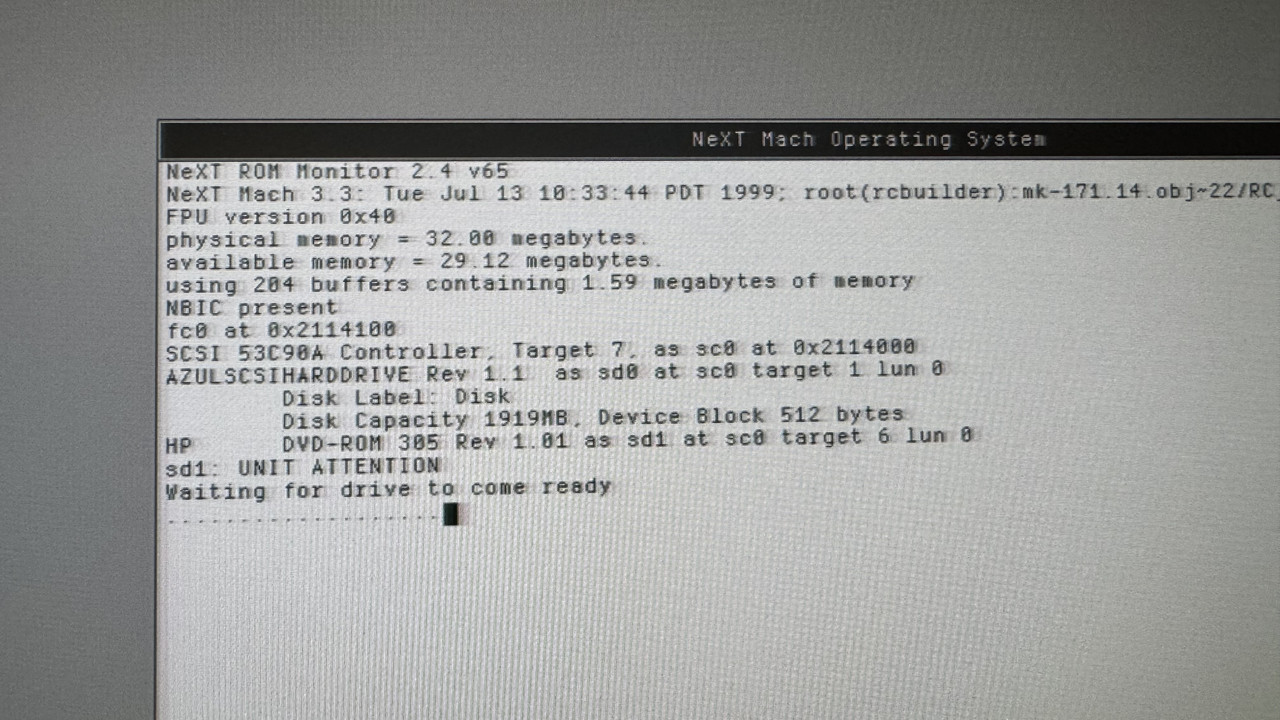
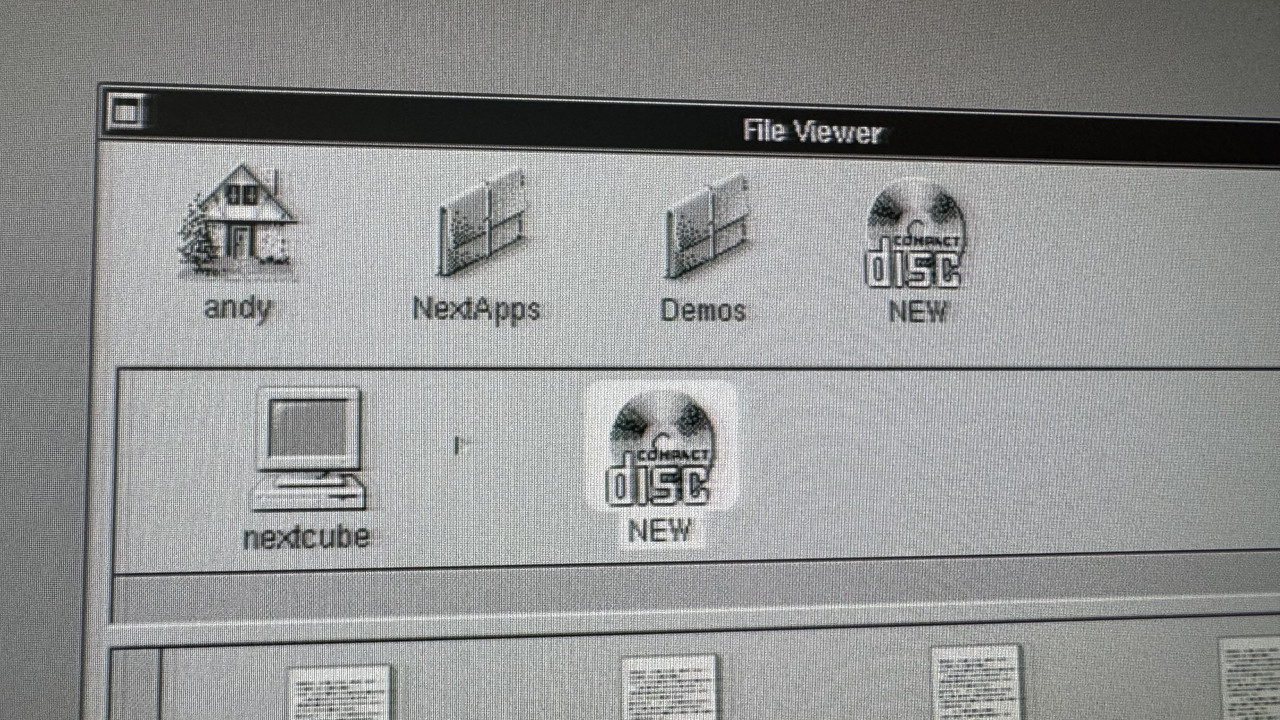
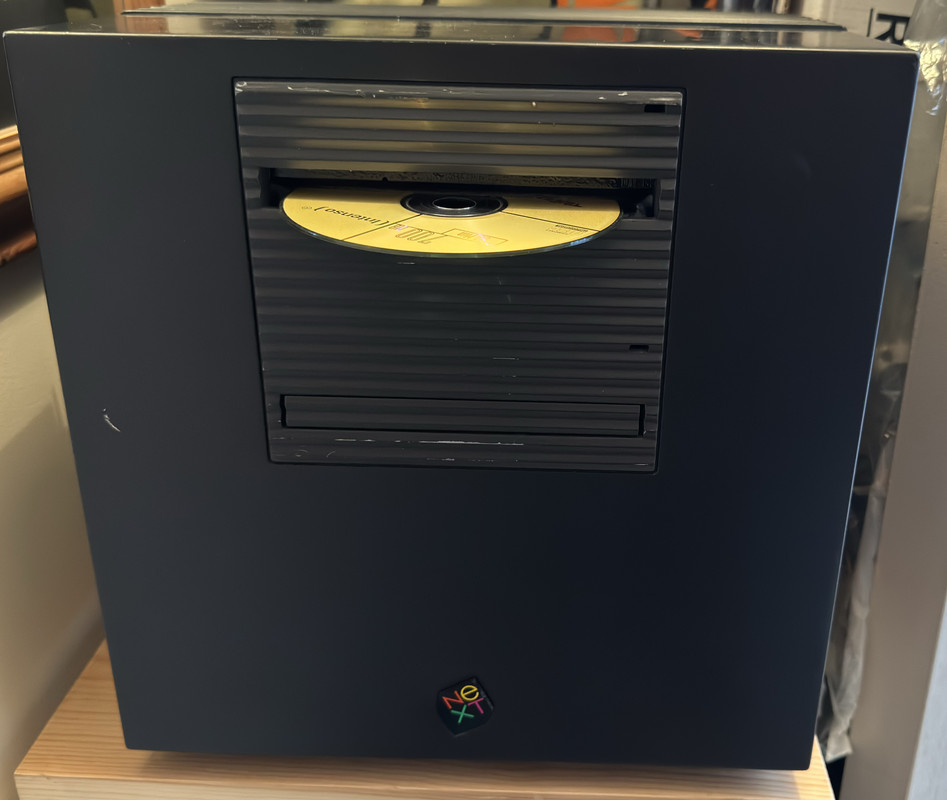
Ok, I noticed the guide rails were slightly bevelled so I thought 'sod it' and used some significant force.. and it's in!
What's more, it bloody works :D
 (https://postimg.cc/8jtgLpdx)
 (https://postimg.cc/SnRFrBDR)
 (https://postimg.cc/zLRwYkJ5)
What's more, it bloody works :D
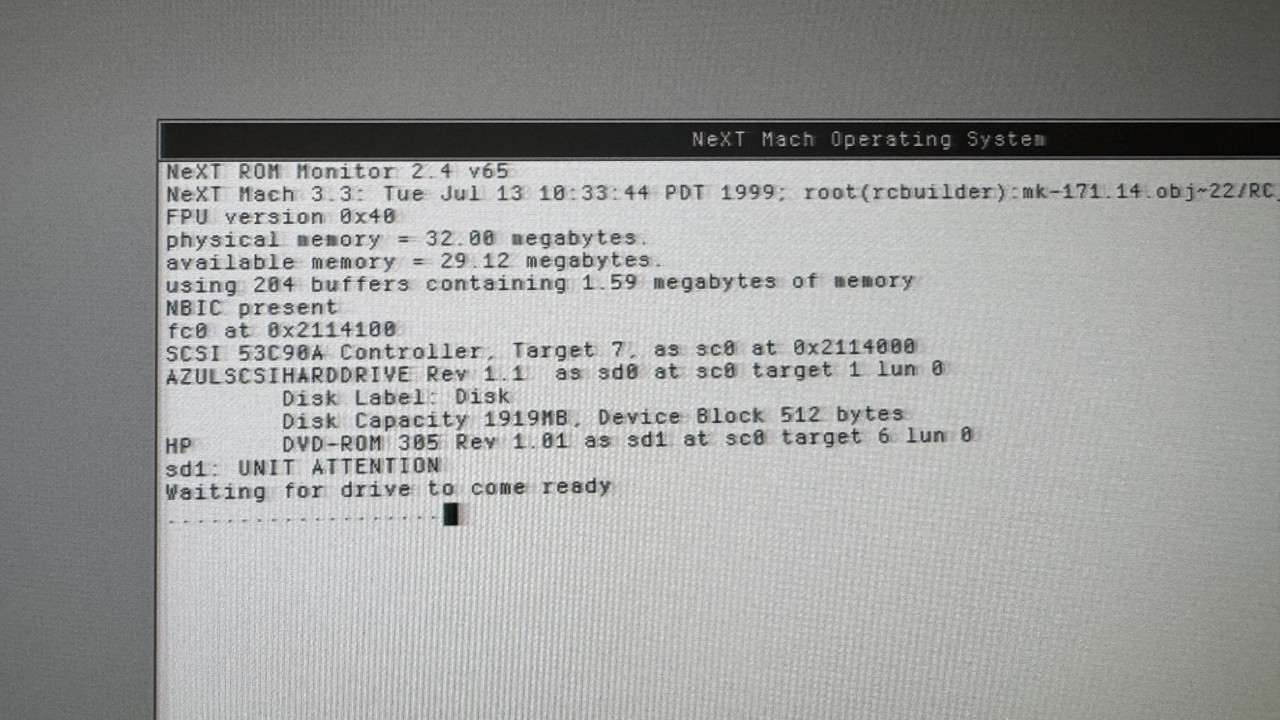 (https://postimg.cc/8jtgLpdx)
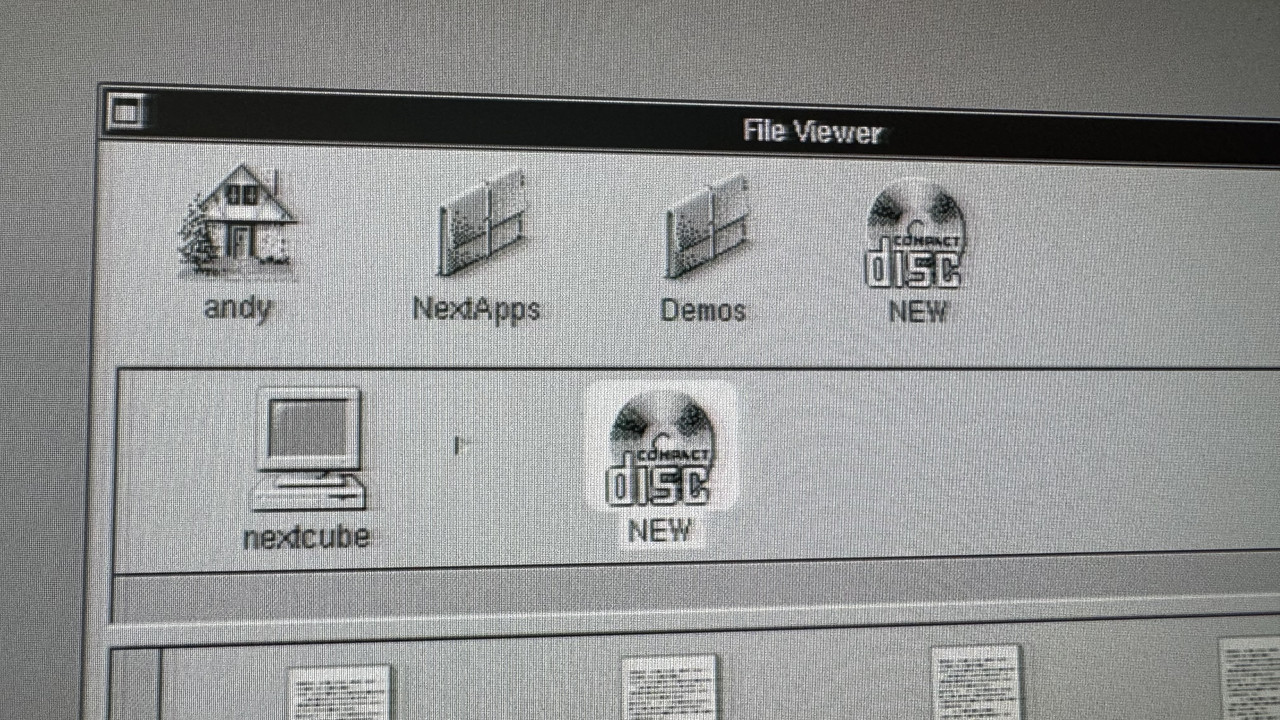 (https://postimg.cc/SnRFrBDR)
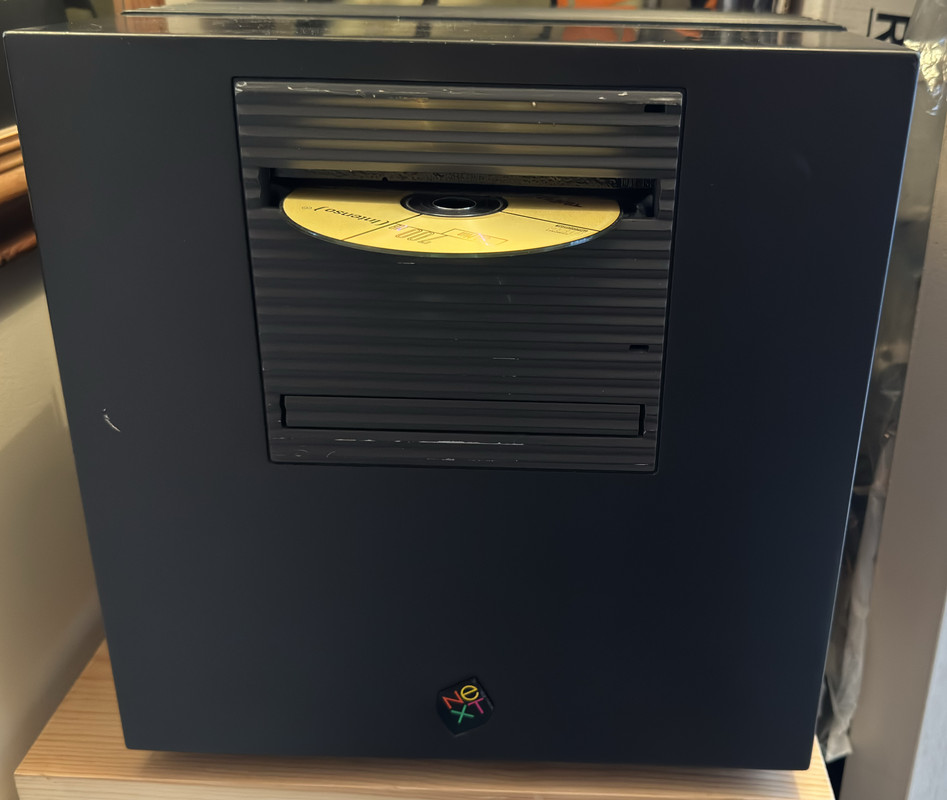 (https://postimg.cc/zLRwYkJ5)
Title: Re: NeXTcube Slot Load SCSI CD-ROM
Post by: trixster on June 22, 2024, 10:12:20 AM
Post by: trixster on June 22, 2024, 10:12:20 AM
This is an HP 0905-3984 which NextStep identifies as an HP 305
Title: Re: NeXTcube Slot Load SCSI CD-ROM
Post by: Nitro on June 25, 2024, 07:08:39 PM
Post by: Nitro on June 25, 2024, 07:08:39 PM
Quote from: trixster on June 22, 2024, 09:11:59 AMWell I had a go at installing a DVD-ROM today having sourced one that should work, and spraying the grey plastic fascia satin black using Humbrol spray.
The problem is it doesn't seem to want to fit! I can get the drive into the drive bay cage but it's very tight due to the width of the drive's plastic fascia, and this causes the drive bay to bow outwards ever so slightly. This bowing means that the bay will now not slide fully back into the case as it doesn't now slide/fit into the guides at the inside front of the cube... Without cutting down the sides of the plastic front of the dvd-rom, I don't see how to get it to fit.
Anyone else encounter this when fitting a drive? Surely it can't be a case of removing the plastic front entirely, otherwise what was the point of spraying it black!
I wonder if your drive cage is bowed or slightly warped. I haven't had any issues with DVD/CDROM faceplates preventing the cage from sliding in. I'm glad you were able to make it fit. Looks great!
Title: Re: NeXTcube Slot Load SCSI CD-ROM
Post by: trixster on July 22, 2024, 03:37:03 PM
Post by: trixster on July 22, 2024, 03:37:03 PM
So I tried a music cd in the internal scsi drive as I was wondering whether audio data makes its way across the scsi bus somehow. Sadly there was no audio from the cube. So I guess the cd player software (which I guess was written for the official external cdrom?) expected you to hook the eternal cdrom up to an amp?
Title: Re: NeXTcube Slot Load SCSI CD-ROM
Post by: pl212 on July 24, 2024, 11:41:17 AM
Post by: pl212 on July 24, 2024, 11:41:17 AM
I think there are a very small number of SCSI CD-ROMs (https://www.ardent-tool.com/sound/digital_audio.html) that can send audio over SCSI -- I remember seeing it working on an SGI Indy in 1994 or so. Unfortunately most official (black) CD-ROM drives I've seen (and owned!) have gone bad due to capacitors. Regardless, this page (http://www.asterontech.com/Asterontech/next_cdrom_refurb.html) suggests that the drive hiding inside is a Sony that is very close to the model number of some Sony drives on the IBM Ardent Tool page that do support audio extraction.