Title: Forums no longer work in Safari... anyone else seeing this?
Post by: eagle on January 15, 2024, 08:29:42 AM
Post by: eagle on January 15, 2024, 08:29:42 AM
In Safari, when I log in, I get an error saying "You were unable to login. Please check your cookie settings." I haven't changed anything over here, and I get this every time now.
In Firefox, I get logged in just fine (I'm using Firefox now).
Anyone else seeing this?
This explains the main reason for my recent absence -- I use Safari exclusively, but wanted to use Firefox today because I'm wondering if other people are having this issue.
In Firefox, I get logged in just fine (I'm using Firefox now).
Anyone else seeing this?
This explains the main reason for my recent absence -- I use Safari exclusively, but wanted to use Firefox today because I'm wondering if other people are having this issue.
Title: Re: Forums no longer work in Safari... anyone else seeing this?
Post by: andreas_g on January 15, 2024, 08:37:06 AM
Post by: andreas_g on January 15, 2024, 08:37:06 AM
Same problem here. I had to manually delete the cookie for this site to make it work again (as I did not want to delete all cookies).
Title: Re: Forums no longer work in Safari... anyone else seeing this?
Post by: mikeboss on January 15, 2024, 10:20:48 AM
Post by: mikeboss on January 15, 2024, 10:20:48 AM
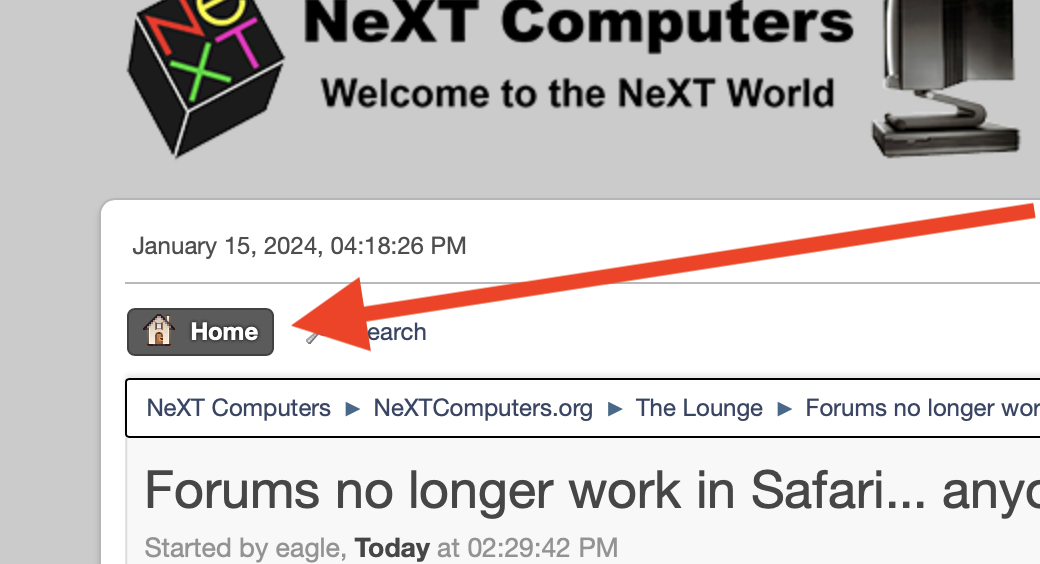
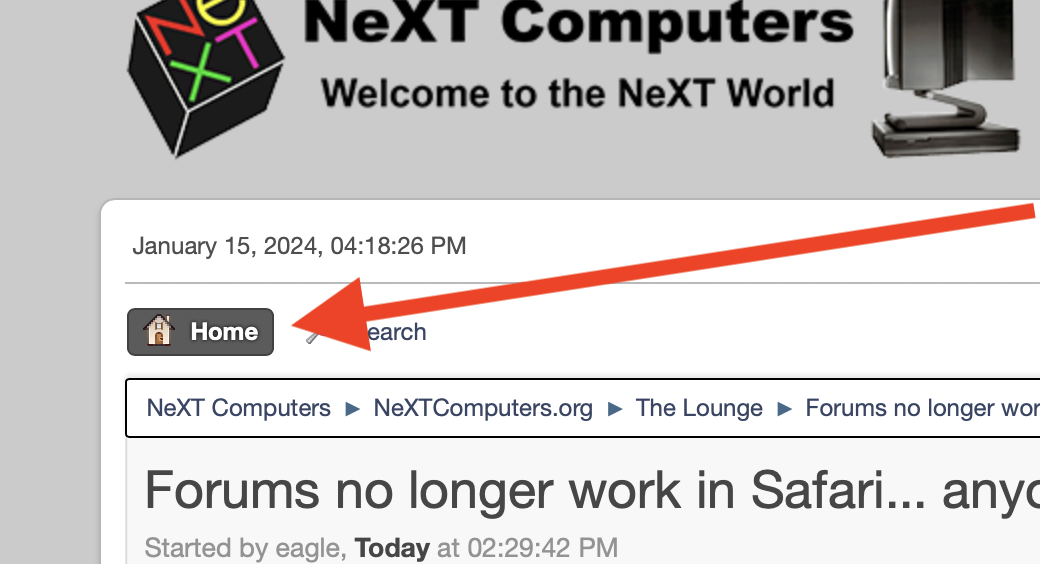
yup, same here... it mostly works after clicking once on the "Home" button.
Title: Re: Forums no longer work in Safari... anyone else seeing this?
Post by: MindWalker on January 15, 2024, 11:24:40 AM
Post by: MindWalker on January 15, 2024, 11:24:40 AM
I just tested and had no problem logging off and back again (on Safari).
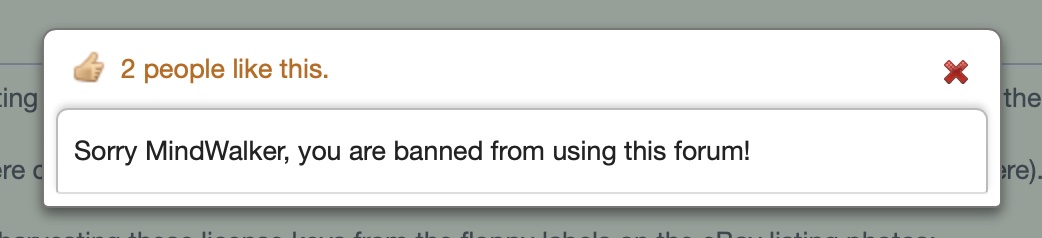
But I did have an issue just yesterday that when I clicked "x people like this" on a message, I got this error:
Testing it now, I got the error once but after a refresh it didn't happen again.
But I did have an issue just yesterday that when I clicked "x people like this" on a message, I got this error:
Testing it now, I got the error once but after a refresh it didn't happen again.
Title: Re: Forums no longer work in Safari... anyone else seeing this?
Post by: Nitro on January 15, 2024, 01:36:30 PM
Post by: Nitro on January 15, 2024, 01:36:30 PM
I don't have Safari to test with, but it sounds like deleting the browser cookie from this site and logging in again to create a new cookie at gets things working. @MindWalker, I'm not sure why that error came up. Except for spammers I've never permanently banned anyone in 18 years, so if you see something like that it's probably an issue with the forum software and not you. :) I'll see if I can find any mention of issues with Safari on the SMF forums. Is anyone having issues like these on any other platform?
Title: Re: Forums no longer work in Safari... anyone else seeing this?
Post by: MindWalker on January 15, 2024, 02:01:12 PM
Post by: MindWalker on January 15, 2024, 02:01:12 PM
Quote from: Nitro on January 15, 2024, 01:36:30 PMit's probably an issue with the forum software and not you. :)
I sure hope so! ;D
Btw; I just noticed that the email notification of a new post has link to the site beginning with HTTP://
Going to the non-HTTPS site and trying to login it doesn't work and gives me that "You were unable to login. Please check your cookie settings". So perhaps worth checking if you are for some reason directed to non-secure URL.
Title: Re: Forums no longer work in Safari... anyone else seeing this?
Post by: Nitro on January 15, 2024, 03:26:42 PM
Post by: Nitro on January 15, 2024, 03:26:42 PM
Quote from: MindWalker on January 15, 2024, 02:01:12 PMI sure hope so! ;D
Btw; I just noticed that the email notification of a new post has link to the site beginning with HTTP://
Going to the non-HTTPS site and trying to login it doesn't work and gives me that "You were unable to login. Please check your cookie settings". So perhaps worth checking if you are for some reason directed to non-secure URL.
The HTTP vs HTTPS issue has been a problem for a long time. There are a number of issues related to allowing non-encrypted traffic, and the forum software has trouble with it too. It may be part of the cookie problem as well. The site will have to transition to HTTPS only in the near future. I haven't tested the Crypto Ancienne proxy for HTTPS with OmniWeb yet, but I'll get on it.
Title: Re: Forums no longer work in Safari... anyone else seeing this?
Post by: gtnicol on January 15, 2024, 06:43:43 PM
Post by: gtnicol on January 15, 2024, 06:43:43 PM
FWIW. I use Safari with the forums all the time.
Title: Re: Forums no longer work in Safari... anyone else seeing this?
Post by: eagle on January 16, 2024, 06:57:40 AM
Post by: eagle on January 16, 2024, 06:57:40 AM
The HTTP:// vs HTTPS:// was it... I am posting this from Safari -- I just reloaded the page with https:// ... and now I'm logged in!
Title: Re: Forums no longer work in Safari... anyone else seeing this?
Post by: paolo.bertolo on January 11, 2025, 02:46:02 AM
Post by: paolo.bertolo on January 11, 2025, 02:46:02 AM
Again and again, issues with Safari for MacOS.
Writing these lines from my Safari for iPadOS for reporting that Safari on the Mac right in front of me is reporting "Sorry, you have been blocked" message. However, Chrome works just fine.
Any suggestion on how to restore proper working of the forum on Safari for MacOS would be appreciated (cookies already cleaned).
Thanks!
Writing these lines from my Safari for iPadOS for reporting that Safari on the Mac right in front of me is reporting "Sorry, you have been blocked" message. However, Chrome works just fine.
Any suggestion on how to restore proper working of the forum on Safari for MacOS would be appreciated (cookies already cleaned).
Thanks!
Title: Re: Forums no longer work in Safari... anyone else seeing this?
Post by: scarecrow on January 11, 2025, 04:56:28 AM
Post by: scarecrow on January 11, 2025, 04:56:28 AM
In Safari prefences, if you have "Hide IP-Address> Trackers and websites" try "Hide IP-Address> Trackers only" helps?
Title: Re: Forums no longer work in Safari... anyone else seeing this?
Post by: Nitro on January 11, 2025, 05:30:58 AM
Post by: Nitro on January 11, 2025, 05:30:58 AM
Quote from: paolo.bertolo on January 11, 2025, 02:46:02 AMAgain and again, issues with Safari for MacOS.
Writing these lines from my Safari for iPadOS for reporting that Safari on the Mac right in front of me is reporting "Sorry, you have been blocked" message. However, Chrome works just fine.
Any suggestion on how to restore proper working of the forum on Safari for MacOS would be appreciated (cookies already cleaned).
Thanks!
I don't have Safari so I'm not as familiar with the settings. Please try the solution that scarecrow posted first. After that try enabling JavaScript and set Safari to always allow cookies from cloudflare.com and NeXTComputers.org. If that doesn't solve the issue then send me a PM and I'll get your connection details so that I can investigate further. About 32% of the visitors to the site are using Safari so we should be able to get you up and running.
Thanks
Title: Re: Forums no longer work in Safari... anyone else seeing this?
Post by: paolo.bertolo on January 11, 2025, 06:17:08 AM
Post by: paolo.bertolo on January 11, 2025, 06:17:08 AM
Quote from: scarecrow on January 11, 2025, 04:56:28 AMIn Safari prefences, if you have "Hide IP-Address> Trackers and websites" try "Hide IP-Address> Trackers only" helps?
That works, thanks!