Title: How to associate a file extension
Post by: wizard on May 12, 2024, 07:15:16 AM
Post by: wizard on May 12, 2024, 07:15:16 AM
I am using 3.3 and would like to associate Opener.app with *.gz files. I understand how to open up the Tools Inspector but Opener is not there, just Edit.
Title: Re: How to associate a file extension
Post by: nuss on May 12, 2024, 12:38:44 PM
Post by: nuss on May 12, 2024, 12:38:44 PM
Hi, which version of Opener.app are you using?
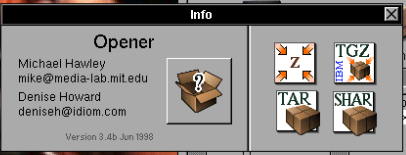
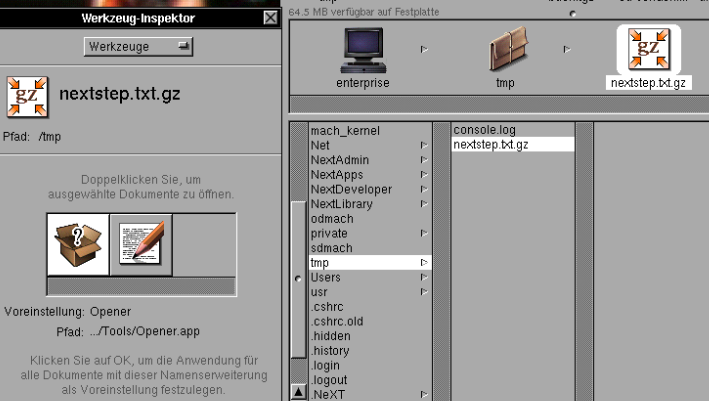
Version 3.4b is associated and works fine with .gz files.
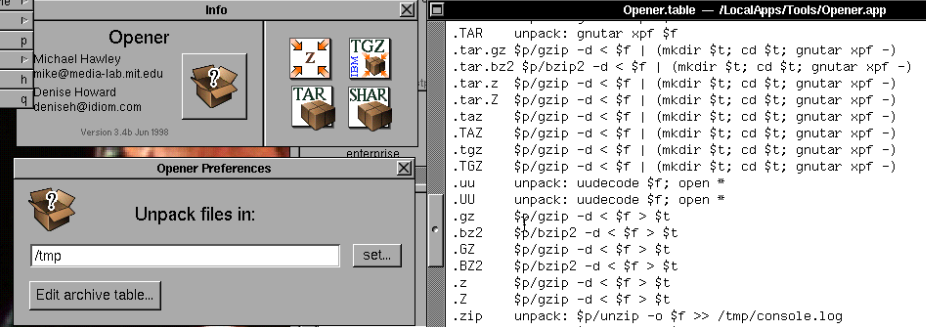
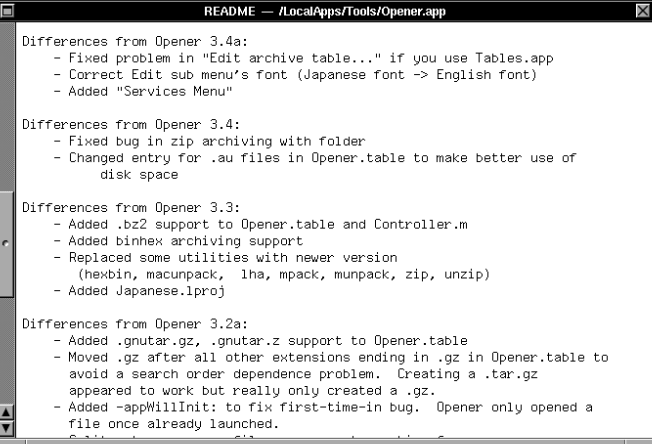
There seems to be a change in Opener version 3.2a regarding the .gz extension.
Version 3.4b is associated and works fine with .gz files.
There seems to be a change in Opener version 3.2a regarding the .gz extension.
Title: Re: How to associate a file extension
Post by: wizard on May 13, 2024, 03:51:34 AM
Post by: wizard on May 13, 2024, 03:51:34 AM
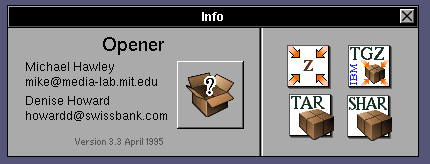
Looks like I am running 3.3 (April 1995)
Title: Re: How to associate a file extension
Post by: sappas on May 13, 2024, 03:55:32 AM
Post by: sappas on May 13, 2024, 03:55:32 AM
It run under 3.3, il use it
Title: Re: How to associate a file extension
Post by: nuss on May 13, 2024, 05:41:31 AM
Post by: nuss on May 13, 2024, 05:41:31 AM
Quote from: wizard on May 13, 2024, 03:51:34 AMLooks like I am running 3.3 (April 1995)
Like sappas, I am sure that version 3.3 should also work with .gz files.
Can you please confirm that you have installed Opener.app in a folder that is scanned for applications (like /LocalApps or a subfolder inside of it)?
Title: Re: How to associate a file extension
Post by: wizard on May 13, 2024, 02:10:25 PM
Post by: wizard on May 13, 2024, 02:10:25 PM
Quote from: nuss on May 13, 2024, 05:41:31 AMCan you please confirm that you have installed Opener.app in a folder that is scanned for applications (like /LocalApps or a subfolder inside of it)?
That was it, I did not have it in LocalApps, I moved it to there and everything works now.
Title: Re: How to associate a file extension
Post by: stepleton on May 13, 2024, 03:07:08 PM
Post by: stepleton on May 13, 2024, 03:07:08 PM
Interesting... Which folders are scanned for applications? If you wanted to add a new folder or change the current set, could you do it?
Title: Re: How to associate a file extension
Post by: nuss on May 13, 2024, 04:14:41 PM
Post by: nuss on May 13, 2024, 04:14:41 PM
Not 100% sure, but it should be the path environment variables you can set in your .profile or .cshrc similar like in the global templates for sh and csh:
At least I know that /LocalApps, /NextApps, /NextAdmin, /NextDeveloper/Demos, ~/Apps and /usr/local/bin including their subfolders work for finding the apps and their functionalities.
BTW, if you use a path like my old setup below, you can additionally directly access all the binaries stored inside Geomview.app and Opener.app, too (see end of the line) :)
Code Select
> grep -i path /usr/template/user/.profile
PATH=/usr/ucb:/bin:/usr/bin:/usr/sybase/bin:${HOME}/Apps:/LocalApps:/NextApps:/NextAdmin:/NextDeveloper/Demos
export PATH TERM HOME
Code Select
> grep -i path /usr/template/user/.cshrc
# make sure the path is correct
set path=(~/Unix/bin /usr/local/bin /usr/ucb /bin /usr/bin /usr/sybase/bin ~/Apps /LocalApps /NextApps /NextAdmin /NextDeveloper/Demos .)
At least I know that /LocalApps, /NextApps, /NextAdmin, /NextDeveloper/Demos, ~/Apps and /usr/local/bin including their subfolders work for finding the apps and their functionalities.
BTW, if you use a path like my old setup below, you can additionally directly access all the binaries stored inside Geomview.app and Opener.app, too (see end of the line) :)
Code Select
set path=(. /usr/local/test/bin /usr/local/bin /usr/local/teTeX/bin/m68k-nextstep3 /etc /usr/etc /usr/ucb /bin /usr/bin /usr/X11R6/bin ~/Apps /LocalApps /NextApps /NextAdmin /NextDeveloper/Demos /LocalApps/Graphik/Geomview.app/bin/next /LocalApps/Tools/Opener.app)