Title: NS N1100 non-turbo - 4 x 72pin SIMMs - population ordering/rules ?
Post by: vom513 on February 05, 2025, 11:29:15 AM
Post by: vom513 on February 05, 2025, 11:29:15 AM
Hello,
I have a mono slab with 4 x 72pin SIMM slots. Is there a pattern or rules on how these need to be filled ?
Thanks.
I have a mono slab with 4 x 72pin SIMM slots. Is there a pattern or rules on how these need to be filled ?
Thanks.
Title: Re: NS N1100 non-turbo - 4 x 72pin SIMMs - population ordering/rules ?
Post by: vom513 on February 05, 2025, 07:32:21 PM
Post by: vom513 on February 05, 2025, 07:32:21 PM
I have a habit of replying to myself - and this is no exception ;D
I suppose the SIMMs need to be installed furthest from the PSU first and work your way back to the PSU. This is really the only way there is room to lean them diagonally to insert anyway.
I put 2 x 32mb SIMMs in (fresh from eBay). These were touted in the listing as being NeXT compatible.
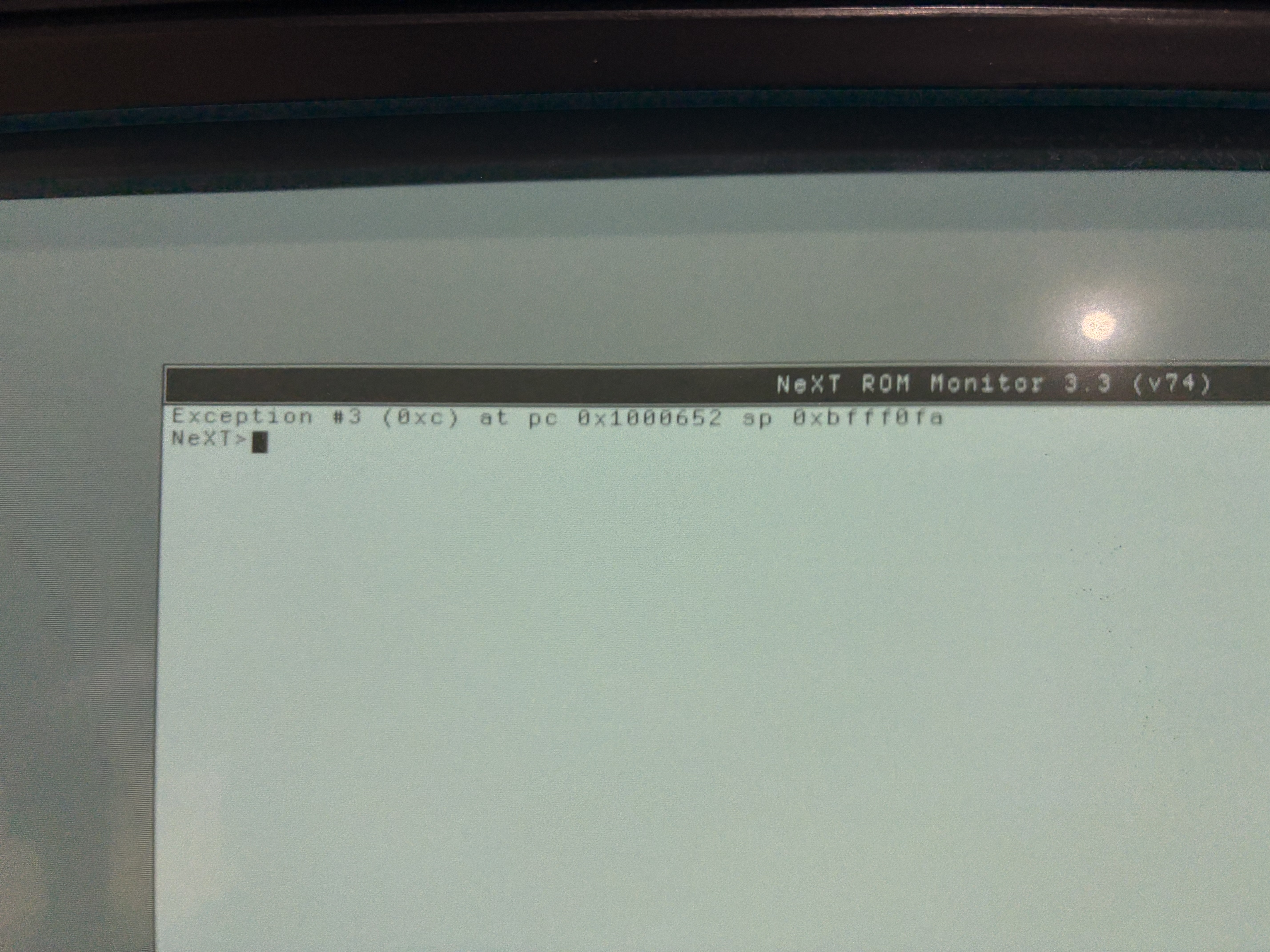
When I boot up with these the machine detects the ram and shows 64mb. However booting from floppy (I'm doing a fresh install of NS 3.3) fails.
If I put the "original" sticks that came with the machine in (4 x 4mb) - I can boot from floppy, install NS, and run NS seemingly just fine.
Obviously something unhappy with the machine with this new ram. Should I try booting with just one ? Get an eBay refund ?
And sorry to be a broken record - but I really am a n00b with NeXT. I am trying to learn and do things the right way, it's just a lot of uncharted territory for me.
Thanks as always.
I suppose the SIMMs need to be installed furthest from the PSU first and work your way back to the PSU. This is really the only way there is room to lean them diagonally to insert anyway.
I put 2 x 32mb SIMMs in (fresh from eBay). These were touted in the listing as being NeXT compatible.
When I boot up with these the machine detects the ram and shows 64mb. However booting from floppy (I'm doing a fresh install of NS 3.3) fails.
If I put the "original" sticks that came with the machine in (4 x 4mb) - I can boot from floppy, install NS, and run NS seemingly just fine.
Obviously something unhappy with the machine with this new ram. Should I try booting with just one ? Get an eBay refund ?
And sorry to be a broken record - but I really am a n00b with NeXT. I am trying to learn and do things the right way, it's just a lot of uncharted territory for me.
Thanks as always.
Title: Re: NS N1100 non-turbo - 4 x 72pin SIMMs - population ordering/rules ?
Post by: barcher174 on February 05, 2025, 08:58:50 PM
Post by: barcher174 on February 05, 2025, 08:58:50 PM
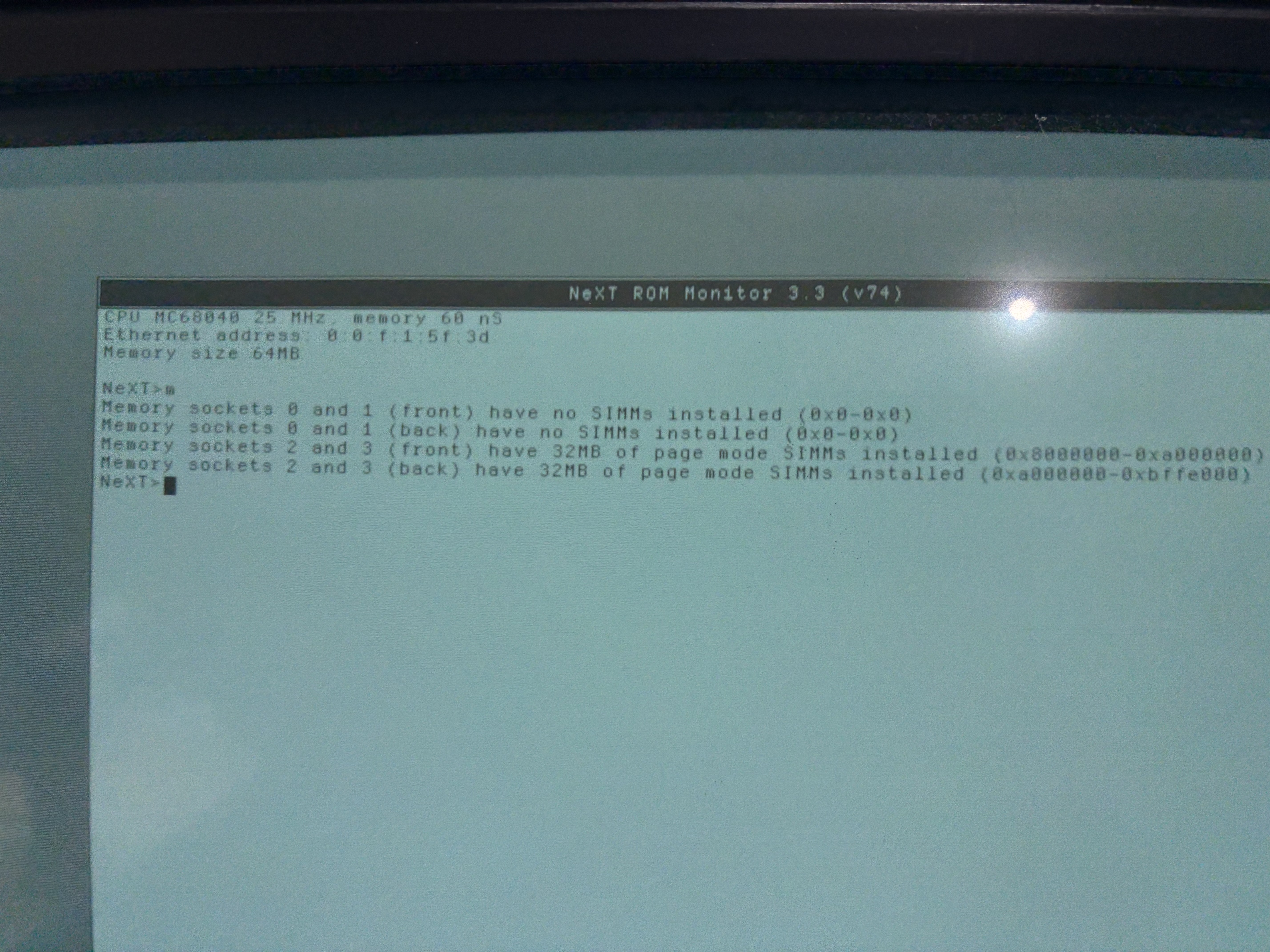
What error do you get? If you type 'm' in the prom it will show you which RAM positions you have populated. Start with 0 which I think is at the outer edge of the board.( but I always forget) If you have 72pin simms you technically have a turbo which has been downclocked. This can be useful info if you need to do board level debug.
Title: Re: NS N1100 non-turbo - 4 x 72pin SIMMs - population ordering/rules ?
Post by: vom513 on February 06, 2025, 08:05:31 AM
Post by: vom513 on February 06, 2025, 08:05:31 AM
Quote from: barcher174 on February 05, 2025, 08:58:50 PMWhat error do you get? If you type 'm' in the prom it will show you which RAM positions you have populated. Start with 0 which I think is at the outer edge of the board.( but I always forget) If you have 72pin simms you technically have a turbo which has been downclocked. This can be useful info if you need to do board level debug.
Thanks for the reply...
In the spirit of my original question - I tried populating the first innermost slot, skipping one, and then the next one. The machine didn't like this at all and spit an error like "can't continue without working memory".
So when I have the 2 x 72pin sticks in (and they are sequential in the innermost slots) I get what's pictured here.
Title: Re: NS N1100 non-turbo - 4 x 72pin SIMMs - population ordering/rules ?
Post by: vom513 on February 07, 2025, 08:39:55 AM
Post by: vom513 on February 07, 2025, 08:39:55 AM
Yep you are right about the slot 0. This is the slot closest to the PSU (or as you said the board edge).
Once I moved them into slots 0+1 it seems like it's working now. I was just hung up on the physicality of the slots/angles/insertion hence starting innermost first.
Thanks for the pointer and replies.
Once I moved them into slots 0+1 it seems like it's working now. I was just hung up on the physicality of the slots/angles/insertion hence starting innermost first.
Thanks for the pointer and replies.