Title: Cube BlueSCSI mount
Post by: Scutboy on July 09, 2025, 09:37:58 AM
Post by: Scutboy on July 09, 2025, 09:37:58 AM
A friend created a BlueSCSI mounting bracket for the Cube that brings the SD card out to the front.
https://www.thingiverse.com/thing:7085299
https://www.thingiverse.com/thing:7085299
Title: Re: Cube BlueSCSI mount
Post by: KennyPowers on July 09, 2025, 11:06:43 AM
Post by: KennyPowers on July 09, 2025, 11:06:43 AM
I like it...I hacked together something similar last year, but arguably not as nice as it doesn't fill in the ridges around the SD card. The two-piece design of mine does mean that a little less effort is required to remove the BlueSCSI, but that's not something that's needed very often, especially with the recently-added ability to update the firmware from the SD card. I think I might replace mine with your friend's ;D
https://www.nextcomputers.org/forums/index.php?topic=5818.0#:~:text=I%20also%20modified%20this%20model%20and%20made%20a%20BlueSCSI%20bezel%20and%20drive%20bay%20mount%20for%20the%20cube...came%20out%20pretty%20good%3A
https://www.nextcomputers.org/forums/index.php?topic=5818.0#:~:text=I%20also%20modified%20this%20model%20and%20made%20a%20BlueSCSI%20bezel%20and%20drive%20bay%20mount%20for%20the%20cube...came%20out%20pretty%20good%3A
Title: Re: Cube BlueSCSI mount
Post by: paolo.bertolo on July 09, 2025, 01:39:03 PM
Post by: paolo.bertolo on July 09, 2025, 01:39:03 PM
For the record, in the past I tried to use an SD extension cable for the very same purpose (on a HP 712, though) and the BlueSCSI unit became unstable and unusable. Could never find out the reason, though, as the cable and the many SD cards I used for testing were working perfectly fine on other devices. Not even hacking the cable by removing some pull up resistor (as documented somewhere on the internet) could fix the issue.
Title: Re: Cube BlueSCSI mount
Post by: MindWalker on July 09, 2025, 01:53:41 PM
Post by: MindWalker on July 09, 2025, 01:53:41 PM
Nice!
I've currently left my ZuluSCSI just hang out on the rear (as the factory SCSI cable wouldn't reach to the front) and I've just kept opening the rear panel when I've needed to access the SD card.
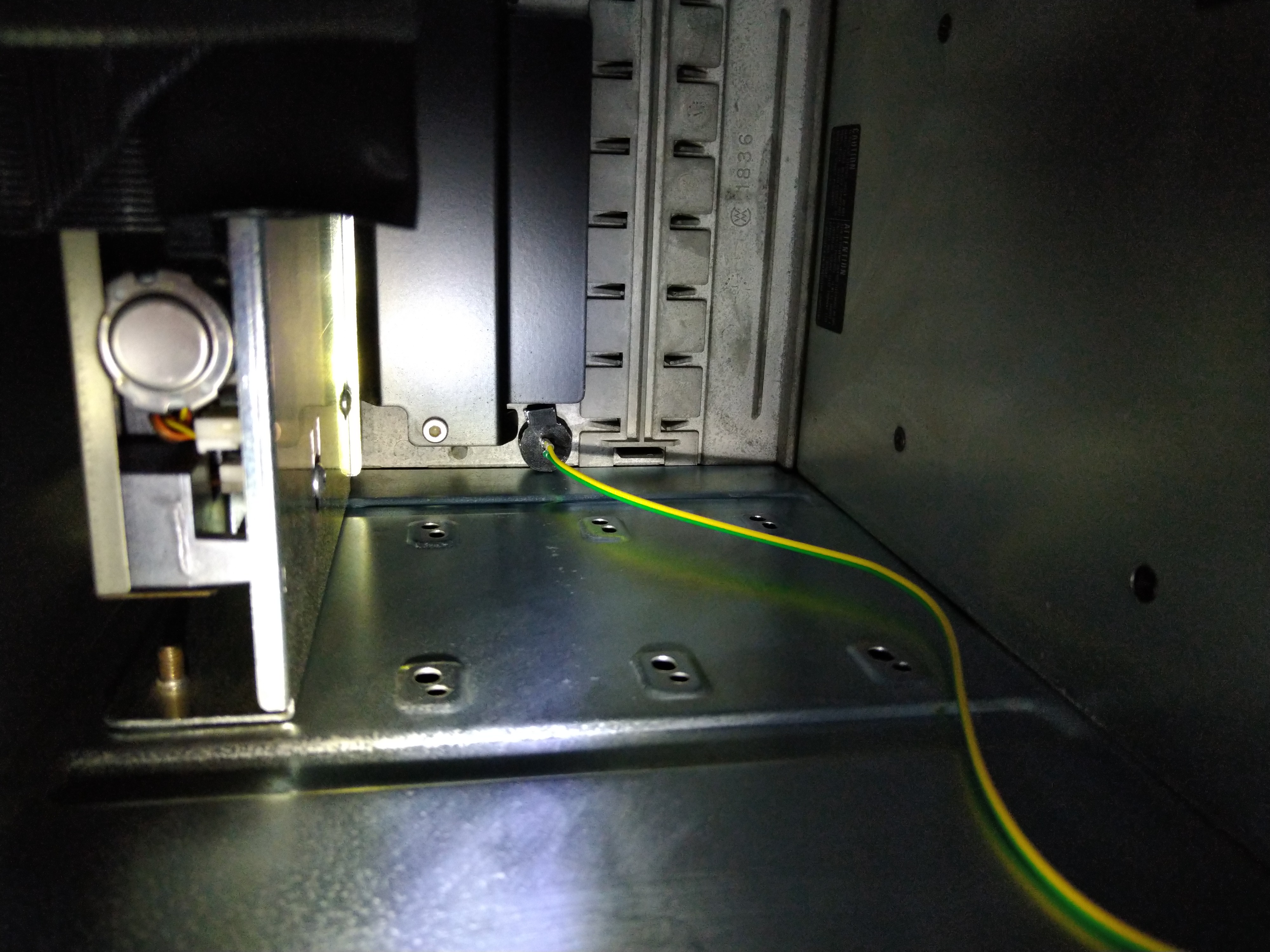
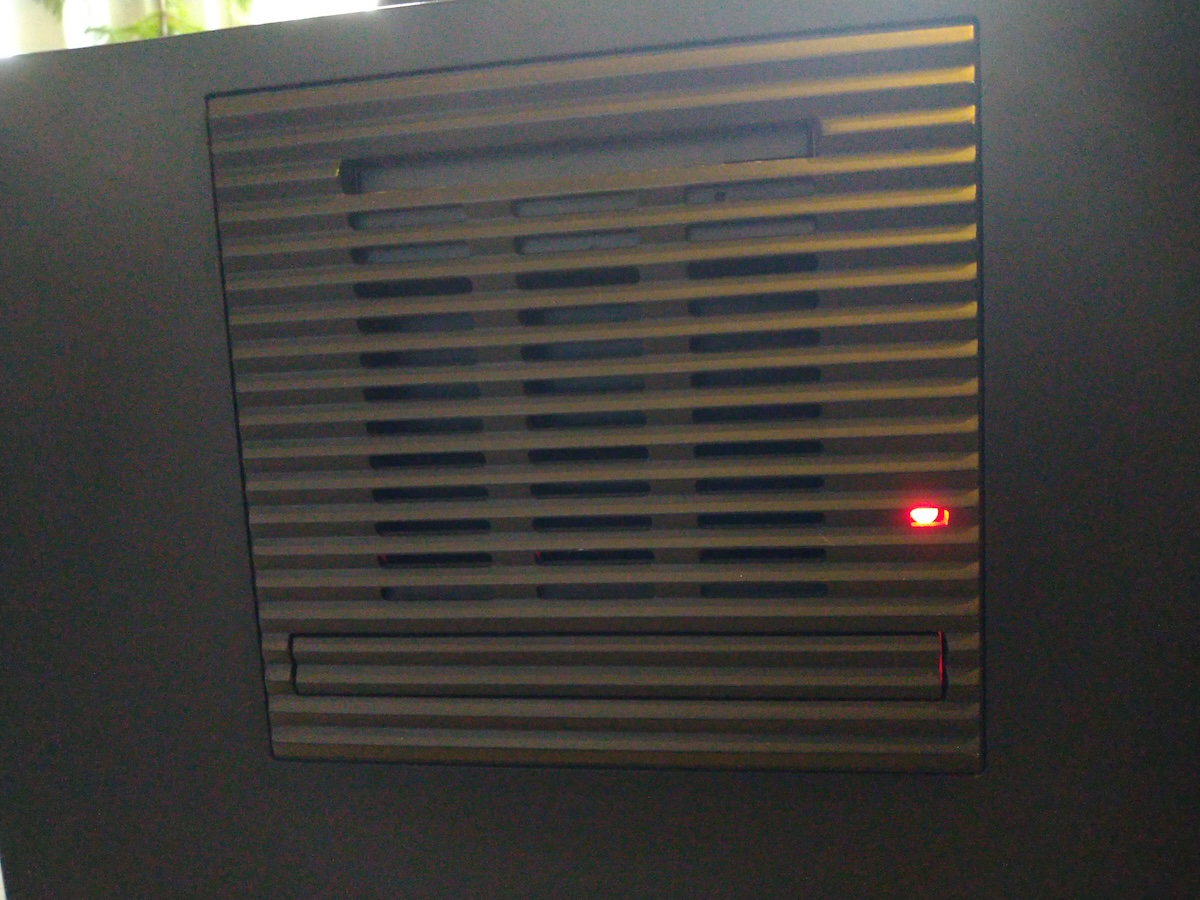
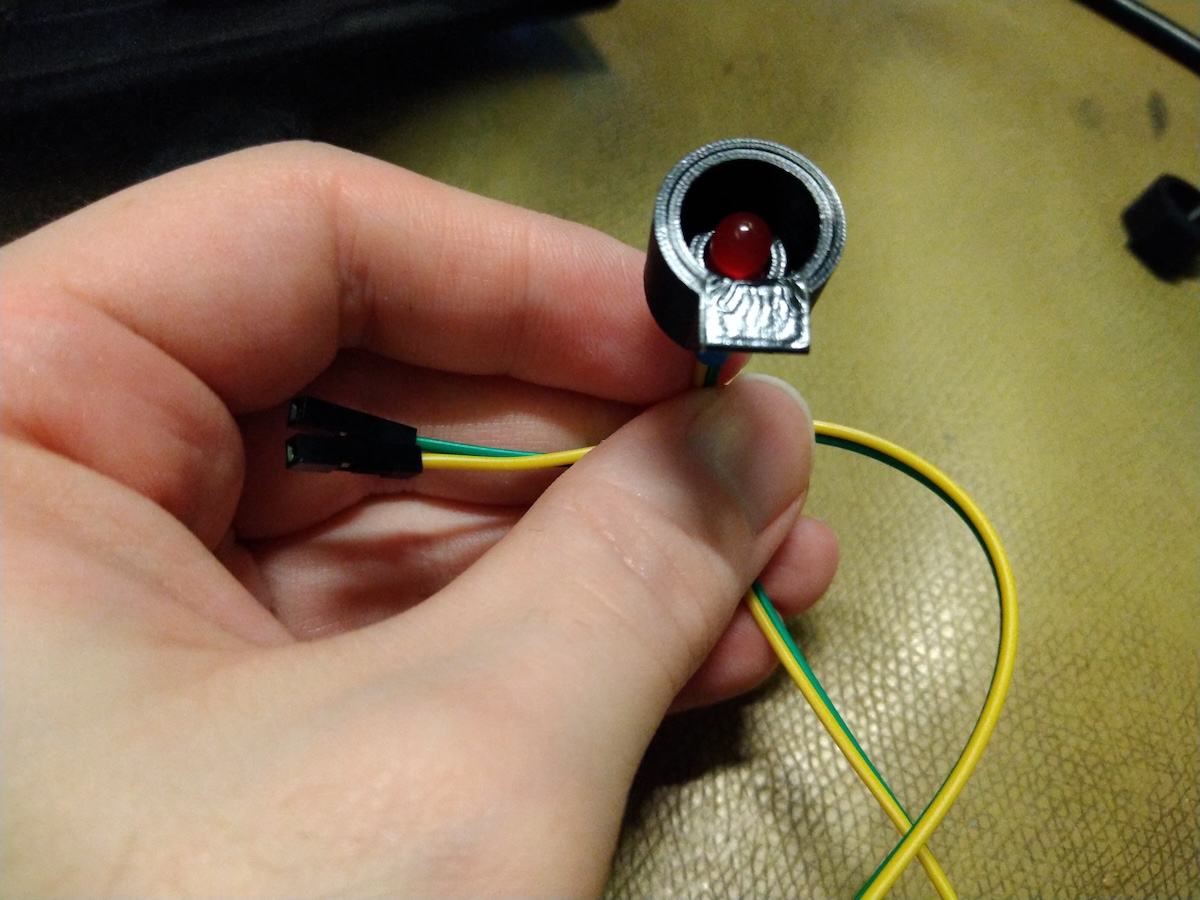
In addition the the front panel printables; I made the attached quick-and-dirty LED mount for the front panel (I presume the opening is for the optical drive's LED?). It's just a 5mm LED on a frame with 2-sided tape to hold it to the front panel. Square LED would sit flush with the front panel but I wanted to keep the LED recessed as to not be too flashy.
Now thinking about it; I guess one could even replace that black air-guide-thingy on the front panel, and use the vent-holes on the front as they seem to be pretty exactly SD-card's size. Ie. to replace it with an air-guide that would also have the SD-card opening/drive-mount.
I've currently left my ZuluSCSI just hang out on the rear (as the factory SCSI cable wouldn't reach to the front) and I've just kept opening the rear panel when I've needed to access the SD card.
In addition the the front panel printables; I made the attached quick-and-dirty LED mount for the front panel (I presume the opening is for the optical drive's LED?). It's just a 5mm LED on a frame with 2-sided tape to hold it to the front panel. Square LED would sit flush with the front panel but I wanted to keep the LED recessed as to not be too flashy.
Now thinking about it; I guess one could even replace that black air-guide-thingy on the front panel, and use the vent-holes on the front as they seem to be pretty exactly SD-card's size. Ie. to replace it with an air-guide that would also have the SD-card opening/drive-mount.