Title: Servicing NeXT (Canon) MO Drives
Post by: korneluk on June 28, 2007, 01:27:00 PM
Post by: korneluk on June 28, 2007, 01:27:00 PM
This is a community work log to develop a DIY troubleshooting and service manual for the Canon magneto optical drives in the original NeXT black cubes.
It's a collective effort by the NeXT community to gather as much information as possible and document via pictures the workings of these units. Feel free to join in on the discussion and help us revive those remaining MO drives.
Thanks all,
-- josé k.
It's a collective effort by the NeXT community to gather as much information as possible and document via pictures the workings of these units. Feel free to join in on the discussion and help us revive those remaining MO drives.
Thanks all,
-- josé k.
Title: Servicing NeXT (Canon) MO Drives
Post by: pentium on July 02, 2007, 04:42:23 PM
Post by: pentium on July 02, 2007, 04:42:23 PM
I have ben longing for a thread like this.
If I can get my hands on a known dead drive I could completely dismantle and photograph it for everyone.
If I can get my hands on a known dead drive I could completely dismantle and photograph it for everyone.
Title: Servicing NeXT (Canon) MO Drives
Post by: da9000 on July 12, 2007, 04:49:53 AM
Post by: da9000 on July 12, 2007, 04:49:53 AM
I can't believe you didn't snag this one pentium:
http://cgi.ebay.com/ws/eBayISAPI.dll?ViewItem&item=300126036399
You've been drooling for a MO drive for ages! Where were you during the auction!??!!?! It was a steal!
http://cgi.ebay.com/ws/eBayISAPI.dll?ViewItem&item=300126036399
You've been drooling for a MO drive for ages! Where were you during the auction!??!!?! It was a steal!
Title: Servicing NeXT (Canon) MO Drives
Post by: pentium on September 09, 2007, 12:39:31 AM
Post by: pentium on September 09, 2007, 12:39:31 AM
QuoteWhere were you during the auction!??!!?!Entering the second week of a six week cadet training course.
I didn't have internet access the whole time. I agree, it was a good deal. damn....
Title: Servicing NeXT (Canon) MO Drives
Post by: gtnicol on November 02, 2007, 04:51:01 PM
Post by: gtnicol on November 02, 2007, 04:51:01 PM
I put some photos of a disassembled NeXT MO on flickr.
http://www.flickr.com/photos/15578792@N02/1832503846/in/photostream/
The drives appear to be robustly built. I'm surprised they're so flaky. My guess is that the optical linear encoder is subject to getting dirty and/or stretching.
http://www.flickr.com/photos/15578792@N02/1832503846/in/photostream/
The drives appear to be robustly built. I'm surprised they're so flaky. My guess is that the optical linear encoder is subject to getting dirty and/or stretching.
Title: Servicing NeXT (Canon) MO Drives
Post by: pentium on November 02, 2007, 06:19:56 PM
Post by: pentium on November 02, 2007, 06:19:56 PM
Well I see at least one chip that says Canon on it so that looks good.
First thing that comes to mind is the fact that most MO drives when they go just seem to spin up and down over and over again.
A while back the cd drive in my powermac was acting exactly like a NeXT MO drive that was bad:
-You inserted a cd and it would spin up and down several times then do nothing.
-The drive would work fine at first but later start to spin up and down.
-While the drive was spinning up and down the system would feeze and wait for the drive to work properly.
-Since NeXT MO drives came only in one speed (well, two if writing uses a different speed) the media MUST be spinning at the proper speed or you won't get a proper read.
Think back to the days before 2X cd drives and you might remember this.
I have a feeling that either the main motor that spins the OD was of bad design or fo some reason the drive can't properly determine what it's current speed is (like driving without a dashboard).
In the event of a possible bad motor, we can test that theory by swapping the motor in question with one from a known working drive.
When it comes to controlling the speed I don't know how NeXT or Canon designed that. It might be an IC or some sort of sensor (like a tachometer).
First thing that comes to mind is the fact that most MO drives when they go just seem to spin up and down over and over again.
A while back the cd drive in my powermac was acting exactly like a NeXT MO drive that was bad:
-You inserted a cd and it would spin up and down several times then do nothing.
-The drive would work fine at first but later start to spin up and down.
-While the drive was spinning up and down the system would feeze and wait for the drive to work properly.
-Since NeXT MO drives came only in one speed (well, two if writing uses a different speed) the media MUST be spinning at the proper speed or you won't get a proper read.
Think back to the days before 2X cd drives and you might remember this.
I have a feeling that either the main motor that spins the OD was of bad design or fo some reason the drive can't properly determine what it's current speed is (like driving without a dashboard).
In the event of a possible bad motor, we can test that theory by swapping the motor in question with one from a known working drive.
When it comes to controlling the speed I don't know how NeXT or Canon designed that. It might be an IC or some sort of sensor (like a tachometer).
Title: Servicing NeXT (Canon) MO Drives
Post by: gtnicol on December 11, 2007, 12:08:50 AM
Post by: gtnicol on December 11, 2007, 12:08:50 AM
Quote from: "pentium"
I have a feeling that either the main motor that spins the OD was of bad design or fo some reason the drive can't properly determine what it's current speed is (like driving without a dashboard).
In the event of a possible bad motor, we can test that theory by swapping the motor in question with one from a known working drive.
When it comes to controlling the speed I don't know how NeXT or Canon designed that. It might be an IC or some sort of sensor (like a tachometer).
I've found 3 main classes of problems in the drives (after many hours of swapping/cleaning parts).
The first does appear to be a problem with the motor or the driving circuit. On some drives, running a heat gun over the board helped the motor to spin properly. On others, the motor just seems flaky.
The second is a problem wit the optical linear encoder. They get dirty or otherwise don't seem to work. Also, I found that placing the head back into the 'home' position helped the drives work in some cases.
The third is poor connections, not just on soldered joints, but also on the ribbon cables. In some cases, just reseating the ribbon cable allowed a drive to spin up, that otherwise would remain silent.
The boards at the top of the drive seem, for the most part, to be reliable (i.e. swapping boards didn't make much difference).
When I have a bit more time to be a bit more methodical. I wish I could find either a NeXT or a Canon field service manual as I'm sure some of the problems are calibration issues, and there are little trim pots in many places.
Title: Servicing NeXT (Canon) MO Drives
Post by: pentium on May 15, 2008, 10:55:01 PM
Post by: pentium on May 15, 2008, 10:55:01 PM
Well because the motor circutit on my drive decided to act p today I thought it might be a little nice to describe how to separate the top and bottom of the drive.
First off, take these four screws out.
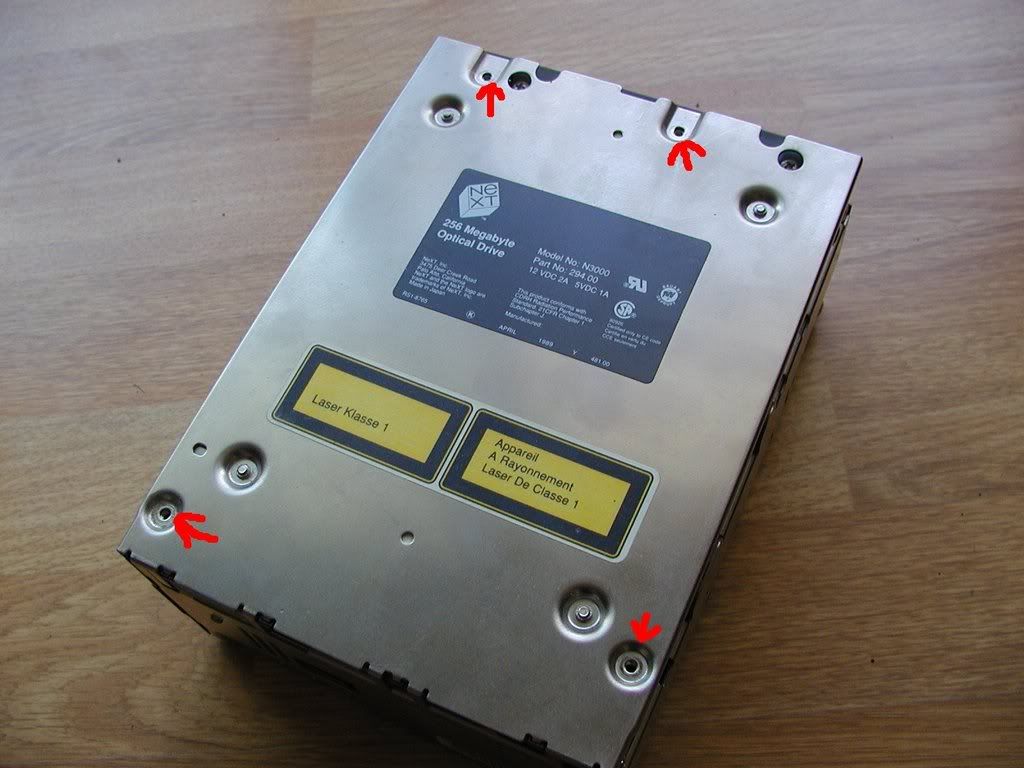
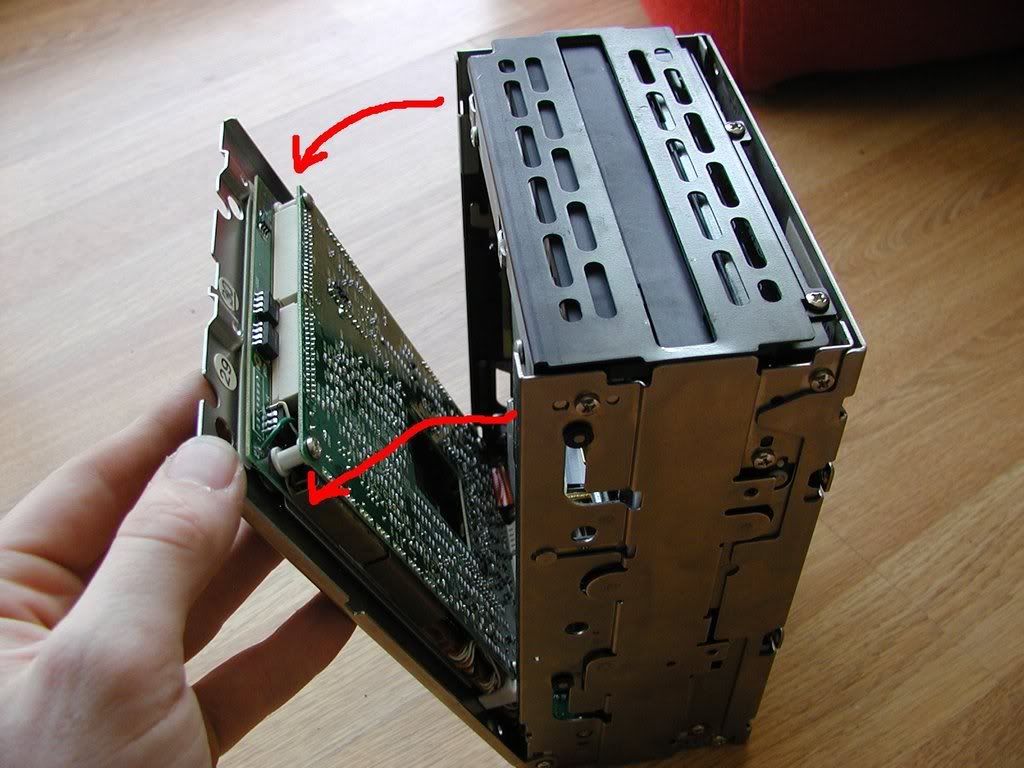
Next, put the drive up on it's end and gently pull at the top. The top cover on the drive will swing down.
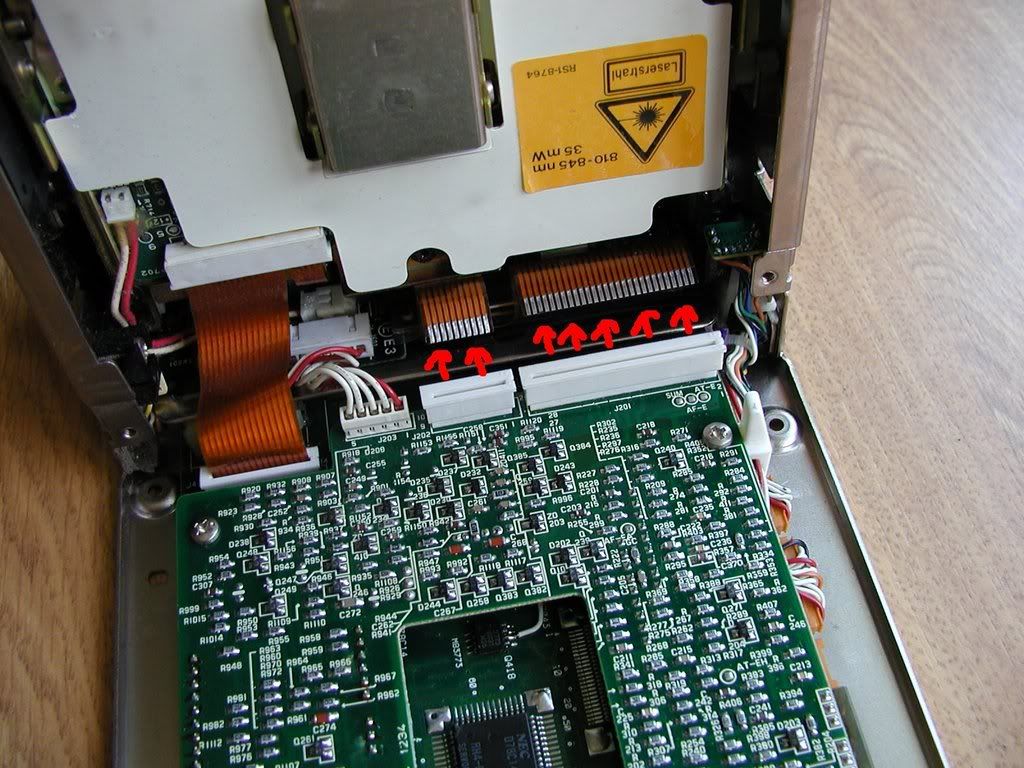
Next, disconnect these two ribbon cables.
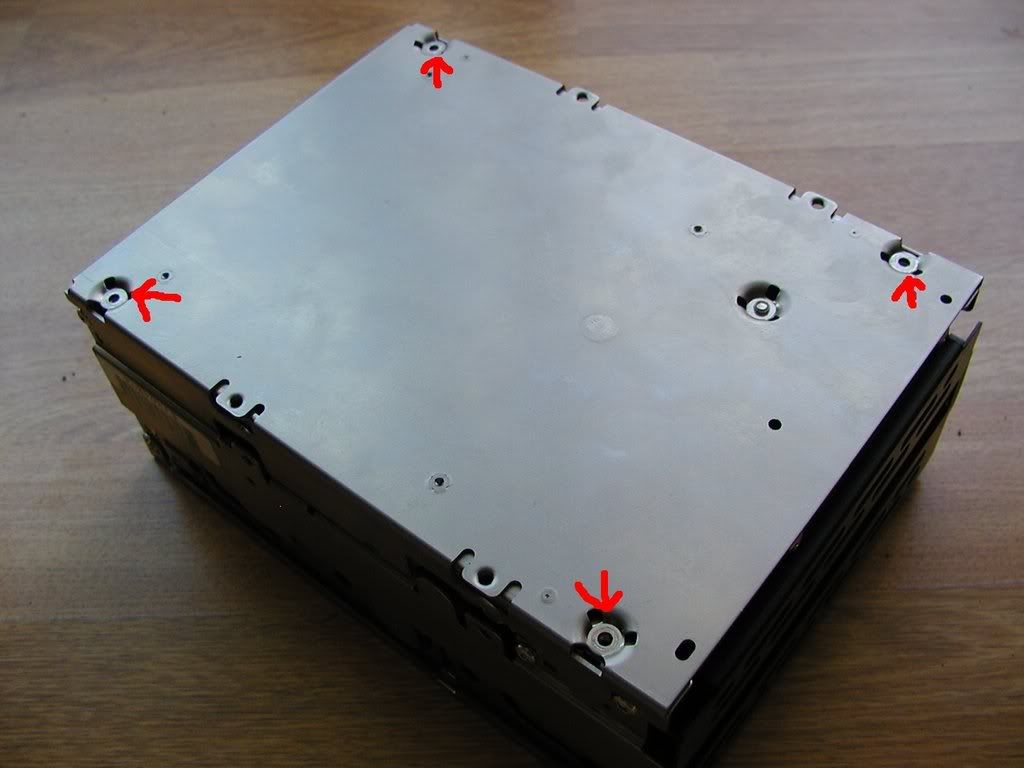
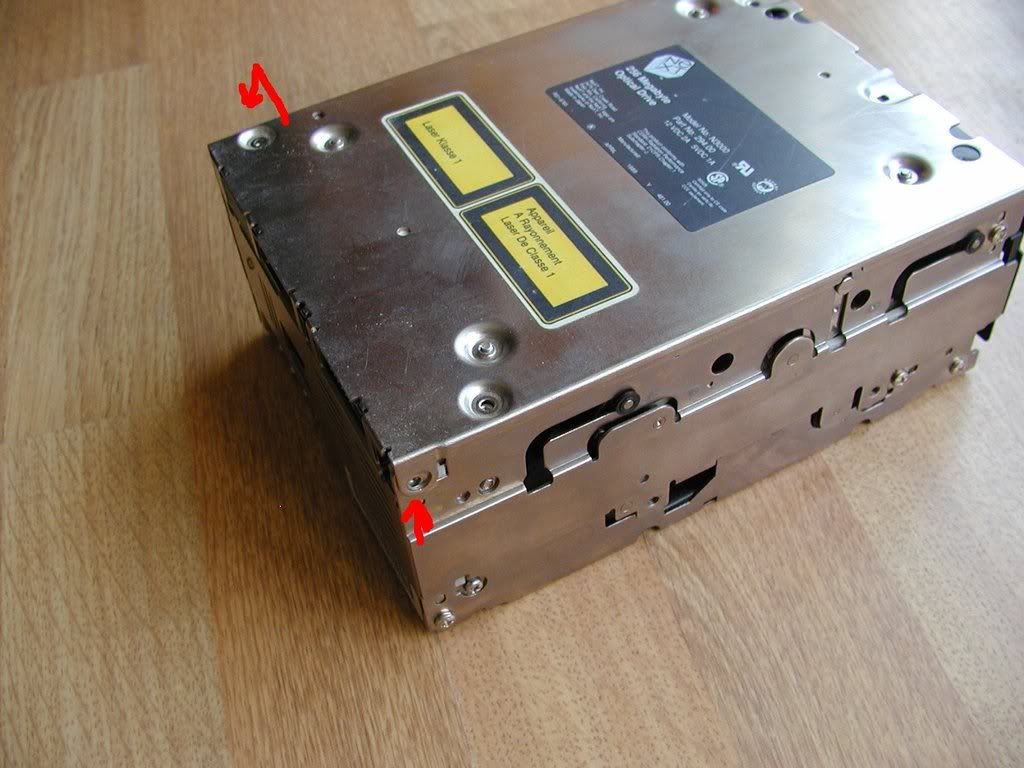
Now swing the top closed again and flip the drive over and remove four more screws.
Now put the drive back up on its end and gently pull at the top of the other side of the drive. After you disconnect these two wires, putt the bottom outwards to separate the laser assembly from the system.
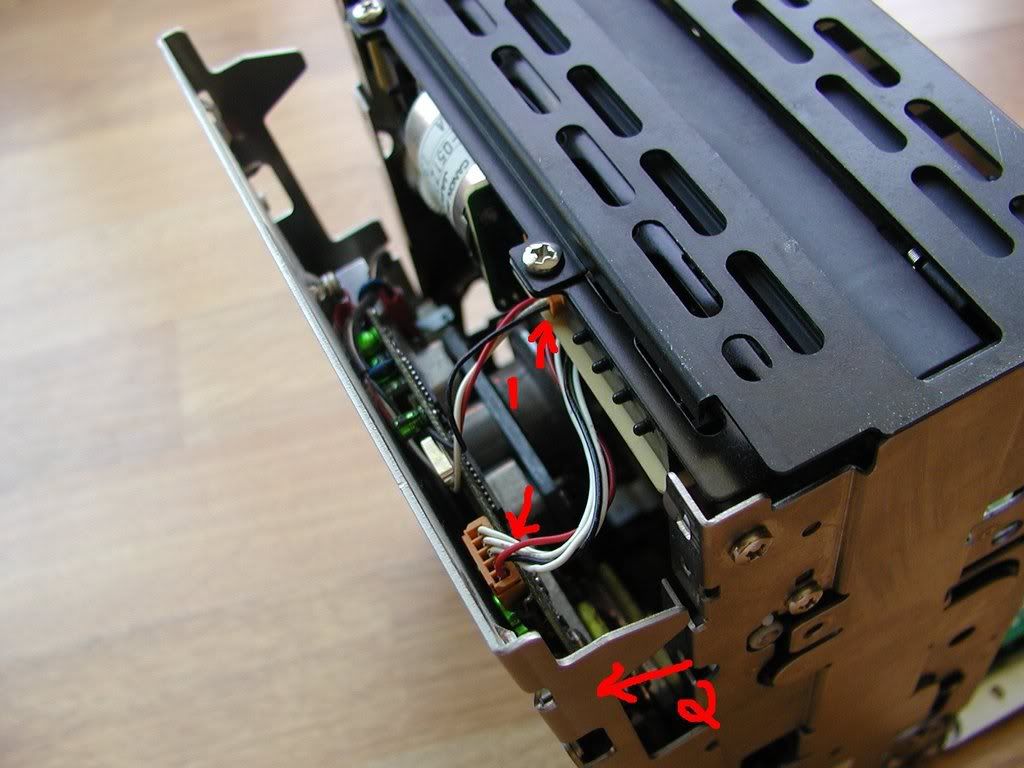
To remove the other side, unplug the other ribbon cable and the wires marked by the arrows.
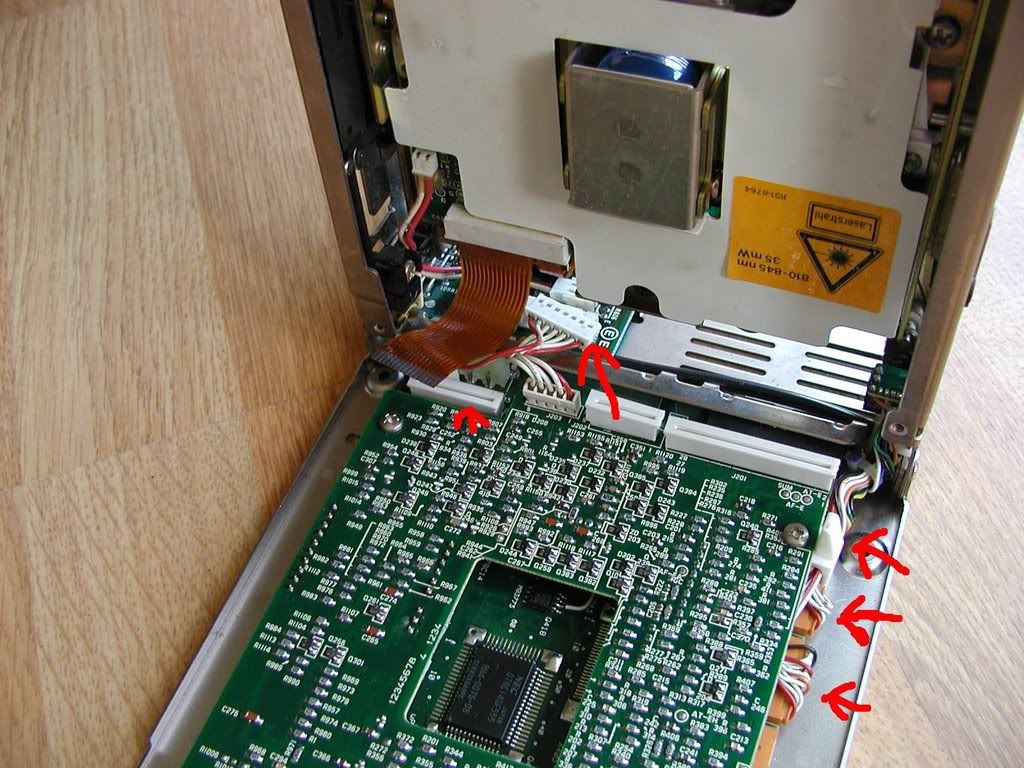
Remove the two screws that were giving you that hinge-like action earlier. The cover as well as the logic boards can now be removed.
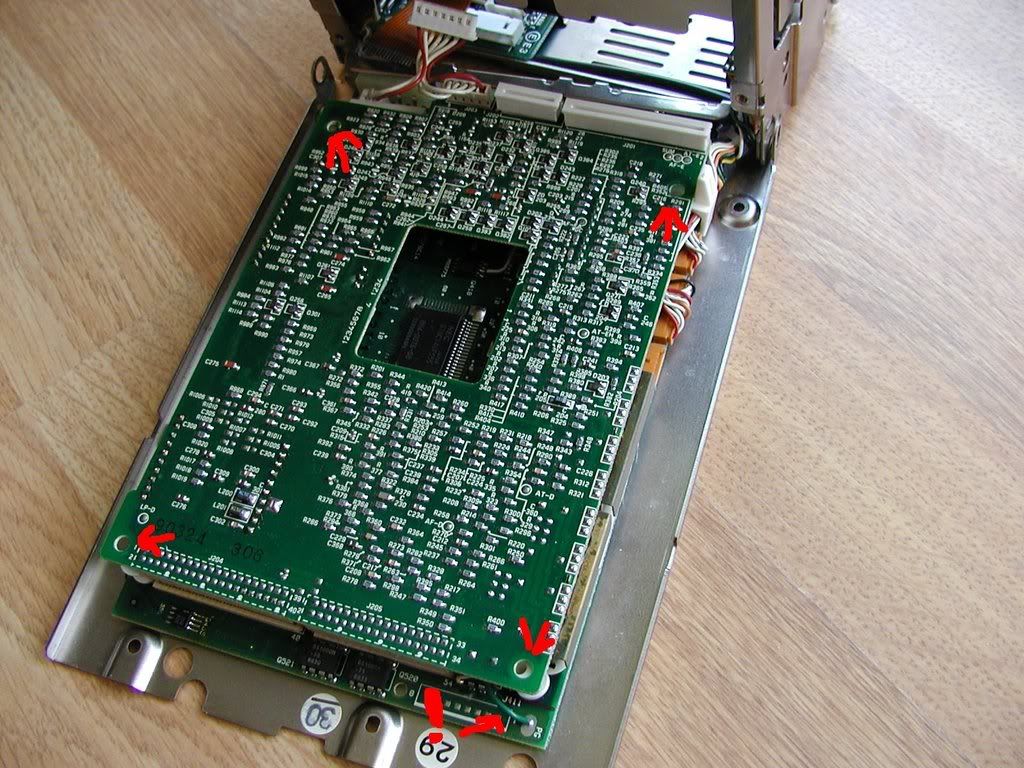
One other thing. Your drive may not have it but when you separate the two main logic boards, be careful of the green wire that's connected between the two boards.
EDIT: One last thing regarding the motor assembly. On my drive I noticed that the largest chip on the motor board (looks like a switcher for the motor itself) has several pins that look like they have either had something get on them and cause the pins to oxidize or they have been exposed to large amounts of heat. The chip itself could be the reason the motor is either not starting, not stopping or not properly getting up to speed.
First off, take these four screws out.
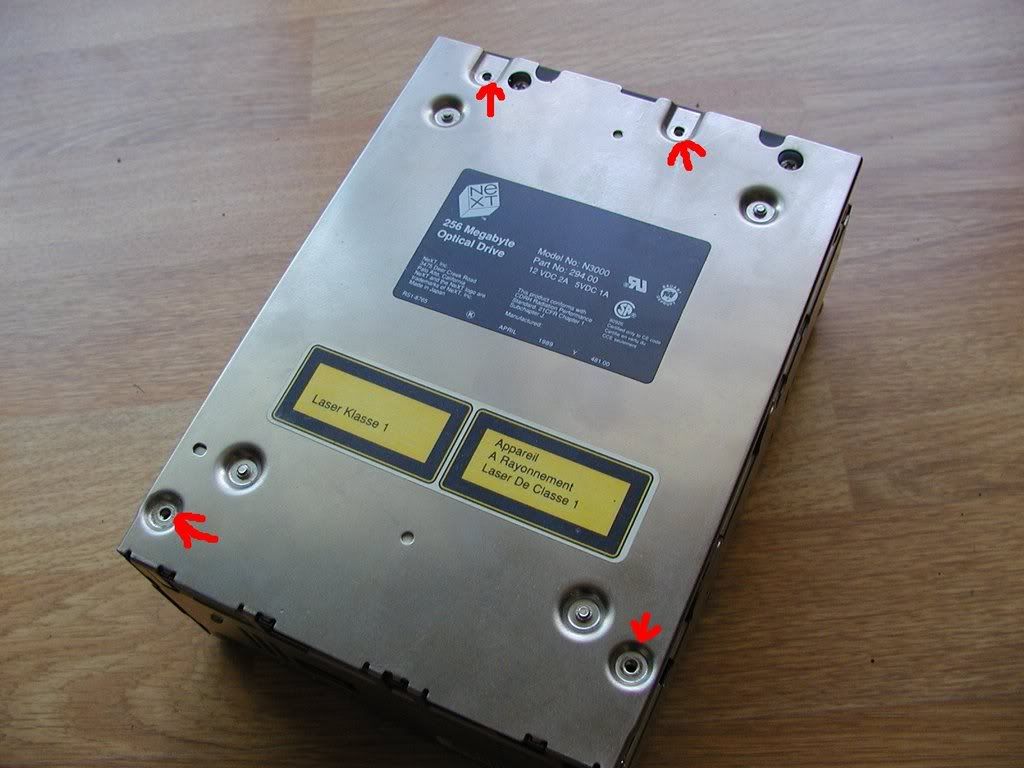
Next, put the drive up on it's end and gently pull at the top. The top cover on the drive will swing down.
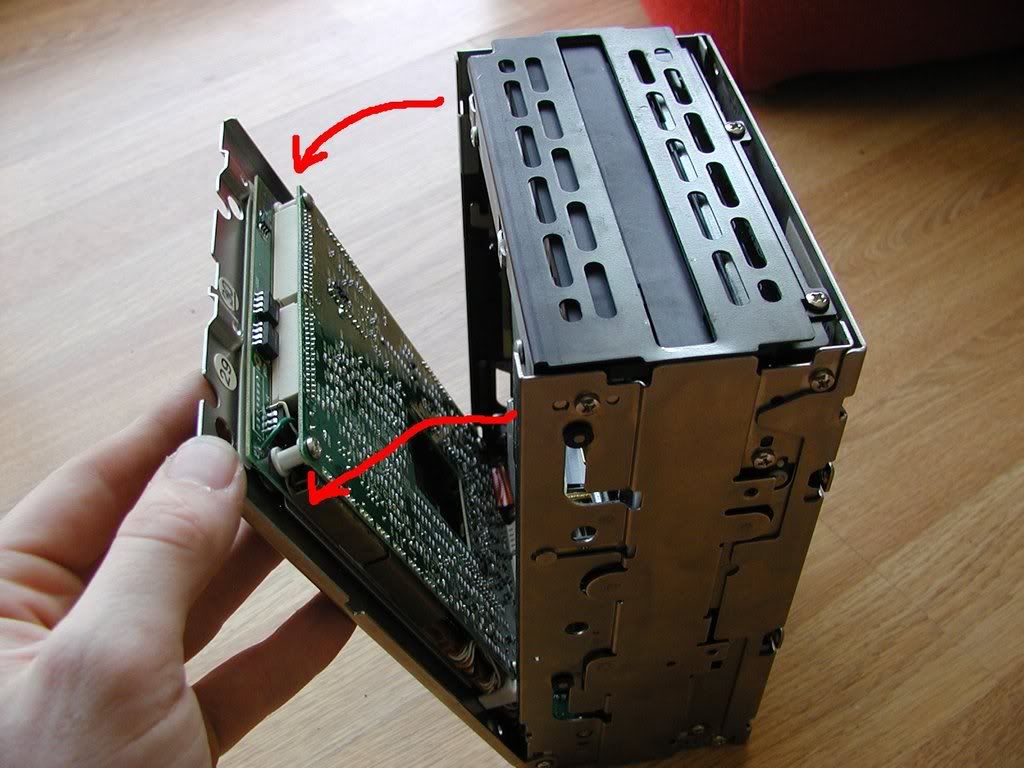
Next, disconnect these two ribbon cables.
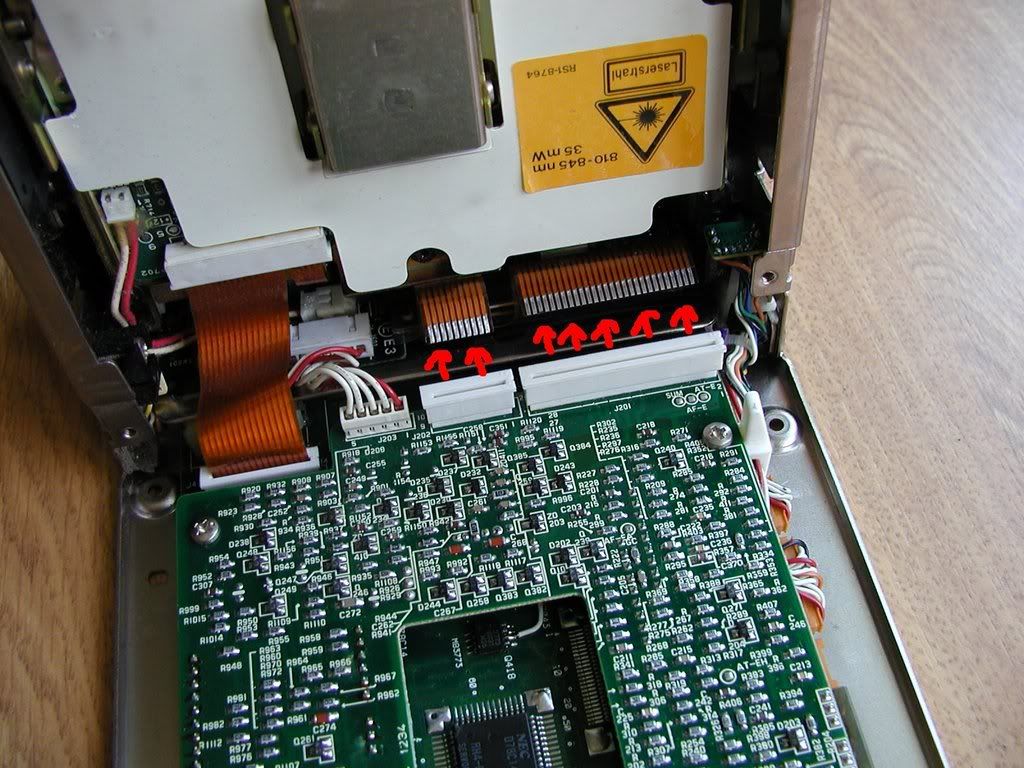
Now swing the top closed again and flip the drive over and remove four more screws.
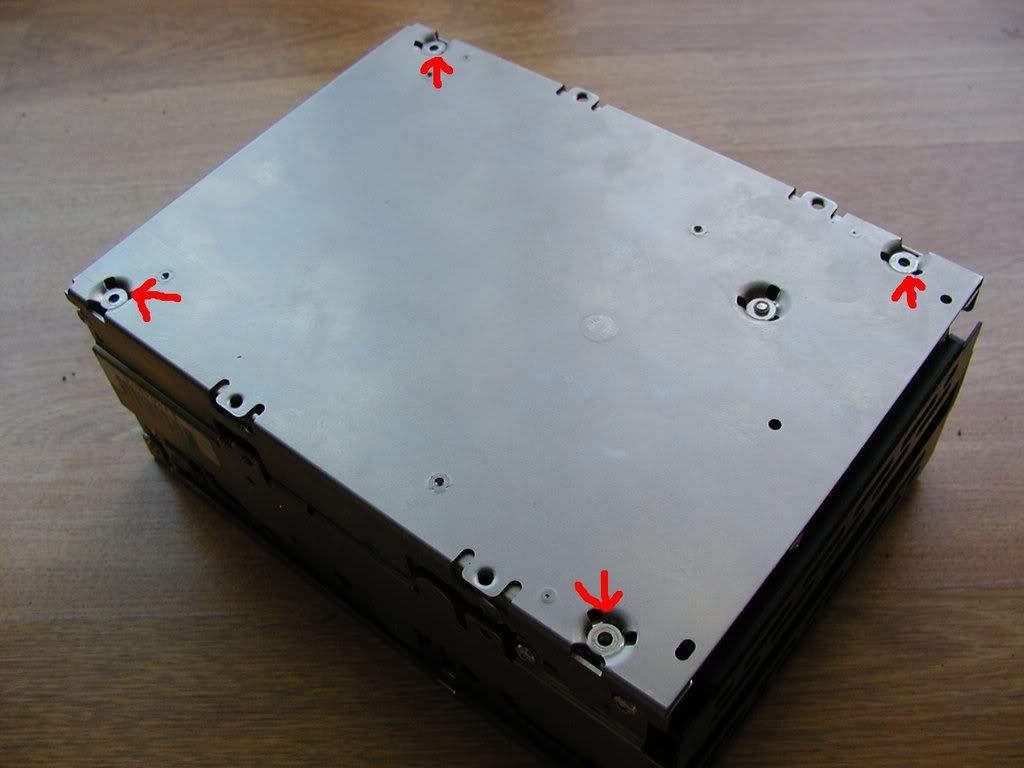
Now put the drive back up on its end and gently pull at the top of the other side of the drive. After you disconnect these two wires, putt the bottom outwards to separate the laser assembly from the system.
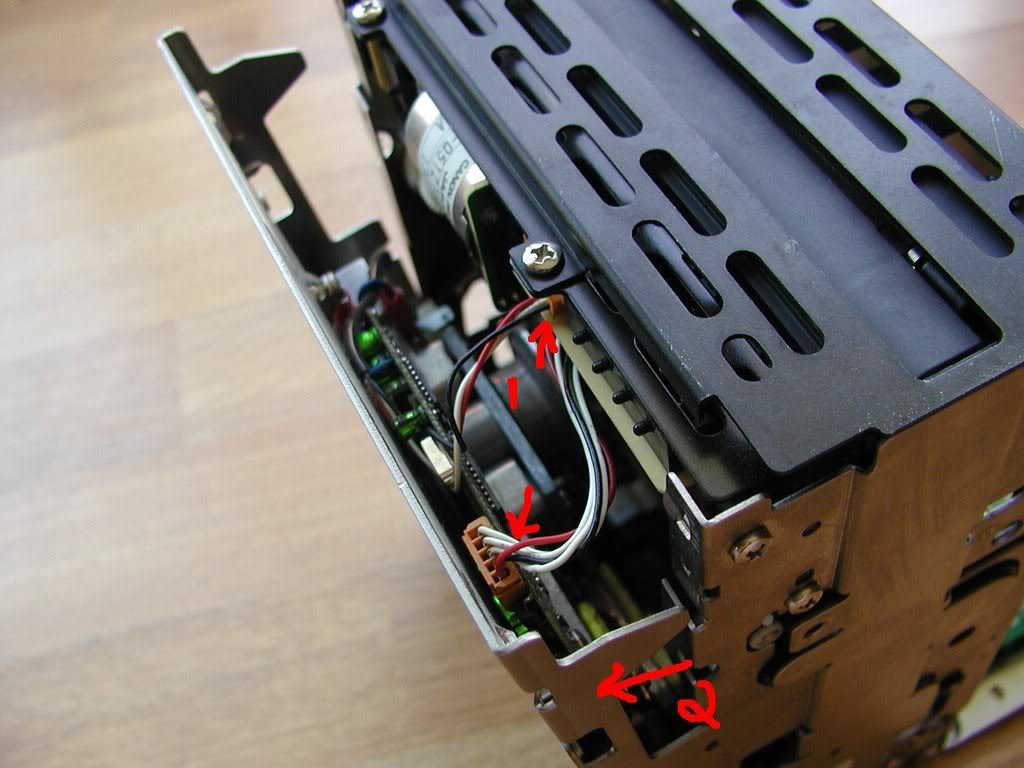
To remove the other side, unplug the other ribbon cable and the wires marked by the arrows.
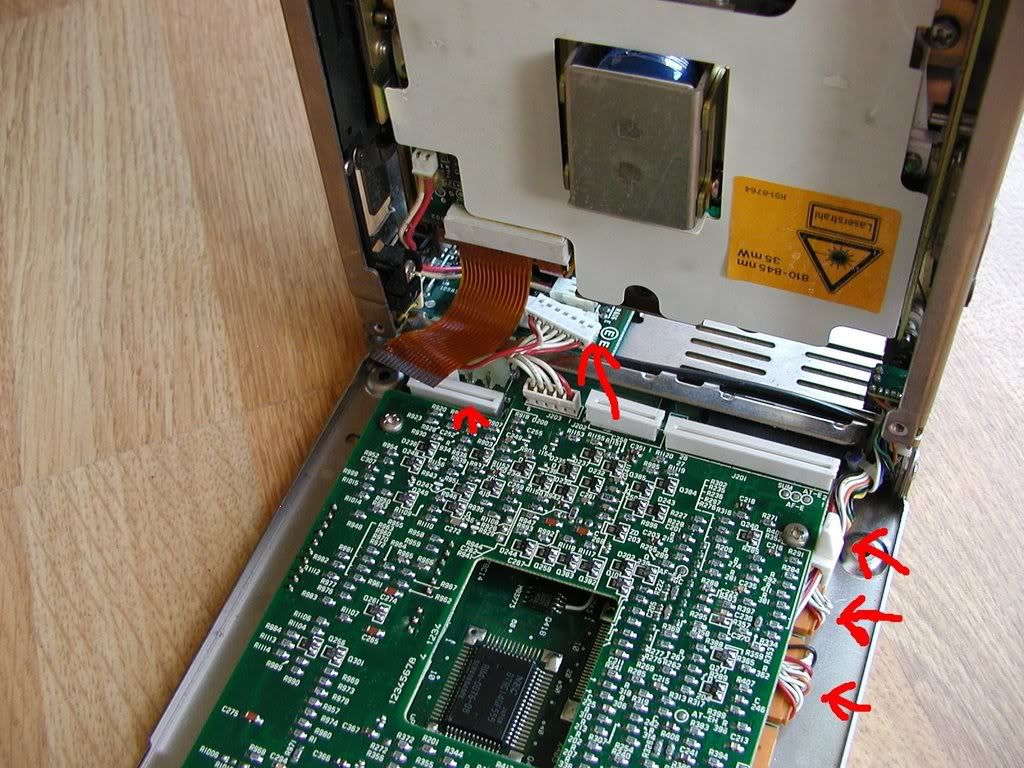
Remove the two screws that were giving you that hinge-like action earlier. The cover as well as the logic boards can now be removed.
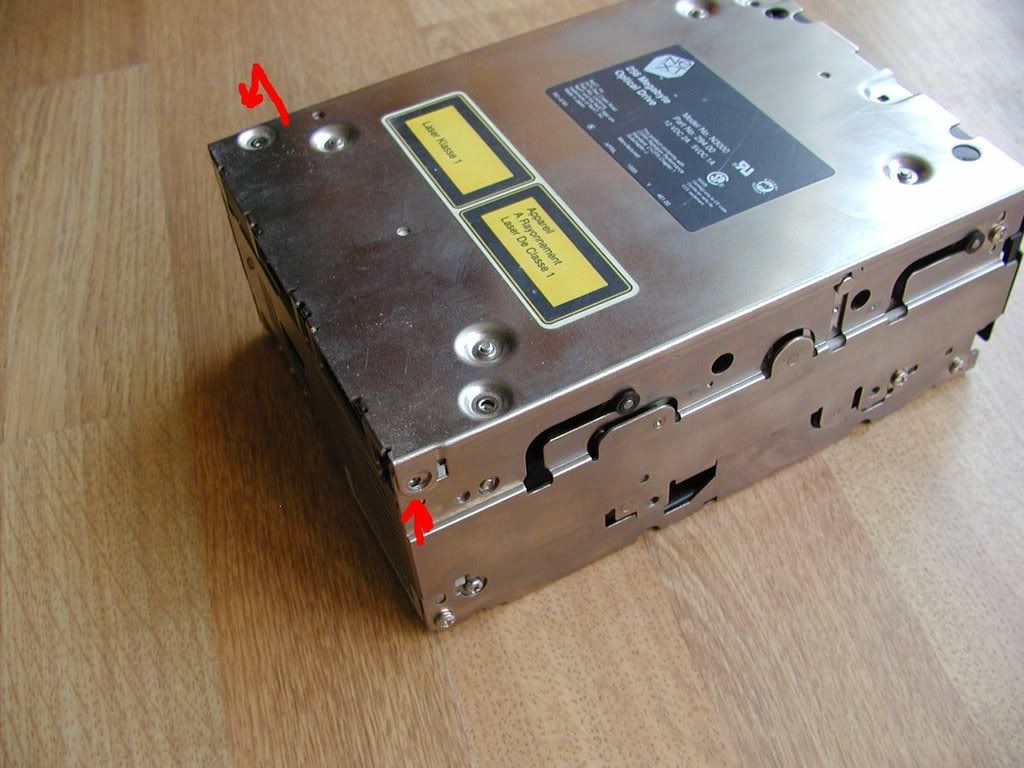
One other thing. Your drive may not have it but when you separate the two main logic boards, be careful of the green wire that's connected between the two boards.
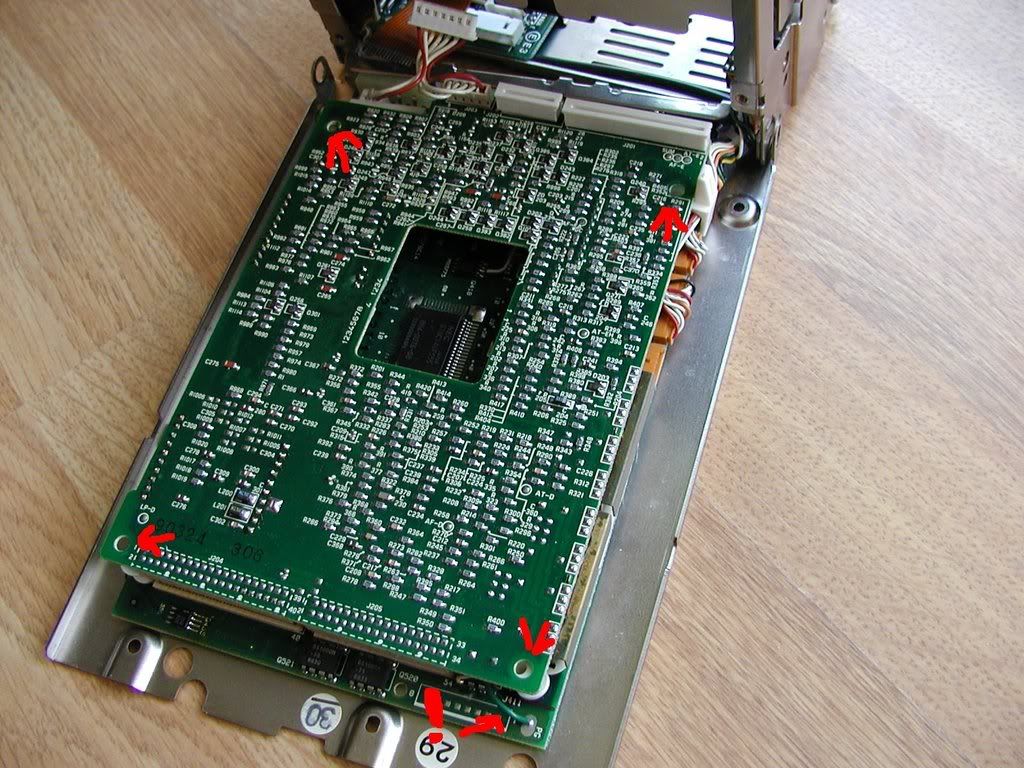
EDIT: One last thing regarding the motor assembly. On my drive I noticed that the largest chip on the motor board (looks like a switcher for the motor itself) has several pins that look like they have either had something get on them and cause the pins to oxidize or they have been exposed to large amounts of heat. The chip itself could be the reason the motor is either not starting, not stopping or not properly getting up to speed.
Title: Servicing NeXT (Canon) MO Drives
Post by: idylukewild on May 16, 2008, 01:58:25 PM
Post by: idylukewild on May 16, 2008, 01:58:25 PM
Thanks, pentium, for going to the trouble to photograph and post photos of the OD. Between what you and gtnicol are doing we may someday find a way to fix these pesky drives. I'm wondering if something gets 'banged' out of spec (calibration) from repeated use. Perhaps there are trim pots to get things back within spec. It's very odd that some OD have refused to work new out of the box, though. My OD which worked for a few hours on about 10 disks then went into a perpetual 'spin up - spin down -spin up' mode (a mode it goes into each time I've tried to use it since) is also puzzling. When I get time I hope to look for any adjustments - specifically trim pots - and wiggle them around a little to see if it gets the OD working again. Incidentally, my OD looked brand new and dust free when it failed and had worked a fine the few times I used it briefly before my two-hour marathon session.
Luke
Luke
Title: Servicing NeXT (Canon) MO Drives
Post by: gtnicol on May 16, 2008, 02:29:21 PM
Post by: gtnicol on May 16, 2008, 02:29:21 PM
There are lot's of little trim pots on the drives and I'm sure that part of the problem with these things is calibration... I can hear the difference in motor speed between drives that work and drives that don't.
FWIW. I have found that reflowing some of the joints is a worthwhile effort... it can often get a dead drive to at least spin again.
FWIW. I have found that reflowing some of the joints is a worthwhile effort... it can often get a dead drive to at least spin again.
Title: Servicing NeXT (Canon) MO Drives
Post by: pentium on May 16, 2008, 02:31:52 PM
Post by: pentium on May 16, 2008, 02:31:52 PM
I'm taking interest in the damage I saw on the motor controller board. Sorry I don't have a pic of it but I don't want to dismantle my cube and MO drive again for a single photo.
Anyways, It might be nice is someone else who was having motor troubles could take their drive apart and we could compare what the motor controller looks like.
Anyways, It might be nice is someone else who was having motor troubles could take their drive apart and we could compare what the motor controller looks like.
Title: Servicing NeXT (Canon) MO Drives
Post by: gtnicol on May 16, 2008, 03:15:44 PM
Post by: gtnicol on May 16, 2008, 03:15:44 PM
FWIW. I have found (by swapping boards/motors etc) that the motor driver is the primary suspect. That and the linear optical encoder.
Next up is the servo controller board on the back of the drive.
The top logic board doesn't seem to fail often (maybe one out of 15).
Next up is the servo controller board on the back of the drive.
The top logic board doesn't seem to fail often (maybe one out of 15).
Title: Servicing NeXT (Canon) MO Drives
Post by: pentium on May 16, 2008, 03:55:06 PM
Post by: pentium on May 16, 2008, 03:55:06 PM
Well in that case I have a feeling that the motor driver is simply overheating and burning out either completely or partially. It does seem to get pretty warm during operation. do you think a little heatsink would fix this?
Title: Servicing NeXT (Canon) MO Drives
Post by: gtnicol on May 16, 2008, 04:38:09 PM
Post by: gtnicol on May 16, 2008, 04:38:09 PM
I don't think the heatsink would help... the later model canon drives don't have one. It might be worthwhile swapping out, but I'd go through looking for dry joints first.
Title: Servicing NeXT (Canon) MO Drives
Post by: pentium on May 16, 2008, 07:05:20 PM
Post by: pentium on May 16, 2008, 07:05:20 PM
Quote from: "gtnicol"I don't think the heatsink would help... the later model canon drives don't have one. It might be worthwhile swapping out, but I'd go through looking for dry joints first.*sigh*
Well there is a reason to open the thing up again as I saw quite a few of those.
I'll take some photos tonight.
EDIT: okay, here is how you remove the motor assembly.
Requirements: the optical assembly (the bottom of the drive) has been removed.
All you have to do is remove the three screws (1, 2 and 3) and then carefully pull the motor out parallel to the entire optical assembly (4)
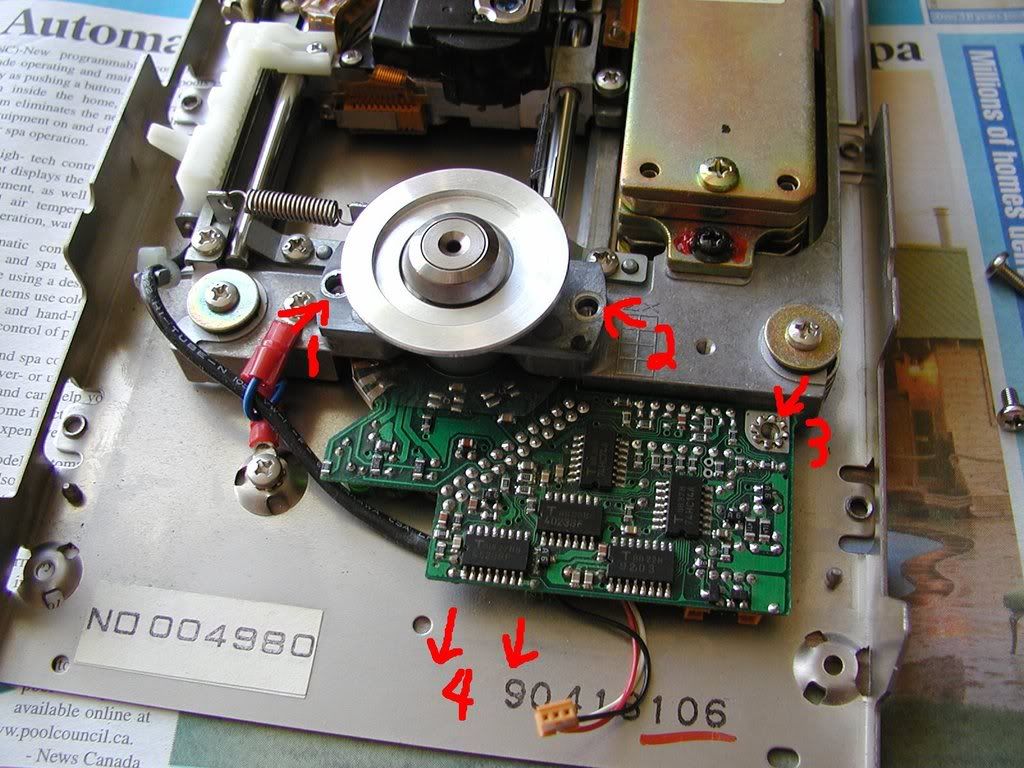
What I have noticed is that the pins I marked with arrows seem more oxidized/discolored than the others. I have yet to go at the joints with my iron in this photo and I'll go at them after dinner.
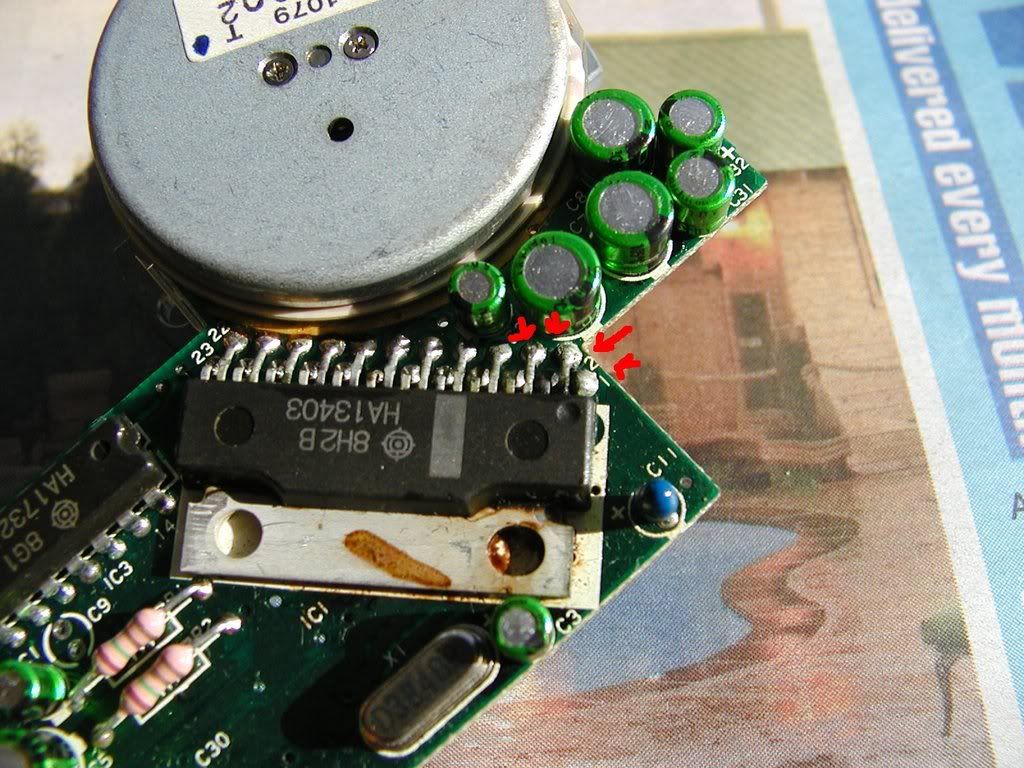
EDIT: In my case at least, reheating the joints did not stop the motor from constantly spinning. :(
Title: Servicing NeXT (Canon) MO Drives
Post by: idylukewild on May 17, 2008, 10:30:04 AM
Post by: idylukewild on May 17, 2008, 10:30:04 AM
I couldn't help noticing a whole pack of electrolytic capacitors (aluminum canister) near the motor driver. In my experience faulty electrolytics can be the cause of rapid failure, gradual failure, and failure of old-stock off-the-shelf electronics. I certainly have had a lot of experience with electrolytics being the cause of monitor failures and have had success reviving the monitors by replacing electrolytics (it's posted somewhere on NeXTComputers.org). Sometimes electrolytic failure is obvious - leaky, discolored, or even exploded canisters - but most of the time there is no evidence. As electrolytics fail sometimes they just drift out of spec for a while and you get all sorts of weird effects. Could be those little canisters on the boards.
Luke
Luke
Title: Patent search yields some interesting info
Post by: TeXN on May 17, 2008, 04:47:40 PM
Post by: TeXN on May 17, 2008, 04:47:40 PM
This patent document has several flowcharts for the operation of the drive:
Canon MO prior art filing - PDF (http://www.google.com/patents/pdf/Magneto_optical_recording_reproducing_me.pdf?id=5AMlAAAAEBAJ&output=pdf&sig=kYOCqYJtDxvLfH-EL6zuq9_pXrY)
http://www.google.com/patents?id=5AMlAAAAEBAJ&printsec=abstract&zoom=4&dq=canon+magneto-optical+drive
----
Also, I was thinking about the integrity of the capacitors, however, looking at the flickr pictures, and examining the caps, they look impervious to the breakdowns seen in the last few years (Japanese product vs. Chinese/Taiwanese?)
- itomato[/url]
Quote
1. Load cartridge
2. Turn on motor spindle
3. Turn on autofocusing servo and autotracking servo
4. ...
Canon MO prior art filing - PDF (http://www.google.com/patents/pdf/Magneto_optical_recording_reproducing_me.pdf?id=5AMlAAAAEBAJ&output=pdf&sig=kYOCqYJtDxvLfH-EL6zuq9_pXrY)
http://www.google.com/patents?id=5AMlAAAAEBAJ&printsec=abstract&zoom=4&dq=canon+magneto-optical+drive
----
Also, I was thinking about the integrity of the capacitors, however, looking at the flickr pictures, and examining the caps, they look impervious to the breakdowns seen in the last few years (Japanese product vs. Chinese/Taiwanese?)
- itomato[/url]
Title: Servicing NeXT (Canon) MO Drives
Post by: idylukewild on May 17, 2008, 09:36:58 PM
Post by: idylukewild on May 17, 2008, 09:36:58 PM
TeXN-
Thanks for the patent link. It certainly looks like it has some information that might eventually help figure out the stupid "spin up, spin down" loop that at least one OD (mine) goes into every time a disk is loaded now. It's hard to tell since I have very little idea of what they are talking about in most of the patent.
I noticed the patent was filed in 1995. In general, one would want to file for a patent before the device was produced and sold in great number. It appears to me that this patent is for an improvement meant to solve a magneto-optical drive problem, mainly the "servo control failure" mentioned in the first paragraph of the "Summary of the Invention" (second to last page in the PDF). This patent may be an attempt by Cannon to improve on the obviously failure-prone OD.
I was wondering how you can tell the capacitors are impervious to breakdowns? I've removed bad electrolytics that show no discernible external evidence of failure. I have used the 'heat, then cool' method to pinpoint bad caps that otherwise look fine. Unfortunately, the device needs to be at least somewhat working when the diagnostic is done, and it appears that would be hard to do with the OD's. An alternative is to remove the caps and test them off the board, or just replace them. It's a lot of work and whenever you remove components from boards you run the risk of 'pulling tabs' (de-laminating contacts from the circuit board). Incidentally, I'm not entirely convinced that failing electrolytics are the culprit in failed OD's, certainly other things could be the problem(s), as gtnicol success with reflowing the solder to get the things to work again would suggest.
Thanks again for doing some investigating. We are certainly learning a lot about these whacky drives.
Luke
Thanks for the patent link. It certainly looks like it has some information that might eventually help figure out the stupid "spin up, spin down" loop that at least one OD (mine) goes into every time a disk is loaded now. It's hard to tell since I have very little idea of what they are talking about in most of the patent.
I noticed the patent was filed in 1995. In general, one would want to file for a patent before the device was produced and sold in great number. It appears to me that this patent is for an improvement meant to solve a magneto-optical drive problem, mainly the "servo control failure" mentioned in the first paragraph of the "Summary of the Invention" (second to last page in the PDF). This patent may be an attempt by Cannon to improve on the obviously failure-prone OD.
I was wondering how you can tell the capacitors are impervious to breakdowns? I've removed bad electrolytics that show no discernible external evidence of failure. I have used the 'heat, then cool' method to pinpoint bad caps that otherwise look fine. Unfortunately, the device needs to be at least somewhat working when the diagnostic is done, and it appears that would be hard to do with the OD's. An alternative is to remove the caps and test them off the board, or just replace them. It's a lot of work and whenever you remove components from boards you run the risk of 'pulling tabs' (de-laminating contacts from the circuit board). Incidentally, I'm not entirely convinced that failing electrolytics are the culprit in failed OD's, certainly other things could be the problem(s), as gtnicol success with reflowing the solder to get the things to work again would suggest.
Thanks again for doing some investigating. We are certainly learning a lot about these whacky drives.
Luke
Title: Servicing NeXT (Canon) MO Drives
Post by: ErikTheHack on August 18, 2008, 05:57:27 PM
Post by: ErikTheHack on August 18, 2008, 05:57:27 PM
I was curious if anyone knew if the Canon part number for these drives -- if there was one.
I'm musing whether or not Canon sold these drives to anyone other than NeXT? The PC board would certainly indicate so as it has a 50 pin SCSI connector as well as what I believe is a NeXT proprietary MO connector.
Maybe I'm wrong -- it's been a while since I had to pull my smoked MO out of my cube.
I'm musing whether or not Canon sold these drives to anyone other than NeXT? The PC board would certainly indicate so as it has a 50 pin SCSI connector as well as what I believe is a NeXT proprietary MO connector.
Maybe I'm wrong -- it's been a while since I had to pull my smoked MO out of my cube.
Title: Servicing NeXT (Canon) MO Drives
Post by: pentium on September 30, 2008, 02:08:05 PM
Post by: pentium on September 30, 2008, 02:08:05 PM
Well my brand new MO disk arrived today and I went to see if my drive even worked and...nothing happened :/ .
It didn't even pull the cartridge into the drive. It's dead as a doornail.
Well, it looks like I'm looking for another MO drive to try and tinker with.
It didn't even pull the cartridge into the drive. It's dead as a doornail.
Well, it looks like I'm looking for another MO drive to try and tinker with.
Title: Servicing NeXT (Canon) MO Drives
Post by: da9000 on April 15, 2010, 03:12:05 AM
Post by: da9000 on April 15, 2010, 03:12:05 AM
Good stuff korneluk & Pentium.
Can someone help out with the following burnt out component? Is it a capacitor - I cannot make it out, it's just charcoal... It's on the little board on the back of the drive, with the connecting ribbons.
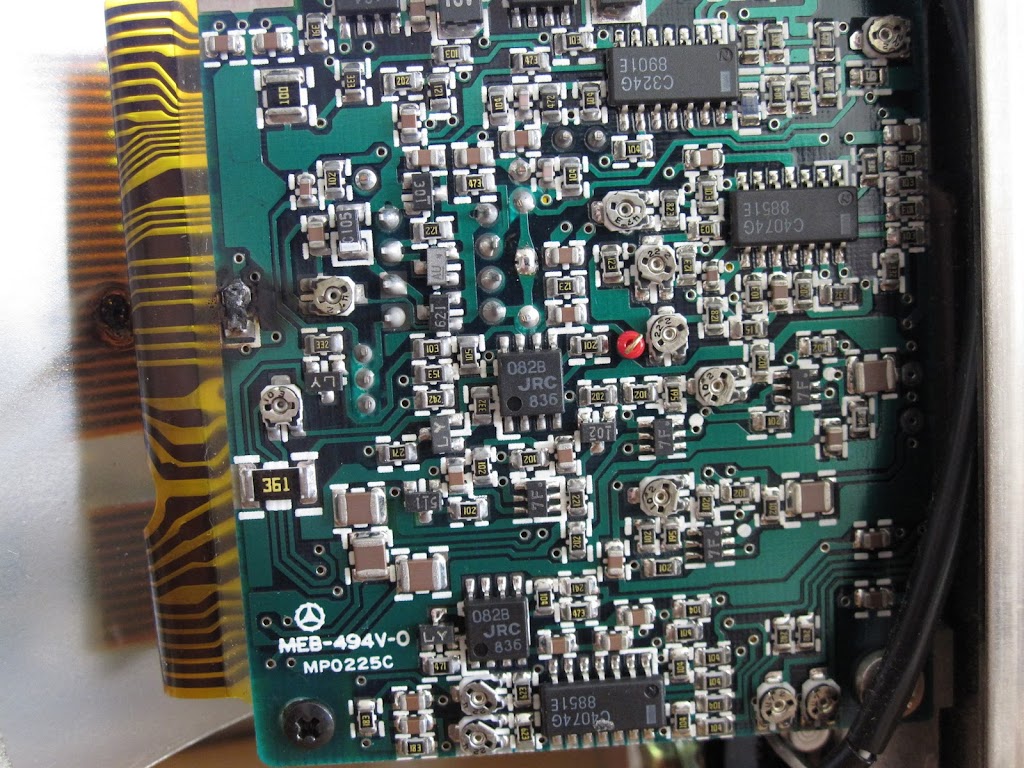
Can someone help out with the following burnt out component? Is it a capacitor - I cannot make it out, it's just charcoal... It's on the little board on the back of the drive, with the connecting ribbons.
Title: Servicing NeXT (Canon) MO Drives
Post by: pentium on April 15, 2010, 08:22:50 PM
Post by: pentium on April 15, 2010, 08:22:50 PM
Yuo got worse problems. The ribbon cable appears to have been damaged by the extreme heat.
Title: Servicing NeXT (Canon) MO Drives
Post by: da9000 on April 17, 2010, 03:16:26 AM
Post by: da9000 on April 17, 2010, 03:16:26 AM
It looks like that, but it's actually the plastic "shield" that got melted... In either case, I still need to know what the component is :-)
Title: Servicing NeXT (Canon) MO Drives
Post by: pentium on April 20, 2010, 10:17:29 AM
Post by: pentium on April 20, 2010, 10:17:29 AM
Go up and to the left and you will see a black block with a white end on one side and marked "C105".
That's exactly what got burned up.
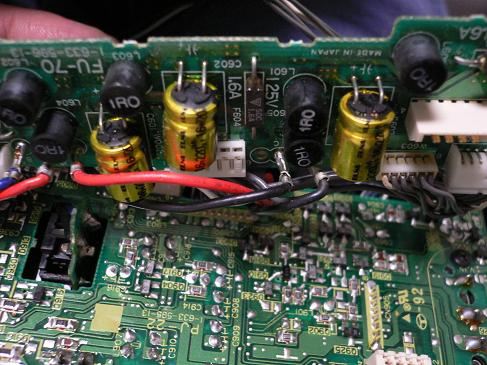
Edit: I just noticed that those little green capacitors on the spindle motor board (and I would like to remind you all that a constantly spinning or non responsive spindle motor is a known problem) that in the past we have suspected of leaking are all over the inside of these MO drives. If by chance they are indeed leaking, they should all be leaking by now. I have a hunch that just like my late 80's CCD-V5000 (http://tutinoko.org/blog/wp-content/uploads/old_image/P1020366.jpg) camcorder, once you replace the caps, it will work again. Also, I beg to differ on the risks of pulling the caps. So long as you got a decent iron and solder sucker you should be fine and replacing the caps would a a hell of a lot easier than reflowing the hundreds of possibly bad joints in the MO drive.
That's exactly what got burned up.
Edit: I just noticed that those little green capacitors on the spindle motor board (and I would like to remind you all that a constantly spinning or non responsive spindle motor is a known problem) that in the past we have suspected of leaking are all over the inside of these MO drives. If by chance they are indeed leaking, they should all be leaking by now. I have a hunch that just like my late 80's CCD-V5000 (http://tutinoko.org/blog/wp-content/uploads/old_image/P1020366.jpg) camcorder, once you replace the caps, it will work again. Also, I beg to differ on the risks of pulling the caps. So long as you got a decent iron and solder sucker you should be fine and replacing the caps would a a hell of a lot easier than reflowing the hundreds of possibly bad joints in the MO drive.
Title: trim pots
Post by: cubist on April 20, 2010, 06:06:04 PM
Post by: cubist on April 20, 2010, 06:06:04 PM
Man, I'm impressed by the number of trim pots. Must be fun to calibrate these drives....
Title: Servicing NeXT (Canon) MO Drives
Post by: balrog on August 13, 2010, 01:24:30 PM
Post by: balrog on August 13, 2010, 01:24:30 PM
Do you think replacing the motor control IC would help? I managed to locate a few and I'll probably try this.
Title: Servicing NeXT (Canon) MO Drives
Post by: pentium on August 15, 2010, 11:58:36 AM
Post by: pentium on August 15, 2010, 11:58:36 AM
to my knowledge, that might not be faulty. I'm still pretty ceatain it's the capacitors which have gone tits up.
Title: Servicing NeXT (Canon) MO Drives
Post by: balrog on August 15, 2010, 11:20:09 PM
Post by: balrog on August 15, 2010, 11:20:09 PM
Quote from: "pentium"to my knowledge, that might not be faulty. I'm still pretty ceatain it's the capacitors which have gone tits up.
If it's just the caps, they should be easy to replace. I do think that chip is messed up, though -- at least mine looks VERY ugly.
Title: Servicing NeXT (Canon) MO Drives
Post by: pentium on August 18, 2010, 11:24:51 PM
Post by: pentium on August 18, 2010, 11:24:51 PM
Leakage from the caps can make some really ugly messes. Unless you see something really obvious like the PCB is burned, the chip is cratered or it's brown, it should be okay. The best you can do otherwise is reflow the joints and check for continuity in cases the leakage has been eating at the traces.
Title: Let's get this done!
Post by: Khashoggi on September 04, 2013, 01:38:32 AM
Post by: Khashoggi on September 04, 2013, 01:38:32 AM
Thank you Pentium for your disassembly photos. They helped cut the time.
I am determined to get ALL our MO drives functional. GTNICOL has graciously shipped me 3 non-functional units for a fair price.
I have finally gotten to this project and will get it finished.
I identify three PCB's in each MO drive. I refer to them as the Digital Board, Analog Board, and Motor Board.
On drive #1-
I saw no visual evidence of electrolytic capacitor leakage. However, I pulled all e-caps. Only 2/10 measured remotely close to the correct value when attached to a LCR meter, and one of those was out of 20% spec -
listing legend-
part # / part value on cap / temp rating/ radiusxlength mm / (measured value)
MOTOR BOARD
C3 2.2uf@50v 105C 4x6 (0.33uf)
C6 10uf@35v 105C 5x6 (0.02UF)
C7 10uf@35v 105C 5x6 (8.8uf)
C8 10uf@35v 105C 5x6 (0.23uf)
C9 10uf@16V 105C 4x6 (0.18uf)
C2 1UF@50V 105C 4x6 (0.5uf)
C4 10uf@35V 105C 5x6 (7.6uf)
C5 10uf@35V 105C 5x6 (none)
Soon I will measure the following other Electrolytics -
ANALOG BOARD
C221
C281
C369
C244
C364
C365
C277
C279
C306
C303
C352
C353
C354
C355
C266
C269
DIGITAL BOARD
C447
C448
C433
C477
C421
Obviously we are dealing, unsurprisingly, with degraded electrolytic capacitors which have been subjected to large amounts of heat and time.
I am not suggesting this is the only fault, but as you can see the capacitors so far measured on the motor control board are completely failed out of spec.
I am determined to get ALL our MO drives functional. GTNICOL has graciously shipped me 3 non-functional units for a fair price.
I have finally gotten to this project and will get it finished.
I identify three PCB's in each MO drive. I refer to them as the Digital Board, Analog Board, and Motor Board.
On drive #1-
I saw no visual evidence of electrolytic capacitor leakage. However, I pulled all e-caps. Only 2/10 measured remotely close to the correct value when attached to a LCR meter, and one of those was out of 20% spec -
listing legend-
part # / part value on cap / temp rating/ radiusxlength mm / (measured value)
MOTOR BOARD
C3 2.2uf@50v 105C 4x6 (0.33uf)
C6 10uf@35v 105C 5x6 (0.02UF)
C7 10uf@35v 105C 5x6 (8.8uf)
C8 10uf@35v 105C 5x6 (0.23uf)
C9 10uf@16V 105C 4x6 (0.18uf)
C2 1UF@50V 105C 4x6 (0.5uf)
C4 10uf@35V 105C 5x6 (7.6uf)
C5 10uf@35V 105C 5x6 (none)
Soon I will measure the following other Electrolytics -
ANALOG BOARD
C221
C281
C369
C244
C364
C365
C277
C279
C306
C303
C352
C353
C354
C355
C266
C269
DIGITAL BOARD
C447
C448
C433
C477
C421
Obviously we are dealing, unsurprisingly, with degraded electrolytic capacitors which have been subjected to large amounts of heat and time.
I am not suggesting this is the only fault, but as you can see the capacitors so far measured on the motor control board are completely failed out of spec.
Title: Servicing NeXT (Canon) MO Drives
Post by: Khashoggi on September 04, 2013, 03:24:36 AM
Post by: Khashoggi on September 04, 2013, 03:24:36 AM
ANALOG BOARD
C221 10uf@16v 105c 4x6 (0.20uf)
C281 1uf@50v 105c 4x6 (none)
C369 3.3uf@50v 105c 5x6 (0.18uf)
C244 1uf@50v 105c 4x6 (none)
C364 22uf@16v 105c 5x6 (0.83uf)
C365 22uf@16v 105c 5x6 (none)
C277 47uf@16v 105c 6.5x6 (0.67uf)
C279 47uf@16v 105c 6.5x6 (0.01uf)
C306 3.3uf@50v 105c 5x6 (0.86uf)
C303 47uf@16v 105c 6.5x6 (0.86uf)
C352 47uf@16v 105c 6.5x6 (51uf)
C353 47uf@16v 105c 6.5x6 (none)
C354 47uf@16v 105c 6.5x6 (47uf) w/paper insulator through leads to nearby resistor
C355 47uf@16v 105c 6.5x6 (none)
C266 10uf@16v 105c 4x6 (none)
C269 10uf@16v 105c 4x6 (none)
DIGITAL BOARD
C447 10uf@16v 105c 4x6 (0.02uf)
C448 10uf@16v 105c 4x6 (0.48uf)
C433 10uf@16v 105c 4x6 (none)
C477 10uf@16v 105c 4x6 (none)
C421 10uf@16v 105c 4x6 (none)
MOTOR BOARD
C3 2.2uf@50v 105C 4x6 (0.33uf)
C6 10uf@35v 105C 5x6 (0.02UF)
C7 10uf@35v 105C 5x6 (8.8uf)
C8 10uf@35v 105C 5x6 (0.23uf)
C9 10uf@16V 105C 4x6 (0.18uf)
C2 1UF@50V 105C 4x6 (0.5uf)
C4 10uf@35V 105C 5x6 (7.6uf)
C5 10uf@35V 105C 5x6 (none)
diameterxlength in mm
It is quite obvious there is a major cap failure due to age & environment. I will replace all of them and then report back.
C221 10uf@16v 105c 4x6 (0.20uf)
C281 1uf@50v 105c 4x6 (none)
C369 3.3uf@50v 105c 5x6 (0.18uf)
C244 1uf@50v 105c 4x6 (none)
C364 22uf@16v 105c 5x6 (0.83uf)
C365 22uf@16v 105c 5x6 (none)
C277 47uf@16v 105c 6.5x6 (0.67uf)
C279 47uf@16v 105c 6.5x6 (0.01uf)
C306 3.3uf@50v 105c 5x6 (0.86uf)
C303 47uf@16v 105c 6.5x6 (0.86uf)
C352 47uf@16v 105c 6.5x6 (51uf)
C353 47uf@16v 105c 6.5x6 (none)
C354 47uf@16v 105c 6.5x6 (47uf) w/paper insulator through leads to nearby resistor
C355 47uf@16v 105c 6.5x6 (none)
C266 10uf@16v 105c 4x6 (none)
C269 10uf@16v 105c 4x6 (none)
DIGITAL BOARD
C447 10uf@16v 105c 4x6 (0.02uf)
C448 10uf@16v 105c 4x6 (0.48uf)
C433 10uf@16v 105c 4x6 (none)
C477 10uf@16v 105c 4x6 (none)
C421 10uf@16v 105c 4x6 (none)
MOTOR BOARD
C3 2.2uf@50v 105C 4x6 (0.33uf)
C6 10uf@35v 105C 5x6 (0.02UF)
C7 10uf@35v 105C 5x6 (8.8uf)
C8 10uf@35v 105C 5x6 (0.23uf)
C9 10uf@16V 105C 4x6 (0.18uf)
C2 1UF@50V 105C 4x6 (0.5uf)
C4 10uf@35V 105C 5x6 (7.6uf)
C5 10uf@35V 105C 5x6 (none)
diameterxlength in mm
It is quite obvious there is a major cap failure due to age & environment. I will replace all of them and then report back.
Title: Servicing NeXT (Canon) MO Drives
Post by: NeXTnewbe on September 04, 2013, 05:29:17 AM
Post by: NeXTnewbe on September 04, 2013, 05:29:17 AM
the best of luck
Title: Servicing NeXT (Canon) MO Drives
Post by: pergamon on September 04, 2013, 08:51:15 AM
Post by: pergamon on September 04, 2013, 08:51:15 AM
You are our only hope!
Title: Servicing NeXT (Canon) MO Drives
Post by: Khashoggi on September 04, 2013, 10:16:45 AM
Post by: Khashoggi on September 04, 2013, 10:16:45 AM
Bill of materials for complete Electrolytic Capacitor replacement on all MO PCB's through Mouser-
Mouser #: 667-EEA-GA1V100
Mfr. #: EEA-GA1V100
Manufacturer: Panasonic
Desc.: Aluminum Electrolytic Capacitors - 10uf 35v Leaded Al Lytic Cap 105C Radial GA Series
RoHS: RoHS Compliant
Availability
5 Ships Now
$0.25 $1.25
Mouser #: 667-EEA-GA1H2R2
Mfr. #: EEA-GA1H2R2
Manufacturer: Panasonic
Desc.: Aluminum Electrolytic Capacitors - Leaded 50volts 2.2uF 4X7mm L/S=1.5mm Bulk
RoHS: RoHS Compliant
Availability
1 Ships Now
$0.22 $0.22
Mouser #: 667-EEA-GA1C470
Mfr. #: EEA-GA1C470
Manufacturer: Panasonic
Desc.: Aluminum Electrolytic Capacitors - Leaded 16volts 47uF 6.3X7mm L/S=2.5mm Bulk
RoHS: RoHS Compliant
Availability
7 Ships Now
$0.31 $2.17
Mouser #: 667-EEA-GA1C220
Mfr. #: EEA-GA1C220
Manufacturer: Panasonic
Desc.: Aluminum Electrolytic Capacitors - Leaded 16volts 22uF 5X7mm L/S=2.0mm Bulk
RoHS: RoHS Compliant
Availability
2 Ships Now
$0.25 $0.50
Mouser #: 667-EEA-GA1H1R0B
Mfr. #: EEA-GA1H1R0B
Manufacturer: Panasonic
Desc.: Aluminum Electrolytic Capacitors - Leaded 50volts 1.0uF 4X7mm L/S=5.0mm Ammo Crmp
RoHS: RoHS Compliant
Availability
3 Ships Now
$0.22 $0.66
Mouser #: 667-EEA-GA1C100
Mfr. #: EEA-GA1C100
Manufacturer: Panasonic
Desc.: Aluminum Electrolytic Capacitors - Leaded 16volts 10uF 4X7mm L/S=1.5mm Bulk
RoHS: RoHS Compliant
Availability
9 Ships Now
$0.22 $1.98
Mouser #: 140-MLNP50V3.3-RC
Mfr. #: 140-MLNP50V3.3-RC
Manufacturer: Xicon
Desc.: Aluminum Electrolytic Capacitors - Leaded 4X7MM 50V 3.3uF NP
RoHS: RoHS Compliant
Info: View Additional Product Info
Availability
2 Ships Now
Mouser #: 667-EEA-GA1V100
Mfr. #: EEA-GA1V100
Manufacturer: Panasonic
Desc.: Aluminum Electrolytic Capacitors - 10uf 35v Leaded Al Lytic Cap 105C Radial GA Series
RoHS: RoHS Compliant
Availability
5 Ships Now
$0.25 $1.25
Mouser #: 667-EEA-GA1H2R2
Mfr. #: EEA-GA1H2R2
Manufacturer: Panasonic
Desc.: Aluminum Electrolytic Capacitors - Leaded 50volts 2.2uF 4X7mm L/S=1.5mm Bulk
RoHS: RoHS Compliant
Availability
1 Ships Now
$0.22 $0.22
Mouser #: 667-EEA-GA1C470
Mfr. #: EEA-GA1C470
Manufacturer: Panasonic
Desc.: Aluminum Electrolytic Capacitors - Leaded 16volts 47uF 6.3X7mm L/S=2.5mm Bulk
RoHS: RoHS Compliant
Availability
7 Ships Now
$0.31 $2.17
Mouser #: 667-EEA-GA1C220
Mfr. #: EEA-GA1C220
Manufacturer: Panasonic
Desc.: Aluminum Electrolytic Capacitors - Leaded 16volts 22uF 5X7mm L/S=2.0mm Bulk
RoHS: RoHS Compliant
Availability
2 Ships Now
$0.25 $0.50
Mouser #: 667-EEA-GA1H1R0B
Mfr. #: EEA-GA1H1R0B
Manufacturer: Panasonic
Desc.: Aluminum Electrolytic Capacitors - Leaded 50volts 1.0uF 4X7mm L/S=5.0mm Ammo Crmp
RoHS: RoHS Compliant
Availability
3 Ships Now
$0.22 $0.66
Mouser #: 667-EEA-GA1C100
Mfr. #: EEA-GA1C100
Manufacturer: Panasonic
Desc.: Aluminum Electrolytic Capacitors - Leaded 16volts 10uF 4X7mm L/S=1.5mm Bulk
RoHS: RoHS Compliant
Availability
9 Ships Now
$0.22 $1.98
Mouser #: 140-MLNP50V3.3-RC
Mfr. #: 140-MLNP50V3.3-RC
Manufacturer: Xicon
Desc.: Aluminum Electrolytic Capacitors - Leaded 4X7MM 50V 3.3uF NP
RoHS: RoHS Compliant
Info: View Additional Product Info
Availability
2 Ships Now
Title: Servicing NeXT (Canon) MO Drives
Post by: pentium on September 04, 2013, 10:41:32 AM
Post by: pentium on September 04, 2013, 10:41:32 AM
Fingers are crossed.
This works and one of the greatest mysteries in NeXT history has been solved.
This works and one of the greatest mysteries in NeXT history has been solved.
Title: Servicing NeXT (Canon) MO Drives
Post by: Khashoggi on September 04, 2013, 11:41:54 AM
Post by: Khashoggi on September 04, 2013, 11:41:54 AM
Quote from: "pentium"Fingers are crossed.
This works and one of the greatest mysteries in NeXT history has been solved.
I am targeting bad caps and bad solder joints. I will setup a drive with PCB's exposed on a test board so that I can run the drive off bench power while testing the mechanism for ingest, spin up, and seek.
Once I get to that point it will be off to a real NeXT to see if it will read and write.
I doubt I can tackle bad lasers or bad tracking element, but hopefully those are the minority problems in these units.
At some point if I can get one working I'm going to use an oscilloscope to make test measurements around the calibration pots to establish some calibration points. Putting in fresh caps may still require a re-cal. I may need to source a known good unit to take the measurements. We shall see.
Title: Servicing NeXT (Canon) MO Drives
Post by: Khashoggi on September 04, 2013, 01:23:58 PM
Post by: Khashoggi on September 04, 2013, 01:23:58 PM
I will attempt to develop a calibration procedure. These are the relevant areas of interest-
Analog board-
Pots-
vr220
vr217
vr230
vr203
vr204
vr206
vr207
vr211
vr205
vr202
vr213
vr209
Test points- TOP
PG
Test points- BOTTOM
LP-D
AF-EA GC
SUM
AF-E
AT-E
AT-EH
AT-D
AF-D
VOLTAGE REGULATORS
Q254 - 78M05 [email protected]
Q255 - AN79N05 [email protected]
HYBRID SUB-MODULE
40 PIN
E91964 340
Anyone know what the Hybrid module is for E91964 340?
Analog board-
Pots-
vr220
vr217
vr230
vr203
vr204
vr206
vr207
vr211
vr205
vr202
vr213
vr209
Test points- TOP
PG
Test points- BOTTOM
LP-D
AF-EA GC
SUM
AF-E
AT-E
AT-EH
AT-D
AF-D
VOLTAGE REGULATORS
Q254 - 78M05 [email protected]
Q255 - AN79N05 [email protected]
HYBRID SUB-MODULE
40 PIN
E91964 340
Anyone know what the Hybrid module is for E91964 340?
Title: Servicing NeXT (Canon) MO Drives
Post by: gtnicol on September 04, 2013, 01:40:48 PM
Post by: gtnicol on September 04, 2013, 01:40:48 PM
I would be willing to send you a WORKING drive for comparison, and some other goodies. I have been able to get a half dozen drives working mostly by reflowing solder and replacing a few caps, but I think I am the exception.
It would be good to get to the bottom of this for sure.
It would be good to get to the bottom of this for sure.
Title: Servicing NeXT (Canon) MO Drives
Post by: Khashoggi on September 04, 2013, 10:35:12 PM
Post by: Khashoggi on September 04, 2013, 10:35:12 PM
Quote from: "gtnicol"I would be willing to send you a WORKING drive for comparison, and some other goodies. I have been able to get a half dozen drives working mostly by reflowing solder and replacing a few caps, but I think I am the exception.
It would be good to get to the bottom of this for sure.
That would be great! Getting the readings from the test points and the pots, on a known-good drive, would be invaluable in developing a calibration procedure. I will PM you the info.
Title: Servicing NeXT (Canon) MO Drives
Post by: Khashoggi on September 04, 2013, 10:40:18 PM
Post by: Khashoggi on September 04, 2013, 10:40:18 PM
Some more data from the Analog board while I wait for the replacement caps to arrive. Measured value was in-circuit so not definitive.
Analog board-
Pots-
ID part# range ohms (measured set value)
vr220 502/9 5K (2.82K)
vr217 103/6 10K (4.80K)
vr230 202/5 2K (0.979K)
vr203 203/5 20K (8.00K)
vr204 203/5 20K (9.28K)
vr206 203/5 20K (5.42K)
vr207 203/5 20K (8.24K)
vr211 203/5 20K (8.88K)
vr205 104/? 100K (18.14K)
vr202 104/? 100K (74.23K)
vr213 202/5 2K (1.08K)
vr209 203/5 20K (9.37K)
Test points- TOP
PG
Test points- BOTTOM
LP-D J204-pin 4
AF-EA GC
SUM J201-pin 7
AF-E J201-pin 6
AT-E J201-pin 5
AT-EH
AT-D
AF-D
Board connectors
J204 (40 pin)
J205 (34 pin)
J201 (28 pin)
J202 (10 pin)
J203 (5 pin)
Analog board-
Pots-
ID part# range ohms (measured set value)
vr220 502/9 5K (2.82K)
vr217 103/6 10K (4.80K)
vr230 202/5 2K (0.979K)
vr203 203/5 20K (8.00K)
vr204 203/5 20K (9.28K)
vr206 203/5 20K (5.42K)
vr207 203/5 20K (8.24K)
vr211 203/5 20K (8.88K)
vr205 104/? 100K (18.14K)
vr202 104/? 100K (74.23K)
vr213 202/5 2K (1.08K)
vr209 203/5 20K (9.37K)
Test points- TOP
PG
Test points- BOTTOM
LP-D J204-pin 4
AF-EA GC
SUM J201-pin 7
AF-E J201-pin 6
AT-E J201-pin 5
AT-EH
AT-D
AF-D
Board connectors
J204 (40 pin)
J205 (34 pin)
J201 (28 pin)
J202 (10 pin)
J203 (5 pin)
Title: Servicing NeXT (Canon) MO Drives
Post by: Khashoggi on September 05, 2013, 02:51:50 PM
Post by: Khashoggi on September 05, 2013, 02:51:50 PM
Analog board IC's are primarily opamps, some comparators and some 4066 quad switches. Nothing proprietary. No micro-controllers etc. Straightforward design.
I will decode which pots affect which opamps. Doing that will make it easier to take oscilloscope measurements.
IC's
ID Chip part Decoded part
Q241 D4066G? (spic-14) CD4066 Quad switch
Q231 358-936? (soic- 8) uPC358 Dual opamp
Q242 358-936 (soic- 8) uPC358 Dual opamp
Q300 358-936 (soic- 8) uPC358 Dual opamp
Q202 074-JRC-A9005B (soic-14) tl074 Quad opamp
Q216 D4066G (soic-14) CD4066 Quad switch
Q204 074-JRC-A9005B (soic-14) tl074 Quad opamp
Q206 074-JRC-A9005B (soic-14) tl074 Quad opamp
Q205 074-JRC-A9005B (soic-14) tl074 Quad opamp
Q219 D4066G (soic-14) CD4066 Quad switch
Q208 C324G-8934M (soic-14) uPC324 Quad opamp
Q207 074-JRC-A9005B (soic-14) tl074 Quad opamp
Q215 393-91?(2/3) (soic- 8) uPC393 Dual comparator
Q210 074-JRC-A9005B (soic-14) tl074 Quad opamp
Q209 C4741G-8827F (soic-14) uPC4741 Quad opamp
Q214 C339G-8936H (soic-14) uPC339 Quad comparator
Q230 1093-920 (soic- 8) uPC1093 Regulator adjustable
Q211 C4741G-8827F (soic-14) uPC4741 Quad opamp
Q212 C324G-8934M (soic-14) uPC324 Quad opamp
Q213 C339G-8936H (soic-14) uPC339 Quad comparator
Q218 D4066G (soic-14) CD4066 Quad switch
Q217 D4066G (soic-14) CD4066 Quad switch
Q270 D4066G (soic-14) CD4066 Quad switch
Q224 74LS07 (soic-14) 74LS07 Hex buffer
Q222 4560-914 (soic- 8) uPC4560 Dual opamp
Q220 C4074G-8828E (soic-14) uPC4074 Quad opamp
Q221 4560-914 (soic- 8) uPC4560 Dual opamp
Q275 HC00-8908X7 (soic-14) 74HC00 Quad 2-in NAND
Q24? 74LS07 (soic-14) 74LS07 Hex buffer
I will decode which pots affect which opamps. Doing that will make it easier to take oscilloscope measurements.
IC's
ID Chip part Decoded part
Q241 D4066G? (spic-14) CD4066 Quad switch
Q231 358-936? (soic- 8) uPC358 Dual opamp
Q242 358-936 (soic- 8) uPC358 Dual opamp
Q300 358-936 (soic- 8) uPC358 Dual opamp
Q202 074-JRC-A9005B (soic-14) tl074 Quad opamp
Q216 D4066G (soic-14) CD4066 Quad switch
Q204 074-JRC-A9005B (soic-14) tl074 Quad opamp
Q206 074-JRC-A9005B (soic-14) tl074 Quad opamp
Q205 074-JRC-A9005B (soic-14) tl074 Quad opamp
Q219 D4066G (soic-14) CD4066 Quad switch
Q208 C324G-8934M (soic-14) uPC324 Quad opamp
Q207 074-JRC-A9005B (soic-14) tl074 Quad opamp
Q215 393-91?(2/3) (soic- 8) uPC393 Dual comparator
Q210 074-JRC-A9005B (soic-14) tl074 Quad opamp
Q209 C4741G-8827F (soic-14) uPC4741 Quad opamp
Q214 C339G-8936H (soic-14) uPC339 Quad comparator
Q230 1093-920 (soic- 8) uPC1093 Regulator adjustable
Q211 C4741G-8827F (soic-14) uPC4741 Quad opamp
Q212 C324G-8934M (soic-14) uPC324 Quad opamp
Q213 C339G-8936H (soic-14) uPC339 Quad comparator
Q218 D4066G (soic-14) CD4066 Quad switch
Q217 D4066G (soic-14) CD4066 Quad switch
Q270 D4066G (soic-14) CD4066 Quad switch
Q224 74LS07 (soic-14) 74LS07 Hex buffer
Q222 4560-914 (soic- 8) uPC4560 Dual opamp
Q220 C4074G-8828E (soic-14) uPC4074 Quad opamp
Q221 4560-914 (soic- 8) uPC4560 Dual opamp
Q275 HC00-8908X7 (soic-14) 74HC00 Quad 2-in NAND
Q24? 74LS07 (soic-14) 74LS07 Hex buffer
Title: Servicing NeXT (Canon) MO Drives
Post by: Khashoggi on September 05, 2013, 10:23:57 PM
Post by: Khashoggi on September 05, 2013, 10:23:57 PM
I want the pinout on the MO drive connector on the cube. I figured the schematics would be here somewhere, but alas the only schematics I can find are of the turbo cube, which of course doesn't have a MO connector!
Anyone know where I can find the MO drive interface pinout or the schematics for the original 030 or 040 cube?
Oh, and while were at it anyone know the whereabouts for the schematics of the MO drive itself :D that would save some time. I have started drawing some schematics for the analog board to correlate the pots with the opamps.
Anyone know where I can find the MO drive interface pinout or the schematics for the original 030 or 040 cube?
Oh, and while were at it anyone know the whereabouts for the schematics of the MO drive itself :D that would save some time. I have started drawing some schematics for the analog board to correlate the pots with the opamps.
Title: Servicing NeXT (Canon) MO Drives
Post by: tomaz on September 06, 2013, 02:41:26 PM
Post by: tomaz on September 06, 2013, 02:41:26 PM
Quote from: "Khashoggi"anyone know the whereabouts for the schematics of the MO drive itselfI think this is a 64 million $ question!
Title: Servicing NeXT (Canon) MO Drives
Post by: t-rexky on September 06, 2013, 05:16:43 PM
Post by: t-rexky on September 06, 2013, 05:16:43 PM
Quote from: "tomaz"Quote from: "Khashoggi"anyone know the whereabouts for the schematics of the MO drive itselfI think this is a 64 million $ question!
For what it is worth, I would suggest trying to reach someone who cares at Canon. Usually VP level and up induces some response in my experience, but not always.
Title: Servicing NeXT (Canon) MO Drives
Post by: gtnicol on September 06, 2013, 08:12:50 PM
Post by: gtnicol on September 06, 2013, 08:12:50 PM
Quote from: "t-rexky"Quote from: "tomaz"Quote from: "Khashoggi"anyone know the whereabouts for the schematics of the MO drive itselfI think this is a 64 million $ question!
For what it is worth, I would suggest trying to reach someone who cares at Canon. Usually VP level and up induces some response in my experience, but not always.
I hope you'd have better luck than I did... I tried every which way but got nothing...
Title: Servicing NeXT (Canon) MO Drives
Post by: Khashoggi on September 06, 2013, 09:34:59 PM
Post by: Khashoggi on September 06, 2013, 09:34:59 PM
Quote from: "gtnicol"Quote from: "t-rexky"Quote from: "tomaz"Quote from: "Khashoggi"anyone know the whereabouts for the schematics of the MO drive itselfI think this is a 64 million $ question!
For what it is worth, I would suggest trying to reach someone who cares at Canon. Usually VP level and up induces some response in my experience, but not always.
I hope you'd have better luck than I did... I tried every which way but got nothing...
I'm not going to waste time. I was pretty much joking on the MO drive schematics. I've noticed Japan can be somewhat of a black hole for technical documentation.
Replacement caps arrived today. I will begin to put them back in.
I will fabricate some ribbon cables so that the Analog and Digital Boards can be laid out flat next to each other on my mounting board and allow for easy access to the components while powered up.
I am surprised the original cube schematics aren't available, yet the Turbo Cube schematics are. I've looked all over the files section but can't find them so I take it they don't exist???
Title: Servicing NeXT (Canon) MO Drives
Post by: Khashoggi on September 12, 2013, 01:35:34 AM
Post by: Khashoggi on September 12, 2013, 01:35:34 AM
All caps replaced except one type.
This cap was mis ordered-
Mouser #: 140-MLNP50V3.3-RC
Mfr. #: 140-MLNP50V3.3-RC
Manufacturer: Xicon
Desc.: Aluminum Electrolytic Capacitors - Leaded 4X7MM 50V 3.3uF NP
RoHS: RoHS Compliant
Info: View Additional Product Info
Availability
2 Ships Now
The NP is the problem, as in non-polarized. An oversight.
Waiting for replacement polarized part.
A few more days.
This cap was mis ordered-
Mouser #: 140-MLNP50V3.3-RC
Mfr. #: 140-MLNP50V3.3-RC
Manufacturer: Xicon
Desc.: Aluminum Electrolytic Capacitors - Leaded 4X7MM 50V 3.3uF NP
RoHS: RoHS Compliant
Info: View Additional Product Info
Availability
2 Ships Now
The NP is the problem, as in non-polarized. An oversight.
Waiting for replacement polarized part.
A few more days.
Title: Servicing NeXT (Canon) MO Drives
Post by: NeXTnewbe on September 12, 2013, 05:44:40 AM
Post by: NeXTnewbe on September 12, 2013, 05:44:40 AM
Thanks for the update, have you documented the process, I will like to see the details (pics, etc)
best of luck
best of luck
Title: Servicing NeXT (Canon) MO Drives
Post by: Khashoggi on September 12, 2013, 12:59:35 PM
Post by: Khashoggi on September 12, 2013, 12:59:35 PM
Quote from: "NeXTnewbe"Thanks for the update, have you documented the process, I will like to see the details (pics, etc)
best of luck
I will start taking pictures shortly, but so far it has just been a typical desolder electrolytic capacitors, measure, order new and resolder replacements.
A change to the BOM provided earlier to address the error of the non-polarized cap. Will provide master list later in the process.
Mouser #: 667-ECE-A1HKG3R3
Mfr. #: ECE-A1HKG3R3
Desc.: Aluminum Electrolytic Capacitors - Leaded 3.3UF 50V KG RAD ALUM ELEC CAP
2 $0.07 $0.14 -
Title: Servicing NeXT (Canon) MO Drives
Post by: Rob Blessin Black Hole on September 13, 2013, 01:47:46 AM
Post by: Rob Blessin Black Hole on September 13, 2013, 01:47:46 AM
Hello Kashoggi: I applaud your efforts and offer my assistance in this endeavor , I have some documentation that I think will help your project, I have just scanned in 25 pages of the original NeXT service documentation and specs for the NeXT Optical drive from Cannon. I have it in PDF format just trying to figure out how the best way to go about posting it here and I can email it to you directly as well.
Any one have any suggestions on how to upload or best go about this a 25 page pdf document ?
Best regards Rob Blessin
Any one have any suggestions on how to upload or best go about this a 25 page pdf document ?
Best regards Rob Blessin
Quote from: "Khashoggi":D :D :DQuote from: "NeXTnewbe"Thanks for the update, have you documented the process, I will like to see the details (pics, etc)
best of luck
I will start taking pictures shortly, but so far it has just been a typical desolder electrolytic capacitors, measure, order new and resolder replacements.
A change to the BOM provided earlier to address the error of the non-polarized cap. Will provide master list later in the process.
Mouser #: 667-ECE-A1HKG3R3
Mfr. #: ECE-A1HKG3R3
Desc.: Aluminum Electrolytic Capacitors - Leaded 3.3UF 50V KG RAD ALUM ELEC CAP
2 $0.07 $0.14 -
Title: Servicing NeXT (Canon) MO Drives
Post by: tomaz on September 13, 2013, 02:31:41 AM
Post by: tomaz on September 13, 2013, 02:31:41 AM
Quote from: "Rob Blessin Black Hole"I have just scanned in 25 pages of the original NeXT service documentation and specs for the NeXT Optical drive from Cannon.Rob, you have that? I think several of us would love to have that. One possible way you can upload it is to put it on a web site or an FTP server (either Black Hole's, or I'll happily lend you mine) and post a link here. Nitro can then download it via HTTP and put it in the file area here. This is probably not the most efficient way of doing it, but it is a way.
Title: Servicing NeXT (Canon) MO Drives
Post by: Rob Blessin Black Hole on September 13, 2013, 03:02:30 AM
Post by: Rob Blessin Black Hole on September 13, 2013, 03:02:30 AM
Quote from: "tomaz"Quote from: "Rob Blessin Black Hole"I have just scanned in 25 pages of the original NeXT service documentation and specs for the NeXT Optical drive from Cannon.Rob, you have that? I think several of us would love to have that. One possible way you can upload it is to put it on a web site or an FTP server (either Black Hole's, or I'll happily lend you mine) and post a link here. Nitro can then download it via HTTP and put it in the file area here. This is probably not the most efficient way of doing it, but it is a way.
Yep I thought about it and was able to get an ftp client running so currently it is mirroring my site here locally on the box I have the neat scanner attached. Then I'll create a folder and link with to all of the docs , I'm in the process of posting it on the Black Hole site ! If it works I may just create a NeXT service manual documentation section as I now have lots of cool original NeXT service docs ( 1000's of pages its a project) , I may wind up burning up the scanner lol but it will be good for the community to have the documentation on line. Then from there we can also upload it here.
It works great , now I can put all kinds of cool stuff up for everyone ! http://www.blackholeinc.com/docs/opticaldrive/ {I need to go in and create an html page with links to the pdf that target the page and pop it open , its all coming back to me apologies as you have to go back using the browser back button to access NeXT page, its 5 am here so I'm going to sleep long long day , primitive NeXT html by hand ... LOL lots of fun for now it is working but will improve. I think if I get an old copy of Dreamweaver working on the mac it'll help tremendously stay tuned}
Best regards Rob Blessin :wink:
Title: Servicing NeXT (Canon) MO Drives
Post by: nextchef on September 13, 2013, 10:22:35 AM
Post by: nextchef on September 13, 2013, 10:22:35 AM
I have re-sequenced and combined the pages into a single pdf file to make it easier to use. You can grab it from my dropbox link below.
https://www.dropbox.com/s/hay5dlh171j1avu/NeXT-OpticalDriveServiceTechInfo.pdf
Thanks to Rob for scanning these and making them available!
https://www.dropbox.com/s/hay5dlh171j1avu/NeXT-OpticalDriveServiceTechInfo.pdf
Thanks to Rob for scanning these and making them available!
Title: Servicing NeXT (Canon) MO Drives
Post by: tomaz on September 13, 2013, 11:00:58 AM
Post by: tomaz on September 13, 2013, 11:00:58 AM
I think pages 1 and 2 are missing (for the moment?).
Quote from: "nextchef"I have re-sequenced and combined the pages into a single pdf file to make it easier to use. You can grab it from my dropbox link below.
https://www.dropbox.com/s/hay5dlh171j1avu/NeXT-OpticalDriveServiceTechInfo.pdf
Thanks to Rob for scanning these and making them available!
Title: Servicing NeXT (Canon) MO Drives
Post by: nextchef on September 13, 2013, 11:15:01 AM
Post by: nextchef on September 13, 2013, 11:15:01 AM
Quote from: "tomaz"I think pages 1 and 2 are missing (for the moment?).Those are all 24 pages that Rob had on the website. There was no page 1 or 2 from the canon manual, it just started with 3 (69 hand written).
Title: Servicing NeXT (Canon) MO Drives
Post by: tomaz on September 13, 2013, 11:51:37 AM
Post by: tomaz on September 13, 2013, 11:51:37 AM
Sorry, yes, that's what I meant — pages 1 & 2 are missing from Rob's web site, I think he still has a ton to scan.
Quote from: "nextchef"Those are all 24 pages that Rob had on the website. There was no page 1 or 2 from the canon manual, it just started with 3 (69 hand written).
Title: Servicing NeXT (Canon) MO Drives
Post by: nextchef on September 13, 2013, 01:17:36 PM
Post by: nextchef on September 13, 2013, 01:17:36 PM
Ideally what is needed is that entire MO manual from Canon, not just the parts NeXT decided to extract and put in their service manual.
At the rate Khashoggi is going, the drive may be reverse engineered and not require the entire manual. This manual may also help out those trying to develop the emulation software, as it may define better the physical layout of the filesystem on the OD's.
At the rate Khashoggi is going, the drive may be reverse engineered and not require the entire manual. This manual may also help out those trying to develop the emulation software, as it may define better the physical layout of the filesystem on the OD's.
Title: Servicing NeXT (Canon) MO Drives
Post by: Khashoggi on September 13, 2013, 03:21:40 PM
Post by: Khashoggi on September 13, 2013, 03:21:40 PM
Quote from: "Rob Blessin Black Hole"Quote from: "tomaz"Quote from: "Rob Blessin Black Hole"I have just scanned in 25 pages of the original NeXT service documentation and specs for the NeXT Optical drive from Cannon.Rob, you have that? I think several of us would love to have that. One possible way you can upload it is to put it on a web site or an FTP server (either Black Hole's, or I'll happily lend you mine) and post a link here. Nitro can then download it via HTTP and put it in the file area here. This is probably not the most efficient way of doing it, but it is a way.
Yep I thought about it and was able to get an ftp client running so currently it is mirroring my site here locally on the box I have the neat scanner attached. Then I'll create a folder and link with to all of the docs , I'm in the process of posting it on the Black Hole site ! If it works I may just create a NeXT service manual documentation section as I now have lots of cool original NeXT service docs ( 1000's of pages its a project) , I may wind up burning up the scanner lol but it will be good for the community to have the documentation on line. Then from there we can also upload it here.
It works great , now I can put all kinds of cool stuff up for everyone ! http://www.blackholeinc.com/docs/opticaldrive/ {I need to go in and create an html page with links to the pdf that target the page and pop it open , its all coming back to me apologies as you have to go back using the browser back button to access NeXT page, its 5 am here so I'm going to sleep long long day , primitive NeXT html by hand ... LOL lots of fun for now it is working but will improve. I think if I get an old copy of Dreamweaver working on the mac it'll help tremendously stay tuned}
Best regards Rob Blessin :wink:
Awesome Rob!
After looking over the document-
I can tell you knowing things like correct RPM are very helpful. Even spec'd nominal power consumption can help to locate issues.
The more info the better.
When the two remaining oddball 3.3uf@50V caps arrive I will install them. All the other capacitors have already been replaced on the three boards.
After that, I'll mount them on a proto board with ribbon cable to connect the digital and analog board so they can both face component side up for measurements.
I will power those two up first and study their operation a little, focusing on the test points and checking the voltages out of the regulators.
I will then connect the drive mechanical assembly to the controller boards and test the motor rpm to see if it is coming up to the 3000rpm in the specsheet information you provided. I'm going to then locate the POT that adjusts RPM, because that is going to be a critical value to be set properly.
GTNICOL has very graciously offered to lend a working drive to help with this project to establish baselines.
More to come. We will figure this out, one way or another!
Cheers
Title: Servicing NeXT (Canon) MO Drives
Post by: Khashoggi on September 13, 2013, 03:43:05 PM
Post by: Khashoggi on September 13, 2013, 03:43:05 PM
Quote from: "nextchef"I have re-sequenced and combined the pages into a single pdf file to make it easier to use. You can grab it from my dropbox link below.
https://www.dropbox.com/s/hay5dlh171j1avu/NeXT-OpticalDriveServiceTechInfo.pdf
Thanks to Rob for scanning these and making them available!
Thanks nextchef for collating the docs and providing the link.
Title: Servicing NeXT (Canon) MO Drives
Post by: Rob Blessin Black Hole on September 13, 2013, 03:43:53 PM
Post by: Rob Blessin Black Hole on September 13, 2013, 03:43:53 PM
Hello Khashoggi: I'll see what else I can dig up glad to help! I think that was all the docs pertaining to the optical drive from that manual.
on another note...
We are surrounded by water on all sides as this area is experiencing a 500 year flood , rain has let up finally today ....Black hole survived and is still on the high ground but the old Black Hole location in Denver , I'm told is under water that would have been a disaster. Best Regards Rob Blessin
on another note...
We are surrounded by water on all sides as this area is experiencing a 500 year flood , rain has let up finally today ....Black hole survived and is still on the high ground but the old Black Hole location in Denver , I'm told is under water that would have been a disaster. Best Regards Rob Blessin
Quote from: "Khashoggi"Quote from: "Rob Blessin Black Hole"Quote from: "tomaz"Quote from: "Rob Blessin Black Hole"I have just scanned in 25 pages of the original NeXT service documentation and specs for the NeXT Optical drive from Cannon.Rob, you have that? I think several of us would love to have that. One possible way you can upload it is to put it on a web site or an FTP server (either Black Hole's, or I'll happily lend you mine) and post a link here. Nitro can then download it via HTTP and put it in the file area here. This is probably not the most efficient way of doing it, but it is a way.
Yep I thought about it and was able to get an ftp client running so currently it is mirroring my site here locally on the box I have the neat scanner attached. Then I'll create a folder and link with to all of the docs , I'm in the process of posting it on the Black Hole site ! If it works I may just create a NeXT service manual documentation section as I now have lots of cool original NeXT service docs ( 1000's of pages its a project) , I may wind up burning up the scanner lol but it will be good for the community to have the documentation on line. Then from there we can also upload it here.
It works great , now I can put all kinds of cool stuff up for everyone ! http://www.blackholeinc.com/docs/opticaldrive/ {I need to go in and create an html page with links to the pdf that target the page and pop it open , its all coming back to me apologies as you have to go back using the browser back button to access NeXT page, its 5 am here so I'm going to sleep long long day , primitive NeXT html by hand ... LOL lots of fun for now it is working but will improve. I think if I get an old copy of Dreamweaver working on the mac it'll help tremendously stay tuned}
Best regards Rob Blessin :wink:
Awesome Rob!
After looking over the document-
I can tell you knowing things like correct RPM are very helpful. Even spec'd nominal power consumption can help to locate issues.
The more info the better.
When the two remaining oddball 3.3uf@50V caps arrive I will install them. All the other capacitors have already been replaced on the three boards.
After that, I'll mount them on a proto board with ribbon cable to connect the digital and analog board so they can both face component side up for measurements.
I will power those two up first and study their operation a little, focusing on the test points and checking the voltages out of the regulators.
I will then connect the drive mechanical assembly to the controller boards and test the motor rpm to see if it is coming up to the 3000rpm in the specsheet information you provided. I'm going to then locate the POT that adjusts RPM, because that is going to be a critical value to be set properly.
GTNICOL has very graciously offered to lend a working drive to help with this project to establish baselines.
More to come. We will figure this out, one way or another!
Cheers
Title: Servicing NeXT (Canon) MO Drives
Post by: Khashoggi on September 13, 2013, 03:44:56 PM
Post by: Khashoggi on September 13, 2013, 03:44:56 PM
Rob if you can- Please find the schematics to the original cube, or at least the pinout for the magneto optical drive connector. I would like to know the pinout, not critical but would be nice to know.
Looking forward to seeing the rest of the pages about the MO drive.
Cheers
Looking forward to seeing the rest of the pages about the MO drive.
Cheers
Title: Servicing NeXT (Canon) MO Drives
Post by: Khashoggi on September 13, 2013, 03:46:59 PM
Post by: Khashoggi on September 13, 2013, 03:46:59 PM
Quote from: "Rob Blessin Black Hole"Hello Khashoggi: I'll see what else I can dig up glad to help! I think that was all the docs pertaining to the optical drive from that manual.
on another note...
We are surrounded by water on all sides as this area is experiencing a 500 year flood , rain has let up finally today ....Black hole survived and is still on the high ground but the old Black Hole location in Denver , I'm told is under water that would have been a disaster. Best Regards Rob Blessin
Thanks Rob. I'm glad you, and the black stuff, are high and dry. I've seen some pictures, truly devastating. I've spent some time in Boulder and the area is quite beautiful.
Title: Servicing NeXT (Canon) MO Drives
Post by: nextchef on September 13, 2013, 04:31:04 PM
Post by: nextchef on September 13, 2013, 04:31:04 PM
Quote from: "Khashoggi"Thanks nextchef for collating the docs and providing the link.Not a problem, and thank you for all your work on the MO drive hardware.
I just try to help out when I can since I have received a lot of help over the years from this forum and its members.
Title: Servicing NeXT (Canon) MO Drives
Post by: pentium on September 14, 2013, 11:36:00 AM
Post by: pentium on September 14, 2013, 11:36:00 AM
That manual mentions the OM-C10 which was Canon's bridge board so you could hang the drives off a SCSI bus. It mentions that the connection between the board and the drive to be "ESDI-Like".
There's at least a photo of the board buried somewhere here on the forums but I don't think the member has been active for years.
There's at least a photo of the board buried somewhere here on the forums but I don't think the member has been active for years.
Title: Servicing NeXT (Canon) MO Drives
Post by: tomaz on September 14, 2013, 12:00:11 PM
Post by: tomaz on September 14, 2013, 12:00:11 PM
I could take some photos of the Canon board I have, if it helps, when I get back home, I'm travelling at the moment.
Not sure it's the same board, but it's a board meant to convert the magneto-optical drive's interface to SCSI.
Not sure it's the same board, but it's a board meant to convert the magneto-optical drive's interface to SCSI.
Quote from: "pentium"That manual mentions the OM-C10 which was Canon's bridge board so you could hang the drives off a SCSI bus. It mentions that the connection between the board and the drive to be "ESDI-Like".
There's at least a photo of the board buried somewhere here on the forums but I don't think the member has been active for years.
Title: Servicing NeXT (Canon) MO Drives
Post by: pentium on September 14, 2013, 12:31:26 PM
Post by: pentium on September 14, 2013, 12:31:26 PM
Yes, please upload high res photos if you can of either side when you get the chance. I remember it had a few PLCC ASIC's but who knows how helpful this might be.
Title: Servicing NeXT (Canon) MO Drives
Post by: gtnicol on September 14, 2013, 05:40:22 PM
Post by: gtnicol on September 14, 2013, 05:40:22 PM
I'll see if I can dig out the one I have too... going to send it along with the other goodies.
Title: Servicing NeXT (Canon) MO Drives
Post by: Khashoggi on September 14, 2013, 08:16:33 PM
Post by: Khashoggi on September 14, 2013, 08:16:33 PM
Quote from: "gtnicol"I'll see if I can dig out the one I have too... going to send it along with the other goodies.
Great!
Reading the "esdi like" comment in Rob's NeXT drive documents makes sense. The era the drive was designed (mid to late 80's) fits in with that interface type, and the ESDI spec allowed for cartridge eject to handle tape drives and removable drives.
The NeXT MO drive port, my theory goes, is some flavor of DBA, direct bus attachment that attaches to the ESDI controller in the MO drive and it was common to build ESDI to SCSI bridges back in the 90's. Adaptec and a few other companies made them. ESDI was the predecessor to SCSI.
It is likely the "digital board" in the MO drive functions as a DBA to ESDI controller, and the "analog board" is the data separator which translates the digital signals from the ESDI controller to analog for the drive mechanism.
Title: Servicing NeXT (Canon) MO Drives
Post by: Khashoggi on September 14, 2013, 11:34:52 PM
Post by: Khashoggi on September 14, 2013, 11:34:52 PM
My current notes on the Digital Board-
Loaded with programmed gate arrays which are custom logic. Two micro-controllers.
Two voltage regulators that I bet are tied into 2 of 3 of the pots on the board. Will look at that later.
Two unknown chips-
Q503 - nec 8928k9 soic24 - unknown memory or gate array?
Q432 - Yamaha 3923b (ym3923) soic24 - unknown?
It is unlikely that it matters to figure them out, but for completeness in inventorying the parts.
The NeXT MO port that connects to the main NeXT motherboard feeds into the 100 pin Panasonic gate array that I can't find a spec sheet on, so there isn't a clear way to deduce what the control lines are. It would be handy to have the pinout from the NeXT motherboard MO connector.
NeXT mo digital board components
J402 next mo interface 20 pin
J412 analog board interface 40 pin
J413 analog board interface 34 pin
J404 - 15 pin
J414 - 2 pin
J407 - 4 pin
J405 - 7 pin
J408 - 12 pin
J401 - 6 pin
IC's
Q409 - mn52020cpf / rh4-5029-03 / PGA qfp100 - Panasonic Gate Array. Can't find spec sheet.
Q417 - nec - d78c14gf554 / rh4-0075-08 / cpu 8911pk( upd78c14) qfp64 - 8 bit mcu w/AD
Q420 - nec - d78c14gf555 / rh4-0076-08 / servo 8916pk( upd78c14) qfp64 - 8 bit mcu w/AD
Q418 - 3773 (mb3773) soic8 - power supply monitor with watchdog
Q412 - canon - cm7043 qfp80 - "Drive IC" . Can't find spec sheet.
Q406 - natsemi - s8936 / dp8462v-3 qfp28 (dp8462) - RLL data synchronizer
Q413 - Fairchild - modem rh45032-03 / mb653811 / 8917 z05 qfp48 (MB653xxx series C3900AV) - AV CMOS series gate array. 3900 gates. 127 IO
Q414 - Fairchild - sync rh4-5033-03 / mb651194 / 8913 z05 qfp64 (MB651xxx series C6600AV) - AV CMOS series gate array. 6664 gates. 160 IO
Q503 - nec 8928k9 soic24 - unknown memory or gate array?
Q421 - nec d65043gf058 / rh4-5031-02 / servo 8921kk (upd65040 series) qfp100 - Gate array 4104 gates. 152 rows x 27 columns
Q432 - Yamaha 3923b (ym3923) soic24
Q522 - ds1000m 8dip (1000m) - 5 tap delay
Q520 - ds1000m 8dip (1000m) - 5 tap delay
Q521 - ds1000m 8dip (1000m) - 5 tap delay
Q435 - 358 soic8 (lm358) - dual opamp
Q423 - c324g soic14 (upc324) - quad opamp
Q445 - 1093 soic8 - adjustable precision regulator
Q424 - d4066g - quad switch
Q426 - 074/JRC (4074) (upc4074) - quad opamp
Q427 - 074/JRC (4074) (upc4074) - quad opamp
Q428 - 074/JRC (4074) (upc4074) - quad opamp
Q429 - c339g soic14 (upc339) - quad comparator
Q430 - 074/JRC (4074) (upc4074) - quad opamp
Q431 - 74ls07 soic14 - hex buffer
Q443 - 1093 soic8 - adjustable precision regulator
Q436 - 074/JRC (4074) (upc4074) - quad opamp
Q437 - 074/JRC (4074) (upc4074) - quad opamp
Q438 - d4053g soic16 - triple dual channel mux/demux
Q439 - d4052g soic16 - dual four channel mux/demux
Q440 - 074/JRC (4074) (upc4074) - quad opamp
Q441 - 393 soic8 (upc393) - dual comparator
Q442 - c324g soic14 (upc324) - quad opamp
Vr404 - 203 (20k)
Vr405 - 203 (20k)
Vr407 - 103 (10k)
Loaded with programmed gate arrays which are custom logic. Two micro-controllers.
Two voltage regulators that I bet are tied into 2 of 3 of the pots on the board. Will look at that later.
Two unknown chips-
Q503 - nec 8928k9 soic24 - unknown memory or gate array?
Q432 - Yamaha 3923b (ym3923) soic24 - unknown?
It is unlikely that it matters to figure them out, but for completeness in inventorying the parts.
The NeXT MO port that connects to the main NeXT motherboard feeds into the 100 pin Panasonic gate array that I can't find a spec sheet on, so there isn't a clear way to deduce what the control lines are. It would be handy to have the pinout from the NeXT motherboard MO connector.
NeXT mo digital board components
J402 next mo interface 20 pin
J412 analog board interface 40 pin
J413 analog board interface 34 pin
J404 - 15 pin
J414 - 2 pin
J407 - 4 pin
J405 - 7 pin
J408 - 12 pin
J401 - 6 pin
IC's
Q409 - mn52020cpf / rh4-5029-03 / PGA qfp100 - Panasonic Gate Array. Can't find spec sheet.
Q417 - nec - d78c14gf554 / rh4-0075-08 / cpu 8911pk( upd78c14) qfp64 - 8 bit mcu w/AD
Q420 - nec - d78c14gf555 / rh4-0076-08 / servo 8916pk( upd78c14) qfp64 - 8 bit mcu w/AD
Q418 - 3773 (mb3773) soic8 - power supply monitor with watchdog
Q412 - canon - cm7043 qfp80 - "Drive IC" . Can't find spec sheet.
Q406 - natsemi - s8936 / dp8462v-3 qfp28 (dp8462) - RLL data synchronizer
Q413 - Fairchild - modem rh45032-03 / mb653811 / 8917 z05 qfp48 (MB653xxx series C3900AV) - AV CMOS series gate array. 3900 gates. 127 IO
Q414 - Fairchild - sync rh4-5033-03 / mb651194 / 8913 z05 qfp64 (MB651xxx series C6600AV) - AV CMOS series gate array. 6664 gates. 160 IO
Q503 - nec 8928k9 soic24 - unknown memory or gate array?
Q421 - nec d65043gf058 / rh4-5031-02 / servo 8921kk (upd65040 series) qfp100 - Gate array 4104 gates. 152 rows x 27 columns
Q432 - Yamaha 3923b (ym3923) soic24
Q522 - ds1000m 8dip (1000m) - 5 tap delay
Q520 - ds1000m 8dip (1000m) - 5 tap delay
Q521 - ds1000m 8dip (1000m) - 5 tap delay
Q435 - 358 soic8 (lm358) - dual opamp
Q423 - c324g soic14 (upc324) - quad opamp
Q445 - 1093 soic8 - adjustable precision regulator
Q424 - d4066g - quad switch
Q426 - 074/JRC (4074) (upc4074) - quad opamp
Q427 - 074/JRC (4074) (upc4074) - quad opamp
Q428 - 074/JRC (4074) (upc4074) - quad opamp
Q429 - c339g soic14 (upc339) - quad comparator
Q430 - 074/JRC (4074) (upc4074) - quad opamp
Q431 - 74ls07 soic14 - hex buffer
Q443 - 1093 soic8 - adjustable precision regulator
Q436 - 074/JRC (4074) (upc4074) - quad opamp
Q437 - 074/JRC (4074) (upc4074) - quad opamp
Q438 - d4053g soic16 - triple dual channel mux/demux
Q439 - d4052g soic16 - dual four channel mux/demux
Q440 - 074/JRC (4074) (upc4074) - quad opamp
Q441 - 393 soic8 (upc393) - dual comparator
Q442 - c324g soic14 (upc324) - quad opamp
Vr404 - 203 (20k)
Vr405 - 203 (20k)
Vr407 - 103 (10k)
Title: Servicing NeXT (Canon) MO Drives
Post by: Rob Blessin Black Hole on September 15, 2013, 03:03:22 AM
Post by: Rob Blessin Black Hole on September 15, 2013, 03:03:22 AM
Hello All:
Kashoggi:
Anyone have a NeXT bible handy as I don't know if they listed the Optical drive pinouts or if it was proprietary
I wonder if these guys would have the pinout specs and advice as they repair these drives =
http://www.9to5computer.com/Pricing/CANONOPTICAL.htm
http://www.nextcomputers.org/NeXTfiles/Software/Diagnostic_Utilities/68040_manual.pdf , page 18,19,20 have info on running MO Diagnostics
I have 2 different types of NeXT optical drives the L10130 appears a little different as it has led lights , I'm not sure if this was a replacement for a faulty optical drive or was from the factory but it doe not have the NeXT branding. Also does not work!
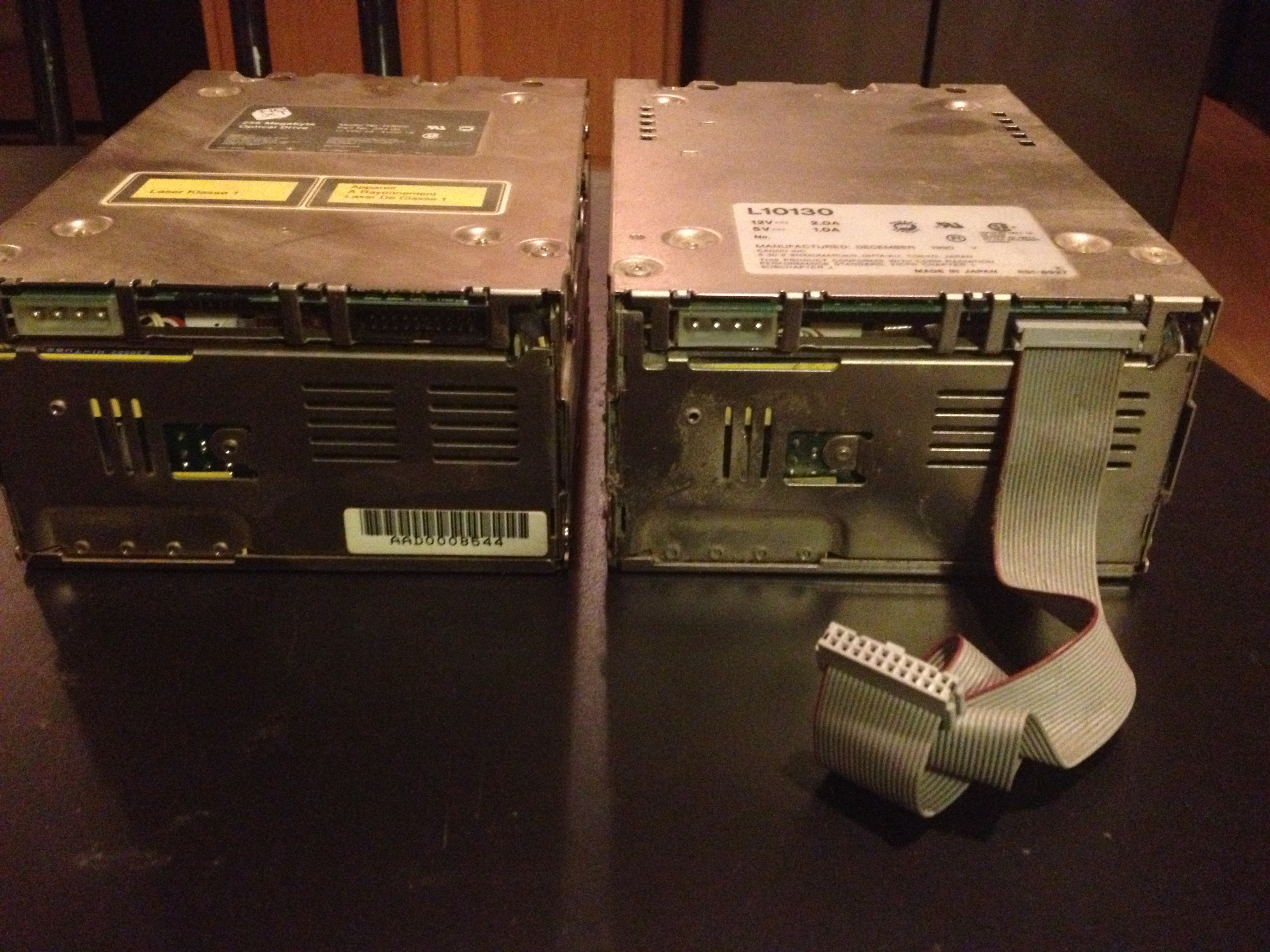
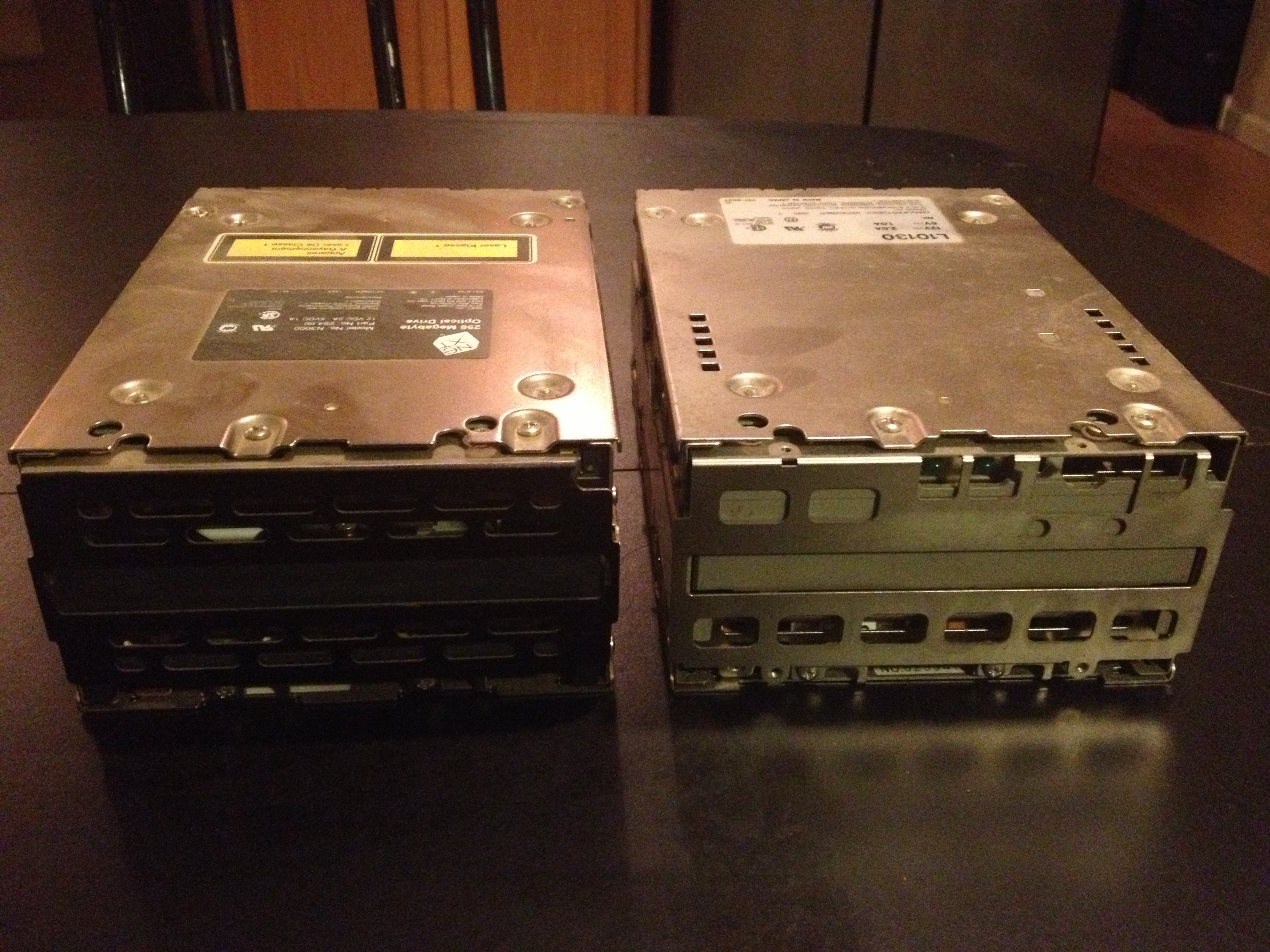
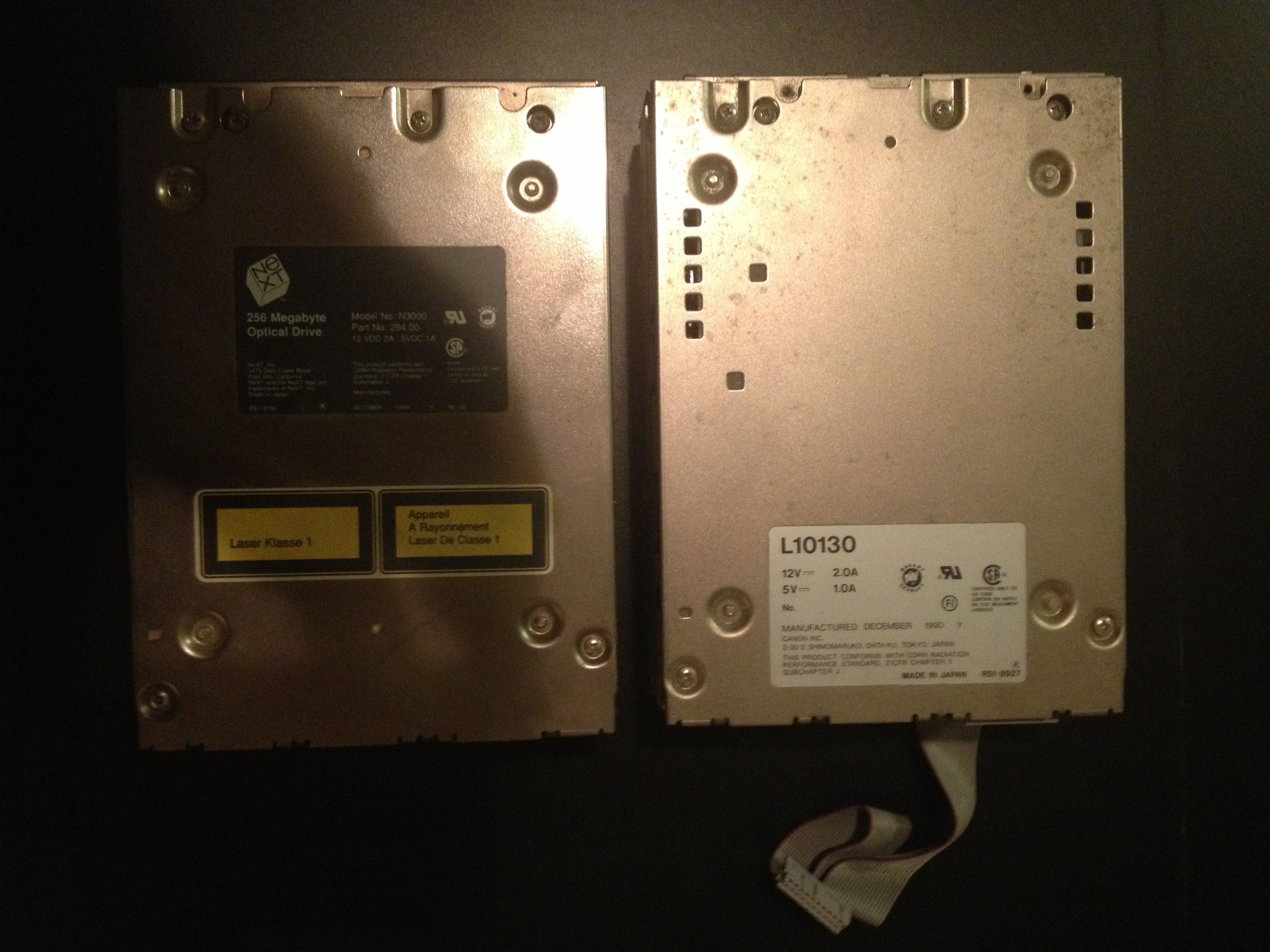
http://www.blackholeinc.com/docs/opticaldrive/ lists the optical drive doc, reference from the NeXT book and original canofile document scanner brochure .... would drivers for the windows side have any clues ?
Thanks for concating the optical drive doc Chef, I uploaded it above along with a Canofile document . cube scsi internal pinout scan , and short description of optical processor chip on cube motherboard this makes it much easier to navigate the document.
Also this thread relates to my drive 10130 L Canon Drive:
" bgulko
Joined: 14 Mar 2006
Posts: 2
PostPosted: Wed Jul 08, 2009 1:46 pm Post subject: Canofile S5001 & L10130 Optical Disk. Reply with quote
While this is likely a dead thread, I have successfully used these (L10130) as a NeXT drive replacement for several years. They read & write both the old one-sided NeXT OD's and the CMO-502 dual sided magnetic media. The CMO502 could also be read / written by the original NeXT drives, while those drives still functioned.
The L10130 drives are no longer made by Canon (stopped in 1995 or so) but most are newer than the youngest NeXT optical Drives (last made around 1991/2). The L1030 are NOT SCSI drives, but use the same proprietary interface connector as the NeXT optical drives. However, the L10130 typically came in a full-sized external chassis the included a circuit board that converted the proprietary connector to a SCSI connector.
I was never able to get a Windows or even the NeXT system to recognize the OD's in a chassis via the SCSI interface, which his a shame, because the interface boards in those external enclosures seemed to make whatever optical drive was in them a little more robust (perhaps more fault tolerant retry circuitry). Drives that would not accept an OD in the NeXT would accept and spin up the OD in the chassis.
I hope this helps someone out there.... Smile
--Brad "
Best regards Rob
Kashoggi:
Anyone have a NeXT bible handy as I don't know if they listed the Optical drive pinouts or if it was proprietary
I wonder if these guys would have the pinout specs and advice as they repair these drives =
http://www.9to5computer.com/Pricing/CANONOPTICAL.htm
http://www.nextcomputers.org/NeXTfiles/Software/Diagnostic_Utilities/68040_manual.pdf , page 18,19,20 have info on running MO Diagnostics
I have 2 different types of NeXT optical drives the L10130 appears a little different as it has led lights , I'm not sure if this was a replacement for a faulty optical drive or was from the factory but it doe not have the NeXT branding. Also does not work!
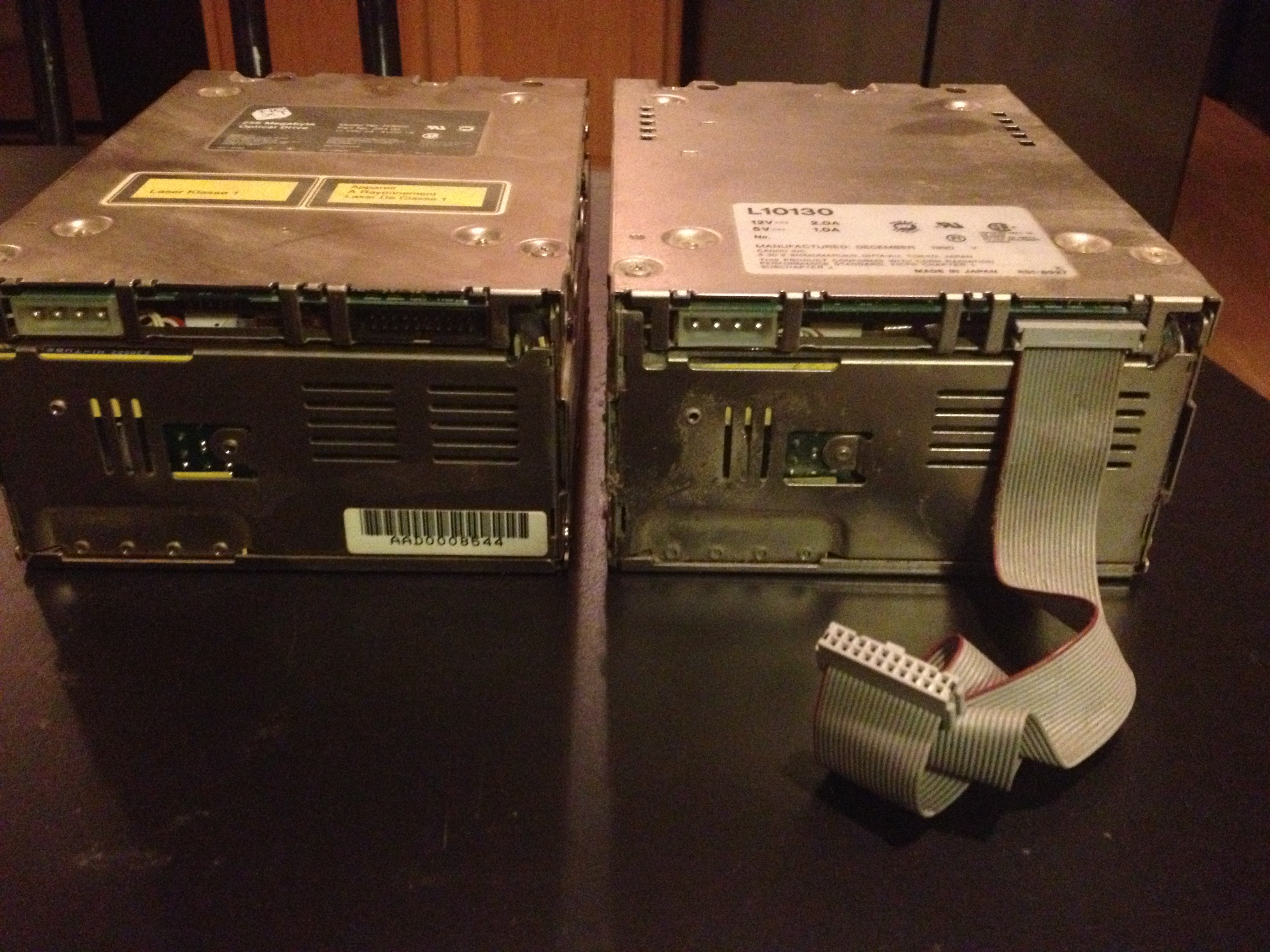
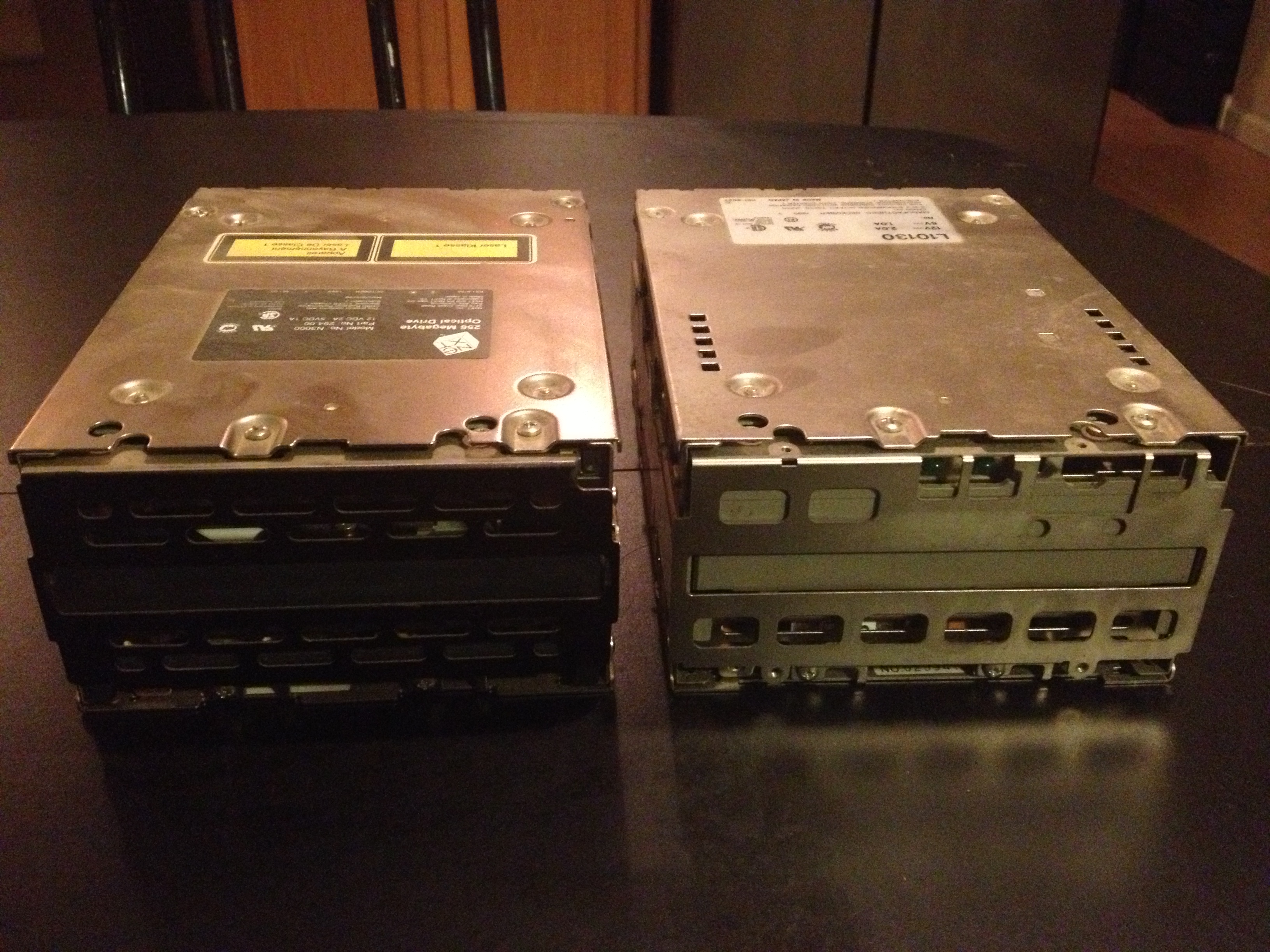
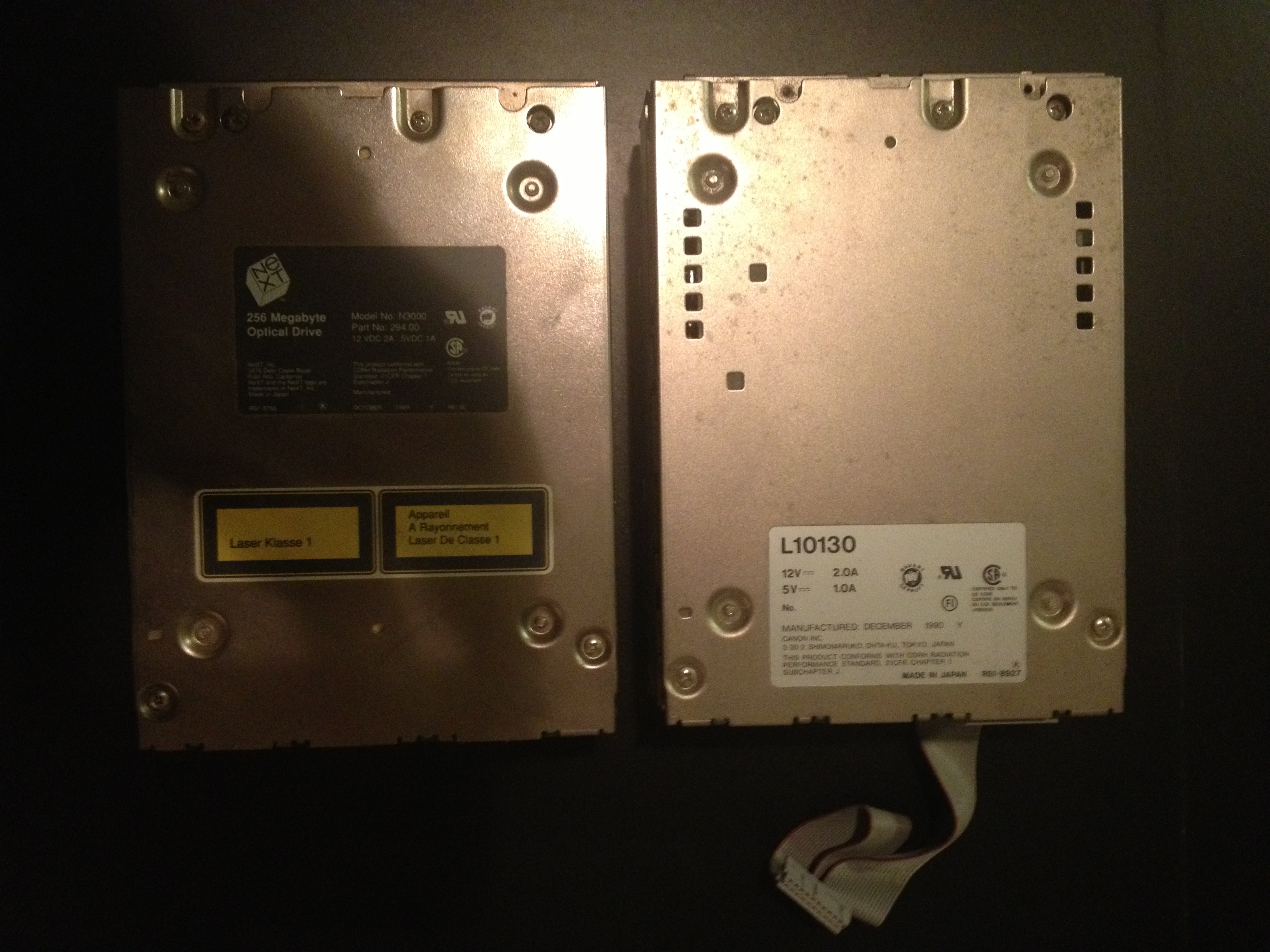
http://www.blackholeinc.com/docs/opticaldrive/ lists the optical drive doc, reference from the NeXT book and original canofile document scanner brochure .... would drivers for the windows side have any clues ?
Thanks for concating the optical drive doc Chef, I uploaded it above along with a Canofile document . cube scsi internal pinout scan , and short description of optical processor chip on cube motherboard this makes it much easier to navigate the document.
Also this thread relates to my drive 10130 L Canon Drive:
" bgulko
Joined: 14 Mar 2006
Posts: 2
PostPosted: Wed Jul 08, 2009 1:46 pm Post subject: Canofile S5001 & L10130 Optical Disk. Reply with quote
While this is likely a dead thread, I have successfully used these (L10130) as a NeXT drive replacement for several years. They read & write both the old one-sided NeXT OD's and the CMO-502 dual sided magnetic media. The CMO502 could also be read / written by the original NeXT drives, while those drives still functioned.
The L10130 drives are no longer made by Canon (stopped in 1995 or so) but most are newer than the youngest NeXT optical Drives (last made around 1991/2). The L1030 are NOT SCSI drives, but use the same proprietary interface connector as the NeXT optical drives. However, the L10130 typically came in a full-sized external chassis the included a circuit board that converted the proprietary connector to a SCSI connector.
I was never able to get a Windows or even the NeXT system to recognize the OD's in a chassis via the SCSI interface, which his a shame, because the interface boards in those external enclosures seemed to make whatever optical drive was in them a little more robust (perhaps more fault tolerant retry circuitry). Drives that would not accept an OD in the NeXT would accept and spin up the OD in the chassis.
I hope this helps someone out there.... Smile
--Brad "
Best regards Rob
Title: Servicing NeXT (Canon) MO Drives
Post by: Khashoggi on September 15, 2013, 11:41:15 PM
Post by: Khashoggi on September 15, 2013, 11:41:15 PM
In the interim, waiting for the errant caps. I have researched expert optical drive repair in general.
The test point labels on the Analog board are starting to make sense.
Looking over the motor board and a specific IC datasheet that has to do with the PLL (phase locked loop) has a formula that determines several parameters.
The crystal on the motor board is 3.84mhz. Guess what-- The formula on the datasheet when all the parameters are entered equates to a 3000RPM drive.
That tends to confirm the correct RPM.
I also know a lot more about optical drive systems. I believe I will be able to pass/fail the optical assembly. That includes the laser diode and the tracking elements.
If the Laser or tracking elements of the optical assembly are bad, then we may have to face that "unsolvable" problem. However, I have read that optical misalignment is extremely rare. Burned out laser is possible.
I am familiar with multiple processes to test the optical assembly, and I plan on purchasing a laser output meter, around $400, (unless someone has a loaner) to be able to pass/fail the laser assembly.
These ideas are a lot of conjecture. What happens if I replace the last bad caps on Tuesday (arrival date of caps) and it just works :D
Failed caps that lead to burned out laser is a possibility, but moving forward I will get to the bottom of this.
The test point labels on the Analog board are starting to make sense.
Looking over the motor board and a specific IC datasheet that has to do with the PLL (phase locked loop) has a formula that determines several parameters.
The crystal on the motor board is 3.84mhz. Guess what-- The formula on the datasheet when all the parameters are entered equates to a 3000RPM drive.
That tends to confirm the correct RPM.
I also know a lot more about optical drive systems. I believe I will be able to pass/fail the optical assembly. That includes the laser diode and the tracking elements.
If the Laser or tracking elements of the optical assembly are bad, then we may have to face that "unsolvable" problem. However, I have read that optical misalignment is extremely rare. Burned out laser is possible.
I am familiar with multiple processes to test the optical assembly, and I plan on purchasing a laser output meter, around $400, (unless someone has a loaner) to be able to pass/fail the laser assembly.
These ideas are a lot of conjecture. What happens if I replace the last bad caps on Tuesday (arrival date of caps) and it just works :D
Failed caps that lead to burned out laser is a possibility, but moving forward I will get to the bottom of this.
Title: Servicing NeXT (Canon) MO Drives
Post by: Rob Blessin Black Hole on September 16, 2013, 12:40:26 AM
Post by: Rob Blessin Black Hole on September 16, 2013, 12:40:26 AM
Hello Kashoggi: I have quite a few of these drives, if that one doesnt work and you need one for spare parts , I would be happy to give you one . Best regards Rob Blessin
Title: Servicing NeXT (Canon) MO Drives
Post by: Khashoggi on September 16, 2013, 01:38:14 AM
Post by: Khashoggi on September 16, 2013, 01:38:14 AM
Quote from: "Rob Blessin Black Hole"Hello Kashoggi: I have quite a few of these drives, if that one doesnt work and you need one for spare parts , I would be happy to give you one . Best regards Rob Blessin
Thanks Rob!
I actually purchased for basically nothing three drives from GTNICOL a few months back as I expected to get to this project and get it done!
Now that the time has arrived, I am going to work on it until resolution. I think I have enough spare parts, especially since GTNICOL is sending some extra goodies to help with the project.
If I run out of materials I will let you know, but thank you for the kind offer!
On a plus note, I imagine it is just a matter of time until a solution is developed to resurrect most of our "dead" drives. Barring some major defect in the laser diode or tracking elements that irretrievably fail over time (which I refuse to accept without hard proof) it will happen.
I have a familiarity with the systems now, and have looked at all the cables. There is a small board that I call the "Magnet control" board that has a few components. One large electrolytic capacitor is on there 2200uF@16v but it measures to 1861uF which is not beyond the 20% spec. So it is not going to be replaced.
My final goal is for everyone to know exactly how to resurrect their drives. It will be a complete "open-source" project. I will finalize this effort with a complete component order guide and hi-res photos of component replacement. If it gets complicated down to a oscilloscope measurement level we will organize a group of volunteers to help out. I look forward to that time!
My vocabulary does not contain the word "try".
I want my Cube and yours to work as Steve, RIP, intended :D
Title: Servicing NeXT (Canon) MO Drives
Post by: Rob Blessin Black Hole on September 16, 2013, 04:24:24 AM
Post by: Rob Blessin Black Hole on September 16, 2013, 04:24:24 AM
Hello Kashoggi: Sounds good ,we have the same goals let me know if there is anything I can do to help , I've been scanning like crazy several fun hours of work at the black hole .... http://www.blackholeinc.com/docs/
Now has section 1,2,3,4 of the original NeXT service manual , if anyone can help by cancoting all the pages in sections 1, section 2 and section 3 separately and maybe one with all 4 altogether that would be great , please note it looks like it scanned them in reverse page number order so when concating look at the page number and not document number.
It makes it much easier to use also if anyone can point me at something that makes concating easy for pdf I'll give it a go just thought someone might jump in and help. I know everyone is going to enjoythe NeXT Service manual now online for everyone to use yeah! NeXT is everything you wanted to know about the NeXT laser printer. A lot of great information for newby's to experts so we should all be able to help maintain the hardware with these! Best Regards Rob Blessin :idea:
Now has section 1,2,3,4 of the original NeXT service manual , if anyone can help by cancoting all the pages in sections 1, section 2 and section 3 separately and maybe one with all 4 altogether that would be great , please note it looks like it scanned them in reverse page number order so when concating look at the page number and not document number.
It makes it much easier to use also if anyone can point me at something that makes concating easy for pdf I'll give it a go just thought someone might jump in and help. I know everyone is going to enjoythe NeXT Service manual now online for everyone to use yeah! NeXT is everything you wanted to know about the NeXT laser printer. A lot of great information for newby's to experts so we should all be able to help maintain the hardware with these! Best Regards Rob Blessin :idea:
Title: Servicing NeXT (Canon) MO Drives
Post by: gtnicol on September 16, 2013, 07:32:01 AM
Post by: gtnicol on September 16, 2013, 07:32:01 AM
I would expect the laser and/or linear optical encoder to be bad in at least some drives. I know that swapping these fixed at least one of my working drives. From inspection, it seems like dust obscuring the encoder, and also deformation from heat might be part of the problem people saw with these drives.
I should have the box off on Thursday... this last week has been kind of hectic.
I should have the box off on Thursday... this last week has been kind of hectic.
Title: Servicing NeXT (Canon) MO Drives
Post by: nextchef on September 16, 2013, 09:28:33 AM
Post by: nextchef on September 16, 2013, 09:28:33 AM
Quote from: "Rob Blessin Black Hole"Hello Kashoggi: Sounds good ,we have the same goals let me know if there is anything I can do to help , I've been scanning like crazy several fun hours of work at the black hole .... http://www.blackholeinc.com/docs/
Now has section 1,2,3,4 of the original NeXT service manual , if anyone can help by cancoting all the pages in sections 1, section 2 and section 3 separately and maybe one with all 4 altogether that would be great , please note it looks like it scanned them in reverse page number order so when concating look at the page number and not document number.
I will grab the files and see about re-sequencing and combining them. Is there a better place/person to send them to rather then me just putting them up on dropbox for a short time?
Title: Servicing NeXT (Canon) MO Drives
Post by: Khashoggi on September 16, 2013, 11:17:51 AM
Post by: Khashoggi on September 16, 2013, 11:17:51 AM
Quote from: "gtnicol"I would expect the laser and/or linear optical encoder to be bad in at least some drives. I know that swapping these fixed at least one of my working drives. From inspection, it seems like dust obscuring the encoder, and also deformation from heat might be part of the problem people saw with these drives.
I should have the box off on Thursday... this last week has been kind of hectic.
I closely inspected the linear optical encoder on one of the drives I opened for cap replacement. It doesn't appear to be deformed, but had some dust on it. Ditto for the lense on the optical head.
I will bet that re-calibration through the pots can help to mitigate problems with the linear encoder. The alignment marks appear visible to the naked eye.
I noticed in the specs the MTBF (which is listed as a "target" MTBF) is 20,000 hours.
Pass/failing the optical head would be measuring the laser diode power level. Apparently getting into the optics requires factory jigs and service manual specifics for alignment so I will avoid that. Adjusting the pot responsible for power gain on the laser to get it to the 35mW spec would be about the only possible adjustment. Over time the diode could age and require more gain to reach the correct level, but I would think there is a lot of tolerance there.
The tracking and focusing coils in the optical head can also be measured for resistance to look for failed coils to pass/fail. Also, powering up the coils individually can be used to check for free range of movement up and down of the lense for focus and laterally for tracking. If their is binding it may be possible to use low pressure air to try to blow out anything contaminating the movement.
It should be possible to bench power part of the optical head and read the pulses out of the linear optical encoder to check for linearity on an oscilliscope as it travels through its range of motion.
Title: Servicing NeXT (Canon) MO Drives
Post by: Khashoggi on September 16, 2013, 11:45:33 AM
Post by: Khashoggi on September 16, 2013, 11:45:33 AM
Looked over the latest batch of documents Rob has provided. Found this additional specs section for the MO drive-
Mass Storage
Magneto-Optical Disk Drive
256 MB (formatted)
92 ms average seek time
5 ms average seek time within 5 MB range
1.14 MB/sec raw burst transfer rate
0.26 — 0.83 MB/sec raw sustained transfer rate 3000 RPM
Infinite read/write/erase
Removable, primary storage and/or backup device
Mass Storage
Magneto-Optical Disk Drive
256 MB (formatted)
92 ms average seek time
5 ms average seek time within 5 MB range
1.14 MB/sec raw burst transfer rate
0.26 — 0.83 MB/sec raw sustained transfer rate 3000 RPM
Infinite read/write/erase
Removable, primary storage and/or backup device
Title: Servicing NeXT (Canon) MO Drives
Post by: Rob Blessin Black Hole on September 16, 2013, 12:41:10 PM
Post by: Rob Blessin Black Hole on September 16, 2013, 12:41:10 PM
Quote from: "nextchef"Quote from: "Rob Blessin Black Hole"Hello Kashoggi: Sounds good ,we have the same goals let me know if there is anything I can do to help , I've been scanning like crazy several fun hours of work at the black hole .... http://www.blackholeinc.com/docs/
Now has section 1,2,3,4 of the original NeXT service manual , if anyone can help by cancoting all the pages in sections 1, section 2 and section 3 separately and maybe one with all 4 altogether that would be great , please note it looks like it scanned them in reverse page number order so when concating look at the page number and not document number.
I will grab the files and see about re-sequencing and combining them. Is there a better place/person to send them to rather then me just putting them up on dropbox for a short time?
Thanks Chef ! If you can do that that will be great , I hand numbered pages that did not have numbers also completed two more sections. If you drop box the completed ones , ill grab and upload them back to blackholeinc docs. Best regards Rob Blessin
Title: Servicing NeXT (Canon) MO Drives
Post by: nextchef on September 16, 2013, 03:09:55 PM
Post by: nextchef on September 16, 2013, 03:09:55 PM
Here are the latest. I just shared the entire folder through one link this time.
https://www.dropbox.com/sh/qsdcxluyl6hpxf6/Q5GjBx_TWl
https://www.dropbox.com/sh/qsdcxluyl6hpxf6/Q5GjBx_TWl
Title: Servicing NeXT (Canon) MO Drives
Post by: Rob Blessin Black Hole on September 16, 2013, 04:59:22 PM
Post by: Rob Blessin Black Hole on September 16, 2013, 04:59:22 PM
Quote from: "nextchef"Here are the latest. I just shared the entire folder through one link this time.
https://www.dropbox.com/sh/qsdcxluyl6hpxf6/Q5GjBx_TWl
Thanks Chef, Everything is now concated at http://www.blackholeinc.com/docs/ , I have a lot more to upload some will be double sided so it'll be odd an even pages might be a little trickier to concat and sequence . I'll post here when ready and will continue section 7, 8 etc I think will be easiest! What are you using to sequence and concat Chef. Also I think I'll start a new thread under work logs NeXT document upload that way this one will maintain focus on the Optical drive. Sound good. Best Regards Rob Blessin
Title: Servicing NeXT (Canon) MO Drives
Post by: nextchef on September 17, 2013, 09:26:09 AM
Post by: nextchef on September 17, 2013, 09:26:09 AM
Quote from: "Rob Blessin Black Hole"What are you using to sequence and concat
I have custom tools to do this where I work, but you can use ghostscript, professional versions of Acrobat, or in OSX preview using the thumbnail view IIRC. Depending on what you are using to do the scanning, it might also have the ability to create a multi-page pdf instead of the single page ones. You may also be able to scan to multi-page tiff files instead, but then you will have to convert them to pdf.
Edit- Here is a link on how to do it using Preview on OSX
http://chronicle.com/blogs/profhacker/combine-pdfs-in-5-seconds-with-macs-preview/49675
Title: Servicing NeXT (Canon) MO Drives
Post by: Khashoggi on September 17, 2013, 10:48:50 AM
Post by: Khashoggi on September 17, 2013, 10:48:50 AM
MO drive laser type from label in drive-
810-845nm @ 35mW
Near IR (invisible) and a Class IIIb laser which requires eye protection.
Wiki-
Class IIIb[edit source | editbeta]
Lasers in this class may cause damage if the beam enters the eye directly. This generally applies to lasers powered from 5–500 mW. Lasers in this category can cause permanent eye damage with exposures of 1/100th of a second or less depending on the strength of the laser. A diffuse reflection is generally not hazardous but specular reflections can be just as dangerous as direct exposures. Protective eyewear is recommended when direct beam viewing of Class IIIb lasers may occur. Lasers at the high power end of this class may also present a fire hazard and can lightly burn skin.
810-845nm @ 35mW
Near IR (invisible) and a Class IIIb laser which requires eye protection.
Wiki-
Class IIIb[edit source | editbeta]
Lasers in this class may cause damage if the beam enters the eye directly. This generally applies to lasers powered from 5–500 mW. Lasers in this category can cause permanent eye damage with exposures of 1/100th of a second or less depending on the strength of the laser. A diffuse reflection is generally not hazardous but specular reflections can be just as dangerous as direct exposures. Protective eyewear is recommended when direct beam viewing of Class IIIb lasers may occur. Lasers at the high power end of this class may also present a fire hazard and can lightly burn skin.
Title: Servicing NeXT (Canon) MO Drives
Post by: Khashoggi on September 18, 2013, 01:55:36 AM
Post by: Khashoggi on September 18, 2013, 01:55:36 AM
All caps replaced.
During reassembly, which takes 200% more time than disassembly :D
it was noted that most of the capacitors are slightly too tall. During ordering I accepedt capacitors that were 1MM too tall from original, 6mm instead of 5mm. In-stock availability was poor for the 5mm parts.
I solved the issue with some dieelectric tape on top of the caps to be sure there was no electrical contact between boards. The 1mm isn't enough to cause assembly problems, but the top of the caps do come in contact with other boards and the top of electrolytic capacitors are partly metallic.
I will have to find a source for 5mm parts in the future.
After putting the drive back together and bench powering, it was noted the drive now consumes approximately 15-20% less power during idle with new caps. Not overly scientific, because there could be other variables, but there it is.
The problem with bench power only is that the drive won't automatically ingest a MO cartridge. You can insert it partially but it is blocked and you can't insert further.
A powered off NeXT computer has the same effect, you can't insert the disk all the way. There is a disk insertion sensor that must send a signal to the NeXT moterboard's OSP (optical system processor) which then replies, if it wants, to accept the disk and commands the MO drive to ingest the media.
Moving the gears manually doesn't seem to do the trick. I will work on this more, but if anyone knows a trick to get a bench powered NeXT MO drive to ingest media and begin the optical spin-up and focus-track-find TOC then it will save me time. ??
I don't want to hook a test drive to my NeXT Cube if I can avoid it to prevent any damage. This drive may very well work perfectly now that the caps are replaced and the lens is cleaned, but I would prefer to test on the bench the ingest of the disc and spinup, focus, and track.
Interestingly, I found a lot of dust on the linear optical encoder. A lot.
And, more interestingly, the laser lens had what looked like splatter marks on it. It took a few cleaning passes to get it looking crystal clear.
I wonder about that splatter. Could old Optical Disc media be deteriorating when the laser heats it up? Is that one of the potential gremlin failure modes?
Are there brand-new compatible 256MB MO disks available? I doubt it. So we are working with 25 year old drives and media...
Stay tuned... :D
During reassembly, which takes 200% more time than disassembly :D
it was noted that most of the capacitors are slightly too tall. During ordering I accepedt capacitors that were 1MM too tall from original, 6mm instead of 5mm. In-stock availability was poor for the 5mm parts.
I solved the issue with some dieelectric tape on top of the caps to be sure there was no electrical contact between boards. The 1mm isn't enough to cause assembly problems, but the top of the caps do come in contact with other boards and the top of electrolytic capacitors are partly metallic.
I will have to find a source for 5mm parts in the future.
After putting the drive back together and bench powering, it was noted the drive now consumes approximately 15-20% less power during idle with new caps. Not overly scientific, because there could be other variables, but there it is.
The problem with bench power only is that the drive won't automatically ingest a MO cartridge. You can insert it partially but it is blocked and you can't insert further.
A powered off NeXT computer has the same effect, you can't insert the disk all the way. There is a disk insertion sensor that must send a signal to the NeXT moterboard's OSP (optical system processor) which then replies, if it wants, to accept the disk and commands the MO drive to ingest the media.
Moving the gears manually doesn't seem to do the trick. I will work on this more, but if anyone knows a trick to get a bench powered NeXT MO drive to ingest media and begin the optical spin-up and focus-track-find TOC then it will save me time. ??
I don't want to hook a test drive to my NeXT Cube if I can avoid it to prevent any damage. This drive may very well work perfectly now that the caps are replaced and the lens is cleaned, but I would prefer to test on the bench the ingest of the disc and spinup, focus, and track.
Interestingly, I found a lot of dust on the linear optical encoder. A lot.
And, more interestingly, the laser lens had what looked like splatter marks on it. It took a few cleaning passes to get it looking crystal clear.
I wonder about that splatter. Could old Optical Disc media be deteriorating when the laser heats it up? Is that one of the potential gremlin failure modes?
Are there brand-new compatible 256MB MO disks available? I doubt it. So we are working with 25 year old drives and media...
Stay tuned... :D
Title: Servicing NeXT (Canon) MO Drives
Post by: mikeboss on September 18, 2013, 04:53:34 AM
Post by: mikeboss on September 18, 2013, 04:53:34 AM
Quote from: "Khashoggi"Are there brand-new compatible 256MB MO disks available? I doubt it.
yes, there are! http://www.sqitz.co.uk/cgi-bin/sitewise.pl?act=det&p=716
although these are rated 512MB (double sided) they work 100% (I just received a couple of these MO disks (still shrinkwrapped) from "Loewe1".
on the other hand, I doubt that the media went bad over the years.
EDIT
I just tested this: the ODD won't accept an MO if the interface isn't connected to the cube main logicboard.
Title: Servicing NeXT (Canon) MO Drives
Post by: gtnicol on September 18, 2013, 08:44:03 AM
Post by: gtnicol on September 18, 2013, 08:44:03 AM
Quote from: "Khashoggi"Quote from: "gtnicol"I would expect the laser and/or linear optical encoder to be bad in at least some drives. I know that swapping these fixed at least one of my working drives. From inspection, it seems like dust obscuring the encoder, and also deformation from heat might be part of the problem people saw with these drives.
I should have the box off on Thursday... this last week has been kind of hectic.
I closely inspected the linear optical encoder on one of the drives I opened for cap replacement. It doesn't appear to be deformed, but had some dust on it. Ditto for the lense on the optical head.
On a couple of the drives the tape with the slots was stretched/deformed. Not sure how much difference that actually makes, but that was one issue. Dust, of course was the other... the fans were originally set up to blow air from the case, which of course sucked air in through the drives.
These drives also get really hot, which is probably one reason some of the solder and caps failed.
Title: Servicing NeXT (Canon) MO Drives
Post by: Khashoggi on September 18, 2013, 10:47:46 AM
Post by: Khashoggi on September 18, 2013, 10:47:46 AM
Quote from: "gtnicol"Quote from: "Khashoggi"Quote from: "gtnicol"I would expect the laser and/or linear optical encoder to be bad in at least some drives. I know that swapping these fixed at least one of my working drives. From inspection, it seems like dust obscuring the encoder, and also deformation from heat might be part of the problem people saw with these drives.
I should have the box off on Thursday... this last week has been kind of hectic.
I closely inspected the linear optical encoder on one of the drives I opened for cap replacement. It doesn't appear to be deformed, but had some dust on it. Ditto for the lense on the optical head.
On a couple of the drives the tape with the slots was stretched/deformed. Not sure how much difference that actually makes, but that was one issue. Dust, of course was the other... the fans were originally set up to blow air from the case, which of course sucked air in through the drives.
These drives also get really hot, which is probably one reason some of the solder and caps failed.
Heat will definitely shorten the life of a capacitor. I believe all the caps were at least rated for 105C, but electrolytic caps all have a finite lifespan. Cheap ones can be only 1000 hours or so.
Thinking more about the splatter. It was brownish in color, similar to capacitor electrolyte.
Most of the caps were failed after measuring capacitance, but I didn't notice any that had vented electrolyte. But, it is always possible.
The splatter also could have been hardened specs of grease.
Either way, the lens is shiny now.
I will look into how to fool the mechanism to ingest a cartridge and begin spin-up without being attached to the NeXT motherboard. I expected this issue, which is why I was hunting for the MO port pinout to see if there is a pin specific to this purpose.
Title: Servicing NeXT (Canon) MO Drives
Post by: Khashoggi on September 18, 2013, 10:56:29 AM
Post by: Khashoggi on September 18, 2013, 10:56:29 AM
I found a statistic that said for every 10C temperature rise over max rating of the laser diode that it reduces lifespan by 30%. The laser diodes wear out over time, but heat speeds it up.
But, NOS drives that don't work out of the packaging shouldn't have dust or worn lasers. Capacitors are really the likely culprit in those.
But, NOS drives that don't work out of the packaging shouldn't have dust or worn lasers. Capacitors are really the likely culprit in those.
Title: Servicing NeXT (Canon) MO Drives
Post by: Khashoggi on September 18, 2013, 12:15:29 PM
Post by: Khashoggi on September 18, 2013, 12:15:29 PM
All PCB's after cap replacement
Analog PCB

Digital PCB

Motor PCB

Laser PCB

Laser assembly
Chassis

Chassis assembled

Analog PCB
Digital PCB
Motor PCB
Laser PCB
Laser assembly
Chassis
Chassis assembled
Title: Servicing NeXT (Canon) MO Drives
Post by: Khashoggi on September 18, 2013, 11:16:10 PM
Post by: Khashoggi on September 18, 2013, 11:16:10 PM
Trying to install the diagnostics on my Next Cube original 68030 with 64MB ram. Works otherwise.
I downloaded the files from here. Both 68030.tar and 68040.tar
I installed from 68030.tar
diagnostics
Onto the root of my hard drive and my netboot /tftpboot directory on my linux server
I also installed from 68040.tar
dvt040
Onto the root of my hard drive and my netboot /tftpboot directory
Neither will work from a SCSI drive boot
bsd()diagnostics
bsd()dvt040
bsd(0,0,0)diagnostics
bsd(0,0,0,)dvt040
Or Ethernet
ben()diagnostics
ben()dvt040
Error message for booting "diagnostics" from either scsi or ethernet:
commands section > 2048
load failed
Error message for booting "dvt040" from either scsi or ethernet:
Exception #11 (0x2c) at 0x4000000
I have tried various permissions and files are owned by root. There are no problems booting the standard mach kernel on either the scsi drive or ethernet.
I assume the files are bad??? Anyone have known working "diagnostics" or "dvt040" files? Is it even possible to use the "dvt040" on a 68030 machine?
Thanks. I need these files loaded on the cube so I can command the MO drives to seek throughout their range. I've read the manual on the diagnostics and there is some direct control over the MO drive that would be useful.
I downloaded the files from here. Both 68030.tar and 68040.tar
I installed from 68030.tar
diagnostics
Onto the root of my hard drive and my netboot /tftpboot directory on my linux server
I also installed from 68040.tar
dvt040
Onto the root of my hard drive and my netboot /tftpboot directory
Neither will work from a SCSI drive boot
bsd()diagnostics
bsd()dvt040
bsd(0,0,0)diagnostics
bsd(0,0,0,)dvt040
Or Ethernet
ben()diagnostics
ben()dvt040
Error message for booting "diagnostics" from either scsi or ethernet:
commands section > 2048
load failed
Error message for booting "dvt040" from either scsi or ethernet:
Exception #11 (0x2c) at 0x4000000
I have tried various permissions and files are owned by root. There are no problems booting the standard mach kernel on either the scsi drive or ethernet.
I assume the files are bad??? Anyone have known working "diagnostics" or "dvt040" files? Is it even possible to use the "dvt040" on a 68030 machine?
Thanks. I need these files loaded on the cube so I can command the MO drives to seek throughout their range. I've read the manual on the diagnostics and there is some direct control over the MO drive that would be useful.
Title: Servicing NeXT (Canon) MO Drives
Post by: Khashoggi on September 22, 2013, 01:34:51 PM
Post by: Khashoggi on September 22, 2013, 01:34:51 PM
It appears the diagnostic file posted here is incompatible with the boot file in NeXTSTEP 3.3.
I have been provided with a boot file from NeXTSTEP 1.0 by Andreas. thank you for that!
I will setup a netboot environment with the older boot file and the diagnostic kernel to prepare my cube for working with MO drives that are in the process of being repaired.
On the laser front, I ordered a Sper scientific model 840011 laser power meter that will measure the laser wavelength present in the MO drive laser diode and registers up to 40mw which will cover the 35mw the MO drive's laser is rated for. This will allow me to detect weak or burned out lasers. I will also determine which pot controls laser power.
Since this is a class IIIb laser device, it is dangerous to eyes either by direct contact or by reflection. The light wavelength is also invisible. I have ordered 808-850nm OD4+ laser safety glasses to solve that problem.
I have tinkered with the MO drive mechanism to get it to ingest a drive and spin up without being connected to the NeXT. So far I haven't been able to get it to do that.
I plan on disassembling the drive mechanism while I wait for the laser power meter and goggles. I will take more pictures. I am going to map all the interlock switches and sensors to better understand a way to get it to operate partially disassembled.
I have three more test drives I haven't worked on yet. I have ordered replacement caps for those drives, and I have specified the correct heights for those caps. That has led to a backorder and Mouser hasn't yet informed me of a ship date.
I have been provided with a boot file from NeXTSTEP 1.0 by Andreas. thank you for that!
I will setup a netboot environment with the older boot file and the diagnostic kernel to prepare my cube for working with MO drives that are in the process of being repaired.
On the laser front, I ordered a Sper scientific model 840011 laser power meter that will measure the laser wavelength present in the MO drive laser diode and registers up to 40mw which will cover the 35mw the MO drive's laser is rated for. This will allow me to detect weak or burned out lasers. I will also determine which pot controls laser power.
Since this is a class IIIb laser device, it is dangerous to eyes either by direct contact or by reflection. The light wavelength is also invisible. I have ordered 808-850nm OD4+ laser safety glasses to solve that problem.
I have tinkered with the MO drive mechanism to get it to ingest a drive and spin up without being connected to the NeXT. So far I haven't been able to get it to do that.
I plan on disassembling the drive mechanism while I wait for the laser power meter and goggles. I will take more pictures. I am going to map all the interlock switches and sensors to better understand a way to get it to operate partially disassembled.
I have three more test drives I haven't worked on yet. I have ordered replacement caps for those drives, and I have specified the correct heights for those caps. That has led to a backorder and Mouser hasn't yet informed me of a ship date.
Title: Servicing NeXT (Canon) MO Drives
Post by: Khashoggi on September 22, 2013, 10:30:44 PM
Post by: Khashoggi on September 22, 2013, 10:30:44 PM
Diagnostics Problem solved!
Thanks to Andreas providing me with the NeXTSTEP 1.0 "boot" file.
I installed the boot file with diagnostics in my tftpboot directory and netbooted successfully into Diagnostics Version 1.0
One more brick in the wall removed.
Thanks to Andreas providing me with the NeXTSTEP 1.0 "boot" file.
I installed the boot file with diagnostics in my tftpboot directory and netbooted successfully into Diagnostics Version 1.0
One more brick in the wall removed.
Title: Servicing NeXT (Canon) MO Drives
Post by: Khashoggi on September 22, 2013, 11:56:08 PM
Post by: Khashoggi on September 22, 2013, 11:56:08 PM
Diagnostics MO tests-
This is for the MO drive originally in my cube, not the test drive that had the cap replacement.
The ECC tests are all OK. But, the tests that involve accessing a disk in the MO fail. That's not surprising.
The MO drive in my cube worked up till about 1998 when it was put into storage. When I pulled it out around 10 years later, failed. It ingests drives and ejects them fine. It spins up. No R/W.
I haven't pulled it out of my cube yet. But, it will go for cap replacement and laser analysis soon.
It is just a matter of time before it is happily humming along...
This is for the MO drive originally in my cube, not the test drive that had the cap replacement.
The ECC tests are all OK. But, the tests that involve accessing a disk in the MO fail. That's not surprising.
The MO drive in my cube worked up till about 1998 when it was put into storage. When I pulled it out around 10 years later, failed. It ingests drives and ejects them fine. It spins up. No R/W.
I haven't pulled it out of my cube yet. But, it will go for cap replacement and laser analysis soon.
It is just a matter of time before it is happily humming along...
Title: Servicing NeXT (Canon) MO Drives
Post by: Rob Blessin Black Hole on September 23, 2013, 04:52:09 AM
Post by: Rob Blessin Black Hole on September 23, 2013, 04:52:09 AM
Hello Kashoggi and all:
I've just scanned in and uploaded the entire 160 pages of NeXT's service manual 2 about 4 hours LOL with more documents to come soon
Here is the title of the new thread to move it onto its own in work logs :
NeXT Service manual docs http://www.blackholeinc.com/docs
4 sections hopefully Chef can help me concat them.
nextservicemanual2apBCpp97-159oddpart2stations-moniter/
nextservicemanual2apBpp57-95oddpart1Cube/
nextservicemanual2chapter1-3pp1-28/
nextservicemanual2chapter4-6pp29-56/
These were double sided pages odd and even
odd went in back to front pp 155 is only page scanned on its own as scanner grabbed 2 pages binder holes on left
even went in front to back binder holes on right
Once concated it'll be easy !
NeXTservice manual 1 parts are already concated!
Hope it helps everyone out!
I like the memory ERROR diagnosing section and monitor tuning.
Best Regards Rob Blessin
I've just scanned in and uploaded the entire 160 pages of NeXT's service manual 2 about 4 hours LOL with more documents to come soon
Here is the title of the new thread to move it onto its own in work logs :
NeXT Service manual docs http://www.blackholeinc.com/docs
4 sections hopefully Chef can help me concat them.
nextservicemanual2apBCpp97-159oddpart2stations-moniter/
nextservicemanual2apBpp57-95oddpart1Cube/
nextservicemanual2chapter1-3pp1-28/
nextservicemanual2chapter4-6pp29-56/
These were double sided pages odd and even
odd went in back to front pp 155 is only page scanned on its own as scanner grabbed 2 pages binder holes on left
even went in front to back binder holes on right
Once concated it'll be easy !
NeXTservice manual 1 parts are already concated!
Hope it helps everyone out!
I like the memory ERROR diagnosing section and monitor tuning.
Best Regards Rob Blessin
Title: Servicing NeXT (Canon) MO Drives
Post by: tomaz on September 23, 2013, 09:11:21 AM
Post by: tomaz on September 23, 2013, 09:11:21 AM
I use joinPDF:
https://www.macupdate.com/app/mac/16604/joinpdf
Runs on Mac OS X, command line syntax:
joinPDF <outfile.pdf> <infile1.pdf> ... <infileN.pdf>
https://www.macupdate.com/app/mac/16604/joinpdf
Runs on Mac OS X, command line syntax:
joinPDF <outfile.pdf> <infile1.pdf> ... <infileN.pdf>
Quote from: "nextchef"Quote from: "Rob Blessin Black Hole"What are you using to sequence and concat
I have custom tools to do this where I work, but you can use ghostscript, professional versions of Acrobat, or in OSX preview using the thumbnail view IIRC. Depending on what you are using to do the scanning, it might also have the ability to create a multi-page pdf instead of the single page ones. You may also be able to scan to multi-page tiff files instead, but then you will have to convert them to pdf.
Edit- Here is a link on how to do it using Preview on OSX
http://chronicle.com/blogs/profhacker/combine-pdfs-in-5-seconds-with-macs-preview/49675
Title: Servicing NeXT (Canon) MO Drives
Post by: Khashoggi on September 23, 2013, 11:23:57 PM
Post by: Khashoggi on September 23, 2013, 11:23:57 PM
More pictures soon..
I am working on disassembling the drive to lay out on a proto-board to allow access to all the parts of the drive, especially the pots, during operation. It can't be done in the drive chassis, too many things are blocked.
The laser assembly goes to an intermediate board before the analog board, another 13 pots were found on that board alone, with a hybrid module also on the board with its own 8 pots.
This drive has to be the most complicated optical drive I have ever seen.
The shear number of pots on the intermediate board tell me, short of a laser diode failure, that most drives should be able to be fixed by re-calibration.
The proto board will be a wild looking creation. I have imagined it in my mind, and it will allow access to all pots.
The major assembly's that we can pass/fail will be:
Motor
Laser w/servo
Analog board
Digital Board
Laser diode discretely
The discrete laser diode test can be done with my laser power meter arriving soon.
If the unit has a laser failure it will be BER (beyond-economic-replacement)...
Laser diodes are very sensitive. I could imagine a cascade failure of bad caps leading to fried lasers but lets hope not.
When I get the NOS drives from GTNICOL (who has lent a lot of equipment to this project! Three cheers for him!) I will pull the analog/digital boards and replace caps first before any powering up to prevent laser damage if that is a failure mode.
The proto-board setup will allow me to swap out 10 assembly's rapidly-
1. Analog board
2. Digital board
3. Motor board
4. Laser intermediate board
5. Laser assembly
6. Magnet board
7. Back control board
8. Ingest motor board
9. Interlock board
10. Cartridge sensor boards x2
The assembly/test jigs for these drives must have been some amazing stuff!
I am working on disassembling the drive to lay out on a proto-board to allow access to all the parts of the drive, especially the pots, during operation. It can't be done in the drive chassis, too many things are blocked.
The laser assembly goes to an intermediate board before the analog board, another 13 pots were found on that board alone, with a hybrid module also on the board with its own 8 pots.
This drive has to be the most complicated optical drive I have ever seen.
The shear number of pots on the intermediate board tell me, short of a laser diode failure, that most drives should be able to be fixed by re-calibration.
The proto board will be a wild looking creation. I have imagined it in my mind, and it will allow access to all pots.
The major assembly's that we can pass/fail will be:
Motor
Laser w/servo
Analog board
Digital Board
Laser diode discretely
The discrete laser diode test can be done with my laser power meter arriving soon.
If the unit has a laser failure it will be BER (beyond-economic-replacement)...
Laser diodes are very sensitive. I could imagine a cascade failure of bad caps leading to fried lasers but lets hope not.
When I get the NOS drives from GTNICOL (who has lent a lot of equipment to this project! Three cheers for him!) I will pull the analog/digital boards and replace caps first before any powering up to prevent laser damage if that is a failure mode.
The proto-board setup will allow me to swap out 10 assembly's rapidly-
1. Analog board
2. Digital board
3. Motor board
4. Laser intermediate board
5. Laser assembly
6. Magnet board
7. Back control board
8. Ingest motor board
9. Interlock board
10. Cartridge sensor boards x2
The assembly/test jigs for these drives must have been some amazing stuff!
Title: Servicing NeXT (Canon) MO Drives
Post by: pentium on September 24, 2013, 12:46:47 AM
Post by: pentium on September 24, 2013, 12:46:47 AM
When you pull this off, PM me and I'll paypal you the cash to buy a six pack of beer.
Title: Servicing NeXT (Canon) MO Drives
Post by: Khashoggi on September 24, 2013, 09:02:02 PM
Post by: Khashoggi on September 24, 2013, 09:02:02 PM
Quote from: "pentium"When you pull this off, PM me and I'll paypal you the cash to buy a six pack of beer.
Thanks!
I'm having a hell of a time finding the connector type that the analog and digital boards use for interconnect . The pins are not very standard.
The connectors are 34 pin and 40 pin organized as 2 rows x 17 and 2 rows x 20 respectively.
Pins have a pitch between columns of 2mm and a pitch between rows of 1mm. Measured from the centerline of pin to pin.
The pins are 1.2mm wide by 0.40mm deep and 3mm long in the header.
The pins are rectangular which is more rare than the typical square pins. 1.2x0.40mm.
Anyone know this connector, see the hires pictures of the analog and digital board and notice the long white connectors.
I will inspect them closely to see if I can pull a part # or even manufacturer but haven't noticed anything yet. I will also take some close up photos.
I need the connector type so I can fab an interconnect ribbon cable between the two boards.
Title: Servicing NeXT (Canon) MO Drives
Post by: Khashoggi on September 24, 2013, 11:46:00 PM
Post by: Khashoggi on September 24, 2013, 11:46:00 PM
I did find some very small identifications on the sockets on the analog board-
40 pin-
MXJ (might be MXU)
5533 C 20
34 pin-
MXU
5533 B 12
Not finding any obvious supplier so far. Anyone recognize manufacturer MXU? or the parts?
40 pin-
MXJ (might be MXU)
5533 C 20
34 pin-
MXU
5533 B 12
Not finding any obvious supplier so far. Anyone recognize manufacturer MXU? or the parts?
Title: Servicing NeXT (Canon) MO Drives
Post by: Khashoggi on September 25, 2013, 01:54:26 PM
Post by: Khashoggi on September 25, 2013, 01:54:26 PM
Connectors both say MXJ (one looked like MXU but it must be MXJ) which stand for Molex Japan.
Getting closer...
Getting closer...
Title: Servicing NeXT (Canon) MO Drives
Post by: Khashoggi on September 25, 2013, 02:20:04 PM
Post by: Khashoggi on September 25, 2013, 02:20:04 PM
Found them. Unsurprisingly they are obsolete and also without replacement/cross ref apparently...
Molex-
2.00mm Pitch Board-to-Board Receptacle, Dual Row, Vertical, 40 Circuits
Series image - Reference only
Status:OBSOLETEReplacement:NONE
Series:5533 Category:PCB ReceptaclesOld Part Number:5533-40CPB
http://www.molex.com/molex/products/datasheet.jsp?part=active/0039513402_PCB_RECEPTACLES.xml
2.00mm Pitch Board-to-Board Receptacle, Dual Row, Vertical, 34 Circuits
Series image - Reference only
Status:OBSOLETEReplacement:39-35-2343
Series:5533 Category:PCB ReceptaclesOld Part Number:5533-34CPB
http://www.molex.com/molex/products/datasheet.jsp?part=active/0039513342_PCB_RECEPTACLES.xml
Molex-
2.00mm Pitch Board-to-Board Receptacle, Dual Row, Vertical, 40 Circuits
Series image - Reference only
Status:OBSOLETEReplacement:NONE
Series:5533 Category:PCB ReceptaclesOld Part Number:5533-40CPB
http://www.molex.com/molex/products/datasheet.jsp?part=active/0039513402_PCB_RECEPTACLES.xml
2.00mm Pitch Board-to-Board Receptacle, Dual Row, Vertical, 34 Circuits
Series image - Reference only
Status:OBSOLETEReplacement:39-35-2343
Series:5533 Category:PCB ReceptaclesOld Part Number:5533-34CPB
http://www.molex.com/molex/products/datasheet.jsp?part=active/0039513342_PCB_RECEPTACLES.xml
Title: Servicing NeXT (Canon) MO Drives
Post by: Khashoggi on September 25, 2013, 02:44:41 PM
Post by: Khashoggi on September 25, 2013, 02:44:41 PM
Unless Molex emails me a cross reference for the parts or similar, it appears obsolete and there is no stock.
I will take the header and connector off one set of my boards and solder them together with some ribbon cable. Those two boards can then be parts donors if necessary...
I will take the header and connector off one set of my boards and solder them together with some ribbon cable. Those two boards can then be parts donors if necessary...
Title: Servicing NeXT (Canon) MO Drives
Post by: Khashoggi on September 28, 2013, 01:24:51 PM
Post by: Khashoggi on September 28, 2013, 01:24:51 PM
More pictures while I await the laser meter, arriving today...
Laser Intermediate PCB Front

Laser Intermediate PCB Back

Laser Assembly under shroud

Magnet PCB top

Magnet PCB2 top shot 2

Magnet PCB bottom

Back control PCB

Ingest assembly

Interlock PCB

Ingest motor PCB

Cartridge sensors

Analog-Digital interconnect molex pins

Laser Intermediate PCB Front
Laser Intermediate PCB Back
Laser Assembly under shroud
Magnet PCB top
Magnet PCB2 top shot 2
Magnet PCB bottom
Back control PCB
Ingest assembly
Interlock PCB
Ingest motor PCB
Cartridge sensors
Analog-Digital interconnect molex pins
Title: Servicing NeXT (Canon) MO Drives
Post by: pentium on October 01, 2013, 01:37:56 AM
Post by: pentium on October 01, 2013, 01:37:56 AM
A little bird has forwarded me information on sourcing those unobtanium connectors.
http://www.onlinecomponents.com/molex-waldom-5016454020.html?p=11868503
Gotta buy in bulk though.
http://www.onlinecomponents.com/molex-waldom-5016454020.html?p=11868503
Gotta buy in bulk though.
Title: Servicing NeXT (Canon) MO Drives
Post by: Khashoggi on October 01, 2013, 02:14:46 AM
Post by: Khashoggi on October 01, 2013, 02:14:46 AM
Partial schematic* for the Motor board. I needed to trace out enough to be able to know how it worked and how to test it separately.
Many different angles to attack this week. I have all the equipment needed now to get this done.
* Consolidated schematics available at:
http://bit.ly/18awSLL
Many different angles to attack this week. I have all the equipment needed now to get this done.
* Consolidated schematics available at:
http://bit.ly/18awSLL
Title: Servicing NeXT (Canon) MO Drives
Post by: Khashoggi on October 01, 2013, 02:17:44 AM
Post by: Khashoggi on October 01, 2013, 02:17:44 AM
Quote from: "pentium"A little bird has forwarded me information on sourcing those unobtanium connectors.
http://www.onlinecomponents.com/molex-waldom-5016454020.html?p=11868503
Gotta buy in bulk though.
I'm starting to think that failures of the Analog and Digital board will likely be rare. And, re-setting the pots on those boards will probably be unnecessary too.
Re-capping will be mandatory, but the adjustments are going to be at the laser intermediary PCB at the rear.
The connectors won't be a big problem. It's too bad the pins weren't at least square to adapt a different connector.
Title: Servicing NeXT (Canon) MO Drives
Post by: Khashoggi on October 02, 2013, 10:15:19 PM
Post by: Khashoggi on October 02, 2013, 10:15:19 PM
See next posts for schematic files
Title: Servicing NeXT (Canon) MO Drives
Post by: gtnicol on October 04, 2013, 09:21:16 PM
Post by: gtnicol on October 04, 2013, 09:21:16 PM
From my experience, you're probably right... it seems to be the motor driver PCB and the laser PCB that have the most issues, though I have seen a few drives where the analog boards had burned up.
Title: Servicing NeXT (Canon) MO Drives
Post by: Khashoggi on October 06, 2013, 08:02:34 PM
Post by: Khashoggi on October 06, 2013, 08:02:34 PM
Master PDF of MO Drive schematics-
Latest revision will always be at this link:
http://bit.ly/18awSLL
I will only draw the parts of the boards I'm interested in, it isn't intended to be a complete schematic set but only enough for diagnostic purposes.
Latest revision will always be at this link:
http://bit.ly/18awSLL
I will only draw the parts of the boards I'm interested in, it isn't intended to be a complete schematic set but only enough for diagnostic purposes.
Title: Servicing NeXT (Canon) MO Drives
Post by: Rob Blessin Black Hole on October 07, 2013, 05:45:07 AM
Post by: Rob Blessin Black Hole on October 07, 2013, 05:45:07 AM
Quote from: "gtnicol"From my experience, you're probably right... it seems to be the motor driver PCB and the laser PCB that have the most issues, though I have seen a few drives where the analog boards had burned up.
I'm going through a bunch of Optical drives here and am going to have some of them professionally recapped. Thank you Khashoggi for your efforts a your guidelines will help in reviving the drives hopefully although it may be more than the caps , it is probably the best place to start.
Example
I blew the dust out of the first one and plugged it in immediately smelled electric smoke and unplugged it. A little tuft of greyish smoke arose and briefly an actual blue orange flame illuminated from the back where the data cable connects and I'm glad I had removed the optical drive dust filter which is probably flamable. This is not the only time this has happened as I had another drive do this awhile back and a customers actually caught fire before they sent it and created a huge mess , I was able to recover the data from there hard drive and get them back up and running.
I'm hoping not to much internal damage as I pulled the plug immediately .
I'll have it assessed as it will probably be a donor drive .
If it helps your efforts here I can take photos to show internal damage and may be start another thread to keep this one clean that shows common component damage on NeXT's to due component malfunction failure due to age. Symptoms of what to look out for .
I'm now inspecting the drives a little more thoroughly before powering up anything as the second one actually had a nest of 7 packing peanuts internally; I discovered when blowing out the dust. The second drive immediately spits out the optical disk so wahoo eject works like a champ on this one!
I'm not messing with a 3rd one tonight but on another note actually have a Yamaha 4006 400C Cdwriter close to working with ancient NeXT cdwriter software , as there are very few instructions I'm overcoming the software learning curve. So far it identifies the drive , I can run a test burn it appears to write to the cd and I can create a burn folder and drop files I want burned in but it hasn't burned those to disk . I'll keep you all posted as that is on another thread.
I'll also let you all know how the results of the recapping goes as I'm going to try 4 drives first to see how it works, I'm guessing sending ones that sound at least like they are trying to spin up before kicking out the disk would be the best ones to go for recapping ...
Best regards Rob Blessin
PS Tip: If you are lucky enough to have a working NeXT Optical disk drive or it sounds like it is spinning up but won't boot, check your optical drive data cable. Some of the Optical drive data cables have single connectors so no problem there usually. Other Optical Drive Data cables have 2 connectors that would have been for dual optical drive machine, (I can only imagine the hell that went on with a dual optical drive setup)
So the huge tip saving hours of frustration is you will want to plug the first end into the motherboard, the middle connector in to the drive and the end connector just hangs freely for it to work. (unlike scsi cables)
If you have it with the end connector plugged in with the middle connector open and the first connector in the board , been there "it does not work".
Title: Servicing NeXT (Canon) MO Drives
Post by: Khashoggi on October 07, 2013, 11:53:04 PM
Post by: Khashoggi on October 07, 2013, 11:53:04 PM
Smoke and acrid smell is likely caps blowing. They contain an electrolyte that can damage traces and other components. It is corrosive.
The order of replacement caps with the right dimensions has a shipping estimate from Mouser in mid December! Same for digikey.
Will have to find a different source, or do some research for substitutes.
The problem is getting the right size, dimension wise, and a 105C temperature rating like the originals. Going lower in temperature eases the availability, but these drives run hot and the repair will have to be redone at some time in the future.
I am almost done with the motor board test procedure and likely repair methods. Fortunately it will be really easy to test, if you have an oscilliscope or frequency counter. But I will work on a test procedure later that may only require a standard multimeter.
Next up will be the laser board.
The order of replacement caps with the right dimensions has a shipping estimate from Mouser in mid December! Same for digikey.
Will have to find a different source, or do some research for substitutes.
The problem is getting the right size, dimension wise, and a 105C temperature rating like the originals. Going lower in temperature eases the availability, but these drives run hot and the repair will have to be redone at some time in the future.
I am almost done with the motor board test procedure and likely repair methods. Fortunately it will be really easy to test, if you have an oscilliscope or frequency counter. But I will work on a test procedure later that may only require a standard multimeter.
Next up will be the laser board.
Title: Servicing NeXT (Canon) MO Drives
Post by: t-rexky on October 08, 2013, 07:38:22 PM
Post by: t-rexky on October 08, 2013, 07:38:22 PM
Quote from: "Khashoggi"Will have to find a different source, or do some research for substitutes.
In addition to the usual "suspects" Mouser and DigiKey, I also sourced parts from the following locations:
http://www.newark.com
http://www.arrow.com
http://www.futureelectronics.com
There are others, and of course you can also try http://octopart.com as the part search engine...
I hope you find a source with a shorter lead-time.
Title: Servicing NeXT (Canon) MO Drives
Post by: Khashoggi on October 09, 2013, 02:11:43 AM
Post by: Khashoggi on October 09, 2013, 02:11:43 AM
Quote from: "t-rexky"Quote from: "Khashoggi"Will have to find a different source, or do some research for substitutes.
In addition to the usual "suspects" Mouser and DigiKey, I also sourced parts from the following locations:
http://www.newark.com
http://www.arrow.com
http://www.futureelectronics.com
There are others, and of course you can also try http://octopart.com as the part search engine...
I hope you find a source with a shorter lead-time.
Thanks for the extra sources! I haven't really put a lot of effort into it yet, because I can get by with the wrong height caps for now. I haven't taken a dead drive and recapped it and then proven it works yet. I will explain the reasoning for that shortly.
For now-
The Motor Board-
If your drive spins up the moment you power it up, and never stops spinning even without a disk inserted, which has been indicated by some, it points to a failure of diode D2 on the motor PCB. This is an early indication, I will have more info later and will have graphical legends to make it easier to locate.
But, D2 is fried if you see that problem (assuming you have already replaced all the electrolytic caps or verified good). Replacement is unknown at this time, because there are no markings on this diode, but I suspect it is similar to a BAV23C in a SOT23 package which is tiny. More later.
BTW, this part would fail with bad (shorted) caps on the motor board. Replacing the caps would be mandatory either way, but as has been pointed out by Rob there is going to be more than one link in the chain of events.
Title: Servicing NeXT (Canon) MO Drives
Post by: Khashoggi on October 09, 2013, 03:11:08 AM
Post by: Khashoggi on October 09, 2013, 03:11:08 AM
Investigating a second drive motor PCB has shown a TOTALLY different PCB!
The mystery continues!
Stay tuned!
The mystery continues!
Stay tuned!
Title: Servicing NeXT (Canon) MO Drives
Post by: Khashoggi on October 09, 2013, 03:24:38 AM
Post by: Khashoggi on October 09, 2013, 03:24:38 AM
There is clear evidence on the second motor board of capacitor electrolyte leakage.
The electrolyte is corrosive and will eat metal traces and components. I will recap the motor board and see how it behaves...
I will also get some photos of the damage.
The electrolyte is corrosive and will eat metal traces and components. I will recap the motor board and see how it behaves...
I will also get some photos of the damage.
Title: Servicing NeXT (Canon) MO Drives
Post by: Khashoggi on October 09, 2013, 04:18:59 AM
Post by: Khashoggi on October 09, 2013, 04:18:59 AM
I refer to the second motor PCB as Rev2:
NeXT MO drive
Motor PCB rev 2
C4 10UF@50V@105C (0.002UF)
C5 "" (N/A)
C1 1UF@50V@105C (0.1UF)
C30 1UF@50V@105C (0.1UF)
C31 22UF@10V@105C (0.0015UF)
C3 2.2UF@50V@105C (0.0003UF)
C32 22UF@10v@105C (0.002UF)
C8 10UF@50V@105C (0.0025UF)
C6 10UF@50V@105C (0.0029UF)
C7 10UF@50V@105C (0.0022UF)
C2 1UF@50V@105C (0.8UF)
As is evident, the electrolytic capacitors are all failed (except C2 +/- 20%) completely.
There is corrosion damage evident, but the traces on this board are thick, and it is only 2 layer, so there isn't much to worry about.
I will recap the board now and check it.
NeXT MO drive
Motor PCB rev 2
C4 10UF@50V@105C (0.002UF)
C5 "" (N/A)
C1 1UF@50V@105C (0.1UF)
C30 1UF@50V@105C (0.1UF)
C31 22UF@10V@105C (0.0015UF)
C3 2.2UF@50V@105C (0.0003UF)
C32 22UF@10v@105C (0.002UF)
C8 10UF@50V@105C (0.0025UF)
C6 10UF@50V@105C (0.0029UF)
C7 10UF@50V@105C (0.0022UF)
C2 1UF@50V@105C (0.8UF)
As is evident, the electrolytic capacitors are all failed (except C2 +/- 20%) completely.
There is corrosion damage evident, but the traces on this board are thick, and it is only 2 layer, so there isn't much to worry about.
I will recap the board now and check it.
Title: Servicing NeXT (Canon) MO Drives
Post by: Khashoggi on October 09, 2013, 10:33:54 AM
Post by: Khashoggi on October 09, 2013, 10:33:54 AM
Before recap, the rev 2 motor board had a constantly running low rpm motor. The motor should only run when the control line is grounded (pin 4).
After recap, the motor board functions normally and spins up to 3000 rpm as intended. It is stopped until pin 4 is grounded.
Pin 1 is +12v
Pin 2 is ground
Pin 4 is stop/start (ground start)
Pin 3&5 appear to be feedback to the digital board Canon custom chip (gate array?). Will have to look at that a little.
After recap, the motor board functions normally and spins up to 3000 rpm as intended. It is stopped until pin 4 is grounded.
Pin 1 is +12v
Pin 2 is ground
Pin 4 is stop/start (ground start)
Pin 3&5 appear to be feedback to the digital board Canon custom chip (gate array?). Will have to look at that a little.
Title: Servicing NeXT (Canon) MO Drives
Post by: gtnicol on October 09, 2013, 12:29:47 PM
Post by: gtnicol on October 09, 2013, 12:29:47 PM
Sounds like you're making very good progress. I have a number of other failed drives... would it be worth trying to collect pictures of all the PCB variants?
Title: Servicing NeXT (Canon) MO Drives
Post by: Khashoggi on October 09, 2013, 04:03:41 PM
Post by: Khashoggi on October 09, 2013, 04:03:41 PM
Quote from: "gtnicol"Sounds like you're making very good progress. I have a number of other failed drives... would it be worth trying to collect pictures of all the PCB variants?
That's a good idea. If you have any known bad motor boards, It would be interesting to repair them and see if there are any failure patterns.
The failed diode D2 on one of my motor boards was visibly cracked under the microscope. I suspect that is rare.
Title: Servicing NeXT (Canon) MO Drives
Post by: gtnicol on October 11, 2013, 07:24:52 AM
Post by: gtnicol on October 11, 2013, 07:24:52 AM
I'll try to pull the drives apart this weekend. Might be worth cataloging everything.
I did notice there are a number of versions of the firmware too.
I did notice there are a number of versions of the firmware too.
Title: Servicing NeXT (Canon) MO Drives
Post by: Khashoggi on October 13, 2013, 11:59:46 AM
Post by: Khashoggi on October 13, 2013, 11:59:46 AM
GTNICOL has provided this project with some important equipment. A NeXT MO drive to SCSI adaptor, known good drives and some NOS drives. Three cheers for him!
To get to the stage of a comprehensive test procedure I am setting up a way to run some basic block r/w tests using a linux machine with a SCSI interface connected through to the MO SCSI adaptor and then to a test drive. The adaptor allows the drive to ingest disks without having to be connected to a NeXT cube making testing far more convenient.
The r/w tests will allow for testing seek, read, and write.
The drive presents itself to the SCSI interface but I am working on getting the right SCSI commands to read, write, and eject the cartridge as it is a non-standard device.
Below is some dialog from the first tests of a known good drive-
[ 0.535720] Block layer SCSI generic (bsg) driver version 0.4 loaded (major 252)
[ 11.290042] scsi5 : Initio INI-9X00U/UW SCSI device driver
[ 11.302654] scsi 5:0:0:0: Direct-Access CANON CANON Inc. 0003 PQ: 0 ANSI: 1
[ 14.801763] sd 5:0:0:0: Attached scsi generic sg1 type 0
[ 127.708483] sd 5:0:0:0: [sda] READ CAPACITY failed
[ 127.708487] sd 5:0:0:0: [sda]
[ 127.708490] Result: hostbyte=DID_OK driverbyte=DRIVER_SENSE
[ 127.708492] sd 5:0:0:0: [sda]
[ 127.708494] Sense Key : Not Ready [current]
[ 127.708497] sd 5:0:0:0: [sda]
[ 127.708501] Add. Sense: Logical unit not ready, cause not reportable
[ 127.721440] sd 5:0:0:0: [sda] Write Protect is off
[ 127.721445] sd 5:0:0:0: [sda] Mode Sense: 03 00 00 00
[ 127.729852] sd 5:0:0:0: [sda] Cache data unavailable
[ 127.729855] sd 5:0:0:0: [sda] Assuming drive cache: write through
[ 127.767407] sd 5:0:0:0: [sda] Spinning up disk...
[ 127.880261] sd 5:0:0:0: [sda] Spinning up disk...
[ 227.695013] ..not responding...
[ 228.637179] sd 5:0:0:0: [sda] READ CAPACITY failed
[ 228.637183] sd 5:0:0:0: [sda]
[ 228.637185] Result: hostbyte=DID_OK driverbyte=DRIVER_SENSE
[ 228.637188] sd 5:0:0:0: [sda]
[ 228.637189] Sense Key : Not Ready [current]
[ 228.637193] sd 5:0:0:0: [sda]
[ 228.637197] Add. Sense: Logical unit not ready, cause not reportable
[ 228.658548] sd 5:0:0:0: [sda] Cache data unavailable
[ 228.658551] sd 5:0:0:0: [sda] Assuming drive cache: write through
[ 228.658555] sd 5:0:0:0: [sda] Attached SCSI removable disk
[ 228.724012] .not responding...
[ 269.740016] sd 5:0:0:0: Device offlined - not ready after error recovery
# lsscsi
[5:0:0:0] disk CANON CANON Inc. 0003 /dev/sda
# sginfo /dev/sg1
INQUIRY response (cmd: 0x12)
----------------------------
Device Type 0
Vendor: CANON
Product: CANON Inc.
Revision level: 0003
# sg_opcodes /dev/sg1
CANON CANON Inc. 0003
Peripheral device type: disk
Report supported operation codes: operation not supported
# sg_modes /dev/sg1
CANON CANON Inc. 0003 peripheral_type: disk [0x0]
# sg_inq /dev/sg1
standard INQUIRY:
PQual=0 Device_type=0 RMB=1 version=0x01 [SCSI-1]
[AERC=0] [TrmTsk=0] NormACA=0 HiSUP=0 Resp_data_format=0
SCCS=0 ACC=0 TPGS=0 3PC=0 Protect=1 BQue=0
EncServ=0 MultiP=0 [MChngr=0] [ACKREQQ=0] Addr16=0
[RelAdr=0] WBus16=0 Sync=0 Linked=0 [TranDis=0] CmdQue=0
[SPI: Clocking=0x0 QAS=0 IUS=0]
length=128 (0x80) Peripheral device type: disk
Vendor identification: CANON
Product identification: CANON Inc.
Product revision level: 0003
# sg_persist /dev/sg1
>> No service action given; assume Persistent Reserve In command
>> with Read Keys service action
CANON CANON Inc. 0003
Peripheral device type: disk
PR in: command not supported
To get to the stage of a comprehensive test procedure I am setting up a way to run some basic block r/w tests using a linux machine with a SCSI interface connected through to the MO SCSI adaptor and then to a test drive. The adaptor allows the drive to ingest disks without having to be connected to a NeXT cube making testing far more convenient.
The r/w tests will allow for testing seek, read, and write.
The drive presents itself to the SCSI interface but I am working on getting the right SCSI commands to read, write, and eject the cartridge as it is a non-standard device.
Below is some dialog from the first tests of a known good drive-
[ 0.535720] Block layer SCSI generic (bsg) driver version 0.4 loaded (major 252)
[ 11.290042] scsi5 : Initio INI-9X00U/UW SCSI device driver
[ 11.302654] scsi 5:0:0:0: Direct-Access CANON CANON Inc. 0003 PQ: 0 ANSI: 1
[ 14.801763] sd 5:0:0:0: Attached scsi generic sg1 type 0
[ 127.708483] sd 5:0:0:0: [sda] READ CAPACITY failed
[ 127.708487] sd 5:0:0:0: [sda]
[ 127.708490] Result: hostbyte=DID_OK driverbyte=DRIVER_SENSE
[ 127.708492] sd 5:0:0:0: [sda]
[ 127.708494] Sense Key : Not Ready [current]
[ 127.708497] sd 5:0:0:0: [sda]
[ 127.708501] Add. Sense: Logical unit not ready, cause not reportable
[ 127.721440] sd 5:0:0:0: [sda] Write Protect is off
[ 127.721445] sd 5:0:0:0: [sda] Mode Sense: 03 00 00 00
[ 127.729852] sd 5:0:0:0: [sda] Cache data unavailable
[ 127.729855] sd 5:0:0:0: [sda] Assuming drive cache: write through
[ 127.767407] sd 5:0:0:0: [sda] Spinning up disk...
[ 127.880261] sd 5:0:0:0: [sda] Spinning up disk...
[ 227.695013] ..not responding...
[ 228.637179] sd 5:0:0:0: [sda] READ CAPACITY failed
[ 228.637183] sd 5:0:0:0: [sda]
[ 228.637185] Result: hostbyte=DID_OK driverbyte=DRIVER_SENSE
[ 228.637188] sd 5:0:0:0: [sda]
[ 228.637189] Sense Key : Not Ready [current]
[ 228.637193] sd 5:0:0:0: [sda]
[ 228.637197] Add. Sense: Logical unit not ready, cause not reportable
[ 228.658548] sd 5:0:0:0: [sda] Cache data unavailable
[ 228.658551] sd 5:0:0:0: [sda] Assuming drive cache: write through
[ 228.658555] sd 5:0:0:0: [sda] Attached SCSI removable disk
[ 228.724012] .not responding...
[ 269.740016] sd 5:0:0:0: Device offlined - not ready after error recovery
# lsscsi
[5:0:0:0] disk CANON CANON Inc. 0003 /dev/sda
# sginfo /dev/sg1
INQUIRY response (cmd: 0x12)
----------------------------
Device Type 0
Vendor: CANON
Product: CANON Inc.
Revision level: 0003
# sg_opcodes /dev/sg1
CANON CANON Inc. 0003
Peripheral device type: disk
Report supported operation codes: operation not supported
# sg_modes /dev/sg1
CANON CANON Inc. 0003 peripheral_type: disk [0x0]
# sg_inq /dev/sg1
standard INQUIRY:
PQual=0 Device_type=0 RMB=1 version=0x01 [SCSI-1]
[AERC=0] [TrmTsk=0] NormACA=0 HiSUP=0 Resp_data_format=0
SCCS=0 ACC=0 TPGS=0 3PC=0 Protect=1 BQue=0
EncServ=0 MultiP=0 [MChngr=0] [ACKREQQ=0] Addr16=0
[RelAdr=0] WBus16=0 Sync=0 Linked=0 [TranDis=0] CmdQue=0
[SPI: Clocking=0x0 QAS=0 IUS=0]
length=128 (0x80) Peripheral device type: disk
Vendor identification: CANON
Product identification: CANON Inc.
Product revision level: 0003
# sg_persist /dev/sg1
>> No service action given; assume Persistent Reserve In command
>> with Read Keys service action
CANON CANON Inc. 0003
Peripheral device type: disk
PR in: command not supported
Title: Servicing NeXT (Canon) MO Drives
Post by: gtnicol on October 13, 2013, 12:15:56 PM
Post by: gtnicol on October 13, 2013, 12:15:56 PM
I tried using the sg_utils but I was never successful, but I'm sure you're a lot more skilled than I am!
Having talked to the guy that did do some driver development on these boards, it seem it might be that they use a SCSI bus, but the protocol is completely custom.
Having talked to the guy that did do some driver development on these boards, it seem it might be that they use a SCSI bus, but the protocol is completely custom.
Title: Servicing NeXT (Canon) MO Drives
Post by: Rob Blessin Black Hole on October 14, 2013, 04:01:43 AM
Post by: Rob Blessin Black Hole on October 14, 2013, 04:01:43 AM
Hello Khashoggi: Here is a webpage that shows NeXT system error codes including the MO , hope it helps.
http://www.cilinder.be/docs/next/NeXTStep/3.3/nsa/ApE_Errors.htmld/index.html
MO Drive ECC Tests
Error Code Meaning
81 DMA transfer of raw data to ECC failed.
82 DMA read of encoded data from the ECC failed.
83 DMA transfer of corrupted data back to ECC failed.
84 ECC error count is incorrect.
85 DMA transfer of corrected data from ECC failed.
86 ECC corrected data isn't correct.
Displaying Memory Configuration
You can display information about system memory configuration by entering the command m. This command displays information about the memory installed in memory sockets 0 through 15.
The output from the m command will be something like this:
Memory sockets 0 and 1 (front) have 8MB of page mode SIMMs installed
(0x4000000-0x47fe000)
Memory sockets 0 and 1 (back) have no SIMMs installed (0x0-0x0)
Memory sockets 2 and 3 (front) have no SIMMs installed (0x0-0x0)
Memory sockets 2 and 1 (back) have no SIMMs installed (0x0-0x0)
The ROM monitor reserves some space in the last SIMM to store its internal information.
Displaying Error Codes
For debugging purposes, you can display the last two system test error codes recorded in nonvolatile memory. These error codes can be produced during the power-on self test routines. This command can be helpful in tracking down intermittent errors that can't be produced on demand.
To display these error codes, type the following at the NeXT> prompt and press Return:
ec
For a list of possible error codes, see Appendix E, "System Test Error Codes."
Ejecting Optical Disks
You can eject the disk from the internal optical disk drive by typing the following command at the NeXT> prompt and pressing Return:
ej
The command eo has the same effect.
Question: Would reading the information off NeXT bios ROM chips help as I have a rom chip reader ?
Best regards Rob Blessin
http://www.cilinder.be/docs/next/NeXTStep/3.3/nsa/ApE_Errors.htmld/index.html
MO Drive ECC Tests
Error Code Meaning
81 DMA transfer of raw data to ECC failed.
82 DMA read of encoded data from the ECC failed.
83 DMA transfer of corrupted data back to ECC failed.
84 ECC error count is incorrect.
85 DMA transfer of corrected data from ECC failed.
86 ECC corrected data isn't correct.
Displaying Memory Configuration
You can display information about system memory configuration by entering the command m. This command displays information about the memory installed in memory sockets 0 through 15.
The output from the m command will be something like this:
Memory sockets 0 and 1 (front) have 8MB of page mode SIMMs installed
(0x4000000-0x47fe000)
Memory sockets 0 and 1 (back) have no SIMMs installed (0x0-0x0)
Memory sockets 2 and 3 (front) have no SIMMs installed (0x0-0x0)
Memory sockets 2 and 1 (back) have no SIMMs installed (0x0-0x0)
The ROM monitor reserves some space in the last SIMM to store its internal information.
Displaying Error Codes
For debugging purposes, you can display the last two system test error codes recorded in nonvolatile memory. These error codes can be produced during the power-on self test routines. This command can be helpful in tracking down intermittent errors that can't be produced on demand.
To display these error codes, type the following at the NeXT> prompt and press Return:
ec
For a list of possible error codes, see Appendix E, "System Test Error Codes."
Ejecting Optical Disks
You can eject the disk from the internal optical disk drive by typing the following command at the NeXT> prompt and pressing Return:
ej
The command eo has the same effect.
Question: Would reading the information off NeXT bios ROM chips help as I have a rom chip reader ?
Best regards Rob Blessin
Title: Servicing NeXT (Canon) MO Drives
Post by: Khashoggi on October 14, 2013, 08:43:42 PM
Post by: Khashoggi on October 14, 2013, 08:43:42 PM
Thanks Rob.
I don't think I will need a rom dump. I've gotten the diagnostic kernel to work and that has a good selection of MO drive tests.
I am zeroing in on what makes the motor boards go bad besides the caps. It may be a secondary effect after the caps failed.
I have yet to see a motor board with good caps (values are n/a or way off) in the three drives I've pulled apart so far.
After replacing the caps two of the three have a secondary problem which I will work on discovering tonight.
I don't think I will need a rom dump. I've gotten the diagnostic kernel to work and that has a good selection of MO drive tests.
I am zeroing in on what makes the motor boards go bad besides the caps. It may be a secondary effect after the caps failed.
I have yet to see a motor board with good caps (values are n/a or way off) in the three drives I've pulled apart so far.
After replacing the caps two of the three have a secondary problem which I will work on discovering tonight.
Title: Servicing NeXT (Canon) MO Drives
Post by: pergamon on October 14, 2013, 09:51:15 PM
Post by: pergamon on October 14, 2013, 09:51:15 PM
This is exciting stuff. Keep up the good work!
Title: Servicing NeXT (Canon) MO Drives
Post by: Khashoggi on October 15, 2013, 04:14:49 AM
Post by: Khashoggi on October 15, 2013, 04:14:49 AM
Early info on the motor board-
There are four possibilities I have witnessed for the motor board-
1. It spins up ONLY when disk is inserted and reaches the target 3000 rpm.
2. It spins up only when disk inserted but, because of a circuit failure, goes to about 5000 rpm (max motor speed?) and doesn't slow down.
3. It spins up without a disk.
4. It doesn't spin up at all.
#1 your motor board is ok.
#2 I succesfully repaired a motor board with this problem. Replaced the 74hc14 hex trigger and it repaired the lack of rpm tracking. The bad chip was shorting the +6v line and preventing the rpm management circuitry from functioning. Test procedure for this will start by measuring voltage at rpm management chip T9203 for 6V. Problem board measured 3V. Motor board now holds 3000 rpm.
#3 capacitors need to be replaced. If problem continues, diode d2 needs to be replaced.
#4 likely diode failure. Diode d1 and/or d2 and d3. Could be worse, but this situation would need more troubleshooting.
Luckily I haven't seen a bad motor yet. I Will be checking the NOS drives tomorrow to test their motor boards, but I am confident i can fairly quickly test, diagnose, and repair the motor hoards.
I have a contact tachometer that I have used to verify that the spindles are reaching and holding the specified 3000rpm.
There are four possibilities I have witnessed for the motor board-
1. It spins up ONLY when disk is inserted and reaches the target 3000 rpm.
2. It spins up only when disk inserted but, because of a circuit failure, goes to about 5000 rpm (max motor speed?) and doesn't slow down.
3. It spins up without a disk.
4. It doesn't spin up at all.
#1 your motor board is ok.
#2 I succesfully repaired a motor board with this problem. Replaced the 74hc14 hex trigger and it repaired the lack of rpm tracking. The bad chip was shorting the +6v line and preventing the rpm management circuitry from functioning. Test procedure for this will start by measuring voltage at rpm management chip T9203 for 6V. Problem board measured 3V. Motor board now holds 3000 rpm.
#3 capacitors need to be replaced. If problem continues, diode d2 needs to be replaced.
#4 likely diode failure. Diode d1 and/or d2 and d3. Could be worse, but this situation would need more troubleshooting.
Luckily I haven't seen a bad motor yet. I Will be checking the NOS drives tomorrow to test their motor boards, but I am confident i can fairly quickly test, diagnose, and repair the motor hoards.
I have a contact tachometer that I have used to verify that the spindles are reaching and holding the specified 3000rpm.
Title: Servicing NeXT (Canon) MO Drives
Post by: gtnicol on October 15, 2013, 09:56:59 AM
Post by: gtnicol on October 15, 2013, 09:56:59 AM
Awesome progress! Keep up the good work.... it will be really exciting to finally have an good set of test and repair procedures for these things!
Title: Servicing NeXT (Canon) MO Drives
Post by: Khashoggi on October 15, 2013, 11:28:02 AM
Post by: Khashoggi on October 15, 2013, 11:28:02 AM
Some photos-
Motor #2 (marked upper right to keep track) undergoing test before repair. Now hums along nicely at 3000 RPM, before it screamed along at 5000 rpm.

Motor internal showing the three phase windings. I was checking to see if there was an internal problem with the motor, but it was circuit related as described in some of the posts above. All the motors so far are turning out OK which is a good thing, because replacements would be a big problem these days...

One of the weak points. I suspect this diode, marked as "A6" which is likely replaceable with the modern day BAV23C is a part that might blow if the capacitors are failed. One of the secondary effects. Once it blows, the motor won't run at all or runs without speed control. It is tiny, notice the ruler.

Motor #2 (marked upper right to keep track) undergoing test before repair. Now hums along nicely at 3000 RPM, before it screamed along at 5000 rpm.
Motor internal showing the three phase windings. I was checking to see if there was an internal problem with the motor, but it was circuit related as described in some of the posts above. All the motors so far are turning out OK which is a good thing, because replacements would be a big problem these days...
One of the weak points. I suspect this diode, marked as "A6" which is likely replaceable with the modern day BAV23C is a part that might blow if the capacitors are failed. One of the secondary effects. Once it blows, the motor won't run at all or runs without speed control. It is tiny, notice the ruler.
Title: Servicing NeXT (Canon) MO Drives
Post by: Khashoggi on October 15, 2013, 06:00:28 PM
Post by: Khashoggi on October 15, 2013, 06:00:28 PM
Quote from: "gtnicol"I tried using the sg_utils but I was never successful, but I'm sure you're a lot more skilled than I am!
Having talked to the guy that did do some driver development on these boards, it seem it might be that they use a SCSI bus, but the protocol is completely custom.
It responds to the standard SCSI inquiry command. That's where the host gets the make, model, and revision level. Because of that, it is definitely playing by some of the standard SCSI rules.
SCSI-1 has a set of low level commands that you send to a drive and then additional parameter data if necessary. The higher level sg utilities we have both used so far aren't having any luck with the standard commands.
But, I am going to run through all the commands and see what does what. I just need to find read, write, and eject.
The SCSI commands can have up to 8 groups (0-7), with each group having 32 commands. Typically the standardized commands are in group 0.
It is possible, for whatever reason, Canon buried the typical commands in non-standard group locations. The last two groups, 6&7, are defined as vendor specific and may be where the commands are.
8*32=256 possible commands which is definitely reasonable to check every one of them. Finding which one of the 256 is responsible for eject will likely be the easiest to find. Read and write require extra parameter data to provide positioning but with only 256 choices it should be simple enough.
One standard list of documented scsi codes-
http://www.t10.org/lists/op-num.htm
I am only doing this to provide a more convenient way to test the drives. Once the information is found how to control read, write, and eject, it would be feasible for someone to write a linux driver to mount the drive. I'm not sure that would be too useful though ;)
Title: Servicing NeXT (Canon) MO Drives
Post by: Khashoggi on October 20, 2013, 12:09:59 AM
Post by: Khashoggi on October 20, 2013, 12:09:59 AM
I have good news, and great news!
I took a dead drive with a motor that spun at 5000RPM and would just spin up and spin down (sound familiar?).
My theory-
The spin-up and spin-down syndrom most are affected by is the motor with failed capacitors and as a result failed speed control spinning up to 5000RPM. The digital board has speed feedback. The digital board senses the over limit RPM and then commands the motor to shut down and attempt a restart. same thing happens, and there you have the spin up-spin down problem.
When you recap the motor board, all motor boards I have touched (4 of them so far) have had completely failed capacitors, speed control is regained and the motor maintains 3000RPM instead of 5000.
Once repairing the dead drive it now spins up and seeks (it is a distinctive sound that I will capture and post online). I will move on to checking for read/write behavior but I will recap this drives analog and digital board first.
By the way, every drive I've opened had a spotted laser lens. I cleaned the lens with a q-tip and isopropyl alcohol on this drive, but that has nothing to do with motor speed.
We are going to get to the bottom of this soon I suspect...
Oh, and "One more thing"
It is easy to test your motor if you have a bench power supply with current display. Pull it out (see disassembly instructions in earlier posts, not hard at all).
Hook +12V to the red wire pin and ground to the blue and black pins.
If you get a constant current draw of around 0.3A your motor board needs to at least be recapped.
If you get a variable current draw from 0.05 to 0.15A then your motor is controlling its rpm correctly.
Another method is to use a contact tachometer and measure RPM. If you are around 2950-3000 rpm you are in spec, if you are higher, likely much higher closer to 5000 your not.
I took a dead drive with a motor that spun at 5000RPM and would just spin up and spin down (sound familiar?).
My theory-
The spin-up and spin-down syndrom most are affected by is the motor with failed capacitors and as a result failed speed control spinning up to 5000RPM. The digital board has speed feedback. The digital board senses the over limit RPM and then commands the motor to shut down and attempt a restart. same thing happens, and there you have the spin up-spin down problem.
When you recap the motor board, all motor boards I have touched (4 of them so far) have had completely failed capacitors, speed control is regained and the motor maintains 3000RPM instead of 5000.
Once repairing the dead drive it now spins up and seeks (it is a distinctive sound that I will capture and post online). I will move on to checking for read/write behavior but I will recap this drives analog and digital board first.
By the way, every drive I've opened had a spotted laser lens. I cleaned the lens with a q-tip and isopropyl alcohol on this drive, but that has nothing to do with motor speed.
We are going to get to the bottom of this soon I suspect...
Oh, and "One more thing"
It is easy to test your motor if you have a bench power supply with current display. Pull it out (see disassembly instructions in earlier posts, not hard at all).
Hook +12V to the red wire pin and ground to the blue and black pins.
If you get a constant current draw of around 0.3A your motor board needs to at least be recapped.
If you get a variable current draw from 0.05 to 0.15A then your motor is controlling its rpm correctly.
Another method is to use a contact tachometer and measure RPM. If you are around 2950-3000 rpm you are in spec, if you are higher, likely much higher closer to 5000 your not.
Title: Servicing NeXT (Canon) MO Drives
Post by: Khashoggi on October 20, 2013, 12:23:31 AM
Post by: Khashoggi on October 20, 2013, 12:23:31 AM
Controlling the drive via the special SCSI board is ongoing, but I don't want to chase it too far down the rabbit hole.
What I have found is linux is useless (at least Fedora 17) because the SD driver times out on the drive. It is definitely linux timing out, not the SCSI board.
I tried a Mac SE/30 with some SCSI tools. The MO scsi board jams the Mac.
Lo and behold, my most disliked OS, Windows will happily work with the drive.
I am using Windows XP on purpose for some driver support of an older SCSI card.
And I am using "Visual SCSI Explorer" to talk to the drive.
Finding the parameter lists is ongoing, but the MO SCSI board performs a useful function right now. It allows the drive to ingest a disk.
I want to wait to the last test phase to open up my NeXT cube and do the final checks. I want to get as many drives queued up that pass the spin up, seek tests first.
I enjoy difficult projects, and this one is fun. Not to mention I am a NeXT enthusiast like all of you.
I am very certain we will get this solved.
Cheers!
SCSI CDB block commands that pass without error-
GROUP 0 - 6 byte commands (00-1F)
00 Test unit ready
03 Request sense
0d
12 Inquiry
16 Reserve LUN
17 Release LUN
18
1a Mode sense
1b Start/stop unit
1c Receive diagnostic results
1d Send diagnostic
1e Prevent/allow medium removal
What I have found is linux is useless (at least Fedora 17) because the SD driver times out on the drive. It is definitely linux timing out, not the SCSI board.
I tried a Mac SE/30 with some SCSI tools. The MO scsi board jams the Mac.
Lo and behold, my most disliked OS, Windows will happily work with the drive.
I am using Windows XP on purpose for some driver support of an older SCSI card.
And I am using "Visual SCSI Explorer" to talk to the drive.
Finding the parameter lists is ongoing, but the MO SCSI board performs a useful function right now. It allows the drive to ingest a disk.
I want to wait to the last test phase to open up my NeXT cube and do the final checks. I want to get as many drives queued up that pass the spin up, seek tests first.
I enjoy difficult projects, and this one is fun. Not to mention I am a NeXT enthusiast like all of you.
I am very certain we will get this solved.
Cheers!
SCSI CDB block commands that pass without error-
GROUP 0 - 6 byte commands (00-1F)
00 Test unit ready
03 Request sense
0d
12 Inquiry
16 Reserve LUN
17 Release LUN
18
1a Mode sense
1b Start/stop unit
1c Receive diagnostic results
1d Send diagnostic
1e Prevent/allow medium removal
Title: Servicing NeXT (Canon) MO Drives
Post by: barcher174 on October 20, 2013, 12:58:29 AM
Post by: barcher174 on October 20, 2013, 12:58:29 AM
My guess would be the spotting on the lens is probably the spent electrolyte from the capacitors. Excellent work so far! I'm impressed by the amount of tools you have at your disposal for this project.
Title: Servicing NeXT (Canon) MO Drives
Post by: Khashoggi on October 20, 2013, 01:10:12 AM
Post by: Khashoggi on October 20, 2013, 01:10:12 AM
Quote from: "barcher174"My guess would be the spotting on the lens is probably the spent electrolyte from the capacitors. Excellent work so far! I'm impressed by the amount of tools you have at your disposal for this project.
I believe your correct. The vented electrolyte is likely floating in the airstream and coating the lens.
The caps are not very big so don't vent a lot each, but they have all vented. You can tell there is corrosion on the PCB and the tell-tale "fishy" smell when you desolder the bad caps.
Yes, we are using the "Shock and awe" method. Lots of tools brought forth for a definitive result.
Thank GTNICOL for much of the NeXT equipment I have. Without him selling me 3 bad drives and providing known good drives and SCSI boards, this project would have been much , much tougher.
Title: Servicing NeXT (Canon) MO Drives
Post by: Khashoggi on October 27, 2013, 07:32:31 PM
Post by: Khashoggi on October 27, 2013, 07:32:31 PM
BIG UPDATE on multiple fronts-
I repaired my first shot drive.
The drive had a bad motor board. RPM wasn't controlled. Recapping repaired the motor board.
Cleaned the lens.
Drive functions now correctly.
Importantly, I didn't need to plug it into my NeXT cube to verify. I have now developed a test procedure that uses one of the SCSI boards GTNICOL provided that interfaces between the NeXT MO Drive and a scsi adaptor.
It turns out the drive is mostly SCSI compliant. Enough to make it usable under Windows as a removable hard drive! The only missing command I want to find is eject. That is non-standard.
The key to getting Windows working with it is to first do a low-level SCSI format on a cartridge. GTNICOL supplied two blank media cartridges. I low-level formatted using the raw Scsi command "04 00 00 00 00 00" which created a usable disk for windows to see as a normal drive.
Windows reports a cartridge will hold 231MB! Remember when that was considered a lot of space!

For fun, some benchmarks. Not too zippy... :)
Read-

Write-

I am using a Windows program called "Visual SCSI Explorer" to be able to send the raw SCSI commands.

Some log data from the process when I was able to crack the process-
(the beginning shows me testing the motor start/stop commands which should also allow for eject... but it doesn't. A piece of the puzzle I still will have to discover)
10/27/2013 15:55:46.000 Execute "Start Stop Unit (1Bh)" command, immediate (IMMED) 1, NO_FLUSH 0, load e
10/27/2013 15:55:46.000 ject (LOEJ) 0, start 0, power condition 0x1 (1), power condition modifier 0x0 (0
10/27/2013 15:55:46.000 ), CDB length 6, CDB (hex) 1B 01 00 00 10 00
10/27/2013 15:55:46.015 Dump data size 0x00000000 (0) byte(s)
10/27/2013 15:55:46.015 "Start Stop Unit (1Bh)" command completed, adapter status 0 <Success>, SCSI stat
10/27/2013 15:55:46.015 us: 0x02 <Check Condition>, sense key 0x05 (5) <Illegal Request>, ASC 0x24 (36),
10/27/2013 15:55:46.015 ASCQ 0x00 (0), execution time 9303 mcs
10/27/2013 15:55:55.796 Execute "Start Stop Unit (1Bh)" command, immediate (IMMED) 1, NO_FLUSH 0, load e
10/27/2013 15:55:55.796 ject (LOEJ) 0, start 0, power condition 0x2 (2), power condition modifier 0x0 (0
10/27/2013 15:55:55.796 ), CDB length 6, CDB (hex) 1B 01 00 00 20 00
10/27/2013 15:55:55.812 Dump data size 0x00000000 (0) byte(s)
10/27/2013 15:55:55.812 "Start Stop Unit (1Bh)" command completed, adapter status 0 <Success>, SCSI stat
10/27/2013 15:55:55.812 us: 0x02 <Check Condition>, sense key 0x05 (5) <Illegal Request>, ASC 0x24 (36),
10/27/2013 15:55:55.812 ASCQ 0x00 (0), execution time 9250 mcs
10/27/2013 15:56:09.890 Execute "Start Stop Unit (1Bh)" command, immediate (IMMED) 1, NO_FLUSH 0, load e
10/27/2013 15:56:09.890 ject (LOEJ) 0, start 0, power condition 0x4 (4), power condition modifier 0x0 (0
10/27/2013 15:56:09.890 ), CDB length 6, CDB (hex) 1B 01 00 00 40 00
10/27/2013 15:56:09.906 Dump data size 0x00000000 (0) byte(s)
10/27/2013 15:56:09.906 "Start Stop Unit (1Bh)" command completed, adapter status 0 <Success>, SCSI stat
10/27/2013 15:56:09.906 us: 0x02 <Check Condition>, sense key 0x05 (5) <Illegal Request>, ASC 0x24 (36),
10/27/2013 15:56:09.906 ASCQ 0x00 (0), execution time 9250 mcs
10/27/2013 15:56:21.781 Execute "Start Stop Unit (1Bh)" command, immediate (IMMED) 1, NO_FLUSH 0, load e
10/27/2013 15:56:21.781 ject (LOEJ) 0, start 0, power condition 0x8 (8), power condition modifier 0x0 (0
10/27/2013 15:56:21.781 ), CDB length 6, CDB (hex) 1B 01 00 00 80 00
10/27/2013 15:56:21.796 Dump data size 0x00000000 (0) byte(s)
10/27/2013 15:56:21.828 "Start Stop Unit (1Bh)" command completed, adapter status 0 <Success>, SCSI stat
10/27/2013 15:56:21.828 us: 0x02 <Check Condition>, sense key 0x05 (5) <Illegal Request>, ASC 0x24 (36),
10/27/2013 15:56:21.828 ASCQ 0x00 (0), execution time 9675 mcs
10/27/2013 15:56:36.687 Execute "Start Stop Unit (1Bh)" command, immediate (IMMED) 1, NO_FLUSH 1, load e
10/27/2013 15:56:36.687 ject (LOEJ) 1, start 1, power condition 0xF (15), power condition modifier 0x0 (
10/27/2013 15:56:36.687 0), CDB length 6, CDB (hex) 1B 01 00 00 FF 00
10/27/2013 15:56:36.703 Dump data size 0x00000000 (0) byte(s)
10/27/2013 15:56:36.718 "Start Stop Unit (1Bh)" command completed, adapter status 0 <Success>, SCSI stat
10/27/2013 15:56:36.718 us: 0x02 <Check Condition>, sense key 0x05 (5) <Illegal Request>, ASC 0x24 (36),
10/27/2013 15:56:36.718 ASCQ 0x00 (0), execution time 9348 mcs
10/27/2013 15:56:58.984 Execute "Start Stop Unit (1Bh)" command, immediate (IMMED) 1, NO_FLUSH 0, load e
10/27/2013 15:56:58.984 ject (LOEJ) 0, start 1, power condition 0x0 (0), power condition modifier 0x0 (0
10/27/2013 15:56:58.984 ), CDB length 6, CDB (hex) 1B 01 00 00 01 00
10/27/2013 15:56:59.000 Dump data size 0x00000000 (0) byte(s)
10/27/2013 15:56:59.015 "Start Stop Unit (1Bh)" command completed, adapter status 0 <Success>, SCSI stat
10/27/2013 15:56:59.015 us: 0x00 <Good>, execution time 4399 mcs
10/27/2013 15:57:31.328 Execute "Start Stop Unit (1Bh)" command, immediate (IMMED) 1, NO_FLUSH 0, load e
10/27/2013 15:57:31.328 ject (LOEJ) 0, start 0, power condition 0x0 (0), power condition modifier 0x0 (0
10/27/2013 15:57:31.328 ), CDB length 6, CDB (hex) 1B 01 00 00 08 00
10/27/2013 15:57:31.343 Dump data size 0x00000000 (0) byte(s)
10/27/2013 15:57:31.359 "Start Stop Unit (1Bh)" command completed, adapter status 0 <Success>, SCSI stat
10/27/2013 15:57:31.359 us: 0x02 <Check Condition>, sense key 0x05 (5) <Illegal Request>, ASC 0x24 (36),
10/27/2013 15:57:31.359 ASCQ 0x00 (0), execution time 9997 mcs
10/27/2013 15:57:39.171 Execute "Start Stop Unit (1Bh)" command, immediate (IMMED) 1, NO_FLUSH 0, load e
10/27/2013 15:57:39.171 ject (LOEJ) 0, start 0, power condition 0x1 (1), power condition modifier 0x0 (0
10/27/2013 15:57:39.171 ), CDB length 6, CDB (hex) 1B 01 00 00 10 00
10/27/2013 15:57:39.187 Dump data size 0x00000000 (0) byte(s)
10/27/2013 15:57:39.203 "Start Stop Unit (1Bh)" command completed, adapter status 0 <Success>, SCSI stat
10/27/2013 15:57:39.203 us: 0x02 <Check Condition>, sense key 0x05 (5) <Illegal Request>, ASC 0x24 (36),
10/27/2013 15:57:39.203 ASCQ 0x00 (0), execution time 8995 mcs
10/27/2013 15:57:50.359 Execute "Start Stop Unit (1Bh)" command, immediate (IMMED) 1, NO_FLUSH 0, load e
10/27/2013 15:57:50.359 ject (LOEJ) 0, start 0, power condition 0x2 (2), power condition modifier 0x0 (0
10/27/2013 15:57:50.359 ), CDB length 6, CDB (hex) 1B 01 00 00 20 00
10/27/2013 15:57:50.375 Dump data size 0x00000000 (0) byte(s)
10/27/2013 15:57:50.375 "Start Stop Unit (1Bh)" command completed, adapter status 0 <Success>, SCSI stat
10/27/2013 15:57:50.375 us: 0x02 <Check Condition>, sense key 0x05 (5) <Illegal Request>, ASC 0x24 (36),
10/27/2013 15:57:50.375 ASCQ 0x00 (0), execution time 9085 mcs
10/27/2013 15:57:59.515 Execute "Start Stop Unit (1Bh)" command, immediate (IMMED) 1, NO_FLUSH 0, load e
10/27/2013 15:57:59.515 ject (LOEJ) 0, start 0, power condition 0x4 (4), power condition modifier 0x0 (0
10/27/2013 15:57:59.515 ), CDB length 6, CDB (hex) 1B 01 00 00 40 00
10/27/2013 15:57:59.531 Dump data size 0x00000000 (0) byte(s)
10/27/2013 15:57:59.546 "Start Stop Unit (1Bh)" command completed, adapter status 0 <Success>, SCSI stat
10/27/2013 15:57:59.546 us: 0x02 <Check Condition>, sense key 0x05 (5) <Illegal Request>, ASC 0x24 (36),
10/27/2013 15:57:59.546 ASCQ 0x00 (0), execution time 9380 mcs
10/27/2013 15:58:07.515 Execute "Start Stop Unit (1Bh)" command, immediate (IMMED) 1, NO_FLUSH 0, load e
10/27/2013 15:58:07.515 ject (LOEJ) 0, start 0, power condition 0x8 (8), power condition modifier 0x0 (0
10/27/2013 15:58:07.515 ), CDB length 6, CDB (hex) 1B 01 00 00 80 00
10/27/2013 15:58:07.531 Dump data size 0x00000000 (0) byte(s)
10/27/2013 15:58:07.546 "Start Stop Unit (1Bh)" command completed, adapter status 0 <Success>, SCSI stat
10/27/2013 15:58:07.546 us: 0x02 <Check Condition>, sense key 0x05 (5) <Illegal Request>, ASC 0x24 (36),
10/27/2013 15:58:07.546 ASCQ 0x00 (0), execution time 9229 mcs
10/27/2013 15:58:15.953 Execute "Start Stop Unit (1Bh)" command, immediate (IMMED) 1, NO_FLUSH 1, load e
10/27/2013 15:58:15.953 ject (LOEJ) 1, start 1, power condition 0xF (15), power condition modifier 0x0 (
10/27/2013 15:58:15.953 0), CDB length 6, CDB (hex) 1B 01 00 00 FF 00
10/27/2013 15:58:15.968 Dump data size 0x00000000 (0) byte(s)
10/27/2013 15:58:15.984 "Start Stop Unit (1Bh)" command completed, adapter status 0 <Success>, SCSI stat
10/27/2013 15:58:15.984 us: 0x02 <Check Condition>, sense key 0x05 (5) <Illegal Request>, ASC 0x24 (36),
10/27/2013 15:58:15.984 ASCQ 0x00 (0), execution time 9070 mcs
10/27/2013 15:58:24.546 Execute "Start Stop Unit (1Bh)" command, immediate (IMMED) 1, NO_FLUSH 0, load e
10/27/2013 15:58:24.546 ject (LOEJ) 0, start 1, power condition 0x0 (0), power condition modifier 0x0 (0
10/27/2013 15:58:24.546 ), CDB length 6, CDB (hex) 1B 01 00 00 01 00
10/27/2013 15:58:24.562 Dump data size 0x00000000 (0) byte(s)
10/27/2013 15:58:24.578 "Start Stop Unit (1Bh)" command completed, adapter status 0 <Success>, SCSI stat
10/27/2013 15:58:24.578 us: 0x00 <Good>, execution time 5372 mcs
10/27/2013 15:58:45.890 Execute "Start Stop Unit (1Bh)" command, immediate (IMMED) 0, NO_FLUSH 0, load e
10/27/2013 15:58:45.890 ject (LOEJ) 0, start 0, power condition 0x0 (0), power condition modifier 0x0 (0
10/27/2013 15:58:45.890 ), CDB length 6, CDB (hex) 1B 00 00 00 00 00
10/27/2013 15:58:49.906 Dump data size 0x00000000 (0) byte(s)
10/27/2013 15:58:49.921 "Start Stop Unit (1Bh)" command completed, adapter status 0 <Success>, SCSI stat
10/27/2013 15:58:49.921 us: 0x00 <Good>, execution time 4012899 mcs
10/27/2013 15:58:58.765 Execute "Start Stop Unit (1Bh)" command, immediate (IMMED) 0, NO_FLUSH 0, load e
10/27/2013 15:58:58.765 ject (LOEJ) 0, start 1, power condition 0x0 (0), power condition modifier 0x0 (0
10/27/2013 15:58:58.765 ), CDB length 6, CDB (hex) 1B 00 00 00 01 00
10/27/2013 15:59:04.453 Dump data size 0x00000000 (0) byte(s)
10/27/2013 15:59:04.468 "Start Stop Unit (1Bh)" command completed, adapter status 0 <Success>, SCSI stat
10/27/2013 15:59:04.468 us: 0x02 <Check Condition>, sense key 0x03 (3) <Medium Error>, ASC 0x19 (25), AS
10/27/2013 15:59:04.468 CQ 0x00 (0), execution time 5683064 mcs
10/27/2013 15:59:32.156 Execute "Format Unit (04h)" command, CDB length 6, CDB (hex) 04 00 00 00 00 00
10/27/2013 16:00:13.343 Dump data size 0x00000000 (0) byte(s)
10/27/2013 16:00:13.359 "Format Unit (04h)" command completed, adapter status 0 <Success>, SCSI status:
10/27/2013 16:00:13.359 0x00 <Good>, execution time 41185889 mcs
10/27/2013 16:00:31.718 Execute "Read Capacity (10) (25h)" command, logical block address 0x00000000 (0)
10/27/2013 16:00:31.718 , partial medium indicator (PMI) 0, CDB length 10, CDB (hex) 25 00 00 00 00 00 0
10/27/2013 16:00:31.718 0 00 00 00
10/27/2013 16:00:31.734 Dump data size 0x00000008 (8) byte(s), dump data (hex):
10/27/2013 16:00:31.734 00000000: 00 03 9F FF 00 00 04 00 ..?ˇ....
10/27/2013 16:00:31.734 Returned logical block address 0x00039FFF (237567)
10/27/2013 16:00:31.734 Logical block length in bytes 0x00000400 (1024)
10/27/2013 16:00:31.734 "Read Capacity (10) (25h)" command completed, adapter status 0 <Success>, SCSI s
10/27/2013 16:00:31.734 tatus: 0x00 <Good>, execution time 5072 mcs
10/27/2013 16:00:50.609 Execute "Read (6) (08h)" command, logical block address 0x000400 (1024), transfe
10/27/2013 16:00:50.609 r length 0xFF (255), CDB length 6, CDB (hex) 08 00 04 00 FF 00
10/27/2013 16:00:52.593 Dump data size 0x000000FF (255) byte(s), dump data (hex):
10/27/2013 16:00:52.593 00000000: 00 01 02 03 04 05 06 07 08 09 0A 0B 0C 0D 0E 0F ................
10/27/2013 16:00:52.593 00000010: 10 11 12 13 14 15 16 17 18 19 1A 1B 1C 1D 1E 1F ................
10/27/2013 16:00:52.593 00000020: 20 21 22 23 24 25 26 27 28 29 2A 2B 2C 2D 2E 2F !"#$%&'()*+,-./
10/27/2013 16:00:52.593 00000030: 30 31 32 33 34 35 36 37 38 39 3A 3B 3C 3D 3E 3F 0123456789:;<=>?
10/27/2013 16:00:52.593 00000040: 40 41 42 43 44 45 46 47 48 49 4A 4B 4C 4D 4E 4F @ABCDEFGHIJKLMNO
10/27/2013 16:00:52.593 00000050: 50 51 52 53 54 55 56 57 58 59 5A 5B 5C 5D 5E 5F PQRSTUVWXYZ[\]^_
10/27/2013 16:00:52.593 00000060: 60 61 62 63 64 65 66 67 68 69 6A 6B 6C 6D 6E 6F `abcdefghijklmno
10/27/2013 16:00:52.593 00000070: 70 71 72 73 74 75 76 77 78 79 7A 7B 7C 7D 7E 7F pqrstuvwxyz{|}~
10/27/2013 16:00:52.593 00000080: 80 81 82 83 84 85 86 87 88 89 8A 8B 8C 8D 8E 8F ?Å???????????ç?è
10/27/2013 16:00:52.593 00000090: 90 91 92 93 94 95 96 97 98 99 9A 9B 9C 9D 9E 9F ê????????????ù??
10/27/2013 16:00:52.593 000000A0: A0 A1 A2 A3 A4 A5 A6 A7 A8 A9 AA AB AC AD AE AF †°¢£§•¶ß®©™´¨≠ÆØ
10/27/2013 16:00:52.593 000000B0: B0 B1 B2 B3 B4 B5 B6 B7 B8 B9 BA BB BC BD BE BF ∞±≤≥¥µ∂∑∏π∫ªºΩæø
10/27/2013 16:00:52.593 000000C0: C0 C1 C2 C3 C4 C5 C6 C7 C8 C9 CA CB CC CD CE CF ¿¡¬√ƒ≈∆«»... ÀÃÕŒœ
10/27/2013 16:00:52.593 000000D0: D0 D1 D2 D3 D4 D5 D6 D7 D8 D9 DA DB DC DD DE DF –—""''÷◊ÿŸ⁄€‹›fifl
10/27/2013 16:00:52.593 000000E0: E0 E1 E2 E3 E4 E5 E6 E7 E8 E9 EA EB EC ED EE EF ‡·,,,‰ÂÊÁËÈÍÎÏÌÓÔ
10/27/2013 16:00:52.593 000000F0: F0 F1 F2 F3 F4 F5 F6 F7 F8 F9 FA FB FC FD FE ÒÚÛÙıˆ˜¯˘˙˚¸˝˛
10/27/2013 16:00:52.593 "Read (6) (08h)" command completed, adapter status 0 <Success>, SCSI status: 0x0
10/27/2013 16:00:52.593 0 <Good>, execution time 1988369 mcs
10/27/2013 16:01:16.468 Execute "Read (6) (08h)" command, logical block address 0x001002 (4098), transfe
10/27/2013 16:01:16.468 r length 0xFF (255), CDB length 6, CDB (hex) 08 00 10 02 FF 00
10/27/2013 16:01:18.406 Dump data size 0x000000FF (255) byte(s), dump data (hex):
10/27/2013 16:01:18.406 00000000: 00 01 02 03 04 05 06 07 08 09 0A 0B 0C 0D 0E 0F ................
10/27/2013 16:01:18.406 00000010: 10 11 12 13 14 15 16 17 18 19 1A 1B 1C 1D 1E 1F ................
10/27/2013 16:01:18.406 00000020: 20 21 22 23 24 25 26 27 28 29 2A 2B 2C 2D 2E 2F !"#$%&'()*+,-./
10/27/2013 16:01:18.406 00000030: 30 31 32 33 34 35 36 37 38 39 3A 3B 3C 3D 3E 3F 0123456789:;<=>?
10/27/2013 16:01:18.406 00000040: 40 41 42 43 44 45 46 47 48 49 4A 4B 4C 4D 4E 4F @ABCDEFGHIJKLMNO
10/27/2013 16:01:18.406 00000050: 50 51 52 53 54 55 56 57 58 59 5A 5B 5C 5D 5E 5F PQRSTUVWXYZ[\]^_
10/27/2013 16:01:18.406 00000060: 60 61 62 63 64 65 66 67 68 69 6A 6B 6C 6D 6E 6F `abcdefghijklmno
10/27/2013 16:01:18.406 00000070: 70 71 72 73 74 75 76 77 78 79 7A 7B 7C 7D 7E 7F pqrstuvwxyz{|}~
10/27/2013 16:01:18.406 00000080: 80 81 82 83 84 85 86 87 88 89 8A 8B 8C 8D 8E 8F ?Å???????????ç?è
10/27/2013 16:01:18.406 00000090: 90 91 92 93 94 95 96 97 98 99 9A 9B 9C 9D 9E 9F ê????????????ù??
10/27/2013 16:01:18.406 000000A0: A0 A1 A2 A3 A4 A5 A6 A7 A8 A9 AA AB AC AD AE AF †°¢£§•¶ß®©™´¨≠ÆØ
10/27/2013 16:01:18.406 000000B0: B0 B1 B2 B3 B4 B5 B6 B7 B8 B9 BA BB BC BD BE BF ∞±≤≥¥µ∂∑∏π∫ªºΩæø
10/27/2013 16:01:18.406 000000C0: C0 C1 C2 C3 C4 C5 C6 C7 C8 C9 CA CB CC CD CE CF ¿¡¬√ƒ≈∆«»... ÀÃÕŒœ
10/27/2013 16:01:18.406 000000D0: D0 D1 D2 D3 D4 D5 D6 D7 D8 D9 DA DB DC DD DE DF –—""''÷◊ÿŸ⁄€‹›fifl
10/27/2013 16:01:18.406 000000E0: E0 E1 E2 E3 E4 E5 E6 E7 E8 E9 EA EB EC ED EE EF ‡·,,,‰ÂÊÁËÈÍÎÏÌÓÔ
10/27/2013 16:01:18.406 000000F0: F0 F1 F2 F3 F4 F5 F6 F7 F8 F9 FA FB FC FD FE ÒÚÛÙıˆ˜¯˘˙˚¸˝˛
10/27/2013 16:01:18.437 "Read (6) (08h)" command completed, adapter status 0 <Success>, SCSI status: 0x0
10/27/2013 16:01:18.437 0 <Good>, execution time 1938371 mcs
10/27/2013 16:01:42.734 Execute "Test Unit Ready (00h)" command, CDB length 6, CDB (hex) 00 00 00 00 00
10/27/2013 16:01:42.734 00
10/27/2013 16:01:42.750 "Test Unit Ready (00h)" command completed, adapter status 0 <Success>, SCSI stat
10/27/2013 16:01:42.750 us: 0x00 <Good>, execution time 4563 mcs
The portion from above dealing with the format command and reporting the cartridge size-
10/27/2013 16:00:13.359 "Format Unit (04h)" command completed, adapter status 0 <Success>, SCSI status:
10/27/2013 16:00:13.359 0x00 <Good>, execution time 41185889 mcs
10/27/2013 16:00:31.718 Execute "Read Capacity (10) (25h)" command, logical block address 0x00000000 (0)
10/27/2013 16:00:31.718 , partial medium indicator (PMI) 0, CDB length 10, CDB (hex) 25 00 00 00 00 00 0
10/27/2013 16:00:31.718 0 00 00 00
10/27/2013 16:00:31.734 Dump data size 0x00000008 (8) byte(s), dump data (hex):
10/27/2013 16:00:31.734 00000000: 00 03 9F FF 00 00 04 00 ..?ˇ....
10/27/2013 16:00:31.734 Returned logical block address 0x00039FFF (237567)
10/27/2013 16:00:31.734 Logical block length in bytes 0x00000400 (1024)
10/27/2013 16:00:31.734 "Read Capacity (10) (25h)" command completed, adapter status 0 <Success>, SCSI s
I am pleased to report the first drive repaired from known dead condition to now known working.
I also have a testing method which will allow for quick tests using a PC rather than the cube.
I have another drive that I have in partial repair. The motor board is repaired and the drive now spins up properly, but I hear the laser lens focusing over and over. I will make some recordings of these sounds so we develop a method to early diagnose which issue is likely before opening up the drive.
I have a couple more drives to fix to see if I can discover any bigger problems than caps and a lens cleaning.
More pictures of the test process coming soon...
MAKING GOOD PROGRESS!
I repaired my first shot drive.
The drive had a bad motor board. RPM wasn't controlled. Recapping repaired the motor board.
Cleaned the lens.
Drive functions now correctly.
Importantly, I didn't need to plug it into my NeXT cube to verify. I have now developed a test procedure that uses one of the SCSI boards GTNICOL provided that interfaces between the NeXT MO Drive and a scsi adaptor.
It turns out the drive is mostly SCSI compliant. Enough to make it usable under Windows as a removable hard drive! The only missing command I want to find is eject. That is non-standard.
The key to getting Windows working with it is to first do a low-level SCSI format on a cartridge. GTNICOL supplied two blank media cartridges. I low-level formatted using the raw Scsi command "04 00 00 00 00 00" which created a usable disk for windows to see as a normal drive.
Windows reports a cartridge will hold 231MB! Remember when that was considered a lot of space!
For fun, some benchmarks. Not too zippy... :)
Read-
Write-
I am using a Windows program called "Visual SCSI Explorer" to be able to send the raw SCSI commands.
Some log data from the process when I was able to crack the process-
(the beginning shows me testing the motor start/stop commands which should also allow for eject... but it doesn't. A piece of the puzzle I still will have to discover)
10/27/2013 15:55:46.000 Execute "Start Stop Unit (1Bh)" command, immediate (IMMED) 1, NO_FLUSH 0, load e
10/27/2013 15:55:46.000 ject (LOEJ) 0, start 0, power condition 0x1 (1), power condition modifier 0x0 (0
10/27/2013 15:55:46.000 ), CDB length 6, CDB (hex) 1B 01 00 00 10 00
10/27/2013 15:55:46.015 Dump data size 0x00000000 (0) byte(s)
10/27/2013 15:55:46.015 "Start Stop Unit (1Bh)" command completed, adapter status 0 <Success>, SCSI stat
10/27/2013 15:55:46.015 us: 0x02 <Check Condition>, sense key 0x05 (5) <Illegal Request>, ASC 0x24 (36),
10/27/2013 15:55:46.015 ASCQ 0x00 (0), execution time 9303 mcs
10/27/2013 15:55:55.796 Execute "Start Stop Unit (1Bh)" command, immediate (IMMED) 1, NO_FLUSH 0, load e
10/27/2013 15:55:55.796 ject (LOEJ) 0, start 0, power condition 0x2 (2), power condition modifier 0x0 (0
10/27/2013 15:55:55.796 ), CDB length 6, CDB (hex) 1B 01 00 00 20 00
10/27/2013 15:55:55.812 Dump data size 0x00000000 (0) byte(s)
10/27/2013 15:55:55.812 "Start Stop Unit (1Bh)" command completed, adapter status 0 <Success>, SCSI stat
10/27/2013 15:55:55.812 us: 0x02 <Check Condition>, sense key 0x05 (5) <Illegal Request>, ASC 0x24 (36),
10/27/2013 15:55:55.812 ASCQ 0x00 (0), execution time 9250 mcs
10/27/2013 15:56:09.890 Execute "Start Stop Unit (1Bh)" command, immediate (IMMED) 1, NO_FLUSH 0, load e
10/27/2013 15:56:09.890 ject (LOEJ) 0, start 0, power condition 0x4 (4), power condition modifier 0x0 (0
10/27/2013 15:56:09.890 ), CDB length 6, CDB (hex) 1B 01 00 00 40 00
10/27/2013 15:56:09.906 Dump data size 0x00000000 (0) byte(s)
10/27/2013 15:56:09.906 "Start Stop Unit (1Bh)" command completed, adapter status 0 <Success>, SCSI stat
10/27/2013 15:56:09.906 us: 0x02 <Check Condition>, sense key 0x05 (5) <Illegal Request>, ASC 0x24 (36),
10/27/2013 15:56:09.906 ASCQ 0x00 (0), execution time 9250 mcs
10/27/2013 15:56:21.781 Execute "Start Stop Unit (1Bh)" command, immediate (IMMED) 1, NO_FLUSH 0, load e
10/27/2013 15:56:21.781 ject (LOEJ) 0, start 0, power condition 0x8 (8), power condition modifier 0x0 (0
10/27/2013 15:56:21.781 ), CDB length 6, CDB (hex) 1B 01 00 00 80 00
10/27/2013 15:56:21.796 Dump data size 0x00000000 (0) byte(s)
10/27/2013 15:56:21.828 "Start Stop Unit (1Bh)" command completed, adapter status 0 <Success>, SCSI stat
10/27/2013 15:56:21.828 us: 0x02 <Check Condition>, sense key 0x05 (5) <Illegal Request>, ASC 0x24 (36),
10/27/2013 15:56:21.828 ASCQ 0x00 (0), execution time 9675 mcs
10/27/2013 15:56:36.687 Execute "Start Stop Unit (1Bh)" command, immediate (IMMED) 1, NO_FLUSH 1, load e
10/27/2013 15:56:36.687 ject (LOEJ) 1, start 1, power condition 0xF (15), power condition modifier 0x0 (
10/27/2013 15:56:36.687 0), CDB length 6, CDB (hex) 1B 01 00 00 FF 00
10/27/2013 15:56:36.703 Dump data size 0x00000000 (0) byte(s)
10/27/2013 15:56:36.718 "Start Stop Unit (1Bh)" command completed, adapter status 0 <Success>, SCSI stat
10/27/2013 15:56:36.718 us: 0x02 <Check Condition>, sense key 0x05 (5) <Illegal Request>, ASC 0x24 (36),
10/27/2013 15:56:36.718 ASCQ 0x00 (0), execution time 9348 mcs
10/27/2013 15:56:58.984 Execute "Start Stop Unit (1Bh)" command, immediate (IMMED) 1, NO_FLUSH 0, load e
10/27/2013 15:56:58.984 ject (LOEJ) 0, start 1, power condition 0x0 (0), power condition modifier 0x0 (0
10/27/2013 15:56:58.984 ), CDB length 6, CDB (hex) 1B 01 00 00 01 00
10/27/2013 15:56:59.000 Dump data size 0x00000000 (0) byte(s)
10/27/2013 15:56:59.015 "Start Stop Unit (1Bh)" command completed, adapter status 0 <Success>, SCSI stat
10/27/2013 15:56:59.015 us: 0x00 <Good>, execution time 4399 mcs
10/27/2013 15:57:31.328 Execute "Start Stop Unit (1Bh)" command, immediate (IMMED) 1, NO_FLUSH 0, load e
10/27/2013 15:57:31.328 ject (LOEJ) 0, start 0, power condition 0x0 (0), power condition modifier 0x0 (0
10/27/2013 15:57:31.328 ), CDB length 6, CDB (hex) 1B 01 00 00 08 00
10/27/2013 15:57:31.343 Dump data size 0x00000000 (0) byte(s)
10/27/2013 15:57:31.359 "Start Stop Unit (1Bh)" command completed, adapter status 0 <Success>, SCSI stat
10/27/2013 15:57:31.359 us: 0x02 <Check Condition>, sense key 0x05 (5) <Illegal Request>, ASC 0x24 (36),
10/27/2013 15:57:31.359 ASCQ 0x00 (0), execution time 9997 mcs
10/27/2013 15:57:39.171 Execute "Start Stop Unit (1Bh)" command, immediate (IMMED) 1, NO_FLUSH 0, load e
10/27/2013 15:57:39.171 ject (LOEJ) 0, start 0, power condition 0x1 (1), power condition modifier 0x0 (0
10/27/2013 15:57:39.171 ), CDB length 6, CDB (hex) 1B 01 00 00 10 00
10/27/2013 15:57:39.187 Dump data size 0x00000000 (0) byte(s)
10/27/2013 15:57:39.203 "Start Stop Unit (1Bh)" command completed, adapter status 0 <Success>, SCSI stat
10/27/2013 15:57:39.203 us: 0x02 <Check Condition>, sense key 0x05 (5) <Illegal Request>, ASC 0x24 (36),
10/27/2013 15:57:39.203 ASCQ 0x00 (0), execution time 8995 mcs
10/27/2013 15:57:50.359 Execute "Start Stop Unit (1Bh)" command, immediate (IMMED) 1, NO_FLUSH 0, load e
10/27/2013 15:57:50.359 ject (LOEJ) 0, start 0, power condition 0x2 (2), power condition modifier 0x0 (0
10/27/2013 15:57:50.359 ), CDB length 6, CDB (hex) 1B 01 00 00 20 00
10/27/2013 15:57:50.375 Dump data size 0x00000000 (0) byte(s)
10/27/2013 15:57:50.375 "Start Stop Unit (1Bh)" command completed, adapter status 0 <Success>, SCSI stat
10/27/2013 15:57:50.375 us: 0x02 <Check Condition>, sense key 0x05 (5) <Illegal Request>, ASC 0x24 (36),
10/27/2013 15:57:50.375 ASCQ 0x00 (0), execution time 9085 mcs
10/27/2013 15:57:59.515 Execute "Start Stop Unit (1Bh)" command, immediate (IMMED) 1, NO_FLUSH 0, load e
10/27/2013 15:57:59.515 ject (LOEJ) 0, start 0, power condition 0x4 (4), power condition modifier 0x0 (0
10/27/2013 15:57:59.515 ), CDB length 6, CDB (hex) 1B 01 00 00 40 00
10/27/2013 15:57:59.531 Dump data size 0x00000000 (0) byte(s)
10/27/2013 15:57:59.546 "Start Stop Unit (1Bh)" command completed, adapter status 0 <Success>, SCSI stat
10/27/2013 15:57:59.546 us: 0x02 <Check Condition>, sense key 0x05 (5) <Illegal Request>, ASC 0x24 (36),
10/27/2013 15:57:59.546 ASCQ 0x00 (0), execution time 9380 mcs
10/27/2013 15:58:07.515 Execute "Start Stop Unit (1Bh)" command, immediate (IMMED) 1, NO_FLUSH 0, load e
10/27/2013 15:58:07.515 ject (LOEJ) 0, start 0, power condition 0x8 (8), power condition modifier 0x0 (0
10/27/2013 15:58:07.515 ), CDB length 6, CDB (hex) 1B 01 00 00 80 00
10/27/2013 15:58:07.531 Dump data size 0x00000000 (0) byte(s)
10/27/2013 15:58:07.546 "Start Stop Unit (1Bh)" command completed, adapter status 0 <Success>, SCSI stat
10/27/2013 15:58:07.546 us: 0x02 <Check Condition>, sense key 0x05 (5) <Illegal Request>, ASC 0x24 (36),
10/27/2013 15:58:07.546 ASCQ 0x00 (0), execution time 9229 mcs
10/27/2013 15:58:15.953 Execute "Start Stop Unit (1Bh)" command, immediate (IMMED) 1, NO_FLUSH 1, load e
10/27/2013 15:58:15.953 ject (LOEJ) 1, start 1, power condition 0xF (15), power condition modifier 0x0 (
10/27/2013 15:58:15.953 0), CDB length 6, CDB (hex) 1B 01 00 00 FF 00
10/27/2013 15:58:15.968 Dump data size 0x00000000 (0) byte(s)
10/27/2013 15:58:15.984 "Start Stop Unit (1Bh)" command completed, adapter status 0 <Success>, SCSI stat
10/27/2013 15:58:15.984 us: 0x02 <Check Condition>, sense key 0x05 (5) <Illegal Request>, ASC 0x24 (36),
10/27/2013 15:58:15.984 ASCQ 0x00 (0), execution time 9070 mcs
10/27/2013 15:58:24.546 Execute "Start Stop Unit (1Bh)" command, immediate (IMMED) 1, NO_FLUSH 0, load e
10/27/2013 15:58:24.546 ject (LOEJ) 0, start 1, power condition 0x0 (0), power condition modifier 0x0 (0
10/27/2013 15:58:24.546 ), CDB length 6, CDB (hex) 1B 01 00 00 01 00
10/27/2013 15:58:24.562 Dump data size 0x00000000 (0) byte(s)
10/27/2013 15:58:24.578 "Start Stop Unit (1Bh)" command completed, adapter status 0 <Success>, SCSI stat
10/27/2013 15:58:24.578 us: 0x00 <Good>, execution time 5372 mcs
10/27/2013 15:58:45.890 Execute "Start Stop Unit (1Bh)" command, immediate (IMMED) 0, NO_FLUSH 0, load e
10/27/2013 15:58:45.890 ject (LOEJ) 0, start 0, power condition 0x0 (0), power condition modifier 0x0 (0
10/27/2013 15:58:45.890 ), CDB length 6, CDB (hex) 1B 00 00 00 00 00
10/27/2013 15:58:49.906 Dump data size 0x00000000 (0) byte(s)
10/27/2013 15:58:49.921 "Start Stop Unit (1Bh)" command completed, adapter status 0 <Success>, SCSI stat
10/27/2013 15:58:49.921 us: 0x00 <Good>, execution time 4012899 mcs
10/27/2013 15:58:58.765 Execute "Start Stop Unit (1Bh)" command, immediate (IMMED) 0, NO_FLUSH 0, load e
10/27/2013 15:58:58.765 ject (LOEJ) 0, start 1, power condition 0x0 (0), power condition modifier 0x0 (0
10/27/2013 15:58:58.765 ), CDB length 6, CDB (hex) 1B 00 00 00 01 00
10/27/2013 15:59:04.453 Dump data size 0x00000000 (0) byte(s)
10/27/2013 15:59:04.468 "Start Stop Unit (1Bh)" command completed, adapter status 0 <Success>, SCSI stat
10/27/2013 15:59:04.468 us: 0x02 <Check Condition>, sense key 0x03 (3) <Medium Error>, ASC 0x19 (25), AS
10/27/2013 15:59:04.468 CQ 0x00 (0), execution time 5683064 mcs
10/27/2013 15:59:32.156 Execute "Format Unit (04h)" command, CDB length 6, CDB (hex) 04 00 00 00 00 00
10/27/2013 16:00:13.343 Dump data size 0x00000000 (0) byte(s)
10/27/2013 16:00:13.359 "Format Unit (04h)" command completed, adapter status 0 <Success>, SCSI status:
10/27/2013 16:00:13.359 0x00 <Good>, execution time 41185889 mcs
10/27/2013 16:00:31.718 Execute "Read Capacity (10) (25h)" command, logical block address 0x00000000 (0)
10/27/2013 16:00:31.718 , partial medium indicator (PMI) 0, CDB length 10, CDB (hex) 25 00 00 00 00 00 0
10/27/2013 16:00:31.718 0 00 00 00
10/27/2013 16:00:31.734 Dump data size 0x00000008 (8) byte(s), dump data (hex):
10/27/2013 16:00:31.734 00000000: 00 03 9F FF 00 00 04 00 ..?ˇ....
10/27/2013 16:00:31.734 Returned logical block address 0x00039FFF (237567)
10/27/2013 16:00:31.734 Logical block length in bytes 0x00000400 (1024)
10/27/2013 16:00:31.734 "Read Capacity (10) (25h)" command completed, adapter status 0 <Success>, SCSI s
10/27/2013 16:00:31.734 tatus: 0x00 <Good>, execution time 5072 mcs
10/27/2013 16:00:50.609 Execute "Read (6) (08h)" command, logical block address 0x000400 (1024), transfe
10/27/2013 16:00:50.609 r length 0xFF (255), CDB length 6, CDB (hex) 08 00 04 00 FF 00
10/27/2013 16:00:52.593 Dump data size 0x000000FF (255) byte(s), dump data (hex):
10/27/2013 16:00:52.593 00000000: 00 01 02 03 04 05 06 07 08 09 0A 0B 0C 0D 0E 0F ................
10/27/2013 16:00:52.593 00000010: 10 11 12 13 14 15 16 17 18 19 1A 1B 1C 1D 1E 1F ................
10/27/2013 16:00:52.593 00000020: 20 21 22 23 24 25 26 27 28 29 2A 2B 2C 2D 2E 2F !"#$%&'()*+,-./
10/27/2013 16:00:52.593 00000030: 30 31 32 33 34 35 36 37 38 39 3A 3B 3C 3D 3E 3F 0123456789:;<=>?
10/27/2013 16:00:52.593 00000040: 40 41 42 43 44 45 46 47 48 49 4A 4B 4C 4D 4E 4F @ABCDEFGHIJKLMNO
10/27/2013 16:00:52.593 00000050: 50 51 52 53 54 55 56 57 58 59 5A 5B 5C 5D 5E 5F PQRSTUVWXYZ[\]^_
10/27/2013 16:00:52.593 00000060: 60 61 62 63 64 65 66 67 68 69 6A 6B 6C 6D 6E 6F `abcdefghijklmno
10/27/2013 16:00:52.593 00000070: 70 71 72 73 74 75 76 77 78 79 7A 7B 7C 7D 7E 7F pqrstuvwxyz{|}~
10/27/2013 16:00:52.593 00000080: 80 81 82 83 84 85 86 87 88 89 8A 8B 8C 8D 8E 8F ?Å???????????ç?è
10/27/2013 16:00:52.593 00000090: 90 91 92 93 94 95 96 97 98 99 9A 9B 9C 9D 9E 9F ê????????????ù??
10/27/2013 16:00:52.593 000000A0: A0 A1 A2 A3 A4 A5 A6 A7 A8 A9 AA AB AC AD AE AF †°¢£§•¶ß®©™´¨≠ÆØ
10/27/2013 16:00:52.593 000000B0: B0 B1 B2 B3 B4 B5 B6 B7 B8 B9 BA BB BC BD BE BF ∞±≤≥¥µ∂∑∏π∫ªºΩæø
10/27/2013 16:00:52.593 000000C0: C0 C1 C2 C3 C4 C5 C6 C7 C8 C9 CA CB CC CD CE CF ¿¡¬√ƒ≈∆«»... ÀÃÕŒœ
10/27/2013 16:00:52.593 000000D0: D0 D1 D2 D3 D4 D5 D6 D7 D8 D9 DA DB DC DD DE DF –—""''÷◊ÿŸ⁄€‹›fifl
10/27/2013 16:00:52.593 000000E0: E0 E1 E2 E3 E4 E5 E6 E7 E8 E9 EA EB EC ED EE EF ‡·,,,‰ÂÊÁËÈÍÎÏÌÓÔ
10/27/2013 16:00:52.593 000000F0: F0 F1 F2 F3 F4 F5 F6 F7 F8 F9 FA FB FC FD FE ÒÚÛÙıˆ˜¯˘˙˚¸˝˛
10/27/2013 16:00:52.593 "Read (6) (08h)" command completed, adapter status 0 <Success>, SCSI status: 0x0
10/27/2013 16:00:52.593 0 <Good>, execution time 1988369 mcs
10/27/2013 16:01:16.468 Execute "Read (6) (08h)" command, logical block address 0x001002 (4098), transfe
10/27/2013 16:01:16.468 r length 0xFF (255), CDB length 6, CDB (hex) 08 00 10 02 FF 00
10/27/2013 16:01:18.406 Dump data size 0x000000FF (255) byte(s), dump data (hex):
10/27/2013 16:01:18.406 00000000: 00 01 02 03 04 05 06 07 08 09 0A 0B 0C 0D 0E 0F ................
10/27/2013 16:01:18.406 00000010: 10 11 12 13 14 15 16 17 18 19 1A 1B 1C 1D 1E 1F ................
10/27/2013 16:01:18.406 00000020: 20 21 22 23 24 25 26 27 28 29 2A 2B 2C 2D 2E 2F !"#$%&'()*+,-./
10/27/2013 16:01:18.406 00000030: 30 31 32 33 34 35 36 37 38 39 3A 3B 3C 3D 3E 3F 0123456789:;<=>?
10/27/2013 16:01:18.406 00000040: 40 41 42 43 44 45 46 47 48 49 4A 4B 4C 4D 4E 4F @ABCDEFGHIJKLMNO
10/27/2013 16:01:18.406 00000050: 50 51 52 53 54 55 56 57 58 59 5A 5B 5C 5D 5E 5F PQRSTUVWXYZ[\]^_
10/27/2013 16:01:18.406 00000060: 60 61 62 63 64 65 66 67 68 69 6A 6B 6C 6D 6E 6F `abcdefghijklmno
10/27/2013 16:01:18.406 00000070: 70 71 72 73 74 75 76 77 78 79 7A 7B 7C 7D 7E 7F pqrstuvwxyz{|}~
10/27/2013 16:01:18.406 00000080: 80 81 82 83 84 85 86 87 88 89 8A 8B 8C 8D 8E 8F ?Å???????????ç?è
10/27/2013 16:01:18.406 00000090: 90 91 92 93 94 95 96 97 98 99 9A 9B 9C 9D 9E 9F ê????????????ù??
10/27/2013 16:01:18.406 000000A0: A0 A1 A2 A3 A4 A5 A6 A7 A8 A9 AA AB AC AD AE AF †°¢£§•¶ß®©™´¨≠ÆØ
10/27/2013 16:01:18.406 000000B0: B0 B1 B2 B3 B4 B5 B6 B7 B8 B9 BA BB BC BD BE BF ∞±≤≥¥µ∂∑∏π∫ªºΩæø
10/27/2013 16:01:18.406 000000C0: C0 C1 C2 C3 C4 C5 C6 C7 C8 C9 CA CB CC CD CE CF ¿¡¬√ƒ≈∆«»... ÀÃÕŒœ
10/27/2013 16:01:18.406 000000D0: D0 D1 D2 D3 D4 D5 D6 D7 D8 D9 DA DB DC DD DE DF –—""''÷◊ÿŸ⁄€‹›fifl
10/27/2013 16:01:18.406 000000E0: E0 E1 E2 E3 E4 E5 E6 E7 E8 E9 EA EB EC ED EE EF ‡·,,,‰ÂÊÁËÈÍÎÏÌÓÔ
10/27/2013 16:01:18.406 000000F0: F0 F1 F2 F3 F4 F5 F6 F7 F8 F9 FA FB FC FD FE ÒÚÛÙıˆ˜¯˘˙˚¸˝˛
10/27/2013 16:01:18.437 "Read (6) (08h)" command completed, adapter status 0 <Success>, SCSI status: 0x0
10/27/2013 16:01:18.437 0 <Good>, execution time 1938371 mcs
10/27/2013 16:01:42.734 Execute "Test Unit Ready (00h)" command, CDB length 6, CDB (hex) 00 00 00 00 00
10/27/2013 16:01:42.734 00
10/27/2013 16:01:42.750 "Test Unit Ready (00h)" command completed, adapter status 0 <Success>, SCSI stat
10/27/2013 16:01:42.750 us: 0x00 <Good>, execution time 4563 mcs
The portion from above dealing with the format command and reporting the cartridge size-
10/27/2013 16:00:13.359 "Format Unit (04h)" command completed, adapter status 0 <Success>, SCSI status:
10/27/2013 16:00:13.359 0x00 <Good>, execution time 41185889 mcs
10/27/2013 16:00:31.718 Execute "Read Capacity (10) (25h)" command, logical block address 0x00000000 (0)
10/27/2013 16:00:31.718 , partial medium indicator (PMI) 0, CDB length 10, CDB (hex) 25 00 00 00 00 00 0
10/27/2013 16:00:31.718 0 00 00 00
10/27/2013 16:00:31.734 Dump data size 0x00000008 (8) byte(s), dump data (hex):
10/27/2013 16:00:31.734 00000000: 00 03 9F FF 00 00 04 00 ..?ˇ....
10/27/2013 16:00:31.734 Returned logical block address 0x00039FFF (237567)
10/27/2013 16:00:31.734 Logical block length in bytes 0x00000400 (1024)
10/27/2013 16:00:31.734 "Read Capacity (10) (25h)" command completed, adapter status 0 <Success>, SCSI s
I am pleased to report the first drive repaired from known dead condition to now known working.
I also have a testing method which will allow for quick tests using a PC rather than the cube.
I have another drive that I have in partial repair. The motor board is repaired and the drive now spins up properly, but I hear the laser lens focusing over and over. I will make some recordings of these sounds so we develop a method to early diagnose which issue is likely before opening up the drive.
I have a couple more drives to fix to see if I can discover any bigger problems than caps and a lens cleaning.
More pictures of the test process coming soon...
MAKING GOOD PROGRESS!
Title: Servicing NeXT (Canon) MO Drives
Post by: Khashoggi on October 27, 2013, 07:46:22 PM
Post by: Khashoggi on October 27, 2013, 07:46:22 PM
Testing speed. 3000RPM is target. A little friction loss is expected. Bad drives, with defective motor boards mostly because of bad caps, tend to report around 5000RPM.

Lens cleaning. Can't tell with these shots, but this is the after picture. The lens had spotting on it (probably from bad cap electrolyte).

Lens cleaning. Can't tell with these shots, but this is the after picture. The lens had spotting on it (probably from bad cap electrolyte).
Title: Servicing NeXT (Canon) MO Drives
Post by: gtnicol on October 28, 2013, 12:01:45 AM
Post by: gtnicol on October 28, 2013, 12:01:45 AM
Outstanding work! It seems like I could not have sent the equipment to a better person for the job!
So many of these drives failed in the field, so quickly, I wonder if it can be just primarily the caps? They do run very hot, and the early fan configuration pulled dust into the drive... lots of factors.
FWIW. I have a number of the filters... if you change the fan to push air into the case from the back, and attach a filter to the drive, they get much less dust into them.
So many of these drives failed in the field, so quickly, I wonder if it can be just primarily the caps? They do run very hot, and the early fan configuration pulled dust into the drive... lots of factors.
FWIW. I have a number of the filters... if you change the fan to push air into the case from the back, and attach a filter to the drive, they get much less dust into them.
Title: Fantastic!
Post by: pergamon on October 28, 2013, 11:29:53 AM
Post by: pergamon on October 28, 2013, 11:29:53 AM
This is amazing, great work Khashoggi!
And gtnicol - where did this SCSI to MO board come from? Was it a NeXT internal testing thing?
And gtnicol - where did this SCSI to MO board come from? Was it a NeXT internal testing thing?
Title: Servicing NeXT (Canon) MO Drives
Post by: Scutboy on October 28, 2013, 12:41:36 PM
Post by: Scutboy on October 28, 2013, 12:41:36 PM
This rocks! I'm ready to either give this a shot myself or box up my drives and a pile of money and send them to whoever can fix 'em once the process is settled in :D
Title: Re: Fantastic!
Post by: mikeboss on October 28, 2013, 01:27:55 PM
Post by: mikeboss on October 28, 2013, 01:27:55 PM
Quote from: "pergamon"where did this SCSI to MO board come from? Was it a NeXT internal testing thing?
AFAIK these interface boards were used in the external "Canon Diskfile Drive 5001S". the drive can be seen here (starting at 6:57) ->
http://youtu.be/ueUr7xVtiVY

while googling for information about this drive I found an interesting software. maybe some information can be extracted about the SCSI commands for this drive ->
http://www.go2nts.com/cfmgr01.html
Title: Servicing NeXT (Canon) MO Drives
Post by: Khashoggi on October 28, 2013, 02:34:52 PM
Post by: Khashoggi on October 28, 2013, 02:34:52 PM
Quote from: "gtnicol"Outstanding work! It seems like I could not have sent the equipment to a better person for the job!
So many of these drives failed in the field, so quickly, I wonder if it can be just primarily the caps? They do run very hot, and the early fan configuration pulled dust into the drive... lots of factors.
FWIW. I have a number of the filters... if you change the fan to push air into the case from the back, and attach a filter to the drive, they get much less dust into them.
Thanks!
You made my job easier with the type of equipment you were able to provide!
Recapping the boards is laborious because of the leaked electrolyte. It corrodes the pads and makes it harder to desolder the old caps. I am recapping another set of analog and digital boards to go with a chassis that I looked at.
This chassis had a blob of material on the laser lens. It wouldn't wipe off without several applications of isopropyl alcohol and q-tip massaging. It clearly had a vertical dimension which doesn't come through in the picture below. At first glance it looked like the laser burned a hole in the lens, but it was a blob of something. I suspect capacitor electrolyte. It was a sufficient amount to definitely disturb the optics.
I will check if the chassis is now operational and after the recap if the analog/digital boards are now functional.
Now that I have a test procedure setup, it is easy to spot where the problems are.

Title: Re: Fantastic!
Post by: Khashoggi on October 28, 2013, 02:37:52 PM
Post by: Khashoggi on October 28, 2013, 02:37:52 PM
Quote from: "mikeboss"Quote from: "pergamon"where did this SCSI to MO board come from? Was it a NeXT internal testing thing?
AFAIK these interface boards were used in the external "Canon Diskfile Drive 5001S". the drive can be seen here (starting at 6:57) ->
http://youtu.be/ueUr7xVtiVY
while googling for information about this drive I found an interesting software. maybe some information can be extracted about the SCSI commands for this drive ->
http://www.go2nts.com/cfmgr01.html
Thanks Mike!
I downloaded the program and will check if it gives me some insight to the eject command. That's about the only thing I need at this point, so I don't have to do the manual eject procedure. (open case and rotate eject motor gears)
Through raw scsci commands I can now command a drive to Seek, Read, Write, and Format.
Title: Re: Fantastic!
Post by: Khashoggi on October 28, 2013, 02:41:54 PM
Post by: Khashoggi on October 28, 2013, 02:41:54 PM
Quote from: "pergamon"This is amazing, great work Khashoggi!
And gtnicol - where did this SCSI to MO board come from? Was it a NeXT internal testing thing?
Thanks!
The SCSI board goes into the Canonfile drives. I don't think it will recognize a NeXT MO formatted disk, but I will check that.
When I low level format blank media, and then let windows see the drive it thinks the disc is blank and will initialize it which applies the OS level format to the disc.'
The linux driver (sd) in Fedora 17 still doesn't like the drive even with a formatted disc. In theory, if I can find a linux version that will work, we could mount a NeXT native disc and copy files to/from using just linux and a SCSI card.
Another way to dump discs, and it will presumably get the whole disc even the blocks that doing it on the NeXT won't get.
Title: Re: Fantastic!
Post by: gtnicol on October 28, 2013, 02:49:22 PM
Post by: gtnicol on October 28, 2013, 02:49:22 PM
I think the fellow I spoke to might have been an author for that software... and yes, the board came from a drive like that: after I bought some recently, I was able to confirm that.
Quote from: "mikeboss"Quote from: "pergamon"where did this SCSI to MO board come from? Was it a NeXT internal testing thing?
AFAIK these interface boards were used in the external "Canon Diskfile Drive 5001S". the drive can be seen here (starting at 6:57) ->
http://youtu.be/ueUr7xVtiVY
while googling for information about this drive I found an interesting software. maybe some information can be extracted about the SCSI commands for this drive ->
http://www.go2nts.com/cfmgr01.html
Title: Servicing NeXT (Canon) MO Drives
Post by: pentium on October 28, 2013, 09:16:10 PM
Post by: pentium on October 28, 2013, 09:16:10 PM
Have you yet to confirm if recapping elsewhere will resolve the other issues like drives that won't inject or eject cartridges?
Title: Servicing NeXT (Canon) MO Drives
Post by: Khashoggi on October 28, 2013, 09:45:09 PM
Post by: Khashoggi on October 28, 2013, 09:45:09 PM
Quote from: "pentium"Have you yet to confirm if recapping elsewhere will resolve the other issues like drives that won't inject or eject cartridges?
Drives that won't ingest or eject could be a few things, but I have one drive like that. I think it is probably the digital and/or analog board. I will bet it is power circuit related (regulator/diode) and related to bad caps and secondary effects. Particularly the digital board.
I will be looking at that drive in a few days and will report my findings.
Title: Re: Fantastic!
Post by: Khashoggi on October 29, 2013, 09:18:46 AM
Post by: Khashoggi on October 29, 2013, 09:18:46 AM
Quote from: "mikeboss"Quote from: "pergamon"where did this SCSI to MO board come from? Was it a NeXT internal testing thing?
AFAIK these interface boards were used in the external "Canon Diskfile Drive 5001S". the drive can be seen here (starting at 6:57) ->
http://youtu.be/ueUr7xVtiVY
while googling for information about this drive I found an interesting software. maybe some information can be extracted about the SCSI commands for this drive ->
http://www.go2nts.com/cfmgr01.html
The program won't run without a couple of missing DLL's.
They are referenced as:
CFISW.DLL
NTSCFIS.DLL
I suspect those are part of the Windows Canofile driver as we now know it works with Windows under the generic driver.
The eject command would be in one of those two DLL's. My cursory search doesn't find either of those two.
If someone can find either or both of those DLL's that could be helpful.
Title: Re: Fantastic!
Post by: mikeboss on October 29, 2013, 09:49:34 AM
Post by: mikeboss on October 29, 2013, 09:49:34 AM
Quote from: "gtnicol"after I bought some recently, I was able to confirm that.
:shock: with working 256MB optical drives in them?? are you willing to sell me one? I am very, very much interested!
Title: Re: Fantastic!
Post by: mikeboss on October 29, 2013, 09:51:02 AM
Post by: mikeboss on October 29, 2013, 09:51:02 AM
Quote from: "Khashoggi"
CFISW.DLL
NTSCFIS.DLL
I suspect those are part of the Windows Canofile driver as we now know it works with Windows under the generic driver.
The eject command would be in one of those two DLL's. My cursory search doesn't find either of those two.
If someone can find either or both of those DLL's that could be helpful.
I just wrote them an e-mail, asking for the drivers. who knows, maybe I'll get an answer...
Title: Servicing NeXT (Canon) MO Drives
Post by: Khashoggi on October 29, 2013, 10:39:32 AM
Post by: Khashoggi on October 29, 2013, 10:39:32 AM
After some thought and some reading of posts of people using the Canon 5001S drive I think eject is possibly non-existent.
The Canon drives have an identical, if not extremely similar, digital board to the NeXT drives except for one thing-
There is a header soldered on the upper right of this picture where it is circled. Depicted is a NeXT digital board so the header is absent. But, the header attaches to a ribbon cable that goes to a small panel board on the front of only the canon drives. That board has a LED and a pushbutton. The button is for ejecting discs, the LED just shows power status.
I can imagine Steve Jobs didn't want an eject button on his Cube, or a power LED and opted to do the eject via the NeXT MO drive interconnect. The Canon uses SCSI so perhaps didn't bother.
I have read some people using the Canon 5001S drive with Windows NT saying they had to shut their machine down to change Discs because the only way to eject was pushing the button and that wouldn't do a clean unmount and file loss would occur.
Eject isn't critical, and therefore wasting time on it isn't useful.

The Canon drives have an identical, if not extremely similar, digital board to the NeXT drives except for one thing-
There is a header soldered on the upper right of this picture where it is circled. Depicted is a NeXT digital board so the header is absent. But, the header attaches to a ribbon cable that goes to a small panel board on the front of only the canon drives. That board has a LED and a pushbutton. The button is for ejecting discs, the LED just shows power status.
I can imagine Steve Jobs didn't want an eject button on his Cube, or a power LED and opted to do the eject via the NeXT MO drive interconnect. The Canon uses SCSI so perhaps didn't bother.
I have read some people using the Canon 5001S drive with Windows NT saying they had to shut their machine down to change Discs because the only way to eject was pushing the button and that wouldn't do a clean unmount and file loss would occur.
Eject isn't critical, and therefore wasting time on it isn't useful.
Title: Servicing NeXT (Canon) MO Drives
Post by: Khashoggi on October 29, 2013, 11:09:39 AM
Post by: Khashoggi on October 29, 2013, 11:09:39 AM
Analog board recap procedure-
Before recapping. Notice that the tops of the electrolytic capacitors are marked with a sharpie in a slash notation. Did someone already look over the board and test the caps? They didn't replace them if so. Perhaps they were marking the caps as tested and OK?
The quick way to test a cap is to use an in-circuit ESR meter, like the one I have-

The only problem, in this case, is the meter will check the caps and tell you they are good when in fact they are completely out of spec.
Pulling them out and testing on a LCR meter will show the true capacitance value and in those cases the capacitors were usually 90%+ out of spec when only 20% is allowed.

Capacitors removed. Time and desoldering braid later... Of all the methods that was the quickest with these boards.

Analog board without caps showing where each one was removed-

Before recapping. Notice that the tops of the electrolytic capacitors are marked with a sharpie in a slash notation. Did someone already look over the board and test the caps? They didn't replace them if so. Perhaps they were marking the caps as tested and OK?
The quick way to test a cap is to use an in-circuit ESR meter, like the one I have-
The only problem, in this case, is the meter will check the caps and tell you they are good when in fact they are completely out of spec.
Pulling them out and testing on a LCR meter will show the true capacitance value and in those cases the capacitors were usually 90%+ out of spec when only 20% is allowed.
Capacitors removed. Time and desoldering braid later... Of all the methods that was the quickest with these boards.
Analog board without caps showing where each one was removed-
Title: Servicing NeXT (Canon) MO Drives
Post by: Khashoggi on November 01, 2013, 10:46:19 PM
Post by: Khashoggi on November 01, 2013, 10:46:19 PM
Ladies, and Gentlemen, the Analog board depicted above would not function in a drive with known good Chassis and Digital board.
After recap, the board functions 100%. No changes in Pots or in any other components. That points to a fairly wide calibrate on the pots which is 900000000% good!
Let that sink in...
Because, we are on track for a relatively simple solution for most of our problems.
There are more tests to perform.
But, one more major assembly is repaired.
After recap, the board functions 100%. No changes in Pots or in any other components. That points to a fairly wide calibrate on the pots which is 900000000% good!
Let that sink in...
Because, we are on track for a relatively simple solution for most of our problems.
There are more tests to perform.
But, one more major assembly is repaired.
Title: Servicing NeXT (Canon) MO Drives
Post by: pentium on November 02, 2013, 09:43:43 PM
Post by: pentium on November 02, 2013, 09:43:43 PM
I pulled out my drive and proceeded to complete a decap I should of performed the first time I had the unit apart. Along the way I also noted the values of each cap removed for cross-referencing.
I'm just so happy they stuck with through-hole. This would of been such a pain in the ass...
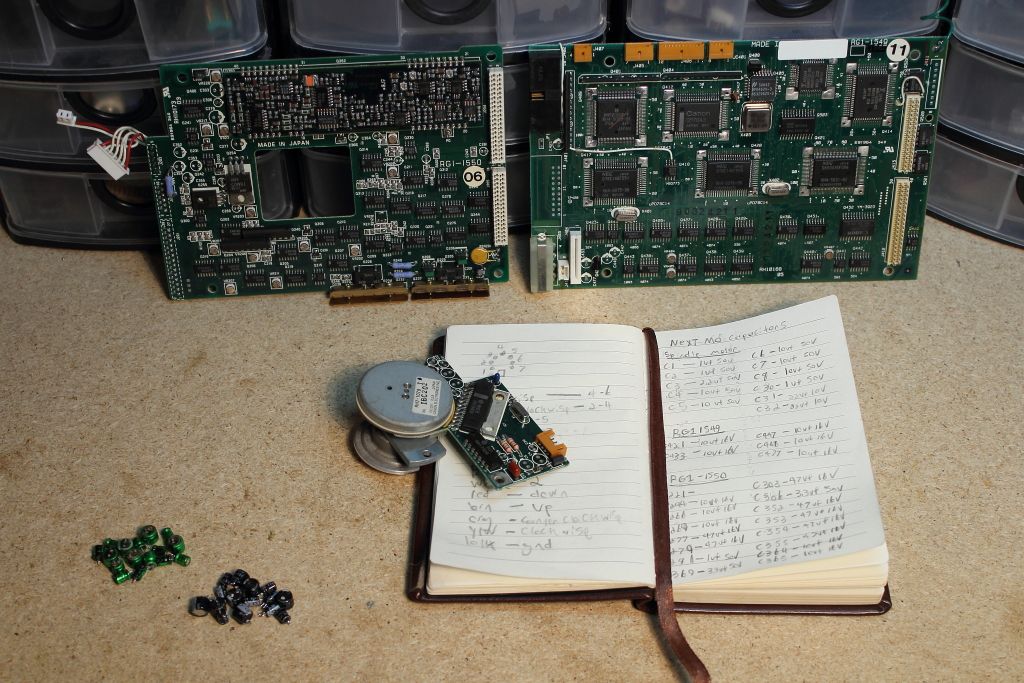
First thing after the pull was that the green Nichicon capacitors are indeed the very obvious ones when they leak. My motor board is a mess. There's trace rot everywhere and we'll be lucky if the corrosion has not wicked itself into the motor controller.
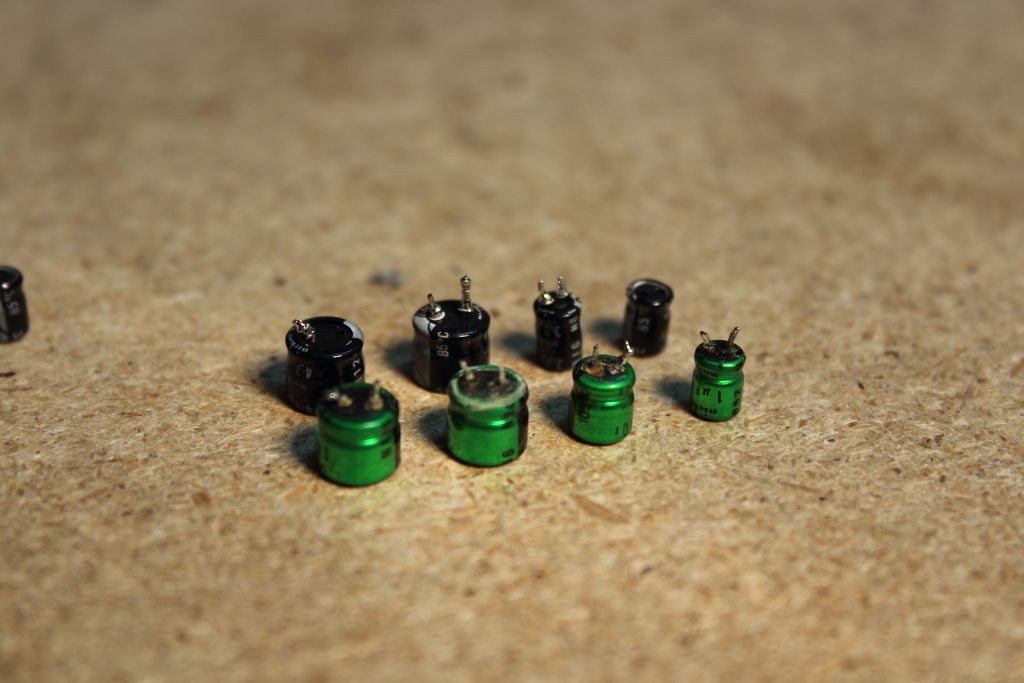
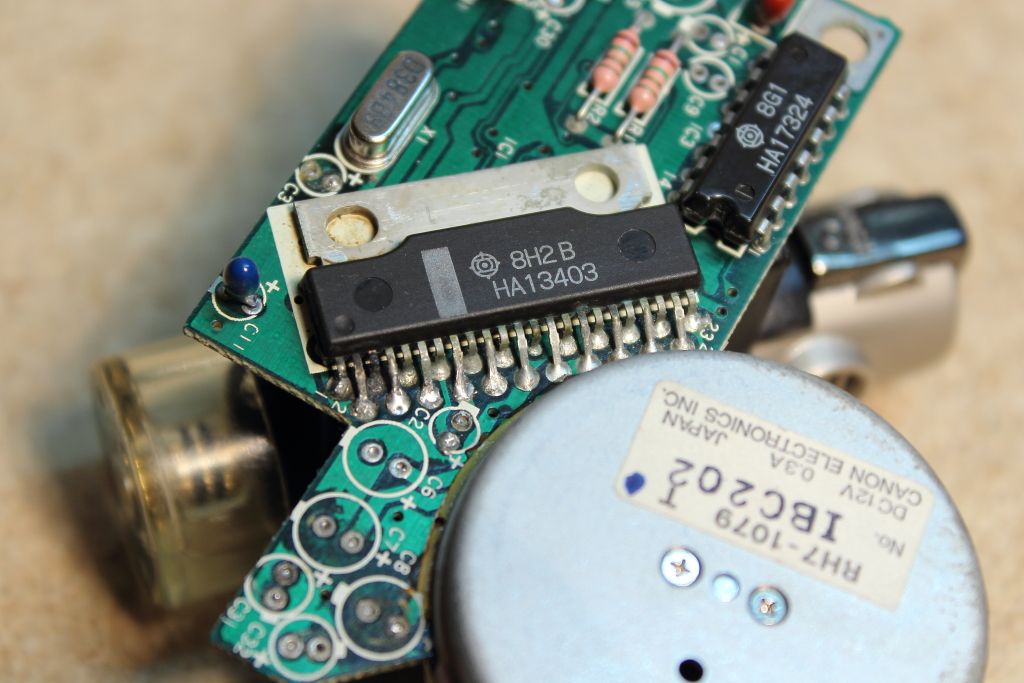
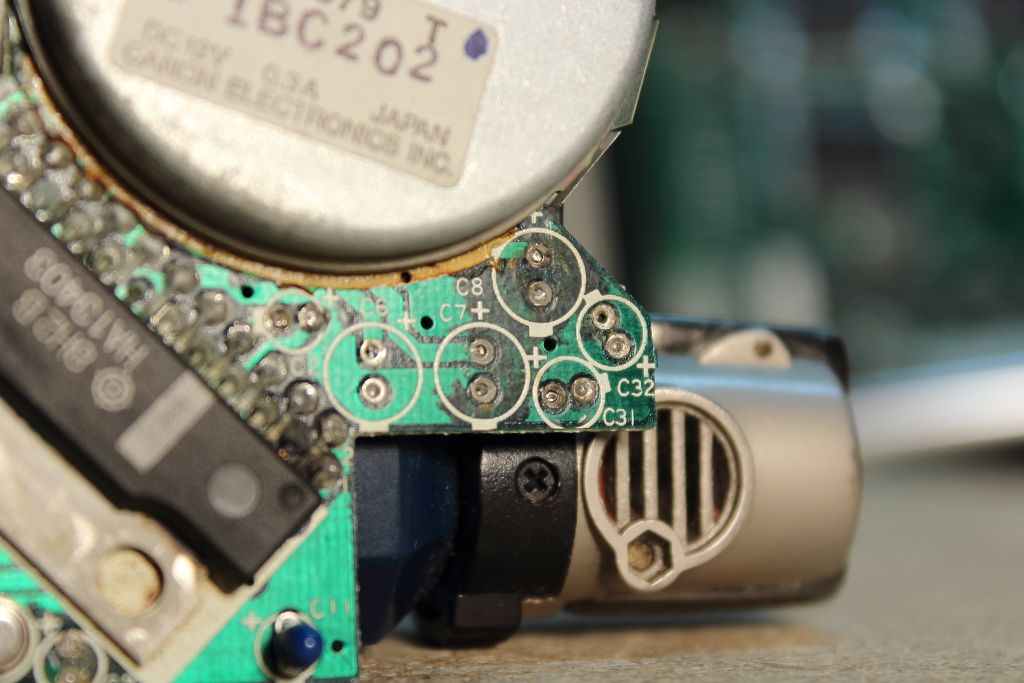
I'll work on ordering a capacitor kit and a PCB vice so I can clean and reinstall the caps.
Speaking of capacitors, here's what I got:
Total cap count consists of:
My caps did not have a sharpie mark. Through a simple diode test my BAV23C appears to be intact but we'll see what happens after the new caps are installed. Ill inquire with my local electronics shop on Monday though it might take until the end of the month to arrive.
I'm just so happy they stuck with through-hole. This would of been such a pain in the ass...
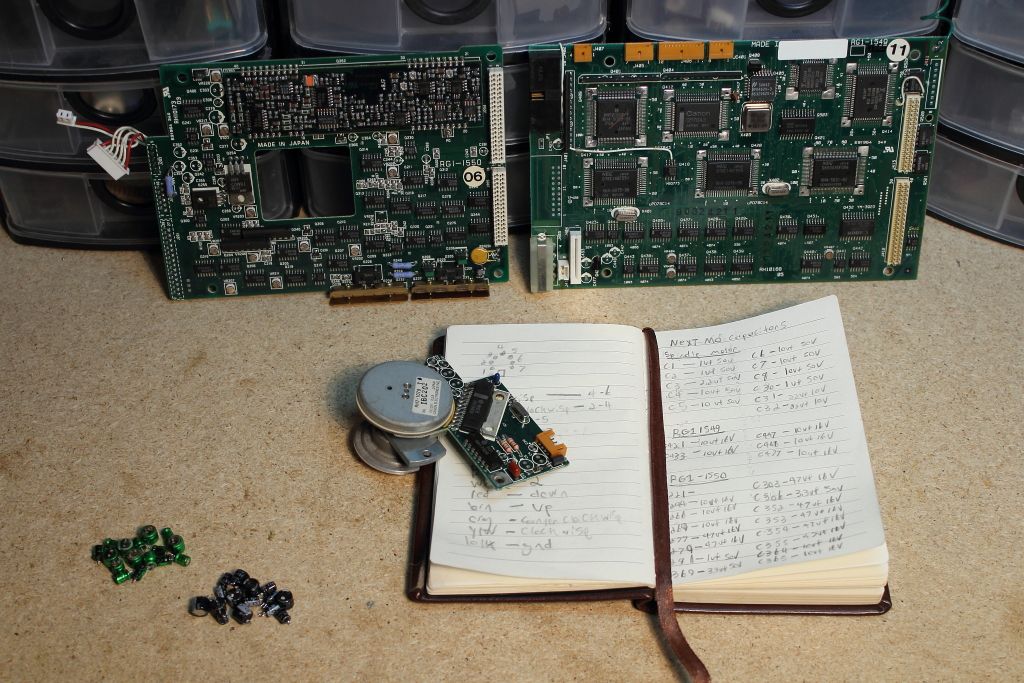
First thing after the pull was that the green Nichicon capacitors are indeed the very obvious ones when they leak. My motor board is a mess. There's trace rot everywhere and we'll be lucky if the corrosion has not wicked itself into the motor controller.
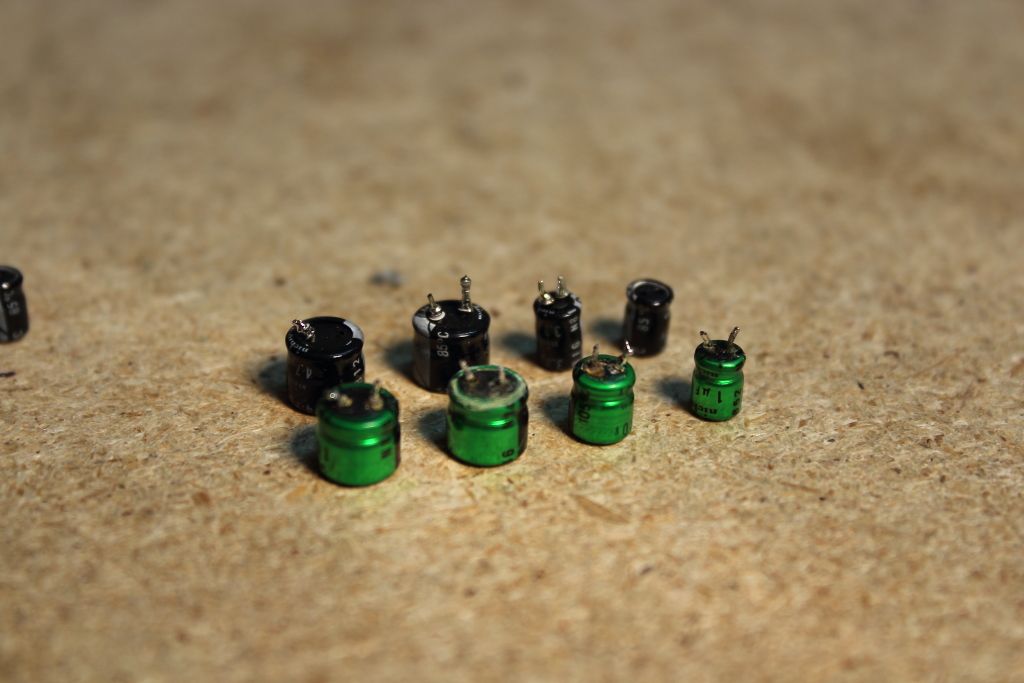
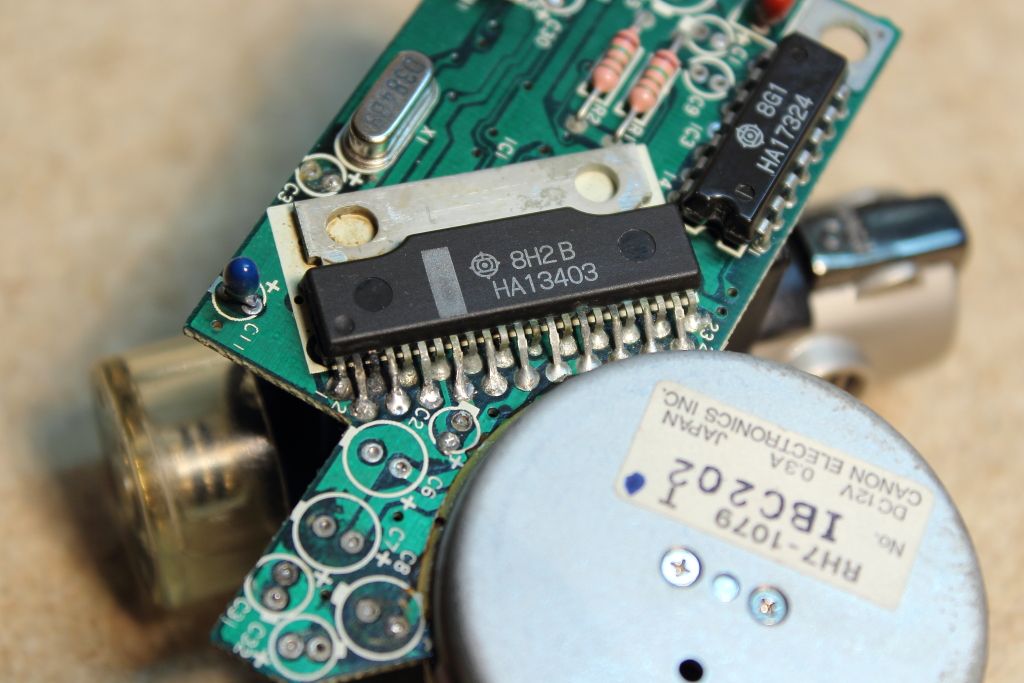
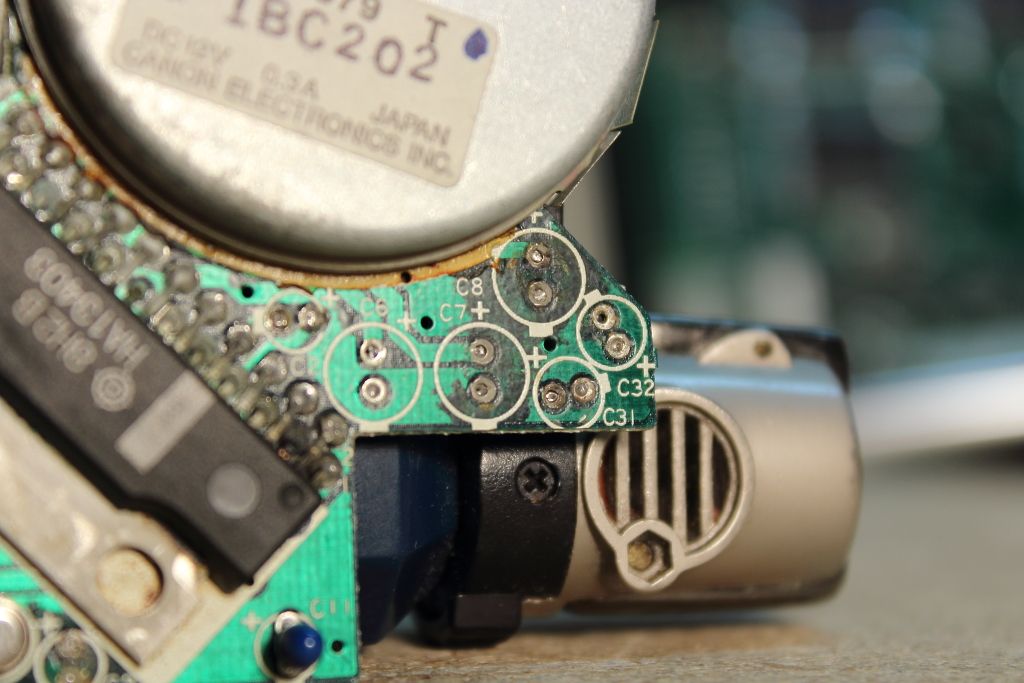
I'll work on ordering a capacitor kit and a PCB vice so I can clean and reinstall the caps.
Speaking of capacitors, here's what I got:
Code Select
MOTOR CONTROL
C1 - 1uf 50v
C2 - 1uf 50v
C3 - 2.2uf 50v
C4 - 10uf 50v
C5 - 10uf 50v
C6 - 10uf 50v
C7 - 10uf 50v
C8 - 10uf 50v
C30 - 1uf 50v
C31 - 22uf 10v
C32 - 22uf 10v

DIGITAL BOARD MARKED "RG1-1549"
C421 - 10uf 16v
C433 - 10uf 16v
C447 - 10uf 16v
C448 - 10uf 16v
C477 - 10uf 16v

DIGITAL BOARD MARKED "RG1-1550"
C221 - 10uf 16v
C244 - 10uf 16v
C266 - 10uf 16v
C269 - 10uf 16v
C277 - 47uf 16v
C279 - 47uf 16v
C281 - 1uf 50v
C303 - 47uf 16v
C306 - 3.3uf 50v
C352 - 47uf 16v
C353 - 47uf 16v
C354 - 47uf 16v
C355 - 47uf 16v
C364 - 10uf 16v
C365 - 10uf 16v
C369 - 3.3uf 50v
Total cap count consists of:
Code Select
4 x 1uf 50v  (4mm)
1 x 2.2uf 50v  (4mm)
11 x 10uf 16v  (4mm)
5 x 10uf 50v  (6mm)
2 x 22uf 10v  (5mm)
7 x 47uf 16v  (6mm)
2 x 3.3uf 50v  (4mm)
My caps did not have a sharpie mark. Through a simple diode test my BAV23C appears to be intact but we'll see what happens after the new caps are installed. Ill inquire with my local electronics shop on Monday though it might take until the end of the month to arrive.
Title: Servicing NeXT (Canon) MO Drives
Post by: Khashoggi on November 03, 2013, 10:35:56 AM
Post by: Khashoggi on November 03, 2013, 10:35:56 AM
Quote from: "pentium"I'll work on ordering a capacitor kit and a PCB vice so I can clean and reinstall the caps.
Speaking of capacitors, here's what I got:Code SelectMOTOR CONTROL
C1 - 1uf 50v
C2 - 1uf 50v
C3 - 2.2uf 50v
C4 - 10uf 50v
C5 - 10uf 50v
C6 - 10uf 50v
C7 - 10uf 50v
C8 - 10uf 50v
C30 - 1uf 50v
C31 - 22uf 10v
C32 - 22uf 10v
DIGITAL BOARD MARKED "RG1-1549"
C421 - 10uf 16v
C433 - 10uf 16v
C447 - 10uf 16v
C448 - 10uf 16v
C477 - 10uf 16v
DIGITAL BOARD MARKED "RG1-1550"
C221 - 10uf 16v
C244 - 10uf 16v
C266 - 10uf 16v
C269 - 10uf 16v
C277 - 47uf 16v
C279 - 47uf 16v
C281 - 1uf 50v
C303 - 47uf 16v
C306 - 3.3uf 50v
C352 - 47uf 16v
C353 - 47uf 16v
C354 - 47uf 16v
C355 - 47uf 16v
C364 - 10uf 16v
C365 - 10uf 16v
C369 - 3.3uf 50v
Total cap count consists of:Code Select4 x 1uf 50v (4mm)
1 x 2.2uf 50v (4mm)
11 x 10uf 16v (4mm)
5 x 10uf 50v (6mm)
2 x 22uf 10v (5mm)
7 x 47uf 16v (6mm)
2 x 3.3uf 50v (4mm)
My caps did not have a sharpie mark. Through a simple diode test my BAV23C appears to be intact but we'll see what happens after the new caps are installed. Ill inquire with my local electronics shop on Monday though it might take until the end of the month to arrive.
Interesting that your motor board uses 10uf@50V caps as I have looked at 5 motor boards so far and they are all 35V parts.
The corrosion from the capacitor electrolyte is indeed messy as you have seen first hand.
The motor board always gets the worst of it, in my observations.
If you have any trace problems, the schematic set I drew is virtually complete for the motor board so you will be able to check against it to verify where traces are supposed to go.
Your likely to have a fully functioning drive once your recap is done. Inspect your laser lens for contamination before reassembly.
Good luck!
Title: Servicing NeXT (Canon) MO Drives
Post by: pentium on November 03, 2013, 11:40:47 AM
Post by: pentium on November 03, 2013, 11:40:47 AM
Well at least the residue cleans up well with rubbing alcohol and a toothbrush.
I'm more nervous than anything on if it will work after this. After we all assumed the problem was unfixable I left my drive plugged in. The motor ran at 5000RPM constantly until one day it spun down and the spindle became a slow moving twitchy mess. :oops:
I'm more nervous than anything on if it will work after this. After we all assumed the problem was unfixable I left my drive plugged in. The motor ran at 5000RPM constantly until one day it spun down and the spindle became a slow moving twitchy mess. :oops:
Title: Servicing NeXT (Canon) MO Drives
Post by: Khashoggi on November 03, 2013, 12:51:35 PM
Post by: Khashoggi on November 03, 2013, 12:51:35 PM
Quote from: "pentium"Well at least the residue cleans up well with rubbing alcohol and a toothbrush.
I'm more nervous than anything on if it will work after this. After we all assumed the problem was unfixable I left my drive plugged in. The motor ran at 5000RPM constantly until one day it spun down and the spindle became a slow moving twitchy mess. :oops:
If it doesn't spin correctly after recap, you can send the motor board to me if you wish and I can take a closer look at it for you. I am very familiar with that board now.
I have one motor board I use for unobtanium spare parts. Some of the soic chips use a wide package format that is now unavailable new.
Title: Servicing NeXT (Canon) MO Drives
Post by: gtnicol on November 03, 2013, 08:14:14 PM
Post by: gtnicol on November 03, 2013, 08:14:14 PM
I have a number of drives that aren't working we can use for parts...
Title: Servicing NeXT (Canon) MO Drives
Post by: Khashoggi on November 03, 2013, 10:32:27 PM
Post by: Khashoggi on November 03, 2013, 10:32:27 PM
Another known bad Analog board has been repaired by only doing a recap.
Next up is a bad digital board that won't allow cartridge to be ingested. First a recap then some testing. I suspect it is more than a recap however. Likely diodes and/or resistors involved (or bad traces)...
Next up is a bad digital board that won't allow cartridge to be ingested. First a recap then some testing. I suspect it is more than a recap however. Likely diodes and/or resistors involved (or bad traces)...
Title: Servicing NeXT (Canon) MO Drives
Post by: Khashoggi on November 03, 2013, 10:41:08 PM
Post by: Khashoggi on November 03, 2013, 10:41:08 PM
Also, another known bad chassis (includes laser, magnet and motor board) repaired after motor board recap.
At some point, we will "hit the wall", but it hasn't happened yet :)
At some point, we will "hit the wall", but it hasn't happened yet :)
Title: Servicing NeXT (Canon) MO Drives
Post by: Khashoggi on November 03, 2013, 11:01:46 PM
Post by: Khashoggi on November 03, 2013, 11:01:46 PM
BTW, using the wrong sized caps (height) to get the 105C rating on some of the values is a no go, especially on the motor board. The chassis has some suspension to it on rubber grommets, and the caps on the motor board that are too high defeat that and cause problems.
Also, there is some board flex on the analog and digital board which is generally a bad thing on all/older boards.
So, I have substituted a few capacitors at 85C rating to get the right dimensions.
I have placed an order with Mouser electronics which will be available in January 2014. They place bulk orders, so when my order is ready (which is small) a large availability of caps will occur. I will create a BOM of the right caps before then so that everybody that wants to order the IDEAL "cap kit" will be able to at that time for only around $20.
For anyone that wants to do a recap right now, some capacitors have to come from digikey and some from mouser for availability.
Here is the complete BOM for both vendors. It is OK to use the 85C parts, it just means that you will have 1000 hours of life at 105C and if you get the 105C parts you will have 2000 hours of life.
MOTOR BOARD
Digi-Key Part Number Manufacturer Manufacturer Part Number Customer Reference Quantity Description Comments RoHS Status Lead Free Status REACH Status
UMA1H2R2MDD-ND NICHICON UMA1H2R2MDD 1 CAP ALUM 2.2UF 50V 20% RADIAL RoHS Compliant Lead free Unaffected Jun-2012
P980-ND PANASONIC ELECTRONIC COMPONENTS ECE-A1VKS100 5 CAP ALUM 10UF 35V 20% RADIAL RoHS Compliant Lead free Unaffected Dec-2011
493-5946-ND NICHICON UMA1C100MDD 1 CAP ALUM 10UF 16V 20% RADIAL RoHS Compliant Lead free Unaffected Jun-2012
493-10286-1-ND NICHICON (VA) UMT1H010MDD1TP 1 CAP ALUM 1UF 50V 20% RADIAL Alternate Packaging Exists RoHS Compliant Lead free Not Available
DIGITAL BOARD
Digi-Key Part Number Manufacturer Manufacturer Part Number Customer Reference Quantity Description Comments RoHS Status Lead Free Status REACH Status
493-5946-ND NICHICON UMA1C100MDD 5 CAP ALUM 10UF 16V 20% RADIAL RoHS Compliant Lead free Unaffected Jun-2012
ANALOG BOARD
Digi-Key Part Number Manufacturer Manufacturer Part Number Customer Reference Quantity Description Comments RoHS Status Lead Free Status REACH Status
UMV1C470MFD-ND NICHICON UMV1C470MFD 7 CAP ALUM 47UF 16V 20% RADIAL Minimum / Multiple of 1200 RoHS Compliant Lead free Unaffected Jun-2012
UMV1H3R3MFD-ND NICHICON UMV1H3R3MFD 2 CAP ALUM 3.3UF 50V 20% RADIAL Minimum / Multiple of 1600 RoHS Compliant Lead free Unaffected Jun-2012
493-5946-ND NICHICON UMA1C100MDD 3 CAP ALUM 10UF 16V 20% RADIAL RoHS Compliant Lead free Unaffected Jun-2012
P967-ND PANASONIC ELECTRONIC COMPONENTS ECE-A1CKS220 2 CAP ALUM 22UF 16V 20% RADIAL RoHS Compliant Lead free Unaffected Dec-2011
493-10286-1-ND NICHICON (VA) UMT1H010MDD1TP 2 CAP ALUM 1UF 50V 20% RADIAL Alternate Packaging Exists RoHS Compliant Lead free Not Available
For the two caps from digikey that require minimum volumes of 1200 and 1600, order these two from mouser:
47uf@16V and 3.3uf@50V
Quantity required #7
Mouser Part #:
647-UMV1C470MFD
Manufacturer Part #:
UMV1C470MFD
Manufacturer:
Nichicon
Description: Aluminum Electrolytic Capacitors - Leaded 16volts 47uF 6.3x5 20% 2.5LS
Quantity required #2
Mouser Part #:
647-UMV1H3R3MFD
Manufacturer Part #:
UMV1H3R3MFD
Manufacturer:
Nichicon
Description: Aluminum Electrolytic Capacitors - Leaded 50volts 3.3uF 4x5 20% 1.5LS
For a total recap you need 29 capacitors.
#9 10uf@16V
#3 1uf@50V
#2 3.3uf@50V
#2 22uf@16V
#7 47uf@16V
#1 2.2uf@50V
#5 10uf@35V
If you have any questions, let me know.
Also, there is some board flex on the analog and digital board which is generally a bad thing on all/older boards.
So, I have substituted a few capacitors at 85C rating to get the right dimensions.
I have placed an order with Mouser electronics which will be available in January 2014. They place bulk orders, so when my order is ready (which is small) a large availability of caps will occur. I will create a BOM of the right caps before then so that everybody that wants to order the IDEAL "cap kit" will be able to at that time for only around $20.
For anyone that wants to do a recap right now, some capacitors have to come from digikey and some from mouser for availability.
Here is the complete BOM for both vendors. It is OK to use the 85C parts, it just means that you will have 1000 hours of life at 105C and if you get the 105C parts you will have 2000 hours of life.
MOTOR BOARD
Digi-Key Part Number Manufacturer Manufacturer Part Number Customer Reference Quantity Description Comments RoHS Status Lead Free Status REACH Status
UMA1H2R2MDD-ND NICHICON UMA1H2R2MDD 1 CAP ALUM 2.2UF 50V 20% RADIAL RoHS Compliant Lead free Unaffected Jun-2012
P980-ND PANASONIC ELECTRONIC COMPONENTS ECE-A1VKS100 5 CAP ALUM 10UF 35V 20% RADIAL RoHS Compliant Lead free Unaffected Dec-2011
493-5946-ND NICHICON UMA1C100MDD 1 CAP ALUM 10UF 16V 20% RADIAL RoHS Compliant Lead free Unaffected Jun-2012
493-10286-1-ND NICHICON (VA) UMT1H010MDD1TP 1 CAP ALUM 1UF 50V 20% RADIAL Alternate Packaging Exists RoHS Compliant Lead free Not Available
DIGITAL BOARD
Digi-Key Part Number Manufacturer Manufacturer Part Number Customer Reference Quantity Description Comments RoHS Status Lead Free Status REACH Status
493-5946-ND NICHICON UMA1C100MDD 5 CAP ALUM 10UF 16V 20% RADIAL RoHS Compliant Lead free Unaffected Jun-2012
ANALOG BOARD
Digi-Key Part Number Manufacturer Manufacturer Part Number Customer Reference Quantity Description Comments RoHS Status Lead Free Status REACH Status
UMV1C470MFD-ND NICHICON UMV1C470MFD 7 CAP ALUM 47UF 16V 20% RADIAL Minimum / Multiple of 1200 RoHS Compliant Lead free Unaffected Jun-2012
UMV1H3R3MFD-ND NICHICON UMV1H3R3MFD 2 CAP ALUM 3.3UF 50V 20% RADIAL Minimum / Multiple of 1600 RoHS Compliant Lead free Unaffected Jun-2012
493-5946-ND NICHICON UMA1C100MDD 3 CAP ALUM 10UF 16V 20% RADIAL RoHS Compliant Lead free Unaffected Jun-2012
P967-ND PANASONIC ELECTRONIC COMPONENTS ECE-A1CKS220 2 CAP ALUM 22UF 16V 20% RADIAL RoHS Compliant Lead free Unaffected Dec-2011
493-10286-1-ND NICHICON (VA) UMT1H010MDD1TP 2 CAP ALUM 1UF 50V 20% RADIAL Alternate Packaging Exists RoHS Compliant Lead free Not Available
For the two caps from digikey that require minimum volumes of 1200 and 1600, order these two from mouser:
47uf@16V and 3.3uf@50V
Quantity required #7
Mouser Part #:
647-UMV1C470MFD
Manufacturer Part #:
UMV1C470MFD
Manufacturer:
Nichicon
Description: Aluminum Electrolytic Capacitors - Leaded 16volts 47uF 6.3x5 20% 2.5LS
Quantity required #2
Mouser Part #:
647-UMV1H3R3MFD
Manufacturer Part #:
UMV1H3R3MFD
Manufacturer:
Nichicon
Description: Aluminum Electrolytic Capacitors - Leaded 50volts 3.3uF 4x5 20% 1.5LS
For a total recap you need 29 capacitors.
#9 10uf@16V
#3 1uf@50V
#2 3.3uf@50V
#2 22uf@16V
#7 47uf@16V
#1 2.2uf@50V
#5 10uf@35V
If you have any questions, let me know.
Title: Servicing NeXT (Canon) MO Drives
Post by: Khashoggi on November 04, 2013, 12:17:20 AM
Post by: Khashoggi on November 04, 2013, 12:17:20 AM
Quote from: "pentium"[code]MOTOR CONTROL
C1 - 1uf 50v
C2 - 1uf 50v
C3 - 2.2uf 50v
C4 - 10uf 50v
C5 - 10uf 50v
C6 - 10uf 50v
C7 - 10uf 50v
C8 - 10uf 50v
C30 - 1uf 50v
C31 - 22uf 10v
C32 - 22uf 10v
I have now run into a motor board revision like yours. It includes extra caps, specifically:
C1
C9
C30
C31
C32
There are at least two revisions of motor board, maybe three. We will need to photograph each version.
I can tell you my schematic set pertains to the board revision that has only 8 electrolytic capacitors. The other board revision has 11.
Title: Servicing NeXT (Canon) MO Drives
Post by: Khashoggi on November 04, 2013, 09:42:58 AM
Post by: Khashoggi on November 04, 2013, 09:42:58 AM
I will soon put together a PDF for download here that will clearly document the process of drive servicing.
It will include drive disassembly with photos, board identification, capacitor removal and replacement legends with cap kit ordering information similar to posted above.
It will also include the latest set of schematics at the end.
I intend to keep the document updated as we learn more, but with it in hand (or just reading through this thread) and if your comfortable soldering then following the PDF service manual gives you a great shot at a fully repaired drive just by recapping and lens cleaning.
It will include drive disassembly with photos, board identification, capacitor removal and replacement legends with cap kit ordering information similar to posted above.
It will also include the latest set of schematics at the end.
I intend to keep the document updated as we learn more, but with it in hand (or just reading through this thread) and if your comfortable soldering then following the PDF service manual gives you a great shot at a fully repaired drive just by recapping and lens cleaning.
Title: Servicing NeXT (Canon) MO Drives
Post by: Khashoggi on November 04, 2013, 11:33:36 PM
Post by: Khashoggi on November 04, 2013, 11:33:36 PM
Quote from: "pentium"Code SelectMOTOR CONTROL
C1 - 1uf 50v
C2 - 1uf 50v
C3 - 2.2uf 50v
C4 - 10uf 50v
C5 - 10uf 50v
C6 - 10uf 50v
C7 - 10uf 50v
C8 - 10uf 50v
C30 - 1uf 50v
C31 - 22uf 10v
C32 - 22uf 10v
DIGITAL BOARD MARKED "RG1-1549"
C421 - 10uf 16v
C433 - 10uf 16v
C447 - 10uf 16v
C448 - 10uf 16v
C477 - 10uf 16v
DIGITAL BOARD MARKED "RG1-1550"
C221 - 10uf 16v
C244 - 10uf 16v
C266 - 10uf 16v
C269 - 10uf 16v
C277 - 47uf 16v
C279 - 47uf 16v
C281 - 1uf 50v
C303 - 47uf 16v
C306 - 3.3uf 50v
C352 - 47uf 16v
C353 - 47uf 16v
C354 - 47uf 16v
C355 - 47uf 16v
C364 - 10uf 16v
C365 - 10uf 16v
C369 - 3.3uf 50v
Total cap count consists of:Code Select4 x 1uf 50v (4mm)
1 x 2.2uf 50v (4mm)
11 x 10uf 16v (4mm)
5 x 10uf 50v (6mm)
2 x 22uf 10v (5mm)
7 x 47uf 16v (6mm)
2 x 3.3uf 50v (4mm)
My caps did not have a sharpie mark. Through a simple diode test my BAV23C appears to be intact but we'll see what happens after the new caps are installed. Ill inquire with my local electronics shop on Monday though it might take until the end of the month to arrive.
It looks like your motor board also has a C9 like the variant I have. Was it populated? I bet not.
We definitely have at least 3 revisions of motor board floating around.
Title: Servicing NeXT (Canon) MO Drives
Post by: Khashoggi on November 05, 2013, 01:01:00 AM
Post by: Khashoggi on November 05, 2013, 01:01:00 AM
If your drive won't ingest a disk it is likely two things (in order of likelihood):
Digital board problem
Sensor and/or cabling to sensor problem
The sensors (disk inserted, laser lockout etc...) go straight to the digital board. Once they get there they go through some resistor packs (which I can't find datasheets on) and then to the various custom chips or CPU's.
I will be putting a known good digital board and a known bad (won't ingest) digital board on my test bench in the next day or two and compare signals to zero in on what it is.
My guess is one of the resistor packs is burned out. Hopefully it isn't a problem with the gate array custom chips. That would be the end of the line.
But, I think it is more likely to be a power problem, and the resistor packs are involved in that.
Digital board problem
Sensor and/or cabling to sensor problem
The sensors (disk inserted, laser lockout etc...) go straight to the digital board. Once they get there they go through some resistor packs (which I can't find datasheets on) and then to the various custom chips or CPU's.
I will be putting a known good digital board and a known bad (won't ingest) digital board on my test bench in the next day or two and compare signals to zero in on what it is.
My guess is one of the resistor packs is burned out. Hopefully it isn't a problem with the gate array custom chips. That would be the end of the line.
But, I think it is more likely to be a power problem, and the resistor packs are involved in that.
Title: Servicing NeXT (Canon) MO Drives
Post by: pentium on November 05, 2013, 02:00:02 AM
Post by: pentium on November 05, 2013, 02:00:02 AM
QuoteIndeed I noted that there was no capacitor installed at C9.
It looks like your motor board also has a C9 like the variant I have. Was it populated? I bet not.
As the caps on the digital board are included in my recapping we'll see if that behaves after replacement. I sent a list off to my local shop and if his supplier needs larger quantities I too can also supply a few recap kits.
Title: Servicing NeXT (Canon) MO Drives
Post by: Khashoggi on November 07, 2013, 12:06:41 AM
Post by: Khashoggi on November 07, 2013, 12:06:41 AM
Diagnosing Digital Board to determine why some drives won't ingest a disc.
My theory is that since the drives won't ingest a drive when not connected to a NeXT machine or the SCSI board I have that there is something wrong with the circuitry from the MO drive port onwards. The bad digital boards are behaving like a good board not connected to a machine.
I have a few suspects I am checking out. I'm thinking a blown diode, voltage regulator, or transistor.
For my bad digital board with the no ingest symptoms it definitely isn't sensors or cabling, I've ruled that out.
As far as I have seen, the most likely failure modes for these drives, in order-
Bad caps on motor board. Motor doesn't hold 3000rpm.
Bad caps on analog board. Signaling is corrupted.
Bad caps on digital board
Other bad component(s) on motor board
Other bad component(s) on digital board
Laser assembly belongs in the list somewhere but I don't have enough sample info.
My theory is that since the drives won't ingest a drive when not connected to a NeXT machine or the SCSI board I have that there is something wrong with the circuitry from the MO drive port onwards. The bad digital boards are behaving like a good board not connected to a machine.
I have a few suspects I am checking out. I'm thinking a blown diode, voltage regulator, or transistor.
For my bad digital board with the no ingest symptoms it definitely isn't sensors or cabling, I've ruled that out.
As far as I have seen, the most likely failure modes for these drives, in order-
Bad caps on motor board. Motor doesn't hold 3000rpm.
Bad caps on analog board. Signaling is corrupted.
Bad caps on digital board
Other bad component(s) on motor board
Other bad component(s) on digital board
Laser assembly belongs in the list somewhere but I don't have enough sample info.
Title: Servicing NeXT (Canon) MO Drives
Post by: Khashoggi on November 08, 2013, 10:25:35 PM
Post by: Khashoggi on November 08, 2013, 10:25:35 PM
Still tracing non-ingest digital board symptom. Although I think I know what it is.
On another front, I bought an Adaptec 2906 SCSI card.
Patching the SD driver and building a custom linux kernel later, I decided the INITIO driver for my Initio 9100UW2 card was buggy.
I was correct.
I installed the Adaptec card and linux will now boot and talk to the NeXT drive through the SCSI card without offlining it.
I can mount the drive (that I formatted in Windows) and see the files I wrote to it in Windows.
I tried inserting a NeXT disk into it and the scsi error is "Incompatible medium installed"
The Canon SCSI board does not like NeXT formatted disks. That's OK.
I just wanted to figure out why the drive worked with Windows but not Linux.
On another front, I bought an Adaptec 2906 SCSI card.
Patching the SD driver and building a custom linux kernel later, I decided the INITIO driver for my Initio 9100UW2 card was buggy.
I was correct.
I installed the Adaptec card and linux will now boot and talk to the NeXT drive through the SCSI card without offlining it.
I can mount the drive (that I formatted in Windows) and see the files I wrote to it in Windows.
I tried inserting a NeXT disk into it and the scsi error is "Incompatible medium installed"
The Canon SCSI board does not like NeXT formatted disks. That's OK.
I just wanted to figure out why the drive worked with Windows but not Linux.
Title: Servicing NeXT (Canon) MO Drives
Post by: mikeboss on November 11, 2013, 01:16:14 PM
Post by: mikeboss on November 11, 2013, 01:16:14 PM
last week I bought a canon L10132 on e*ay mainly because of the SCSI-to-ODD converter board. it has an L10130 optical drive in it (manufactured early 1991) which of course doesn't work. RPM are way too high. now that I own one working drive, I know from the sound that it spins too fast. found a motor board in the ODD that I have never seen before:
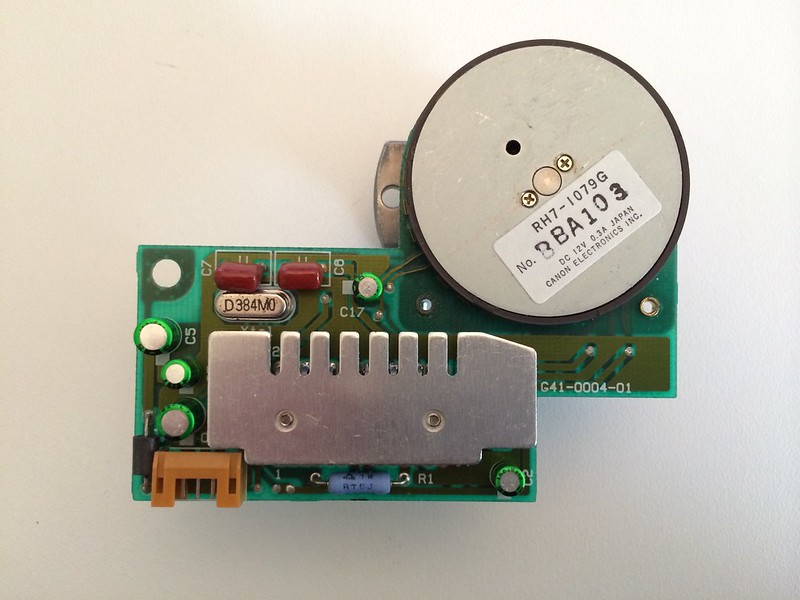
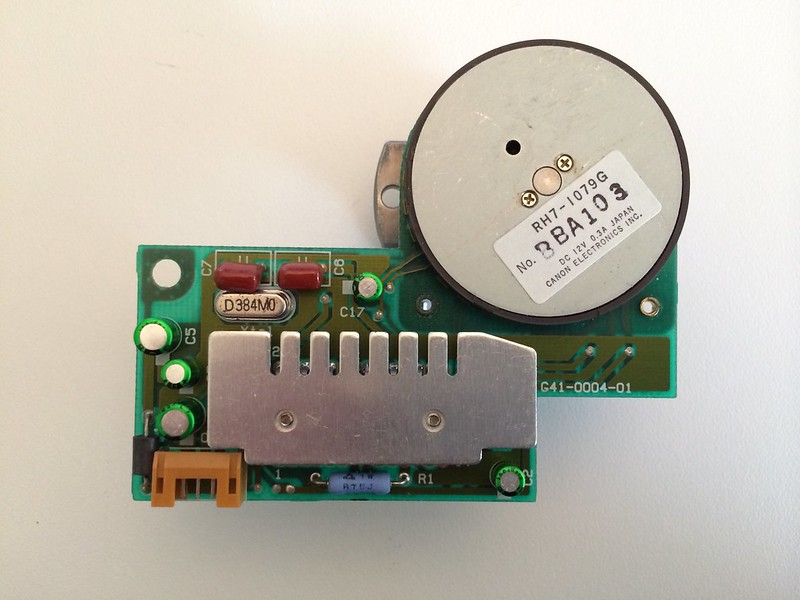
Title: Servicing NeXT (Canon) MO Drives
Post by: Khashoggi on November 11, 2013, 01:51:04 PM
Post by: Khashoggi on November 11, 2013, 01:51:04 PM
Quote from: "mikeboss"last week I bought a canon L10132 on e*ay mainly because of the SCSI-to-ODD converter board. it has an L10130 optical drive in it (manufactured early 1991) which of course doesn't work. RPM are way too high. now that I own one working drive, I know from the sound that it spins too fast. found a motor board in the ODD that I have never seen before:
That's one I haven't seen before.
Looks like they heatsinked the motor driver IC. Also, fewest number of caps of any revision.
Recapping it will likely get the motor to run at the proper 3000 rpm.
Title: Servicing NeXT (Canon) MO Drives
Post by: gtnicol on November 11, 2013, 02:37:07 PM
Post by: gtnicol on November 11, 2013, 02:37:07 PM
Out of curiosity, what did you pay for that? I picked up 5 for $800 each a few weeks ago... some are dead, some aren't.
Title: Servicing NeXT (Canon) MO Drives
Post by: mikeboss on November 11, 2013, 02:46:11 PM
Post by: mikeboss on November 11, 2013, 02:46:11 PM
USD 800.00 per drive?? :shock: I paid USD 150.00 plus shipping for mine.
Title: Servicing NeXT (Canon) MO Drives
Post by: gtnicol on November 11, 2013, 02:52:44 PM
Post by: gtnicol on November 11, 2013, 02:52:44 PM
I think you got a deal! The other one I found was $900... I thought I was getting it cheap (assuming they were working, of course).
Title: Servicing NeXT (Canon) MO Drives
Post by: mikeboss on November 11, 2013, 03:00:54 PM
Post by: mikeboss on November 11, 2013, 03:00:54 PM
I was expecting that mine won't work anymore. plus, the case is in a quite sorry state. but I didn't care. I now have a working case with the SCSI converter board in it and a drive for parts. I'll try to get the drive up and running again by replacing the caps on the motor board as soon as I find the parts and time...
Title: Servicing NeXT (Canon) MO Drives
Post by: pentium on November 12, 2013, 11:57:52 AM
Post by: pentium on November 12, 2013, 11:57:52 AM
Holy crap gtincol. How do you absorb splurge purchases like that? That's almost $5000. in drives you bought.
Title: Servicing NeXT (Canon) MO Drives
Post by: pl212 on November 12, 2013, 03:59:08 PM
Post by: pl212 on November 12, 2013, 03:59:08 PM
Just a quick note to say thanks to Khashoggi and all the others who are working on this problem -- I know a lot of us with these optical discs are watching this thread and cheering you on!
Title: Servicing NeXT (Canon) MO Drives
Post by: Khashoggi on November 12, 2013, 08:39:38 PM
Post by: Khashoggi on November 12, 2013, 08:39:38 PM
Quote from: "pl212"Just a quick note to say thanks to Khashoggi and all the others who are working on this problem -- I know a lot of us with these optical discs are watching this thread and cheering you on!
Thanks!
OK, Service manual-
I am planning to release it this week. I expect several revisions.
It will focus on Capacitor replacement with pictures and graphics on how to do it and what parts to order.
I believe the primary problem is capacitors and the secondary effects from them.
Once you replace the capacitors, then it is time to address the secondary effects.
One common secondary is a contaminated optical lens. That is easy to clean.
Another secondary is the corrosion of the PCB's from the Capacitor electrolyte leakage. This will be the area of complication.
The service manual will include the schematics that I have created to date with a link for the latest. The schematics will evolve. Some areas, like the Motor Board are likely complete (there might be some traces not discovered). In a full scale tear down the boards would be stripped and go out for X-Ray and sanding. But, I don't think that's necessary.
An "advanced" section of the service manual will receive the most updates and will contain all the problems beyond a simple capacitor replacement.
As far as the disk ingest problem-
There are four electrolytic capacitors clustered near the magnet board connector which carries the disk insertion sensor signal.
Electrolyte corrosion from the bad capacitors can damage the traces around this connector.
The way it works is power is supplied to a disk insertion sensor and a signal is returned when it happens.
The power, ground, and signal wires go through this connector near the bad caps. It also goes through a RC pack (Q401) and then onward to the Canon custom chip CM7043.
The way the wiring works, problem areas can be numerous:
1 The sensor itself
2 The FFC cable from the sensor to the Magnet Board
3 The FFC connector on the Magnet Board
4 The Magnet Board
5 The FFC cable from the Magnet Board to the Digital Board
6 The FFC connector on the Digital Board
7 The traces on the Digital Board to Q401 the RC pack
8 Resistor R444 on the Digital Board to supply power to the sensor. 180 ohm.
9 The RC pack Q401. Should be 9.9K ohms from pin 2 to 3 AND 42.9K from pin 3 to pin 1.
10 And finally Q412 the Canon CM7043 custom chip.
The Q412 chip is likely a dead end.
More info on this later in an easier debug format once I fix the two Digital boards I have that exhibit this fault. It will be interesting to see where the fault lies in these two.
Title: Servicing NeXT (Canon) MO Drives
Post by: mikeboss on November 13, 2013, 04:12:25 AM
Post by: mikeboss on November 13, 2013, 04:12:25 AM
so far, we have three different revisions of the motor board.
early design ca. 1989 NeXT branded ODD
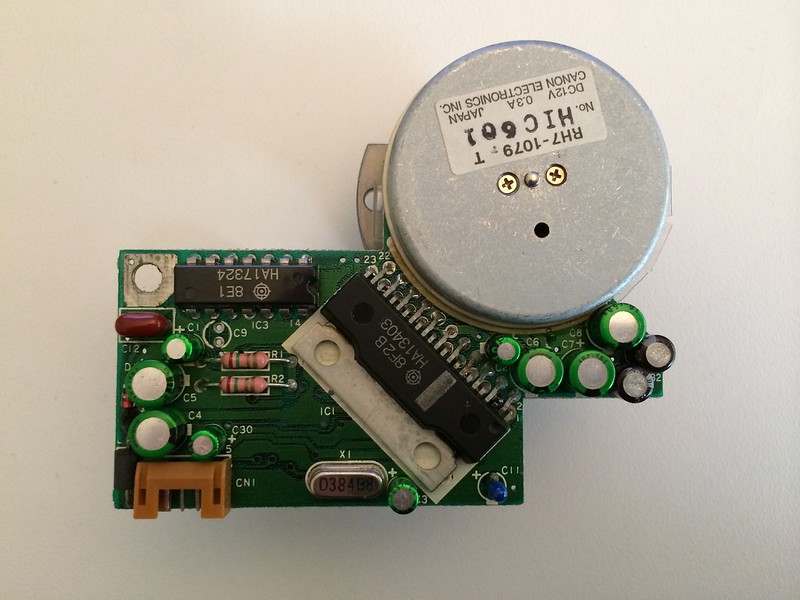
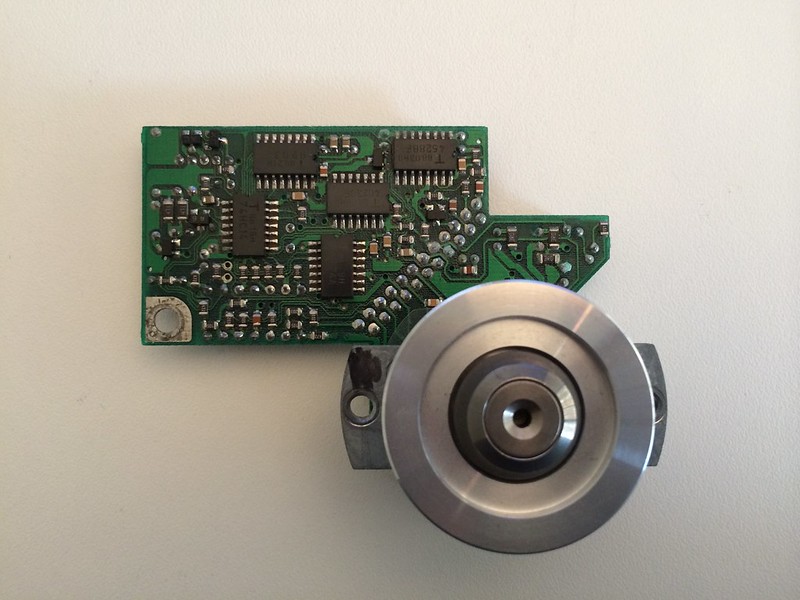
later design ca. 1990 NeXT branded ODD
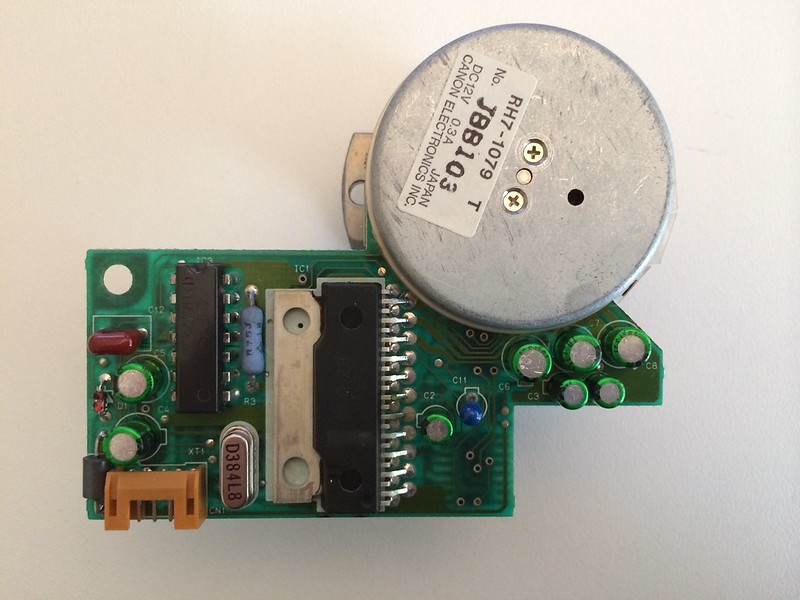
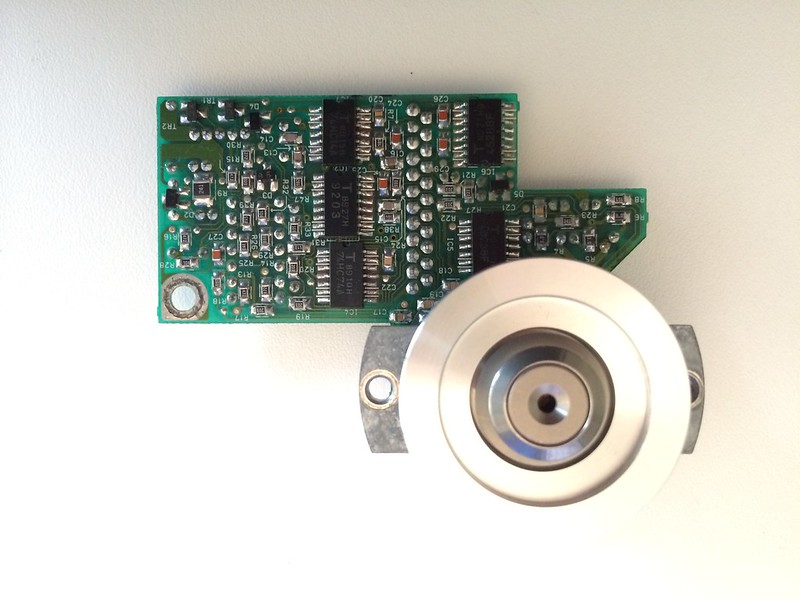
latest design ca. 1991 onwards canon branded ODD
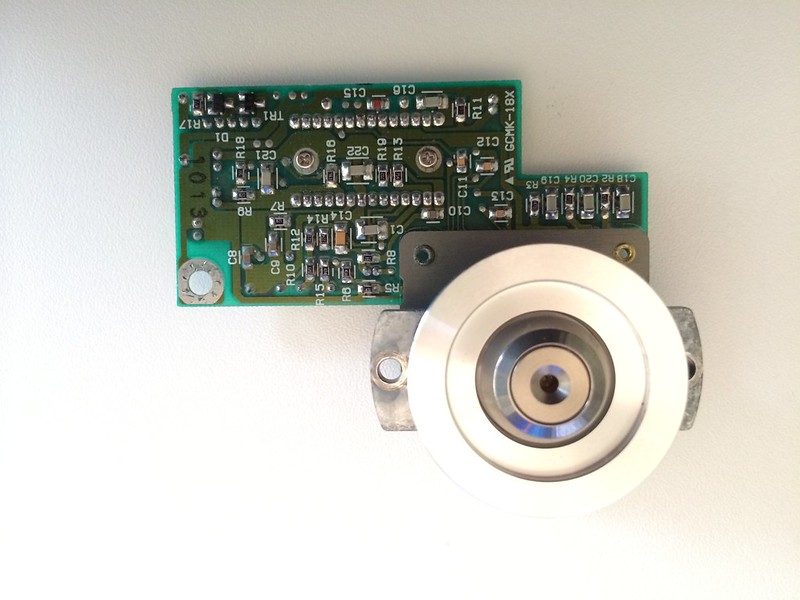
CAPACITORS on latest design motor PCB:
C2 2.2µF 50V 105°C
C3 2.2µF 50V 105°C
C4 4.7µF 50V 105°C
C5 10µF 35V 105°C
C17 10µF 16V 105°C
early design ca. 1989 NeXT branded ODD
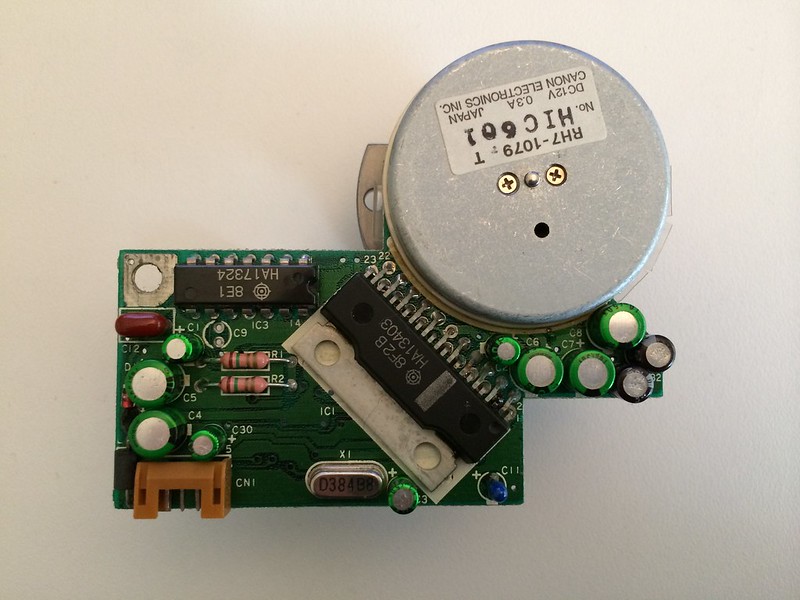
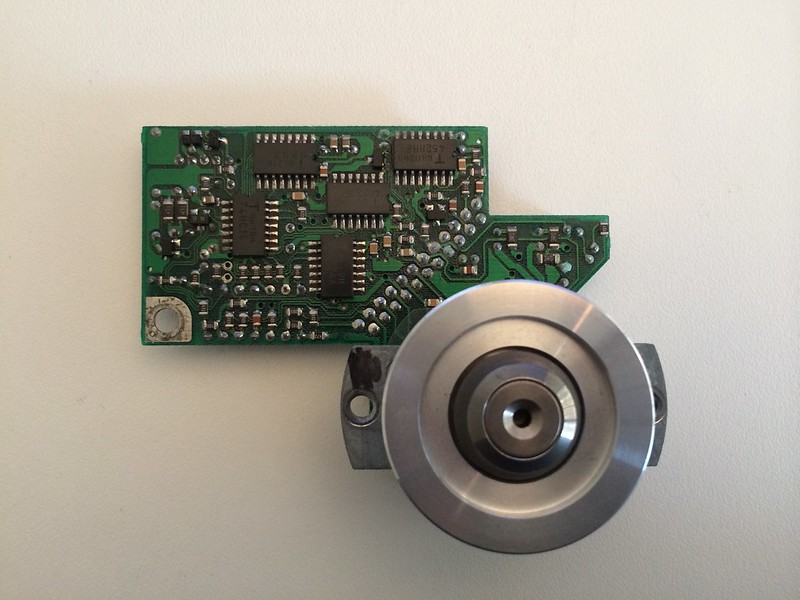
later design ca. 1990 NeXT branded ODD
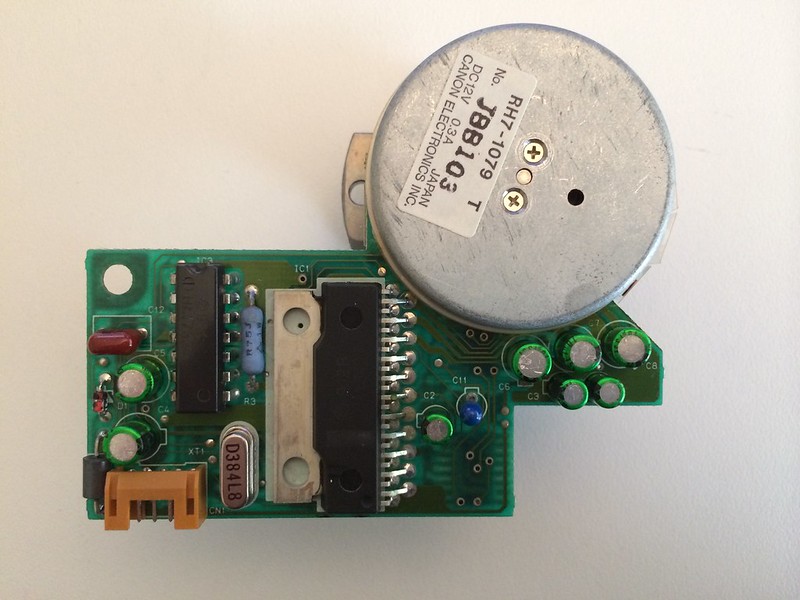
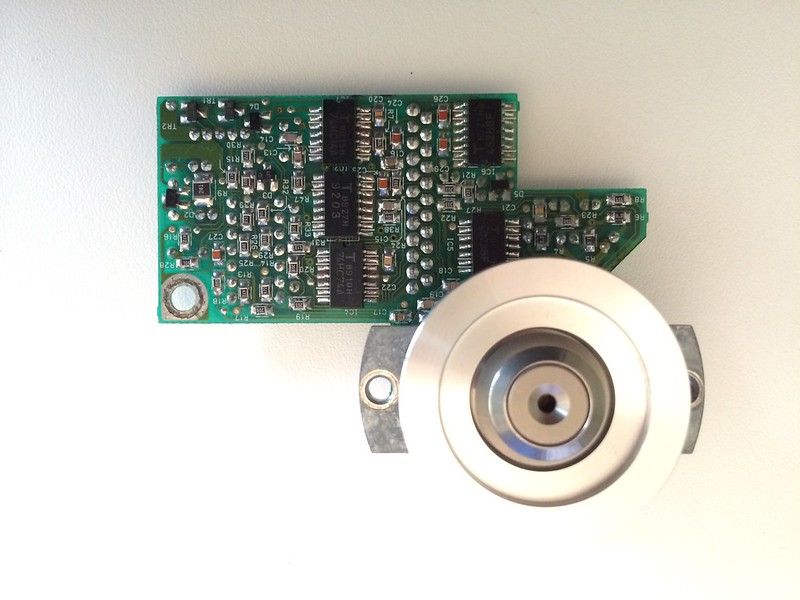
latest design ca. 1991 onwards canon branded ODD
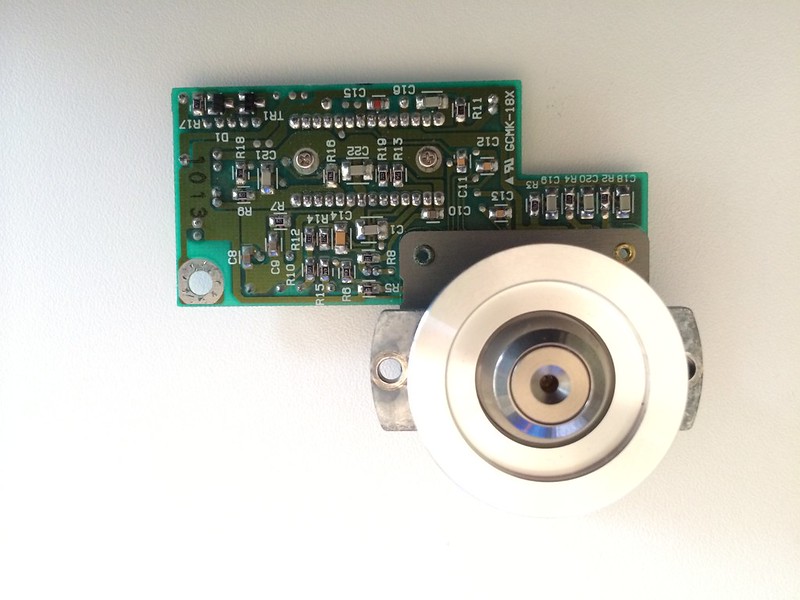
CAPACITORS on latest design motor PCB:
C2 2.2µF 50V 105°C
C3 2.2µF 50V 105°C
C4 4.7µF 50V 105°C
C5 10µF 35V 105°C
C17 10µF 16V 105°C
Title: Servicing NeXT (Canon) MO Drives
Post by: Khashoggi on November 13, 2013, 04:40:12 AM
Post by: Khashoggi on November 13, 2013, 04:40:12 AM
Quote from: "mikeboss"so far, we have three different revisions of the motor board.
early design ca. 1989 NeXT branded ODD
later design ca. 1990 NeXT branded ODD
latest design ca. 1991 onwards canon branded ODD
Great pictures Mike! With your permission I want to put them in the service manual.
Title: Servicing NeXT (Canon) MO Drives
Post by: mikeboss on November 13, 2013, 04:51:56 AM
Post by: mikeboss on November 13, 2013, 04:51:56 AM
of course you're allowed to use these pictures! that's why I took them. you can get the high-res versions on my flickr page ->
http://www.flickr.com/photos/87645035@N04/
http://www.flickr.com/photos/87645035@N04/
Title: Servicing NeXT (Canon) MO Drives
Post by: mikeboss on November 14, 2013, 05:10:33 AM
Post by: mikeboss on November 14, 2013, 05:10:33 AM
Quote from: "Khashoggi"Recapping it will likely get the motor to run at the proper 3000 rpm.
aarrgh, replaced the capacitors and, unfortunately, it's still spinning way above 3000 RPM :cry: disassembling again, checking the soldering I did...
@Khashoggi
the RPM checking is happening on the motor board itself, right?
Title: Servicing NeXT (Canon) MO Drives
Post by: Khashoggi on November 14, 2013, 07:02:11 AM
Post by: Khashoggi on November 14, 2013, 07:02:11 AM
Quote from: "mikeboss"Quote from: "Khashoggi"Recapping it will likely get the motor to run at the proper 3000 rpm.
aarrgh, replaced the capacitors and, unfortunately, it's still spinning way above 3000 RPM :cry: disassembling again, checking the soldering I did...
@Khashoggi
the RPM checking is happening on the motor board itself, right?
Yes, the motor board is solely responsible for rpm management. Check the diodes. There will be one through hole and three (more or less for your revision not sure) smd common cathode diodes on the back side. Lookup datasheet for pinout on BAV23C diode.
After the solder and diode check, I can give some more ideas, but refer to schematic and test supply voltages on all chips. You might have a bad support chip.
How are you testing RPM? If you don't have a meter, check the supply current being drawn by the motor board. If it is constant around 0.3A, the RPM isn't being managed, if it varies from low to medium 0.08-0.15A or so then it is managing itself.
Title: Servicing NeXT (Canon) MO Drives
Post by: Khashoggi on November 14, 2013, 07:22:57 AM
Post by: Khashoggi on November 14, 2013, 07:22:57 AM
I just looked over your photos closely. Your revision won't match my schematics at all. It looks like they replaced several chips with a hybrid module under the heatsink.
Check the through hole diode and the surface mount D1 and TR1. D1 is a diode which may be the BAV23C or something else. What are the markings on the diode itself?
The TR1 is likely a zener diode like the revisions I have seen. You can check it too with a diode check but it won't completely test it. The zener is not likely a problem.
Can you pull the heatsink off the hybrid easily and take a photo of what the module has on it?
Check the through hole diode and the surface mount D1 and TR1. D1 is a diode which may be the BAV23C or something else. What are the markings on the diode itself?
The TR1 is likely a zener diode like the revisions I have seen. You can check it too with a diode check but it won't completely test it. The zener is not likely a problem.
Can you pull the heatsink off the hybrid easily and take a photo of what the module has on it?
Title: Servicing NeXT (Canon) MO Drives
Post by: mikeboss on November 14, 2013, 09:32:58 AM
Post by: mikeboss on November 14, 2013, 09:32:58 AM
I made a terrible mistake: one of the capacitors I ordered is a non-polarized type :oops:
I have to admit: I'n not too familiar with electronics...
I took the heatspreader off of the IC on the motor-board. unfortunately most of the markings are unreadable. all I can read is "LB1". could be a brushless motor driver IC from SANYO. possibly this one (SANYO LB1816 which was designed specifically for optical disk drives according to the data-sheet)? ->
http://pdf.datasheetcatalog.com/datasheets/70/500849_DS.pdf
I have to admit: I'n not too familiar with electronics...
I took the heatspreader off of the IC on the motor-board. unfortunately most of the markings are unreadable. all I can read is "LB1". could be a brushless motor driver IC from SANYO. possibly this one (SANYO LB1816 which was designed specifically for optical disk drives according to the data-sheet)? ->
http://pdf.datasheetcatalog.com/datasheets/70/500849_DS.pdf
Title: Servicing NeXT (Canon) MO Drives
Post by: Khashoggi on November 14, 2013, 10:25:37 AM
Post by: Khashoggi on November 14, 2013, 10:25:37 AM
Quote from: "mikeboss"I made a terrible mistake: one of the capacitors I ordered is a non-polarized type :oops:
I have to admit: I'n not too familiar with electronics...
I took the heatspreader off of the IC on the motor-board. unfortunately most of the markings are unreadable. all I can read is "LB1". could be a brushless motor driver IC from SANYO. possibly this one (SANYO LB1816 which was designed specifically for optical disk drives according to the data-sheet)? ->
http://pdf.datasheetcatalog.com/datasheets/70/500849_DS.pdf
I ran that Japanese datasheet through google translate-
http://translate.google.com/translate?sl=ja&tl=en&js=n&prev=_t&hl=en&ie=UTF-8&u=http%3A%2F%2Fpdf.datasheetcatalog.com%2Fdatasheets%2F70%2F500849_DS.pdf
It could very well be that chip. It combines the older revision motor controller and speed control IC's in one package.
I suggest getting the right capacitor first, and then if there is still a problem, diode checks and voltage checks are in order.
Title: Servicing NeXT (Canon) MO Drives
Post by: mikeboss on November 14, 2013, 10:46:06 AM
Post by: mikeboss on November 14, 2013, 10:46:06 AM
the physical appearance also fits with the datasheet.
ordered the right capacitor already. but I suspect it won't be delivered until next week.
ordered the right capacitor already. but I suspect it won't be delivered until next week.
Title: Servicing NeXT (Canon) MO Drives
Post by: pentium on November 14, 2013, 03:52:54 PM
Post by: pentium on November 14, 2013, 03:52:54 PM
I got a call from my local supplier who wanted to clear things up.
He also wanted to make sure that I needed polarized caps because there was nothing else he could find that would work. Apparently the green sleeve also meant a series as well and he could find no information at all until I mentioned the caps are probably 25 years old, at which point he started making connections and that particular series has been probably discontinued by Nichicon. He has however managed to surface suitable replacements that are 5mm in height, not 6mm. I don't think that will be much of an issue here.
He also wanted to make sure that I needed polarized caps because there was nothing else he could find that would work. Apparently the green sleeve also meant a series as well and he could find no information at all until I mentioned the caps are probably 25 years old, at which point he started making connections and that particular series has been probably discontinued by Nichicon. He has however managed to surface suitable replacements that are 5mm in height, not 6mm. I don't think that will be much of an issue here.
Title: Servicing NeXT (Canon) MO Drives
Post by: gtnicol on November 14, 2013, 07:56:44 PM
Post by: gtnicol on November 14, 2013, 07:56:44 PM
Seems like I should also got through the drives I have to produce a fairly complete picture of board variations. I'll try to scan things over the weekend...
Title: Servicing NeXT (Canon) MO Drives
Post by: Khashoggi on November 15, 2013, 10:14:20 AM
Post by: Khashoggi on November 15, 2013, 10:14:20 AM
Service manual 1st revision will be posted here later today.
The drive that won't ingest disks is still in progress, but here is what I have learned-
It is definitely the digital board only that is malfunctioning.
The way the system works is that when you insert a disk it triggers a sensor that is wired on an ffc cable through the magnet board and then on to the digital board.
The signal then goes through a RC network pack for filtering and then finally to the custom Canon 80 pin chip. The signal is tied into pin 52.
On the bad digital board I'm looking at the signal is received properly at the Canon chip.
The next step is the Canon chip has to command the eject/ingest stepper motor to load in the disk.
Pins 74 and 75 go from the Canon chip to the motor. One pin is ingest direction and the other pin is eject. Don't know which is which yet.
I reverse engineered the small panel board that is only present on the Canon version of the drives not the NeXT version. But will work with any drive. The reason is to make it easier to eject the disk. At J411 on the digital board, grounding pin 7 will command an eject.
I am not certain if the Canon chip is bad or not. Still have to do some tests, but now that I have a way to eject disks quickly I will be able to get to the bottom of what is stopping the drive from ingesting a disk.
It clearly is because the ingest motor isn't running, why is the question because the drive senses a disk insertion.
The drive that won't ingest disks is still in progress, but here is what I have learned-
It is definitely the digital board only that is malfunctioning.
The way the system works is that when you insert a disk it triggers a sensor that is wired on an ffc cable through the magnet board and then on to the digital board.
The signal then goes through a RC network pack for filtering and then finally to the custom Canon 80 pin chip. The signal is tied into pin 52.
On the bad digital board I'm looking at the signal is received properly at the Canon chip.
The next step is the Canon chip has to command the eject/ingest stepper motor to load in the disk.
Pins 74 and 75 go from the Canon chip to the motor. One pin is ingest direction and the other pin is eject. Don't know which is which yet.
I reverse engineered the small panel board that is only present on the Canon version of the drives not the NeXT version. But will work with any drive. The reason is to make it easier to eject the disk. At J411 on the digital board, grounding pin 7 will command an eject.
I am not certain if the Canon chip is bad or not. Still have to do some tests, but now that I have a way to eject disks quickly I will be able to get to the bottom of what is stopping the drive from ingesting a disk.
It clearly is because the ingest motor isn't running, why is the question because the drive senses a disk insertion.
Title: Servicing NeXT (Canon) MO Drives
Post by: Khashoggi on November 15, 2013, 01:04:32 PM
Post by: Khashoggi on November 15, 2013, 01:04:32 PM
NeXT MO DRIVE SERVICE MANUAL
Most recent version will always be located at this link:
http://bit.ly/1aY0CO9
Comments, Questions, and Edits are encouraged.
There is still much to add as we discover more solutions beyond just capacitor replacement, although that is going to be a cure for many drives
Most recent version will always be located at this link:
http://bit.ly/1aY0CO9
Comments, Questions, and Edits are encouraged.
There is still much to add as we discover more solutions beyond just capacitor replacement, although that is going to be a cure for many drives
Title: Servicing NeXT (Canon) MO Drives
Post by: Khashoggi on November 15, 2013, 02:36:02 PM
Post by: Khashoggi on November 15, 2013, 02:36:02 PM
I see the first errors. The digital board recap photo is a duplicate of the analog board.
Note 2 on page 22 is contradictory.
Note 2 on page 22 is contradictory.
Title: Servicing NeXT (Canon) MO Drives
Post by: mikeboss on November 16, 2013, 01:51:11 AM
Post by: mikeboss on November 16, 2013, 01:51:11 AM
excellent, thank you for the hard work!
I think there's a mixup with the pictures of the motorboards. as far as I can tell, this is the REV A
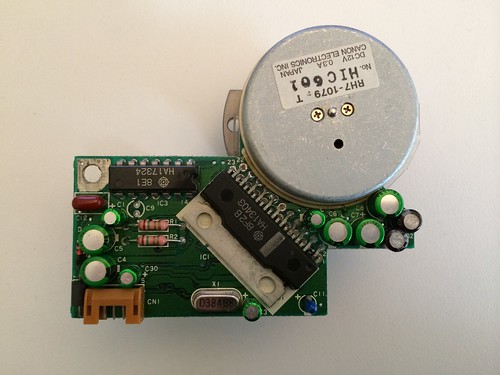
and this is REV B
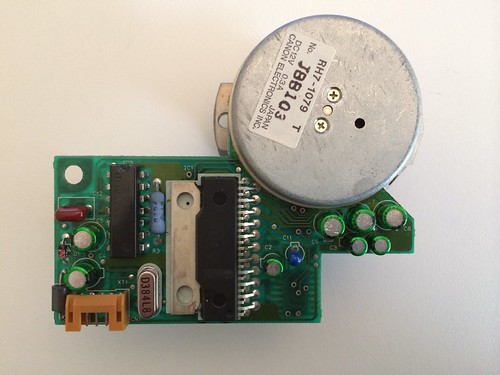
I think there's a mixup with the pictures of the motorboards. as far as I can tell, this is the REV A
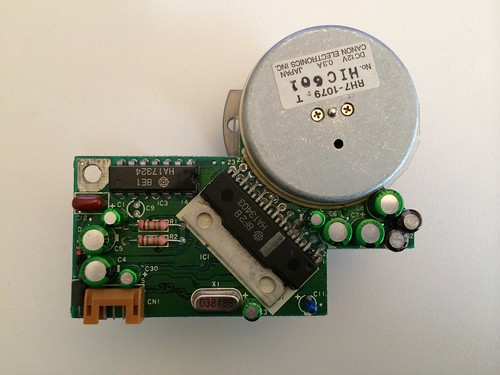
and this is REV B
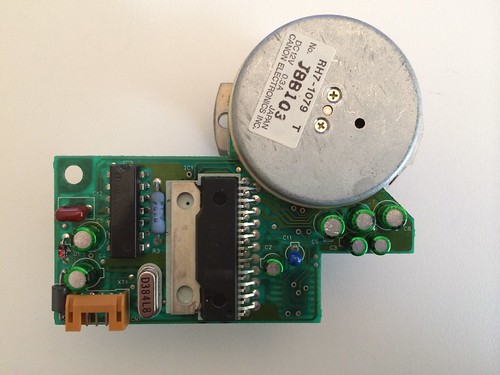
Title: Servicing NeXT (Canon) MO Drives
Post by: Khashoggi on November 16, 2013, 07:24:58 AM
Post by: Khashoggi on November 16, 2013, 07:24:58 AM
Quote from: "mikeboss"excellent, thank you for the hard work!
I think there's a mixup with the pictures of the motorboards. as far as I can tell, this is the REV A
and this is REV B
I decided to call Rev A boards the ones I used for the schematics. In the timeline of creation they may not be actually Rev A but a later one.
The BOM list matches correctly though. The Rev A motor board uses 8 capacitors while the Rev B board uses 11.
Since the boards aren't even marked with a revision level and have the same part numbers, true revision is just a guess but I agree that it seems the more modern the design the less capacitors that were used.
So the A revision boards are the ones that tie into the schematics.
Title: Servicing NeXT (Canon) MO Drives
Post by: Khashoggi on November 18, 2013, 10:18:38 PM
Post by: Khashoggi on November 18, 2013, 10:18:38 PM
Slight revisions to the service manual and schematics.
Tracing the non-ingest digital boards continue...
The Canon chip receives the signal that the disk has been inserted, but fails to send a signal out to the eject/ingest motor.
That can be caused by one of two things-
1. The Canon chip is fried
2. Something else is preventing it from commanding the ingest.
I am continuing to go with possibility 2. A working theory is that the digital board is not communicating properly through its MO drive interface. Similar to what happens when you power up a drive and it isn't connected to a NeXT or the SCSI board, it won't let you insert a disk.
The MO Drive port goes through a resistor pack and then to a custom? Gate Array chip. That chip may be fried or not communicating with the NeXT or SCSI board.
To look at what is going on exceeds using an Oscilliscope. Next up is the Logic Analyzer.
I will hook the bad digital board up to the LA and see how it communicates versus a known good board.
I want to believe that one of the chips is not working properly because of a passive component that is failed (resistor-capacitor etc) because if it turns out to be one of the custom chips the digital board will have to be marked BER. Beyond economic repair.
Tracing the non-ingest digital boards continue...
The Canon chip receives the signal that the disk has been inserted, but fails to send a signal out to the eject/ingest motor.
That can be caused by one of two things-
1. The Canon chip is fried
2. Something else is preventing it from commanding the ingest.
I am continuing to go with possibility 2. A working theory is that the digital board is not communicating properly through its MO drive interface. Similar to what happens when you power up a drive and it isn't connected to a NeXT or the SCSI board, it won't let you insert a disk.
The MO Drive port goes through a resistor pack and then to a custom? Gate Array chip. That chip may be fried or not communicating with the NeXT or SCSI board.
To look at what is going on exceeds using an Oscilliscope. Next up is the Logic Analyzer.
I will hook the bad digital board up to the LA and see how it communicates versus a known good board.
I want to believe that one of the chips is not working properly because of a passive component that is failed (resistor-capacitor etc) because if it turns out to be one of the custom chips the digital board will have to be marked BER. Beyond economic repair.
Title: Servicing NeXT (Canon) MO Drives
Post by: Khashoggi on November 19, 2013, 11:15:47 PM
Post by: Khashoggi on November 19, 2013, 11:15:47 PM
MO Drive Ingest problem-
After some thought on this issue, I've decided it is useless to prove whether a custom chip has failed or not, since it isn't replaceable.
What has been proven is it is likely the digital board in these types of faults.
What I plan is to test every passive component (resistor, capacitor), and every transistor.
If there are no failures in those components, we can deduce that the failure is likely in one of the custom chips. And, if that is the case, the board is failed, and likely permanently.
I have checked all the passives from the MO Drive connector to the custom gate array Q409. Everything checks out.
All the signals from the ingest/eject motor to the custom Canon chip check out.
Inspection of the board for obvious visible failure clues has been performed.
The next step is to go through every passive component, which I estimate around a 100 and then we will have a complete picture on how it compares to a known good board. No need to pull parts out of circuit for measurement since there is a known-good to compare to.
It will be unfortunate to declare a certain subset of drives unrepairable, but I will keep fingers crossed to see if this problem has a cure.
After some thought on this issue, I've decided it is useless to prove whether a custom chip has failed or not, since it isn't replaceable.
What has been proven is it is likely the digital board in these types of faults.
What I plan is to test every passive component (resistor, capacitor), and every transistor.
If there are no failures in those components, we can deduce that the failure is likely in one of the custom chips. And, if that is the case, the board is failed, and likely permanently.
I have checked all the passives from the MO Drive connector to the custom gate array Q409. Everything checks out.
All the signals from the ingest/eject motor to the custom Canon chip check out.
Inspection of the board for obvious visible failure clues has been performed.
The next step is to go through every passive component, which I estimate around a 100 and then we will have a complete picture on how it compares to a known good board. No need to pull parts out of circuit for measurement since there is a known-good to compare to.
It will be unfortunate to declare a certain subset of drives unrepairable, but I will keep fingers crossed to see if this problem has a cure.
Title: Servicing NeXT (Canon) MO Drives
Post by: gtnicol on November 20, 2013, 09:01:38 AM
Post by: gtnicol on November 20, 2013, 09:01:38 AM
If we have a good testing procedure, at least we can determine if the parts have failed or not. I'm sure we can build up an inventory of parts that are tested good, which would allow us to build numerable working drives.
Title: Servicing NeXT (Canon) MO Drives
Post by: Khashoggi on November 20, 2013, 09:14:39 AM
Post by: Khashoggi on November 20, 2013, 09:14:39 AM
Quote from: "gtnicol"If we have a good testing procedure, at least we can determine if the parts have failed or not. I'm sure we can build up an inventory of parts that are tested good, which would allow us to build numerable working drives.
I agree that chip swapping could be done if there is a big enough stockpile of donor boards.
Checking the passives won't take long.
The MO drive port signals go straight to a custom gate array chip. Because of that the chip signal lines aren't documented, nor is the MO drive port because there aren't schematics available for the Cube motherboard.
Since both sides of the signaling path are undocumented, the best that can be done is to hook up the MO drive port to a logic analyzer when connected to the SCSI board and record the waveform dialog between the drive and the SCSI board of a known good digital board. Then we will have a baseline to compare to on suspect digital boards.
My gut feeling is that it is something simple in one of the passives even though the clock signals and power signals appear to be functional.
Title: Servicing NeXT (Canon) MO Drives
Post by: pentium on November 20, 2013, 05:48:20 PM
Post by: pentium on November 20, 2013, 05:48:20 PM
All of my caps came in on order from Mouser.
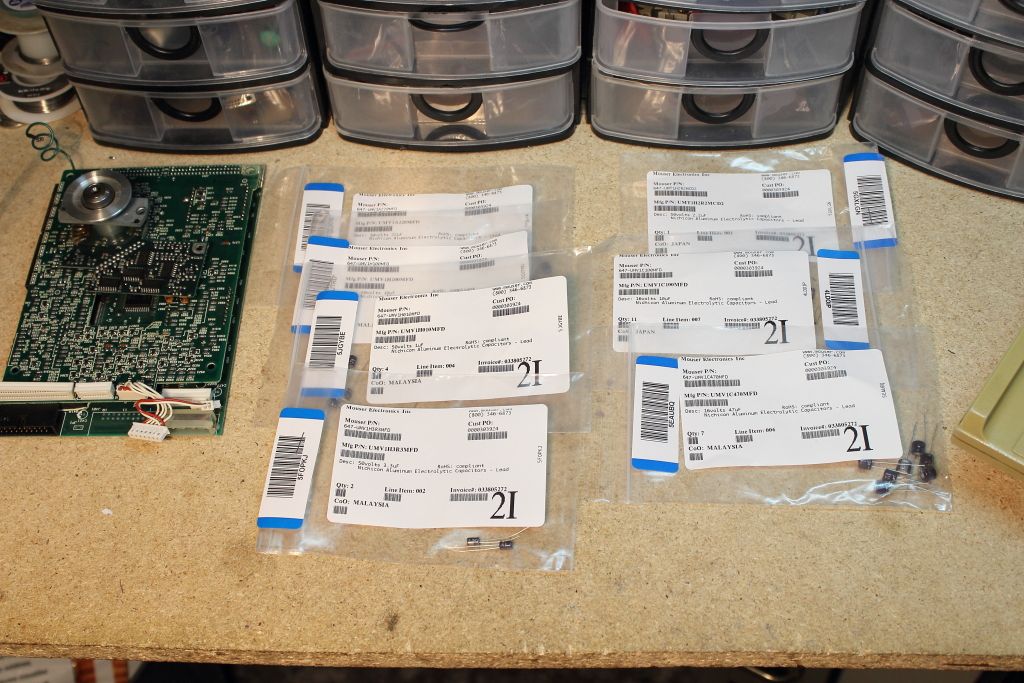
It cost me $40....
Recap went without any issues....
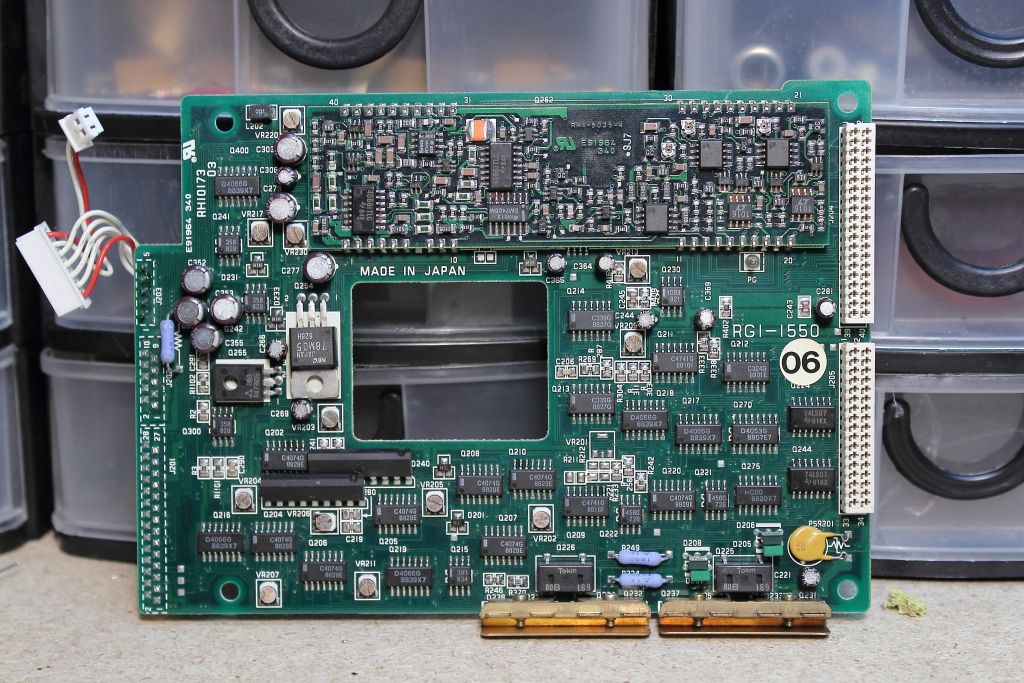
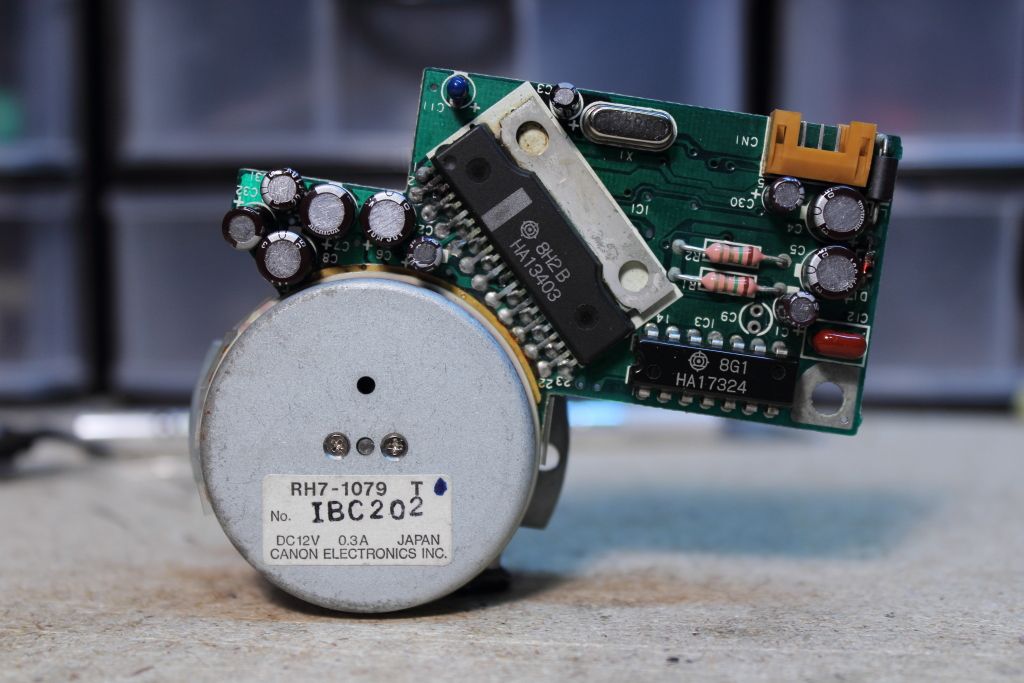
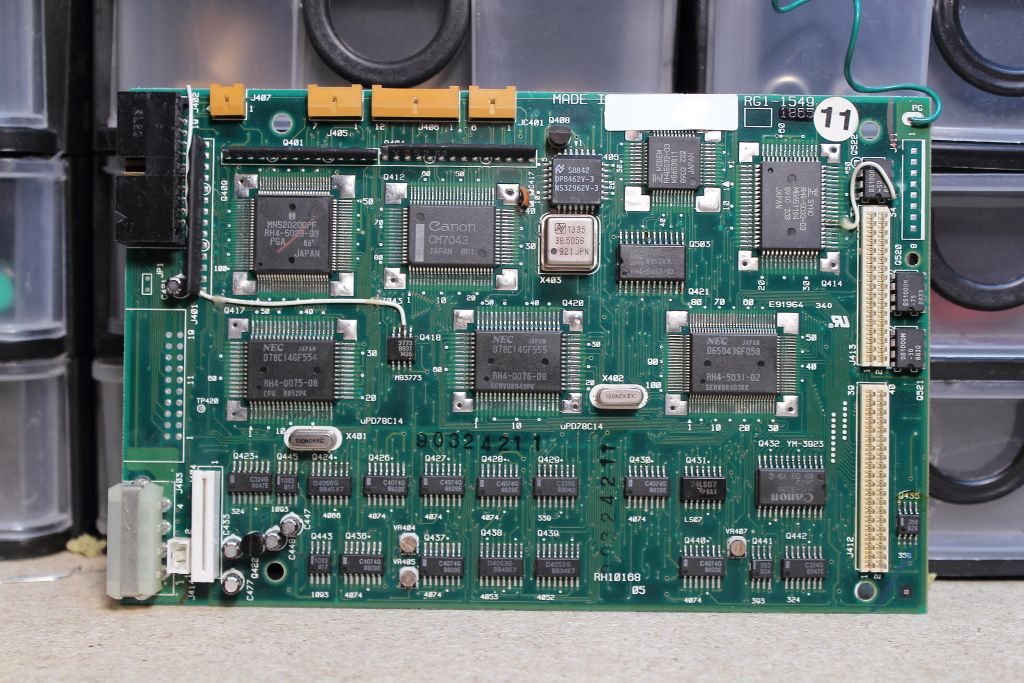
HOWEVER those tiny little holes make easy places for bridges to form. Before and after you solder down the new caps, check and make sure there are no direct shorts across. I caught it three times.
The reassembled drive....
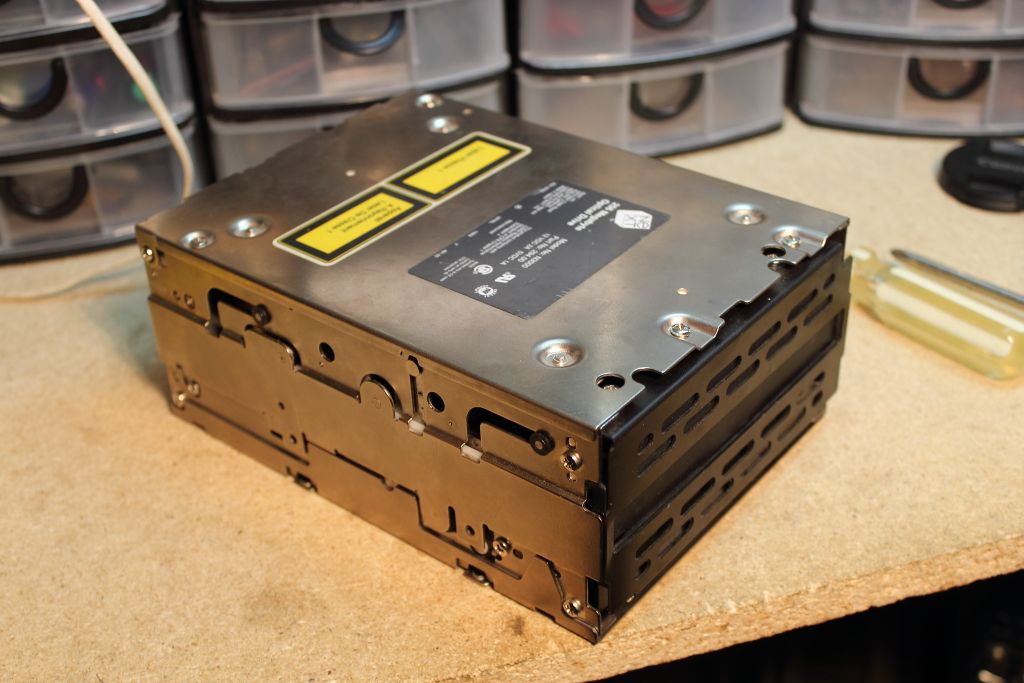
...which did not work. :(
Did not inject the disk when given one which puts me in the same boat as the other "why are you not taking it?" drives. Manually loading it however rewards you with a split-second nudge from the spindle motor when you power on so at the least power is getting to that Unfortunately both BOD and EOD commands from the Prom return with "No Optical Disk" so either it's not aware a cartridge is loaded or this is a stock error response form the PROM.
Edited: it IS a stock error. It's is returned regardless of the drive being connected or not.
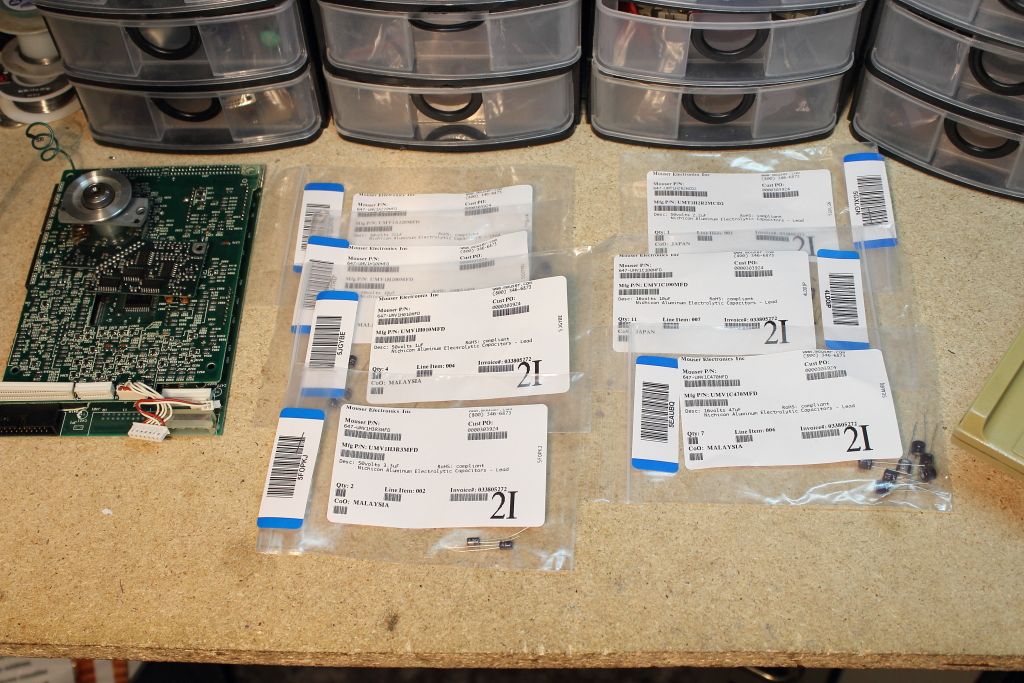
Code Select
Mouser Part Numbers

647-UMV1A220MFD - 10v 22uf
647-UMV1C470MFD - 16v 47uf
647-UMV1H3R3MFD - 50v 3.3uf
647-UMV1C100MFS - 16v 10uf
647-UMV1H100MFD - 50v10uf
647-UMT1H2R2MCD2 - 50v 2.2uf
647-UMV1H010MFD - 50v 1uf
It cost me $40....
Recap went without any issues....
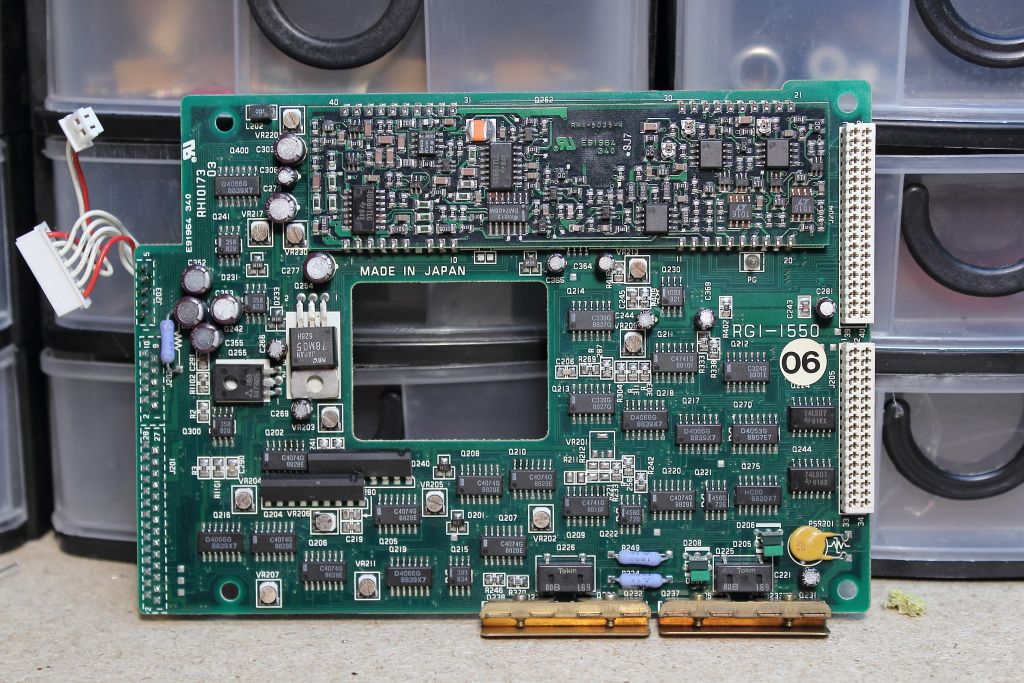
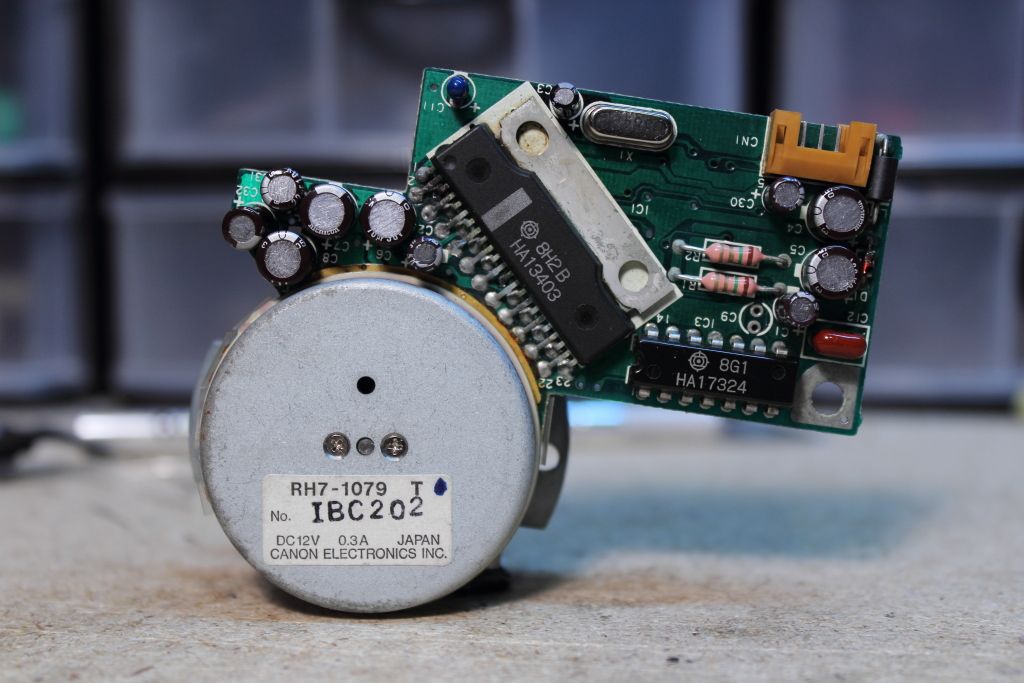
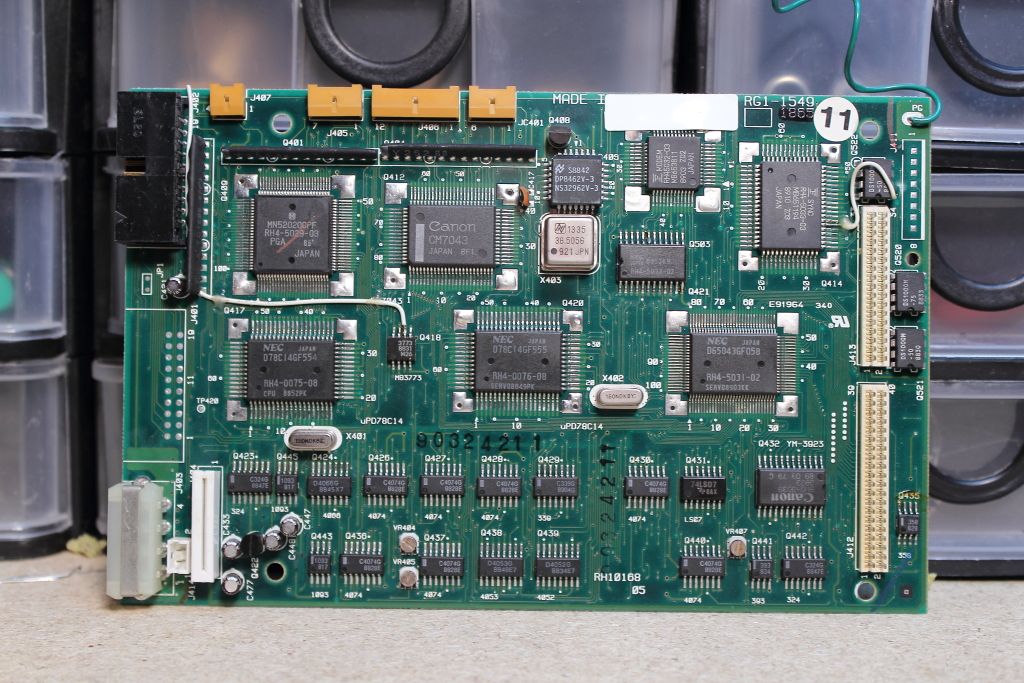
HOWEVER those tiny little holes make easy places for bridges to form. Before and after you solder down the new caps, check and make sure there are no direct shorts across. I caught it three times.
The reassembled drive....
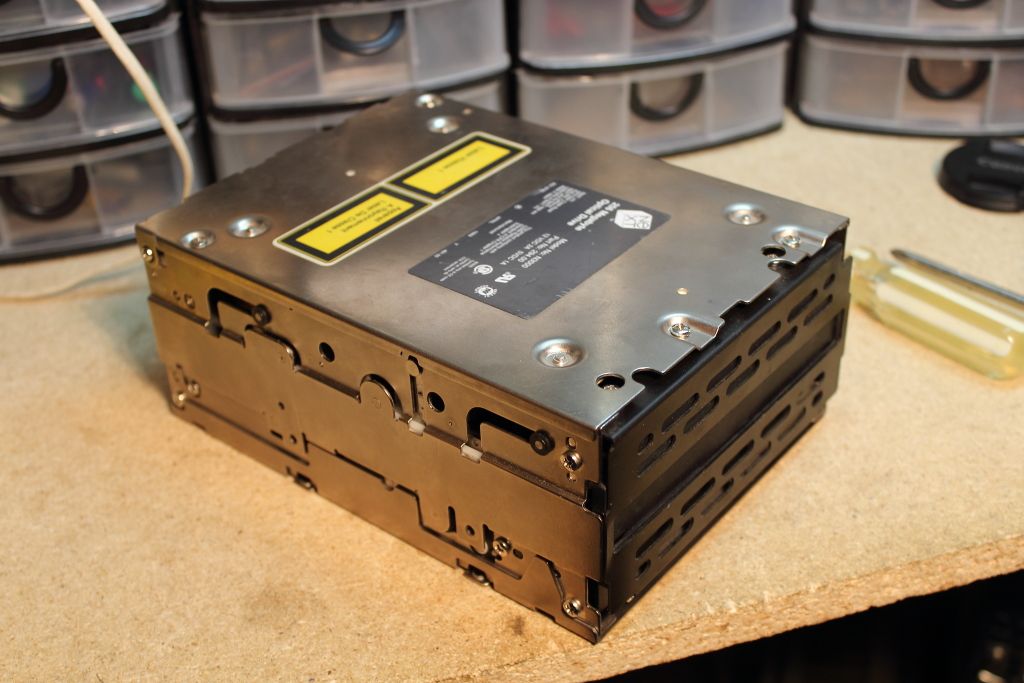
...which did not work. :(
Did not inject the disk when given one which puts me in the same boat as the other "why are you not taking it?" drives. Manually loading it however rewards you with a split-second nudge from the spindle motor when you power on so at the least power is getting to that Unfortunately both BOD and EOD commands from the Prom return with "No Optical Disk" so either it's not aware a cartridge is loaded or this is a stock error response form the PROM.
Edited: it IS a stock error. It's is returned regardless of the drive being connected or not.
Title: Servicing NeXT (Canon) MO Drives
Post by: pentium on November 20, 2013, 08:23:26 PM
Post by: pentium on November 20, 2013, 08:23:26 PM
-disregard-
Title: Servicing NeXT (Canon) MO Drives
Post by: Khashoggi on November 20, 2013, 08:51:21 PM
Post by: Khashoggi on November 20, 2013, 08:51:21 PM
Quote from: "pentium"Hold on Khashoggi. I did the motor test you described a few pages back and the momentary spin is there too (and 30ma current draw) so I may still have a bad driver. You still interested in taking a look?
Sure. You might want to check voltages first. Refer to schematics and check power pins on each chip to see if you are getting the right voltages.
Just so I understand, your motor board is spinning its motor constantly (at too fast a rate and consuming 0.30A) or is the motor just moving a little and then stopping and sitting stopped even though it is drawing current 0.3A?
Title: Servicing NeXT (Canon) MO Drives
Post by: pentium on November 20, 2013, 09:23:27 PM
Post by: pentium on November 20, 2013, 09:23:27 PM
-disregard. I missed a step-
Title: Servicing NeXT (Canon) MO Drives
Post by: Khashoggi on November 20, 2013, 09:30:54 PM
Post by: Khashoggi on November 20, 2013, 09:30:54 PM
Quote from: "pentium"It lurches once when power is applied and then does nothing other than draw 30ma.
I'll upload a video.
Ok, so it is only drawing 0.03A which is basically idle. You need to hook up the +12V, gnd, and then ground the motor run wire. Are you grounding the motor run wire?
If you are grounding the motor run wire, then double check the diodes. They are dual common cathode diodes so you need to check each of the two anodes. Also check the through hole diode on the top of the board. You should be checking 5 diodes in all I believe, 2 of which have 2 anodes each.
Title: Servicing NeXT (Canon) MO Drives
Post by: pentium on November 20, 2013, 10:04:09 PM
Post by: pentium on November 20, 2013, 10:04:09 PM
Whoops, I missed a step. :oops:
My wire harness for the motor board does not have a blue wire. Just red, black and three white wires. Referred back to your manual and the motor control is pin 4 on my REV B board. Anyways the motor does actually behave now (and draws 120ma) so (thankfully) we're back to something else causing the drive to not ingest/eject or tell the motor to start.
My wire harness for the motor board does not have a blue wire. Just red, black and three white wires. Referred back to your manual and the motor control is pin 4 on my REV B board. Anyways the motor does actually behave now (and draws 120ma) so (thankfully) we're back to something else causing the drive to not ingest/eject or tell the motor to start.
Title: Servicing NeXT (Canon) MO Drives
Post by: Khashoggi on November 20, 2013, 10:19:49 PM
Post by: Khashoggi on November 20, 2013, 10:19:49 PM
Quote from: "pentium"Whoops, I missed a step. :oops:
My wire harness for the motor board does not have a blue wire. Just red, black and three white wires. Referred back to your manual and the motor control is pin 4 on my REV B board. Anyways the motor does actually behave now (and draws 120ma) so (thankfully) we're back to something else causing the drive to not ingest/eject or tell the motor to start.
Good, it sounds like your motor board is now working nominally.
I am still debugging the non-ingest issue. But, if you can power up just the digital board itself using its PC power jack and disconnected from everything else, even the analog board I would be interested to hear what the current draw is on the +12v line and the +5v line.
Motor won't start, even if you manually insert the disk, unless the digital board commands it. And, it won't if it doesn't see the sensors because it is brain dead for some reason. I am looking into this brain dead condition to see what is causing it. I still think it is power related, which is why I'm interested in the current draw figures.
Btw, the drive won't ingest disks unless it is hooked up to your cubes drive port ribbon cable. You are testing it that way right, not just on the bench?
Title: Servicing NeXT (Canon) MO Drives
Post by: pentium on November 20, 2013, 10:40:02 PM
Post by: pentium on November 20, 2013, 10:40:02 PM
Yeah, I have the back of the cube removed and sitting in the corner of the living room.
Sure, I can give you amp readings later tonight.
Edited: Enjoy this in the meantime. (https://www.youtube.com/watch?v=Ap8bjJAA1rk)
Sure, I can give you amp readings later tonight.
Edited: Enjoy this in the meantime. (https://www.youtube.com/watch?v=Ap8bjJAA1rk)
Title: Servicing NeXT (Canon) MO Drives
Post by: pentium on November 20, 2013, 11:51:15 PM
Post by: pentium on November 20, 2013, 11:51:15 PM
With ONLY the digital board connected to power, +5v is 170ma and +12 starts at 124ma and after a minute is at 111ma and still slowly falling.
Title: Servicing NeXT (Canon) MO Drives
Post by: Khashoggi on November 21, 2013, 06:59:30 PM
Post by: Khashoggi on November 21, 2013, 06:59:30 PM
Quote from: "pentium"With ONLY the digital board connected to power, +5v is 170ma and +12 starts at 124ma and after a minute is at 111ma and still slowly falling.
Thanks, the low current draw is telling us that the CPU's/gate-arrays are idled or failed.
Going with the idled theory has led me to find a Watchdog circuit!
And the watchdog circuit if failed would keep the CPU's reset and not operating, giving the "brain-dead" syndrome.
I will check out the components in this area, keep fingers crossed.
My money is on Q511 an LM393 or a passive near it. We shall see...
Title: Servicing NeXT (Canon) MO Drives
Post by: pentium on November 21, 2013, 07:56:02 PM
Post by: pentium on November 21, 2013, 07:56:02 PM
Funny you mention Q511. My board at least has some heavy reworking on and around it that goes to the flip side.
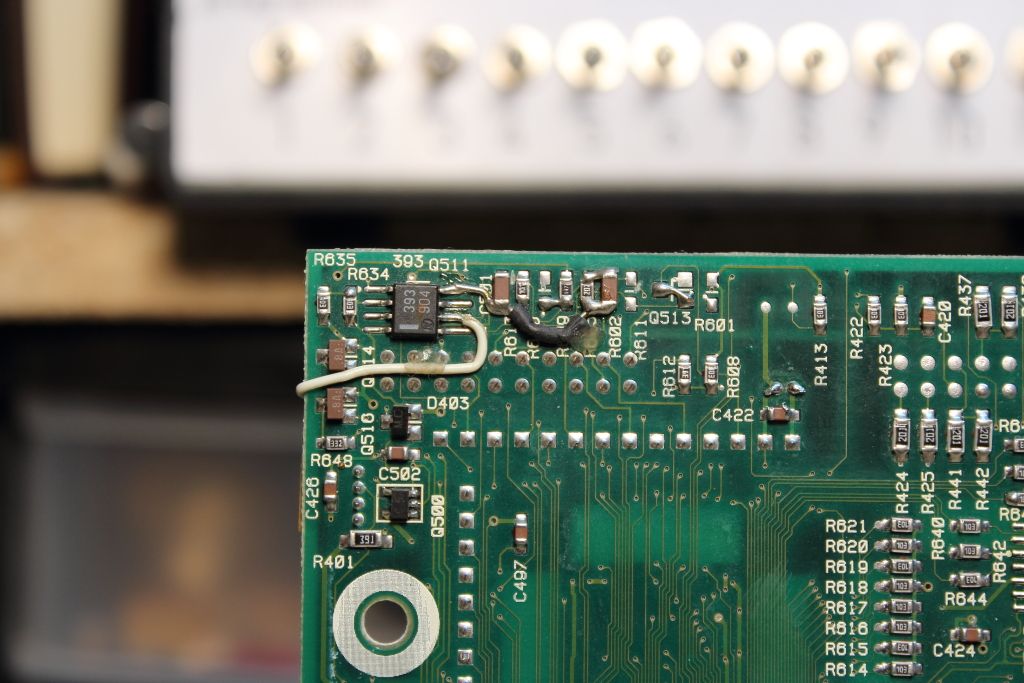
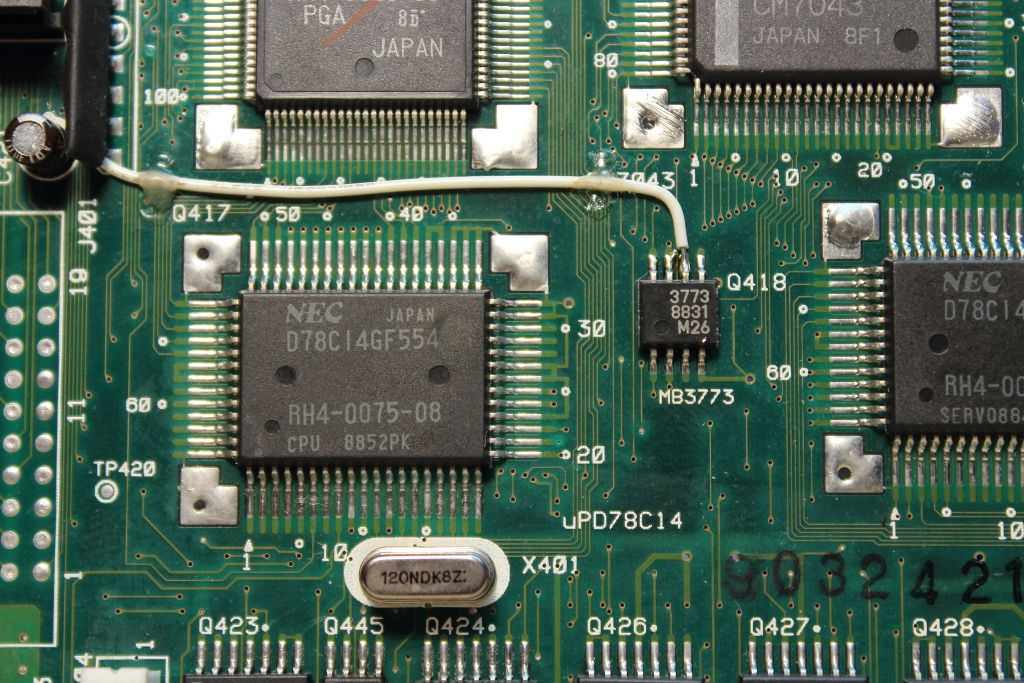
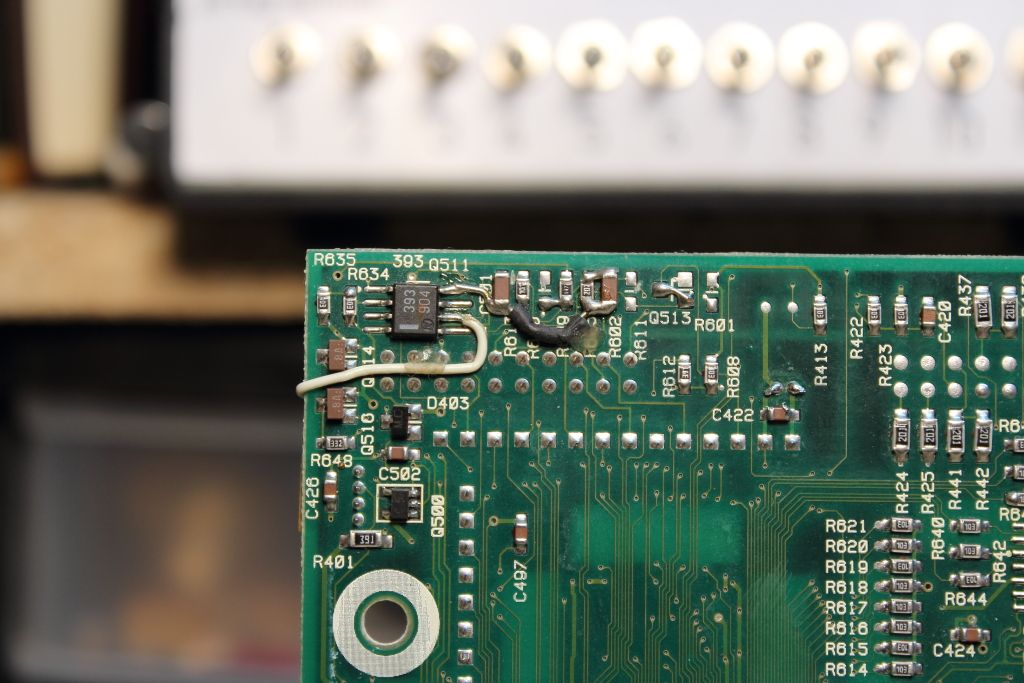
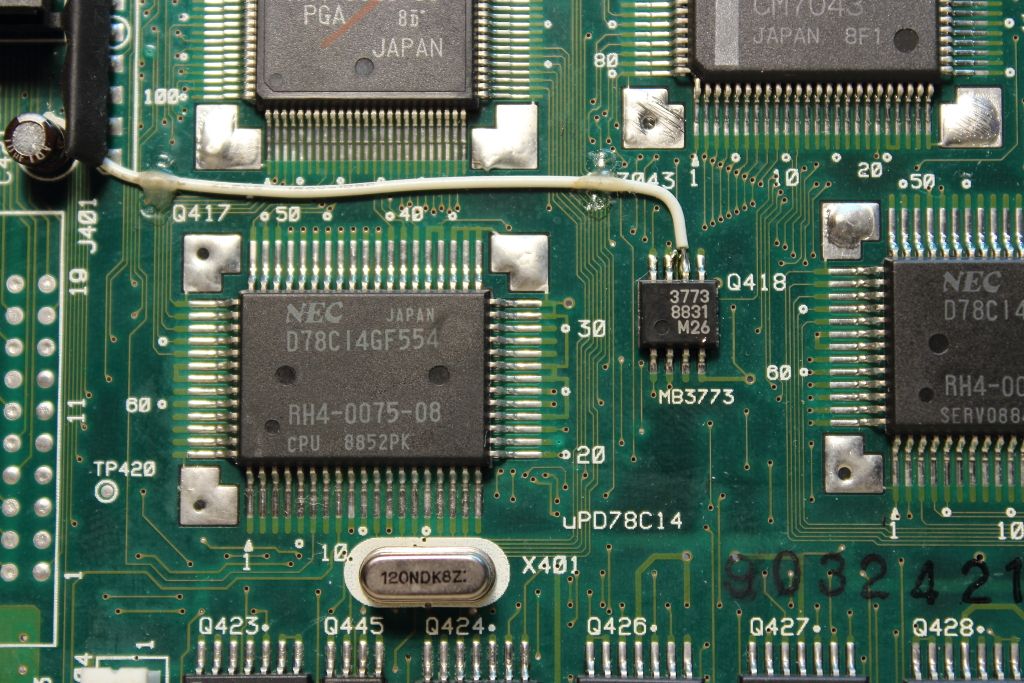
Title: Servicing NeXT (Canon) MO Drives
Post by: Khashoggi on November 21, 2013, 08:18:10 PM
Post by: Khashoggi on November 21, 2013, 08:18:10 PM
The front side chip, Q418 is the watchdog chip, it goes to the opamp Q511 which detects whether +5v and +12v are stable. If not, reset.
Title: Servicing NeXT (Canon) MO Drives
Post by: pentium on November 21, 2013, 10:37:04 PM
Post by: pentium on November 21, 2013, 10:37:04 PM
You might already have it but just in case, the datasheet for the 3773 can be found here (http://www.datasheetcatalog.com/datasheets_pdf/M/B/3/7/MB3773.shtml).
Title: Servicing NeXT (Canon) MO Drives
Post by: Khashoggi on November 21, 2013, 10:50:15 PM
Post by: Khashoggi on November 21, 2013, 10:50:15 PM
Quote from: "pentium"You might already have it but just in case, the datasheet for the 3773 can be found here (http://www.datasheetcatalog.com/datasheets_pdf/M/B/3/7/MB3773.shtml).
Thank you. Yes, I pulled the datasheets when I was doing the schematics, makes it that much easier!
Digital board power consumption, disconnected from everything but power-
Yours [email protected] , [email protected]
Bad [email protected], [email protected]
----
Good [email protected], [email protected]
The digital logic part of the board uses +5V, the part that communicates with the Analog board is +12V so we don't need to care much about that in this discussion.
The good board is consuming more +5V power than the bad boards, not much numerically, but percentage wise 31% or so is possibly significant.
It appears some of the +5V chips are idled. That's the working theory, now I will check them under the scope.
+5v is 170ma and +12 starts at 124ma
Title: Servicing NeXT (Canon) MO Drives
Post by: Khashoggi on November 21, 2013, 11:07:53 PM
Post by: Khashoggi on November 21, 2013, 11:07:53 PM
BTW Pentium, the board I'm using as a reference good Digital board, is identical in the bodge job as yours. In fact, it looks like there are now several revisions of Digital Boards too!
This was cutting edge tech back then, so not unexpected.
This was cutting edge tech back then, so not unexpected.
Title: Servicing NeXT (Canon) MO Drives
Post by: Khashoggi on November 21, 2013, 11:48:43 PM
Post by: Khashoggi on November 21, 2013, 11:48:43 PM
Once the digital board is only connected to a host (NeXT cube or SCSI board) and power-
Bad [email protected] , [email protected]
---
Good [email protected], [email protected]
Bad [email protected] , [email protected]
---
Good [email protected], [email protected]
Title: Servicing NeXT (Canon) MO Drives
Post by: pentium on November 22, 2013, 02:59:13 AM
Post by: pentium on November 22, 2013, 02:59:13 AM
QuoteAwesome. So almost anything you do to your board I can replicate on mine or if you need better photos I can get them for you.
BTW Pentium, the board I'm using as a reference good Digital board, is identical in the bodge job as yours.
Title: Servicing NeXT (Canon) MO Drives
Post by: andreas_g on November 23, 2013, 07:44:03 AM
Post by: andreas_g on November 23, 2013, 07:44:03 AM
I was looking for general informations about the data format on magneto-optical disks and found this document:
http://bitsavers.informatik.uni-stuttgart.de/pdf/sony/SMO-D501_650Mb_Magneto_Optical_Disk_Drive_Specifications_V1.0.pdf
After reading parts of it, it seems the described drive is very similar to the Canon drive that is used in the NeXT. Most bit patterns for the commands are the same (but not all ...). It also has some custom ESDI connection. Maybe the pins are the same for this and the Canon drive. Maybe you can find some useful information. Unfortunately it is not very detailed.
http://bitsavers.informatik.uni-stuttgart.de/pdf/sony/SMO-D501_650Mb_Magneto_Optical_Disk_Drive_Specifications_V1.0.pdf
After reading parts of it, it seems the described drive is very similar to the Canon drive that is used in the NeXT. Most bit patterns for the commands are the same (but not all ...). It also has some custom ESDI connection. Maybe the pins are the same for this and the Canon drive. Maybe you can find some useful information. Unfortunately it is not very detailed.
Title: Servicing NeXT (Canon) MO Drives
Post by: Khashoggi on November 23, 2013, 08:33:12 AM
Post by: Khashoggi on November 23, 2013, 08:33:12 AM
Quote from: "andreas_g"I was looking for general informations about the data format on magneto-optical disks and found this document:
http://bitsavers.informatik.uni-stuttgart.de/pdf/sony/SMO-D501_650Mb_Magneto_Optical_Disk_Drive_Specifications_V1.0.pdf
After reading parts of it, it seems the described drive is very similar to the Canon drive that is used in the NeXT. Most bit patterns for the commands are the same (but not all ...). It also has some custom ESDI connection. Maybe the pins are the same for this and the Canon drive. Maybe you can find some useful information. Unfortunately it is not very detailed.
Thank you Andreas. I looked over the document you found and it compares to another document I read for a similar MO drive. One of the block diagrams is an identical image between the two docs. The ESDI spec uses two connectors, a data and control. The NEXT drive seems to blend the two into one with around a total of half as many pins.
I will take a close look at the digital board again later today. The primary cpu on it isn't showing the same activity on a bad board as a good one.
Title: Servicing NeXT (Canon) MO Drives
Post by: andreas_g on November 23, 2013, 08:38:25 AM
Post by: andreas_g on November 23, 2013, 08:38:25 AM
Quote from: "Khashoggi"I looked over the document you found and it compares to another document I read for a similar MO drive.
Can you provide a link to that document? At the moment i'm looking for data about drives that are similar to the Canon drive.
If it is not online, you can also send it via mail. I'd love to take a look.
Title: Servicing NeXT (Canon) MO Drives
Post by: Khashoggi on November 23, 2013, 08:48:57 AM
Post by: Khashoggi on November 23, 2013, 08:48:57 AM
Quote from: "andreas_g"Quote from: "Khashoggi"I looked over the document you found and it compares to another document I read for a similar MO drive.
Can you provide a link to that document? At the moment i'm looking for data about drives that are similar to the Canon drive.
If it is not online, you can also send it via mail. I'd love to take a look.
Yes, I have it downloaded. But with its name I can find the link again. I found it via a google search.
Title: Servicing NeXT (Canon) MO Drives
Post by: Khashoggi on November 23, 2013, 10:57:45 AM
Post by: Khashoggi on November 23, 2013, 10:57:45 AM
Some drive related documents-
ESDI particulars
http://1123581.tripod.com/id16.html
RWZ01 Magneto-Optical Disk Subsystem
http://decdoc.itsx.net/dec94mds/rwz01mg2.pdf
I found a reference that the RWZ01 is a rebadged Sony SMO-S501. No wonder the documents are similar.
"This is a discussion on FREE: DEC RWZ01 650MB external MO drive (Really a Sony SMO-S501-11) - DEC ; This came to me along with a dead VAX. My Adaptec card in my XP box detects it at boot as a DEC RWZ01, but XP doesnt seem to know what it is or how to drive it. Comes with ..."
ESDI particulars
http://1123581.tripod.com/id16.html
RWZ01 Magneto-Optical Disk Subsystem
http://decdoc.itsx.net/dec94mds/rwz01mg2.pdf
I found a reference that the RWZ01 is a rebadged Sony SMO-S501. No wonder the documents are similar.
"This is a discussion on FREE: DEC RWZ01 650MB external MO drive (Really a Sony SMO-S501-11) - DEC ; This came to me along with a dead VAX. My Adaptec card in my XP box detects it at boot as a DEC RWZ01, but XP doesnt seem to know what it is or how to drive it. Comes with ..."
Title: Servicing NeXT (Canon) MO Drives
Post by: gtnicol on November 23, 2013, 11:30:06 PM
Post by: gtnicol on November 23, 2013, 11:30:06 PM
I may have a couple of 650MB Sony drives here... I think they came from an HP machine...
Title: Servicing NeXT (Canon) MO Drives
Post by: Khashoggi on November 24, 2013, 12:42:20 AM
Post by: Khashoggi on November 24, 2013, 12:42:20 AM
Quote from: "pentium"QuoteAwesome. So almost anything you do to your board I can replicate on mine or if you need better photos I can get them for you.
BTW Pentium, the board I'm using as a reference good Digital board, is identical in the bodge job as yours.
Check resistance of R448 on backside of Digital Board just to the right of chip Q512.
Is it present, and if so, specified resistance is 100Kohms (marked 104). What do you get, no need to pull out of circuit.
Title: Servicing NeXT (Canon) MO Drives
Post by: Khashoggi on November 24, 2013, 12:48:51 AM
Post by: Khashoggi on November 24, 2013, 12:48:51 AM
Still tracing Digital Board.
Main CPU Q417, talks to Q409 (custom gate array that handles the drive port to the cube) and Q412 (custom canon chip that handles disk insertion sensors and commands ingest motor to bring the disk into the drive).
The CPU is not happy on the bad board. It is aborting its internal program at some point. It has an internal 16K rom and 256K ram and somewhere during its program it is stopping. Something it is sensing is not right.
It has several A/D lines where it looks at things on the board. One is voltages, presumably to make sure everything is OK power-supply wise. One of the lines is in question, that is where I am investigating.
The good news, is so far, I can't say a custom chip is bad. The other good news is that there isn't any bad news yet ;)
Main CPU Q417, talks to Q409 (custom gate array that handles the drive port to the cube) and Q412 (custom canon chip that handles disk insertion sensors and commands ingest motor to bring the disk into the drive).
The CPU is not happy on the bad board. It is aborting its internal program at some point. It has an internal 16K rom and 256K ram and somewhere during its program it is stopping. Something it is sensing is not right.
It has several A/D lines where it looks at things on the board. One is voltages, presumably to make sure everything is OK power-supply wise. One of the lines is in question, that is where I am investigating.
The good news, is so far, I can't say a custom chip is bad. The other good news is that there isn't any bad news yet ;)
Title: Servicing NeXT (Canon) MO Drives
Post by: pentium on November 24, 2013, 12:51:42 AM
Post by: pentium on November 24, 2013, 12:51:42 AM
It's present (R448) and reads 99.8K ohms.
Title: Servicing NeXT (Canon) MO Drives
Post by: Khashoggi on November 24, 2013, 01:29:37 AM
Post by: Khashoggi on November 24, 2013, 01:29:37 AM
Quote from: "pentium"It's present (R448) and reads 99.8K ohms.
Thanks, another red-herring, of many to come I suppose. But, we will get through it, it is just a matter of time. There is a 0% chance we won't figure out this fault!
Title: Servicing NeXT (Canon) MO Drives
Post by: gtnicol on November 24, 2013, 10:08:51 PM
Post by: gtnicol on November 24, 2013, 10:08:51 PM
I figure of anyone would know, it might be the people watching this topic... but is there any way to dump a PLCC? I noticed that the only real difference between a non-ADB soundboard and an ADB one is the PLCC...
Title: Servicing NeXT (Canon) MO Drives
Post by: Khashoggi on November 24, 2013, 10:25:03 PM
Post by: Khashoggi on November 24, 2013, 10:25:03 PM
Quote from: "gtnicol"I figure of anyone would know, it might be the people watching this topic... but is there any way to dump a PLCC? I noticed that the only real difference between a non-ADB soundboard and an ADB one is the PLCC...
What's the chip part number and number of pins. I have a universal programmer that has many attachments for different chip packages.
Sometimes chips have a protection built into them that prevents rom dumps, but it is not always set even if present.
Title: Servicing NeXT (Canon) MO Drives
Post by: gtnicol on November 24, 2013, 10:53:13 PM
Post by: gtnicol on November 24, 2013, 10:53:13 PM
There are two: a Philips SAA7320GP 44 pin and Motorola XC38LG002PR01 or SC38LG002PR01 28 pin. They're both soldered to the boards unfortunately. Not all pins are used by the looks of it.
On the oldest board I have from a monitor, there's a Motorola S38GC008PB02 40 pin unit, also soldered in. Only 25 pins appear to be used.
On the oldest board I have from a monitor, there's a Motorola S38GC008PB02 40 pin unit, also soldered in. Only 25 pins appear to be used.
Title: Servicing NeXT (Canon) MO Drives
Post by: Khashoggi on November 26, 2013, 09:22:10 PM
Post by: Khashoggi on November 26, 2013, 09:22:10 PM
Small update-
Still debugging. I checked to see if hooking the drive ingest/eject motor up to a good digital board without anything other than the disk insertion sensor would trigger motor movement. It doesn't
I will have to fake a few more sensors that have to do with laser interlock if I pursue this angle.
It appears I am going to have to partially flowchart the CPU software to see what it does during boot. I need to get a grasp on the order of sensor checks so I can figure out where it is aborting.
Stay tuned!
PS - If your drive ingests/ejects disks just fine but doesn't work otherwise. Go ahead and do the capacitor replacement, you will likely be good to go. Also, clean the laser lens while your in there.
Still debugging. I checked to see if hooking the drive ingest/eject motor up to a good digital board without anything other than the disk insertion sensor would trigger motor movement. It doesn't
I will have to fake a few more sensors that have to do with laser interlock if I pursue this angle.
It appears I am going to have to partially flowchart the CPU software to see what it does during boot. I need to get a grasp on the order of sensor checks so I can figure out where it is aborting.
Stay tuned!
PS - If your drive ingests/ejects disks just fine but doesn't work otherwise. Go ahead and do the capacitor replacement, you will likely be good to go. Also, clean the laser lens while your in there.
Title: Servicing NeXT (Canon) MO Drives
Post by: barcher174 on November 30, 2013, 01:58:17 AM
Post by: barcher174 on November 30, 2013, 01:58:17 AM
I got my new capacitors installed today and am happy to report I now having a working MO drive. Thank you Khashoggi for taking the time to do a BOM. It made the process much easier!
Title: Servicing NeXT (Canon) MO Drives
Post by: Khashoggi on November 30, 2013, 05:44:50 AM
Post by: Khashoggi on November 30, 2013, 05:44:50 AM
Quote from: "barcher174"I got my new capacitors installed today and am happy to report I now having a working MO drive. Thank you Khashoggi for taking the time to do a BOM. It made the process much easier!
Excellent news!
Title: Servicing NeXT (Canon) MO Drives
Post by: gtnicol on November 30, 2013, 08:31:49 AM
Post by: gtnicol on November 30, 2013, 08:31:49 AM
Excellent news indeed. Even if we can rescue 25% of the failed drives, it's a great thing all around!
Title: Servicing NeXT (Canon) MO Drives
Post by: barcher174 on November 30, 2013, 12:42:39 PM
Post by: barcher174 on November 30, 2013, 12:42:39 PM
Quote from: "gtnicol"Excellent news indeed. Even if we can rescue 25% of the failed drives, it's a great thing all around!
Well I have 3 more drives to do, so I'm going to hope for better odds. :D I will say that this was not an easy repair. The electrolyte had corroded the solder points making it very difficult to reflow. My solution was A LOT of flux and an extra hot iron. I was worried about burning the board, but it turned out OK. All told I think it took me more than 6 hours to get the first drive working.
--
Brian
Title: Servicing NeXT (Canon) MO Drives
Post by: gtnicol on November 30, 2013, 01:05:37 PM
Post by: gtnicol on November 30, 2013, 01:05:37 PM
I repaired six out of about 50 drives by reflowing solder, replacing obviously failed caps, cleaning and swapping boards etc. but I wasn't as systematic as khashoggi. I figure that we can double those odds at least with the manual... and that's a great thing indeed.
BTW. I have a lot of MO disks... probably something like 300 or so. I also have new Canon media etc. so for people who have working drives, if you want some media, let me know.
BTW. I have a lot of MO disks... probably something like 300 or so. I also have new Canon media etc. so for people who have working drives, if you want some media, let me know.
Title: Servicing NeXT (Canon) MO Drives
Post by: barcher174 on November 30, 2013, 05:11:28 PM
Post by: barcher174 on November 30, 2013, 05:11:28 PM
One thing I noticed is that the caps primarily looked ok until I removed them. Almost all of the leakage occurred from underneath. Also none of them were even remotely in spec when I checked. In other words assume that all of them are bad.
Title: Servicing NeXT (Canon) MO Drives
Post by: pentium on November 30, 2013, 07:15:32 PM
Post by: pentium on November 30, 2013, 07:15:32 PM
QuoteThe electrolyte had corroded the solder points making it very difficult to reflowThe lead was soft enough that I took an xacto knife and scraped at a spot a few times before going in with a freshly tinned iron. Outside of the rosin core of my solder I used no additional flux because of this.
QuoteI have a lot of MO disks... probably something like 300 or so.Got anything special? I heard there were a few apps that were released on MO.
Title: Servicing NeXT (Canon) MO Drives
Post by: barcher174 on November 30, 2013, 11:35:21 PM
Post by: barcher174 on November 30, 2013, 11:35:21 PM
I am now 2/2 working drives, just by changing the caps and giving everything a good cleaning. It took me ~2 1/2 hours this time around.
--
Brian
--
Brian
Title: Servicing NeXT (Canon) MO Drives
Post by: gtnicol on December 01, 2013, 09:37:06 AM
Post by: gtnicol on December 01, 2013, 09:37:06 AM
Yes, I have a few interesting things, but most of them are somewhat mundane... various versions of the OS, user data etc.
Quote from: "pentium"QuoteThe electrolyte had corroded the solder points making it very difficult to reflowThe lead was soft enough that I took an xacto knife and scraped at a spot a few times before going in with a freshly tinned iron. Outside of the rosin core of my solder I used no additional flux because of this.QuoteI have a lot of MO disks... probably something like 300 or so.Got anything special? I heard there were a few apps that were released on MO.
Title: Servicing NeXT (Canon) MO Drives
Post by: gtnicol on December 01, 2013, 09:38:07 AM
Post by: gtnicol on December 01, 2013, 09:38:07 AM
That's great! Where did you place your order for the caps?
Quote from: "barcher174"I am now 2/2 working drives, just by changing the caps and giving everything a good cleaning. It took me ~2 1/2 hours this time around.
--
Brian
Title: Servicing NeXT (Canon) MO Drives
Post by: barcher174 on December 01, 2013, 02:16:07 PM
Post by: barcher174 on December 01, 2013, 02:16:07 PM
I got my caps from Mouser.
--
Brian
--
Brian
Title: Servicing NeXT (Canon) MO Drives
Post by: Khashoggi on December 01, 2013, 02:36:39 PM
Post by: Khashoggi on December 01, 2013, 02:36:39 PM
Quote from: "barcher174"I am now 2/2 working drives, just by changing the caps and giving everything a good cleaning. It took me ~2 1/2 hours this time around.
--
Brian
Great! I think the vast majority of drives are failed because of the caps. Some will have secondary problems because of that and some will have failed for some other reason as electronics will do.
I agree a visual inspection isn't adequate. It is necessary to replace all the caps first and clean the lens then see if there are any secondary problems.
On MO disks, I have a couple of OS disks and an Adobe Fonts disk.
Title: Servicing NeXT (Canon) MO Drives
Post by: Khashoggi on December 01, 2013, 02:42:49 PM
Post by: Khashoggi on December 01, 2013, 02:42:49 PM
Quote from: "gtnicol"That's great! Where did you place your order for the caps?Quote from: "barcher174"I am now 2/2 working drives, just by changing the caps and giving everything a good cleaning. It took me ~2 1/2 hours this time around.
--
Brian
You can get all the parts needed from Mouser now. Some will be 85C parts instead of 105C temp rating. That's ok.
But, I placed a special order for all the ideal 105C parts and they will be available by mid-January.
Placing a special order with mouser causes them to order around 1000 parts that they stock for other requests. When my small order ships in January I will let the forum know that the couple of 105C caps that weren't available are in stock with Mouser.
Title: Servicing NeXT (Canon) MO Drives
Post by: barcher174 on December 01, 2013, 11:34:38 PM
Post by: barcher174 on December 01, 2013, 11:34:38 PM
Update on the second 2 drives. No luck so far. The caps alone have not solved the issues. Drive number 1 will freeze the system when connected and drive 2 will not spin up. One thing of note: Drive 2 would continually eject the disk when inserted. It appears that this is due to a bad switch. This is the board that the smaller cable from the motor board connects to on the front of the drive. When using a different switch the drive will accept the disk. Also I have seen two different revisions of this switch. One has 2 of the pins populated and the other has all four.
Title: Servicing NeXT (Canon) MO Drives
Post by: barcher174 on December 02, 2013, 01:01:09 AM
Post by: barcher174 on December 02, 2013, 01:01:09 AM
It seems there is a dependency on the switch version as well. Without the correct version, the drive will refuse to see a disk inserted.
Title: Servicing NeXT (Canon) MO Drives
Post by: Khashoggi on December 02, 2013, 04:40:11 AM
Post by: Khashoggi on December 02, 2013, 04:40:11 AM
Quote from: "barcher174"Update on the second 2 drives. No luck so far. The caps alone have not solved the issues. Drive number 1 will freeze the system when connected and drive 2 will not spin up. One thing of note: Drive 2 would continually eject the disk when inserted. It appears that this is due to a bad switch. This is the board that the smaller cable from the motor board connects to on the front of the drive. When using a different switch the drive will accept the disk. Also I have seen two different revisions of this switch. One has 2 of the pins populated and the other has all four.
On drive 2, pull the motor board and test independently by powering up on bench supply and grounding the motor start line to force it to run to verify if it is a motor board issue or digital board problem/cabling problem.
The switches are generally all optical with one magnetic I believe from memory. They use a led and photo-transistor. The anode, cathode and collector-emitter connections respectively are partly tied together to reduce cabling. See the chassis portion of the schematics. The pinouts are labeled A,K and C,E for those connections. All are +5V i believe.
Title: Servicing NeXT (Canon) MO Drives
Post by: Khashoggi on December 02, 2013, 06:56:12 PM
Post by: Khashoggi on December 02, 2013, 06:56:12 PM
Quote from: "barcher174"It seems there is a dependency on the switch version as well. Without the correct version, the drive will refuse to see a disk inserted.
That's interesting. Can you take some photos?
Title: Servicing NeXT (Canon) MO Drives
Post by: barcher174 on December 02, 2013, 06:58:53 PM
Post by: barcher174 on December 02, 2013, 06:58:53 PM
Yes I will get some photos. Just the front and back of the switch boards?
Title: Servicing NeXT (Canon) MO Drives
Post by: barcher174 on December 02, 2013, 08:18:23 PM
Post by: barcher174 on December 02, 2013, 08:18:23 PM
Here are images of the switches. I removed the outer casing as well.
https://www.dropbox.com/sh/ytna0rk1x881qbm/scMAH9Snif
--
Brian
https://www.dropbox.com/sh/ytna0rk1x881qbm/scMAH9Snif
--
Brian
Title: Servicing NeXT (Canon) MO Drives
Post by: Khashoggi on December 03, 2013, 01:16:53 AM
Post by: Khashoggi on December 03, 2013, 01:16:53 AM
Quote from: "barcher174"Here are images of the switches. I removed the outer casing as well.
https://www.dropbox.com/sh/ytna0rk1x881qbm/scMAH9Snif
--
Brian
Thanks, my cursory look says you have an interesting revision I haven't seen before.
I pulled some datasheets on the swifches a few weeks ago. I will post some links. Just to be clear, you tested them and confirmed one switch was faulty?
Title: Servicing NeXT (Canon) MO Drives
Post by: barcher174 on December 03, 2013, 10:06:55 PM
Post by: barcher174 on December 03, 2013, 10:06:55 PM
All testing thus far has just consisted of board swapping. I was hoping to get a known inventory of good vs bad before I dug any deeper. I actually have 2 drives with each type of switch. The two drives with 2 switch positions both work. With the remaining 2 drives they have all 4 positions populated on the switch. Neither drive recognizes the disk inserted with one of the switches. They will both accept and eject the disk with the other but do not get further than that with the conditions mentioned above. Hopefully this weekend I can find time to break out a bench supply and be a bit more detailed about things. Either way I'm pleased to at least have 2 working drives. The second 2 are purely for the challenge.
Title: Servicing NeXT (Canon) MO Drives
Post by: Khashoggi on December 04, 2013, 12:01:39 AM
Post by: Khashoggi on December 04, 2013, 12:01:39 AM
Quote from: "barcher174"All testing thus far has just consisted of board swapping. I was hoping to get a known inventory of good vs bad before I dug any deeper. I actually have 2 drives with each type of switch. The two drives with 2 switch positions both work. With the remaining 2 drives they have all 4 positions populated on the switch. Neither drive recognizes the disk inserted with one of the switches. They will both accept and eject the disk with the other but do not get further than that with the conditions mentioned above. Hopefully this weekend I can find time to break out a bench supply and be a bit more detailed about things. Either way I'm pleased to at least have 2 working drives. The second 2 are purely for the challenge.
I know what your saying. Congrats on the two repaired drives!
I often run into the 80-20 rule.
It takes 20% of your time to fix 80% of the problems, but 80% of your tine to fix the last 20%! :D
Title: Servicing NeXT (Canon) MO Drives
Post by: Khashoggi on December 05, 2013, 12:01:56 PM
Post by: Khashoggi on December 05, 2013, 12:01:56 PM
I was thinking of how to best test the systems. Both the sensor/switches as well as the boards.
I've put together an arduino mega micro-controller with touch screen. I will make up an interface board that has all the connectors from the digital board on it.
The idea will be to plug a chassis into it and the micro controller software will test all the optical switches, run the motor and read other things like the linear optical encoder to check for uniformity.
Then on the flip side, the micro controller will plug into the digital board and pretend to be the sensors to fool it into thinking a disk is being inserted and check if it is sending the right signals to ingest the disk and startup the motor.
Later when I focus on the laser assembly the micro controller will let me command the laser and check the outputs.
Ideally this setup should allow me to quickly check drives, and zero in on what the problem is. After I get it working, I will detail the construction and post the software.
It's pretty obvious replacing the caps is the low hanging fruit. Drives not fixed after that are going to need more intensive diagnostics and a micro controller is a good tool for that with its many digital I/o and analog lines.
I've put together an arduino mega micro-controller with touch screen. I will make up an interface board that has all the connectors from the digital board on it.
The idea will be to plug a chassis into it and the micro controller software will test all the optical switches, run the motor and read other things like the linear optical encoder to check for uniformity.
Then on the flip side, the micro controller will plug into the digital board and pretend to be the sensors to fool it into thinking a disk is being inserted and check if it is sending the right signals to ingest the disk and startup the motor.
Later when I focus on the laser assembly the micro controller will let me command the laser and check the outputs.
Ideally this setup should allow me to quickly check drives, and zero in on what the problem is. After I get it working, I will detail the construction and post the software.
It's pretty obvious replacing the caps is the low hanging fruit. Drives not fixed after that are going to need more intensive diagnostics and a micro controller is a good tool for that with its many digital I/o and analog lines.
Title: Servicing NeXT (Canon) MO Drives
Post by: barcher174 on December 07, 2013, 12:41:58 AM
Post by: barcher174 on December 07, 2013, 12:41:58 AM
Just a quick update from my side. Both motor boards are bad for my remaining 2 drives. They both draw between .2 and .3A almost constant.
Title: Servicing NeXT (Canon) MO Drives
Post by: Khashoggi on December 07, 2013, 07:22:56 AM
Post by: Khashoggi on December 07, 2013, 07:22:56 AM
Quote from: "barcher174"Just a quick update from my side. Both motor boards are bad for my remaining 2 drives. They both draw between .2 and .3A almost constant.
Check diodes and check voltages at IC's. Weak solder joints or corroded traces are also possible.
Good luck!
Title: Servicing NeXT (Canon) MO Drives
Post by: barcher174 on December 07, 2013, 07:57:28 PM
Post by: barcher174 on December 07, 2013, 07:57:28 PM
3rd drive is now working. I replaced diode D1, reflowed every pad on the motor board, and swapped digital boards with the other drive. I'm now left with 3 working drives and a drive that just about every part has tested bad. I'm not hopeful for the final drive. I think I'll just keep it for parts.
Title: Servicing NeXT (Canon) MO Drives
Post by: Khashoggi on December 07, 2013, 08:35:05 PM
Post by: Khashoggi on December 07, 2013, 08:35:05 PM
Quote from: "barcher174"3rd drive is now working. I replaced diode D1, reflowed every pad on the motor board, and swapped digital boards with the other drive. I'm now left with 3 working drives and a drive that just about every part has tested bad. I'm not hopeful for the final drive. I think I'll just keep it for parts.
Congrats! I'm glad to hear we are digging ourselves out of this dead-drive syndrome.
Title: Servicing NeXT (Canon) MO Drives
Post by: gtnicol on December 07, 2013, 09:54:14 PM
Post by: gtnicol on December 07, 2013, 09:54:14 PM
Most excellent! This fits with what I did to get my drives working too... basically just reflowing, replacing caps, and swapping boards.
Seems like we have a general procedure!
Seems like we have a general procedure!
Title: Servicing NeXT (Canon) MO Drives
Post by: Khashoggi on December 08, 2013, 11:40:57 AM
Post by: Khashoggi on December 08, 2013, 11:40:57 AM
I would say that the procedure so far is- (I will create a flow chart for the service manual)
1. Recap all boards. Clean laser lens.
2. Check operation - if good, your done.
3. Check drive ingests disks - if not, swap digital board if you have a spare. Otherwise stop for now until we finish debug of it for more specifics. After swap, check operation - if good, your done.
4. Check motor board rpm either through tachometer or current draw method. If rpm out of spec (3000rpm +/- ~100), check diodes for failures. If no diode failures, reflow boards and/or check for bad solder joints. If no bad joints, check voltages on all IC's for low or non-existent voltages. If stuck at this point, report findings here so we can help out. If motor board now checks out, your done.
5. If you get to this point you likely have a good digital board, and good motor board. What is suspect is any or all of the following: drive chassis, analog board, laser assembly, drive cable to cube, and finally the cube motherboard. If you have a known good drive you can rule out the cube motherboard and the drive cable.
6. End of the line for now - report your findings here and we will help out.
1. Recap all boards. Clean laser lens.
2. Check operation - if good, your done.
3. Check drive ingests disks - if not, swap digital board if you have a spare. Otherwise stop for now until we finish debug of it for more specifics. After swap, check operation - if good, your done.
4. Check motor board rpm either through tachometer or current draw method. If rpm out of spec (3000rpm +/- ~100), check diodes for failures. If no diode failures, reflow boards and/or check for bad solder joints. If no bad joints, check voltages on all IC's for low or non-existent voltages. If stuck at this point, report findings here so we can help out. If motor board now checks out, your done.
5. If you get to this point you likely have a good digital board, and good motor board. What is suspect is any or all of the following: drive chassis, analog board, laser assembly, drive cable to cube, and finally the cube motherboard. If you have a known good drive you can rule out the cube motherboard and the drive cable.
6. End of the line for now - report your findings here and we will help out.
Title: Servicing NeXT (Canon) MO Drives
Post by: snuci on December 08, 2013, 02:46:42 PM
Post by: snuci on December 08, 2013, 02:46:42 PM
New member here. I've followed this thread from the beginning and just want to thank everyone here for trying to work through this.
My situation: I have a Rev A motor board that I have recapped. I've also checked the A6 diode and it looks okay.
The issue I have is that it doesn't spin up but it's not utterly silent either. A very faint sound makes it sound like it's trying. NeXTStep 3.3 almost completely freezes up when I insert an MO cartridge but if I'm patient (over 30 minutes), I can move the cursor enough (in spurts) to shut it down. I then have to eject the MO through the ROM monitor or I'm frozen (read extremely slow).
I need to recap the digital board but here's what might be of interest. On a few occasions, when I put the drive back together, it would not inject the media. Taking it apart and putting it back together makes the inject mechanism work. I don't know if this is helpful or a fluke but I've checked that I assembled the drive consistently each time and I believe I did. It might provide a small clue (or not) but I thought I'd post.
Thanks again for everyone's effort. I won;t name names for fear of leaving someone out.
My situation: I have a Rev A motor board that I have recapped. I've also checked the A6 diode and it looks okay.
The issue I have is that it doesn't spin up but it's not utterly silent either. A very faint sound makes it sound like it's trying. NeXTStep 3.3 almost completely freezes up when I insert an MO cartridge but if I'm patient (over 30 minutes), I can move the cursor enough (in spurts) to shut it down. I then have to eject the MO through the ROM monitor or I'm frozen (read extremely slow).
I need to recap the digital board but here's what might be of interest. On a few occasions, when I put the drive back together, it would not inject the media. Taking it apart and putting it back together makes the inject mechanism work. I don't know if this is helpful or a fluke but I've checked that I assembled the drive consistently each time and I believe I did. It might provide a small clue (or not) but I thought I'd post.
Thanks again for everyone's effort. I won;t name names for fear of leaving someone out.
Title: Servicing NeXT (Canon) MO Drives
Post by: barcher174 on December 08, 2013, 03:27:26 PM
Post by: barcher174 on December 08, 2013, 03:27:26 PM
I replaced the digital board and this problem went away so definitely replace those caps. Also I found that if you pull the power on the drive the system will be responsive again in a bind.
Title: Servicing NeXT (Canon) MO Drives
Post by: Khashoggi on December 08, 2013, 04:10:25 PM
Post by: Khashoggi on December 08, 2013, 04:10:25 PM
Quote from: "snuci"New member here. I've followed this thread from the beginning and just want to thank everyone here for trying to work through this.
My situation: I have a Rev A motor board that I have recapped. I've also checked the A6 diode and it looks okay.
The issue I have is that it doesn't spin up but it's not utterly silent either. A very faint sound makes it sound like it's trying. NeXTStep 3.3 almost completely freezes up when I insert an MO cartridge but if I'm patient (over 30 minutes), I can move the cursor enough (in spurts) to shut it down. I then have to eject the MO through the ROM monitor or I'm frozen (read extremely slow).
I need to recap the digital board but here's what might be of interest. On a few occasions, when I put the drive back together, it would not inject the media. Taking it apart and putting it back together makes the inject mechanism work. I don't know if this is helpful or a fluke but I've checked that I assembled the drive consistently each time and I believe I did. It might provide a small clue (or not) but I thought I'd post.
Thanks again for everyone's effort. I won;t name names for fear of leaving someone out.
Recap your digital board (really do all the boards) and that problem will go away. You're injecting noise into the data lines from the drive to the cube which is causing the spurious behavior. The caps remove the noise.
Motor board-
Check voltages on ic's. You either have a bad chip or a bad solder joint or trace. Make sure to test your motor board using the direct power procedure to isolate whether you really have a motor board problem or something else.
The works one time after assembly and then doesn't points to a bad solder joint, cracked trace, pinched wire or some kind of intermittent short.
Good luck!
Title: Servicing NeXT (Canon) MO Drives
Post by: Khashoggi on December 09, 2013, 01:49:13 AM
Post by: Khashoggi on December 09, 2013, 01:49:13 AM
We should, as a community, start thinking about how we are going to tackle this problem, en masse.
I would imagine there are many that have Cubes with non-functional drives that don't want to embark on a recap when they don't have the tools or expertise to do so.
How do we solve this problem?
I believe a majority of drives will be repaired with a recap. It is not a simple endeavour. Especially for those that have never used a soldering iron.
Any thoughts out there as to how to handle this.
My goal, as it was from the start, is to get everyone going again. I care about the NeXT platform. I grew up with the Pet, Apple ][, and have collected the Apple III, Lisa, and Cube amongst many others.
I am an Apple guy, and a NeXT guy, and then an OSX guy. I appreciate the lineage.
my iPad Air and iPhone 5s owe their existence to the cube. And, I use those guys everyday and enjoy them.
Let's discuss how we could handle a repair-depot type situation. I'm sure their are many lurkers, please give your input, it is really welcome.
We are here to help, and the NeXT is still a relevant and cool machine to have!
PS - I need to hear from the outlier problems so I can focus on relevant issues. The non-ingest is a priority to figure out, but are there others?
I would imagine there are many that have Cubes with non-functional drives that don't want to embark on a recap when they don't have the tools or expertise to do so.
How do we solve this problem?
I believe a majority of drives will be repaired with a recap. It is not a simple endeavour. Especially for those that have never used a soldering iron.
Any thoughts out there as to how to handle this.
My goal, as it was from the start, is to get everyone going again. I care about the NeXT platform. I grew up with the Pet, Apple ][, and have collected the Apple III, Lisa, and Cube amongst many others.
I am an Apple guy, and a NeXT guy, and then an OSX guy. I appreciate the lineage.
my iPad Air and iPhone 5s owe their existence to the cube. And, I use those guys everyday and enjoy them.
Let's discuss how we could handle a repair-depot type situation. I'm sure their are many lurkers, please give your input, it is really welcome.
We are here to help, and the NeXT is still a relevant and cool machine to have!
PS - I need to hear from the outlier problems so I can focus on relevant issues. The non-ingest is a priority to figure out, but are there others?
Title: Servicing NeXT (Canon) MO Drives
Post by: Khashoggi on December 09, 2013, 01:57:11 AM
Post by: Khashoggi on December 09, 2013, 01:57:11 AM
WARNING!
DO NOT pull the drive connector from the MO drive while it has power.
Conversely-
DO NOT pull the drive power connector from the MO drive while it is connected to a cube under power.
Seems obvious. But, don't do it. You will fry something on the Digital Board. It will lead to the non-ingest failure mode.
Power everything down. Wait 10 (ten) seconds and then pull connectors. Failure to do so will result in agony beyond your wildest imaginations :D
DO NOT pull the drive connector from the MO drive while it has power.
Conversely-
DO NOT pull the drive power connector from the MO drive while it is connected to a cube under power.
Seems obvious. But, don't do it. You will fry something on the Digital Board. It will lead to the non-ingest failure mode.
Power everything down. Wait 10 (ten) seconds and then pull connectors. Failure to do so will result in agony beyond your wildest imaginations :D
Title: Servicing NeXT (Canon) MO Drives
Post by: gtnicol on December 09, 2013, 07:37:47 AM
Post by: gtnicol on December 09, 2013, 07:37:47 AM
I personally don't have the time to do a repair-depot, but as such, I might be a customer!
I do however have a largish number of broken drives that could be used to bootstrap a parts source for anyone that is interested in running such an operation.
I do however have a largish number of broken drives that could be used to bootstrap a parts source for anyone that is interested in running such an operation.
Quote from: "Khashoggi"We should, as a community, start thinking about how we are going to tackle this problem, en masse.
I would imagine there are many that have Cubes with non-functional drives that don't want to embark on a recap when they don't have the tools or expertise to do so.
How do we solve this problem?
I believe a majority of drives will be repaired with a recap. It is not a simple endeavour. Especially for those that have never used a soldering iron.
Any thoughts out there as to how to handle this.
My goal, as it was from the start, is to get everyone going again. I care about the NeXT platform. I grew up with the Pet, Apple ][, and have collected the Apple III, Lisa, and Cube amongst many others.
I am an Apple guy, and a NeXT guy, and then an OSX guy. I appreciate the lineage.
my iPad Air and iPhone 5s owe their existence to the cube. And, I use those guys everyday and enjoy them.
Let's discuss how we could handle a repair-depot type situation. I'm sure their are many lurkers, please give your input, it is really welcome.
We are here to help, and the NeXT is still a relevant and cool machine to have!
PS - I need to hear from the outlier problems so I can focus on relevant issues. The non-ingest is a priority to figure out, but are there others?
Title: Servicing NeXT (Canon) MO Drives
Post by: pergamon on December 09, 2013, 11:03:06 AM
Post by: pergamon on December 09, 2013, 11:03:06 AM
I'm in the same boat as gtnicol - I'd probably use the service, but I don't think I could run one. I've got a big stack of non-working drives, though I got rid of a few of them just a few months before Khashoggi started his amazing work and now I regret giving them away!
Title: Servicing NeXT (Canon) MO Drives
Post by: pentium on December 09, 2013, 01:52:31 PM
Post by: pentium on December 09, 2013, 01:52:31 PM
Right now as I'm struggling through a post-secondary education and financing I cannot perform repairs full-time, however I still have the tools and supplies to perform the recap operations on a part-time basis with capacitor kits available on two week notice.
That I'm aware of, you guys are all out east so I can help with the work out west here.
That I'm aware of, you guys are all out east so I can help with the work out west here.
Title: Servicing NeXT (Canon) MO Drives
Post by: snuci on December 09, 2013, 03:47:42 PM
Post by: snuci on December 09, 2013, 03:47:42 PM
Quick update. I recapped the digital board and I still have the same issues.
I'll have to remove the caps on the analog board and order them (those I need to buy) so I will do that just in case.
I'd love to check voltages on the motor board but I don't have a bench power supply. Is there a way I can check it while connected? I noticed there was some mention bout "reflowing" to boards. Is this done, point by point, with soldering iron? That might be n option for the motor board.
I'll have to remove the caps on the analog board and order them (those I need to buy) so I will do that just in case.
I'd love to check voltages on the motor board but I don't have a bench power supply. Is there a way I can check it while connected? I noticed there was some mention bout "reflowing" to boards. Is this done, point by point, with soldering iron? That might be n option for the motor board.
Title: Servicing NeXT (Canon) MO Drives
Post by: barcher174 on December 09, 2013, 03:59:44 PM
Post by: barcher174 on December 09, 2013, 03:59:44 PM
Quote from: "snuci"Quick update. I recapped the digital board and I still have the same issues.
I'll have to remove the caps on the analog board and order them (those I need to buy) so I will do that just in case.
I'd love to check voltages on the motor board but I don't have a bench power supply. Is there a way I can check it while connected? I noticed there was some mention bout "reflowing" to boards. Is this done, point by point, with soldering iron? That might be n option for the motor board.
There are a couple ways to go about reflowing. Some people use a toaster oven or a hot plate (never use for food again!). I think the motor board is small enough that you can just touch each connection with your iron until it is molten again. If you notice the solder is chunky try to remove as much of the old solder as you can and replace with new.
--
Brian
Title: Servicing NeXT (Canon) MO Drives
Post by: Rob Blessin Black Hole on December 09, 2013, 07:46:53 PM
Post by: Rob Blessin Black Hole on December 09, 2013, 07:46:53 PM
Quote from: "Khashoggi"WARNING!
DO NOT pull the drive connector from the MO drive while it has power.
Conversely-
DO NOT pull the drive power connector from the MO drive while it is connected to a cube under power.
Seems obvious. But, don't do it. You will fry something on the Digital Board. It will lead to the non-ingest failure mode.
Power everything down. Wait 10 (ten) seconds and then pull connectors. Failure to do so will result in agony beyond your wildest imaginations :D
Hello Khashoggi: I have FTP access working so I uploaded your Optical doc here http://www.nextcomputers.org/NeXTfiles/Docs/Hardware/NeXT%20Magneto%20Optical%20Service%20Manual.pdf my thought is we can ask pentium to edit the post on the first page to include the link to this url to make it easy to find! If anyone else has documents or software they want me to upload to the archive just drop me an email to [email protected] Best regards Rob Blessin
Title: Servicing NeXT (Canon) MO Drives
Post by: Khashoggi on December 10, 2013, 02:18:01 AM
Post by: Khashoggi on December 10, 2013, 02:18:01 AM
Quote from: "Rob Blessin Black Hole"Quote from: "Khashoggi"WARNING!
DO NOT pull the drive connector from the MO drive while it has power.
Conversely-
DO NOT pull the drive power connector from the MO drive while it is connected to a cube under power.
Seems obvious. But, don't do it. You will fry something on the Digital Board. It will lead to the non-ingest failure mode.
Power everything down. Wait 10 (ten) seconds and then pull connectors. Failure to do so will result in agony beyond your wildest imaginations :D
Hello Khashoggi: I have FTP access working so I uploaded your Optical doc here http://www.nextcomputers.org/NeXTfiles/Docs/Hardware/NeXT%20Magneto%20Optical%20Service%20Manual.pdf my thought is we can ask pentium to edit the post on the first page to include the link to this url to make it easy to find! If anyone else has documents or software they want me to upload to the archive just drop me an email to [email protected] Best regards Rob Blessin
Hi Rob,
I think you should link it via the bit.ly url. That way, when I update the document, which I am doing every few weeks, the downloader will get the latest version. I expect a lot of revisions.
Best,
Khashoggi
Title: Servicing NeXT (Canon) MO Drives
Post by: Khashoggi on December 10, 2013, 02:24:26 AM
Post by: Khashoggi on December 10, 2013, 02:24:26 AM
Quote from: "snuci"Quick update. I recapped the digital board and I still have the same issues.
I'll have to remove the caps on the analog board and order them (those I need to buy) so I will do that just in case.
I'd love to check voltages on the motor board but I don't have a bench power supply. Is there a way I can check it while connected? I noticed there was some mention bout "reflowing" to boards. Is this done, point by point, with soldering iron? That might be n option for the motor board.
Do you have any regulated 12V wall warts? Power-supply transformers that plug into the wall and give out +12VDC regulated? They would work.
Another way is to use a PC power supply which will give you +5VDC and +12VDC you have to jumper it to start the supply. Google can help you with specific directions if you want to use this method, or let us know and I will point you in the right direction.
Testing the motor board separately is important after the recap, because once you get it powered up you will know instantly if that is problematic or not. Once you do that you can focus your attention on the other components.
Title: Servicing NeXT (Canon) MO Drives
Post by: Khashoggi on December 10, 2013, 02:46:31 AM
Post by: Khashoggi on December 10, 2013, 02:46:31 AM
The Arudino Mega based Microcontroller NeXT MO Drive Tester!
Work-in-progress but this is designed to help me check drives out faster and diagnose pesky digital board issues.
If the NeXT drive were well documented, this wouldn't be necessary.
Alas, it is not.
However, 21st Century LCD Touch technology meet 20th Century "early" optical storage technology.
The micro controller can fake it until we make it... work. :D

Work-in-progress but this is designed to help me check drives out faster and diagnose pesky digital board issues.
If the NeXT drive were well documented, this wouldn't be necessary.
Alas, it is not.
However, 21st Century LCD Touch technology meet 20th Century "early" optical storage technology.
The micro controller can fake it until we make it... work. :D
Title: Servicing NeXT (Canon) MO Drives
Post by: pentium on December 10, 2013, 09:11:52 PM
Post by: pentium on December 10, 2013, 09:11:52 PM
On the off chance, have you contacted Canon and checked if they are able to disclose any additional documents? They have an office in Burnaby (and their main office is in downtown Vancouver) so I can call them up if that's helpful.
Title: Servicing NeXT (Canon) MO Drives
Post by: gtnicol on December 10, 2013, 10:58:38 PM
Post by: gtnicol on December 10, 2013, 10:58:38 PM
I contacted Canon, and even called into Japan... no luck for me.
Title: Servicing NeXT (Canon) MO Drives
Post by: barcher174 on December 11, 2013, 12:45:53 AM
Post by: barcher174 on December 11, 2013, 12:45:53 AM
Quote from: "Khashoggi"The Arudino Mega based Microcontroller NeXT MO Drive Tester!
That is seriously cool. You've put a humbling amount of work into this!
--
Brian
Title: Servicing NeXT (Canon) MO Drives
Post by: pentium on December 11, 2013, 03:29:51 PM
Post by: pentium on December 11, 2013, 03:29:51 PM
Yeah, I called them this morning. Nobody believe me that they ever made optical storage products. Even denied the existance of the Canofile...
Title: Servicing NeXT (Canon) MO Drives
Post by: Scutboy on December 12, 2013, 08:19:28 AM
Post by: Scutboy on December 12, 2013, 08:19:28 AM
Quote from: "pentium"Yeah, I called them this morning. Nobody believe me that they ever made optical storage products. Even denied the existance of the Canofile...
Similar thing happened when I once called SCO about their Xenix for the Apple Lisa. Two levels up in tech support they denied they ever made such a product.
I offered to fax copies of the title page of the doc set to them, but they weren't buying it...
Title: Servicing NeXT (Canon) MO Drives
Post by: nextchef on December 12, 2013, 02:43:38 PM
Post by: nextchef on December 12, 2013, 02:43:38 PM
This does not surprise me, given my experiences with Canon in the past. I was a beta tester for some of their document scanners, so had to deal with the strange structure first hand.
The Canofile and the stand alone ODU were run out of what used to be called the "Canon Business Machines" group. It dealt with microfilming equipment and later scanning equipment like the Canofile and the DR series units. Canon was a very a segmented company back then, with little communication between related units, let alone separate business units. The engineering/production groups that actually developed the hardware on many occasions had no idea what the end use for the component actually was. Add to that most of the engineering was run out of Japan, and the CBM group out of the USA, it got very interesting trying to get information and send feedback on issues that came up.
The Canofile and the stand alone ODU were run out of what used to be called the "Canon Business Machines" group. It dealt with microfilming equipment and later scanning equipment like the Canofile and the DR series units. Canon was a very a segmented company back then, with little communication between related units, let alone separate business units. The engineering/production groups that actually developed the hardware on many occasions had no idea what the end use for the component actually was. Add to that most of the engineering was run out of Japan, and the CBM group out of the USA, it got very interesting trying to get information and send feedback on issues that came up.
Title: Servicing NeXT (Canon) MO Drives
Post by: Khashoggi on December 13, 2013, 02:27:51 PM
Post by: Khashoggi on December 13, 2013, 02:27:51 PM
Quote from: "barcher174"Quote from: "Khashoggi"The Arudino Mega based Microcontroller NeXT MO Drive Tester!
That is seriously cool. You've put a humbling amount of work into this!
--
Brian
Thanks! I enjoy a good mystery.
Still need a few arduino parts to complete the electrical interface. The software is pretty simple so far.
I started recording the conversation the digital board has with the scsi board on the logic analyzer. The drives won't ingest automatically if they don't have that conversation with the a real cube or the scsi board.
More work to be done, but the arduino could emulate that conversation enough to just say to the drive it is connected to a host.
The conversation so far seems very simplistic.
Once I get the arduino controller done I should finally be able to crack the case of what component is preventing the ingest.
Title: Servicing NeXT (Canon) MO Drives
Post by: Khashoggi on December 14, 2013, 10:40:09 PM
Post by: Khashoggi on December 14, 2013, 10:40:09 PM
Logic Analyzer results:
This screen shot shows the initial conversation between the NeXT drive and the SCSI board. It should be identical to how a cube would converse. The "P" lines indicate pin numbers of the NeXT MO Drive port. Since we don't actually have a pinout because of missing documentation, I can't label them yet with any certainty.
Known GOOD Digital board:

Almost a half second later (drive and/or scsi board firmware boot up time?), the handshake completes between the drive and scsi board, and a stable synchronization clock appears on pin16.

If the scsi board (host) is absent, here is what happens. The initial handshake occurs, but then communication ceases. The clock signal never appears.

This screen shot shows the initial conversation between the NeXT drive and the SCSI board. It should be identical to how a cube would converse. The "P" lines indicate pin numbers of the NeXT MO Drive port. Since we don't actually have a pinout because of missing documentation, I can't label them yet with any certainty.
Known GOOD Digital board:
Almost a half second later (drive and/or scsi board firmware boot up time?), the handshake completes between the drive and scsi board, and a stable synchronization clock appears on pin16.
If the scsi board (host) is absent, here is what happens. The initial handshake occurs, but then communication ceases. The clock signal never appears.
Title: Servicing NeXT (Canon) MO Drives
Post by: gtnicol on December 15, 2013, 12:02:56 PM
Post by: gtnicol on December 15, 2013, 12:02:56 PM
What LA are you using? I only have a ChronoVu ad the window size is a bit too small...
Title: Servicing NeXT (Canon) MO Drives
Post by: Khashoggi on December 15, 2013, 12:21:13 PM
Post by: Khashoggi on December 15, 2013, 12:21:13 PM
Quote from: "gtnicol"What LA are you using? I only have a ChronoVu ad the window size is a bit too small...
Intronix Logicport.
Turns out the bad digital board does the handshake also...
I have the arduino parts to finish the tester, I am shifting towards that angle now.
With it I can simulate all the sensors needed to fool a digital board into thinking a disk was really inserted and see what the bad board does from there.
Title: Servicing NeXT (Canon) MO Drives
Post by: barcher174 on December 15, 2013, 10:48:00 PM
Post by: barcher174 on December 15, 2013, 10:48:00 PM
I may just be unlucky, but I wanted to mention that 2 out of 3 OD cables I have are bad. This is also something to check when installing into the cube.
Title: Servicing NeXT (Canon) MO Drives
Post by: gtnicol on December 15, 2013, 11:19:08 PM
Post by: gtnicol on December 15, 2013, 11:19:08 PM
I don't think I've ever had a bad OD cable. That is interesting. Are your cables double device? If so, I think you have to plug the first one into the first position and leave the end dangling?
Title: Servicing NeXT (Canon) MO Drives
Post by: barcher174 on December 15, 2013, 11:22:13 PM
Post by: barcher174 on December 15, 2013, 11:22:13 PM
One of the cables is double device, yes. I was trying run a dual OD cube. That cable proved to be bad, no matter what configuration I tried, so I went to the next single position cable. This also proved to be bad. I started to freak out thinking I killed the drives, when I decided to try the 3rd cable. The 3rd cable was OK. :D
Title: Servicing NeXT (Canon) MO Drives
Post by: Khashoggi on December 16, 2013, 11:06:32 AM
Post by: Khashoggi on December 16, 2013, 11:06:32 AM
Quote from: "barcher174"One of the cables is double device, yes. I was trying run a dual OD cube. That cable proved to be bad, no matter what configuration I tried, so I went to the next single position cable. This also proved to be bad. I started to freak out thinking I killed the drives, when I decided to try the 3rd cable. The 3rd cable was OK. :D
The pinout on the cable has almost all the odd number pins as grounds. I wonder if it is the connectors on the cable that have corroded internally or lost their tension to make good contact.
The digital board has provision to have another drive connector soldered on. You can then daisy chain them. All the pins but one are mirrored. The last pin must be a drive select.
Title: Servicing NeXT (Canon) MO Drives
Post by: pentium on December 16, 2013, 04:06:31 PM
Post by: pentium on December 16, 2013, 04:06:31 PM
I'm just echoing off the reports of someone else I know. When it comes to the digital board, anything might be helpful.
He had two cubes with "semi-functioning" non-recapped MO drives. One drive worked long enough to inject a cartridge, spin up, seek a few times, then crashed NeXTSTEP. Probably all happened in about 30 seconds. After a power cycle he was able to software eject the cartridge and then it went brain dead and stopped injecting the cartridge.
The other drive was living in an 030 cube. A cartridge was injected and the drive went into overspeed immediately. The drive would not respond to eject commands and the cartridge was safely removed after powering down the machine and using an allen key in the eject hole. This happened twice, each time for 45 seconds or so before power was removed. On the third attempt it was now brain dead and wouldn't inject the cartridge.
I never heard if they returned to a completely working state after a recap.
It almost seems like when the rest of the drive loses its mind from the caps it indirectly causes something else to fail much like the diode on the motor board (and just like the motor board, it's not ALL the digital boards which have failed completely). In this case however it affects the CPU which short of the handshake causes it to stop doing everything else.
He had two cubes with "semi-functioning" non-recapped MO drives. One drive worked long enough to inject a cartridge, spin up, seek a few times, then crashed NeXTSTEP. Probably all happened in about 30 seconds. After a power cycle he was able to software eject the cartridge and then it went brain dead and stopped injecting the cartridge.
The other drive was living in an 030 cube. A cartridge was injected and the drive went into overspeed immediately. The drive would not respond to eject commands and the cartridge was safely removed after powering down the machine and using an allen key in the eject hole. This happened twice, each time for 45 seconds or so before power was removed. On the third attempt it was now brain dead and wouldn't inject the cartridge.
I never heard if they returned to a completely working state after a recap.
It almost seems like when the rest of the drive loses its mind from the caps it indirectly causes something else to fail much like the diode on the motor board (and just like the motor board, it's not ALL the digital boards which have failed completely). In this case however it affects the CPU which short of the handshake causes it to stop doing everything else.
Title: Servicing NeXT (Canon) MO Drives
Post by: Khashoggi on December 16, 2013, 09:06:48 PM
Post by: Khashoggi on December 16, 2013, 09:06:48 PM
Pentium-
Take some measurements for me please.
On the Digital board, backside. Locate D412. Centerline of board, 2/3's to the top where the top is the power connector.
With the power connector & drive connector at the top. Measure the voltage of the 2nd (middle) pin from the left on D412.
Do the measurement with the digital board powered up, but connected to nothing else.
Please let me know what you get the moment you apply power, 10 seconds later and then 30 seconds later. You don't need to be exact with the time + 5 seconds or so is OK.
Then, on the front side locate Q423 next to magnet board connector and near power connector.
Measure voltage first on pin 9 then pin 10.
PS - Do you have access to an oscilloscope?
Take some measurements for me please.
On the Digital board, backside. Locate D412. Centerline of board, 2/3's to the top where the top is the power connector.
With the power connector & drive connector at the top. Measure the voltage of the 2nd (middle) pin from the left on D412.
Do the measurement with the digital board powered up, but connected to nothing else.
Please let me know what you get the moment you apply power, 10 seconds later and then 30 seconds later. You don't need to be exact with the time + 5 seconds or so is OK.
Then, on the front side locate Q423 next to magnet board connector and near power connector.
Measure voltage first on pin 9 then pin 10.
PS - Do you have access to an oscilloscope?
Title: Servicing NeXT (Canon) MO Drives
Post by: Khashoggi on December 16, 2013, 09:27:10 PM
Post by: Khashoggi on December 16, 2013, 09:27:10 PM
I swear I checked this very early on, but the voltage regulator Q422 a 78L05 MIGHT be fried on the bad digital board.
That would be a major smoking gun as the digital board monitors this voltage and would likely shutdown (and probably is) if it goes out of spec.
Pentium-
Measure pin 1, 2 and 3 on Q422. Use same test setup as previous post.
1 should be +5V
2 should be 0v gnd
3 should be +12v
OK- Since the pin 3 +12v supply runs right next to (leaking) electrolytic capacitors the +12v trace might be damaged too. Will need to check the resistance between +12V power pin and pin 3 of Q422.
That would be a major smoking gun as the digital board monitors this voltage and would likely shutdown (and probably is) if it goes out of spec.
Pentium-
Measure pin 1, 2 and 3 on Q422. Use same test setup as previous post.
1 should be +5V
2 should be 0v gnd
3 should be +12v
OK- Since the pin 3 +12v supply runs right next to (leaking) electrolytic capacitors the +12v trace might be damaged too. Will need to check the resistance between +12V power pin and pin 3 of Q422.
Title: Servicing NeXT (Canon) MO Drives
Post by: pentium on December 16, 2013, 11:28:53 PM
Post by: pentium on December 16, 2013, 11:28:53 PM
QuoteOn the Digital board, backside. Locate D412. Centerline of board, 2/3's to the top where the top is the power connector.
With the power connector & drive connector at the top. Measure the voltage of the 2nd (middle) pin from the left on D412.
Do the measurement with the digital board powered up, but connected to nothing else.
You mean pin 3?
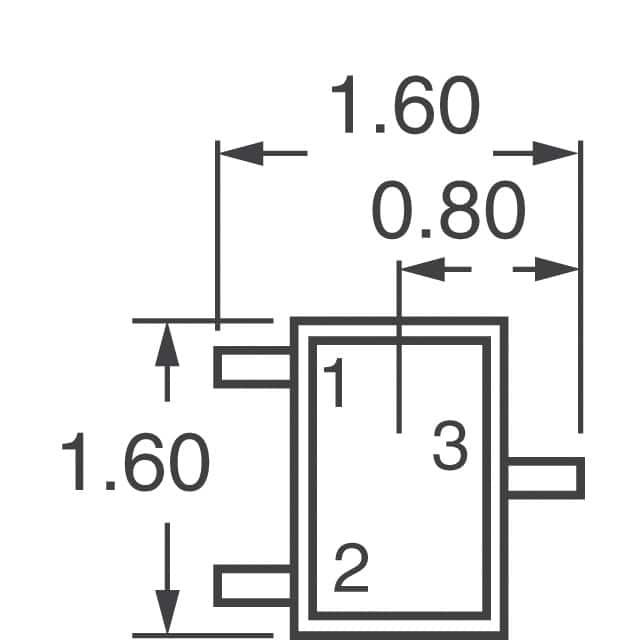
Assuming negative is chassis ground, center pin (pin 3) remains at 0v at all times. Pin 1 is obviously ground. Pin 2 remains at 5V.
QuoteThen, on the front side locate Q423 next to magnet board connector and near power connector.
Measure voltage first on pin 9 then pin 10.
Both remain at 0v as well.
QuoteNo speed demon but I keep a Tek 335 on my bench. I got a 1600A logic analyzer if you really want to kick it oldschool.
PS - Do you have access to an oscilloscope?
QuoteMeasure pin 1, 2 and 3 on Q422. Use same test setup as previous post.
1 should be +5V
2 should be 0v gnd
3 should be +12v
Since the pin 3 +12v supply runs right next to (leaking) electrolytic capacitors the +12v trace might be damaged too. Will need to check the resistance between +12V power pin and pin 3 of Q422.
I'm seeing a healthy +5 and +12 on Q3 and from the +12v pin on the molex to Q3 (pin 3) we have a nice reading of 0 ohms. Pin 3 to +5 on the Molex is 2500 ohms however it's the output so I assume that's okay being a regulator.
Title: Advice powering on Optical drives that have not been 4 years
Post by: Rob Blessin Black Hole on December 17, 2013, 04:23:15 AM
Post by: Rob Blessin Black Hole on December 17, 2013, 04:23:15 AM
Hello Khashoggi: I have atleast a dozen cubes that I know have not been powered up in years. I know from experience Optical Drives can experience damage as a result of immediate capacitor failure. I appreciate all the work everyone is putting into this endeavor and I'm looking forward to refurbishing a stack of these drives.
I thought it might be helpful to have a recommended step by step process for awakening these good old cubes from hybernation.
Obviously opening them up first and taking a look will help determine initially what we are dealing with I've found as it varies wildly from cube to cube .
Cleaning out dust bunnies is important but I've seen quite a few with and without the dust filter and I know NeXT switched direction of the cooling fan as originally it was pulling air in ... now what is your recommendation on cooling fan direction and using that optical drive filter once refurbished...
it'll be nice to have a working one and I have a box of brand new optical cables but I want to make sure they work after all these years.
Do you recommend disassembling the cube and opening up the drive first and blowing out dust , is it ok to use an air compressor or would canned dust off be a better idea.
I'm thinking it would be helpful to have a prep list before initially powering up these drives to help set the stage at where the drive is at and help prevent any further damage.
I'll post my findings in a list of initial symptoms then the results after sending them out for recapping using the docs hopefully it will help contribute more info .
I'm in a kind of unique position of having a lot of non working drives that we can work with .... so may be a ranking would help for the best candidates for recapping as some spin up and try to engage I'm thinking would rank high others that don't power up or produce smoke and fire rank low ...
If we were going to have a ranking system and ease of repair ...
10 Working Drive recapped pristine
9
8
7
6
5
4
3
2
1 DOA , Smoke and Fire
Also an estimate of what a fair cost /time estimate/ skill level/ difficulty would be for the repair for do it yourself , your doc is great would help as well based on symptoms as I know what you all are doing is amazing but it is above my current repair skill set but I'm going to pay to have it professionally done.
Tools needed , list of caps ... I've found replacing caps on the motherboards where they initially worked may have masked another problem
Also media a list of known media that works with these drives will help
Appreciate your time Best Regards Rob Blessin
I thought it might be helpful to have a recommended step by step process for awakening these good old cubes from hybernation.
Obviously opening them up first and taking a look will help determine initially what we are dealing with I've found as it varies wildly from cube to cube .
Cleaning out dust bunnies is important but I've seen quite a few with and without the dust filter and I know NeXT switched direction of the cooling fan as originally it was pulling air in ... now what is your recommendation on cooling fan direction and using that optical drive filter once refurbished...
it'll be nice to have a working one and I have a box of brand new optical cables but I want to make sure they work after all these years.
Do you recommend disassembling the cube and opening up the drive first and blowing out dust , is it ok to use an air compressor or would canned dust off be a better idea.
I'm thinking it would be helpful to have a prep list before initially powering up these drives to help set the stage at where the drive is at and help prevent any further damage.
I'll post my findings in a list of initial symptoms then the results after sending them out for recapping using the docs hopefully it will help contribute more info .
I'm in a kind of unique position of having a lot of non working drives that we can work with .... so may be a ranking would help for the best candidates for recapping as some spin up and try to engage I'm thinking would rank high others that don't power up or produce smoke and fire rank low ...
If we were going to have a ranking system and ease of repair ...
10 Working Drive recapped pristine
9
8
7
6
5
4
3
2
1 DOA , Smoke and Fire
Also an estimate of what a fair cost /time estimate/ skill level/ difficulty would be for the repair for do it yourself , your doc is great would help as well based on symptoms as I know what you all are doing is amazing but it is above my current repair skill set but I'm going to pay to have it professionally done.
Tools needed , list of caps ... I've found replacing caps on the motherboards where they initially worked may have masked another problem
Also media a list of known media that works with these drives will help
Appreciate your time Best Regards Rob Blessin
Title: Servicing NeXT (Canon) MO Drives
Post by: barcher174 on December 17, 2013, 12:42:37 PM
Post by: barcher174 on December 17, 2013, 12:42:37 PM
I would say replace the caps before ever applying power to the drives.
Title: Re: Advice powering on Optical drives that have not been 4 y
Post by: Khashoggi on December 17, 2013, 09:11:18 PM
Post by: Khashoggi on December 17, 2013, 09:11:18 PM
Quote from: "Rob Blessin Black Hole"Hello Khashoggi: I have atleast a dozen cubes that I know have not been powered up in years. I know from experience Optical Drives can experience damage as a result of immediate capacitor failure. I appreciate all the work everyone is putting into this endeavor and I'm looking forward to refurbishing a stack of these drives.
I thought it might be helpful to have a recommended step by step process for awakening these good old cubes from hybernation.
Obviously opening them up first and taking a look will help determine initially what we are dealing with I've found as it varies wildly from cube to cube .
Cleaning out dust bunnies is important but I've seen quite a few with and without the dust filter and I know NeXT switched direction of the cooling fan as originally it was pulling air in ... now what is your recommendation on cooling fan direction and using that optical drive filter once refurbished...
it'll be nice to have a working one and I have a box of brand new optical cables but I want to make sure they work after all these years.
Do you recommend disassembling the cube and opening up the drive first and blowing out dust , is it ok to use an air compressor or would canned dust off be a better idea.
I'm thinking it would be helpful to have a prep list before initially powering up these drives to help set the stage at where the drive is at and help prevent any further damage.
I'll post my findings in a list of initial symptoms then the results after sending them out for recapping using the docs hopefully it will help contribute more info .
I'm in a kind of unique position of having a lot of non working drives that we can work with .... so may be a ranking would help for the best candidates for recapping as some spin up and try to engage I'm thinking would rank high others that don't power up or produce smoke and fire rank low ...
If we were going to have a ranking system and ease of repair ...
10 Working Drive recapped pristine
9
8
7
6
5
4
3
2
1 DOA , Smoke and Fire
Also an estimate of what a fair cost /time estimate/ skill level/ difficulty would be for the repair for do it yourself , your doc is great would help as well based on symptoms as I know what you all are doing is amazing but it is above my current repair skill set but I'm going to pay to have it professionally done.
Tools needed , list of caps ... I've found replacing caps on the motherboards where they initially worked may have masked another problem
Also media a list of known media that works with these drives will help
Appreciate your time Best Regards Rob Blessin
Hi Rob,
I think as Barcher has also said, all drives should ideally be recapped before powering.
But, let's say you want to triage the drives you already have, and don't necessarily want to recap them all.
1. If a drive powers up, and ingests a cartridge it has a good chance of being fully operable after a recap and cleaning. After reading these forums over the years, I've read quite a few reports of drives that ingest, spin-up and spin-down. If your drive does that, your almost guaranteed a recap will fix it.
2. If a drive does not ingest a cartridge, I would say hold for now on those. This is a catch-all because a completely dead drive will exhibit this behavior too.
3. If a drive caught fire, well then, I would like to see one of those :D
Cleaning the drives is something I would be careful with. Don't use high pressure air, just use a "photographic" air bulb. The type photographers use. It puts out decent directed airflow that is not too strong. You don't want to damage the laser assembly which has a very delicate magnetic-coil suspension.
Get the dust out, then use isopropyl alcohol to clean the laser lens with a q-tip. Look it over afterwards with a magnifier to make sure you got all the debris and fibers off the lens.
I remember reading about the airflow direction on the drives somewhere (maybe here). There was some debate on which way was best. It seems there are plusses and minuses.
If you have airflow from outside pulled through the drive, you are bringing in un-filtered air, but your also bringing in cool air. The drive will be cooled but possibly contaminated. Of course, lens cleaning fixes that. Keeping electronics cool is a very good idea, especially on a drive that runs pretty hot as it is...
If you have airflow from within the cube being pushed through the drive and a filter, you are putting filtered hot air through the drive which isn't aiding in its cooling.
It seems heat and time killed the caps in the drives. And, heat is generally bad for electronics, so I would leave the fan direction alone because it may be too equal a tradeoff.
The service manual has the capacitor order BOM that you can use to plug the part numbers into your favorite electronics supplier to get the cap-kit.
Other than that, you need some standard screwdrivers, a soldering iron, desoldering method (wick, bulb, vacuum pump - take your pick) and some wire cutters to trim the leads off the newly installed capacitors.
I estimate if someone were experienced in doing a few of these drives first, and using a desoldering station, it should not take more than one man hour to do a drive. Perhaps double that (rounding up) for someone that has never done it before, but not more than that.
Title: Re: Advice powering on Optical drives that have not been 4 y
Post by: pentium on December 17, 2013, 10:22:13 PM
Post by: pentium on December 17, 2013, 10:22:13 PM
Quote from: "Khashoggi"
3. If a drive caught fire, well then, I would like to see one of those :D
You could see if Erik still has his drive. His blew up from a software eject. ;) (http://www.nextcomputers.org/forums/viewtopic.php?t=259)
Title: Servicing NeXT (Canon) MO Drives
Post by: gtnicol on December 18, 2013, 09:47:20 PM
Post by: gtnicol on December 18, 2013, 09:47:20 PM
I have one that caught fire... all the magic smoke escaped, and the magic sparks.
Title: Servicing NeXT (Canon) MO Drives
Post by: Khashoggi on December 18, 2013, 11:47:25 PM
Post by: Khashoggi on December 18, 2013, 11:47:25 PM
Quote from: "gtnicol"I have one that caught fire... all the magic smoke escaped, and the magic sparks.
Pictures!
:D
Title: Servicing NeXT (Canon) MO Drives
Post by: andreas_g on December 29, 2013, 04:00:34 AM
Post by: andreas_g on December 29, 2013, 04:00:34 AM
For finding out details on what is broken on a certain device:
Can you issue commands to the NeXT MO drives? The drives support a self diagnostic command. If you could issue this and read the reply, maybe you can find out easy what's broken.
Now this is a little bit off topic, but maybe someone reading this thread knows it: The drives seem to support "lock" and "unlock" commands. Do the drives have the mechanical ability to switch on and off the write protection of a cartridge?
Can you issue commands to the NeXT MO drives? The drives support a self diagnostic command. If you could issue this and read the reply, maybe you can find out easy what's broken.
Now this is a little bit off topic, but maybe someone reading this thread knows it: The drives seem to support "lock" and "unlock" commands. Do the drives have the mechanical ability to switch on and off the write protection of a cartridge?
Title: Servicing NeXT (Canon) MO Drives
Post by: Khashoggi on December 29, 2013, 10:41:14 AM
Post by: Khashoggi on December 29, 2013, 10:41:14 AM
Quote from: "andreas_g"For finding out details on what is broken on a certain device:
Can you issue commands to the NeXT MO drives? The drives support a self diagnostic command. If you could issue this and read the reply, maybe you can find out easy what's broken.
Now this is a little bit off topic, but maybe someone reading this thread knows it: The drives seem to support "lock" and "unlock" commands. Do the drives have the mechanical ability to switch on and off the write protection of a cartridge?
No, the drives can't physically change the write protect tab on the cartridge. But, I think lock/unlock might be related to eject. The drive could ignore eject commands if it is set to lock.
I have read that the scsi lock/unlock commands were born to help deal with disk/tape libraries. These libraries held many disks/tapes like a jukebox machine and would have several drives that could grab media from the library. The lock command would guarantee that a drive mechanism had exclusive access to the media until it was released with an unlock command. The system would ignore eject commands until it received the unlock.
The diagnostics are useful, but if the digital board has its "deafness" fault it is a lower level issue than the diagnostics can deal with.
Update-
I ordered a 2mm pitch pcb to mount some mo drive connectors on it to use with the tester.
I've traced around the digital board, but haven't found a smoking gun yet. I am going to need some additional "bad" digital boards to help figure out this problem. Out of the 8 drives I have, only 1 has a bad digital board. Although I haven't checked two of the drives yet, but they are NOS so I don't expect any problems from them.
The main cpu talks to the canon custom chip and one of the custom gate arrays during startup. I haven't ruled out a sensor problem yet, but it won't be a problem with the actual sensor or chassis but rather the connections on the digital board components related to the sensor.
The "bad" digital board I have is definitely partly working. The cpu comes up, and talks to the chips. The voltages are all stable as far as I have seen.
My tester will help me simulate some of the sensors since they aren't simple switches, they are all photo or magnetic gate type switches.
More progress after the holidays.
Meanwhile. The mouser electronics capacitor order of the 105C parts that I placed 3 months ago is now almost in stock. January 14th is the quoted date.
If you want to get an optimal cap kit, that will be the time and place to order from.
I will let everyone know when I get confirmation of the stock. There will be about a thousand available of each part, so there will be plenty.
Title: Servicing NeXT (Canon) MO Drives
Post by: pentium on December 29, 2013, 01:33:02 PM
Post by: pentium on December 29, 2013, 01:33:02 PM
If you ever by chance find a programming interface on the digital board I just completed a Willem programming station with various interfaces. Who knows. Perhaps we can access the boards ROM?
Sorry, I'm dreaming. :lol:
Sorry, I'm dreaming. :lol:
Title: Servicing NeXT (Canon) MO Drives
Post by: Khashoggi on January 04, 2014, 02:38:25 PM
Post by: Khashoggi on January 04, 2014, 02:38:25 PM
Happy New Years to all!
2014 will be the year the NeXT MO drives come back to life.
26 years ago the Cube was introduced...
2014 will be the year the NeXT MO drives come back to life.
26 years ago the Cube was introduced...
Title: Servicing NeXT (Canon) MO Drives
Post by: snuci on January 21, 2014, 04:04:09 PM
Post by: snuci on January 21, 2014, 04:04:09 PM
I might have something of interest for thi sproject. I recently paid $10 plus shipping for a box marked "Canon MO-IF1" Interface kit for IBM PC/AT. It was advertised as having disks and a cable. Well, I could use the SCSI cable that came in it and I figured the box would look nice next to my dead Canon MO drive so I went for it :)
There is no mention of this on the Internet but I assumed it was some sort of "interface". Sadly, it had no Canon PC/AT Interface card in it. Th PC interface card was to interface the Canon MO-5001S external SCSI drive to the PC. What did come in it besides the SCSI high density cable and normal SCSI terminator was a PC Utility disk and a manual telling you how to install and configure the jumpers on the card.
I don't know if this is of any use to this project. Gtnicol, I think you mentioned something about a SCSI interface? You merely ask and the disk and manual is yours.
The disk contains only two files: MO.EXE and MO.SYS. The manual has instructions on how to use them. I can write more about what the MO.EXE does if this is not already out there. Maybe it is of some use?
There is no mention of this on the Internet but I assumed it was some sort of "interface". Sadly, it had no Canon PC/AT Interface card in it. Th PC interface card was to interface the Canon MO-5001S external SCSI drive to the PC. What did come in it besides the SCSI high density cable and normal SCSI terminator was a PC Utility disk and a manual telling you how to install and configure the jumpers on the card.
I don't know if this is of any use to this project. Gtnicol, I think you mentioned something about a SCSI interface? You merely ask and the disk and manual is yours.
The disk contains only two files: MO.EXE and MO.SYS. The manual has instructions on how to use them. I can write more about what the MO.EXE does if this is not already out there. Maybe it is of some use?
Title: Servicing NeXT (Canon) MO Drives
Post by: Khashoggi on January 21, 2014, 04:13:44 PM
Post by: Khashoggi on January 21, 2014, 04:13:44 PM
Quote from: "snuci"I might have something of interest for thi sproject. I recently paid $10 plus shipping for a box marked "Canon MO-IF1" Interface kit for IBM PC/AT. It was advertised as having disks and a cable. Well, I could use the SCSI cable that came in it and I figured the box would look nice next to my dead Canon MO drive so I went for it :)
There is no mention of this on the Internet but I assumed it was some sort of "interface". Sadly, it had no Canon PC/AT Interface card in it. Th PC interface card was to interface the Canon MO-5001S external SCSI drive to the PC. What did come in it besides the SCSI high density cable and normal SCSI terminator was a PC Utility disk and a manual telling you how to install and configure the jumpers on the card.
I don't know if this is of any use to this project. Gtnicol, I think you mentioned something about a SCSI interface? You merely ask and the disk and manual is yours.
The disk contains only two files: MO.EXE and MO.SYS. The manual has instructions on how to use them. I can write more about what the MO.EXE does if this is not already out there. Maybe it is of some use?
I will PM you my email. It would be interesting to look at those two files if you can zip them up and email them to me. Curious if they allow for software eject.
Meanwhile - still waiting for mouser to get the last capacitor in stock for the ideal cap kit. Will let everyone know when they are all available. I made the order 4 months ago! There's lead time for you!
I'm waiting for the ideal caps before I work on any more drives. Substitutes are OK, but for the higher temp caps it would be best for these hot running drives.
Have the parts to finish my tester. Will resume work on that shortly.
It would be interesting to get a count of dead MO drives out there.
Title: Servicing NeXT (Canon) MO Drives
Post by: gtnicol on January 22, 2014, 07:48:54 AM
Post by: gtnicol on January 22, 2014, 07:48:54 AM
Quote from: "Khashoggi"It would be interesting to get a count of dead MO drives out there.
There have to be hundreds out there. I'm sure Rob has a pile, as do I.
Title: Servicing NeXT (Canon) MO Drives
Post by: Khashoggi on January 22, 2014, 08:10:11 AM
Post by: Khashoggi on January 22, 2014, 08:10:11 AM
Mouser has all the caps in stock now. To order your cap kit, refer to the MO drive service manual ideal parts numbers in the BOM section for quantity of each part.
For reference, here are the now in stock part numbers at www.mouser.com-
There are at least 800 of each part available. The first cap listed below is the most constrained part. Get them while they last. When they run out, it will be another 4 month delay +/-
MFG Part No:UMV1C470MFD
MFG Part No:BSRE160ETC220MF05D
MFG Part No:UMV1H3R3MFD
MFG Part No:UMT1H010MDD
MFG Part No:UMT1C100MDD
MFG Part No:UMT1H2R2MDD
MFG Part No:UMV1V100MFD
For reference, here are the now in stock part numbers at www.mouser.com-
There are at least 800 of each part available. The first cap listed below is the most constrained part. Get them while they last. When they run out, it will be another 4 month delay +/-
MFG Part No:UMV1C470MFD
MFG Part No:BSRE160ETC220MF05D
MFG Part No:UMV1H3R3MFD
MFG Part No:UMT1H010MDD
MFG Part No:UMT1C100MDD
MFG Part No:UMT1H2R2MDD
MFG Part No:UMV1V100MFD
Title: Servicing NeXT (Canon) MO Drives
Post by: Khashoggi on January 26, 2014, 03:34:14 PM
Post by: Khashoggi on January 26, 2014, 03:34:14 PM
For those interested in having their drives repaired for them, see this post-
I will still be working on drives that don't ingest disks at all and appear completely dead. But, for recap see below.
http://www.nextcomputers.org/forums/viewtopic.php?t=3367
I will still be working on drives that don't ingest disks at all and appear completely dead. But, for recap see below.
http://www.nextcomputers.org/forums/viewtopic.php?t=3367
Title: Servicing NeXT (Canon) MO Drives
Post by: Khashoggi on February 16, 2014, 02:14:33 AM
Post by: Khashoggi on February 16, 2014, 02:14:33 AM
GTNICOL has graciously donated three more drives to this project. Two drives won't accept disks. I wanted more specimens of this type to help diagnose what is going on.
I will be working on this more extensive problem, which is beyond capacitor replacement.
If your drive accepts disks, but doesn't function normally, please avail yourself of the recap service available for less than $100:
http://maccaps.com/MacCAPS.COM/Macintosh_Recaps.html
NeXTComputers.org and myself are not affiliated with this service. The service has been recommended by others. Please let us know how it goes.
Other than the two drives, one drive has been reported as having "Caught Fire"!!!!! Which should be entertaining. Stay tuned!
I will be working on this more extensive problem, which is beyond capacitor replacement.
If your drive accepts disks, but doesn't function normally, please avail yourself of the recap service available for less than $100:
http://maccaps.com/MacCAPS.COM/Macintosh_Recaps.html
NeXTComputers.org and myself are not affiliated with this service. The service has been recommended by others. Please let us know how it goes.
Other than the two drives, one drive has been reported as having "Caught Fire"!!!!! Which should be entertaining. Stay tuned!
Title: Servicing NeXT (Canon) MO Drives
Post by: Khashoggi on February 16, 2014, 02:28:34 AM
Post by: Khashoggi on February 16, 2014, 02:28:34 AM
On the "fire" drive-
No obvious burn marks from external view. Looking inside before teardown, lots of large "dust-bunnies"...
Excessive dust.
Doesn't smell burnt. I wonder if this is the right drive?
Will pull apart later, when ready to do a series of 4 drive recaps.
Might have been "burning bunnies!" :D
No obvious burn marks from external view. Looking inside before teardown, lots of large "dust-bunnies"...
Excessive dust.
Doesn't smell burnt. I wonder if this is the right drive?
Will pull apart later, when ready to do a series of 4 drive recaps.
Might have been "burning bunnies!" :D
Title: Servicing NeXT (Canon) MO Drives
Post by: pentium on March 10, 2014, 06:39:23 PM
Post by: pentium on March 10, 2014, 06:39:23 PM
I think we missed a cap.
While looking at the optical transducer switches the drive uses to sense if the drive is loaded or unloaded, I noticed hidden behind the inject/eject motor another 25v 10uf capacitor. I've replaced it but as expected this still has not fixed our issue.
How is that switch tester going Khashoggi? I'm curious about the CARTRIDGE INSERTED switch because if that or the CARTRIDGE LOADED circuit has failed then the drive will insist on no media being loaded, even if you manually insert and load the cartridge.
While looking at the optical transducer switches the drive uses to sense if the drive is loaded or unloaded, I noticed hidden behind the inject/eject motor another 25v 10uf capacitor. I've replaced it but as expected this still has not fixed our issue.
How is that switch tester going Khashoggi? I'm curious about the CARTRIDGE INSERTED switch because if that or the CARTRIDGE LOADED circuit has failed then the drive will insist on no media being loaded, even if you manually insert and load the cartridge.
Title: Servicing NeXT (Canon) MO Drives
Post by: Khashoggi on March 11, 2014, 02:43:48 PM
Post by: Khashoggi on March 11, 2014, 02:43:48 PM
Quote from: "pentium"I think we missed a cap.
While looking at the optical transducer switches the drive uses to sense if the drive is loaded or unloaded, I noticed hidden behind the inject/eject motor another 25v 10uf capacitor. I've replaced it but as expected this still has not fixed our issue.
How is that switch tester going Khashoggi? I'm curious about the CARTRIDGE INSERTED switch because if that or the CARTRIDGE LOADED circuit has failed then the drive will insist on no media being loaded, even if you manually insert and load the cartridge.
I'm pretty sure I know which one your referring to, and it is in the schematics I made up. I decided not to replace it or include it in the BOM because it wasn't out of spec in any of the drives I've looked at so far.
I'm reconfiguring my lab to add some additional test gear so my progress on the tester is at a standstill at the moment.
I expect to resume shortly and get through this next NeXT mystery. I have 2 drives that GTNICOL sent me with the non-ingest problem to help compare with the known good drives I have.
As I recall the first drive I checked with this type of problem wasn't related to the wiring harnesses but was in the digital board solely.
Title: Servicing NeXT (Canon) MO Drives
Post by: pentium on March 11, 2014, 03:23:27 PM
Post by: pentium on March 11, 2014, 03:23:27 PM
QuoteI'm pretty sure I know which one your referring to, and it is in the schematics I made up. I decided not to replace it or include it in the BOM because it wasn't out of spec in any of the drives I've looked at so far.Ah, so that's why I didn't see it in the parts list. :oops:
QuoteAs I recall the first drive I checked with this type of problem wasn't related to the wiring harnesses but was in the digital board solely.Right, I forgot we had narrowed it down to that too... :oops:
Title: Servicing NeXT (Canon) MO Drives
Post by: Khashoggi on May 06, 2014, 09:33:48 PM
Post by: Khashoggi on May 06, 2014, 09:33:48 PM
The project resumes :D
My NeXT cube reports "Bad Network" when I powered it on. Could it be???
Yes, it is bad caps! Scourge!
I plan to pull the motherboard out and recap it and of course my MO drive in my cube has the spin-up, spin-down syndrome. Could it be??/ :D
Anyway, does anyone have a handy list of original NeXT Cube motherboard capacitors so I can order them and have them ready before I pull everything apart.
I am well stocked on MO Drive capacitors for at least a dozen drives, and have several to do for testing and some to return to GTNICOL for his loaners.
My NeXT cube reports "Bad Network" when I powered it on. Could it be???
Yes, it is bad caps! Scourge!
I plan to pull the motherboard out and recap it and of course my MO drive in my cube has the spin-up, spin-down syndrome. Could it be??/ :D
Anyway, does anyone have a handy list of original NeXT Cube motherboard capacitors so I can order them and have them ready before I pull everything apart.
I am well stocked on MO Drive capacitors for at least a dozen drives, and have several to do for testing and some to return to GTNICOL for his loaners.
Title: Servicing NeXT (Canon) MO Drives
Post by: Khashoggi on May 06, 2014, 09:35:41 PM
Post by: Khashoggi on May 06, 2014, 09:35:41 PM
Has anyone availed themselves of the recap service by the guy referenced in the other thread? Did it help, or did he give a more complicated diagnosis?
http://www.nextcomputers.org/forums/viewtopic.php?t=3367&postdays=0&postorder=asc&start=0
http://www.nextcomputers.org/forums/viewtopic.php?t=3367&postdays=0&postorder=asc&start=0
Title: Servicing NeXT (Canon) MO Drives
Post by: barcher174 on May 07, 2014, 01:03:06 AM
Post by: barcher174 on May 07, 2014, 01:03:06 AM
Funny, I also started working on a drive again today. Got another one working with just new caps and reflowing the motor board. That brings me to a total of 5/6 drives repaired with just reflow, caps, and 1 blown diode.
--
Brian Archer
--
Brian Archer
Quote from: "Khashoggi"The project resumes :D
My NeXT cube reports "Bad Network" when I powered it on. Could it be???
Yes, it is bad caps! Scourge!
I plan to pull the motherboard out and recap it and of course my MO drive in my cube has the spin-up, spin-down syndrome. Could it be??/ :D
Anyway, does anyone have a handy list of original NeXT Cube motherboard capacitors so I can order them and have them ready before I pull everything apart.
I am well stocked on MO Drive capacitors for at least a dozen drives, and have several to do for testing and some to return to GTNICOL for his loaners.
Title: Servicing NeXT (Canon) MO Drives
Post by: Khashoggi on May 07, 2014, 01:27:28 AM
Post by: Khashoggi on May 07, 2014, 01:27:28 AM
Quote from: "barcher174"Funny, I also started working on a drive again today. Got another one working with just new caps and reflowing the motor board. That brings me to a total of 5/6 drives repaired with just reflow, caps, and 1 blown diode.
--
Brian ArcherQuote from: "Khashoggi"The project resumes :D
My NeXT cube reports "Bad Network" when I powered it on. Could it be???
Yes, it is bad caps! Scourge!
I plan to pull the motherboard out and recap it and of course my MO drive in my cube has the spin-up, spin-down syndrome. Could it be??/ :D
Anyway, does anyone have a handy list of original NeXT Cube motherboard capacitors so I can order them and have them ready before I pull everything apart.
I am well stocked on MO Drive capacitors for at least a dozen drives, and have several to do for testing and some to return to GTNICOL for his loaners.
Congrats Brian!
Caps + motor board diodes seem to be the major weak points, in order. Diodes go if the caps go out of spec too far in this design.
I hope to get to the bottom of the digital board issues with non-injest.
Title: Servicing NeXT (Canon) MO Drives
Post by: barcher174 on May 07, 2014, 02:50:20 AM
Post by: barcher174 on May 07, 2014, 02:50:20 AM
Yes, if my experience is any indication I think a large percentage of these drives just need a recap and some scrubbing of connections. It's very tedious work, but quite a thrill knowing these drives have probably not worked in 1 - 2 decades. Once again, thanks for taking the time to document everything.
--
Brian
--
Brian
Title: Servicing NeXT (Canon) MO Drives
Post by: gtnicol on May 07, 2014, 09:01:58 AM
Post by: gtnicol on May 07, 2014, 09:01:58 AM
This is basically the same way I repaired my drives.... reflow and recap (though I never did a full recap).
Title: Servicing NeXT (Canon) MO Drives
Post by: pentium on May 23, 2014, 07:02:14 AM
Post by: pentium on May 23, 2014, 07:02:14 AM
Because they were so cheap I've replaced both 78L05 regulators on the digital board. As predicted, the ingest problem remains. :|
Title: Joining the fray
Post by: NeXT_Newbie on May 23, 2014, 05:55:33 PM
Post by: NeXT_Newbie on May 23, 2014, 05:55:33 PM
I have a cube with an MO drive waiting for me in August. But when I get it, I'll be sure to join the repair effort. Can't wait to test it and see if it has problems and maybe try to fix it with all the directions here. Or ship it to whomever can make it work again. LOL!
Title: Servicing NeXT (Canon) MO Drives
Post by: Khashoggi on May 25, 2014, 02:39:16 PM
Post by: Khashoggi on May 25, 2014, 02:39:16 PM
Quote from: "pentium"Because they were so cheap I've replaced both 78L05 regulators on the digital board. As predicted, the ingest problem remains. :|
Power system checks out on my bad boards. Getting the test clips on those large PQFP chips is a pain without adapters. I am suspicious of the Canon labeled ASIC, although I can't definitively say it is bad yet.
It's a slow process, but I am getting back into it to see where the problem is. Using a logic analyzer on undocumented chips is a challenge... :D
Title: Servicing NeXT (Canon) MO Drives
Post by: balrog on June 01, 2014, 03:10:03 PM
Post by: balrog on June 01, 2014, 03:10:03 PM
Hi all,
Back in 2011 I ordered a set of capacitors (Panasonic KS series) and replaced all of the ones in my MO drive. I barely had time to test it, and it didn't work, and real life took over afterwards, so I put the project aside.
Now that I have some time, I'm trying to get this thing working.
With the drive fully assembled, the motor doesn't spin at all. The drive does inject and eject from the ROM monitor without any issues. Attempting to boot from an MO disk produces a "command failed, error (19)" error.
When I power the motor board and ground the motor on line, it draws 300mA and goes way up in speed (the speed depending on the voltage). Therefore I think it's pretty clear that the regulation isn't working at all. However, I went over the solder and tested the supply voltages to all the chips and everything looks ok. This is a first-generation motor board.
What should I troubleshoot next?
By the way, I'd be interested in some dead boards, or just dead chips. I should be able to get them decapsulated and imaged, or for the two microcontrollers (which are the same type but have different programs), the code extracted.
Back in 2011 I ordered a set of capacitors (Panasonic KS series) and replaced all of the ones in my MO drive. I barely had time to test it, and it didn't work, and real life took over afterwards, so I put the project aside.
Now that I have some time, I'm trying to get this thing working.
With the drive fully assembled, the motor doesn't spin at all. The drive does inject and eject from the ROM monitor without any issues. Attempting to boot from an MO disk produces a "command failed, error (19)" error.
When I power the motor board and ground the motor on line, it draws 300mA and goes way up in speed (the speed depending on the voltage). Therefore I think it's pretty clear that the regulation isn't working at all. However, I went over the solder and tested the supply voltages to all the chips and everything looks ok. This is a first-generation motor board.
What should I troubleshoot next?
By the way, I'd be interested in some dead boards, or just dead chips. I should be able to get them decapsulated and imaged, or for the two microcontrollers (which are the same type but have different programs), the code extracted.
Title: Servicing NeXT (Canon) MO Drives
Post by: Khashoggi on June 01, 2014, 04:22:56 PM
Post by: Khashoggi on June 01, 2014, 04:22:56 PM
Quote from: "balrog"Hi all,
Back in 2011 I ordered a set of capacitors (Panasonic KS series) and replaced all of the ones in my MO drive. I barely had time to test it, and it didn't work, and real life took over afterwards, so I put the project aside.
Now that I have some time, I'm trying to get this thing working.
With the drive fully assembled, the motor doesn't spin at all. The drive does inject and eject from the ROM monitor without any issues. Attempting to boot from an MO disk produces a "command failed, error (19)" error.
When I power the motor board and ground the motor on line, it draws 300mA and goes way up in speed (the speed depending on the voltage). Therefore I think it's pretty clear that the regulation isn't working at all. However, I went over the solder and tested the supply voltages to all the chips and everything looks ok. This is a first-generation motor board.
What should I troubleshoot next?
By the way, I'd be interested in some dead boards, or just dead chips. I should be able to get them decapsulated and imaged, or for the two microcontrollers (which are the same type but have different programs), the code extracted.
Your motor board is bad. Check the diodes as they can fail when the caps first fail.
If diodes check out OK, refer to my schematics, and check the voltages on the various IC's to see if any voltages are out of spec. The cmos logic chips can go bad also probably due to earlier cap failure. The motor driver is likely OK since the motor is spinning.
Earlier in the posts I refer to a particular IC that needed to be replaced as part of the logic because it was failed and was loading the supply rail. (Sorry can't remember the part number off hand)
But, diodes would be the first suspect. Several of them are dual diodes in one smd package so make sure to check each anode to cathode.
Good luck!
Title: Servicing NeXT (Canon) MO Drives
Post by: balrog on June 01, 2014, 04:56:41 PM
Post by: balrog on June 01, 2014, 04:56:41 PM
Quote from: "Khashoggi"
But, diodes would be the first suspect. Several of them are dual diodes in one smd package so make sure to check each anode to cathode.
Good luck!
Thanks!
All the capacitors are new, as I replaced them back in 2011 before stashing the project away.
I did notice they are dual diodes in one package. I tested each diode with a Fluke multimeter in diode test mode, and the indicated voltage drop was about 0.57 volts in the forward direction. This is what I generally see from fast switching diodes. The zener diode D1 tests OK too.
I tested the 5V power rail afterwards, and it's holding a steady 5.8V. It's certainly possible that one of the chips is bad, but it's not a simple short, so identifying the bad IC may be difficult.
Title: Servicing NeXT (Canon) MO Drives
Post by: Khashoggi on June 01, 2014, 05:15:02 PM
Post by: Khashoggi on June 01, 2014, 05:15:02 PM
Quote from: "balrog"Quote from: "Khashoggi"
But, diodes would be the first suspect. Several of them are dual diodes in one smd package so make sure to check each anode to cathode.
Good luck!
Thanks!
All the capacitors are new, as I replaced them back in 2011 before stashing the project away.
I did notice they are dual diodes in one package. I tested each diode with a Fluke multimeter in diode test mode, and the indicated voltage drop was about 0.57 volts in the forward direction. This is what I generally see from fast switching diodes. The zener diode D1 tests OK too.
I tested the 5V power rail afterwards, and it's holding a steady 5.8V. It's certainly possible that one of the chips is bad, but it's not a simple short, so identifying the bad IC may be difficult.
I would say go back over your soldering and check it very closely and reflow the solder at each point.
With the motor board powered up on a bench supply measure current draw and slightly wiggle the capacitors and board in different spots to see if you can narrow down a bad joint.
If you have an oscilliscope handy, trace the speed management cicuit to see where the feedback loop is interrupted. My schematics should be nearly 100% complete for the motor board.
The chip I had to replace, on one board, was the 74hc14 hex trigger.
Luckily the motor board is the easiest board to diagnose and all the parts on it are, I believe, still available and are not custom.
Title: Servicing NeXT (Canon) MO Drives
Post by: balrog on June 01, 2014, 05:46:38 PM
Post by: balrog on June 01, 2014, 05:46:38 PM
I'm failry confident that all the soldering is fine.
I suppose I'll trace the circuit with an oscilloscope. I see two ICs that appear to be somewhat specialized: the HA17324A quad op-amp, and the HA13403 brushless motor driver. The motor driver might be problematic to get, but the motor does spin. The RPM seems to be proportional to the input voltage — as voltage increases from 10 to 12 volts, the RPM also increases. Obviously this should not be happening.
Perhaps I'll just replace all the SOIC ICs. They're not expensive, but the soldering would be annoying.
A circuit description would be nice, since what's going on isn't all too obvious in the schematic, but I don't want to waste your time on this. :)
I suppose I'll trace the circuit with an oscilloscope. I see two ICs that appear to be somewhat specialized: the HA17324A quad op-amp, and the HA13403 brushless motor driver. The motor driver might be problematic to get, but the motor does spin. The RPM seems to be proportional to the input voltage — as voltage increases from 10 to 12 volts, the RPM also increases. Obviously this should not be happening.
Perhaps I'll just replace all the SOIC ICs. They're not expensive, but the soldering would be annoying.
A circuit description would be nice, since what's going on isn't all too obvious in the schematic, but I don't want to waste your time on this. :)
Title: Servicing NeXT (Canon) MO Drives
Post by: Khashoggi on June 01, 2014, 06:38:47 PM
Post by: Khashoggi on June 01, 2014, 06:38:47 PM
Quote from: "balrog"I'm failry confident that all the soldering is fine.
I suppose I'll trace the circuit with an oscilloscope. I see two ICs that appear to be somewhat specialized: the HA17324A quad op-amp, and the HA13403 brushless motor driver. The motor driver might be problematic to get, but the motor does spin. The RPM seems to be proportional to the input voltage — as voltage increases from 10 to 12 volts, the RPM also increases. Obviously this should not be happening.
Perhaps I'll just replace all the SOIC ICs. They're not expensive, but the soldering would be annoying.
A circuit description would be nice, since what's going on isn't all too obvious in the schematic, but I don't want to waste your time on this. :)
Get the datasheet on the TC9203 chip. That does the speed regulation. It sounds like you know your way around electronics, so looking at that datasheet should really help you see how the feedback works. You start at that chip and work backwards to the control logic.
Nice thing about debugging this board is pass/fail is immediately obvious as soon as you power it up.
I did one motor board that intermittently didn't control speed it was a weak joint at a corroded (From bad caps) pad. It looked ok. But, after reflowing a couple of times it finally behaved.
http://www.alldatasheet.com/datasheet-pdf/pdf/115042/TOSHIBA/TC9203P.html
Title: Servicing NeXT (Canon) MO Drives
Post by: balrog on June 04, 2014, 09:40:12 PM
Post by: balrog on June 04, 2014, 09:40:12 PM
I cleaned and reflowed the entire board but this hasn't helped.
I noticed that one of the capacitors (I think at C30, but perhaps at C1 — this is an original rev board) is 2.2uF rather than 1uF. I'm not sure whether I messed up the replacement back in 2011, but I find that unlikely. Would this cause no feedback at all?
I haven't got around to tracing with a scope yet. However, I'd be interested in a spare, if anyone has a motor board lying around.
I noticed that one of the capacitors (I think at C30, but perhaps at C1 — this is an original rev board) is 2.2uF rather than 1uF. I'm not sure whether I messed up the replacement back in 2011, but I find that unlikely. Would this cause no feedback at all?
I haven't got around to tracing with a scope yet. However, I'd be interested in a spare, if anyone has a motor board lying around.
Title: Servicing NeXT (Canon) MO Drives
Post by: Khashoggi on June 27, 2014, 12:21:37 AM
Post by: Khashoggi on June 27, 2014, 12:21:37 AM
Quote from: "balrog"I cleaned and reflowed the entire board but this hasn't helped.
I noticed that one of the capacitors (I think at C30, but perhaps at C1 — this is an original rev board) is 2.2uF rather than 1uF. I'm not sure whether I messed up the replacement back in 2011, but I find that unlikely. Would this cause no feedback at all?
I haven't got around to tracing with a scope yet. However, I'd be interested in a spare, if anyone has a motor board lying around.
I can send you a known working motor board, for your non-working board to help.
PM me your address info.
Progress resumes!
Expect a big update soon. But, what I'm doing is pulling all the ASIC's off a bad digital board to use as a test bed. I will then use a known good board and swap the ASICS.
Since we have NO DOCUMENTATION FROM JAPAN, and aren't going to get it, we can plug away at this with a logic analyzer and scope for eternity. This thing is not simplistic, it is fairly advanced for its age.
If I can prove one of the ASIC's has gone bad (I don't need to check them all, there are only TWO suspects really) then we will know what has to be done to repair the digital boards that won't respond causing the no-ingest fault.
Just to point out again, without GTNICOL's stash of drives, this repair/ diagnostic effort would be impossible. Thank him bigtime :D
I am building an inventory of good/bad chips off the bad boards and will supply them to anyone that needs one.
First we need to figure out what is going wrong with the Digital board.
And, if you want help resurrecting your drive, please do chime in to this thread with your faults. Under the Black Hardware forum, and linked here earlier, a service provider will do the cap replacement which will solve the vast majority of issues.
Title: Servicing NeXT (Canon) MO Drives
Post by: nekonoko on August 31, 2014, 11:31:24 PM
Post by: nekonoko on August 31, 2014, 11:31:24 PM
I'm planning on performing a recap on my MO drive soon. I did test inject/eject from the PROM monitor and that's working correctly, so hopefully it will be a straightforward repair.
Title: Servicing NeXT (Canon) MO Drives
Post by: barcher174 on September 21, 2014, 12:18:48 AM
Post by: barcher174 on September 21, 2014, 12:18:48 AM
Hi All,
I'm repairing some drives for mikeboss and came across a bad laser for the first time. The drive would spin and seek, then immediately eject the disk. Replacing with another laser assembly corrected the issue.
--
Brian
I'm repairing some drives for mikeboss and came across a bad laser for the first time. The drive would spin and seek, then immediately eject the disk. Replacing with another laser assembly corrected the issue.
--
Brian
Title: Servicing NeXT (Canon) MO Drives
Post by: nekonoko on October 14, 2014, 07:41:46 PM
Post by: nekonoko on October 14, 2014, 07:41:46 PM
Quote from: "Khashoggi"For those interested in having their drives repaired for them, see this post-
I will still be working on drives that don't ingest disks at all and appear completely dead. But, for recap see below.
http://www.nextcomputers.org/forums/viewtopic.php?t=3367
Well I sent my drive off for the recap, but unfortunately it's acting exactly the same as before. Inserting a MO disk from within NeXTSTEP causes the system to basically freeze up except for occasional bursts every so often, and the disk itself does not spin up. Inject/eject from the PROM monitor works fine.
Title: Servicing NeXT (Canon) MO Drives
Post by: barcher174 on October 19, 2014, 01:20:57 AM
Post by: barcher174 on October 19, 2014, 01:20:57 AM
You motor board is probably bad. Are you able to test it outside the unit using an external power supply?
Title: Servicing NeXT (Canon) MO Drives
Post by: barcher174 on October 19, 2014, 03:19:31 AM
Post by: barcher174 on October 19, 2014, 03:19:31 AM
I've had very bad luck with a recent batch of drives. All of them (5) are 1989 drives and all of them have motor boards which have no speed control. Caps of course were all replaced. Diodes all tested good. Voltage at the inputs of the logic gate chips is ~5.9V. Anyone have suggestions?
Thanks,
Brian
Thanks,
Brian
Title: Servicing NeXT (Canon) MO Drives
Post by: nekonoko on October 27, 2014, 01:50:38 PM
Post by: nekonoko on October 27, 2014, 01:50:38 PM
Quote from: "barcher174"You motor board is probably bad. Are you able to test it outside the unit using an external power supply?
No, unfortunately - that's why I sent it out for a recap.
Title: Servicing NeXT (Canon) MO Drives
Post by: Rob Blessin Black Hole on October 27, 2014, 05:06:05 PM
Post by: Rob Blessin Black Hole on October 27, 2014, 05:06:05 PM
Quote from: "barcher174"I've had very bad luck with a recent batch of drives. All of them (5) are 1989 drives and all of them have motor boards which have no speed control. Caps of course were all replaced. Diodes all tested good. Voltage at the inputs of the logic gate chips is ~5.9V. Anyone have suggestions?
Thanks,
Brian
Hello Brian: I wonder if there are any other more reliable motor boards that could be used as replacements. Best regards Rob Blessin
Title: Servicing NeXT (Canon) MO Drives
Post by: barcher174 on October 27, 2014, 06:58:55 PM
Post by: barcher174 on October 27, 2014, 06:58:55 PM
It's not out of the realm of possibility to create our own board. I've considered using a uC and a modern DC motor controller, but I won't have that kind of time on my hands for a while.
--
Brian
--
Brian
Title: Servicing NeXT (Canon) MO Drives
Post by: barcher174 on October 29, 2014, 04:13:42 PM
Post by: barcher174 on October 29, 2014, 04:13:42 PM
Broke out the scope last night and did some probing. I see digital signals propagating through the design and see the sign waves going to the motor inputs. One thing I notice is that the crystal seemed to be a bit unstable. I'm not sure what kind of margins would be appropriate here, so my next step is to try and replace it.
--
Brian
--
Brian
Title: Servicing NeXT (Canon) MO Drives
Post by: degs on October 30, 2014, 07:44:17 AM
Post by: degs on October 30, 2014, 07:44:17 AM
Quote from: "barcher174"going to the motor inputs. One thing I notice is that the crystal seemed to be a bit unstable. I'm not sure what kind of margins would be appropriate here, soA note here: Crystals cannot be unstable (BS physicist answer, but heh). you could have increased resistance at an output trace to a capacitance that would cause some charge pumping, but I would look at the steps to the driver outputs if you are trying to get a feel for what is going on. Looking into the probe, you have 1Mohm resistance or so; however, the capacitance on a passive probe is enough to skew the results. I use active probes for my clocks to get jitter measurements.
I would guess that it's some other part of the system, such as the bias generator for the diff pair that makes the clock off the crystal.
Do you have a schematic of this thing?
Title: Servicing NeXT (Canon) MO Drives
Post by: nekonoko on October 30, 2014, 08:17:02 AM
Post by: nekonoko on October 30, 2014, 08:17:02 AM
Quote from: "degs"Do you have a schematic of this thing?
Here's one from earlier in the thread if it helps: https://dl.dropboxusercontent.com/u/55564892/NeXT%20MO%20Drive%20Schematics.PDF
Title: Servicing NeXT (Canon) MO Drives
Post by: degs on October 31, 2014, 03:23:47 PM
Post by: degs on October 31, 2014, 03:23:47 PM
Quote from: "nekonoko"Quote from: "degs"Do you have a schematic of this thing?Here's one from earlier in the thread if it helps: https://dl.dropboxusercontent.com/u/55564892/NeXT%20MO%20Drive%20Schematics.PDF
I reviewed the schematic. I wish I had a solid feel for this, but it's honestly a bit weird. Firstly, if one wants to test the clock, the best place would be the schmitt inverter output on pin 6 of IC7C. That driver would have enough power to drive a scope probe. Secondly, I'm not sure the schematic is correct because the crystal oscillator would not normally have enough power to run the input to an inverter unless that motor driver was giving enough current. I pulled the datasheet and it didn't give any clues to the circuit, but usually, they are 1nA-ish, which wouldn't have enough umph for a 3MHz crystal at 1nF input at the inverter. My applications are super skew sensitive so we always isolate the crystals, but at speeds of low MHz, it might work to have something branching off the crystal.
So, assuming that the clock is still skewed at pin 6, I would short R47 before I tried anything with the crystal. You won't physically damage anything by removing that part electrically if you just jumper a wire across it, and worst case is that it won't oscillate. Best case is that it will stabilize the signal. Crystals are pretty touchy during rework. If IC7C is indeed connected to the crystal, I think that it's plausible that the crystal is bad if it has been running for years due to electro-migration on the quartz bonding. I found a few references to this in literature, which is probably why this generally isn't done.
Title: Servicing NeXT (Canon) MO Drives
Post by: barcher174 on October 31, 2014, 03:44:09 PM
Post by: barcher174 on October 31, 2014, 03:44:09 PM
Thanks for checking. The other problem is that the schematic we have doesn't seem to match my revision of motor board as far as the connections to the logic gates. The crystal turned out to be fine, but there was a problem with the caps pulling it to ground. Unfortunately that seems to not have been the main issue. I'm starting to consider the option of using an off the shelf ESC to power the existing motor. I've seen parts intended for RC models for <$10 that use a standard servo control mechanism. Ultimately we just need the motor to rotate at a steady 3000RPM and provide START/LOCK signals. I'm truthfully not very good at this type of debug so maybe I'll have better luck just starting from scratch with modern parts.
--
Brian
--
Brian
Title: Servicing NeXT (Canon) MO Drives
Post by: pentium on November 17, 2014, 10:54:07 AM
Post by: pentium on November 17, 2014, 10:54:07 AM
You still around Khashoggi? Has there been any progress at all in the last six months or so on the debugging or has the entire phase two of the project died?
Title: Servicing NeXT (Canon) MO Drives
Post by: Khashoggi on January 05, 2015, 11:44:38 PM
Post by: Khashoggi on January 05, 2015, 11:44:38 PM
Quote from: "pentium"You still around Khashoggi? Has there been any progress at all in the last six months or so on the debugging or has the entire phase two of the project died?
zzzzzzzzzzzzz Huh! What??
Have I been sleeping!
LOL!
The project resumes. My hibernation is over, and Jeeze did the time fly by.
I have some new gadgets in my lab to make this more entertaining. A Mantis Microscope for one because my eyes are happier with it.
My Netbooting NeXT Cube has decided to stop netbooting and the previously working SCSI drive inside has decided it has finally had enough.
That board is due for a recap too.
Also, I have several drives to do for recap now. And with my Microscope it will be fun.
I also have a deep memory Logic Analyzer (32MB x 196 channels) to use on that darn Digital board to figure it out.
The updates won't be as frequent as before, but I will spend enough time on this every month so progress is made.
I promised a motor board swap to someone on here, and will do that as soon as I get all the parts together again and see what I have in what state.
Cheers,
Karim
Title: Servicing NeXT (Canon) MO Drives
Post by: barcher174 on March 01, 2015, 06:14:47 PM
Post by: barcher174 on March 01, 2015, 06:14:47 PM
Can Someone confirm the value of C11 (the blue one) on the motor board? I think it's a 10uF 16V tant cap.
Thanks,
Brian
Thanks,
Brian
Title: Servicing NeXT (Canon) MO Drives
Post by: barcher174 on March 09, 2015, 02:59:51 AM
Post by: barcher174 on March 09, 2015, 02:59:51 AM
Worked on some more drives today. I pulled the trigger on a NOS drive still sealed. I opened it up before applying power to find that the caps had all leaked. The positive side is that there wasn't a spec of dust. In this case the damage was severe, but isolated to the areas just around the caps. After cleaning and recapping it fired right up without a problem. I now have a spare which I can use to test my other parts.
I have found that the #1 indicator to success is the amount of corrosion. There are boards with limited amounts right next to the caps and then there are boards where >25% has corrosion on the pads. The latter case is not worth the effort in my opinion. I've found that even after getting them to work they die again within hours to a couple of weeks. This is quite frustrating after the amount of effort to recap/reflow. You are better off buying another drive (Contact Rob), and putting the pieces together. Another thing to note is that I've found no connection between the symptoms the drive has before recapping and the success rate of recapping.
I've also found that digital boards and motor boards can usually be swapped between units with no problem. The only exception are the very early units. I only have 2 that are 1988 labeled, but they seem to be pickier about digital/analog combos. The motor boards seem to have no dependency in any case.
A few thoughts on recapping:
All boards:
There are traces on the top and bottom of the board. Make sure after the cap is removed to apply and then remove again solder from both sides. Check for damaged traces. Take a knife and scratch away the solder mask and add a solder bridge if if looks like the trace has rotted at the via.
Digital board:
Even though there are only 5 caps, this board has some of the most frustrating caps. The solder likes to stick in the holes and not reflow. The leads are also very close together, so it's really easy to short the cap if you aren't careful. Be sure to remove the transistor next to the 4 caps and clean the pads under it. There is usually corrosion here. The digital board is the most likely board to be revived.
Analog board:
Once again, if more than 25% of the board has corrosion, I don't think it's worth the effort. Get another drive. Be sure to lift and clean under the voltage regulator. Be careful to get the proper height caps. If you don't you'll short the board, and have a bad time. It also causes the board to flex which is a bad idea.
Motor board:
There is not really a choice here. If you want to be successful you're likely going to need to reflow every part on the board. Take your time and do it right, because tracking down problems here is not easy. I recommend cleaning everything with a dental pick and acetone. This is the most likely board to have bad parts. Note that there are small traces that go in between capacitor legs. Do not let your solder cover these traces. Also be sure that they have not rotted away.
--
Brian
I have found that the #1 indicator to success is the amount of corrosion. There are boards with limited amounts right next to the caps and then there are boards where >25% has corrosion on the pads. The latter case is not worth the effort in my opinion. I've found that even after getting them to work they die again within hours to a couple of weeks. This is quite frustrating after the amount of effort to recap/reflow. You are better off buying another drive (Contact Rob), and putting the pieces together. Another thing to note is that I've found no connection between the symptoms the drive has before recapping and the success rate of recapping.
I've also found that digital boards and motor boards can usually be swapped between units with no problem. The only exception are the very early units. I only have 2 that are 1988 labeled, but they seem to be pickier about digital/analog combos. The motor boards seem to have no dependency in any case.
A few thoughts on recapping:
All boards:
There are traces on the top and bottom of the board. Make sure after the cap is removed to apply and then remove again solder from both sides. Check for damaged traces. Take a knife and scratch away the solder mask and add a solder bridge if if looks like the trace has rotted at the via.
Digital board:
Even though there are only 5 caps, this board has some of the most frustrating caps. The solder likes to stick in the holes and not reflow. The leads are also very close together, so it's really easy to short the cap if you aren't careful. Be sure to remove the transistor next to the 4 caps and clean the pads under it. There is usually corrosion here. The digital board is the most likely board to be revived.
Analog board:
Once again, if more than 25% of the board has corrosion, I don't think it's worth the effort. Get another drive. Be sure to lift and clean under the voltage regulator. Be careful to get the proper height caps. If you don't you'll short the board, and have a bad time. It also causes the board to flex which is a bad idea.
Motor board:
There is not really a choice here. If you want to be successful you're likely going to need to reflow every part on the board. Take your time and do it right, because tracking down problems here is not easy. I recommend cleaning everything with a dental pick and acetone. This is the most likely board to have bad parts. Note that there are small traces that go in between capacitor legs. Do not let your solder cover these traces. Also be sure that they have not rotted away.
--
Brian
Title: Servicing NeXT (Canon) MO Drives
Post by: Khashoggi on March 09, 2015, 10:21:41 AM
Post by: Khashoggi on March 09, 2015, 10:21:41 AM
^^ great notes!
Title: Servicing NeXT (Canon) MO Drives
Post by: barcher174 on March 13, 2015, 02:18:31 AM
Post by: barcher174 on March 13, 2015, 02:18:31 AM
Well I've got good news and bad news.
The good news is I've finally cracked the problem with the motor board.
The bad news...
The motors are bad. I didn't suspect it because they were still spinning and drawing between .3 - .4 Amps. I've been researching alternative uses for brushless motors to get an idea of how and why the controllers fail. The most common use for hobbyists is RC toys. They report failing bearings causing current draw to increase.
So I began taking apart the motors to inspect the bearings. The screws are -very- easy to strip. I was unable to open a few at all. In most cases the bearings were fine, but I did find some that didn't seem to spin as freely as others. The more concerning thing was the condition of the windings. I found capacitor "gunk" on top with dark spots visible. The magnet also needed to be cleaned. The cap leakage is going into the motor and causing friction. This explains some examples I was seeing where after running for a while I could get speed control to function, but then when the motor went cold it failed again.
I was able to revive 1 board by exchanging the motor with a known good example. In the worst cases the layers of the windings have started to separate causing friction. This in turn causes a significant increase in current draw which can damage the motor controller. Once again, there is a high risk of failure when trying to open the motor, so make sure you are using the right size screw driver. It's a 50/50 shot but you may be able to clean the inside and have a functioning board if you've exhausted your other options. My theory is that the fist batch of drives I restored all came from inside cubes. They were conceivably stored in the operational orientation. The most recent batch of drives were likely stored outside a cube in orientations which allowed the electrolytic to drip into the motor.
So my advice for motor board restoration (all this advice contains specifically to Rev 2 from the PDF guide which is the most common by far):
1) Remove all the caps from the board. You want to reflow the pads on both the top and the bottom of the board. Note the values and locations.
2) Clean the board completely with acetone
4) Take wick and flux and go over every component on the board. Then lay down fresh solder. Be very careful around the IC's
5) Clean again. Be sure to clean under the motor driver by lifting it slightly.
3) Wait 24 hours and clean again. This is to allow everything to dry and you'll see where the oxidation occurs to properly clean
6) Install your new caps ( we wait to do this to make cleaning easier)
7) Clean again. (notice the pattern?)
8) You -need- a bench power supply with current display. You will hook up 12V and GND. You should see a small current draw. Now hook the 'motor on' pin to GND. The drive should now draw around ~.15A if everything is perfect. It will sound "smooth" is the best way I can put it. The board may draw up to ~.25A and still have this sound. That means the board will likely still work but the windings on the motor have likely corroded. If you get anything over .3A there is a problem. If it's above .5 you have a real problem, as the motor driver is probably toast.
So what to do if the board doesn't work?
Does it spin when first powered on but in the wrong direction?
1) Check the solder connections to the motor for bridges. You did reflow these right? There is a build up on conductive gunk on almost all boards. Be very, very careful with these as they are easy to break.
2) Check the Tantalum Cap (The blue one)
Does it power on but the motor never starts?
1) Check the diode closest to the Motor driver.
Does it power on fine, but there is no speed control? ( current draw ~.35A)
1) Double check all your caps. Check specifically the traces that run between cap legs.
2) Check all diodes with a multimeter
3) Reflow and clean again
4) Open the motor and clean everything. I put this last because of the chance to strip the screws being so high. Check the windings for visible dark spots. If they are there, you might need another board. Make sure that the spindle turns freely with no resistance. At the very least you'll likely see a slight drop in current draw after cleaning. This would tell you that you need a new motor.
To remove a motor winding, you can use a hot air gun to heat the glue and then gently pry it away.
Hope this helps someone.
--
Brian
The good news is I've finally cracked the problem with the motor board.
The bad news...
The motors are bad. I didn't suspect it because they were still spinning and drawing between .3 - .4 Amps. I've been researching alternative uses for brushless motors to get an idea of how and why the controllers fail. The most common use for hobbyists is RC toys. They report failing bearings causing current draw to increase.
So I began taking apart the motors to inspect the bearings. The screws are -very- easy to strip. I was unable to open a few at all. In most cases the bearings were fine, but I did find some that didn't seem to spin as freely as others. The more concerning thing was the condition of the windings. I found capacitor "gunk" on top with dark spots visible. The magnet also needed to be cleaned. The cap leakage is going into the motor and causing friction. This explains some examples I was seeing where after running for a while I could get speed control to function, but then when the motor went cold it failed again.
I was able to revive 1 board by exchanging the motor with a known good example. In the worst cases the layers of the windings have started to separate causing friction. This in turn causes a significant increase in current draw which can damage the motor controller. Once again, there is a high risk of failure when trying to open the motor, so make sure you are using the right size screw driver. It's a 50/50 shot but you may be able to clean the inside and have a functioning board if you've exhausted your other options. My theory is that the fist batch of drives I restored all came from inside cubes. They were conceivably stored in the operational orientation. The most recent batch of drives were likely stored outside a cube in orientations which allowed the electrolytic to drip into the motor.
So my advice for motor board restoration (all this advice contains specifically to Rev 2 from the PDF guide which is the most common by far):
1) Remove all the caps from the board. You want to reflow the pads on both the top and the bottom of the board. Note the values and locations.
2) Clean the board completely with acetone
4) Take wick and flux and go over every component on the board. Then lay down fresh solder. Be very careful around the IC's
5) Clean again. Be sure to clean under the motor driver by lifting it slightly.
3) Wait 24 hours and clean again. This is to allow everything to dry and you'll see where the oxidation occurs to properly clean
6) Install your new caps ( we wait to do this to make cleaning easier)
7) Clean again. (notice the pattern?)
8) You -need- a bench power supply with current display. You will hook up 12V and GND. You should see a small current draw. Now hook the 'motor on' pin to GND. The drive should now draw around ~.15A if everything is perfect. It will sound "smooth" is the best way I can put it. The board may draw up to ~.25A and still have this sound. That means the board will likely still work but the windings on the motor have likely corroded. If you get anything over .3A there is a problem. If it's above .5 you have a real problem, as the motor driver is probably toast.
So what to do if the board doesn't work?
Does it spin when first powered on but in the wrong direction?
1) Check the solder connections to the motor for bridges. You did reflow these right? There is a build up on conductive gunk on almost all boards. Be very, very careful with these as they are easy to break.
2) Check the Tantalum Cap (The blue one)
Does it power on but the motor never starts?
1) Check the diode closest to the Motor driver.
Does it power on fine, but there is no speed control? ( current draw ~.35A)
1) Double check all your caps. Check specifically the traces that run between cap legs.
2) Check all diodes with a multimeter
3) Reflow and clean again
4) Open the motor and clean everything. I put this last because of the chance to strip the screws being so high. Check the windings for visible dark spots. If they are there, you might need another board. Make sure that the spindle turns freely with no resistance. At the very least you'll likely see a slight drop in current draw after cleaning. This would tell you that you need a new motor.
To remove a motor winding, you can use a hot air gun to heat the glue and then gently pry it away.
Hope this helps someone.
--
Brian
Title: Servicing NeXT (Canon) MO Drives
Post by: barcher174 on March 16, 2015, 02:07:17 AM
Post by: barcher174 on March 16, 2015, 02:07:17 AM
I've had good luck reviving difficult analog boards by reflowing or replacing:
Q241, Q214, Q230, Q231, Q242
--
Brian
Q241, Q214, Q230, Q231, Q242
--
Brian
Title: Servicing NeXT (Canon) MO Drives
Post by: pentium on August 28, 2015, 11:44:56 PM
Post by: pentium on August 28, 2015, 11:44:56 PM
What a strange turn of events.
Someone here who wishes not to be named sent me a known working digital board to test with along with a spare dual drive ribbon cable.
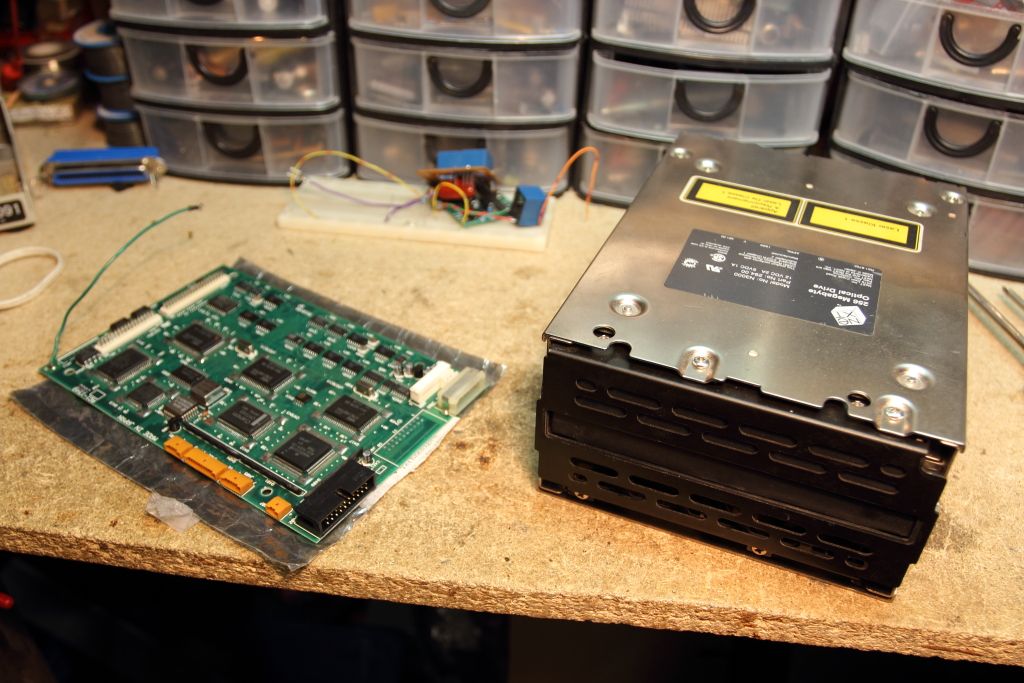
I also noticed there ARE differences between boards. Seen below is my board where all the components are marked with a 1988 manufacture date.
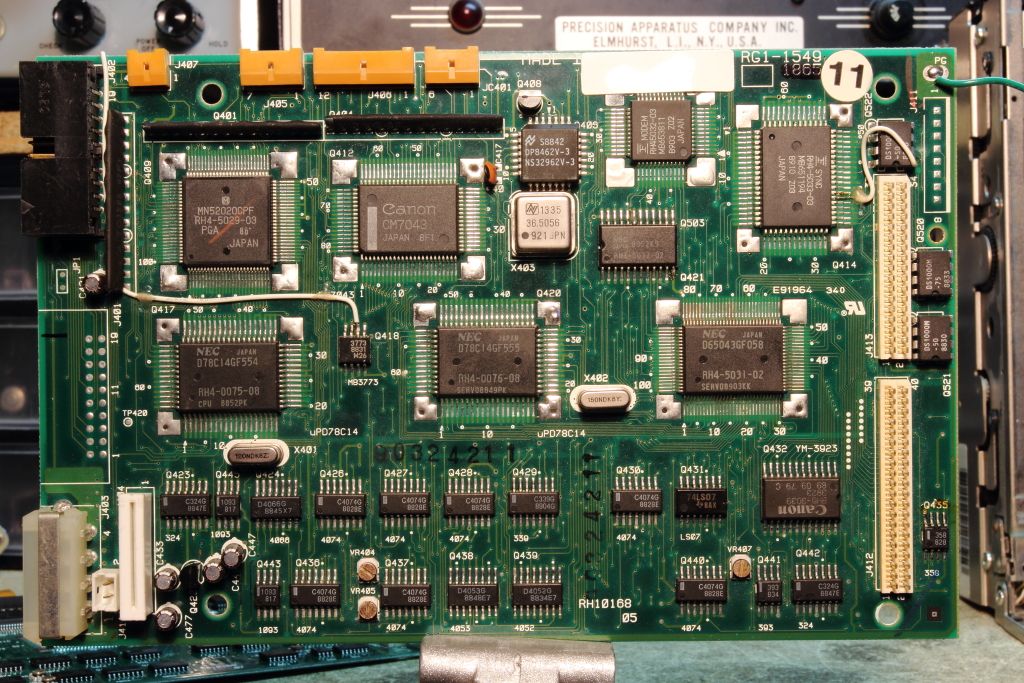
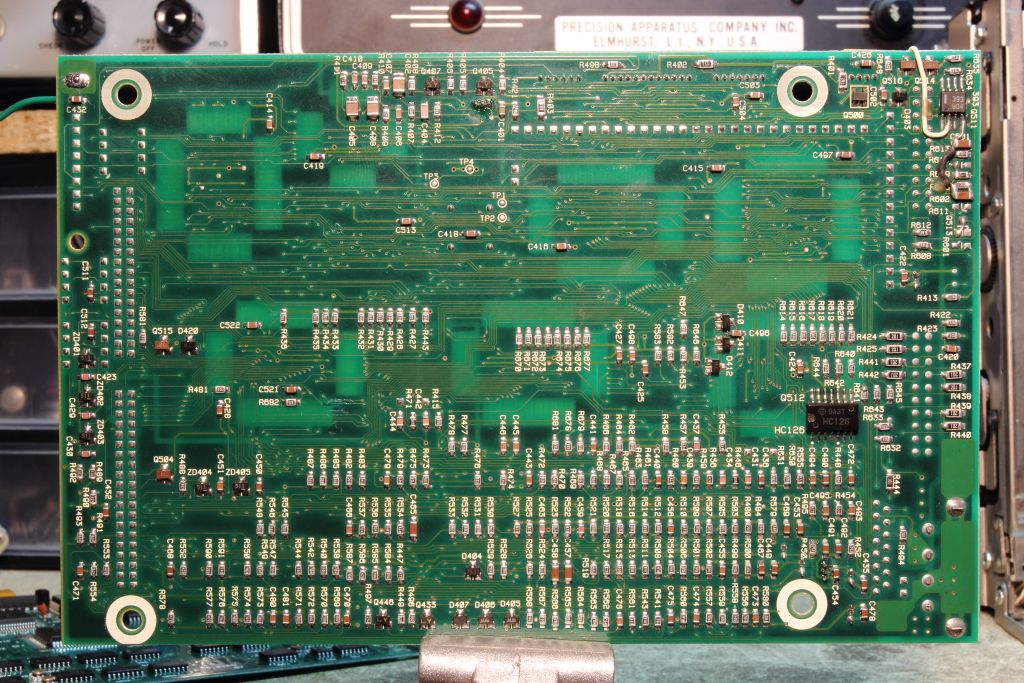
...Then here's the board which arrived the other day. Notice how all components are now marked with a date code of 1989 and there has been several components moved around.
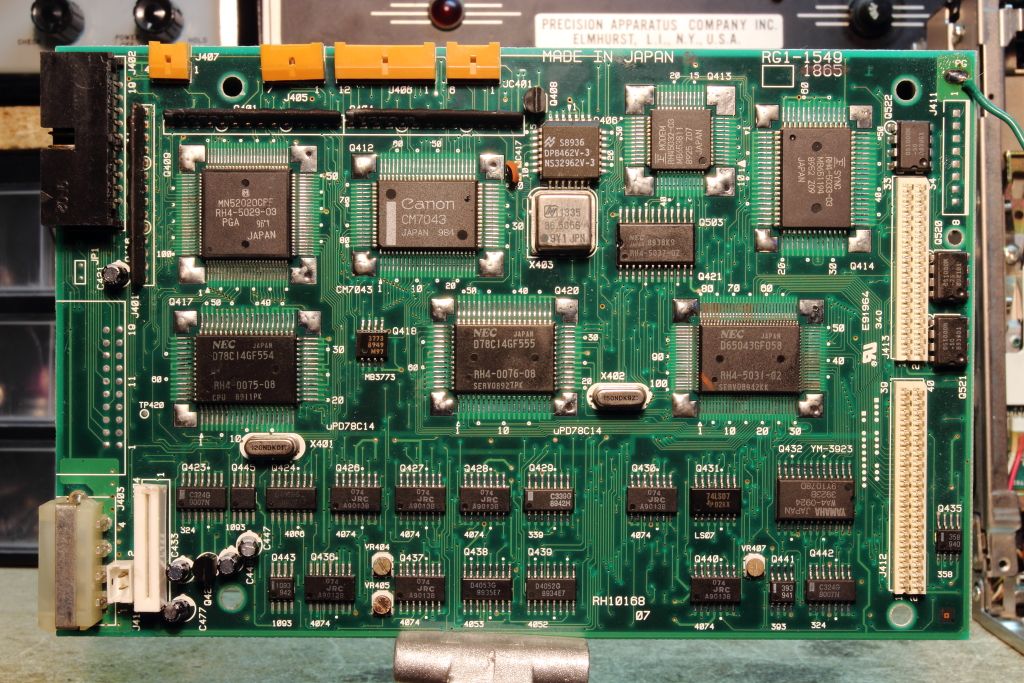
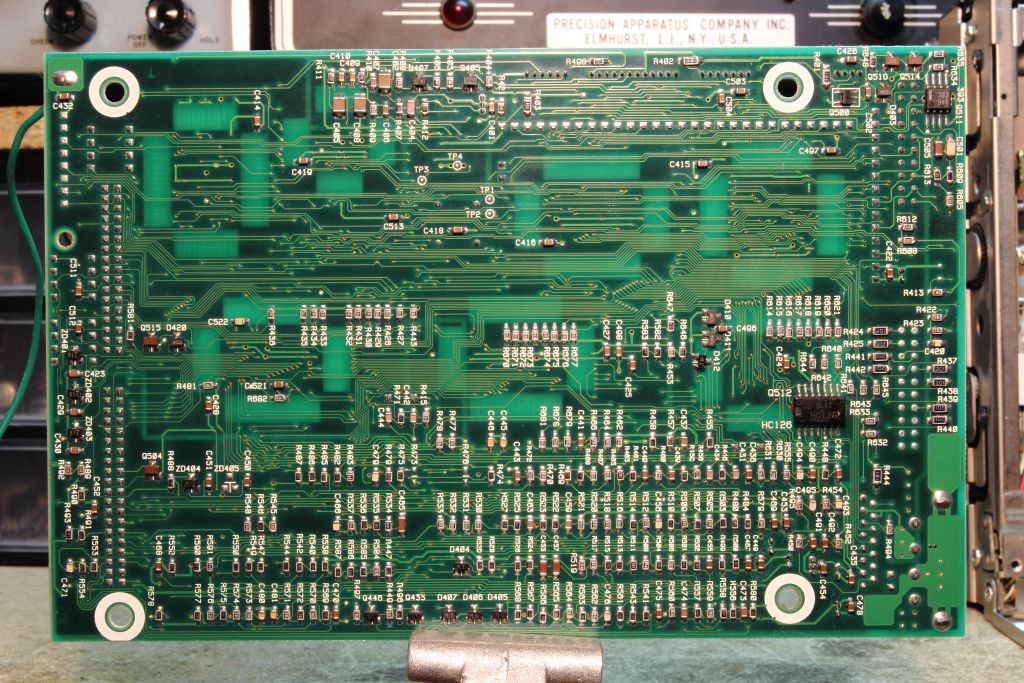
The location marked for a YM-3923 is now populated with a genuine Yamaha component in stead of a Canon rebrand.
Anyways, the board swap was uneventful as they were electrically compatible and after the drive was reinstalled I powered up at the PROM prompt and tried feeding it a cartridge.
It didn't inject. It was STILL dead. :(
Okay, this was both frustrating AND interesting. The board was known good. Why is it it so unresponsive now?
Well remember a few pages back we discussed that the drives NEED to be attached to the host or else they will do a whole lotta nothing? Well we had one thing left to test and that was if like what I think it was Barcher noted, the ribbon cables have a reliability issue and while they may ohm out fine they do not work.
I swapped my ribbon cable out with the spare I was sent and tried again.
The disk injected. :shock:
from the prompt I was able to issue BOD, cusing the drive to spin up and start to read before failing with a read error. Suspicious but FAR more progress than I have ever seen with this drive!
From then on the drive got sick again. At first it would inject and eject from the PROM but after that first spinup I couldn't get it to do it again. Then all together it would inject cartridges fine but deny that anything was inserted and not even allow me to eject it again, requiring a manual eject.
Curiously I swapped back in my digital board which up until now it was assumed was suffering the "brain-dead" issue we had been experiencing with 50% of all recapped boards. It worked. It was the ribbon cable after all!
(***DUN-DUN-DUUUUUUUN!!!*** (https://www.youtube.com/watch?v=bW7Op86ox9g))
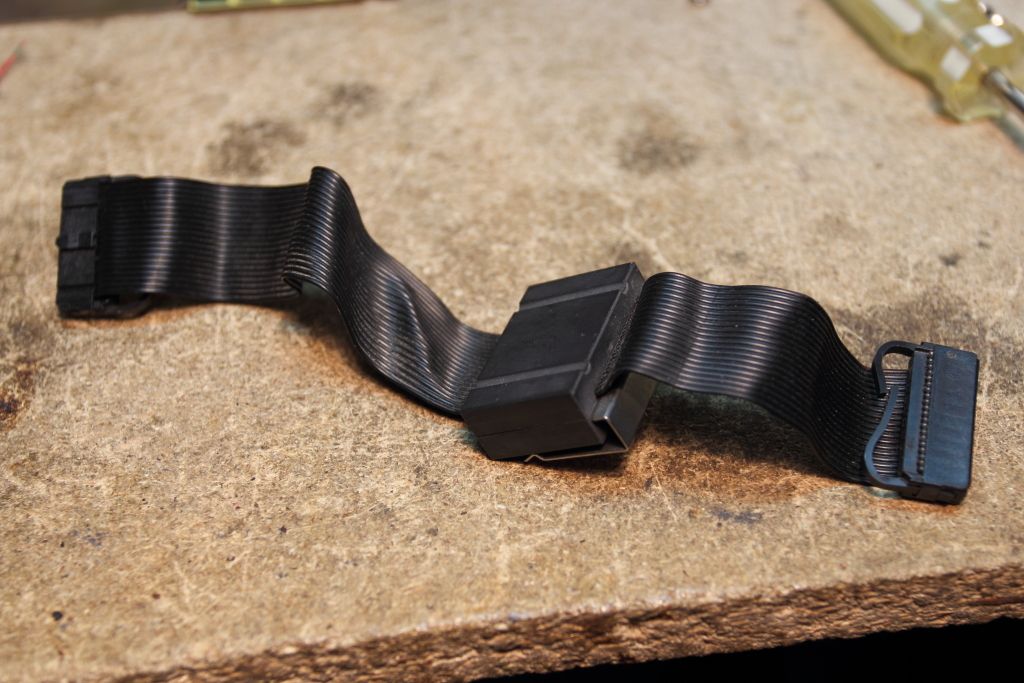
Alright, so that brings my drive almost completely back to the living, now to tackle the new problems that cropped up. I'll again test the motor assembly standalone in the coming days to verify it has not somehow died again but from there we start wandering into uncharted territory again.
Khashoggi hasn't been around on over a year and my assumption at this point is that he's dead. Before he completely vanished he began to note the possibility that the various optical switches being used in the drive might be failing or otherwise not behaving. We know by disassembling that the IR optical path variety of switches are used exclusively in the drive and for the following purposes:
-Sensing the insertion of a cartridge
-Sensing if the carriage is in the "unloaded" position
-Sensing if the carriage is in the "loaded" position
-Sensing weather or not the cartridge is write protected
-Sensing weather or not the optical assembly is at track 0
-Sensing the type of media present
That last one is the most complex switch assembly in the entire drive. Every NeXT cartridge I've seen (regular and the Software Release cartridges) will activate all but one of the switches by means of a hole drilled on one side of the cartridge. The genuine Canon cartridge I also own does not have this hole, so all four switches activate. Why? I'm not entirely sure yet. It might also just simply be a large interlocking mechanism. Notice how on each switch pins A and K are tied together.
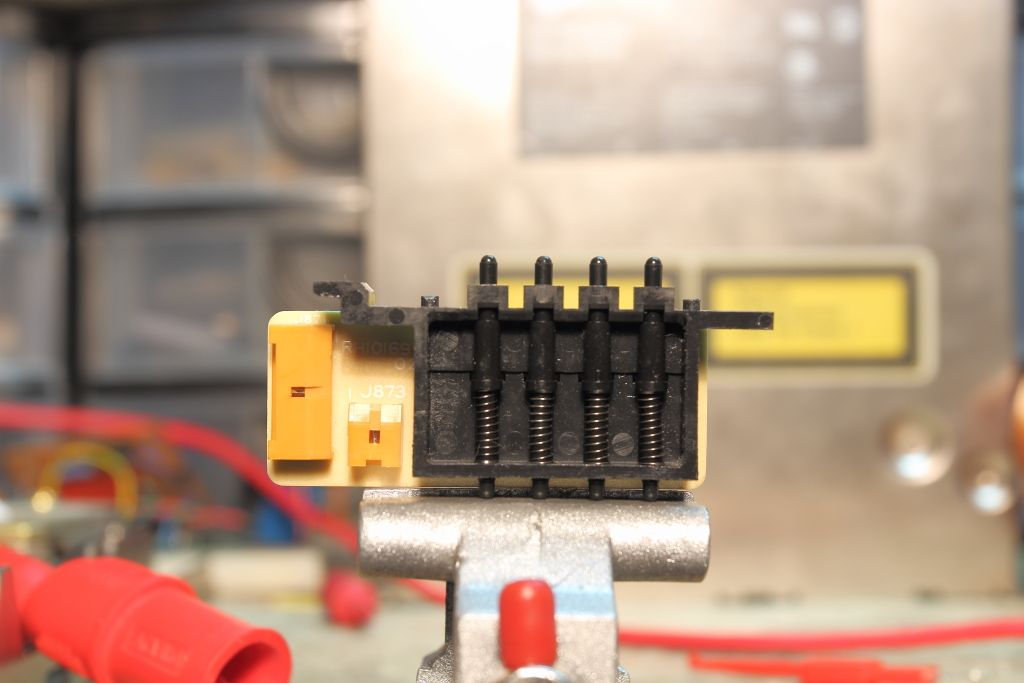
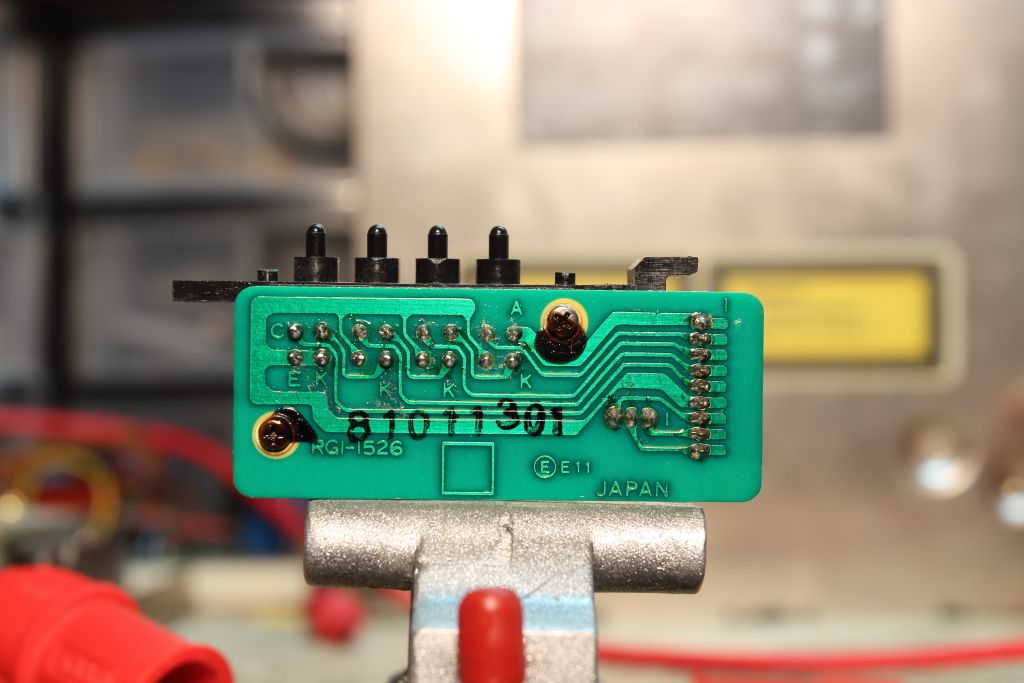
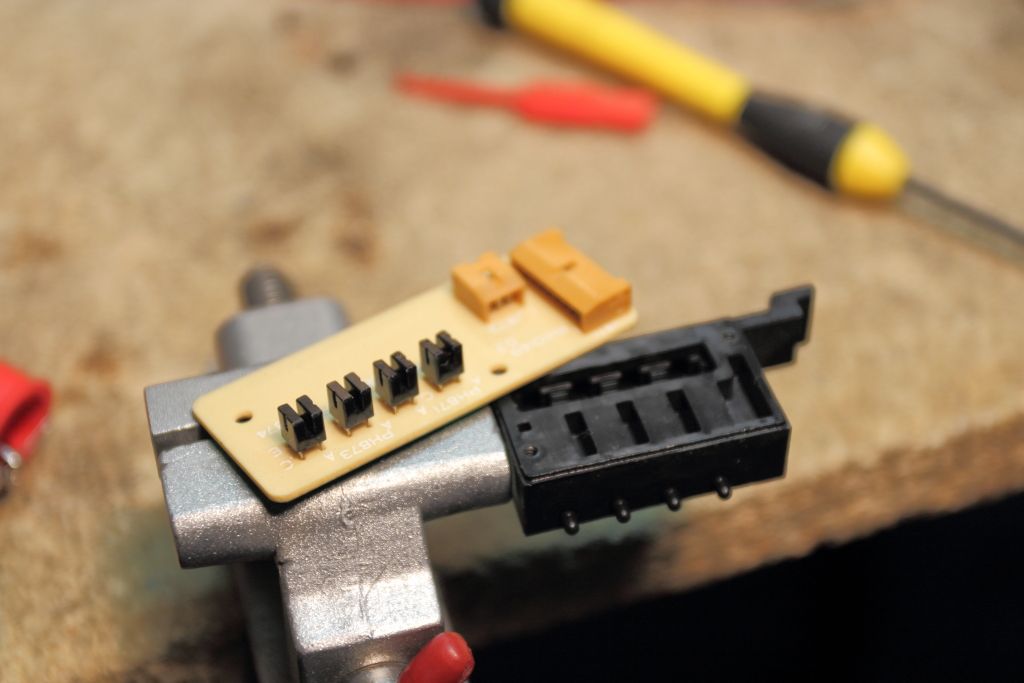
I gotta head to work but I need to look further into this
Someone here who wishes not to be named sent me a known working digital board to test with along with a spare dual drive ribbon cable.
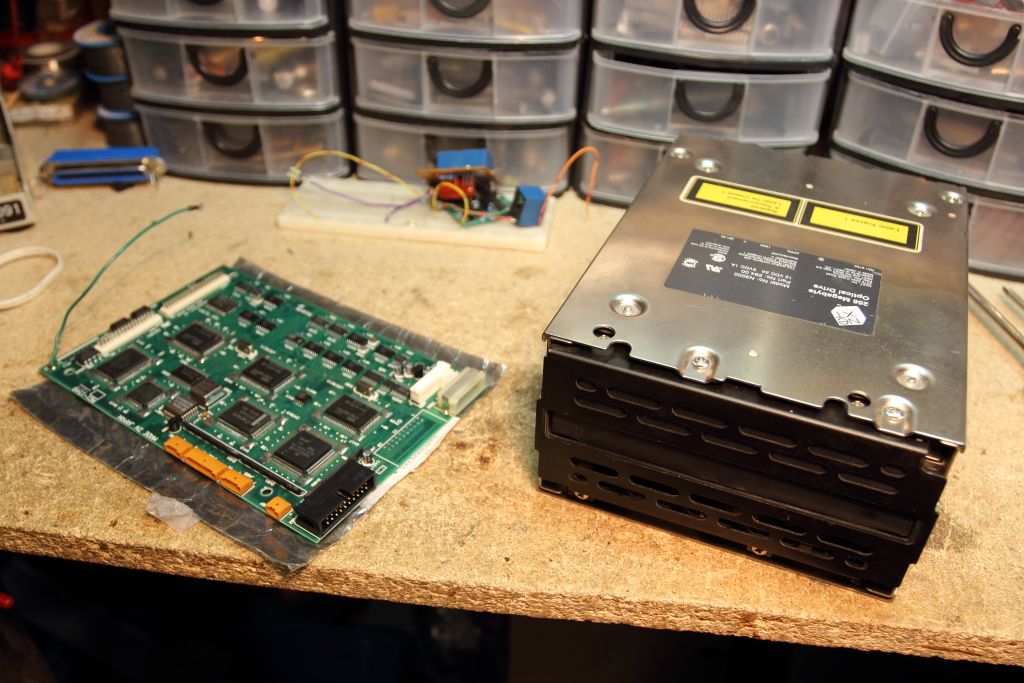
I also noticed there ARE differences between boards. Seen below is my board where all the components are marked with a 1988 manufacture date.
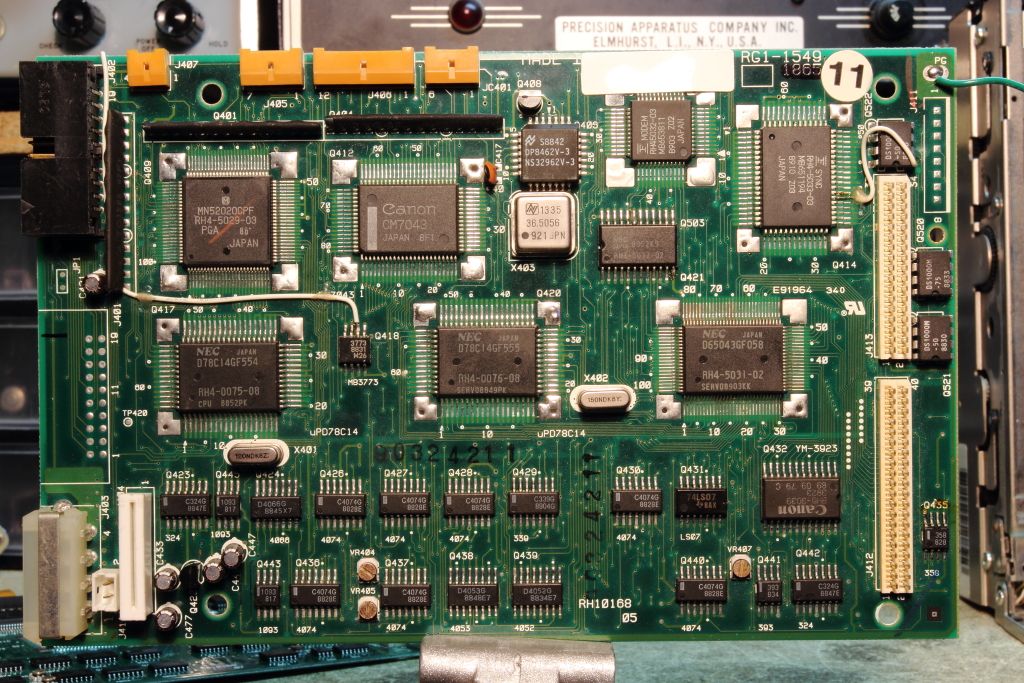
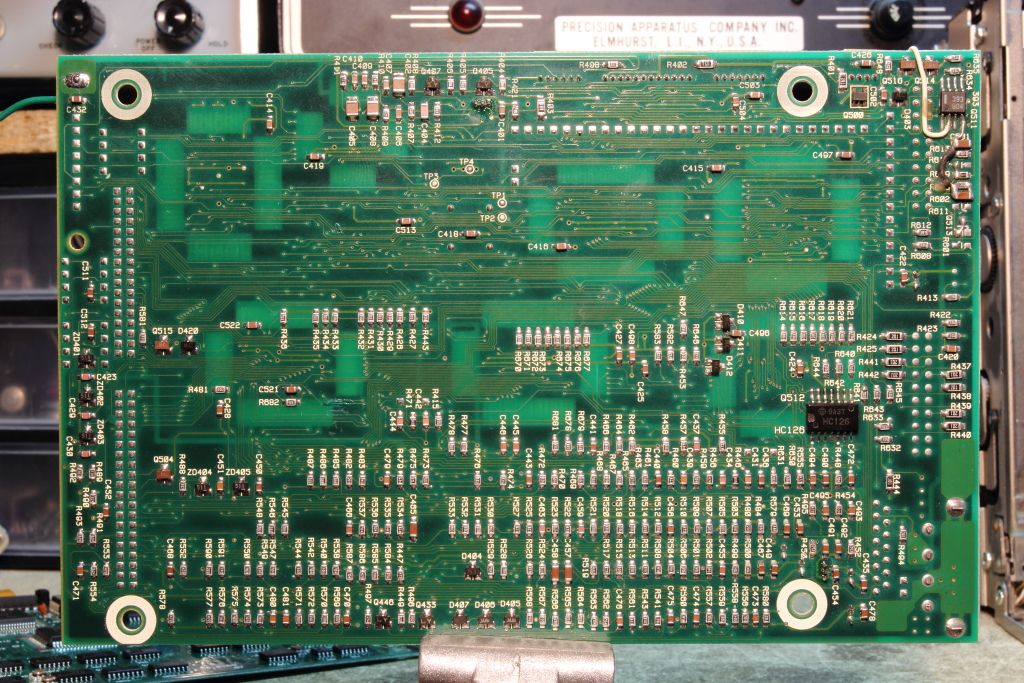
...Then here's the board which arrived the other day. Notice how all components are now marked with a date code of 1989 and there has been several components moved around.
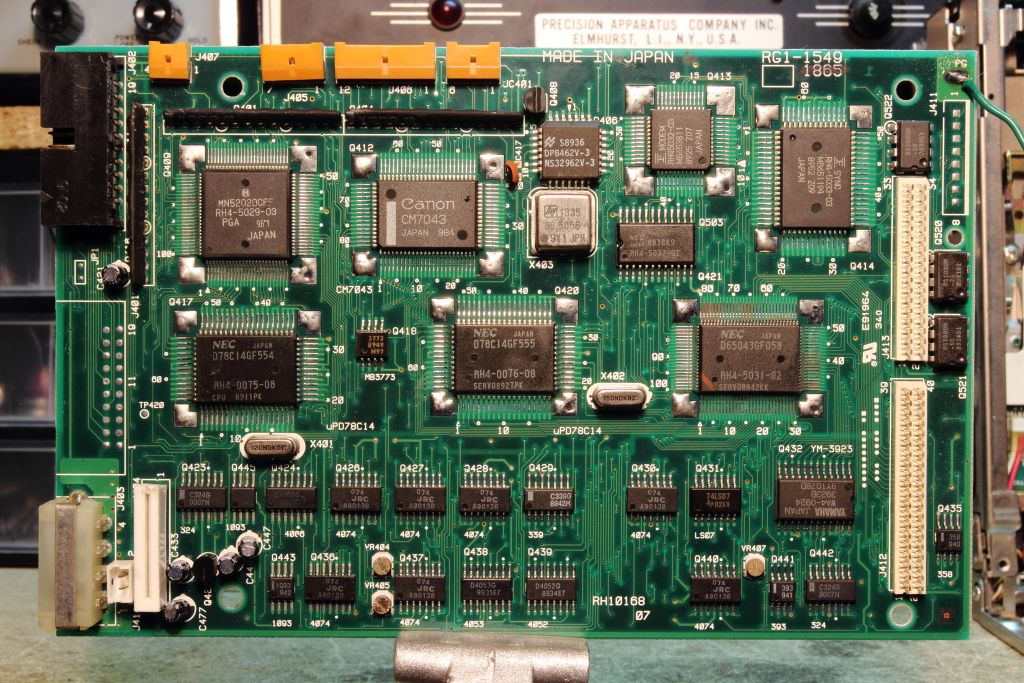
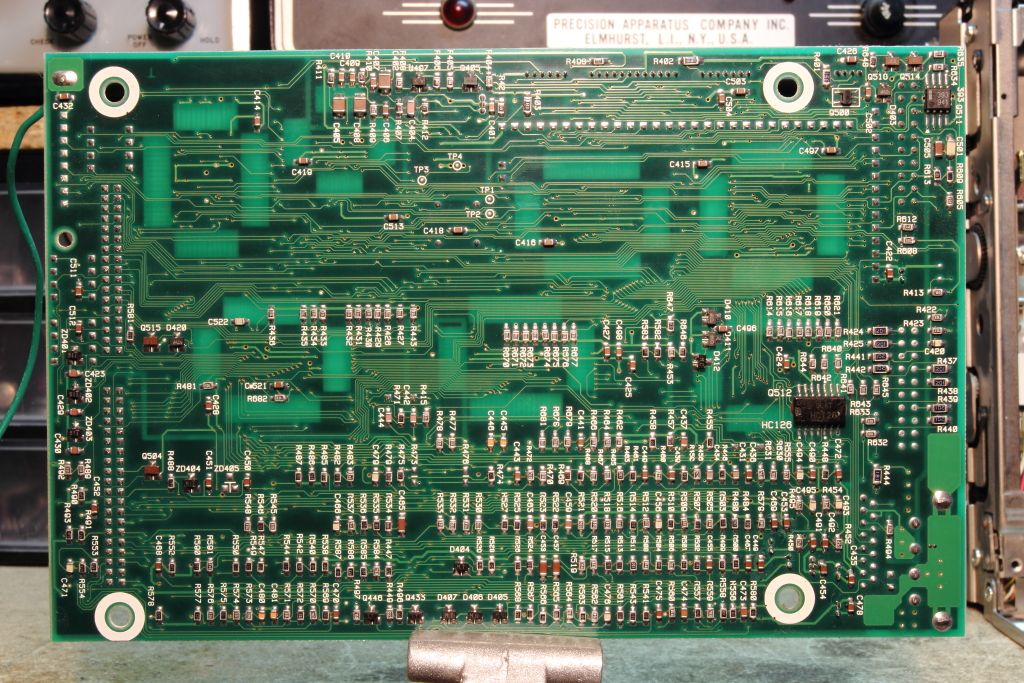
The location marked for a YM-3923 is now populated with a genuine Yamaha component in stead of a Canon rebrand.
Anyways, the board swap was uneventful as they were electrically compatible and after the drive was reinstalled I powered up at the PROM prompt and tried feeding it a cartridge.
It didn't inject. It was STILL dead. :(
Okay, this was both frustrating AND interesting. The board was known good. Why is it it so unresponsive now?
Well remember a few pages back we discussed that the drives NEED to be attached to the host or else they will do a whole lotta nothing? Well we had one thing left to test and that was if like what I think it was Barcher noted, the ribbon cables have a reliability issue and while they may ohm out fine they do not work.
I swapped my ribbon cable out with the spare I was sent and tried again.
The disk injected. :shock:
from the prompt I was able to issue BOD, cusing the drive to spin up and start to read before failing with a read error. Suspicious but FAR more progress than I have ever seen with this drive!
From then on the drive got sick again. At first it would inject and eject from the PROM but after that first spinup I couldn't get it to do it again. Then all together it would inject cartridges fine but deny that anything was inserted and not even allow me to eject it again, requiring a manual eject.
Curiously I swapped back in my digital board which up until now it was assumed was suffering the "brain-dead" issue we had been experiencing with 50% of all recapped boards. It worked. It was the ribbon cable after all!
(***DUN-DUN-DUUUUUUUN!!!*** (https://www.youtube.com/watch?v=bW7Op86ox9g))
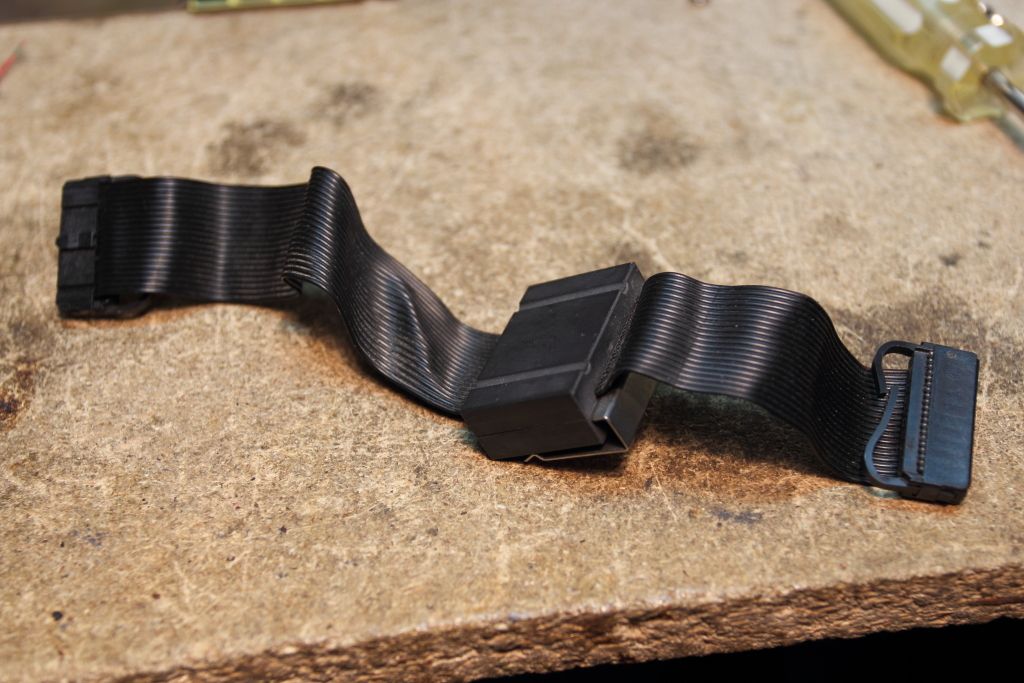
Alright, so that brings my drive almost completely back to the living, now to tackle the new problems that cropped up. I'll again test the motor assembly standalone in the coming days to verify it has not somehow died again but from there we start wandering into uncharted territory again.
Khashoggi hasn't been around on over a year and my assumption at this point is that he's dead. Before he completely vanished he began to note the possibility that the various optical switches being used in the drive might be failing or otherwise not behaving. We know by disassembling that the IR optical path variety of switches are used exclusively in the drive and for the following purposes:
-Sensing the insertion of a cartridge
-Sensing if the carriage is in the "unloaded" position
-Sensing if the carriage is in the "loaded" position
-Sensing weather or not the cartridge is write protected
-Sensing weather or not the optical assembly is at track 0
-Sensing the type of media present
That last one is the most complex switch assembly in the entire drive. Every NeXT cartridge I've seen (regular and the Software Release cartridges) will activate all but one of the switches by means of a hole drilled on one side of the cartridge. The genuine Canon cartridge I also own does not have this hole, so all four switches activate. Why? I'm not entirely sure yet. It might also just simply be a large interlocking mechanism. Notice how on each switch pins A and K are tied together.
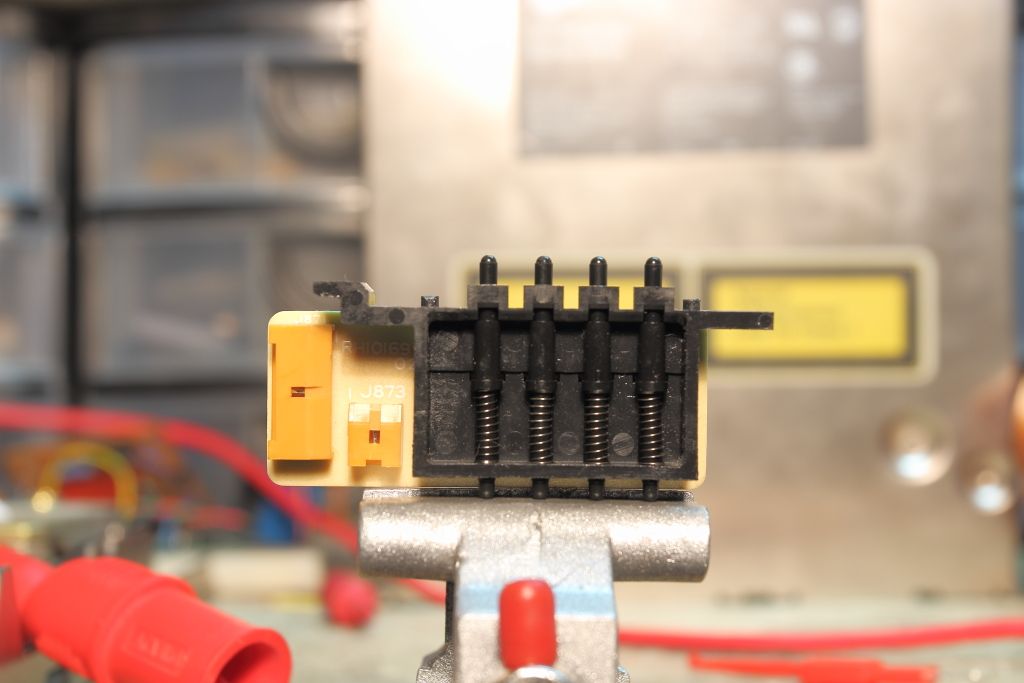
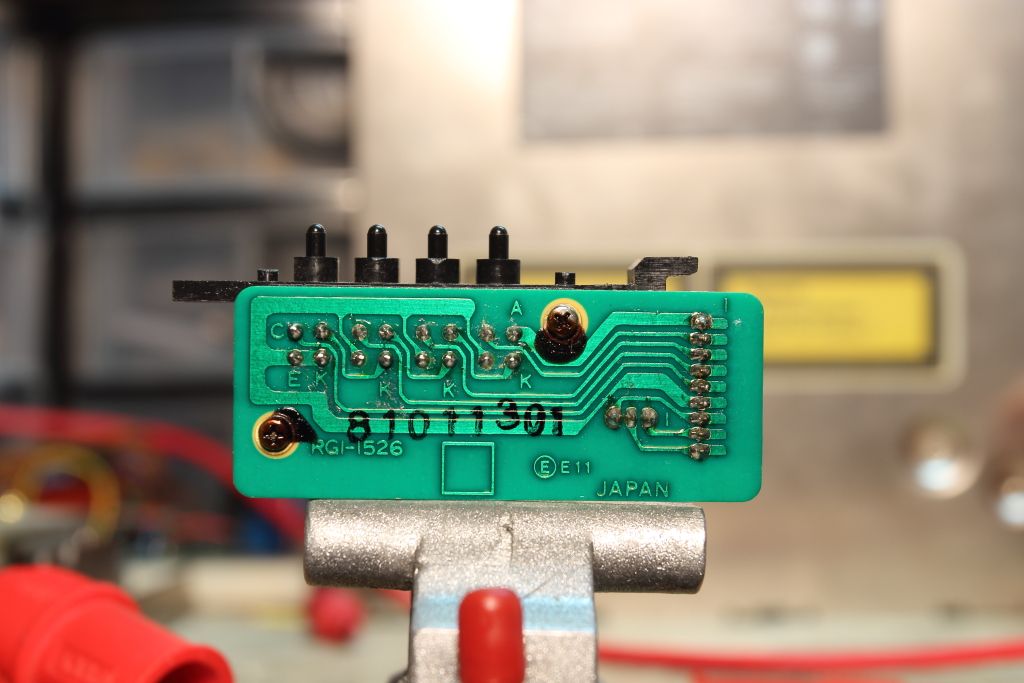
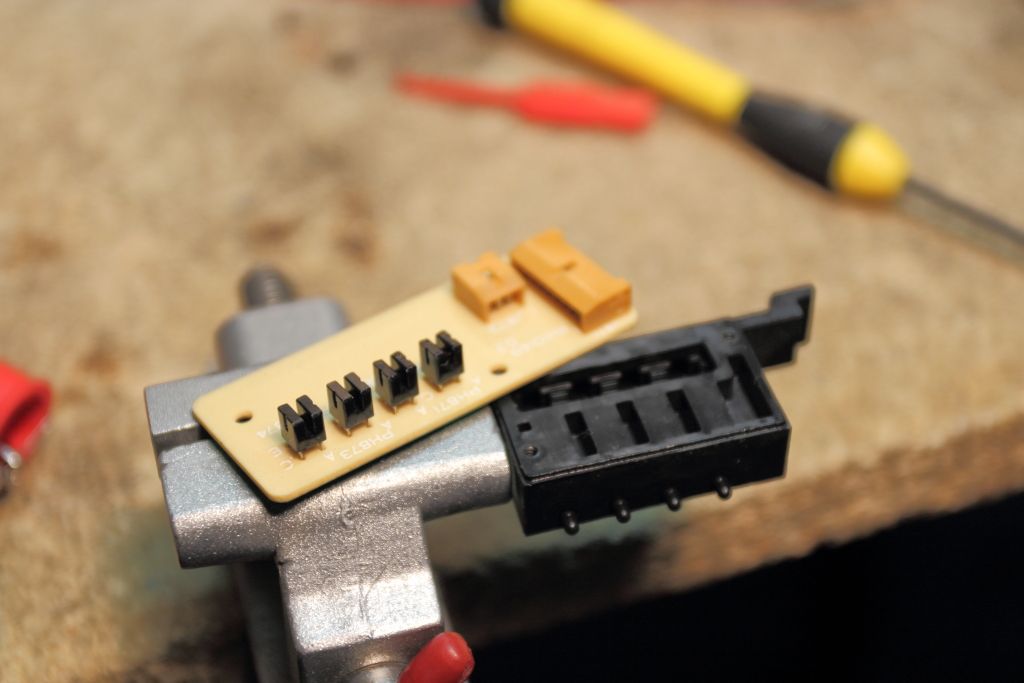
I gotta head to work but I need to look further into this
Title: Servicing NeXT (Canon) MO Drives
Post by: barcher174 on August 29, 2015, 12:20:40 AM
Post by: barcher174 on August 29, 2015, 12:20:40 AM
Firstly you'll find that when the drive starts misbehaving with the injection you will need to swap between a single position and dual position cable. Something gets set on the cube logic board that not even pulling the battery fixes which I'm guessing has to do with drive selection. I have seen this problem several times now with bad analog boards. Get some high percentage rubbing alcohol. Remove the motor from the motor board. Then let both the motor board and the analog board soak over night. Make sure the magnet from the motor is clean. Use a toothbrush to clean both boards the next day. Then try again. That sometimes works magic. What is the date code/serial number on your drive?
--
Brian
--
Brian
Title: Servicing NeXT (Canon) MO Drives
Post by: pentium on August 29, 2015, 11:00:26 AM
Post by: pentium on August 29, 2015, 11:00:26 AM
Date on the MO drive is April 1989 and I'm guessing the serial is EJX04674.
I've standalone tested the motor board again and it's still running fine so it's simply not being told anymore to start. I don't see what soaking the assembly in rubbing alcohol will do for me. :/
Also, a further test found that when attached to the machine and you perform a manual eject it WILL complete the eject on its own once the "carriage loaded" switch opens, so there is enough happening on the digital board that it can still detect the carriage position. After that however the drive will refuse to inject again until the machine is power cycled.
I've standalone tested the motor board again and it's still running fine so it's simply not being told anymore to start. I don't see what soaking the assembly in rubbing alcohol will do for me. :/
Also, a further test found that when attached to the machine and you perform a manual eject it WILL complete the eject on its own once the "carriage loaded" switch opens, so there is enough happening on the digital board that it can still detect the carriage position. After that however the drive will refuse to inject again until the machine is power cycled.
Title: Servicing NeXT (Canon) MO Drives
Post by: pentium on August 29, 2015, 12:58:18 PM
Post by: pentium on August 29, 2015, 12:58:18 PM
SUCCESS!!
...okay, there were a few snags. Read on.
So I must of numged the cabling when I reinstalled that media sense switch and one of the pins were stuck. Once I freed it up and switched to the connector CLOSEST to the motherboard's ribbon cable connector I I got eject control and the drive spinning up again. Confident that things were now okay I reassembled the system fed it an MO and booted off the hard drive.
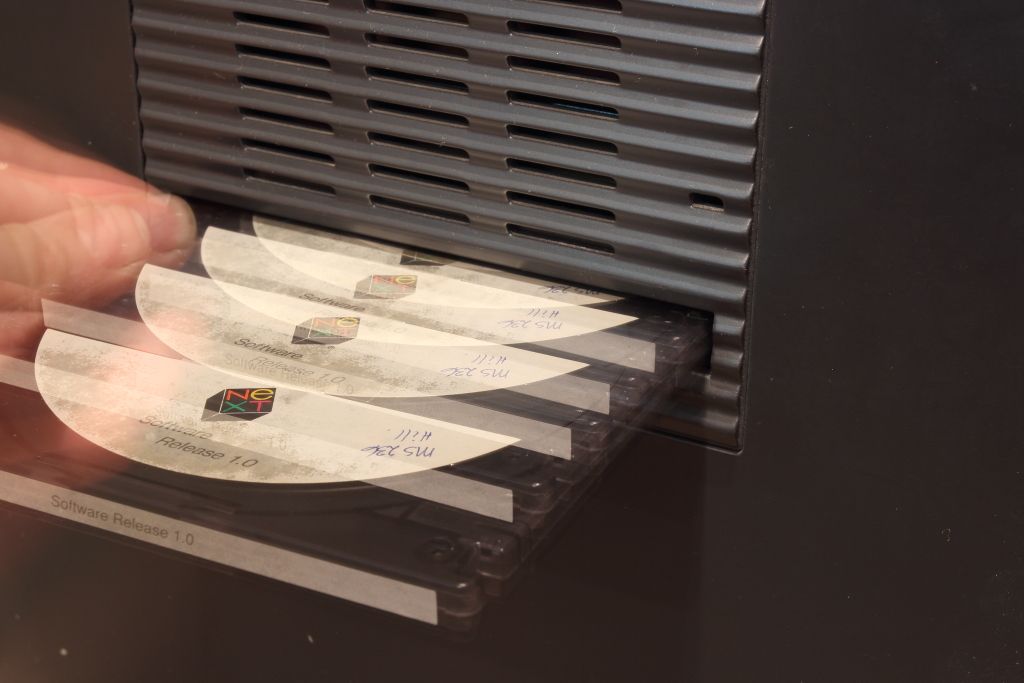
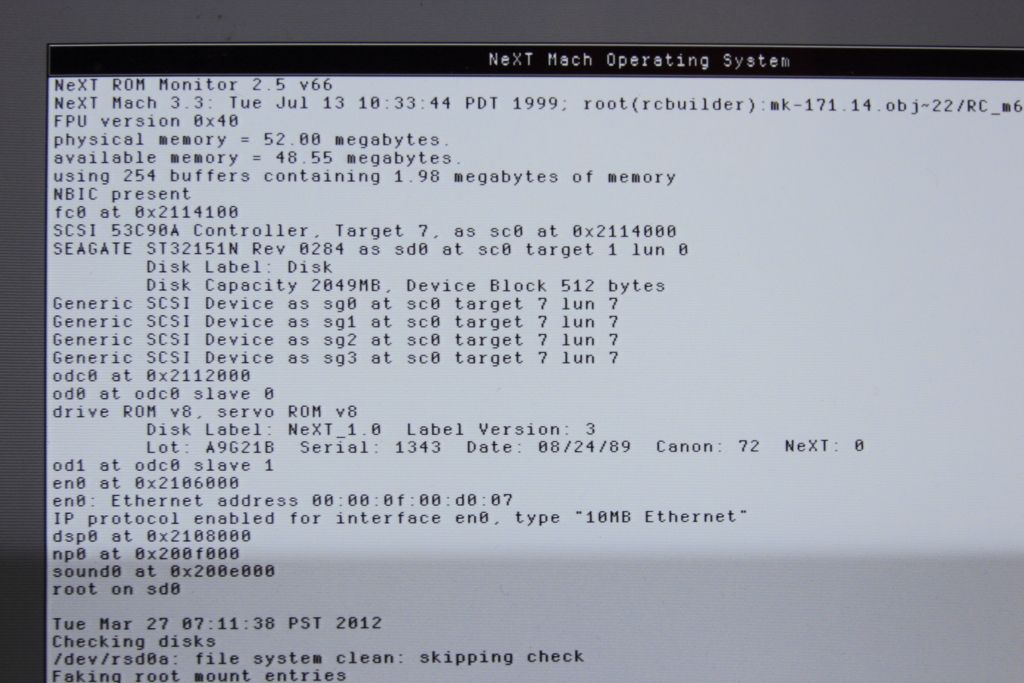
Well there we have it. It was behaving.
For a sanity check I rebooted the machine and reinserted the cartridge as soon as it would let me. Spun up, seeked, sat there for a moment before spinning down, then spun up again and the OS carried on..Uh, okay? It was reading again fine so I decided to verify that it could execute programs.
Ejected that one and fed it another cartridge. Yep, It saw and read everything. Ejected that cartridge and fed it another.
Didn't hear the motor spin up. There was three "clunk" noises, then it ejected. Pushed it back and it wouldn't inject. Huh.
Rebooted the machine, fed it an MO cartridge and went back to NeXTSTEP.
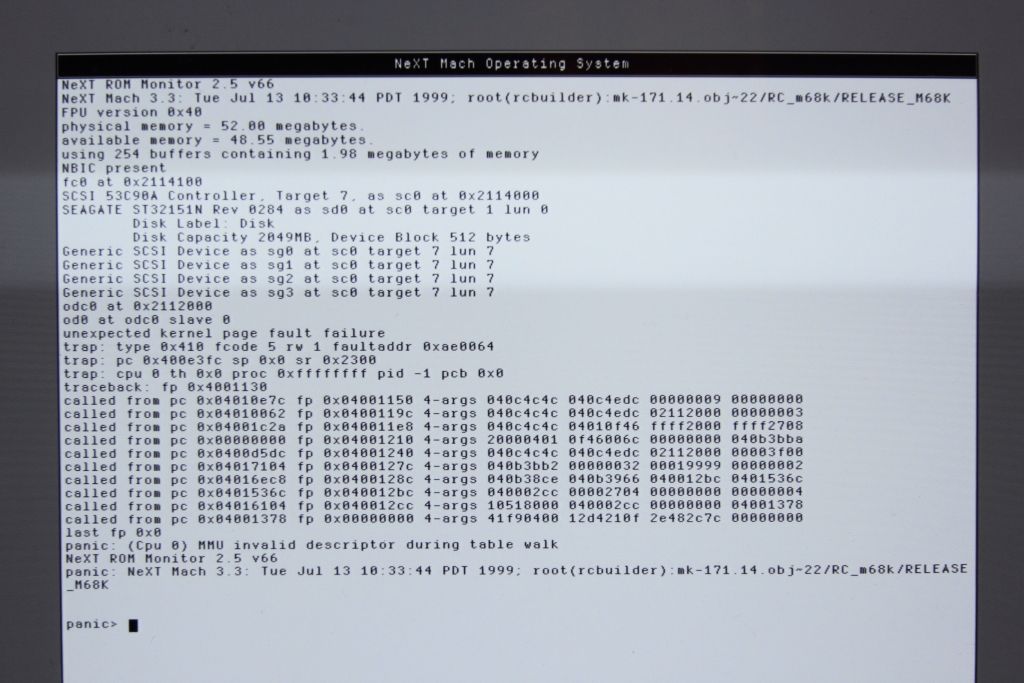
Oh dear. It choked on the MO drive. I also didn't hear it spin up. Why is it suddenly so unhappy? Manually eject the cartridge. Reboot again.
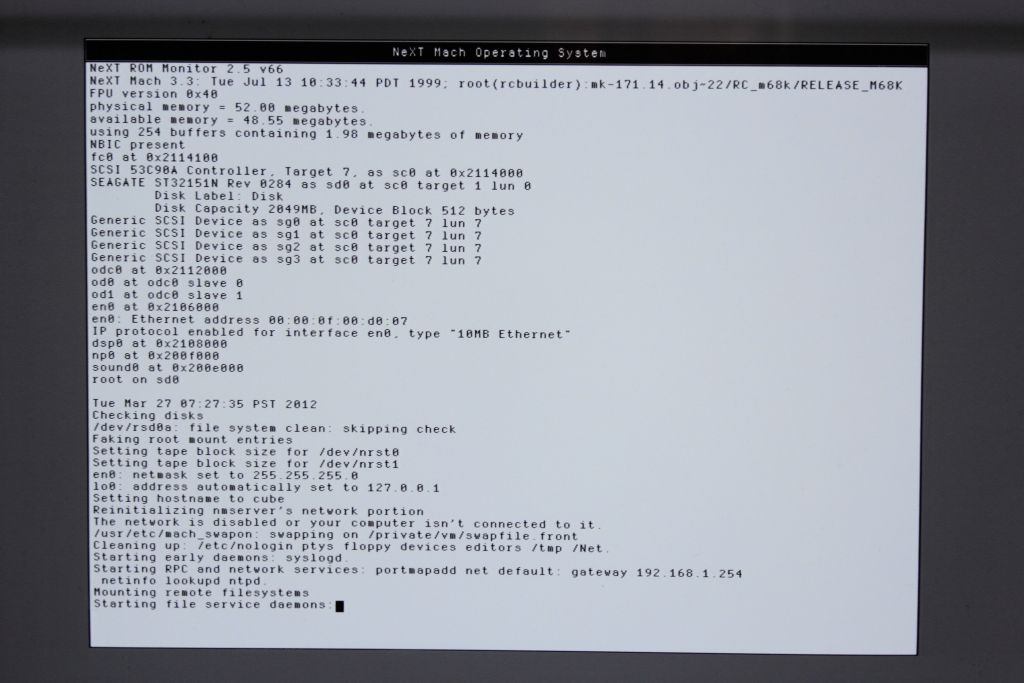
It panicked after the photo but TWO drives? Why is this so unhappy now? I haven't even touched it....Reboot and try again....
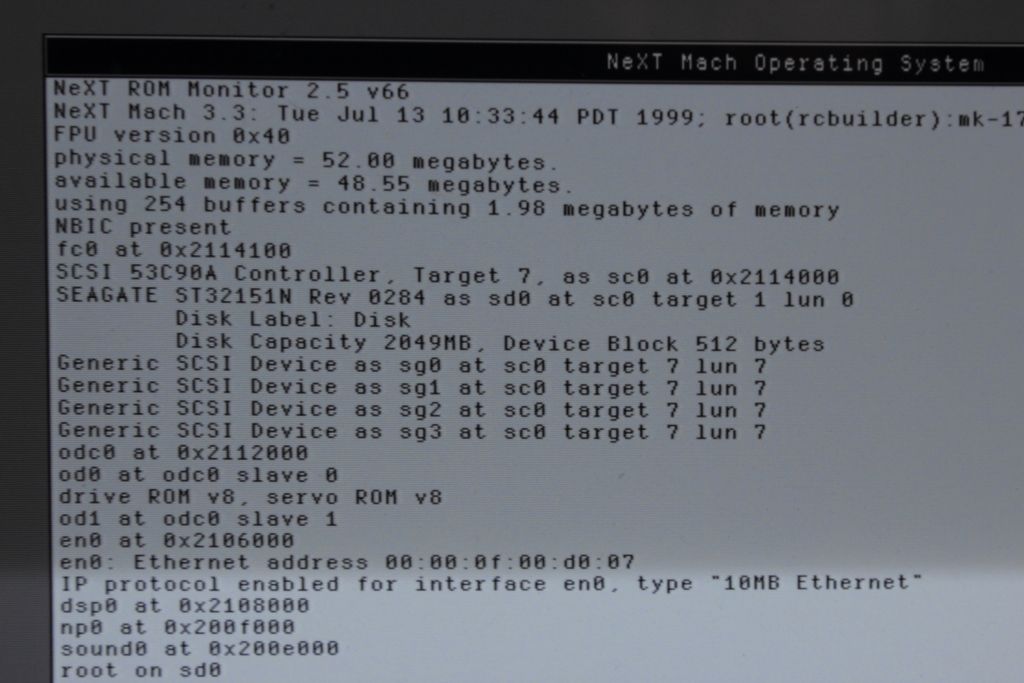
Booted fine and the fed it another cartridge. The same "clunk" noise three times, then the high pitch "VRR VRR" followed by the drive spinning up and mounting. Again, it was readable.
So for me at least my drive is running again although not completely reliably. I'll see if I can start buildisk.app and see if anything has blown up when I wake up this evening.
Edited: It was fine this evening and fine the next morning. So I restarted the machine, fed it my newly built disk and away she booted.
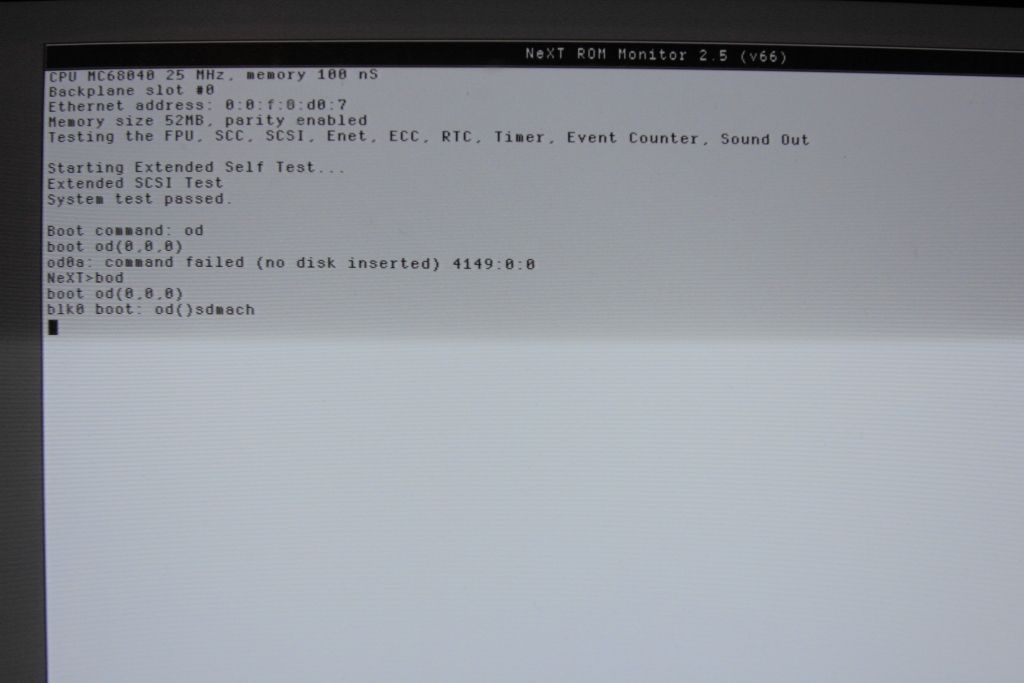
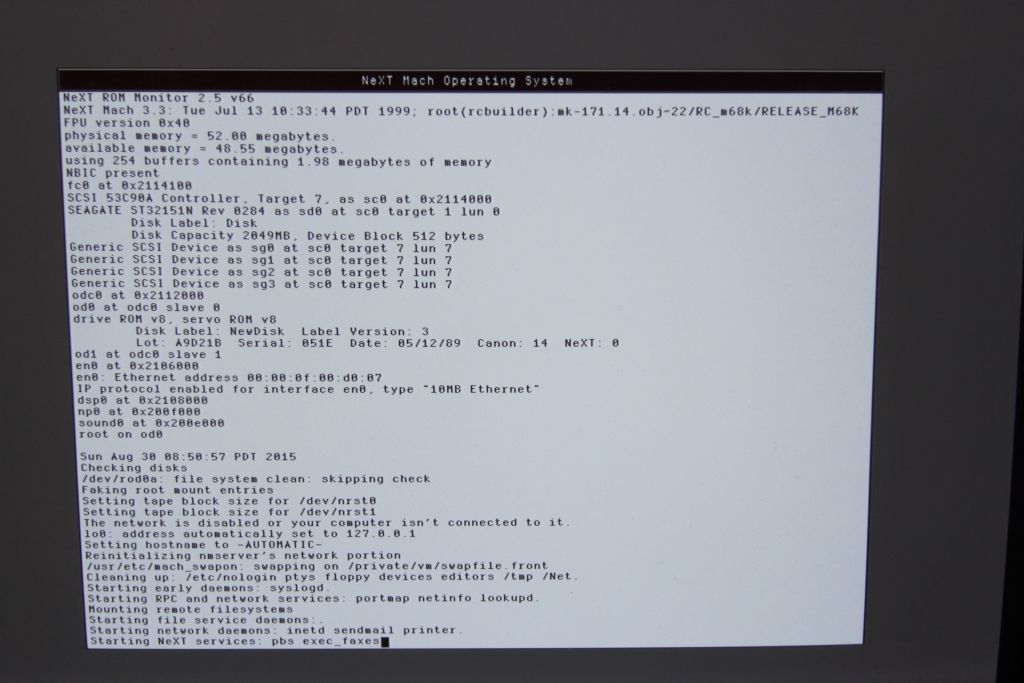
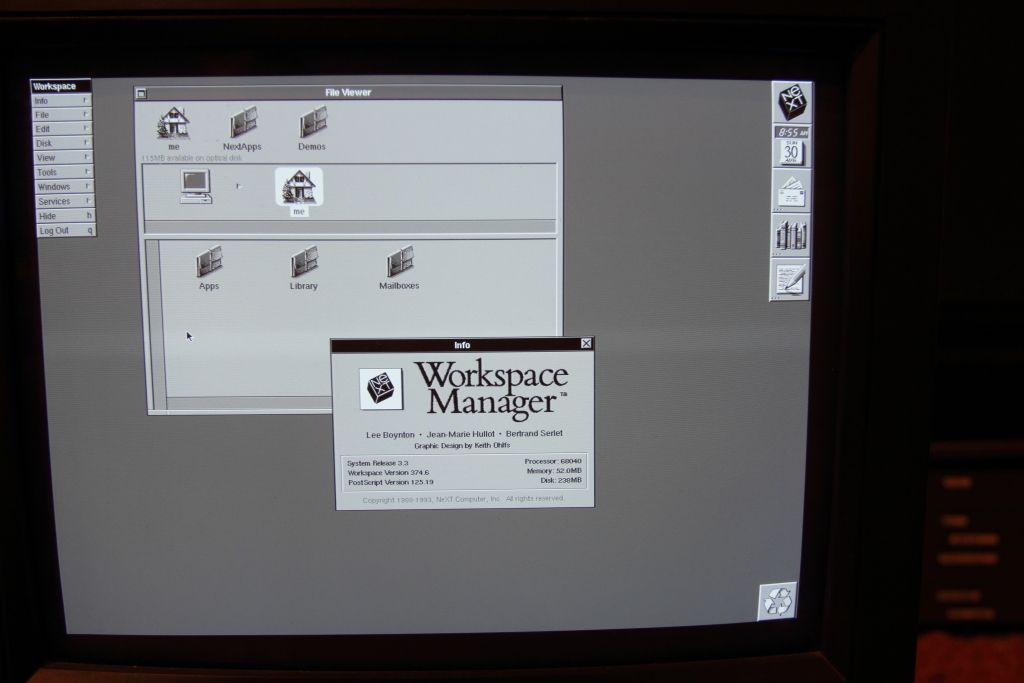
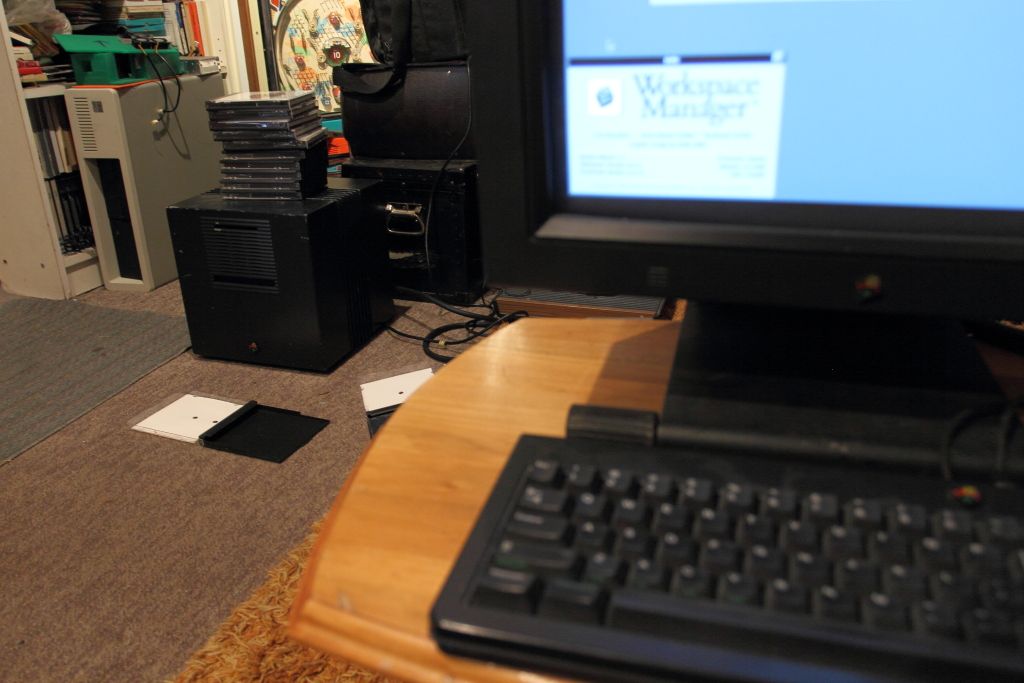
I'm going to make a video of the boot process. Mine seemed to boot up a LOT faster than Barcher's.
...okay, there were a few snags. Read on.
So I must of numged the cabling when I reinstalled that media sense switch and one of the pins were stuck. Once I freed it up and switched to the connector CLOSEST to the motherboard's ribbon cable connector I I got eject control and the drive spinning up again. Confident that things were now okay I reassembled the system fed it an MO and booted off the hard drive.
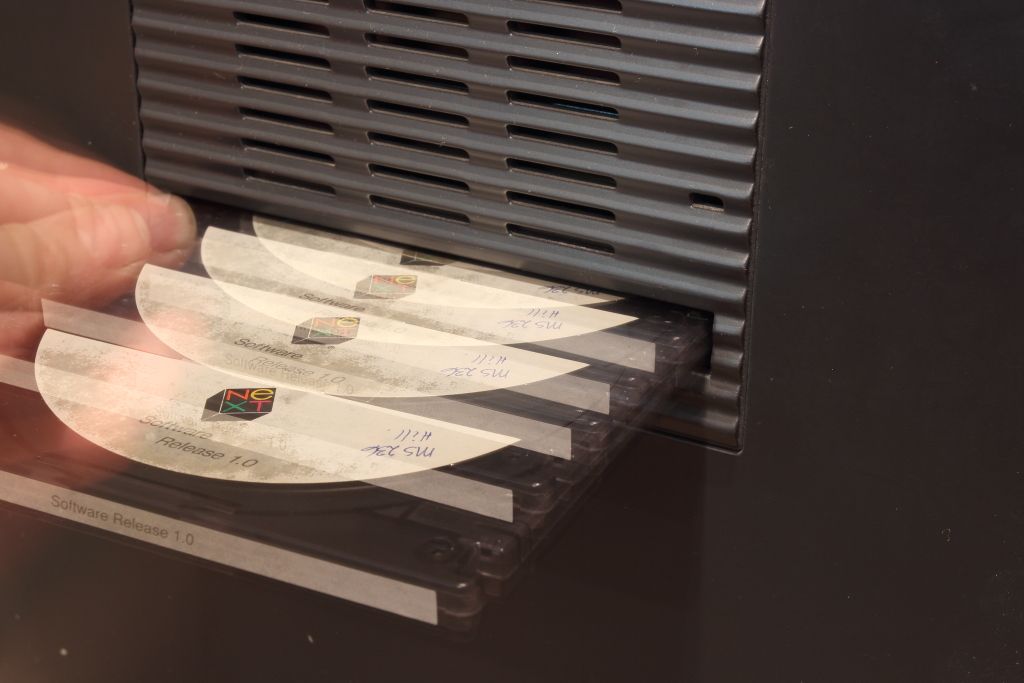
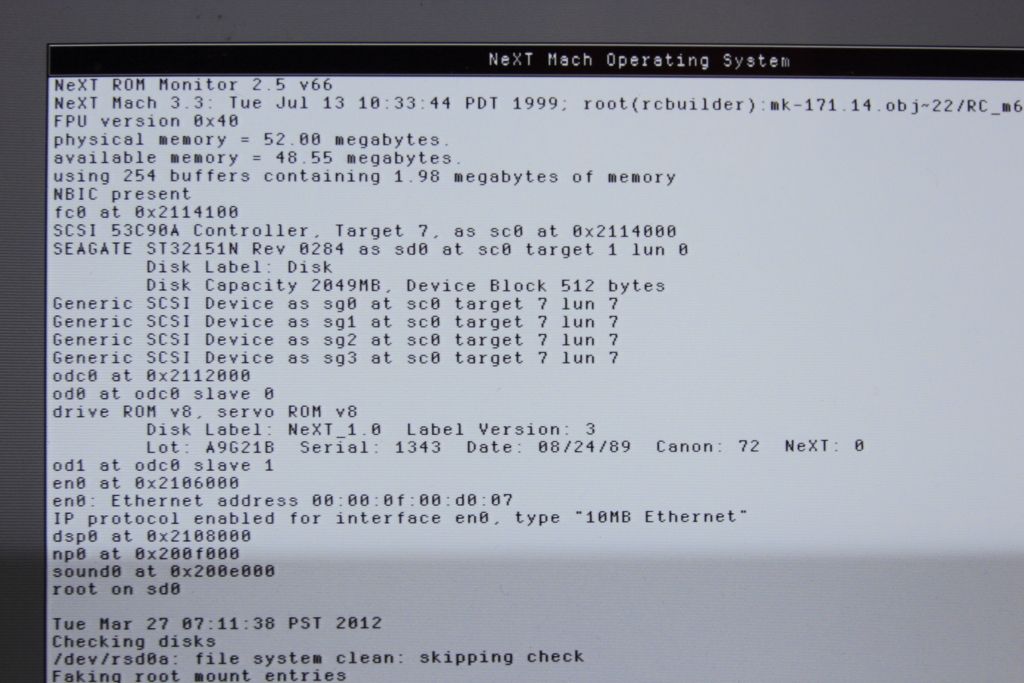
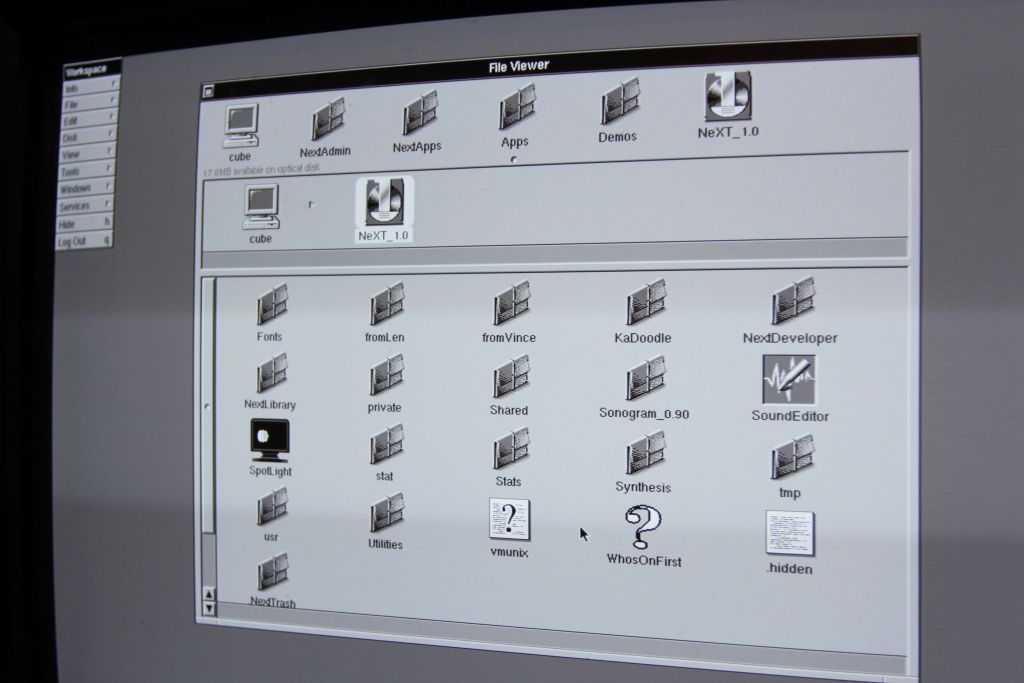
Well there we have it. It was behaving.
For a sanity check I rebooted the machine and reinserted the cartridge as soon as it would let me. Spun up, seeked, sat there for a moment before spinning down, then spun up again and the OS carried on..Uh, okay? It was reading again fine so I decided to verify that it could execute programs.
Ejected that one and fed it another cartridge. Yep, It saw and read everything. Ejected that cartridge and fed it another.
Didn't hear the motor spin up. There was three "clunk" noises, then it ejected. Pushed it back and it wouldn't inject. Huh.
Rebooted the machine, fed it an MO cartridge and went back to NeXTSTEP.
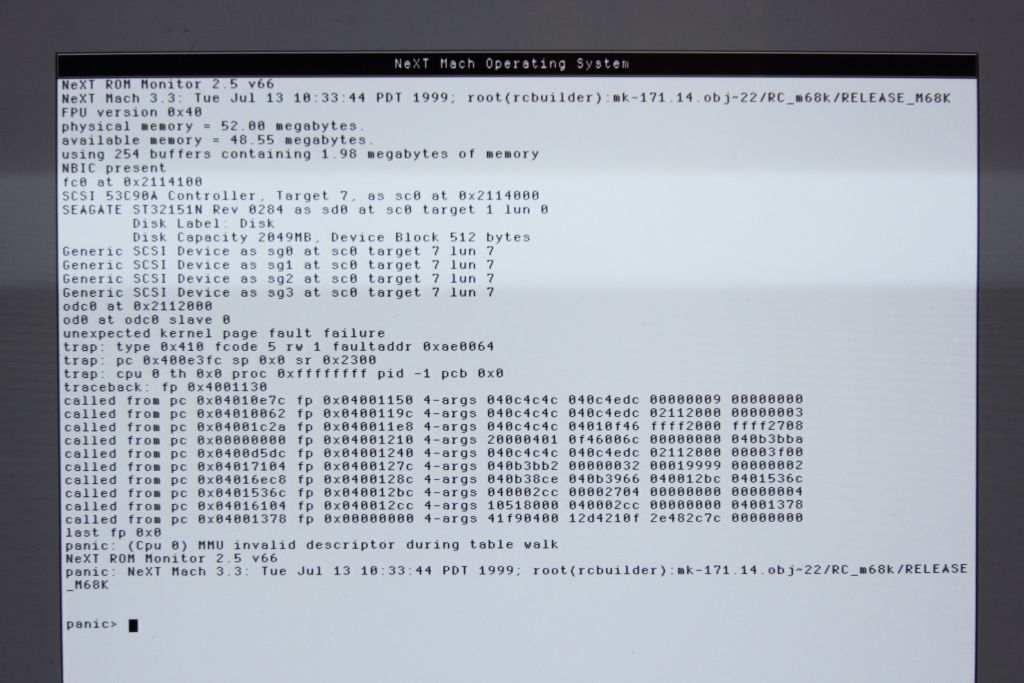
Oh dear. It choked on the MO drive. I also didn't hear it spin up. Why is it suddenly so unhappy? Manually eject the cartridge. Reboot again.
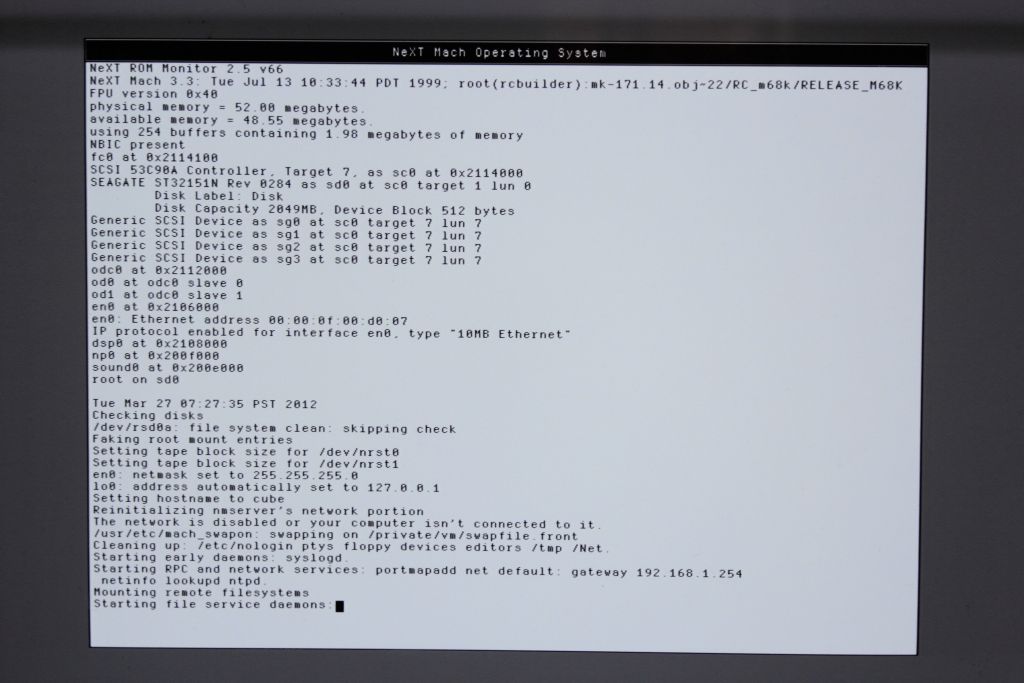
It panicked after the photo but TWO drives? Why is this so unhappy now? I haven't even touched it....Reboot and try again....
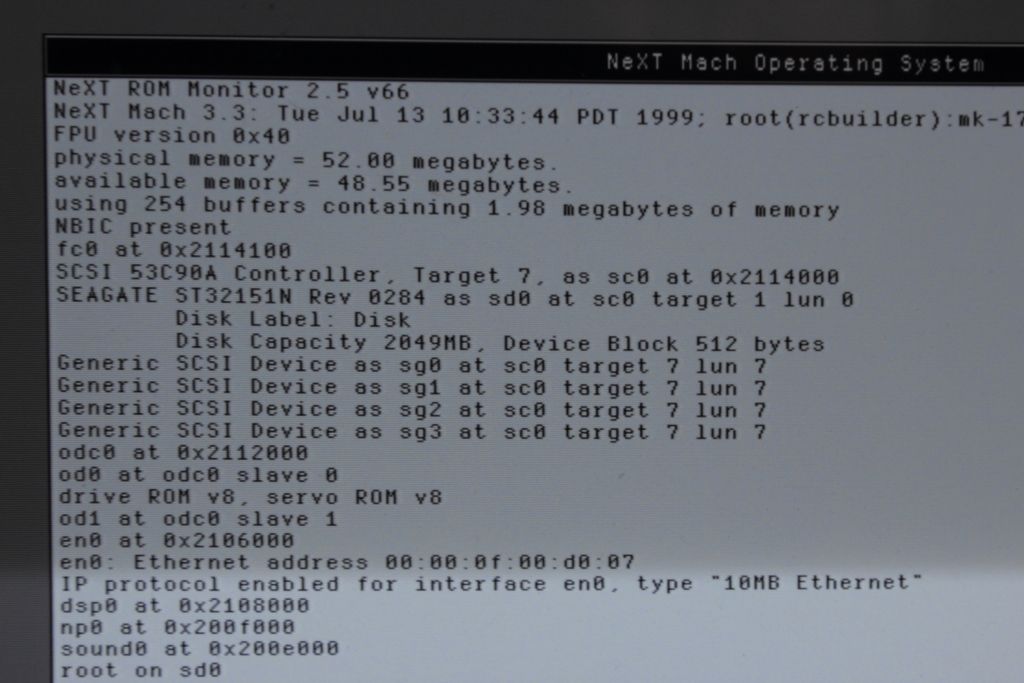
Booted fine and the fed it another cartridge. The same "clunk" noise three times, then the high pitch "VRR VRR" followed by the drive spinning up and mounting. Again, it was readable.
So for me at least my drive is running again although not completely reliably. I'll see if I can start buildisk.app and see if anything has blown up when I wake up this evening.
Edited: It was fine this evening and fine the next morning. So I restarted the machine, fed it my newly built disk and away she booted.
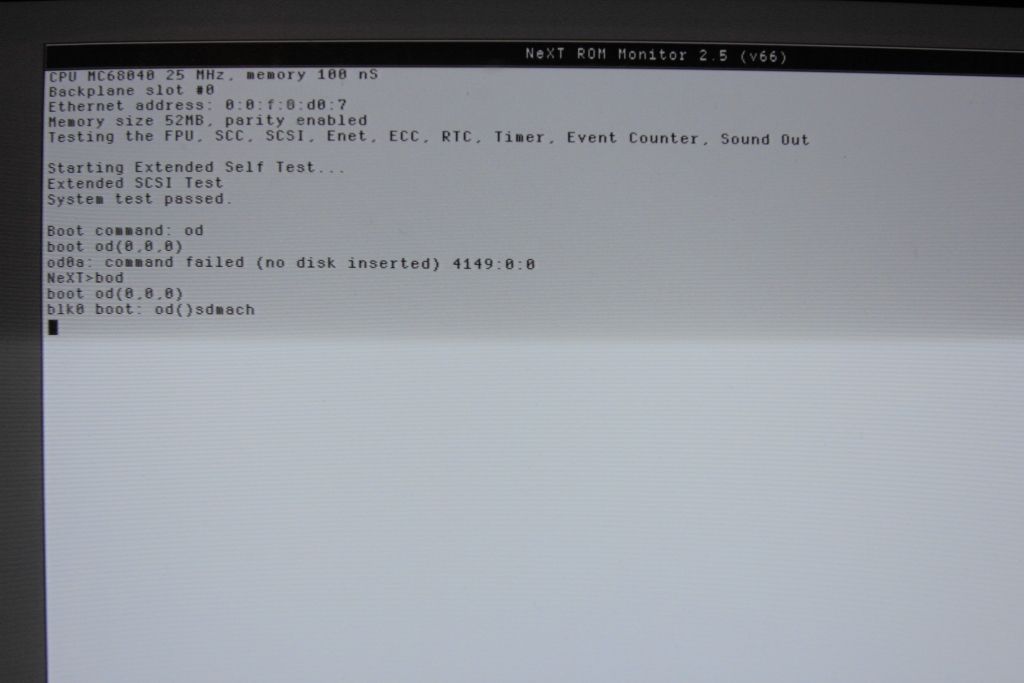
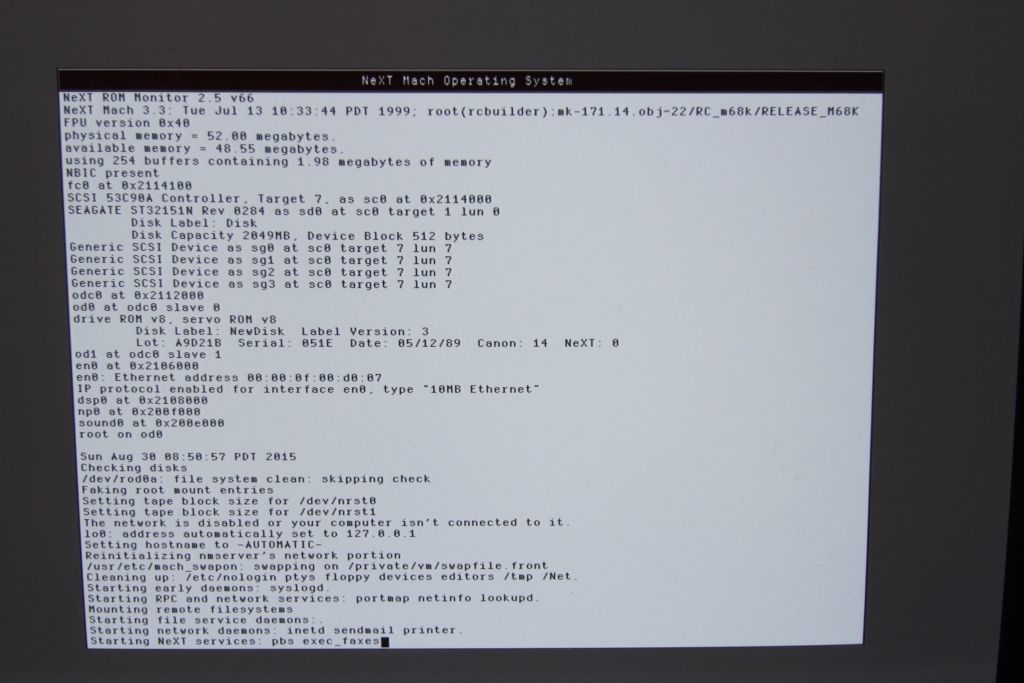
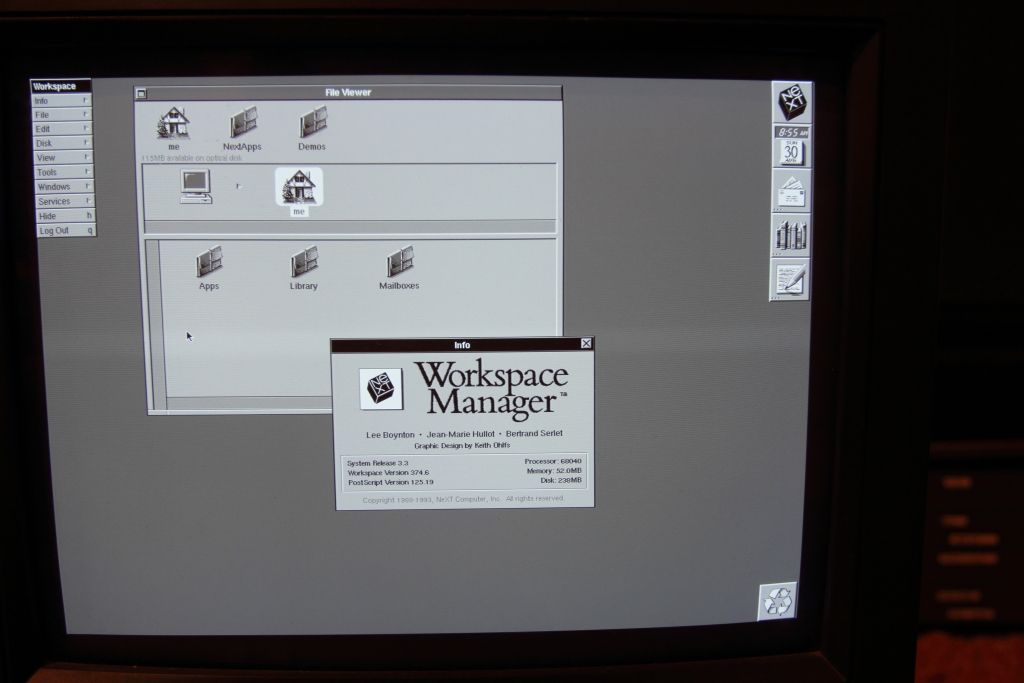
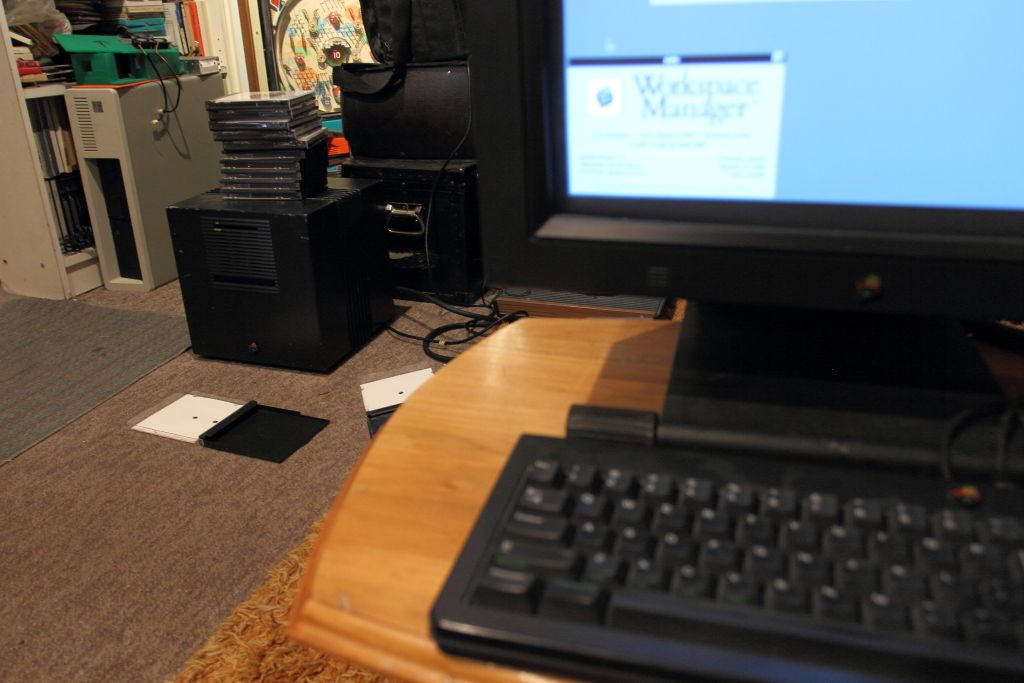
I'm going to make a video of the boot process. Mine seemed to boot up a LOT faster than Barcher's.
Title: Servicing NeXT (Canon) MO Drives
Post by: pentium on August 30, 2015, 09:57:03 PM
Post by: pentium on August 30, 2015, 09:57:03 PM
I don't get it.
So every time you start the machine cold the drive is EXTREMELY cranky. Sometimes it makes NEXTSTEP panic, often it will say there's two drives connected, it will not boot from the OD, and when it gets to NeXTSTEP off the hard disk it will often just spin the drive up and down over and over until suddenly bam, the cartridge mounts and it's fine. Warm reboot it and now you can OD boot. Doesn't skip a beat until you power the machine off and turn it back on again.
I hate computers.
So every time you start the machine cold the drive is EXTREMELY cranky. Sometimes it makes NEXTSTEP panic, often it will say there's two drives connected, it will not boot from the OD, and when it gets to NeXTSTEP off the hard disk it will often just spin the drive up and down over and over until suddenly bam, the cartridge mounts and it's fine. Warm reboot it and now you can OD boot. Doesn't skip a beat until you power the machine off and turn it back on again.
I hate computers.
Title: Servicing NeXT (Canon) MO Drives
Post by: barcher174 on August 31, 2015, 01:14:15 AM
Post by: barcher174 on August 31, 2015, 01:14:15 AM
It's probably the electrolytic residue on the analog board. You need to let it soak in alcohol then reflow any areas with visible corrosion. I was seeing this behavior consistently before I started doing this step. I actually run each board through an ultrasonic bath with 91% alcohol. You'll see the solution turn yellow.
Title: Servicing NeXT (Canon) MO Drives
Post by: barcher174 on August 31, 2015, 01:18:32 AM
Post by: barcher174 on August 31, 2015, 01:18:32 AM
On a positive note, I also worked on drives this weekend and got 2 additional drives working. Find anything cool in that stack of media Pentium? Also, yes, 3.3 on a 68040 will boot in about 1/3 of the time as a 68030 with NS 1.0.
Title: Servicing NeXT (Canon) MO Drives
Post by: Rob Blessin Black Hole on August 31, 2015, 02:00:24 AM
Post by: Rob Blessin Black Hole on August 31, 2015, 02:00:24 AM
Quote from: "barcher174"On a positive note, I also worked on drives this weekend and got 2 additional drives working. Find anything cool in that stack of media Pentium? Also, yes, 3.3 on a 68040 will boot in about 1/3 of the time as a 68030 with NS 1.0.
Where those the December 1988 drives Awesome! I have a quite a few optical drives and if you need a second drive to help repair the first I may be able to get close to your serial number so the rev has a higher probability of being a match.
Does anyone have an Optical drive with a date stamp earlier than December 1988 and lower than EJX01804 as we may be able to figure out serial numbers correlated to dates and rev changes in production?
Best regards rob
Title: Servicing NeXT (Canon) MO Drives
Post by: pentium on August 31, 2015, 10:00:36 AM
Post by: pentium on August 31, 2015, 10:00:36 AM
Ah, so that is why you recommended the bath. In that case I'll go look into buying a bottle or two for the job and try on my weekend.
Yes actually. All my cartridges save for one NOS cartridge I bought from someone else came from Trillium Sound Research in Calgary. They're all backups of what seems to be David Hill (http://pages.cpsc.ucalgary.ca/~hill/)'s machine with snippets of data from other employees. Lots of weird programs, a bunch of usenet clippings (one of which dating to 1994 regarding MO drives malfunctioning), old email, some improv files, a few presentations, his old website circa 1994 and LOTS of early code from their real-time speech synthesis program. Today said program is called gnuspeech (http://www.gnu.org/software/gnuspeech/). I'm currently working on a method to archive all the cartridges.
Edited: I couldn't resist. ;)
https://www.youtube.com/watch?v=zjAEA2ZfY_k
QuoteFind anything cool in that stack of media Pentium?
Yes actually. All my cartridges save for one NOS cartridge I bought from someone else came from Trillium Sound Research in Calgary. They're all backups of what seems to be David Hill (http://pages.cpsc.ucalgary.ca/~hill/)'s machine with snippets of data from other employees. Lots of weird programs, a bunch of usenet clippings (one of which dating to 1994 regarding MO drives malfunctioning), old email, some improv files, a few presentations, his old website circa 1994 and LOTS of early code from their real-time speech synthesis program. Today said program is called gnuspeech (http://www.gnu.org/software/gnuspeech/). I'm currently working on a method to archive all the cartridges.
Edited: I couldn't resist. ;)
https://www.youtube.com/watch?v=zjAEA2ZfY_k
Title: Servicing NeXT (Canon) MO Drives
Post by: barcher174 on August 31, 2015, 08:32:09 PM
Post by: barcher174 on August 31, 2015, 08:32:09 PM
David actually just set up a new cube with a modified soundbox. Maybe he'll want a copy of his old data :D
--
Brian Archer
--
Brian Archer
Title: Servicing NeXT (Canon) MO Drives
Post by: pentium on August 31, 2015, 11:43:20 PM
Post by: pentium on August 31, 2015, 11:43:20 PM
If you have been in touch with him recently, would you be able to PM me his email? I'll see if he's at all interested in any of his old data.
I'll email Dave , by coincidence he was in Europe at the same time my dad was in the RCAF back in the 50's. Best regards Rob
I'll email Dave , by coincidence he was in Europe at the same time my dad was in the RCAF back in the 50's. Best regards Rob
Title: Servicing NeXT (Canon) MO Drives
Post by: Rob Blessin Black Hole on September 01, 2015, 10:26:48 PM
Post by: Rob Blessin Black Hole on September 01, 2015, 10:26:48 PM
Quote from: "pentium"If you have been in touch with him recently, would you be able to PM me his email? I'll see if he's at all interested in any of his old data.I'll email Dave , by coincidence he was in Europe at the same time my dad was in the RCAF back in the 50's. Best regards Rob
Title: Servicing NeXT (Canon) MO Drives
Post by: pentium on September 01, 2015, 10:30:58 PM
Post by: pentium on September 01, 2015, 10:30:58 PM
Thanks guys he got in contact with me earlier today. I'll discuss the archiving with him.
Title: Yet another successful refurbishment story
Post by: paolo.bertolo on September 24, 2015, 04:34:15 PM
Post by: paolo.bertolo on September 24, 2015, 04:34:15 PM
Hello everybody,
just want to share my personal experience refurbishing a MO drive.
Initial conditions: completely dead, just an almost inaudible electric buzz from the drive when connected to a power source.
I decided to give it a try and refurbish it following the very complete instructions available on this forum.
I've bought a cheap soldering station on Amazon with a set of fine welding tips. All capacitors bought from farnell.com website.
Couldn't find an exact match for all of them, though, so I had to compromise on the size for one of them on the digital board (slightly taller, about 7.5 mm instead of 6 mm, but it fits nonetheless) and on the voltage (opting for a higher one, but makes absolutely no difference) for a bunch of them on the motor board (rev. B).
Much harder to find the right "temperature" requirements, 105°C are very hard to find, got to opt for 1000hr at 85° C for most of them. No problem, it's not going to be an heavy duty machine.
It took me a couple of attempts before finding a good technique for desoldering the old capacitors, surely the hardest part.
My technique: gently pull away the capacitor case, leaving anode and cathode welded in place. In this way it's easy to grasp them with needle-nose pliers. So heat up the solder on the one side of the board (320°C on a fine tip worked just fine for most of them, quick and effective) and pull the connector gently from the other until it comes off when the solder suddenly liquifies.
Then clean the holes with a solder wick and a de-soldering pump. Might take time, but surely there's no real need for exotic de-soldering guns or stuff, can be done by a beginner like myself without making any damage.
Clean everything up very, very carefully (I've used some chemical spray for electronic boards, then cleaned up everything with a touch of acetone) and you are ready to solder the new caps in.
There too it took me a couple of shots before refining my technique, but I can guarantee that from the 4th on one would not be able to tell those soldered by hand from those soldered by machine.
On the motor board there was a lot of leaked and solidified stuff from the old capacitors, almost encrusting the motor. I cleaned it up with good old WD40 first, scrubbing the surface with a toothbrush until clean from all the contamination.
The whole refurbishing process took me one full afternoon.
When I connected the drive to an external power source (no data cable connected), the motor started spinning and didn't stop. I let it spin for a while, then switched the drive off. On and off again, at a certain point the motor was not spinning any longer, like dead. Big disappointment.
I then connected the drive to the NeXT Computer and... it just came back to life. I could mount the only optical disc I have and everything was looking fine.
Next day, however, when I powered it up everything start going wrong, with panic messages during the boot sequence.
When it was passing the boot sequence, the drive could not mount the disk, apparently it was trying to build up rotational speed and then suddenly was slowing down and on like this for some cycles until the cartridge would be automatically ejected.
So I disassembled it all over again and, following the recommendations from this forum, I cleaned all the boards (digital, analog and motor) by soaking them in alcohol (pure ethanol for fondue sets, here where I live finding propyl alcohol is kind of tricky).
I dried them up in my hot air oven, by "baking" them for some 20 mins at 60 °C.
To a closer inspection, there was still some dirt short-circuiting two of the radial connectors right under the protective plastic foil on the motor board, so I removed it as well.
A little bit of lubrication (again WD40) on the motor bearings and straight it went back in the cube.
Took a couple of false start, but now the drive works perfectly without skipping a beat or a restart, spinning smoothly and devoid of that high frequency pitch it had when it first came back to life.
For the record I also thoroughly cleaned and lubricated the optical pickup guides, load/eject gears and carefully cleaned the lens too, it was covered by a thin layer of dust. Finally, I've cleaned the optical disk (by opening the protective cartridge), since it was kind of soiled by dust and some kind of tiny liquid drops.
I now need to find a new replacement for the 2200 uF capacitor, the one I've bought at first has axial connectors but must be radial, so it's now temporarily connected via a kind of Frankenstein job.
So, bottom line, I guess I had a stroke of luck, probably the drive was not in bad conditions at all (besides the capacitors, I mean).
I had my share of fun by doing it, it's something I would definitely recommend to try to those who have a dead drive, some basic skills and the right spirit, it's not something for the faint of heart, so to speak...
And no doubt I would have never managed to achieve this result without the help of this forum, so a big thank you from my side to the whole NeXT community!
just want to share my personal experience refurbishing a MO drive.
Initial conditions: completely dead, just an almost inaudible electric buzz from the drive when connected to a power source.
I decided to give it a try and refurbish it following the very complete instructions available on this forum.
I've bought a cheap soldering station on Amazon with a set of fine welding tips. All capacitors bought from farnell.com website.
Couldn't find an exact match for all of them, though, so I had to compromise on the size for one of them on the digital board (slightly taller, about 7.5 mm instead of 6 mm, but it fits nonetheless) and on the voltage (opting for a higher one, but makes absolutely no difference) for a bunch of them on the motor board (rev. B).
Much harder to find the right "temperature" requirements, 105°C are very hard to find, got to opt for 1000hr at 85° C for most of them. No problem, it's not going to be an heavy duty machine.
It took me a couple of attempts before finding a good technique for desoldering the old capacitors, surely the hardest part.
My technique: gently pull away the capacitor case, leaving anode and cathode welded in place. In this way it's easy to grasp them with needle-nose pliers. So heat up the solder on the one side of the board (320°C on a fine tip worked just fine for most of them, quick and effective) and pull the connector gently from the other until it comes off when the solder suddenly liquifies.
Then clean the holes with a solder wick and a de-soldering pump. Might take time, but surely there's no real need for exotic de-soldering guns or stuff, can be done by a beginner like myself without making any damage.
Clean everything up very, very carefully (I've used some chemical spray for electronic boards, then cleaned up everything with a touch of acetone) and you are ready to solder the new caps in.
There too it took me a couple of shots before refining my technique, but I can guarantee that from the 4th on one would not be able to tell those soldered by hand from those soldered by machine.
On the motor board there was a lot of leaked and solidified stuff from the old capacitors, almost encrusting the motor. I cleaned it up with good old WD40 first, scrubbing the surface with a toothbrush until clean from all the contamination.
The whole refurbishing process took me one full afternoon.
When I connected the drive to an external power source (no data cable connected), the motor started spinning and didn't stop. I let it spin for a while, then switched the drive off. On and off again, at a certain point the motor was not spinning any longer, like dead. Big disappointment.
I then connected the drive to the NeXT Computer and... it just came back to life. I could mount the only optical disc I have and everything was looking fine.
Next day, however, when I powered it up everything start going wrong, with panic messages during the boot sequence.
When it was passing the boot sequence, the drive could not mount the disk, apparently it was trying to build up rotational speed and then suddenly was slowing down and on like this for some cycles until the cartridge would be automatically ejected.
So I disassembled it all over again and, following the recommendations from this forum, I cleaned all the boards (digital, analog and motor) by soaking them in alcohol (pure ethanol for fondue sets, here where I live finding propyl alcohol is kind of tricky).
I dried them up in my hot air oven, by "baking" them for some 20 mins at 60 °C.
To a closer inspection, there was still some dirt short-circuiting two of the radial connectors right under the protective plastic foil on the motor board, so I removed it as well.
A little bit of lubrication (again WD40) on the motor bearings and straight it went back in the cube.
Took a couple of false start, but now the drive works perfectly without skipping a beat or a restart, spinning smoothly and devoid of that high frequency pitch it had when it first came back to life.
For the record I also thoroughly cleaned and lubricated the optical pickup guides, load/eject gears and carefully cleaned the lens too, it was covered by a thin layer of dust. Finally, I've cleaned the optical disk (by opening the protective cartridge), since it was kind of soiled by dust and some kind of tiny liquid drops.
I now need to find a new replacement for the 2200 uF capacitor, the one I've bought at first has axial connectors but must be radial, so it's now temporarily connected via a kind of Frankenstein job.
So, bottom line, I guess I had a stroke of luck, probably the drive was not in bad conditions at all (besides the capacitors, I mean).
I had my share of fun by doing it, it's something I would definitely recommend to try to those who have a dead drive, some basic skills and the right spirit, it's not something for the faint of heart, so to speak...
And no doubt I would have never managed to achieve this result without the help of this forum, so a big thank you from my side to the whole NeXT community!
Title: Servicing NeXT (Canon) MO Drives
Post by: barcher174 on September 24, 2015, 05:11:30 PM
Post by: barcher174 on September 24, 2015, 05:11:30 PM
Congrats! I think we now have a reproducible procedure for refurbishing.
Also if anyone is interested (would need to do a few drives to make it worth it), this cleaner is perfectly sized for the boards:
http://www.amazon.com/gp/product/B0018IIPFK?psc=1&redirect=true&ref_=oh_aui_detailpage_o00_s00
Also if anyone is interested (would need to do a few drives to make it worth it), this cleaner is perfectly sized for the boards:
http://www.amazon.com/gp/product/B0018IIPFK?psc=1&redirect=true&ref_=oh_aui_detailpage_o00_s00
Title: Re: Yet another successful refurbishment story
Post by: Rob Blessin Black Hole on September 26, 2015, 12:02:48 AM
Post by: Rob Blessin Black Hole on September 26, 2015, 12:02:48 AM
Quote from: "paolo.bertolo"Hello everybody,
just want to share my personal experience refurbishing a MO drive.
Initial conditions: completely dead, just an almost inaudible electric buzz from the drive when connected to a power source.
I decided to give it a try and refurbish it following the very complete instructions available on this forum.
I've bought a cheap soldering station on Amazon with a set of fine welding tips. All capacitors bought from farnell.com website.
Couldn't find an exact match for all of them, though, so I had to compromise on the size for one of them on the digital board (slightly taller, about 7.5 mm instead of 6 mm, but it fits nonetheless) and on the voltage (opting for a higher one, but makes absolutely no difference) for a bunch of them on the motor board (rev. B).
Much harder to find the right "temperature" requirements, 105°C are very hard to find, got to opt for 1000hr at 85° C for most of them. No problem, it's not going to be an heavy duty machine.
It took me a couple of attempts before finding a good technique for desoldering the old capacitors, surely the hardest part.
My technique: gently pull away the capacitor case, leaving anode and cathode welded in place. In this way it's easy to grasp them with needle-nose pliers. So heat up the solder on the one side of the board (320°C on a fine tip worked just fine for most of them, quick and effective) and pull the connector gently from the other until it comes off when the solder suddenly liquifies.
Then clean the holes with a solder wick and a de-soldering pump. Might take time, but surely there's no real need for exotic de-soldering guns or stuff, can be done by a beginner like myself without making any damage.
Clean everything up very, very carefully (I've used some chemical spray for electronic boards, then cleaned up everything with a touch of acetone) and you are ready to solder the new caps in.
There too it took me a couple of shots before refining my technique, but I can guarantee that from the 4th on one would not be able to tell those soldered by hand from those soldered by machine.
On the motor board there was a lot of leaked and solidified stuff from the old capacitors, almost encrusting the motor. I cleaned it up with good old WD40 first, scrubbing the surface with a toothbrush until clean from all the contamination.
The whole refurbishing process took me one full afternoon.
When I connected the drive to an external power source (no data cable connected), the motor started spinning and didn't stop. I let it spin for a while, then switched the drive off. On and off again, at a certain point the motor was not spinning any longer, like dead. Big disappointment.
I then connected the drive to the NeXT Computer and... it just came back to life. I could mount the only optical disc I have and everything was looking fine.
Next day, however, when I powered it up everything start going wrong, with panic messages during the boot sequence.
When it was passing the boot sequence, the drive could not mount the disk, apparently it was trying to build up rotational speed and then suddenly was slowing down and on like this for some cycles until the cartridge would be automatically ejected.
So I disassembled it all over again and, following the recommendations from this forum, I cleaned all the boards (digital, analog and motor) by soaking them in alcohol (pure ethanol for fondue sets, here where I live finding propyl alcohol is kind of tricky).
I dried them up in my hot air oven, by "baking" them for some 20 mins at 60 °C.
To a closer inspection, there was still some dirt short-circuiting two of the radial connectors right under the protective plastic foil on the motor board, so I removed it as well.
A little bit of lubrication (again WD40) on the motor bearings and straight it went back in the cube.
Took a couple of false start, but now the drive works perfectly without skipping a beat or a restart, spinning smoothly and devoid of that high frequency pitch it had when it first came back to life.
For the record I also thoroughly cleaned and lubricated the optical pickup guides, load/eject gears and carefully cleaned the lens too, it was covered by a thin layer of dust. Finally, I've cleaned the optical disk (by opening the protective cartridge), since it was kind of soiled by dust and some kind of tiny liquid drops.
I now need to find a new replacement for the 2200 uF capacitor, the one I've bought at first has axial connectors but must be radial, so it's now temporarily connected via a kind of Frankenstein job.
So, bottom line, I guess I had a stroke of luck, probably the drive was not in bad conditions at all (besides the capacitors, I mean).
I had my share of fun by doing it, it's something I would definitely recommend to try to those who have a dead drive, some basic skills and the right spirit, it's not something for the faint of heart, so to speak...
And no doubt I would have never managed to achieve this result without the help of this forum, so a big thank you from my side to the whole NeXT community!
Really nice write up Paolo and by the way welcome to the NeXT forums! Best Regards Rob Blessin
Title: Re: Yet another successful refurbishment story
Post by: bkmoore on September 26, 2015, 12:45:12 AM
Post by: bkmoore on September 26, 2015, 12:45:12 AM
Quote from: "paolo.bertolo".....A little bit of lubrication (again WD40) on the motor bearings and straight it went back in the cube.....
WD40 means "Water Dispersant" and is not really a lubricant. It is very corrosive and can damage many materials. I would use WD40 to unstick my little brothers Schwinn Beach Cruiser, but would strongly advise against using WD40 within a 10 meter radius of anything containing electronics. :shock: Sorry for the warning, it sounds like you did a good job!!! :D For small motor bearings, I would consider a light sintering oil that could probably be obtained at most hobby shops. Maybe there are other recommendations on this forum.
Another bit of advice I got from the vintage-stereo community is not to mount new caps flush with the board, but to leave a small gap. That way when the board expands or contracts, it doesn't stress the capacitor as much. Maybe more a factor in amplifiers, but might be help prolong life in general.
Edit: when you solder a cap, the connector expands from the heat. Mounting flush, it cannot contract properly and stresses the capacitor, which could cause leakage.
Title: Re: Yet another successful refurbishment story
Post by: paolo.bertolo on September 27, 2015, 02:31:24 AM
Post by: paolo.bertolo on September 27, 2015, 02:31:24 AM
Quote from: "Rob Blessin"Really nice write up Paolo and by the way welcome to the NeXT forums! Best Regards Rob Blessin
Thanks Rob, my pleasure to be part of this passionate and competent community!
Title: Re: Yet another successful refurbishment story
Post by: paolo.bertolo on September 27, 2015, 03:33:37 AM
Post by: paolo.bertolo on September 27, 2015, 03:33:37 AM
Quote from: "bkmoore"
WD40 means "Water Dispersant" and is not really a lubricant. It is very corrosive and can damage many materials. I would use WD40 to unstick my little brothers Schwinn Beach Cruiser, but would strongly advise against using WD40 within a 10 meter radius of anything containing electronics. :shock: Sorry for the warning, it sounds like you did a good job!!! :D For small motor bearings, I would consider a light sintering oil that could probably be obtained at most hobby shops. Maybe there are other recommendations on this forum.
Another bit of advice I got from the vintage-stereo community is not to mount new caps flush with the board, but to leave a small gap. That way when the board expands or contracts, it doesn't stress the capacitor as much. Maybe more a factor in amplifiers, but might be help prolong life in general.
Edit: when you solder a cap, the connector expands from the heat. Mounting flush, it cannot contract properly and stresses the capacitor, which could cause leakage.
Good point here. Actually, consulting WD40 web site they claim the "magic" stuff works, "cleans and protects", "drives out moisture", "lubricates", "protect corrosion sensitive parts".
They also mention spraying TV electronic boards for protecting them against oxidation.
I thought it could more or less fit the bill.
Clearly, better not to soak the engine with it or with any other stuff at all, I've tried to concentrate only on the bearings, applying it with a tiny brush rather than spraying it directly, actually the only thing I don't want to do is to open the motor casing. A capacitor is easy to replace, the engine is such a bespoke part there's probably no chance to fix it if something goes wrong.
Anyhow, good piece of advice, probably I've been a little naïve here, surely there are some other specialised products more suitable for the scope, any other piece of advice is more than welcome!
Concerning leaving a small gap between the capacitor case and the board for compensating thermal expansion, here also is something it might be worth considering whenever compatible with the packaging space.
Of course I could only solder one connector at a time, so while the first one was getting soldered, the second one was still completely free to compensate any resulting tension.
My technique: insert the capacitor in place from A side of the board, on the B side bend the connectors in opposite directions until totally flat on the board. In this way the capacitor is properly located and stable, ready to be soldered.
Apply a tiny touch of flux paste (with a needle or a toothpick) in the gap between the board hole and the connector. The solder will then naturally flow in and fill the gap. Clip the exceeding length of the connectors.
Fast, reliable and repeatable, I could refurbish the whole motor board (the last one I did) in less than one hour.
Title: Servicing NeXT (Canon) MO Drives
Post by: barcher174 on March 26, 2016, 10:36:49 PM
Post by: barcher174 on March 26, 2016, 10:36:49 PM
I -really- wish I could figure out what is causing the cables to go bad. They just randomly stop working. This also includes a cable I made myself BTW, so I'm just clueless at the moment.
Title: Servicing NeXT (Canon) MO Drives
Post by: Rob Blessin Black Hole on March 26, 2016, 11:13:45 PM
Post by: Rob Blessin Black Hole on March 26, 2016, 11:13:45 PM
Quote from: "barcher174"I -really- wish I could figure out what is causing the cables to go bad. They just randomly stop working. This also includes a cable I made myself BTW, so I'm just clueless at the moment.
No worries as I have load's of you guessed it new old stock NeXT Optical Drive cables. Best Regards Rob Blessin
Title: Servicing NeXT (Canon) MO Drives
Post by: pentium on March 27, 2016, 12:42:28 AM
Post by: pentium on March 27, 2016, 12:42:28 AM
How are you testing the cables after they fail? Are you ohming them out and finding open lines or something?
Title: Servicing NeXT (Canon) MO Drives
Post by: barcher174 on March 27, 2016, 06:20:39 PM
Post by: barcher174 on March 27, 2016, 06:20:39 PM
Yeah they check out fine when I test them with my meter. Here's my theory: I think the pins on the drive are slightly thinner than the usual standard header. This causes the cable to make an unstable connection after a limited number of insert/removals.
Title: Servicing NeXT (Canon) MO Drives
Post by: paolo.bertolo on March 28, 2016, 01:37:41 PM
Post by: paolo.bertolo on March 28, 2016, 01:37:41 PM
I'd rather look elsewhere, don't think cables can fail like that. What's the issue with the drive?
Title: Servicing NeXT (Canon) MO Drives
Post by: pentium on March 29, 2016, 07:26:36 PM
Post by: pentium on March 29, 2016, 07:26:36 PM
First hand, the issue is that you might have a good drive but when it's plugged in the drive still remains either a vegetable or totally brain dead.
However if you have a cable for using two MO drives, you'll discover simply switching plugs (so going form drive 0 to drive 1) makes the drive function (after you've recapped it) again. It is something with the cables themselves. The ribbon could be more sensitive than usual to flexing or the spades flex to easily or as mentioned, the plugs might wear out prematurely.
I've only come across bad ribbon cable twice in my life before and in one case it was from pulling on the cable to unplug it and on the other it was not crimped properly.
However if you have a cable for using two MO drives, you'll discover simply switching plugs (so going form drive 0 to drive 1) makes the drive function (after you've recapped it) again. It is something with the cables themselves. The ribbon could be more sensitive than usual to flexing or the spades flex to easily or as mentioned, the plugs might wear out prematurely.
I've only come across bad ribbon cable twice in my life before and in one case it was from pulling on the cable to unplug it and on the other it was not crimped properly.
Title: Servicing NeXT (Canon) MO Drives
Post by: paolo.bertolo on January 21, 2017, 04:05:19 PM
Post by: paolo.bertolo on January 21, 2017, 04:05:19 PM
Hello Everybody,
any suggestion on how to best configure a dual MO drive set up? I have two working drives and the dual head cable.
When I just connect them (and disconnect any SCSI drive) everything gets awfully slow, takes forever to get to the login in window, way more than booting in the single MO drive set up. Past the login window basically nothing happens, apparently the system hangs.
The same MO disk works perfectly on either drive and boots flawlessly all the way through.
I suspect there's something I'm missing with the configuration.
Thanks in advance for your feedback!
any suggestion on how to best configure a dual MO drive set up? I have two working drives and the dual head cable.
When I just connect them (and disconnect any SCSI drive) everything gets awfully slow, takes forever to get to the login in window, way more than booting in the single MO drive set up. Past the login window basically nothing happens, apparently the system hangs.
The same MO disk works perfectly on either drive and boots flawlessly all the way through.
I suspect there's something I'm missing with the configuration.
Thanks in advance for your feedback!
Title: Servicing NeXT (Canon) MO Drives
Post by: barcher174 on January 21, 2017, 07:52:00 PM
Post by: barcher174 on January 21, 2017, 07:52:00 PM
I've never actually gotten it to work. I wonder if you need to have a digital board on the MO drive with the connector in the second (normally empty) position?
Title: Servicing NeXT (Canon) MO Drives
Post by: paolo.bertolo on January 23, 2017, 03:40:00 PM
Post by: paolo.bertolo on January 23, 2017, 03:40:00 PM
Made some progress... I could get both drives mounted in parallel, but still needs the SCSI drive for booting.
Apparently, you need to have a disk inserted in the slave drive at boot time, otherwise you get an error and the boot procedure halts.

Apparently, you need to have a disk inserted in the slave drive at boot time, otherwise you get an error and the boot procedure halts.
Title: Servicing NeXT (Canon) MO Drives
Post by: andreas_g on January 24, 2017, 01:48:23 AM
Post by: andreas_g on January 24, 2017, 01:48:23 AM
Quote from: "paolo.bertolo"When I just connect them (and disconnect any SCSI drive) everything gets awfully slow, takes forever to get to the login in window, way more than booting in the single MO drive set up. Past the login window basically nothing happens, apparently the system hangs.Hello Paolo,
The same MO disk works perfectly on either drive and boots flawlessly all the way through.
I suspect there's something I'm missing with the configuration.
Thanks in advance for your feedback!
I had the same issue with an emulated NeXTcube with dual MO drives. I therefore disabled it in the emulator (Previous). I did lot's of investigations on this issue while trying to fix it. My final conclusion is:
This is caused by a bug in the kernel. If only one MO drive has a disk inserted, the kernel will continuously poll the second drive for disk insertion. Because the controller cannot communicate with both drives simultaneously this polling of the empty drive will interrupt communication with the other drive. The scheduler for this polling obviously does not check if communication with the other drive is in progress. This causes communication errors and recovery from these errors causes quite severe slow down. If both drives have a disk inserted, everything should be fine.
Regards,
Andreas
Title: Servicing NeXT (Canon) MO Drives
Post by: paolo.bertolo on January 24, 2017, 03:48:02 PM
Post by: paolo.bertolo on January 24, 2017, 03:48:02 PM
Quote from: "andreas_g"
Hello Paolo,
I had the same issue with an emulated NeXTcube with dual MO drives. I therefore disabled it in the emulator (Previous). I did lot's of investigations on this issue while trying to fix it. My final conclusion is:
This is caused by a bug in the kernel. If only one MO drive has a disk inserted, the kernel will continuously poll the second drive for disk insertion. Because the controller cannot communicate with both drives simultaneously this polling of the empty drive will interrupt communication with the other drive. The scheduler for this polling obviously does not check if communication with the other drive is in progress. This causes communication errors and recovery from these errors causes quite severe slow down. If both drives have a disk inserted, everything should be fine.
Regards,
Andreas
Hello Andreas,
thanks for your feedback (and congratulations for the amazing job done on Previous!).
I can only confirm your findings, the problem seems to lay in a bug related to the communication with the secondary drive. As long as there's a disk inserted, the boot sequence goes on, otherwise it either completely halts or gets awfully slow.
I'm planning to run some kind of DOE for collecting additional evidence as soon as I have sufficient time, I will surely share the results.
Regards,
Paolo
Title: Servicing NeXT (Canon) MO Drives
Post by: paolo.bertolo on January 29, 2017, 02:28:23 PM
Post by: paolo.bertolo on January 29, 2017, 02:28:23 PM
Quick update from my side.
I'm running a set of tests to check if and how two MO drives can live side by side.
I could manage to boot a 030 Cube with two MO drives and no SCSI drive.
Set up: boot worthy media in the master drive (tested with NeXTStep 3.3), whatever in the slave unit (must be loaded, though).
boot command is b od(0,0,0)
The boot sequence will soon halt reporting some error, the slave unit is not seen in the correct way (wrong drive ROM and wrong servo ROM).
At that stage, press "command+`" and at the prompt select "restart" (so press "r" key). Now the machine will boot flawlessly.
Shut down seems not to work properly though, the slave drive gets ejected, processes are being killed, but the machine does not shut down completely (you need to go again through "command+`" and then push the power button, but the media is not ejected as it should be, means at the next start up it will go through the check / repair disk procedure, which on a MO drive takes a lot of time).
I'm running a set of tests to check if and how two MO drives can live side by side.
I could manage to boot a 030 Cube with two MO drives and no SCSI drive.
Set up: boot worthy media in the master drive (tested with NeXTStep 3.3), whatever in the slave unit (must be loaded, though).
boot command is b od(0,0,0)
The boot sequence will soon halt reporting some error, the slave unit is not seen in the correct way (wrong drive ROM and wrong servo ROM).
At that stage, press "command+`" and at the prompt select "restart" (so press "r" key). Now the machine will boot flawlessly.
Shut down seems not to work properly though, the slave drive gets ejected, processes are being killed, but the machine does not shut down completely (you need to go again through "command+`" and then push the power button, but the media is not ejected as it should be, means at the next start up it will go through the check / repair disk procedure, which on a MO drive takes a lot of time).
Title: Servicing NeXT (Canon) MO Drives
Post by: paolo.bertolo on February 04, 2017, 08:34:24 AM
Post by: paolo.bertolo on February 04, 2017, 08:34:24 AM
Layout with twin OD and one SCSI2SD adapter.

Title: Servicing NeXT (Canon) MO Drives
Post by: pentium on June 14, 2018, 07:53:36 PM
Post by: pentium on June 14, 2018, 07:53:36 PM
I would like to report that several weeks ago I trained one of the employees at The Hackery how to dismantle, clean and recap a drive along with how to test the spindle motor while separated from the drive. The first unit done was an immediate success. A second unit was also a success and a third unit was planned to be done however an error in a BoM meant that not enough capacitors were ordered.
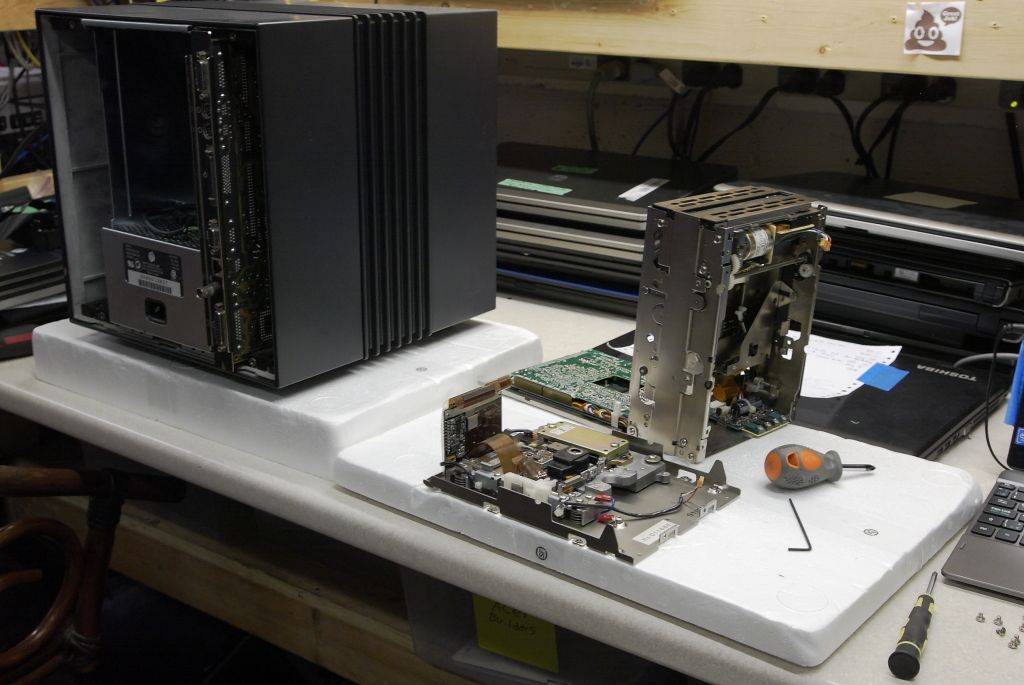
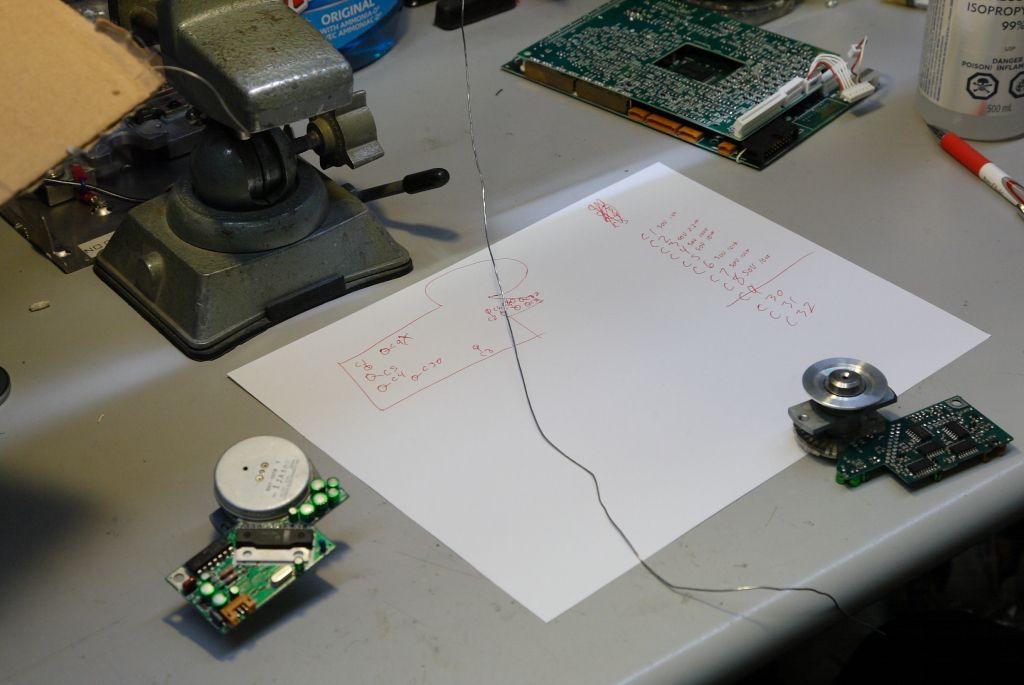
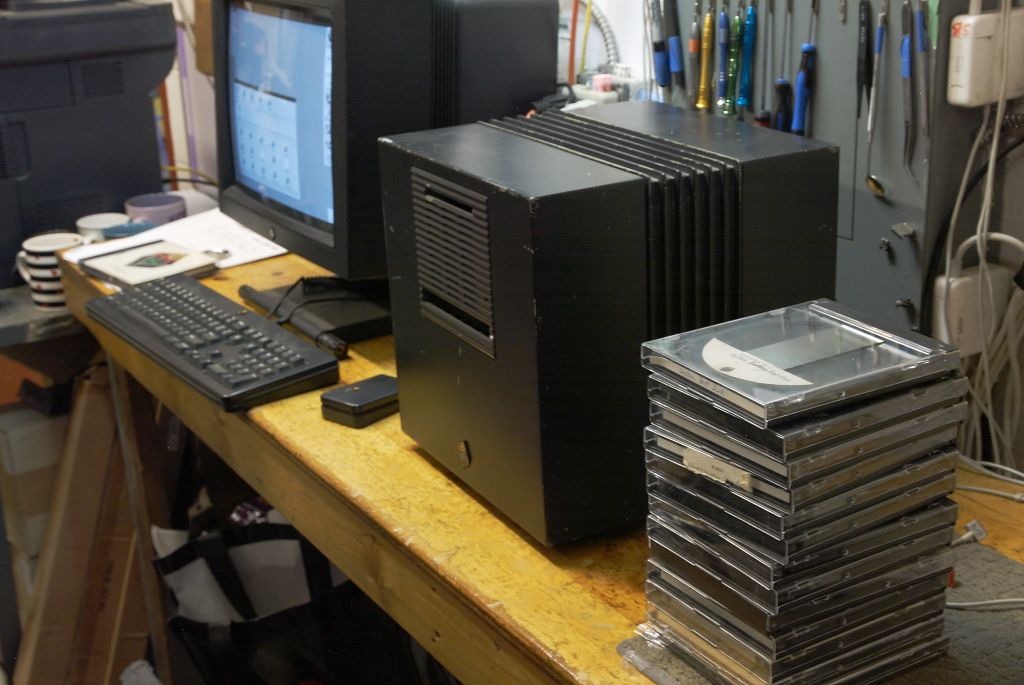
Please note however this was strictly for training, I cannot say peronslly if they are or are not currently or planning to repair other drives in future.
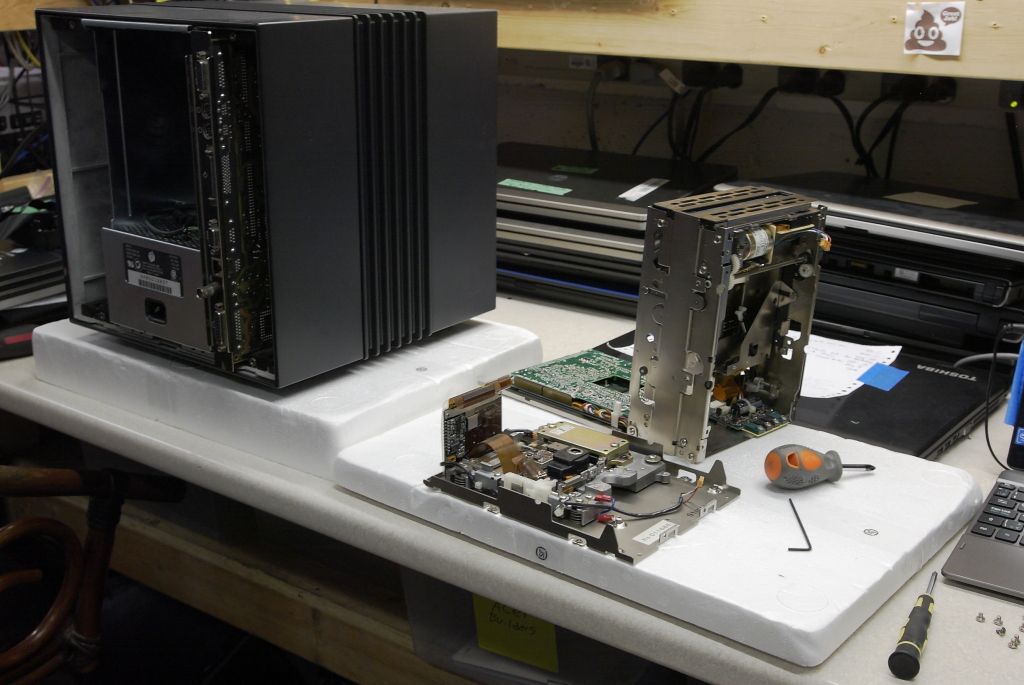
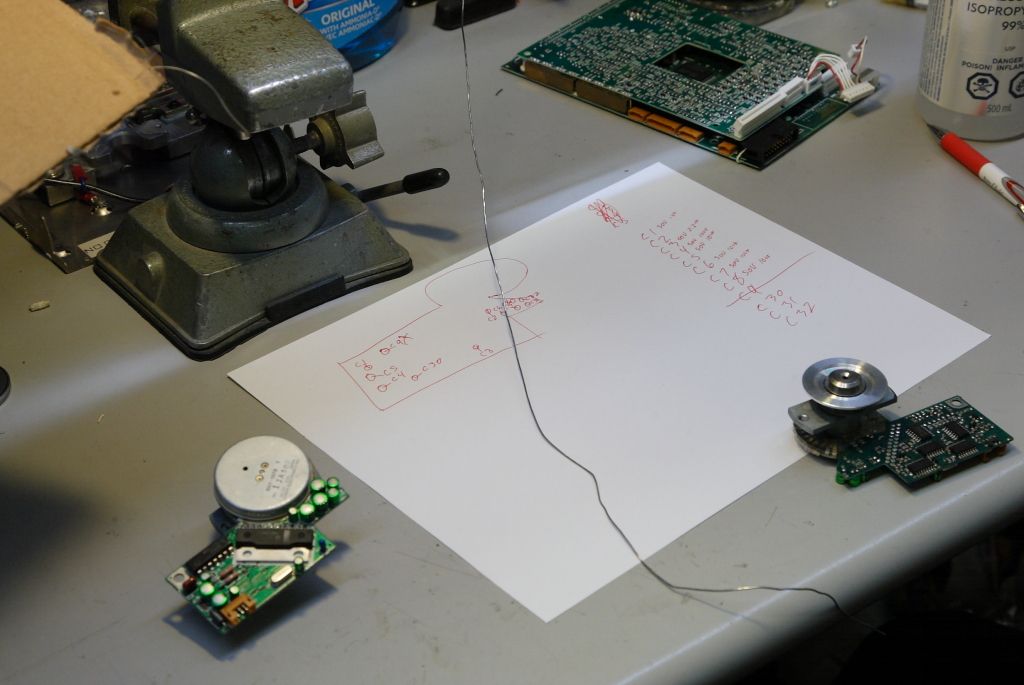
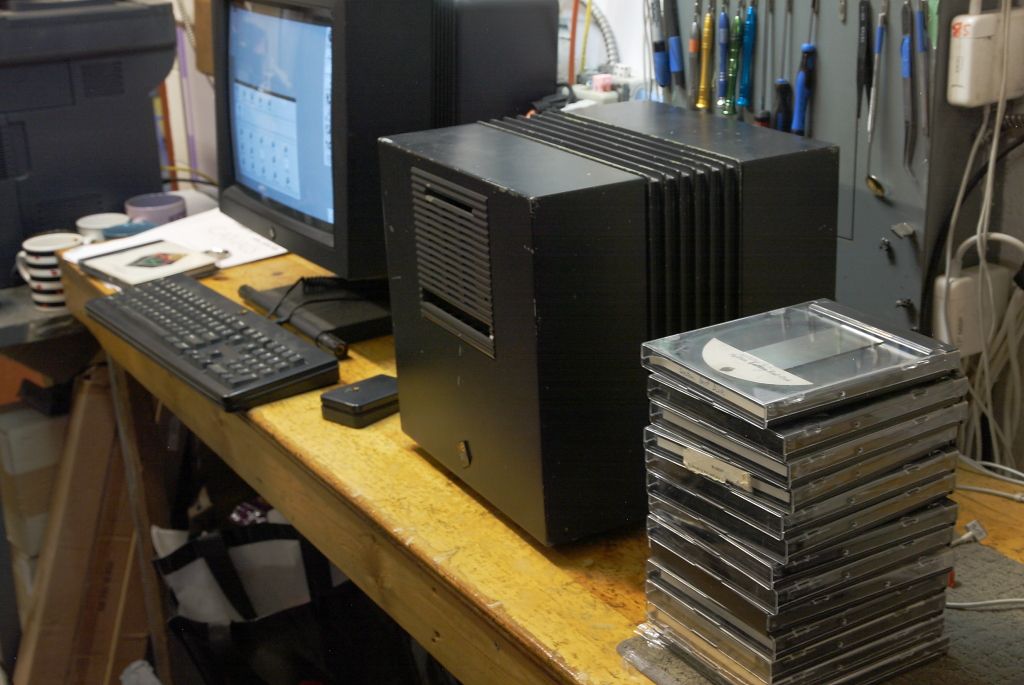
Please note however this was strictly for training, I cannot say peronslly if they are or are not currently or planning to repair other drives in future.
Title: NeXT Optical Drive Factory Spec Docs
Post by: Rob Blessin Black Hole on November 22, 2018, 04:05:20 PM
Post by: Rob Blessin Black Hole on November 22, 2018, 04:05:20 PM
Hello NeXT Community: I found this NeXT Optical Technical Spec docment hiding in plain site on my docs page, apologies if this is already in use! NeXT Optical Drive Technical doc (http://www.blackholeinc.com/docs/NeXT%20Service%20Manual%202%20Sections%204%205%206%20good%20Newby%20Stuff!_OCR.pdf)
Title: Re: Servicing NeXT (Canon) MO Drives
Post by: Rob Blessin Black Hole on December 26, 2023, 01:21:09 AM
Post by: Rob Blessin Black Hole on December 26, 2023, 01:21:09 AM
Hello NeXT Community: Good news , shout out to Kashoggi, as he is alive and kicking lol . I'm helping him get his good old NeXT Cube back up and running with a few upgrades, as he helped put together the nice NeXT Optical Disk Repair guide, it would be amazing if he rejoins us here in the NeXT forums.
Title: Re: Servicing NeXT (Canon) MO Drives
Post by: Khashoggi on May 21, 2024, 06:02:51 PM
Post by: Khashoggi on May 21, 2024, 06:02:51 PM
Thanks Rob!
I finally put the 040 board in my Cube a couple of days ago. It now boots up exactly 2x as fast and feels much snappier.
Tonight I will see if the dimension board works with my NEC monitor and cable paired with my N4001 monitor.
That cannon MO document was very cool!
I finally put the 040 board in my Cube a couple of days ago. It now boots up exactly 2x as fast and feels much snappier.
Tonight I will see if the dimension board works with my NEC monitor and cable paired with my N4001 monitor.
That cannon MO document was very cool!
Title: Re: Servicing NeXT (Canon) MO Drives
Post by: Khashoggi on May 21, 2024, 06:04:27 PM
Post by: Khashoggi on May 21, 2024, 06:04:27 PM
Glad to see so many MO drives have been resurrected!
Title: Re: Servicing NeXT (Canon) MO Drives
Post by: balrog on July 29, 2024, 09:51:43 AM
Post by: balrog on July 29, 2024, 09:51:43 AM
After several years I'm finally getting back to this! Replaced the capacitors in another drive and while it seems to function, I now get the following when attepting to boot, together with seek noises:
Regarding the spindle motor: I have a Wera Kraftform Micro screwdriver set (the Big Pack 1), which has JIS/JCIS compliant Philips drivers, and they fit extremely well in the screws to the point where the screws will not strip. The #000 fits the best, but the #00 and #0 also work. I highly recommend getting one of these, or a similar JIS/JCIS compliant set of screwdrivers, if you will be opening motors. From my research, Vessel makes the best JIS/JCIS-compatible screwdrivers, but the improvement is likely slight over the Wera ones I use.
JIS and JCIS screws have a slightly different angle in their slots compared to Philips. This makes it possible to have a JIS/JCIS driver that works well in Philips screws, but not vice-versa.
Code Select
NeXT> b od
boot od(0,0,0)
od0a: read failed (error #19) 4149:0:0
od0a: read failed (error #19) 19579:0:0
no valid disk label found
NeXT>
I don't have a bootable SCSI disk set up yet but that's going to happen next (well, after a quick PCB wash), as it may be easier to troubleshoot if I'm not trying to boot the machine.Regarding the spindle motor: I have a Wera Kraftform Micro screwdriver set (the Big Pack 1), which has JIS/JCIS compliant Philips drivers, and they fit extremely well in the screws to the point where the screws will not strip. The #000 fits the best, but the #00 and #0 also work. I highly recommend getting one of these, or a similar JIS/JCIS compliant set of screwdrivers, if you will be opening motors. From my research, Vessel makes the best JIS/JCIS-compatible screwdrivers, but the improvement is likely slight over the Wera ones I use.
JIS and JCIS screws have a slightly different angle in their slots compared to Philips. This makes it possible to have a JIS/JCIS driver that works well in Philips screws, but not vice-versa.
Title: Re: Servicing NeXT (Canon) MO Drives
Post by: MindWalker on July 16, 2025, 11:41:06 AM
Post by: MindWalker on July 16, 2025, 11:41:06 AM
Hi all.
I bought one of the DOA MO Drives that Rob put sale on eBay. Reading thru (most) of this thread and with the great manual by @Khashoggi I disassembled the drive and recapped it all. The caps in the manual are no longer available, but I was able to find height-wise suitable (sadly only 85-degree rated) parts for all but one type of caps used. And the missing type I was able to substitute with a 7mm one as space allowed. I'll make a list/Mouser cart of these soon.
The motor board had quite a bit or corrosion but as far as I can see all traces were still intact. From the tips earlier in this thread I was able to power the motor board alone (12v in) and by grounding the control pin it does spin up (with the current draw matching what should be ok) so it seems to be working.
I've connected the drive to my 040 Cube now (disconnected the internal SCSI hard drive so no bootable drives). The drive takes power and injects and ejects a disc as expected, however it never spins it up (and attempting to boot from it just halts the machine).
I saw it mentioned that the sensor/switch-block should be cleaned, but how does that come out? I can see that my drive (early type, judging by the number of botch-wires on the PCBs) only has two sensors there (and they move freely).
Any other pointers on what to try next? I tried two different MO-motherboard cables (one that I got with the drive and another generic cable with identical pinout).
I bought one of the DOA MO Drives that Rob put sale on eBay. Reading thru (most) of this thread and with the great manual by @Khashoggi I disassembled the drive and recapped it all. The caps in the manual are no longer available, but I was able to find height-wise suitable (sadly only 85-degree rated) parts for all but one type of caps used. And the missing type I was able to substitute with a 7mm one as space allowed. I'll make a list/Mouser cart of these soon.
The motor board had quite a bit or corrosion but as far as I can see all traces were still intact. From the tips earlier in this thread I was able to power the motor board alone (12v in) and by grounding the control pin it does spin up (with the current draw matching what should be ok) so it seems to be working.
I've connected the drive to my 040 Cube now (disconnected the internal SCSI hard drive so no bootable drives). The drive takes power and injects and ejects a disc as expected, however it never spins it up (and attempting to boot from it just halts the machine).
I saw it mentioned that the sensor/switch-block should be cleaned, but how does that come out? I can see that my drive (early type, judging by the number of botch-wires on the PCBs) only has two sensors there (and they move freely).
Any other pointers on what to try next? I tried two different MO-motherboard cables (one that I got with the drive and another generic cable with identical pinout).
Title: Re: Servicing NeXT (Canon) MO Drives
Post by: MindWalker on July 16, 2025, 12:02:06 PM
Post by: MindWalker on July 16, 2025, 12:02:06 PM
Well, I poked the drive for a while, and then inserted the disc (my only one at the moment) and it somehow latched differently... and now it spun up as I tried to boot it! I fetched my ZuluSCSI with bootable NeXTStep for futher testing. The drive takes the disc, spins up and I can hear it (very loudly!) seeking couple of times but then it spins down and ejects the disc.
(I did clean the laser and also cleaned and lubricated the laser sliders etc)
Guess this is progress anyway ::)
EDIT: in ROM monitor if I attempt to bod (boot from optical) I get:
od0a: read failed (uncorrectable ECC error) 4149:0:0
od0a: read failed (uncorrectable ECC error) 4149:0:0
Bad version 0x0
No bootfile in label
(I did clean the laser and also cleaned and lubricated the laser sliders etc)
Guess this is progress anyway ::)
EDIT: in ROM monitor if I attempt to bod (boot from optical) I get:
od0a: read failed (uncorrectable ECC error) 4149:0:0
od0a: read failed (uncorrectable ECC error) 4149:0:0
Bad version 0x0
No bootfile in label
Title: Re: Servicing NeXT (Canon) MO Drives
Post by: MindWalker on July 17, 2025, 09:42:07 AM
Post by: MindWalker on July 17, 2025, 09:42:07 AM
Here is my current capacitor list (all boards): https://www.mouser.com/ProjectManager/ProjectDetail.aspx?AccessID=2f481d35ea
Compare first to the servicing guide: https://www.nextcomputers.org/NeXTfiles/Docs/Hardware/NeXT%20Magneto%20Optical%20Service%20Manual.pdf and even then there might be differences (in my case, on Analog Board A the capacitor C244 was 22/16 as the manual shows a 1/50) so check your boards first before ordering. One might also up the numbers to have spares.
Note 1: these are mostly all 85-degree rated parts so not ideal for longevity.
Note 2: there are two 1uf 50v caps that should be max. 6mm high, but I couldn't find any. I used a more standard 7mm high as in both cases these could by laid down on their side on the board. These are on the Motor Board A (next to the driver IC) and one the Analog A board (next to the interconnector to the Digital board).
I read on the thread earlier that the original drive-motherboard cables could go bad. On Mouser's catalog there is this cable: https://www.mouser.fi/ProductDetail/943-8.06.99 that is almost the same length and has the same pinout so it should work. It doesn't have that huge ferrite though so it might be more susceptible to noise.
Compare first to the servicing guide: https://www.nextcomputers.org/NeXTfiles/Docs/Hardware/NeXT%20Magneto%20Optical%20Service%20Manual.pdf and even then there might be differences (in my case, on Analog Board A the capacitor C244 was 22/16 as the manual shows a 1/50) so check your boards first before ordering. One might also up the numbers to have spares.
Note 1: these are mostly all 85-degree rated parts so not ideal for longevity.
Note 2: there are two 1uf 50v caps that should be max. 6mm high, but I couldn't find any. I used a more standard 7mm high as in both cases these could by laid down on their side on the board. These are on the Motor Board A (next to the driver IC) and one the Analog A board (next to the interconnector to the Digital board).
I read on the thread earlier that the original drive-motherboard cables could go bad. On Mouser's catalog there is this cable: https://www.mouser.fi/ProductDetail/943-8.06.99 that is almost the same length and has the same pinout so it should work. It doesn't have that huge ferrite though so it might be more susceptible to noise.