Title: Previous
Post by: Paolo_R on October 17, 2023, 09:32:22 PM
Post by: Paolo_R on October 17, 2023, 09:32:22 PM
I downloaded a Windows binary of Previous 2.5 that someone on this forum created (I'm not tech savvy enough to compile 2.6 source.)
I boots up fine having passed boot up system tests and leaves me with a >NeXT prompt. How do I then proceed to load the various NeXT GUI widgets?
TIA
I boots up fine having passed boot up system tests and leaves me with a >NeXT prompt. How do I then proceed to load the various NeXT GUI widgets?
TIA
Title: Re: Previous
Post by: pTeK on October 18, 2023, 03:10:16 AM
Post by: pTeK on October 18, 2023, 03:10:16 AM
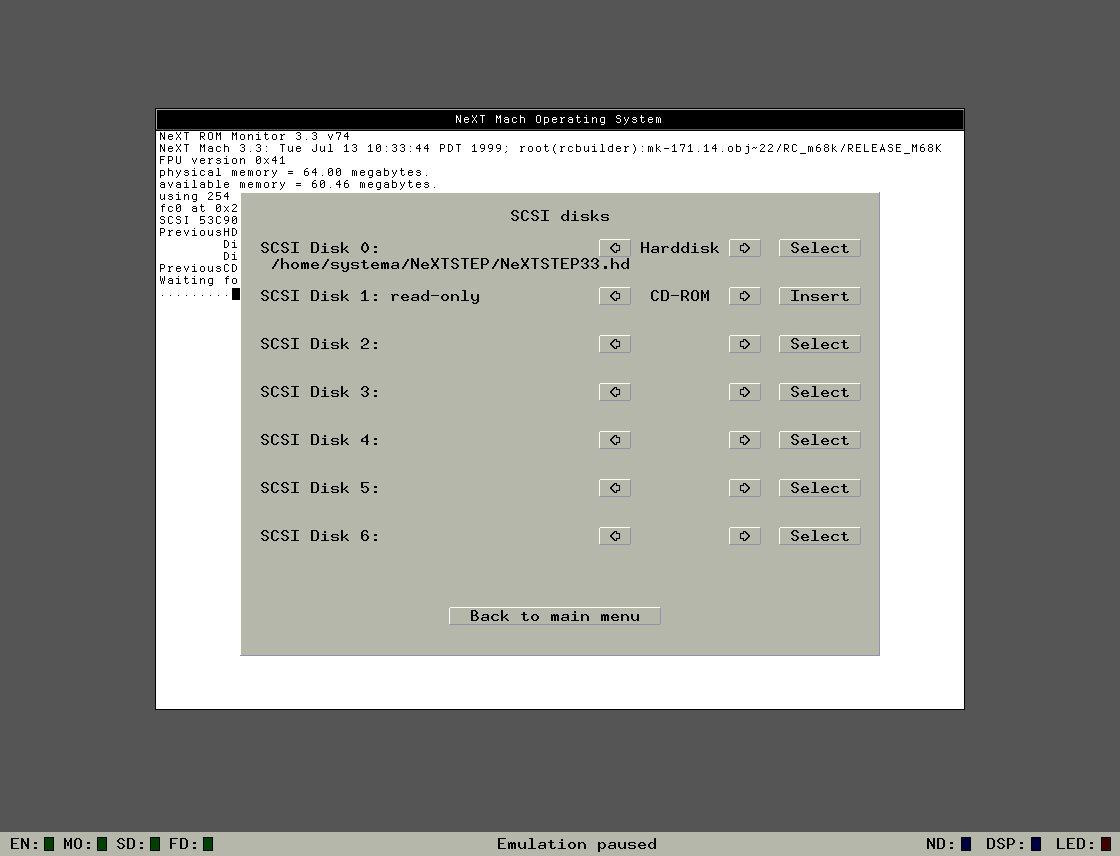
You are going to have to give more details. What NeXT ROMS are you using? how much RAM is the system emulating? do you have a Hard disk image ?
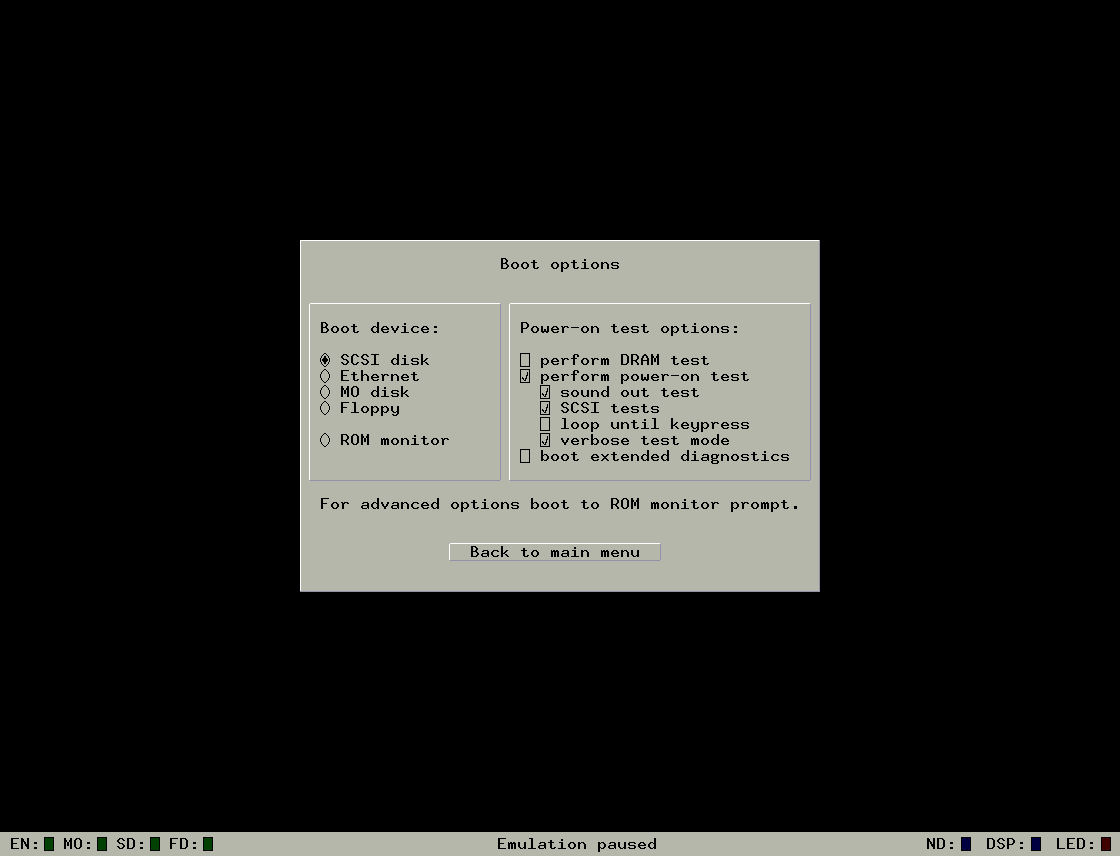
Previous Boot Options (https://ibb.co/9pdLTgT)
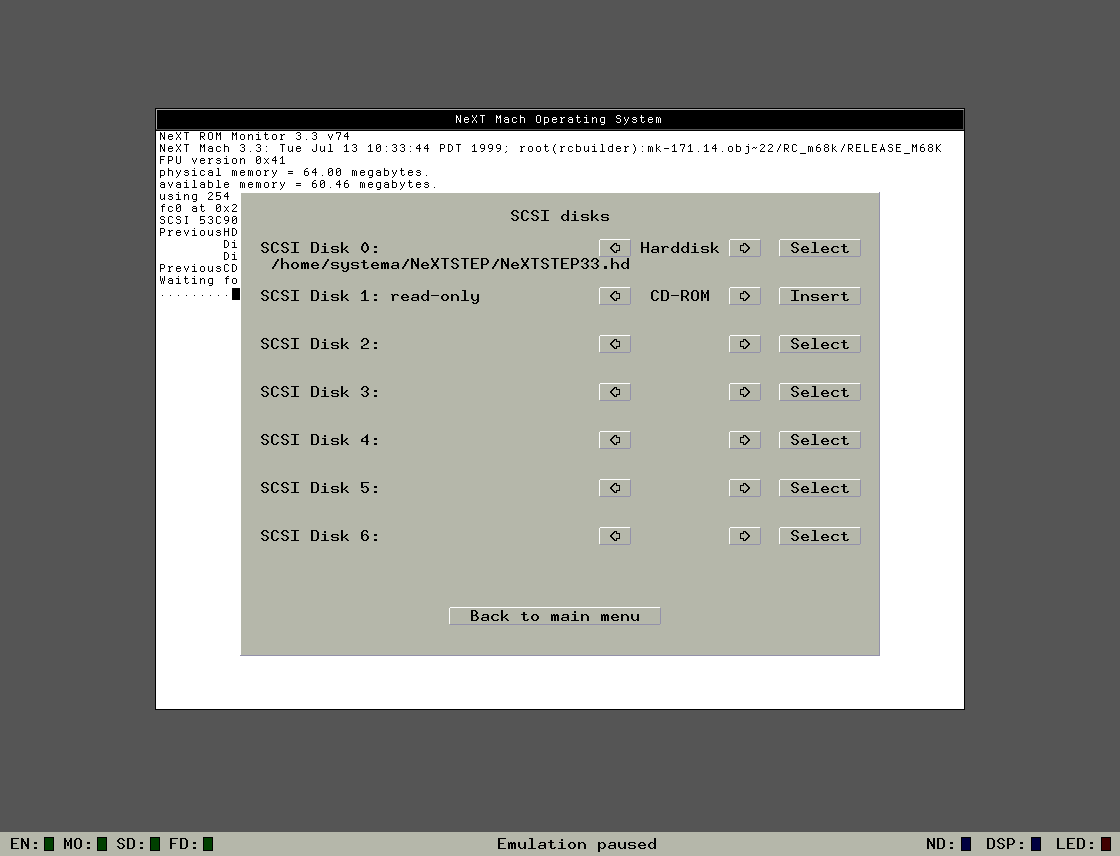
Previous SCSI Disks (https://ibb.co/tCK6FJz)
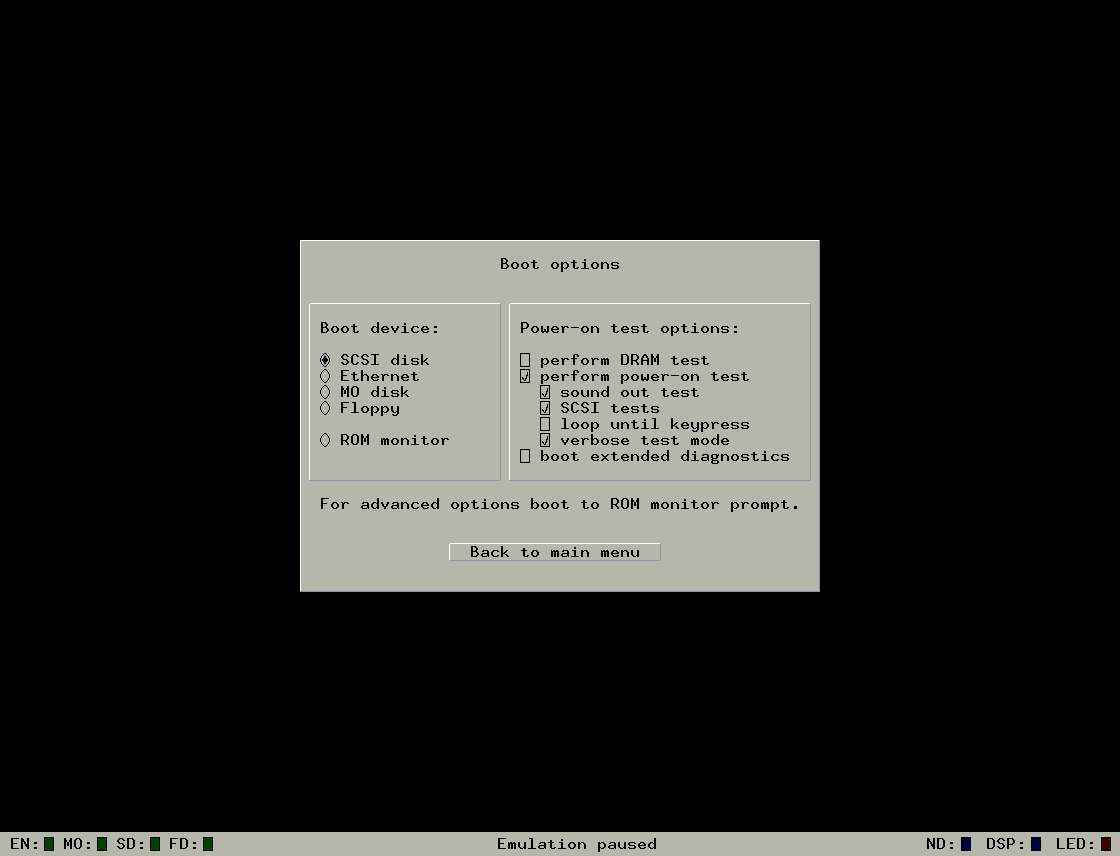
Previous Boot Options (https://ibb.co/9pdLTgT)
Previous SCSI Disks (https://ibb.co/tCK6FJz)
Title: Re: Previous
Post by: Paolo_R on October 18, 2023, 06:51:46 PM
Post by: Paolo_R on October 18, 2023, 06:51:46 PM
pTeK
I'm not sure I have all the options you show. When I try 'SCSI Disks' I can choose Harddisk and CDROM but when I choose 'Select' the dialog which opens shows only the *.dlls and *.BIN files in the Previous folder. There are no *.hd files (as shown in your example.) Am I supposed to find these HD images elsewhere and, if so, where do I install them?
I'm not sure I have all the options you show. When I try 'SCSI Disks' I can choose Harddisk and CDROM but when I choose 'Select' the dialog which opens shows only the *.dlls and *.BIN files in the Previous folder. There are no *.hd files (as shown in your example.) Am I supposed to find these HD images elsewhere and, if so, where do I install them?
Title: Re: Previous
Post by: Paolo_R on October 18, 2023, 07:22:38 PM
Post by: Paolo_R on October 18, 2023, 07:22:38 PM
OK, I chose Rev_3.3_v7.4.BIN, presuming this was the correct one. NeXT got past the initial stage and gave:
Boot command sd
Boot sd (0,0,0)
Booting SCSI target 0, lun 0
then gave 4 'bad version' messages ending with 'bad label'.
Not sure what to do next :'(
Boot command sd
Boot sd (0,0,0)
Booting SCSI target 0, lun 0
then gave 4 'bad version' messages ending with 'bad label'.
Not sure what to do next :'(
Title: Re: Previous
Post by: pTeK on October 18, 2023, 09:54:16 PM
Post by: pTeK on October 18, 2023, 09:54:16 PM
Ok so you seem to have the NeXT ROMS.
Do you have any NeXT Media? The User CD or a bootable HD image otherwise the emulator won't be doing much without software unless you want to install NetBSD on it.
You can buy the Next 3.3 CD of user @Rob Blessin Black Hole
Do you have any NeXT Media? The User CD or a bootable HD image otherwise the emulator won't be doing much without software unless you want to install NetBSD on it.
You can buy the Next 3.3 CD of user @Rob Blessin Black Hole
Title: Re: Previous
Post by: Paolo_R on October 18, 2023, 10:38:55 PM
Post by: Paolo_R on October 18, 2023, 10:38:55 PM
I have the developer.iso and the user.iso. Not sure where to put the user.iso. I put the user.iso initially in the SCSI disk CD-ROM and got the 'bad label' message. Tried putting it in the MO drive and got the same message.
Title: Re: Previous
Post by: pTeK on October 19, 2023, 01:55:33 AM
Post by: pTeK on October 19, 2023, 01:55:33 AM
Quote from: Paolo_R on October 18, 2023, 10:38:55 PMI have the developer.iso and the user.iso. Not sure where to put the user.iso. I put the user.iso initially in the SCSI disk CD-ROM and got the 'bad label' message. Tried putting it in the MO drive and got the same message.You need to create a HD image and set that as SCSI Disk 0.
The NextStep User.Iso needs to be set as SCSI Disk 1.
And you need the boot floppy (Motorola) in the floppy disk and select the "Connected" option.
user @zombie has a tutorial (https://www.nextcomputers.org/forums/index.php?topic=4254) on this forum.
Title: Re: Previous
Post by: Paolo_R on October 19, 2023, 02:06:55 AM
Post by: Paolo_R on October 19, 2023, 02:06:55 AM
Thanks pTeK. I'll study the tutorial.