Title: restoring N2000 laser printer
Post by: KennyPowers on March 10, 2025, 02:18:02 PM
Post by: KennyPowers on March 10, 2025, 02:18:02 PM
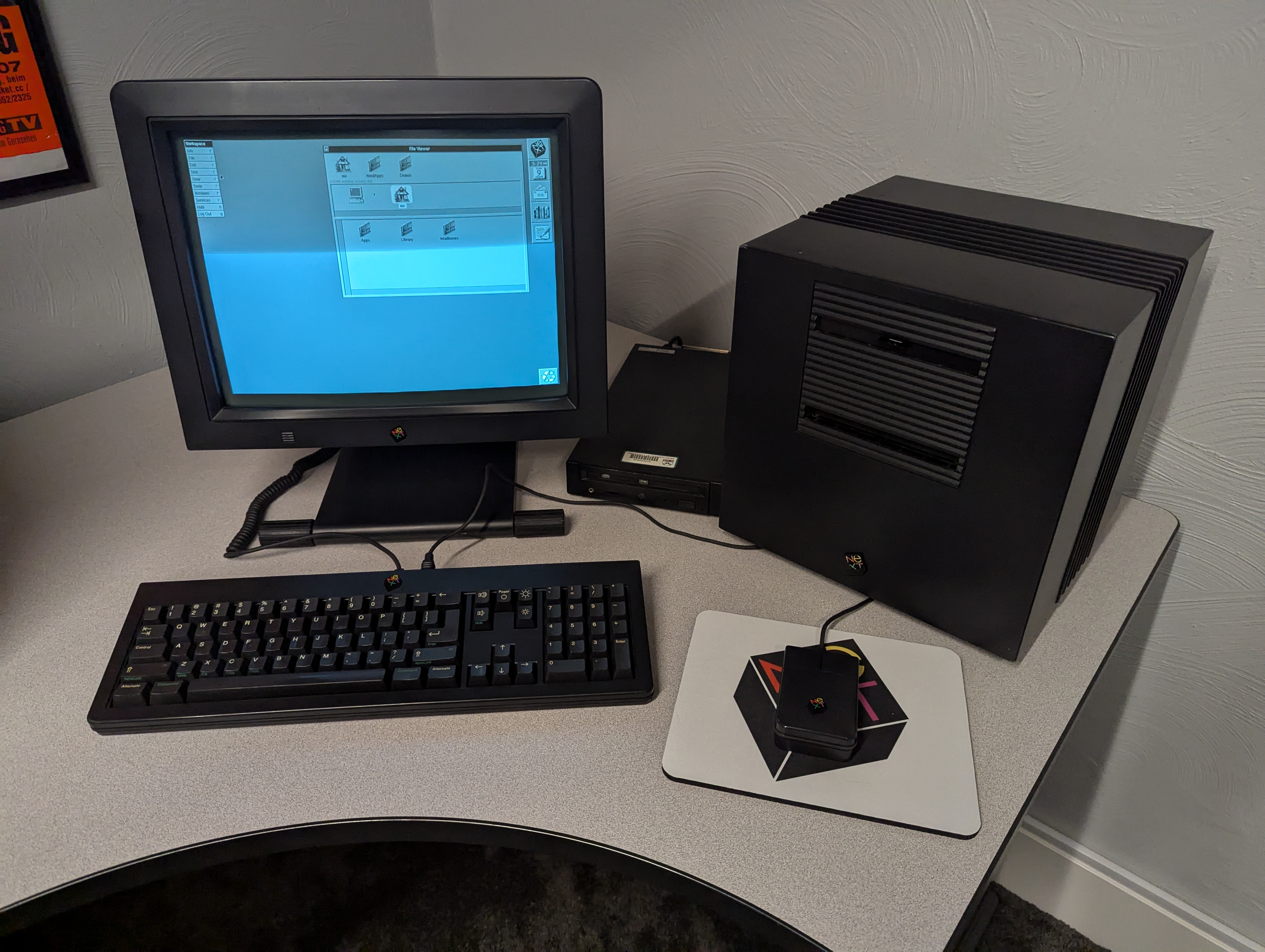
I've got my cube all cleaned up, recapped, and working well:
Now I'd like to turn my attention to the 400dpi laser printer that I got with it:
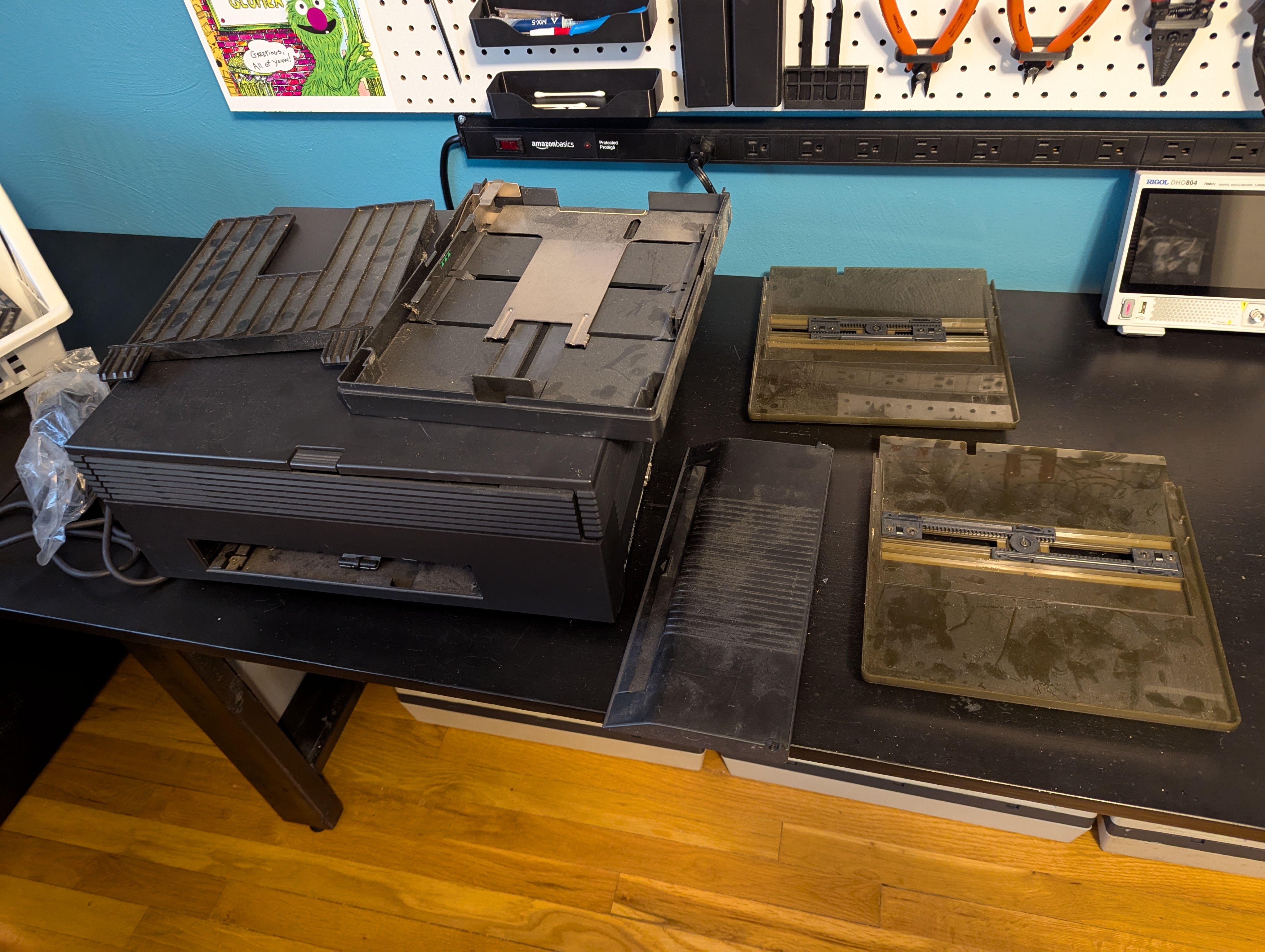
I conceptually understand how laser printing works, but I've never worked on any older printers, let alone a laser printer. I did find this video (https://www.youtube.com/watch?v=6MwXQi3AvqI) and a copy of the service manual, so I may just jump in. I'm wondering if anyone else has attempted to restore one of these recently, and if there are any common issues I should be aware of, gotchas, things that break easily, etc. Also, is it still possible to get toner or other parts for these?
Now I'd like to turn my attention to the 400dpi laser printer that I got with it:
I conceptually understand how laser printing works, but I've never worked on any older printers, let alone a laser printer. I did find this video (https://www.youtube.com/watch?v=6MwXQi3AvqI) and a copy of the service manual, so I may just jump in. I'm wondering if anyone else has attempted to restore one of these recently, and if there are any common issues I should be aware of, gotchas, things that break easily, etc. Also, is it still possible to get toner or other parts for these?
Title: Re: restoring N2000 laser printer
Post by: spitfire on March 10, 2025, 02:40:23 PM
Post by: spitfire on March 10, 2025, 02:40:23 PM
I wrote a thread where I searched out replacement parts for the N2000.
There's a lot of details and almost all the wear parts for the printer have readily available replacements. Except for the fixer heater bulb, we haven't confirmed a replacement for that yet.
Here is the thread:
https://www.nextcomputers.org/forums/index.php?topic=4791
There's a lot of details and almost all the wear parts for the printer have readily available replacements. Except for the fixer heater bulb, we haven't confirmed a replacement for that yet.
Here is the thread:
https://www.nextcomputers.org/forums/index.php?topic=4791
Title: Re: restoring N2000 laser printer
Post by: KennyPowers on March 10, 2025, 04:24:39 PM
Post by: KennyPowers on March 10, 2025, 04:24:39 PM
Sounds like this has the potential to be a whole case of worm cans ;D
Title: Re: restoring N2000 laser printer
Post by: MindWalker on March 10, 2025, 04:38:15 PM
Post by: MindWalker on March 10, 2025, 04:38:15 PM
What's that flat piece on the table between the printer and paper cassettes?
Very much so! :)
I started working on mine (https://www.nextcomputers.org/forums/index.php?topic=5676) soon after Rob posted that service video and that indeed was greatly appreciated. Just make sure you keep track of all screws, be gentle with plastic parts and beware of ink leaking from the cartridges.
The usual wearing parts (take-up roller, paper exit rollers) are same as in HP Laserjet II and mostly available, although you might need to purchaes from abroad. Unfortunately the cartridges themselves are somewhat the weak part: they have rubber wipers and start leaking or do not clear the drum properly and won't print cleanly. There are apparently replacement wipers that can be fitted into the old cartridges but I haven't been able to yet source these to try it out.
Quote from: KennyPowers on March 10, 2025, 04:24:39 PMSounds like this has the potential to be a whole case of worm cans ;D
Very much so! :)
I started working on mine (https://www.nextcomputers.org/forums/index.php?topic=5676) soon after Rob posted that service video and that indeed was greatly appreciated. Just make sure you keep track of all screws, be gentle with plastic parts and beware of ink leaking from the cartridges.
The usual wearing parts (take-up roller, paper exit rollers) are same as in HP Laserjet II and mostly available, although you might need to purchaes from abroad. Unfortunately the cartridges themselves are somewhat the weak part: they have rubber wipers and start leaking or do not clear the drum properly and won't print cleanly. There are apparently replacement wipers that can be fitted into the old cartridges but I haven't been able to yet source these to try it out.
Title: Re: restoring N2000 laser printer
Post by: spitfire on March 10, 2025, 07:28:17 PM
Post by: spitfire on March 10, 2025, 07:28:17 PM
Quote from: KennyPowers on March 10, 2025, 04:24:39 PMSounds like this has the potential to be a whole case of worm cans ;D
With a bunch of us ganging up on the problem it's looking like all the gotchas are being sorted out.
IMHO the best approach would be a "rebuild" rather than fixing any one problem. Order all the wear parts all at once, take the whole thing to pieces then clean, grease and recap everything and put it back together with good parts.
These printers worked pretty flawlessly for decades until the caps started failing. They should be able to last a few more decades.
Title: Re: restoring N2000 laser printer
Post by: KennyPowers on March 10, 2025, 09:28:01 PM
Post by: KennyPowers on March 10, 2025, 09:28:01 PM
Quote from: MindWalker on March 10, 2025, 04:38:15 PMWhat's that flat piece on the table between the printer and paper cassettes?
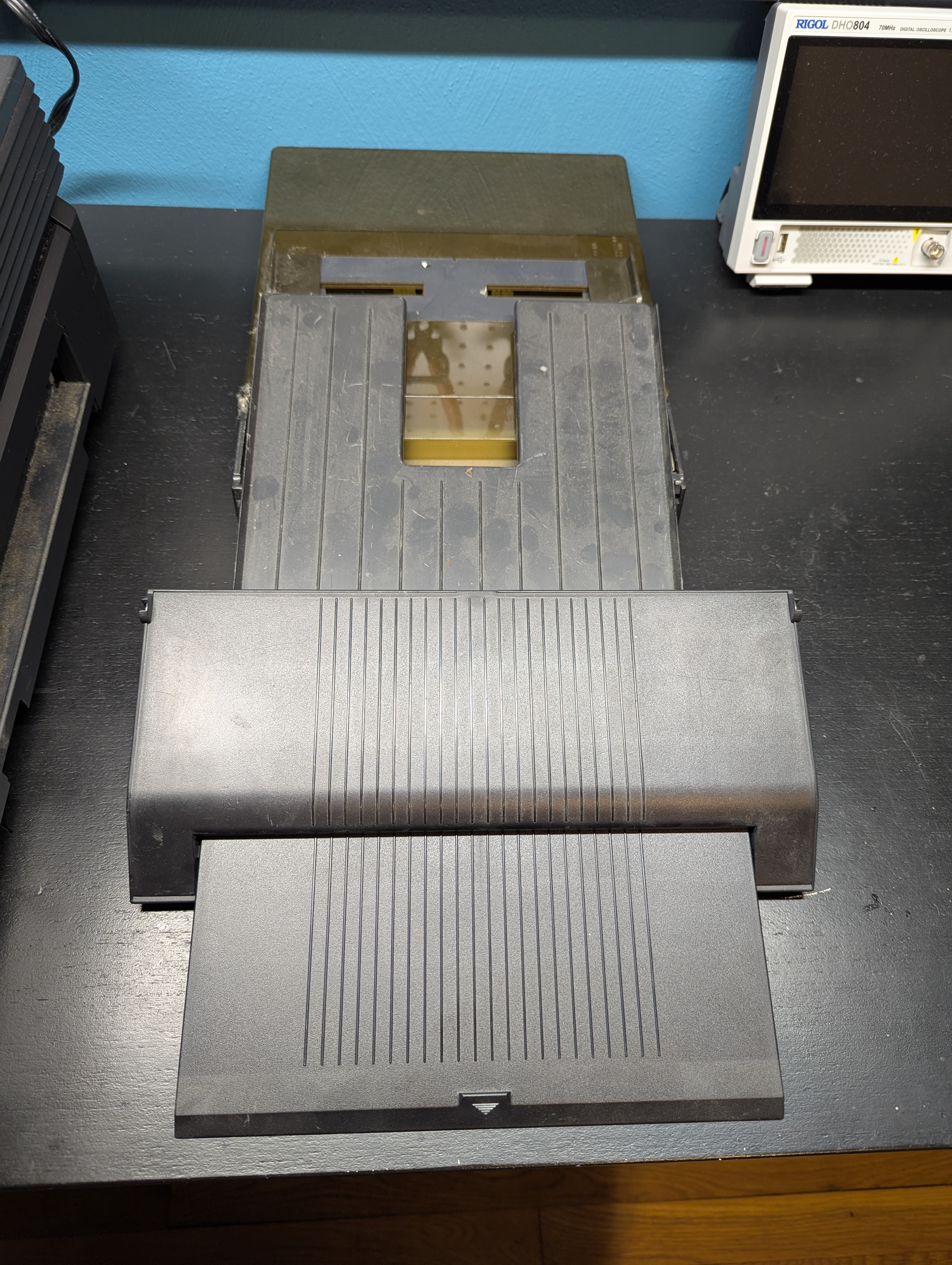
I don't know...appears to be an extendable paper tray for something. It was just in the pile of stuff that came with this system. I'm suspecting it isn't part of this printer though, despite looking very "NeXTy"?
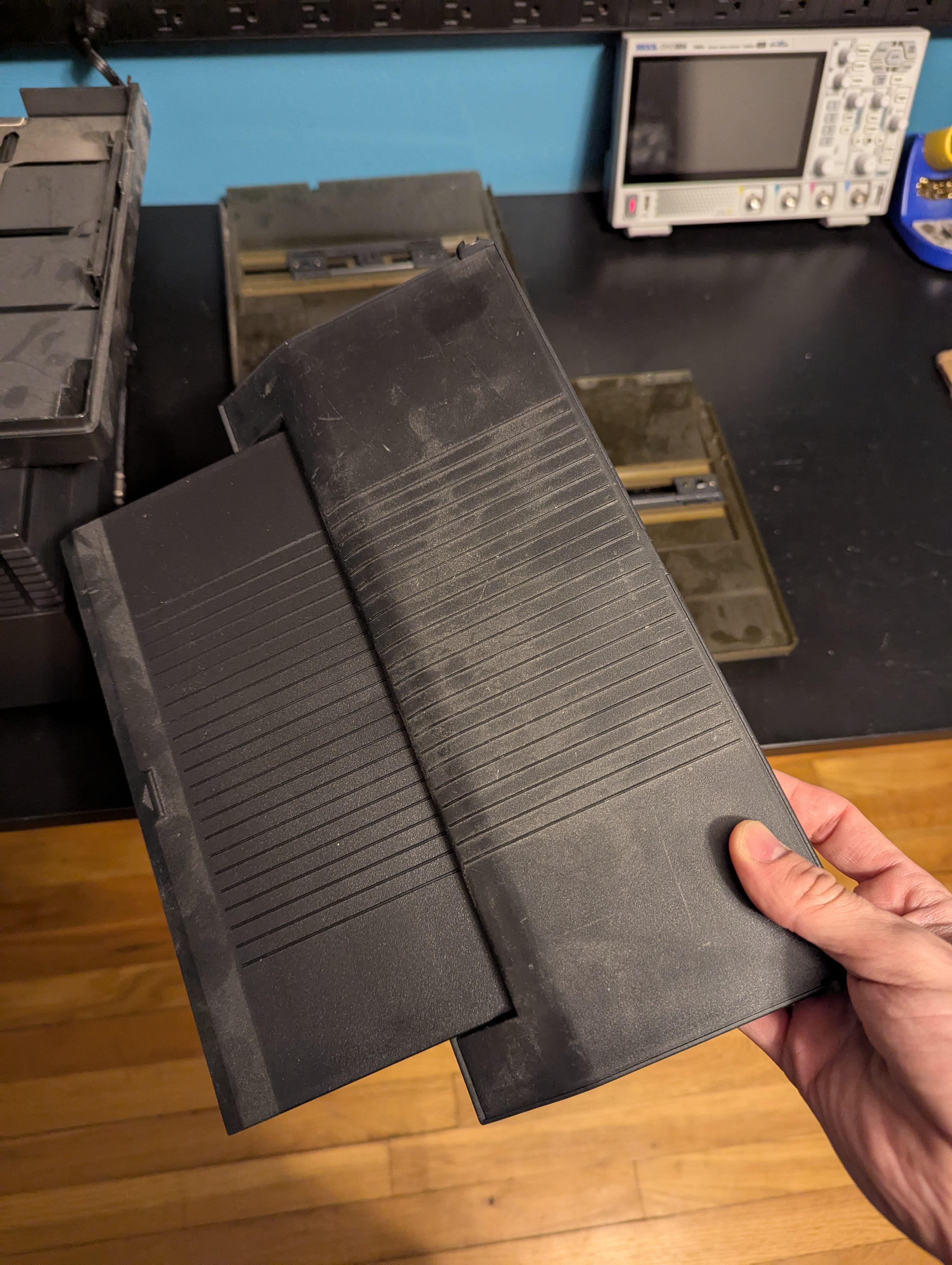
It's wider than the paper path on this printer:
Title: Re: restoring N2000 laser printer
Post by: KennyPowers on March 10, 2025, 09:30:31 PM
Post by: KennyPowers on March 10, 2025, 09:30:31 PM
Quote from: spitfire on March 10, 2025, 07:28:17 PMIMHO the best approach would be a "rebuild" rather than fixing any one problem. Order all the wear parts all at once, take the whole thing to pieces then clean, grease and recap everything and put it back together with good parts.
Ya, that's usually my plan of attack on most things...tear down, clean, recap, replace, rebuild. They just aren't usually this mechanically complex :o
Title: Re: restoring N2000 laser printer
Post by: pl212 on March 10, 2025, 11:08:26 PM
Post by: pl212 on March 10, 2025, 11:08:26 PM
I think that may be part of the NeXT Color Printer (http://www.kevra.org/TheBestOfNext/NeXTProducts/NeXTHardware/NeXTColorPrinter/NeXTColorPrinter.html) -- which was a re-badged Canon. Apple sold one as well, in differently-colored plastics.
Title: Re: restoring N2000 laser printer
Post by: KennyPowers on March 11, 2025, 08:56:54 AM
Post by: KennyPowers on March 11, 2025, 08:56:54 AM
Quote from: pl212 on March 10, 2025, 11:08:26 PMI think that may be part of the NeXT Color Printer (http://www.kevra.org/TheBestOfNext/NeXTProducts/NeXTHardware/NeXTColorPrinter/NeXTColorPrinter.html) -- which was a re-badged Canon. Apple sold one as well, in differently-colored plastics.
Yep, I think you're right.
Title: Re: restoring N2000 laser printer
Post by: KennyPowers on March 24, 2025, 05:19:42 PM
Post by: KennyPowers on March 24, 2025, 05:19:42 PM
I hope I never have to take one of these apart again :o
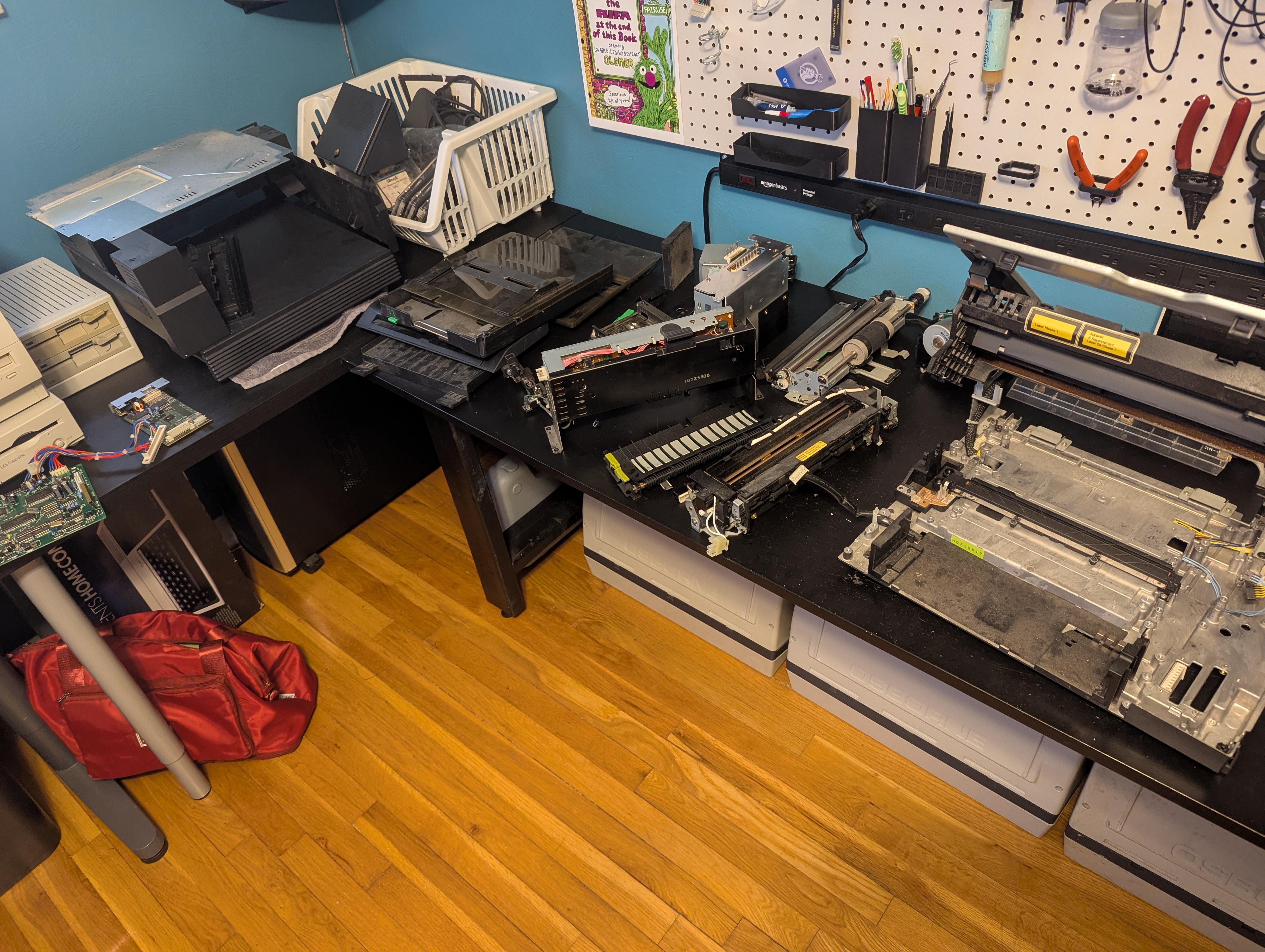
I ordered all of the replacement parts from @spitfire's thread, a NOS toner cartridge, and replacements for all of the electrolytic caps. Many of them are clearly leaking. We'll see what happens when I switch it on after getting it all cleaned up and reassembled...

I ordered all of the replacement parts from @spitfire's thread, a NOS toner cartridge, and replacements for all of the electrolytic caps. Many of them are clearly leaking. We'll see what happens when I switch it on after getting it all cleaned up and reassembled...
Title: Re: restoring N2000 laser printer
Post by: pl212 on March 24, 2025, 05:54:53 PM
Post by: pl212 on March 24, 2025, 05:54:53 PM
"The Rifa at the end of this book" ;D
Title: Re: restoring N2000 laser printer
Post by: spitfire on March 25, 2025, 10:22:04 AM
Post by: spitfire on March 25, 2025, 10:22:04 AM
The one part I'm worried about (besides the main PCB) is the hater lamp. Still no replacement for that.
Title: Re: restoring N2000 laser printer
Post by: KennyPowers on April 12, 2025, 10:33:49 AM
Post by: KennyPowers on April 12, 2025, 10:33:49 AM
Quote from: spitfire on March 10, 2025, 02:40:23 PMI wrote a thread where I searched out replacement parts for the N2000.
There's a lot of details and almost all the wear parts for the printer have readily available replacements. Except for the fixer heater bulb, we haven't confirmed a replacement for that yet.
Here is the thread:
https://www.nextcomputers.org/forums/index.php?topic=4791
I have the printer completely recapped and cleaned. I now need to install the replacement parts from your thread, and then I can reassemble. Before I start figuring it out for myself, is there a disassembly guide or video somewhere for the fuser unit? Barring that, is there anything to watch out for or that might come out of adjustment? I already know not to touch the lamp...
Title: Re: restoring N2000 laser printer
Post by: paolo.bertolo on April 12, 2025, 10:36:08 AM
Post by: paolo.bertolo on April 12, 2025, 10:36:08 AM
A fresh intake roller is probably all you need.
Title: Re: restoring N2000 laser printer
Post by: spitfire on April 12, 2025, 05:38:11 PM
Post by: spitfire on April 12, 2025, 05:38:11 PM
I don't know of any videos on the fuser. I do know there's instructions on how to replace the sensors in the fuser units. Be very, very patient. There's lots of little screws to lose.
https://nextcomputers.org/NeXTfiles/Docs/Hardware/NeXT_Laser_Printer_N2000/
If you feel like taking a risk you could go on ebay and buy a complete fuser unit from a "NEC-Mitsubishi Silentwriter 2 990". These are apparently the same Canon LBP-UX engine as the NeXTLaser. So they should be a drop in replacement. It would be nice to get a report if they are compatible.
https://nextcomputers.org/NeXTfiles/Docs/Hardware/NeXT_Laser_Printer_N2000/
If you feel like taking a risk you could go on ebay and buy a complete fuser unit from a "NEC-Mitsubishi Silentwriter 2 990". These are apparently the same Canon LBP-UX engine as the NeXTLaser. So they should be a drop in replacement. It would be nice to get a report if they are compatible.
Title: Re: restoring N2000 laser printer
Post by: KennyPowers on April 12, 2025, 07:12:29 PM
Post by: KennyPowers on April 12, 2025, 07:12:29 PM
Well I just dove in and rebuilt the fuser, taking a lot of pictures along the way so I could reassemble it. Still, that was probably the world's least enjoyable jigsaw puzzle. I believe I have it all reassembled correctly with no parts leftover ;D
I ended up replacing all three of the rollers in the fuser, the bushings for the heat roller, and a couple gears that were stripped/broken. The expeller(?) gear had a crack all the way through it. I did not replace the thermoswitch or thermistor because the replacements had different markings than the stock ones, and I didn't feel like splicing wires for the new thermistor when the existing one is probably fine. I just cleaned up the stock ones.
I also replaced the separation pad in the pickup assembly. I did not end up using the three replacement pickup rollers I bought because my printer has the same single-roller design as @paolo.bertolo shows here (https://www.nextcomputers.org/forums/index.php?topic=4791.msg29662#msg29662). I just cleaned the rubber sleeve on mine with IPA, and that made it grippier. I'm still interested in knowing exactly which silicone bands you used to replace your rubber sleeve though, in case I have paper feeding problems.
I'll reassemble the printer another day...I've had enough of it for one day :o
I ended up replacing all three of the rollers in the fuser, the bushings for the heat roller, and a couple gears that were stripped/broken. The expeller(?) gear had a crack all the way through it. I did not replace the thermoswitch or thermistor because the replacements had different markings than the stock ones, and I didn't feel like splicing wires for the new thermistor when the existing one is probably fine. I just cleaned up the stock ones.
I also replaced the separation pad in the pickup assembly. I did not end up using the three replacement pickup rollers I bought because my printer has the same single-roller design as @paolo.bertolo shows here (https://www.nextcomputers.org/forums/index.php?topic=4791.msg29662#msg29662). I just cleaned the rubber sleeve on mine with IPA, and that made it grippier. I'm still interested in knowing exactly which silicone bands you used to replace your rubber sleeve though, in case I have paper feeding problems.
I'll reassemble the printer another day...I've had enough of it for one day :o
Title: Re: restoring N2000 laser printer
Post by: KennyPowers on April 16, 2025, 01:07:40 PM
Post by: KennyPowers on April 16, 2025, 01:07:40 PM
I reassembled the printer and gave it a try. It's showing all the signs of life I think it's supposed to. Comes to life when booting the computer, fan is running, the computer knows when the lid is open, tray is removed, etc, it isn't on fire... It's just not ingesting paper, resulting in a paper jam error (same behavior when feeding a single sheet):
https://www.youtube.com/watch?v=2CwupAcMyWk
I believe the pickup roller is turning because I can hear it, and if I manually turn the roller while pushing a sheet of paper under it, and then try to print, I can see the sheet of paper move a little bit when it tries to ingest the paper. I'm guessing it's the same issue you had @paolo.bertolo with the roller being too slick. Probably why it won't pull in a sheet of paper when I manually turn the roller unless I also push the paper in with my other hand. So, I guess I'll need to replace the rubber roller sleeve with something like you did or maybe see if one of the three HP Laserjet II rollers I bought can be made to work. However, when I had it apart, they didn't appear to be the same dimensions as the NeXT roller, and also didn't look like they would physically interface with the plastic cams on either side of the NeXT roller.
But everyone agrees it sounds like my intake roller is the problem?
https://www.youtube.com/watch?v=2CwupAcMyWk
I believe the pickup roller is turning because I can hear it, and if I manually turn the roller while pushing a sheet of paper under it, and then try to print, I can see the sheet of paper move a little bit when it tries to ingest the paper. I'm guessing it's the same issue you had @paolo.bertolo with the roller being too slick. Probably why it won't pull in a sheet of paper when I manually turn the roller unless I also push the paper in with my other hand. So, I guess I'll need to replace the rubber roller sleeve with something like you did or maybe see if one of the three HP Laserjet II rollers I bought can be made to work. However, when I had it apart, they didn't appear to be the same dimensions as the NeXT roller, and also didn't look like they would physically interface with the plastic cams on either side of the NeXT roller.
But everyone agrees it sounds like my intake roller is the problem?
Title: Re: restoring N2000 laser printer
Post by: MindWalker on April 16, 2025, 01:59:13 PM
Post by: MindWalker on April 16, 2025, 01:59:13 PM
I thinkt that's looking very promising! I was seriously baffled for a moment as the cat appeared from (behind) the printer as I was expecting to see the paper move into that direction ;D
The intake roller would be pretty easy thing to try before anything else, you really want the paper to travel correctly. It's quite tricky to manually push the paper as it needs to be timed right. I think that around 0:29 in your video, the printer should pull in about a 1/4th of the page, then wait couple of seconds and then pull it all the way thru. The page needs to register at the output stage in due time or the printer will read that as a jam.
I managed to get one or two pages manually in when I still had the bad separation pad (and intake roller), but it took several attempts to get it right.
The part I bought had an item number RA1-3851-CLN, here are the old and new part (I, er, can't remember now which one is which, I think the original part had the very thin rubber?) - quite different but interchangeable:
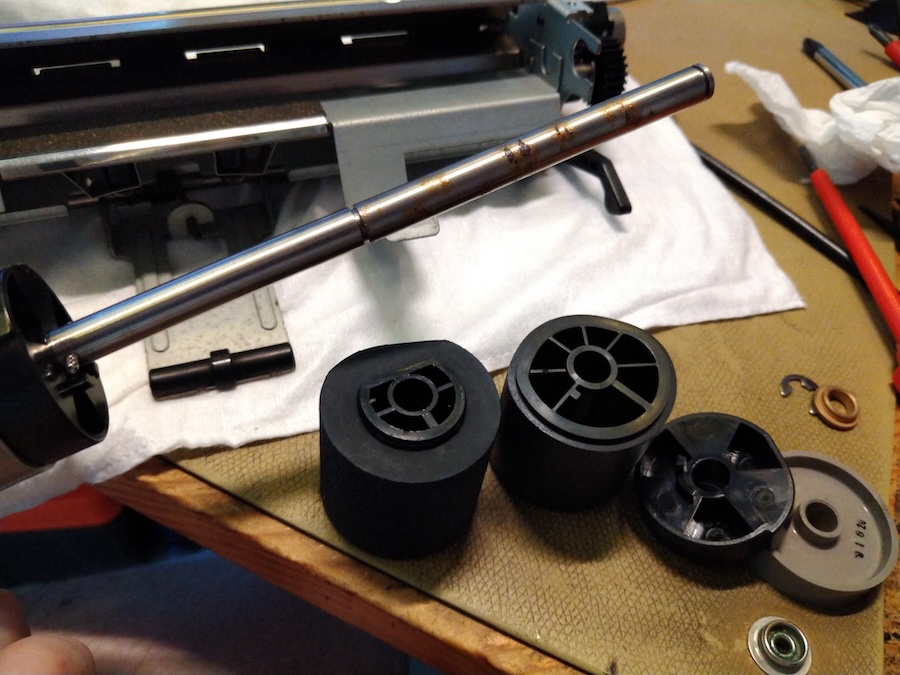
The intake roller would be pretty easy thing to try before anything else, you really want the paper to travel correctly. It's quite tricky to manually push the paper as it needs to be timed right. I think that around 0:29 in your video, the printer should pull in about a 1/4th of the page, then wait couple of seconds and then pull it all the way thru. The page needs to register at the output stage in due time or the printer will read that as a jam.
I managed to get one or two pages manually in when I still had the bad separation pad (and intake roller), but it took several attempts to get it right.
The part I bought had an item number RA1-3851-CLN, here are the old and new part (I, er, can't remember now which one is which, I think the original part had the very thin rubber?) - quite different but interchangeable:
Title: Re: restoring N2000 laser printer
Post by: KennyPowers on April 16, 2025, 07:13:49 PM
Post by: KennyPowers on April 16, 2025, 07:13:49 PM
Quote from: MindWalker on April 16, 2025, 01:59:13 PMThe part I bought had an item number RA1-3851-CLN, here are the old and new part (I, er, can't remember now which one is which, I think the original part had the very thin rubber?) - quite different but interchangeable:
So that's actually the replacement roller I had bought, but when I first had the printer apart, it didn't look interchangeable with the original part...I guess I should have looked harder :-[
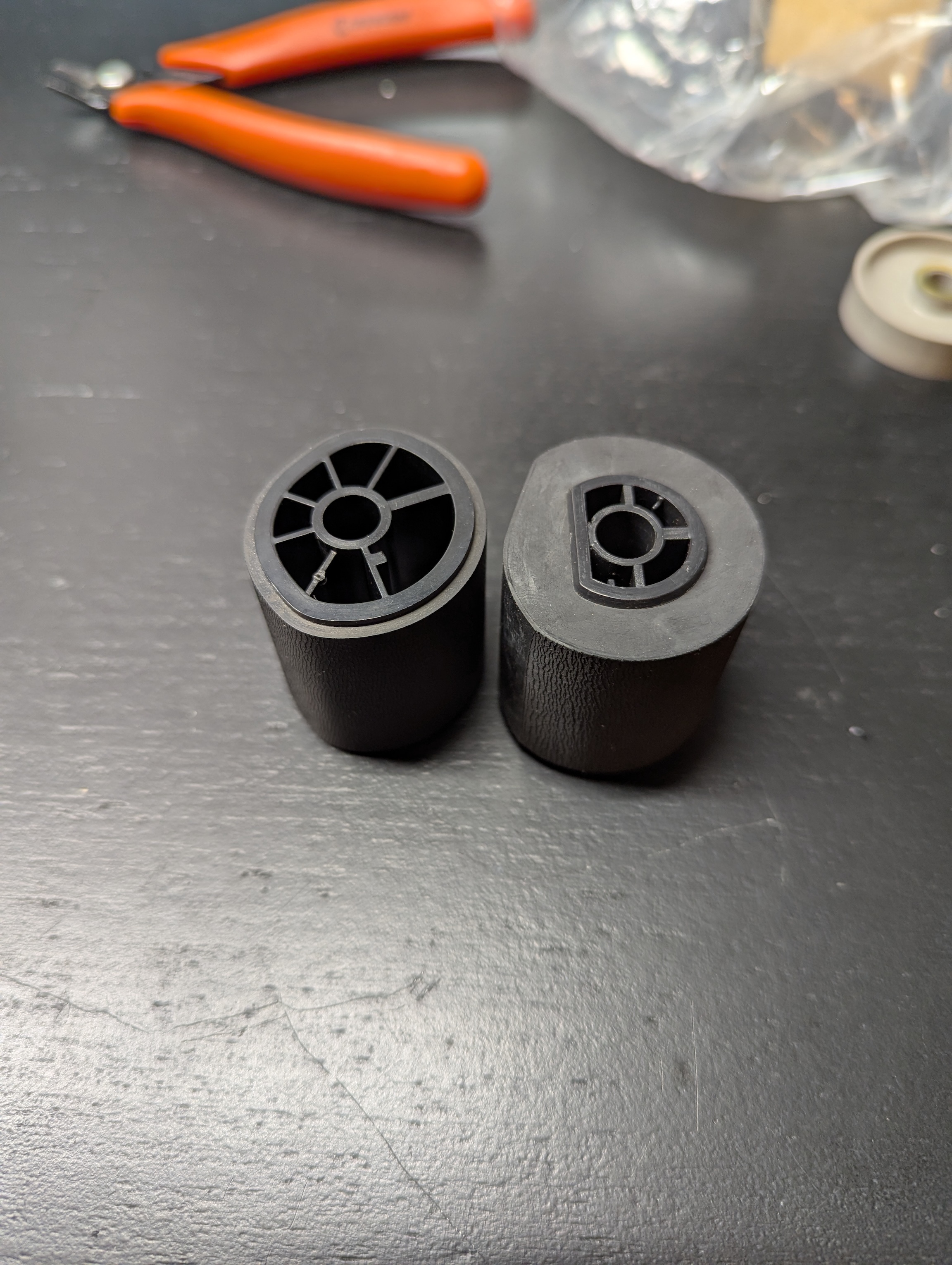
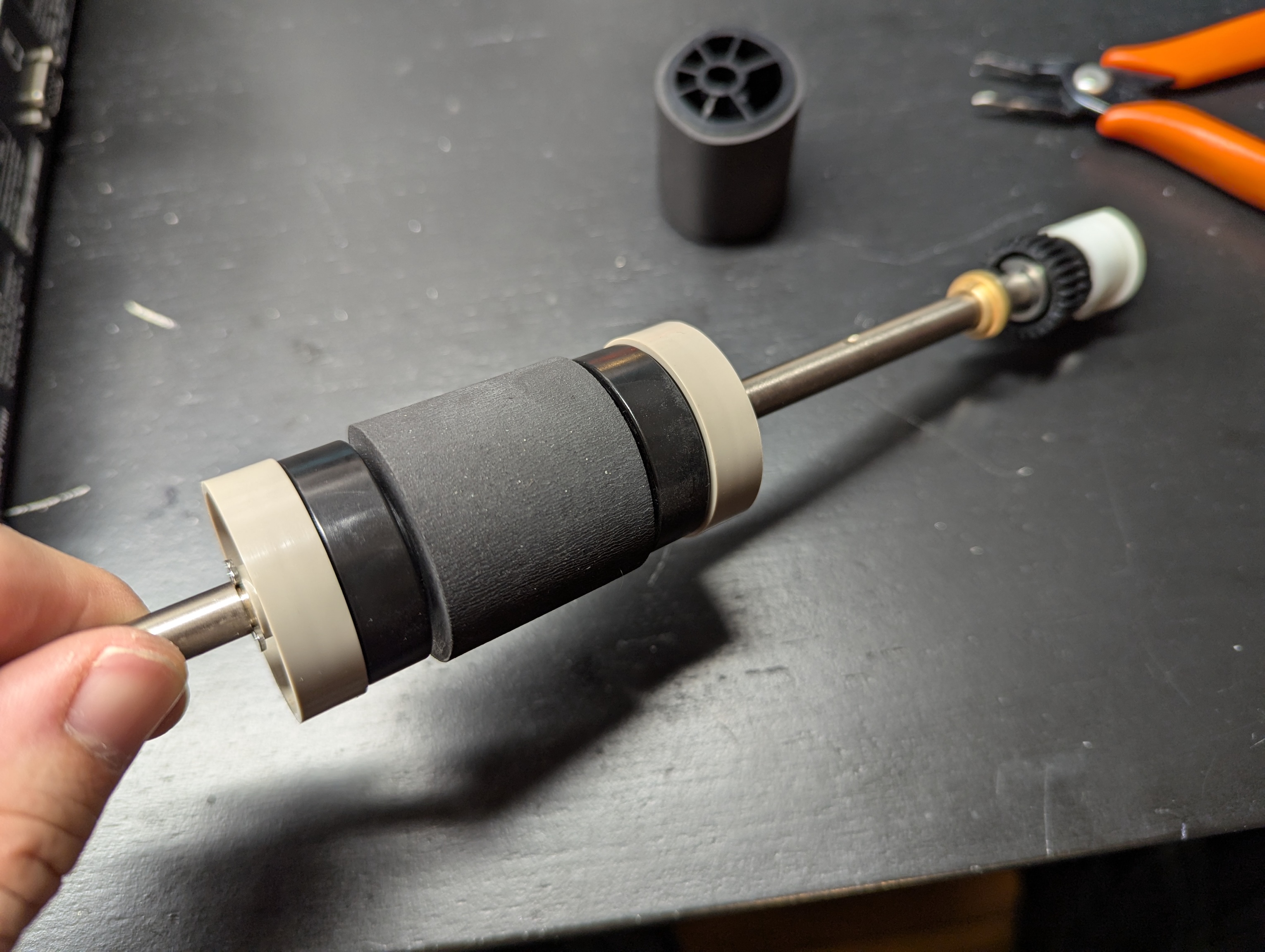
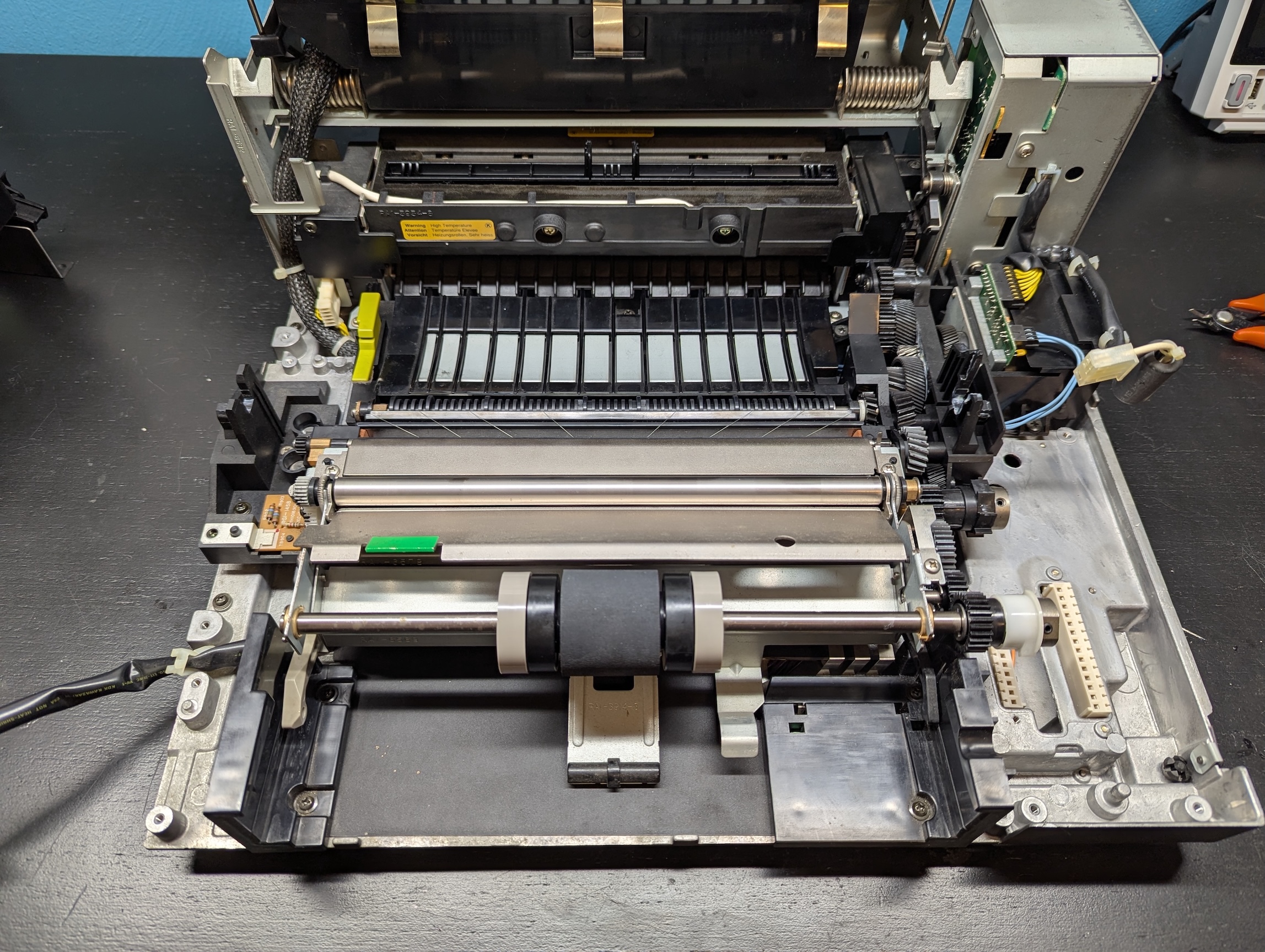
Aaaannndd, guess what?
https://www.youtube.com/watch?v=uKDP6o8Zyb0
It pulls paper flawlessly from either the cassette or single sheets ;D
There's still some consistent horizontal lines near the top of each page. Here's the very first print compared to 10 prints later (prints 2-10 all look about the same):
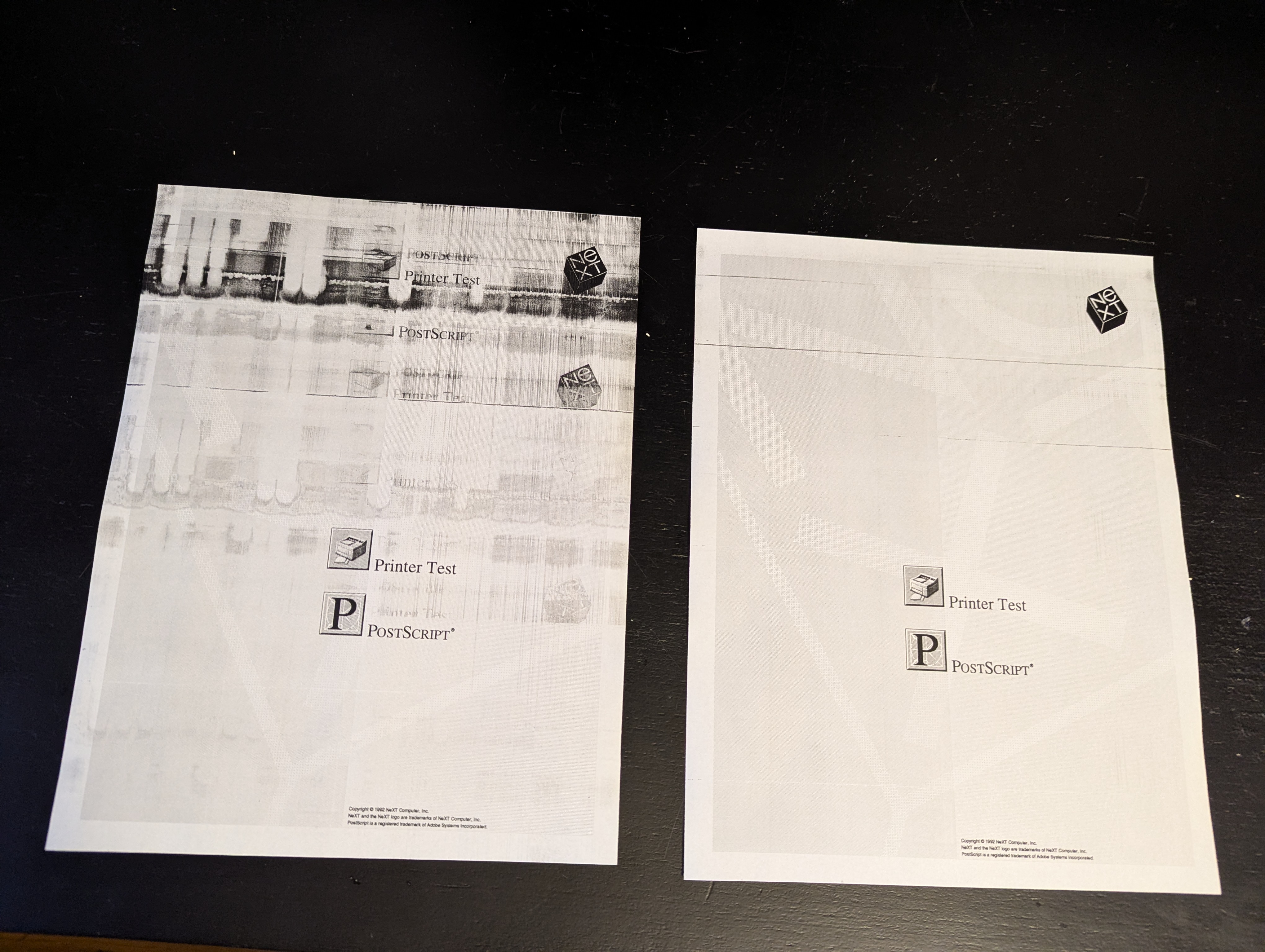
Any idea on how to improve that? All of the rollers in the fuser are new. The long bar-shaped cleaning brush that sits ontop of the heating roller is also new, and the toner cartridge is new-old-stock.
Title: Re: restoring N2000 laser printer
Post by: MindWalker on April 17, 2025, 12:44:32 AM
Post by: MindWalker on April 17, 2025, 12:44:32 AM
Congrats!
That's pretty much where my N2000 is now - it works but has those similar streaks. And I am afraid it's now down to the toner cartridges; the wiper blade (rubber) inside goes bad. I've read about attempts to restore the rubber, and there are replacement parts (I haven't been able to source one yet, all sites that have them are either far away or don't list prices or don't reply to queries about less than a parcel-load of parts).
That's pretty much where my N2000 is now - it works but has those similar streaks. And I am afraid it's now down to the toner cartridges; the wiper blade (rubber) inside goes bad. I've read about attempts to restore the rubber, and there are replacement parts (I haven't been able to source one yet, all sites that have them are either far away or don't list prices or don't reply to queries about less than a parcel-load of parts).
Title: Re: restoring N2000 laser printer
Post by: paolo.bertolo on April 18, 2025, 06:04:59 AM
Post by: paolo.bertolo on April 18, 2025, 06:04:59 AM
Congrats, nice job!
I have the same faint streaks, I think they are more than acceptable considering the age of the toner cartridge.
I have the same faint streaks, I think they are more than acceptable considering the age of the toner cartridge.
Title: Re: restoring N2000 laser printer
Post by: MindWalker on May 21, 2025, 11:30:32 AM
Post by: MindWalker on May 21, 2025, 11:30:32 AM
After a bit of a hiatus on this, I am happy to report (an un-expected) success! :o ;D
This is the same NOS cartridge I used last time but now with a new drum cleaning blade ("Canon FA9-2733-000 Compatible Drum Cleaning Blade" from PrecisionRoller.com (https://www.precisionroller.com/fa9-2733-000-for-canon/details_pn_182.html)).
I'll post some more pics of the surgery soon!
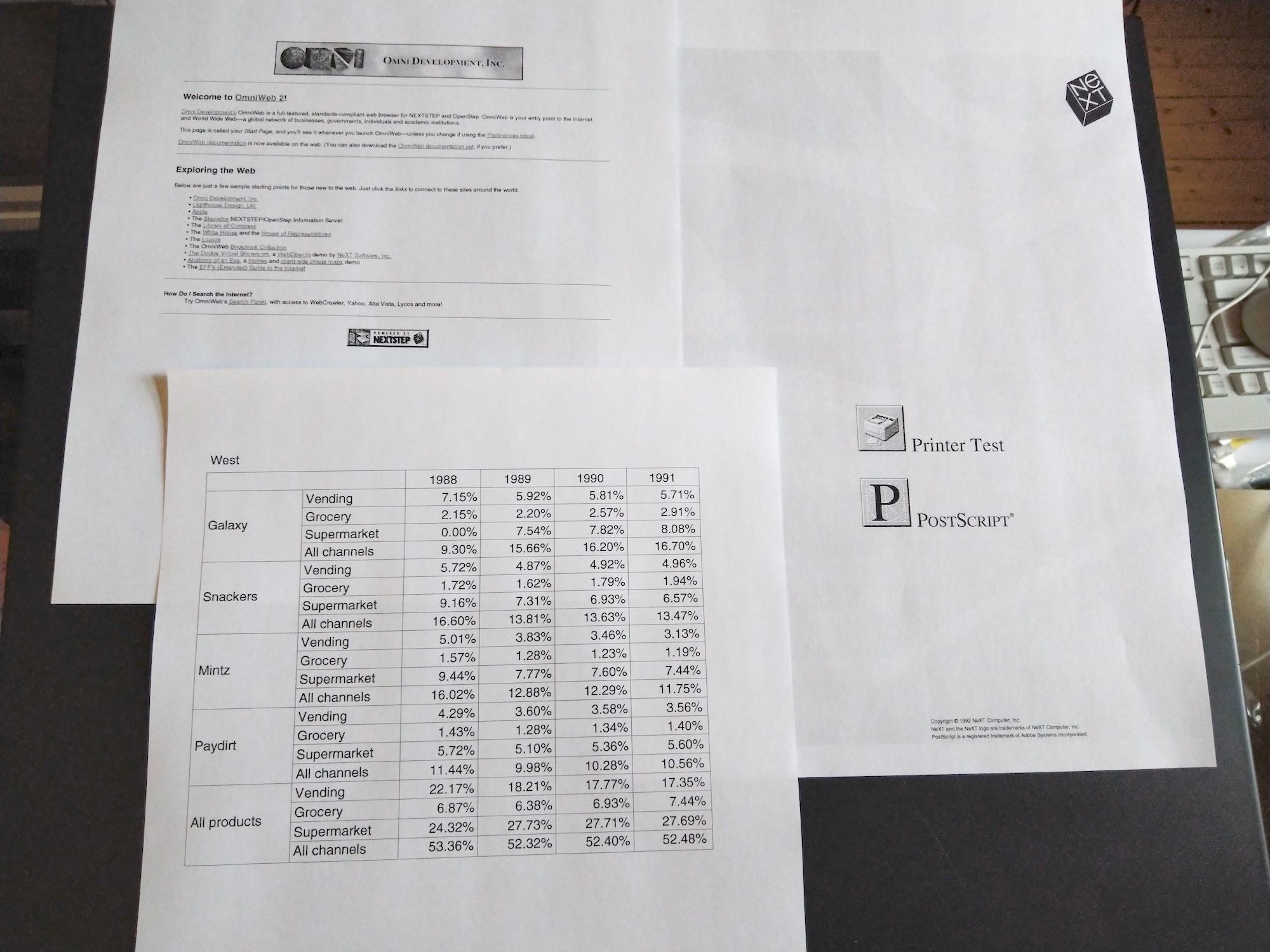
This is the same NOS cartridge I used last time but now with a new drum cleaning blade ("Canon FA9-2733-000 Compatible Drum Cleaning Blade" from PrecisionRoller.com (https://www.precisionroller.com/fa9-2733-000-for-canon/details_pn_182.html)).
I'll post some more pics of the surgery soon!
Title: Re: restoring N2000 laser printer
Post by: KennyPowers on May 21, 2025, 03:16:15 PM
Post by: KennyPowers on May 21, 2025, 03:16:15 PM
Quote from: MindWalker on May 21, 2025, 11:30:32 AMAfter a bit of a hiatus on this, I am happy to report (an un-expected) success! :o ;D
This is the same NOS cartridge I used last time but now with a new drum cleaning blade ("Canon FA9-2733-000 Compatible Drum Cleaning Blade" from PrecisionRoller.com (https://www.precisionroller.com/fa9-2733-000-for-canon/details_pn_182.html)).
I'll post some more pics of the surgery soon!
That looks FANTASTIC! I look forward to the write-up...I want to do the same thing :o
Title: Re: restoring N2000 laser printer
Post by: MindWalker on May 22, 2025, 01:33:07 PM
Post by: MindWalker on May 22, 2025, 01:33:07 PM
Thanks!
Also sorry for stealing your thread, I thought I was still replying to my old repair thread and not yours! :-[
Follow-up with pics available there now! (https://www.nextcomputers.org/forums/index.php?topic=5676.msg33915#msg33915)
Also sorry for stealing your thread, I thought I was still replying to my old repair thread and not yours! :-[
Follow-up with pics available there now! (https://www.nextcomputers.org/forums/index.php?topic=5676.msg33915#msg33915)
Title: Re: restoring N2000 laser printer
Post by: KennyPowers on May 22, 2025, 02:29:09 PM
Post by: KennyPowers on May 22, 2025, 02:29:09 PM
That doesn't look too hard...I've ordered a replacement blade!